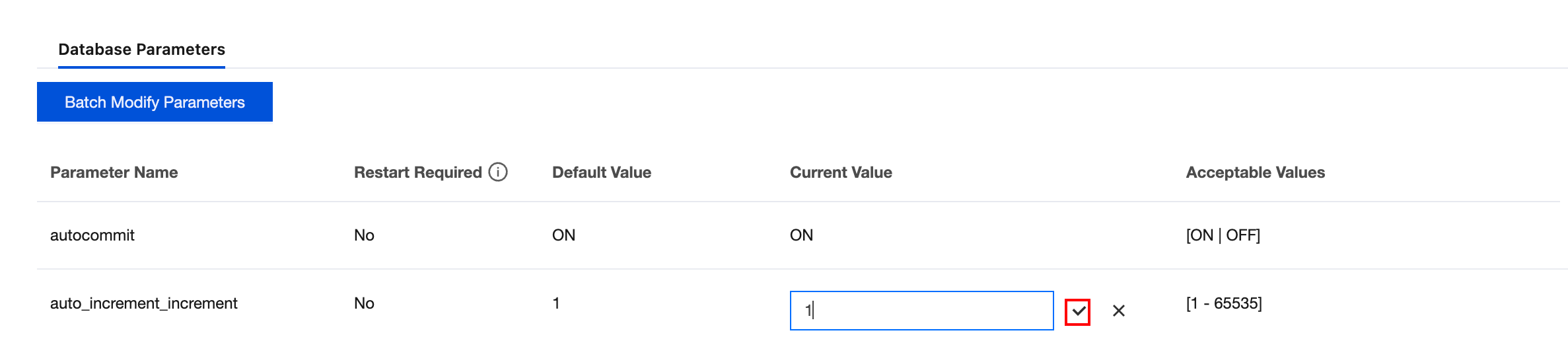
You can view database parameters through the console and adjust some parameter values according to business needs.
Limitations
If modified parameters require restarting the instance to take effect, we recommend performing the operation during business off-peak hours and ensure user applications have a reconnection mechanism.
Parameter modification tasks can be queried through the task list.
Modifying a Single Parameter
1. Log in to the TDSQL Boundless console. In the Instance List, click the Instance ID to go to the Instance Details page.
2. Choose the Parameters Settings > Database Parameters tab, locate the row of the target parameter, and in the Current Value column, click
to modify the parameter value.
3. Enter the new parameter value according to the prompt in the Acceptable Values column.
Click
to save.
Click
to cancel the operation.
4. In the pop-up dialog box, click OK after confirming the information is correct.
During parameter modification confirmation, the system will prompt whether restarting the instance is required to take effect.
Modifying Parameters in Batches
1. Log in to the TDSQL Boundless console. In the Instance List, click the Instance ID to go to the Instance Details page.
2. Choose the Parameters Settings > Database Parameters tab, and click Batch Modify Parameters.
3. In the Current Value column, select and modify the parameters that need to be changed. After confirming the changes are correct, click Confirm Modification.
4. In the pop-up dialog box, confirm that everything is correct and click OK.
During parameter modification confirmation, the system will prompt whether restarting the instance is required to take effect.