Modifying Audit Rule
Download
Mode fokus
Ukuran font
This document introduces the operations related to modifying audit rules via the console.
Prerequisites
Feature Overview
Audit rules support switching from full audit to rule-based audit, and also support switching from rule-based audit to full audit.
After the audit rules are modified, the selected instances will be reconfigured according to the updated rules.
Audit rule modifications include changes to the audit type and rule template.
Modifying Audit Rules for a Single Instance
1. Log in to the TencentDB for MySQL console.
2. Select SQL Insight (Database Audit) in the left sidebar.
3. Select a region at the top, click the Audit Log Storage Status field on the Audit Instance page, and select Enabled to filter instances with the audit service enabled.
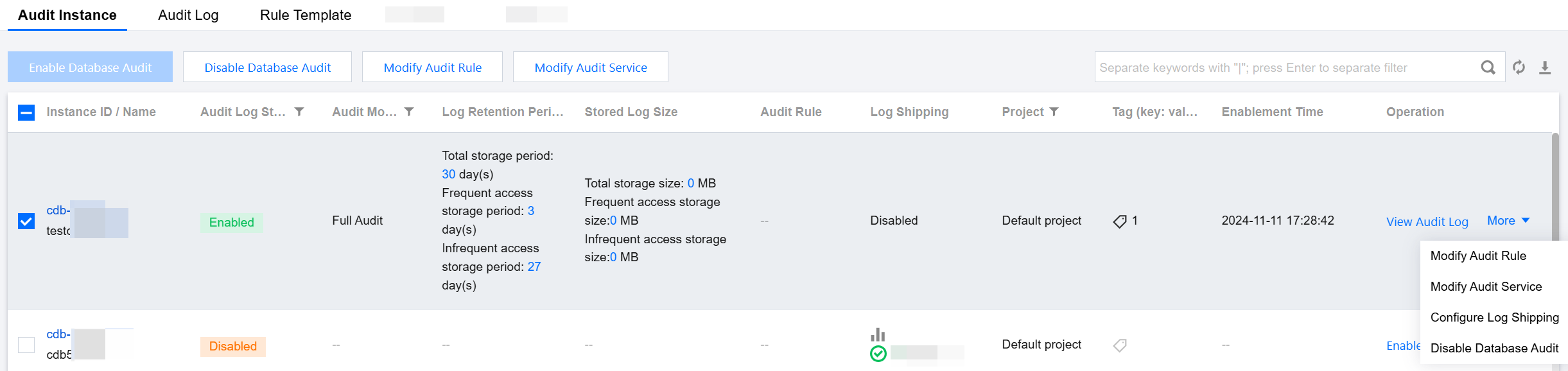
4. Locate the target instance in the Audit Instance list (or quickly find it by filtering by resource attributes in the search box), and in its Operation column, choose More > Modify Audit Rule.
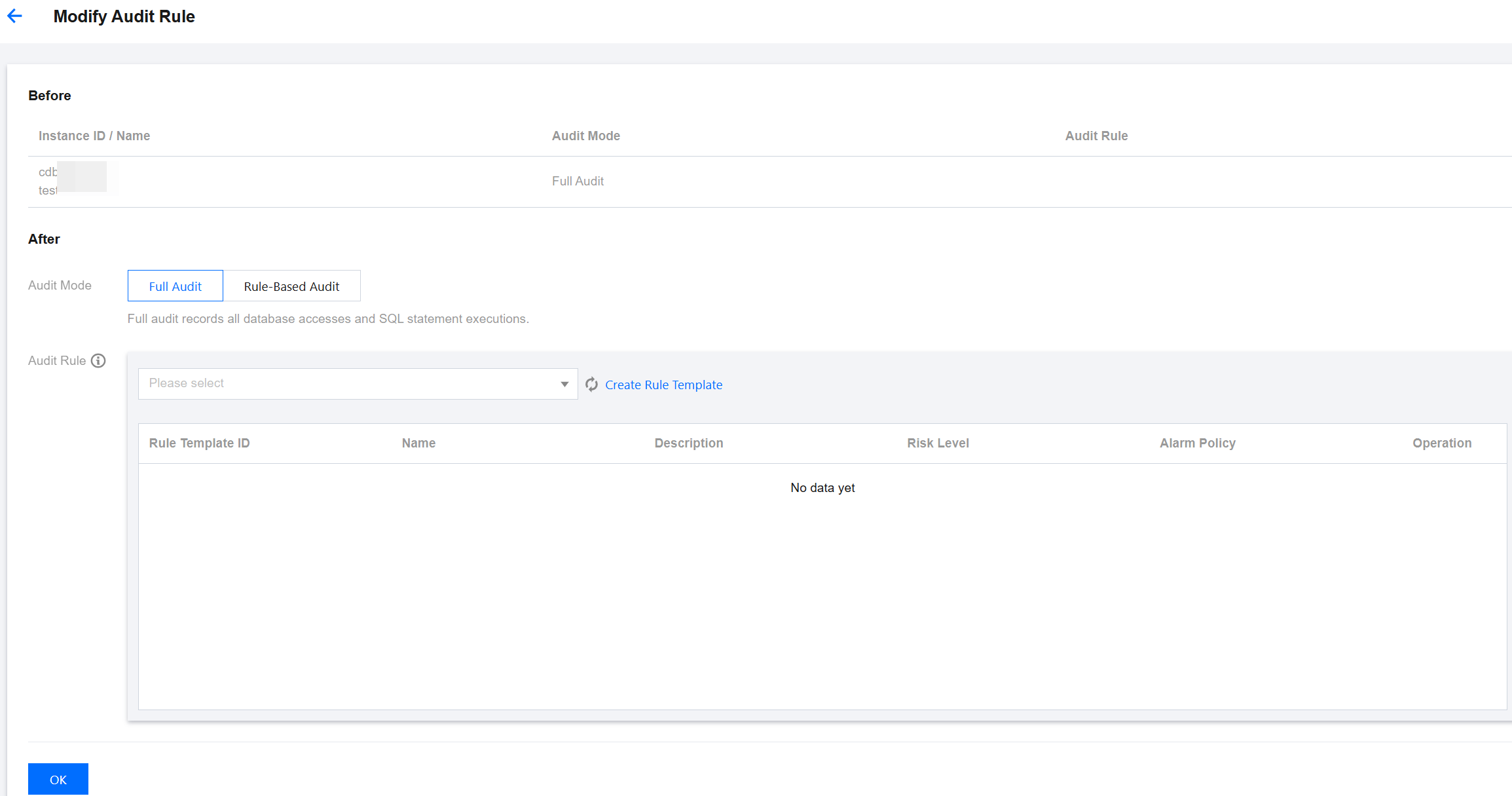
5. In the Modify Audit Rule window, make the desired changes (audit type or audit rules), and click OK.
Batch Modification of Audit Rules
Note
Audit rules support switching from full audit to rule-based audit, and also support switching from rule-based audit to full audit.
After batch modification of audit rules, the audit rules for the selected instances will be uniformly adjusted according to the updated rules.
Audit rule modifications include changes to the audit type and rule template.
1. Log in to the TencentDB for MySQL console.
2. Select SQL Insight (Database Audit) in the left sidebar.
3. Select a region at the top, click the Audit Log Storage Status field on the Audit Instance page, and select Enabled to filter instances with the audit service enabled.
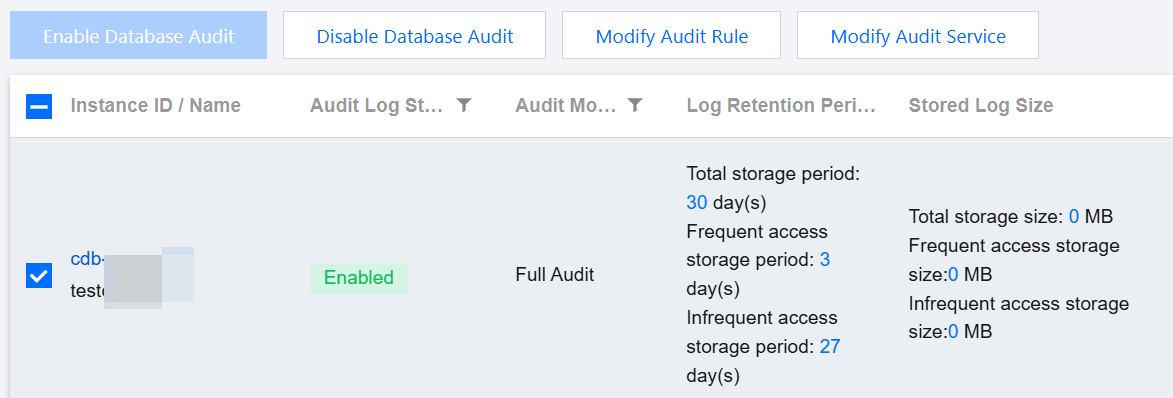
4. Locate the target instance in the Audit Instance list (or quickly find it by filtering by resource attributes in the search box), select multiple instances on the audit instance list page, and click Modify Audit Rule at the top.
5. In the Modify Audit Rule window, make the desired changes (audit type or audit rules), and click OK.
Bantuan dan Dukungan
Apakah halaman ini membantu?
Anda juga dapat Menghubungi Penjualan atau Mengirimkan Tiket untuk meminta bantuan.
masukan