tencent cloud

About Account

Signing Up
Logging in to Tencent Cloud
Identity Verification
Individual Identity Verification Guide
Enterprise Identity Verification Guide
Identity Verification Change Guide
Operation Guide
Manage Account Information
Security Settings
FAQs
Account Information
Identity Verification
Security Settings
Project Management
Troubleshooting
SMS Verification Issues
Email Verification Issues

Logging out from All Devices

PDF
Mode fokus
Ukuran font
Terakhir diperbarui: 2025-12-05 16:26:56

Scenarios

If your account login behavior is uncontrollable and you suspect a current login security risk, you can deactivate all logins, including the currently logged-in session.

Note

Before performing the operation to be taken offline, it is advisable to go to the Security Setting webpage to replace the account password.

Operation Steps

1. Log in to the Tencent Cloud console and enter the security settings page.
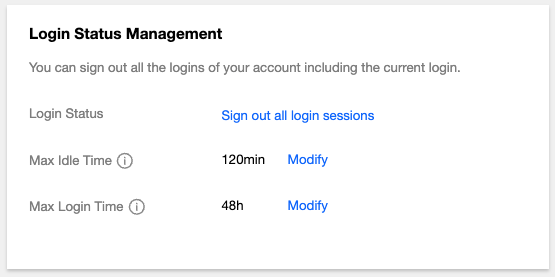
2. In the Login Status Management section, click Sign out all login sessions.

3. In the pop-up identity verification window, complete the authentication process according to the prompts.
Note:
If the current authentication method is unavailable, you can click to use the alternative verification method to verify identity.
If there is no alternative verification method, contact us or submit a ticket to obtain support.
4. In the pop-up dialog box, click Deactivate Now.
Bantuan dan Dukungan

Apakah halaman ini membantu?

masukan