Release Notes
Announcements
'use strict';exports.main_handler = async (event, context) => {console.log("Hello World")console._stdout.write("Hello World")process.stdout.write("Hello World")return event};
console.log to print logs. The platform will encapsulate the log content in the format of "timestamp RequestId log content" and write it to CLS.console.log("hello world")
Log output: 2021-12-27T03:53:59.192Z a7358cce-489a-4674-8e4e-68665fa2b81d Hello Worldconsole.log, console._stdout.write(), or process.stdout.write() to print logs. The platform will encapsulate the log content in the format of "timestamp RequestId log content" and write it to CLS.console.log("hello world")
Log output: 2021-12-27T03:53:59.192Z a7358cce-489a-4674-8e4e-68665fa2b81d Hello Worldconsole.log to print logs. The platform will encapsulate the log content in the format of "timestamp RequestId log content" and write it to CLS.console.log("hello world")
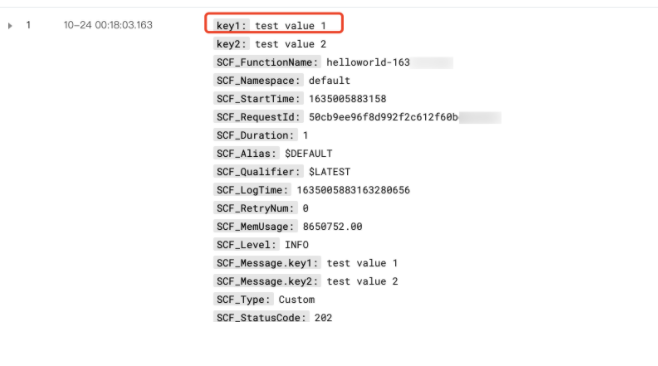
Log output: 2021-12-27T03:53:59.192Z a7358cce-489a-4674-8e4e-68665fa2b81d Hello WorldSCF_Message field when it is delivered to CLS. For descriptions of CLS fields, see Log Delivery Configuration.SCF_CustomKey: SCF, add a key-value index to the log topic for SCF log delivery as instructed in Configuring Indexes.SCF_LogTopic_) does not support modifying the index configuration. You need to set the destination topic to custom delivery first and then update the log topic's index configuration.field:value format. Only top-level field:value pairs where the value is numeric or a string are parsed; other types are ignored.'use strict';exports.main_handler = async (event, context) => {console._stdout.write(JSON.stringify({"key1": "test value 1","key2": "test value 2"})+'\\n');return "hello world"};
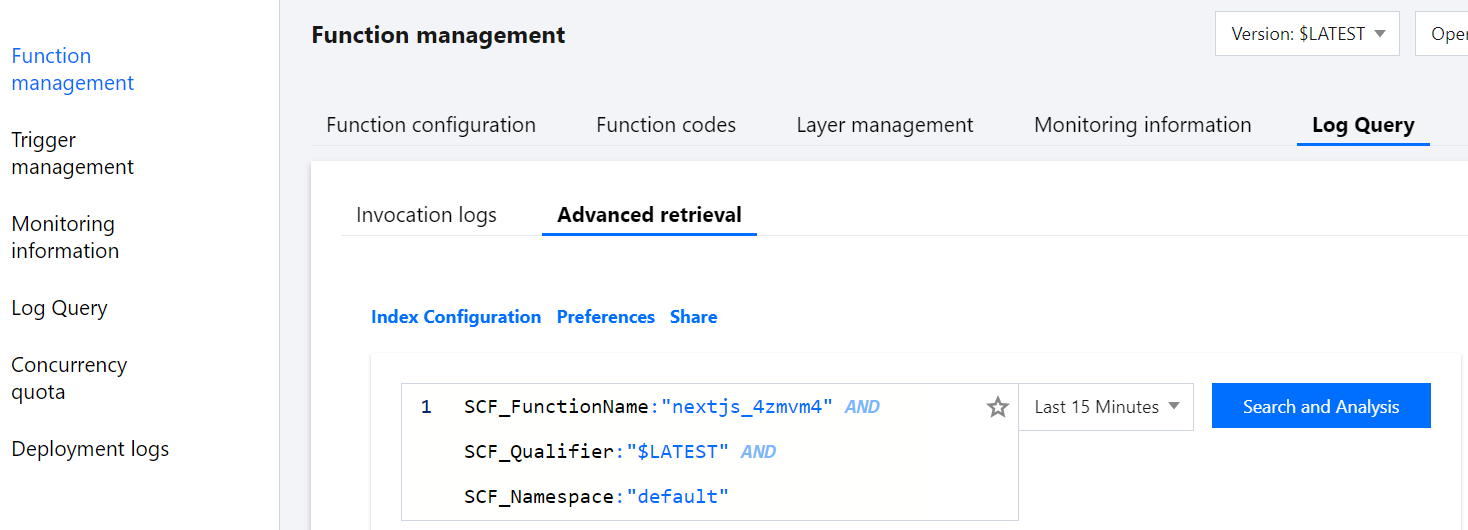
key1 field in the log query as shown below:
Apakah halaman ini membantu?
Anda juga dapat Menghubungi Penjualan atau Mengirimkan Tiket untuk meminta bantuan.
masukan