tencent cloud

Tag

Product Introduction
Overview
Features
Scenarios
Use Limits
Resource Types Supporting Tag APIs
Purchase Guide
Getting Started
Creating Tags and Binding Resources
Querying Resources by Tag
Operation Guide
Creating Tags
Tagging Resources
Unbinding Tags
Unbinding or Modifying Tags in Batches
Deleting Tags
Viewing Tagged Resources
Querying and Editing Resource Tags
Setting Tag Quotas
Exporting Resource Tags
Query Tag Modification Record
CreatedBy
Tag Policy
Exporting a Tag List
API Documentation
History
Introduction
API Category
Making API Requests
Write APIs
Read APIs
Project APIs
Data Types
Error Codes
FAQs
Glossary

Deleting Tags

PDF
Mode fokus
Ukuran font
Terakhir diperbarui: 2024-12-10 15:16:40

Overview

If you no longer need to categorize, search for, or aggregate cloud resources by tag, you can delete tags in the console.
Note:
Double-check before you delete tags in batches.
The operation cannot be undone.

Prerequisites

You have created a tag. For detailed instructions, please see Creating Tags.
If a tag has been bound to resources, you need to unbind it first. Note that you cannot delete a tag until 5 minutes after unbinding it.

Directions

You can delete one tag at a time or multiple tags in batches using the methods below.
Delete Single Tag
Delete Multiple Tags
1. Log in to the Tag console.
2. Click Tag List on the left sidebar.
3. Find the tag you want to delete and click Delete in the Operation column.


1. Log in to the Tag console.
2. Click Tag List on the left sidebar.
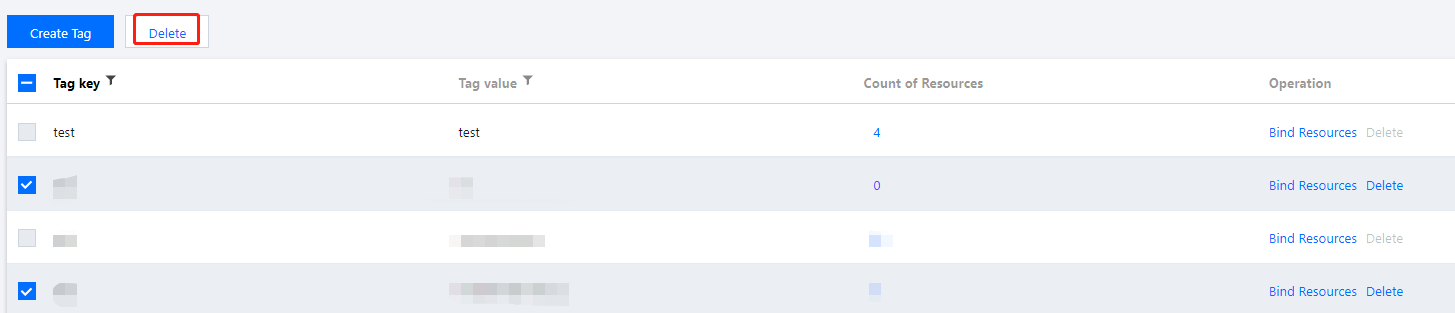
3. Select the tags you want to delete and click Delete in the top left.



Bantuan dan Dukungan

Apakah halaman ini membantu?

masukan