tencent cloud

Elastic MapReduce

Release Notes and Announcements
Release Notes
Announcements
Security Announcements
Product Introduction
Overview
Strengths
Architecture
Features
Use Cases
Constraints and Limits
Technical Support Scope
Product release
Purchase Guide
EMR on CVM Billing Instructions
EMR on TKE Billing Instructions
EMR Serverless HBase Billing Instructions
Getting Started
EMR on CVM Quick Start
EMR on TKE Quick Start
EMR on CVM Operation Guide
Planning Cluster
Administrative rights
Configuring Cluster
Managing Cluster
Managing Service
Monitoring and Alarms
TCInsight
EMR on TKE Operation Guide
Introduction to EMR on TKE
Configuring Cluster
Cluster Management
Service Management
Monitoring and Ops
Application Analysis
EMR Serverless HBase Operation Guide
EMR Serverless HBase Product Introduction
Quotas and Limits
Planning an Instance
Managing an Instance
Monitoring and Alarms
Development Guide
EMR Development Guide
Hadoop Development Guide
Spark Development Guide
Hbase Development Guide
Phoenix on Hbase Development Guide
Hive Development Guide
Presto Development Guide
Sqoop Development Guide
Hue Development Guide
Oozie Development Guide
Flume Development Guide
Kerberos Development Guide
Knox Development Guide
Alluxio Development Guide
Kylin Development Guide
Livy Development Guide
Kyuubi Development Guide
Zeppelin Development Guide
Hudi Development Guide
Superset Development Guide
Impala Development Guide
Druid Development Guide
TensorFlow Development Guide
Kudu Development Guide
Ranger Development Guide
Kafka Development Guide
Iceberg Development Guide
StarRocks Development Guide
Flink Development Guide
JupyterLab Development Guide
MLflow Development Guide
Practical Tutorial
Practice of EMR on CVM Ops
Data Migration
Practical Tutorial on Custom Scaling
API Documentation
History
Introduction
API Category
Cluster Resource Management APIs
Cluster Services APIs
User Management APIs
Data Inquiry APIs
Scaling APIs
Configuration APIs
Other APIs
Serverless HBase APIs
YARN Resource Scheduling APIs
Making API Requests
Data Types
Error Codes
FAQs
EMR on CVM
Service Level Agreement
Contact Us

Superset Overview

PDF
フォーカスモード
フォントサイズ
最終更新日: 2025-03-05 16:41:12
Apache Superset is a web-based data browsing and visualization application. Superset on EMR supports MySQL, Hive, Presto, Impala, Kylin, Druid, and ClickHouse.

Superset Features

Supports almost all major databases such as MySQL, PostgresSQL, Oracle, SQL Server, SQLite, and Spark SQL as well as Druid.
Provides a wide variety of visual displays and allows you to create custom dashboards.
Makes data display controllable and enables customization of displayed fields, aggregated data, and data sources.

Prerequisites

1. You have created an EMR Hadoop or Druid cluster and selected the Superset service. For more information, see Creating EMR Cluster.
2. By default, Superset is installed on the master node of your cluster. Enable the security group policy for the master node and make sure that your network can access port 18088 of the master node.

Login

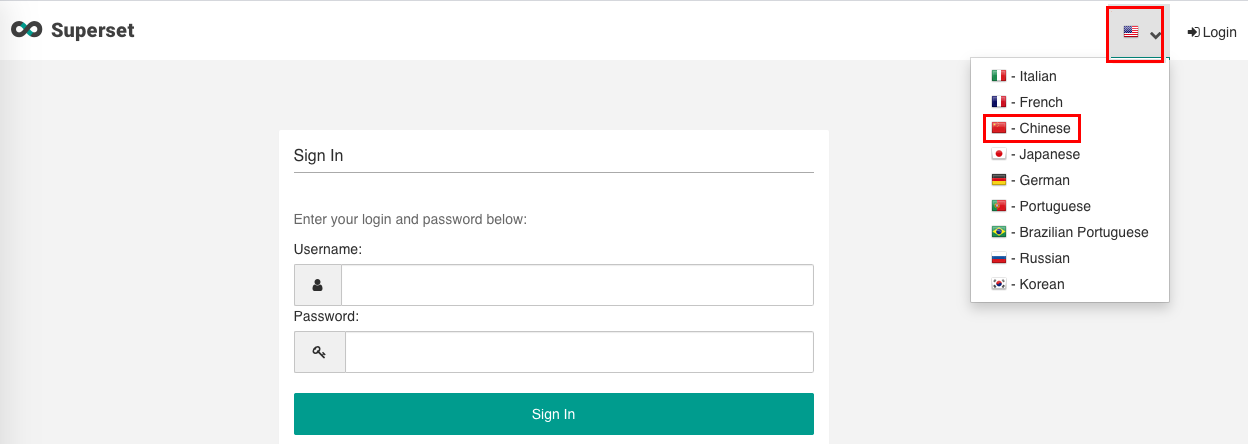
Enter http://${master_ip}:18088 in your browser (or go to the EMR console > Cluster Service) to open the login page of Supserset. The default username is admin, and the password is the one you set when creating the cluster.

Adding Databases

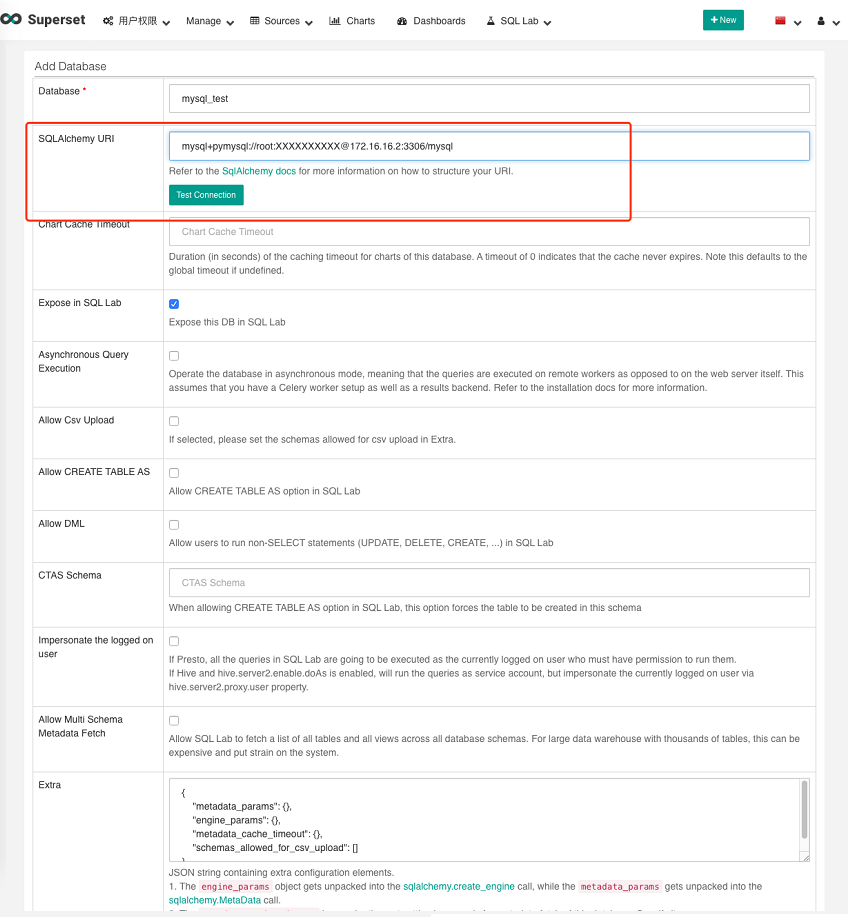
Go to Sources > Databases and click Filter List.

On the following page, add the URI of the component to be added in SQLAlchemy URI.


The SQLAlchemy URI for each database is as follows:
Name
SQLAlchemy URI
Remarks
MySQL
mysql+pymysql://:@:/
mysqlname: Username used to connect to MySQL.password: MySQL password.your_database: The MySQL database to be connected to.
Hive
hive://hadoop@<master_ip>:7001/default?auth=NONE
master_ip: Master IP of the EMR cluster.
Presto
presto://hive@:9000/hive/
Master_ip: master_ip of the EMR cluster
hive_db_name: Name of the database in Hive.
If this parameter is left empty, it will be default by default
Impala
impala://:27000
core_ip: core IP of EMR cluster.
Kylin
kylin://:@:16500/
kylin_user: Kylin username
password: Kylin password
master_ip: master_ip of the EMR cluster
kylin_project: Kylin project
ClickHouse
clickhouse://:@:8123/
clickhouse://default:password@localhost:8123/default
user_name: Username
password: Password
clickhouse-server-endpoint: ClickHouse service endpoint
database_name: Name of the database to be accessed

Adding New Databases on Your Own

Superset supports databases. To install another database, follow the steps below:
1. Log in to the server where the master node of EMR cluster resides.
2. Run the source /usr/local/service/superset/bin/activate command.
3. Install the corresponding Python library with pip3.
4. Restart Superset.

ヘルプとサポート

この記事はお役に立ちましたか?

フィードバック