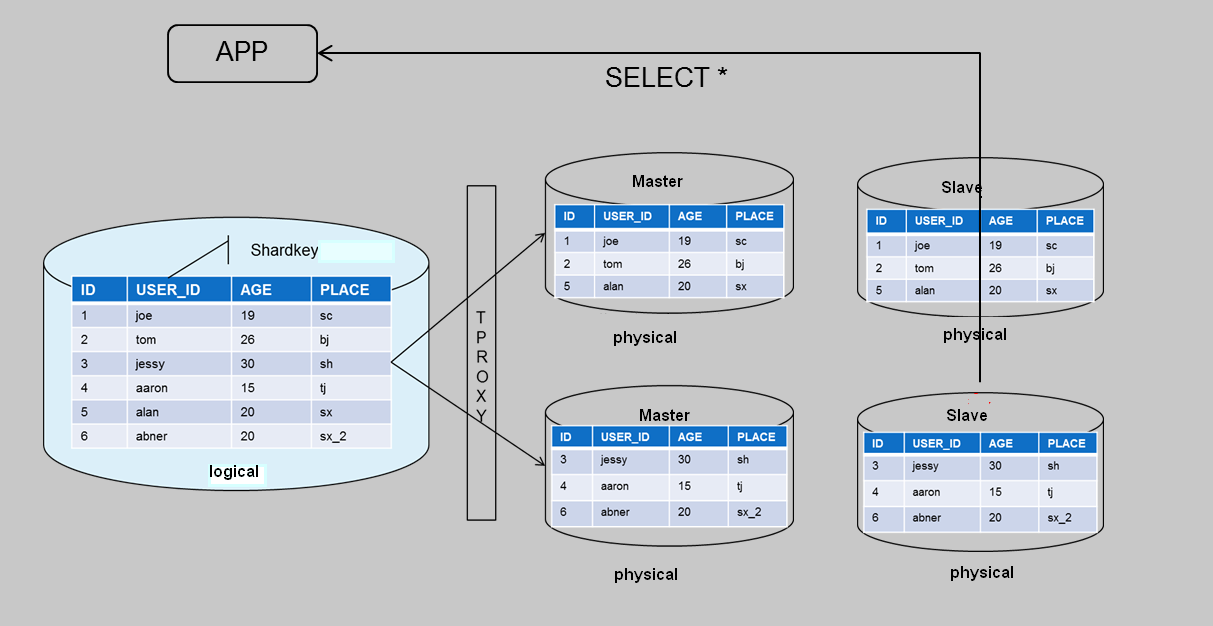
You can use the read/write separation feature to distribute the read pressure to replica nodes if there is a lot of pressure to process a large volume of read requests.
TDSQL for MySQL supports read/write separation by default. Each replica server in the architecture has the read-only permission. If multiple replica servers are configured, the gateway cluster (TProxy) will automatically assign read requests to the replica servers with lower loads to sustain the read traffic of large applications.
How it works
To achieve read/write separation, transactional operations like INSERT, UPDATE, and DELETE are handled by the source node while query operations like SELECT are handled by the replica node.
Read-only account
Note:
If your instance architecture is 1-source-1-replica, the read-only separation feature can only be used for low-load read-only tasks. Avoid high-load tasks such as large transactions, as they affect the backup tasks and availability of the replica server.
A read-only account only has read permission and reads data from the replica server (or read-only instance) in a database cluster by default.
Read requests can be automatically sent to the replica server through the read-only account, with results returned.