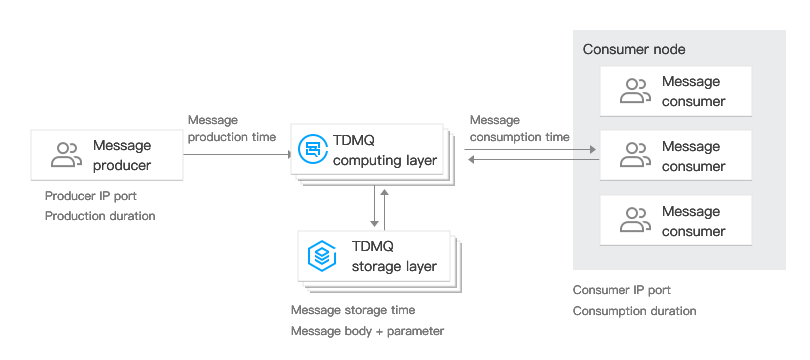
When a message is sent from a producer to the TDMQ for Apache Pulsar server and then consumed by a consumer, TDMQ for Apache Pulsar will record the entire transfer process of this message and display it as a message trace in the console.
The message trace records the entire process of the message transferred from the producer to the TDMQ for Apache Pulsar server and finally to the consumer, including information at each stage such as the time (accurate to microseconds), execution result, producer IP address, and consumer IP address.
Scenarios
When you need to troubleshoot the following issues, you can use the message query feature in the TDMQ for Apache Pulsar console to view the content, parameters, and trace of a specific message by time or by message ID found in logs.
View the specific content and parameters of a message.
Check the IP address of the producer from which the message was sent, whether the message was sent successfully, and the time when the message arrived at the server.
Check whether the message has been persisted.
Check the consumers who have consumed the messages, whether the consumption was successful, and the specific time the message was confirmed to be consumed.
Check the processing latency of message queues (MQs) for related messages when performance analysis of the distributed system is required.
Query Limits
The message query feature allows you to query messages from up to the last 3 days.
Up to 65,536 messages can be queried at a time.
Prerequisites
Producer and consumer services have been deployed by referring to SDK Reference, and messages have been produced and consumed within the last 7 days.
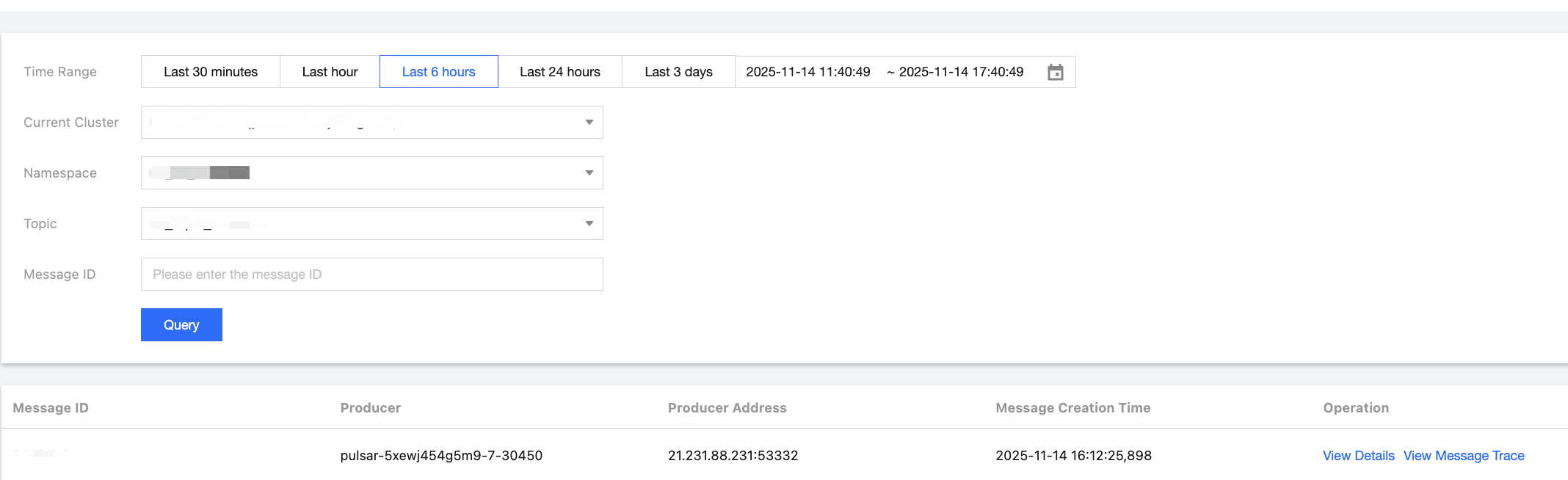
2. On the Message Query page, select the region and environment, and specify the time range you want to query. If you know the corresponding message ID, you can also enter the message ID for a precise query.
3. Click Query. The list at the bottom of the page displays all query results with pagination.
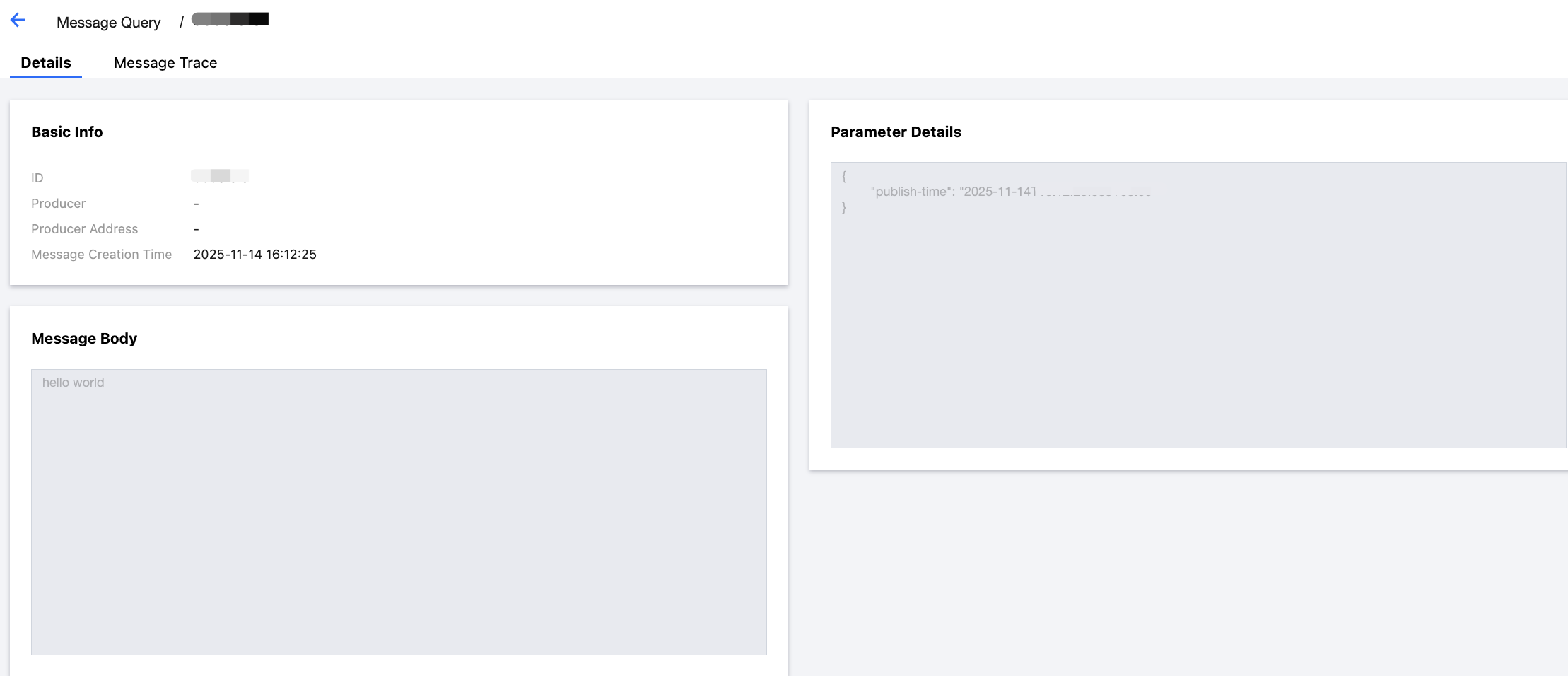
4. Find the message whose content or parameters you want to view, and click View Details in the operation column to view the basic information, content (message body), and parameters of the message.
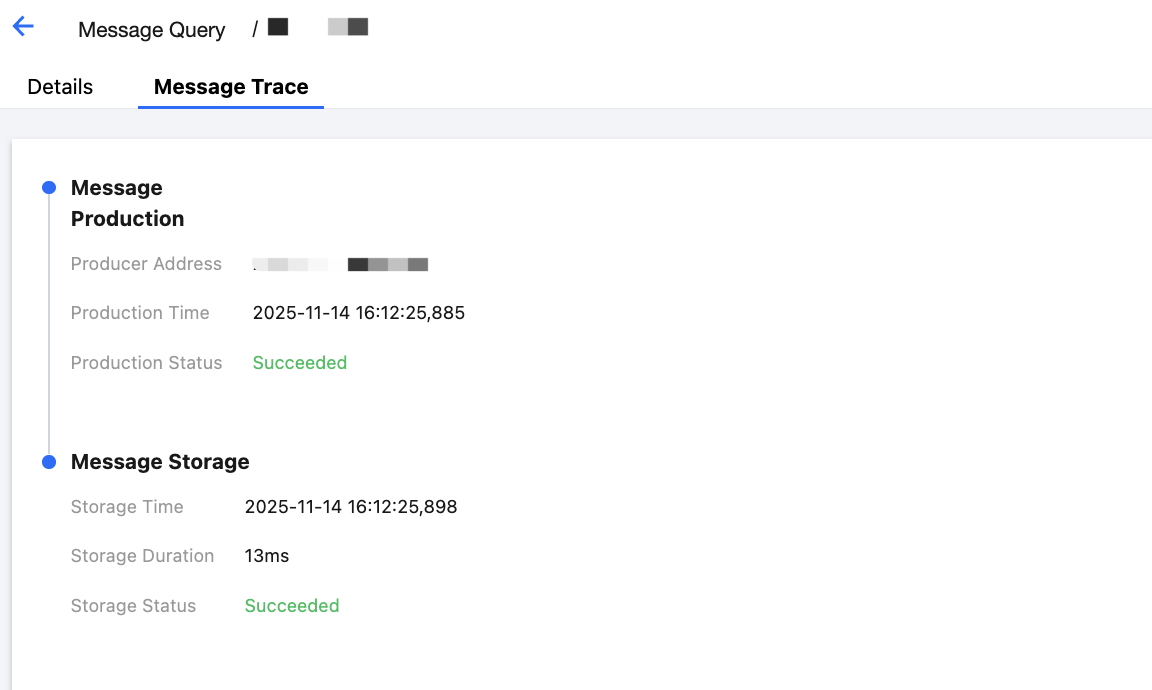
5. Click View Message Trace in the operation column, or click the Message Trace tab on the Details page to view the message trace (for details, see Description of Message Trace Query Results).
Description of Message Trace Query Results
A message trace query result consists of three sections: message production, message storage, and message consumption.
Message Production
Message Storage
Message Consumption
Parameter
Description
Production Address
Address and port number of the producer.
Production Time
Time when the TDMQ for Apache Pulsar server acknowledges receiving the message. The time is accurate to the millisecond.
Production Status
Whether message production succeeded or failed. If the status is failed, it usually indicates that some header data of the message is missing during message sending, and the above fields may be null.
Parameter
Description
Storage Time
Time when the message is persisted. (Currently, TDMQ for Apache Pulsar runs in strong consistency mode. A message is acknowledged only after it is persisted. Therefore, this time is consistent with the production time. In high-performance mode, this time may be different from the production time.)
Storage Duration
Time from when a message is persisted to when the TDMQ for Apache Pulsar server receives the acknowledgment. The time is accurate to the millisecond.
Storage Status
Whether message persistence succeeded or failed. If the status is failed, it indicates that the message fails to be saved to the disk. This may be caused by underlying disk damage or insufficient spare capacity. In such a case, you need to submit a ticket as soon as possible.
Message consumption is presented in a list. TDMQ for Apache Pulsar supports the multi-subscription mode. In this mode, a single message may be consumed by multiple consumers in multiple subscriptions.
The following table describes the information displayed in the list.
Parameter
Description
Subscription name
Name of the subscriber.
Subscription Mode
Subscription mode. The following four subscription modes are supported: Shared, Key-Shared, Exclusive, and Failover. For details, see Subscription Modes.
Number of Pushes
Number of times the TDMQ for Apache Pulsar server delivers the message to consumers.
Last Push Time
Time when the TDMQ for Apache Pulsar server last delivered the message to consumers.
Consumption Status
Not pushed: The TDMQ for Apache Pulsar server has not yet delivered the message to the consumer.
Pushed: The TDMQ for Apache Pulsar server has delivered the message to the consumer but has not received an acknowledgment message from the consumer.
Confirmed: The consumer replies with an acknowledgment message to the TDMQ for Apache Pulsar server, and the server receives the acknowledgment message.
Click the right triangle icon on the left of the subscription name to view the details of each message pushed by the server.
Parameter
Description
Push Order
The number of times the TDMQ for Apache Pulsar server has delivered this message to the consumer.
Consumer Name
Subscription name.
Consumption Address
Address and port number of the consumer that receives the message.
Push Time
Time when the TDMQ for Apache Pulsar server delivers messages to the consumer.
Push Result
Pushed: The TDMQ for Apache Pulsar server has delivered the message to the consumer but has not received an acknowledgment message from the consumer.
Confirmed: The consumer replies with an acknowledgment message to the TDMQ for Apache Pulsar server, and the server receives the acknowledgment message.
Acknowledgment timeout: The server has not received an acknowledgment message before the timeout and will redeliver it.