tencent cloud

Cloud Application Rendering

Release Notes
Product Introduction
Overview
Basic Concepts
Strengths
Use Cases
Purchase Guide
Billing Overview
Billing
Purchase Process
Overdue Payment
Refunds
Auto-Renewal Rules
Getting Started
Basic Technical Concepts
User Guides
Technical Integration
Integration Demo
Console Guide
Application Management
Project Management
Stream Push Service
Concurrency Management
Multiplayer Interaction
Session Status
Practical Tutorial
How to Implement Cloud-Native Recording
How to Implement Application Upload and Version Update via CAR-CLI
How to Implement Concurrency Sharing
How to Implement Mobile Chinese Input
How ‍to ‍Push ‍‍Cloud ‍Video Streams to CSS
How to Implement Multi-Person Interaction
How to Implement Live Room Interaction ‍with On-Screen Comments
Configuring and Using Cloud Browser
SDK Documentation
JavaScript SDK
SDK for Android
SDK for iOS
API Documentation
History
Introduction
API Category
Making API Requests
User APIs
Application Management APIs
Project Management APIs
Concurrency Management APIs
Stream Push Service APIs
Data Types
Error Codes
FAQs
CAR Basics
CAR Integration
Cloud Application
Service Level Agreement
CAR Policy
Privacy Policy
Data Processing And Security Agreement
Contact Us

Purchasing a Concurrency Pack

PDF
フォーカスモード
フォントサイズ
最終更新日: 2024-01-26 12:00:38
In CAR, users access your application by connecting to concurrencies. Each concurrency supports access by only one user at a time. If you want your business to sustain 100 concurrent online users, you need to purchase 100 concurrencies. To purchase and manage concurrencies for your application, you need to purchase a concurrency pack. Concurrency packs are configured with resources and concurrencies, and can then allocated to your projects.

Directions

1. Go to the CAR console.
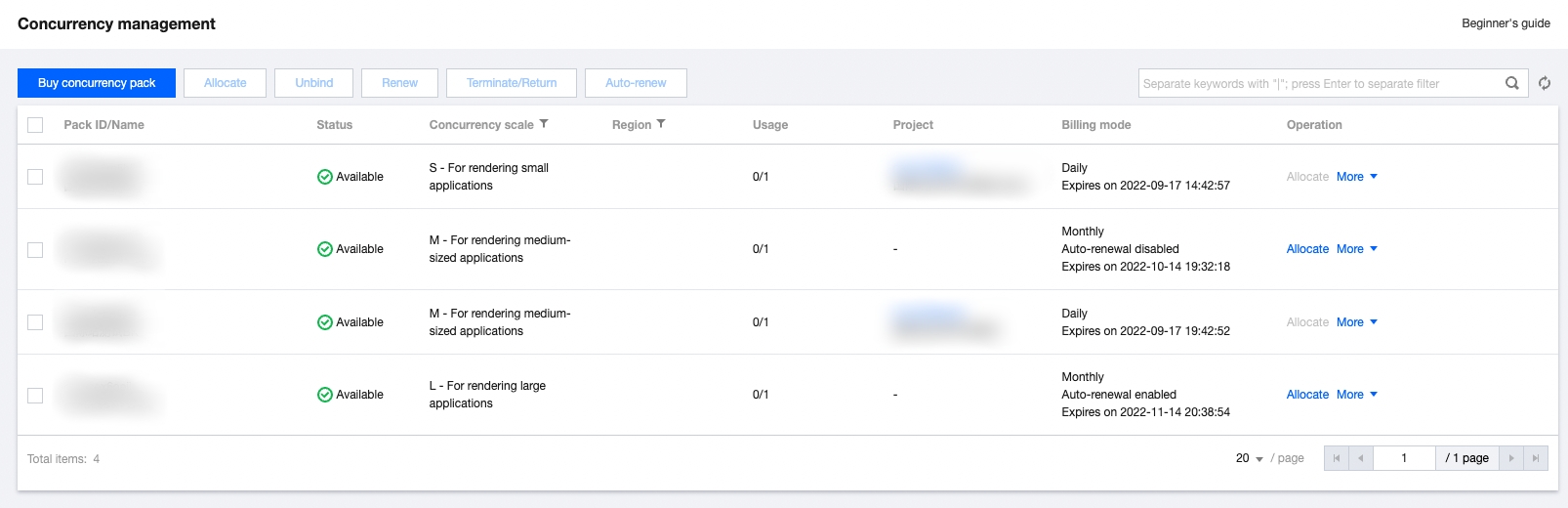
2. Click Concurrency management on the left sidebar and click Buy concurrency pack on the Concurrency management page.


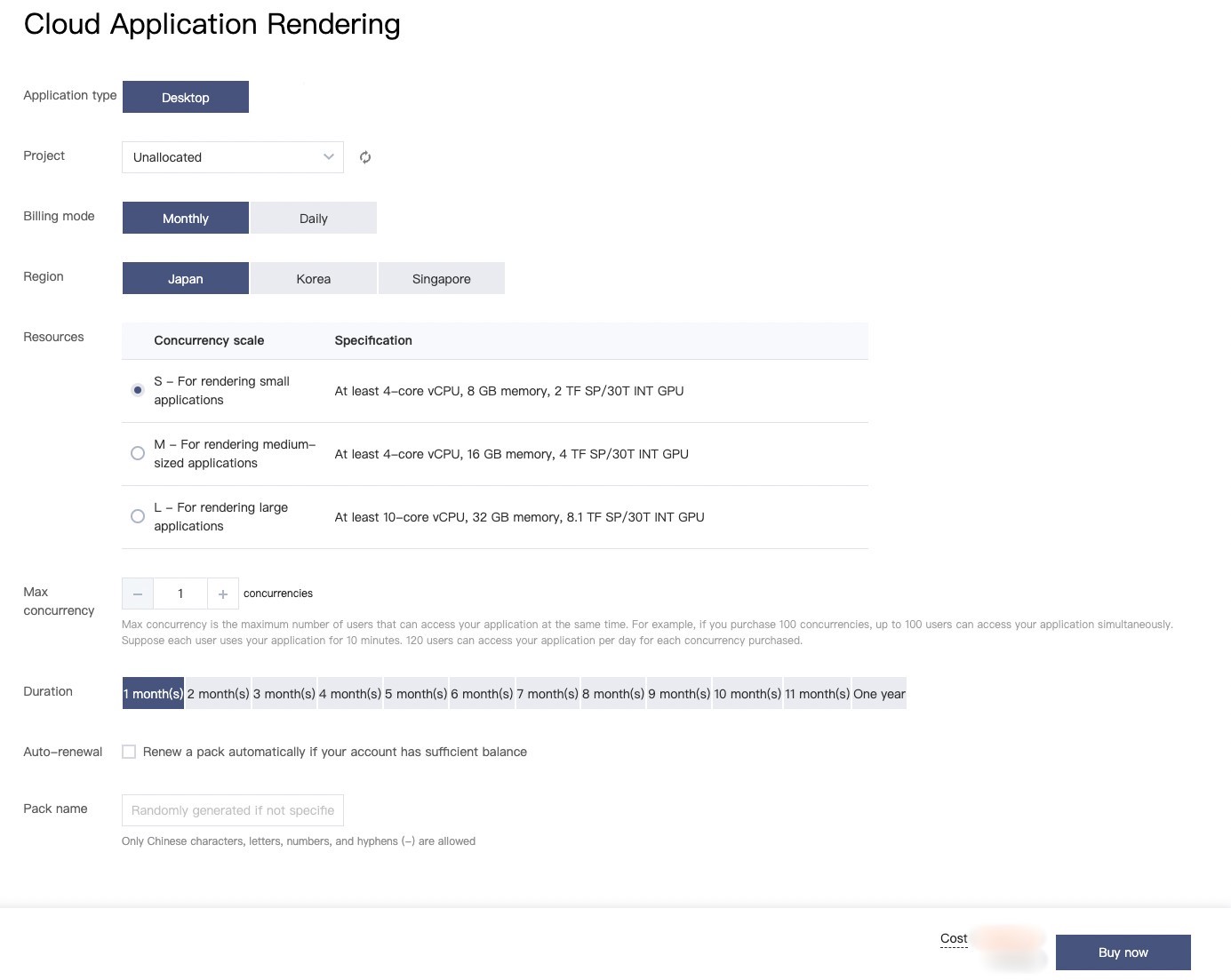
3. On the purchase page, set the following configuration items:


Configuration Item
Description
Project
Select the project of the concurrency pack based on your business needs. You can select To be allocated first and allocate the concurrency pack on the Project management or Concurrency management page later.
Billing mode
Currently, CAR concurrency packs support two prepayment modes: monthly and daily subscriptions. For more information, see Billing Description.
Region
As cross-region CAR concurrency scheduling severely affects the operation experience, you need to select regions based where your business and users are located. Each concurrency can be used by only one user at a time. You need to select the number of concurrencies and the region based on the expected number of concurrent users in each region.
Concurrency scale
When you purchase a CAR concurrency pack, select a concurrency scale based on the concurrency scale that you specified for your project. If a project is selected, that project’s concurrency scale will be selected.
Quantity
Select the number of concurrencies you want to purchase. You can purchase up to 100 concurrencies at a time.
Pack duration
Select the duration for the concurrency pack based on your business needs.
Auto-renew
If you enable Auto-renew, the concurrency pack will be automatically renewed monthly upon expiration if your Tencent Cloud account balance is sufficient.Only monthly subscription supports automatic renewal.
Pack name
Name the concurrency pack.
If the pack contains multiple concurrencies, a number will be added to the end of the name of each CAR concurrency for identification.
4. Click Buy Now and confirm the information on the order details page.

ヘルプとサポート

この記事はお役に立ちましたか?

フィードバック