Data Integration provides TCHouse-P with writing capabilities. This article introduces the current capabilities for real-time data synchronization using TCHouse-P.
Supported Versions
Currently, DataInLong supports TCHouse-P for both single table and whole database real-time writing. To use real-time synchronization, the following version limitations must be followed:
Data Source Type
Edition
TCHouse-P
3.16.X
Use Limits
It is recommended to write to row-store tables. Writing to columnar storage tables is not recommended (may cause data inflation issues).
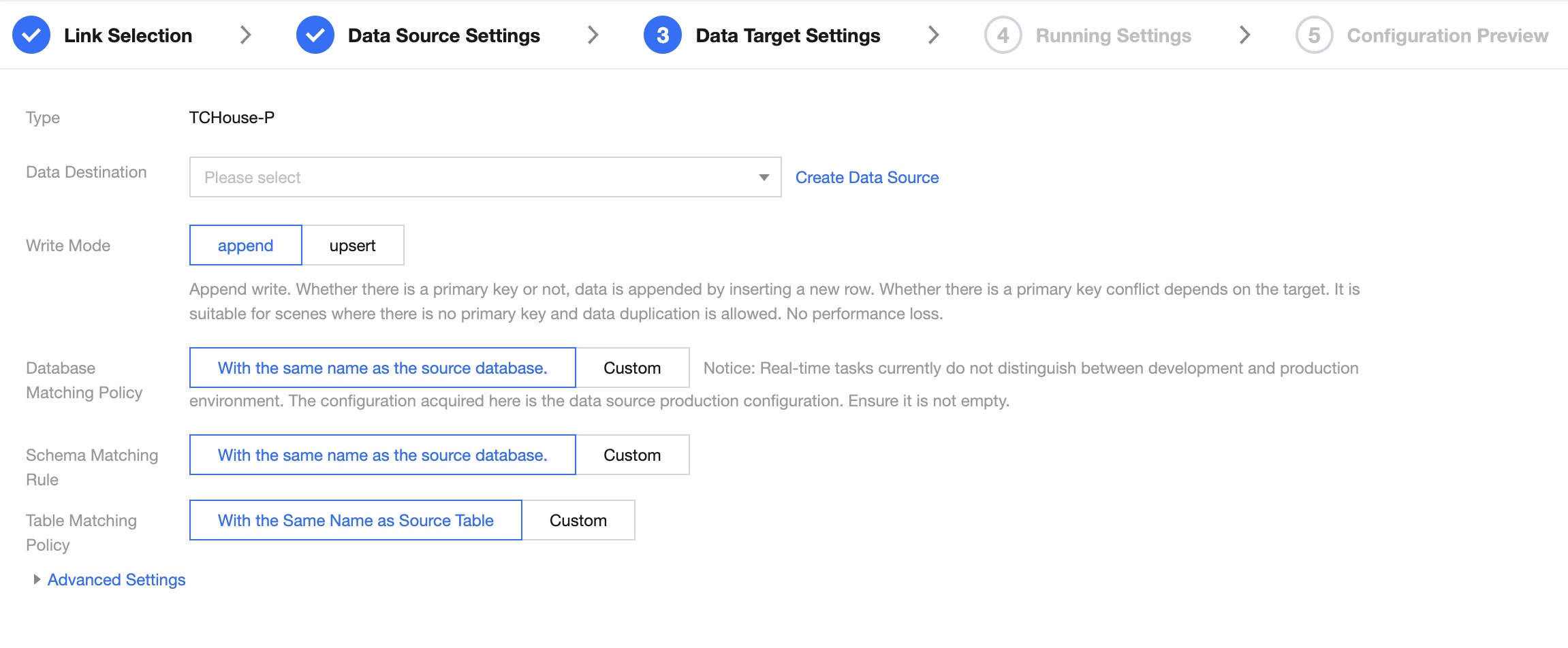
Whole Database Writing Node Configuration
Data Target Configuration
Parameter
Description
Data Destination
Select the target data source to be synchronized.
Write Mode
Append: Append write. Regardless of whether there is a primary key, data is appended by inserting new rows. Whether there is a primary key conflict depends on the target end. Suitable for scenarios where there is no primary key and data duplication is allowed. No performance loss.
Upsert: Update write. When there is no primary key conflict, a new row can be inserted; when there is a primary key conflict, an update is performed. Suitable for scenarios where the target table has a primary key and needs to be updated in real-time based on the source data. There will be some performance overhead.
Database/Schema/Table Match Policy
With the same name as the source database/table: By default, in synchronization tasks, the source database and data table will be written into the target with the same name as the source. In this strategy, when the task is running, the system will match the target objects with the same name as the source database/table by default.
Custom: The Custom Definition rules support setting special relationships between the source and target. For example, you can add a uniform fixed prefix or suffix to the source database or table names when writing to the target database or table during task runs. In this strategy, the system will match the target objects according to the naming rules by default.
Advanced Settings
You can configure parameters according to business needs.
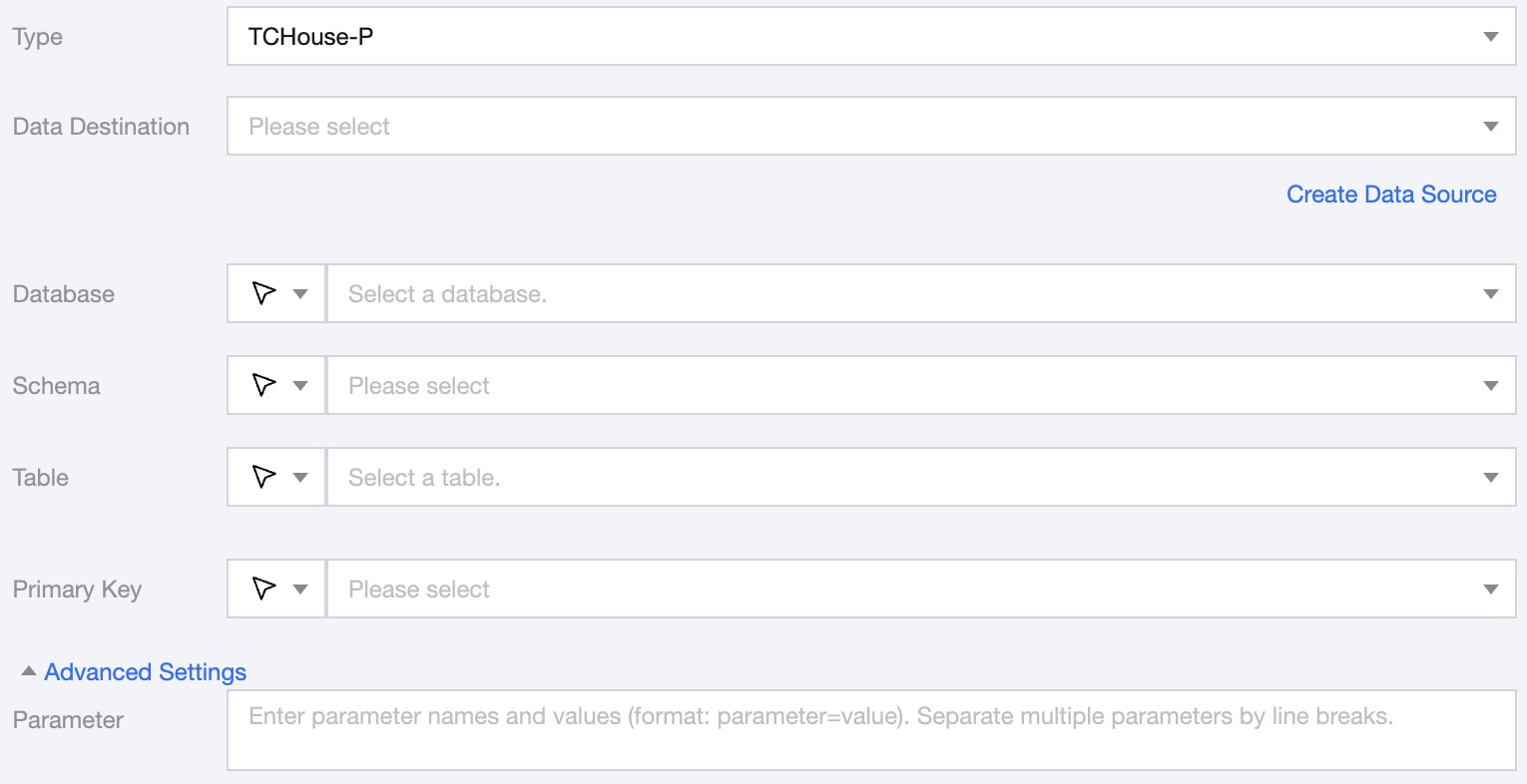
Single Table Writing Node Configuration
Parameter
Description
Data Destination
Target TCHouse-P data source to be written.
Database
Support selection or manual entry of the database name to be written to.
By default, the database bound to the data source is used as the default database. Other databases need to be manually entered.
If the data source network is not connected and the database information cannot be fetched directly, you can manually enter the database name. Data synchronization can still be performed when the Data Integration network is connected.
Schema
Support selection or manual entry of the Schema name to be written to.
Table
Support selection or manual entry of the table name to be written to.
If the data source network is not connected and the table information cannot be fetched directly, you can manually enter the table name. Data synchronization can still be performed when the Data Integration network is connected.
Create Target Table with One Click
When the source end is MySQL, TDSQL-C MySQL, TDSQL MySQL, Oracle, PostgreSQL, Oceanbase, or Dameng, it supports quickly creating TCHouse-P target tables through the source table structure
Primary key
Supports selecting or manually entering the primary key name. Performs Upsert writes based on the primary key.
Advanced Settings (Optional)
You can configure parameters according to business needs.
Write Data Type Conversion Supported
The supported data types and conversion relationships for TCHouse-P writes are as follows: