Variable usage in data development is divided into three levels, which are project level, workflow level, and task level respectively. The variable overwriting scope of different levels is different:
Project level: available for use in development scripts, data workflows, and task nodes within the project.
Workflow level: available for use in data workflows and task nodes within their workflows.
Task level: Variables can only be created and used in development scripts and task nodes in orchestration space.
Priority: For variables with the same name, upstream task transfer > task level > workflow level > project level.
Project Level
Variable Configuration
Project variables are applied to data development tasks globally in the project. For specific configuration process, please see Variable Settings.
Variable Usage
Script files created in the development space and computing tasks created in the orchestration space can both use project variables. Here is an example using an SQL script:
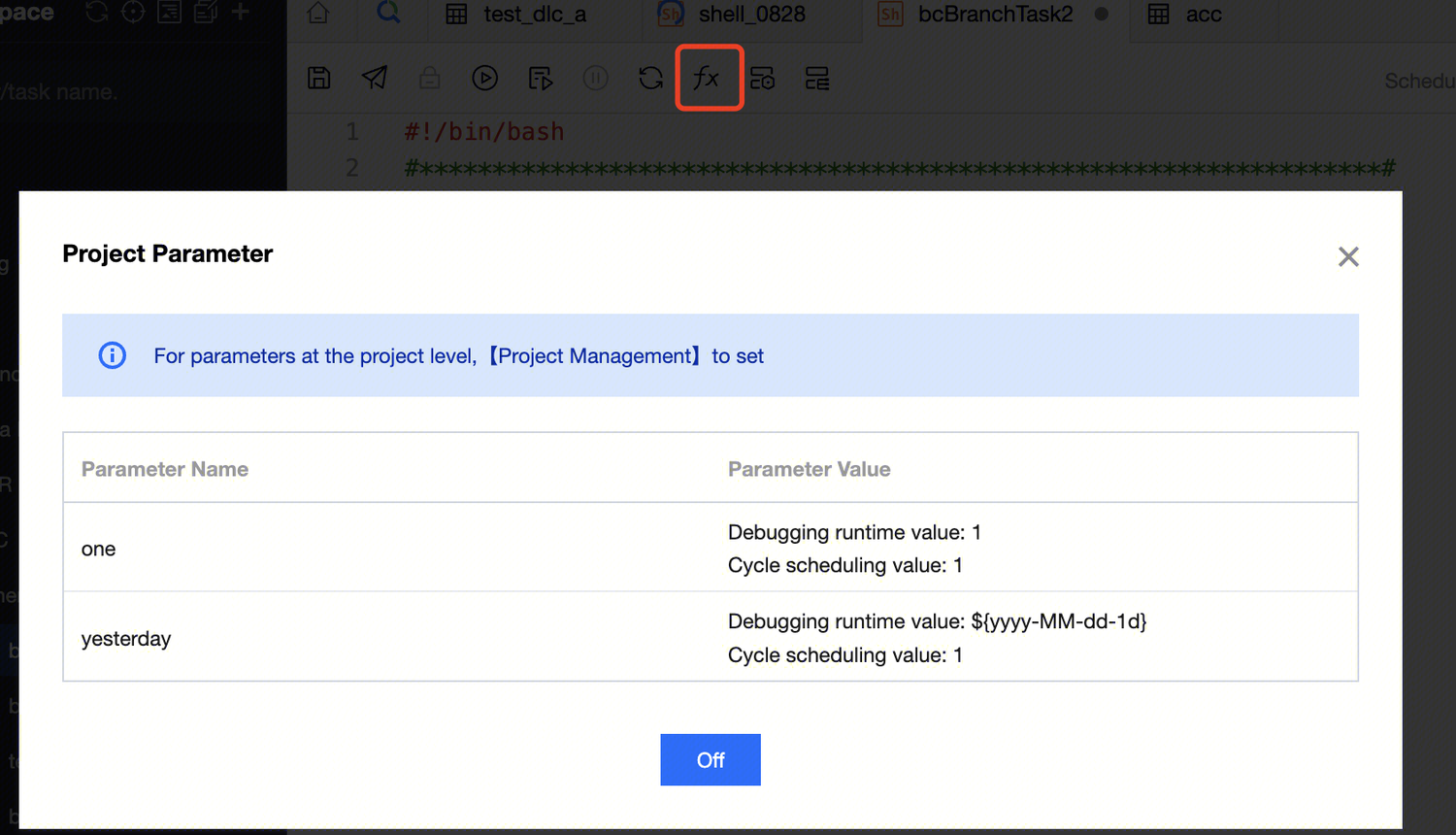
1. In the SQL script, click
to view the configured project variables.
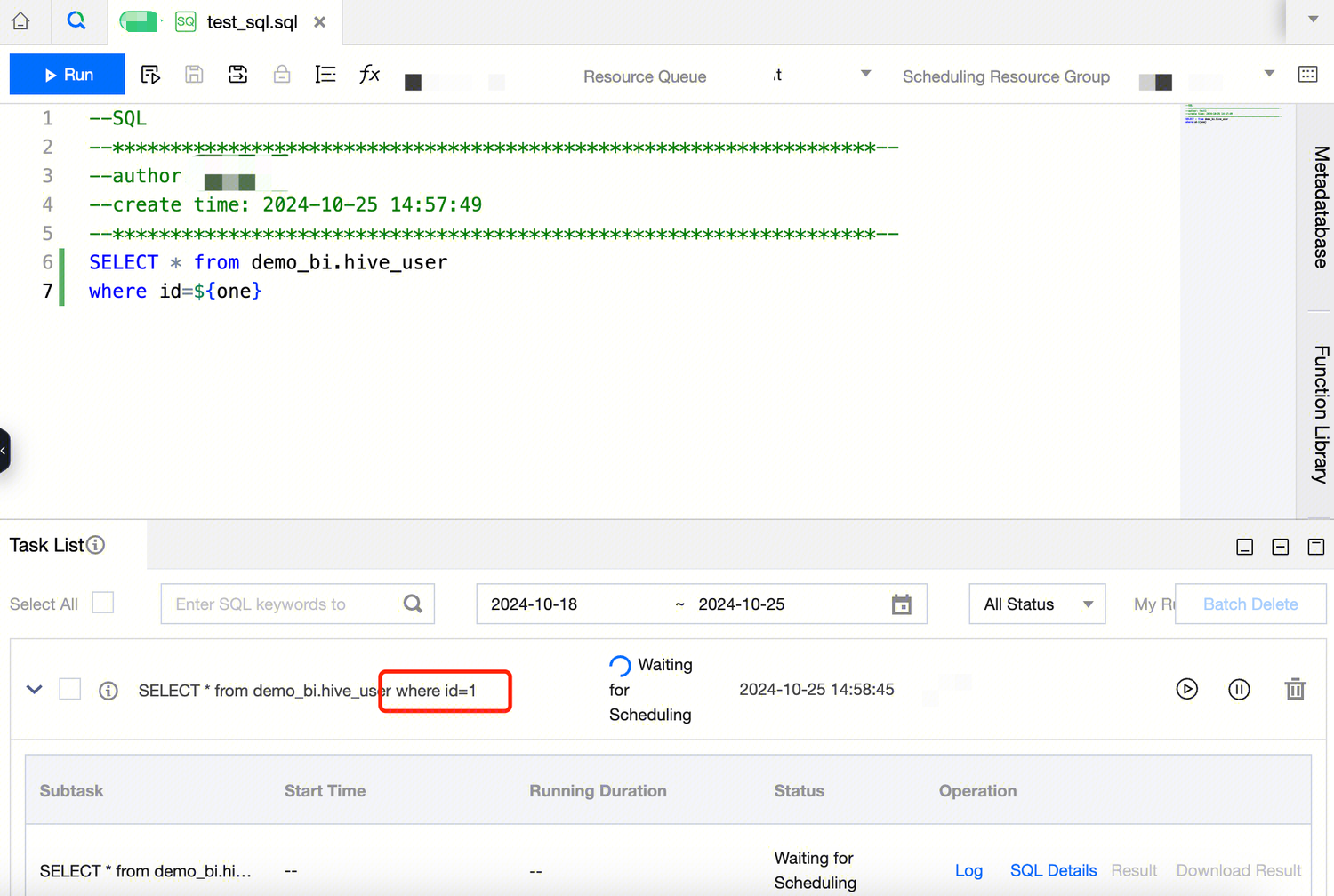
2. Reference the variable name of a Custom Variable in the code. The format is as follows: ${ key }
SELECT*from demo_bi.hive_user
where id=${one} #The ${one} here references the one in the global variable
3. You can see from the figure that after the global variable one is referenced, the value of the variable is obtained during SQL execution.
Workflow Level
Variable Configuration
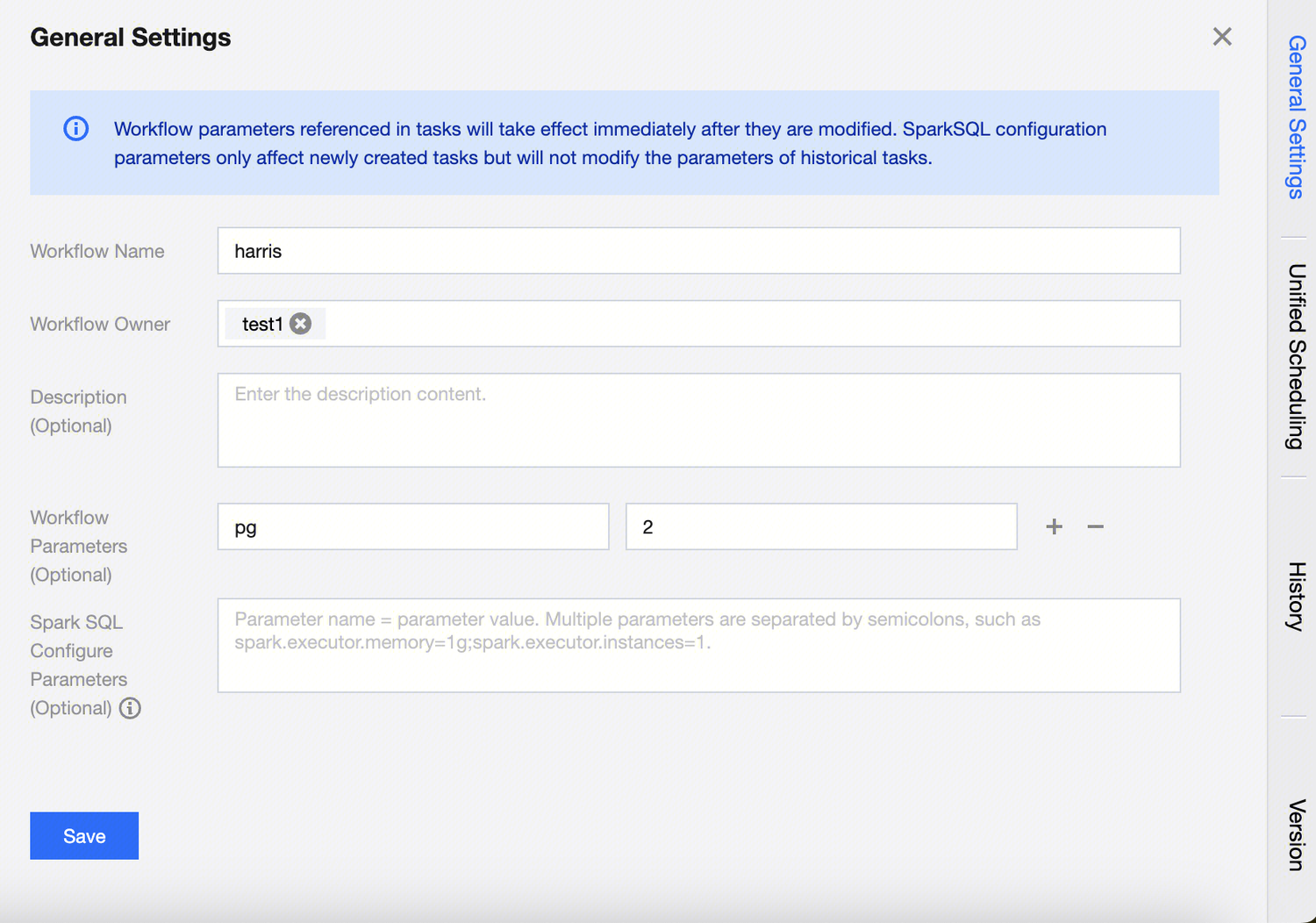
Workflow-level variables apply to computational task nodes created in the corresponding workflow. Through the universal settings on the right side of the workflow canvas page, workflow variables can be defined.
Variable Usage
Create a computing task node in the data workflow. After entering the task node configuration page, workflow variables can be used during the configuration process. The following is an example of configuring a variable in the demo_workflow workflow and using the Hive SQL computing task in the workflow:
1. Configure the following workflow parameters in the universal settings of the demo_workflow workflow.
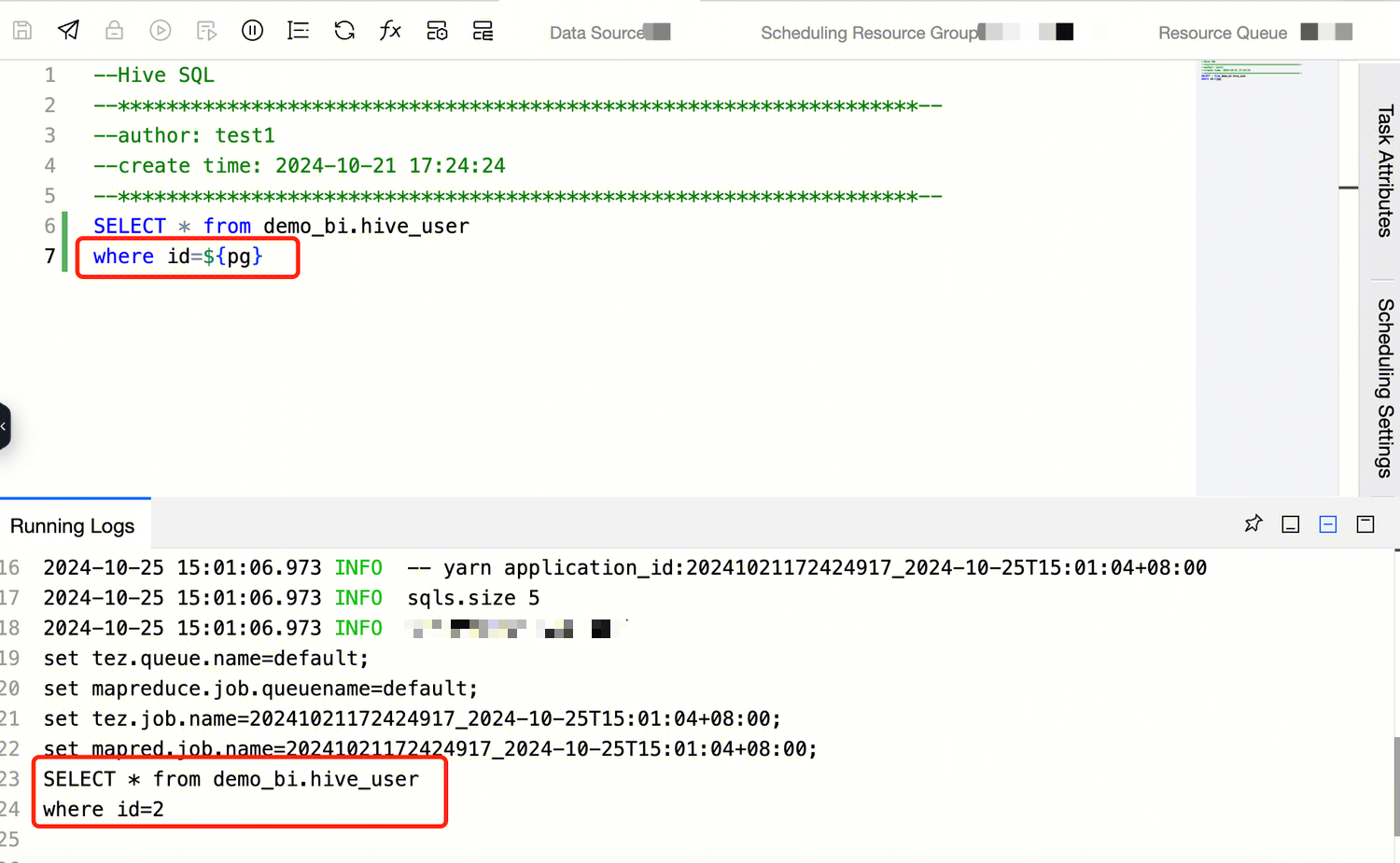
2. Re-enter the Hive SQL computing task in the workflow, and reference the variable name of the workflow parameter in the code, with the format: ${key}
SELECT*from demo_bi.hive_user
where id=${pg} #The ${pg} here references the pg in the global variable
3. You can see from the figure that after the workflow variable pg is referenced in the computation task, the corresponding code performs parameter substitution at runtime.
Task Level
Variable Configuration
Task-level variables apply to computational task nodes in data workflows. Each computing task can independently configure task variables suitable for itself. Through the task properties on the right side of the computational task configuration page, task variables for the corresponding task can be defined.
Variable Usage
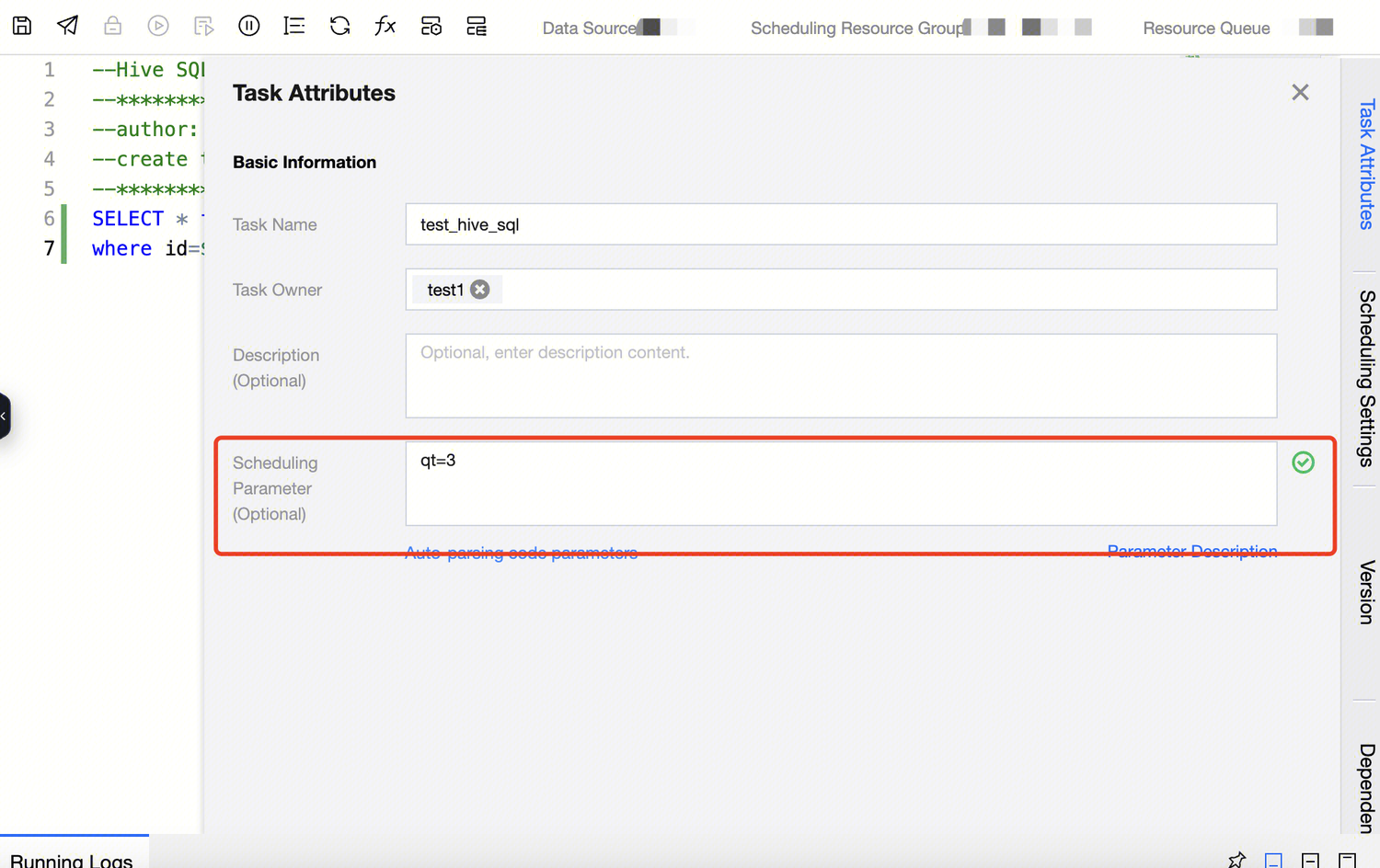
Enter the computational task node and configure the task variables in the scheduling parameter column of the task properties. The following takes a Hive SQL task as an example:
1. Configure the following task variables in the scheduling parameters of the quest_hive computational task.
2. When performing code development in quest_hive, apply this variable name in the format: ${variable name}.
SELECT*from demo_bi.hive_user
where id=${qt} #The ${qt} here references the qt in the task variables
3. After the task variable qt is referenced in the computation task, the corresponding code performs parameter substitution at runtime.
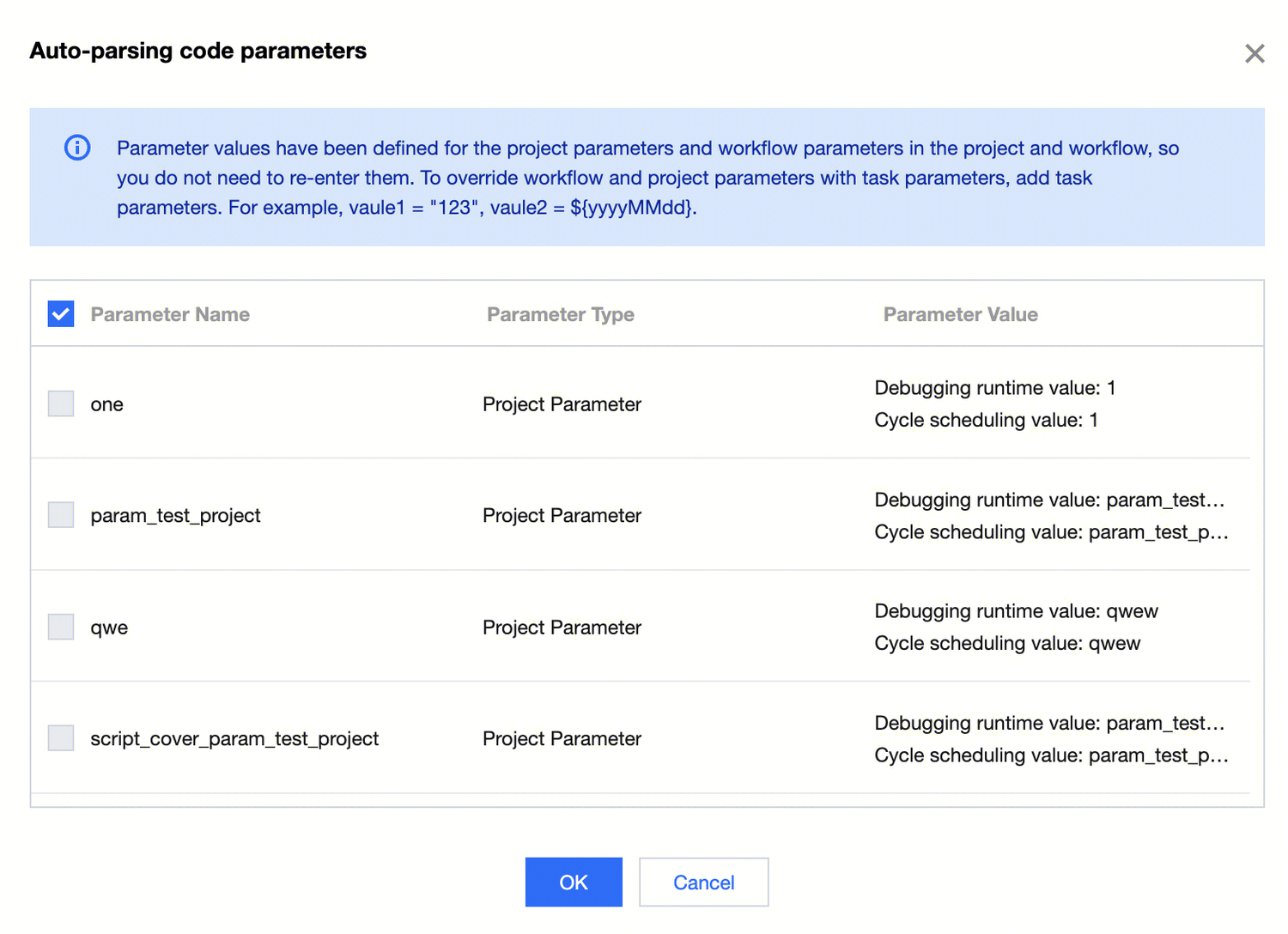
4. Additionally, providing detailed parameter descriptions during task variable configuration can help users quickly understand and use the feature; when clicking the automatic code variable parsing feature during task variable configuration, a variable list will pop up, where you can check whether the variable configuration meets expectations.
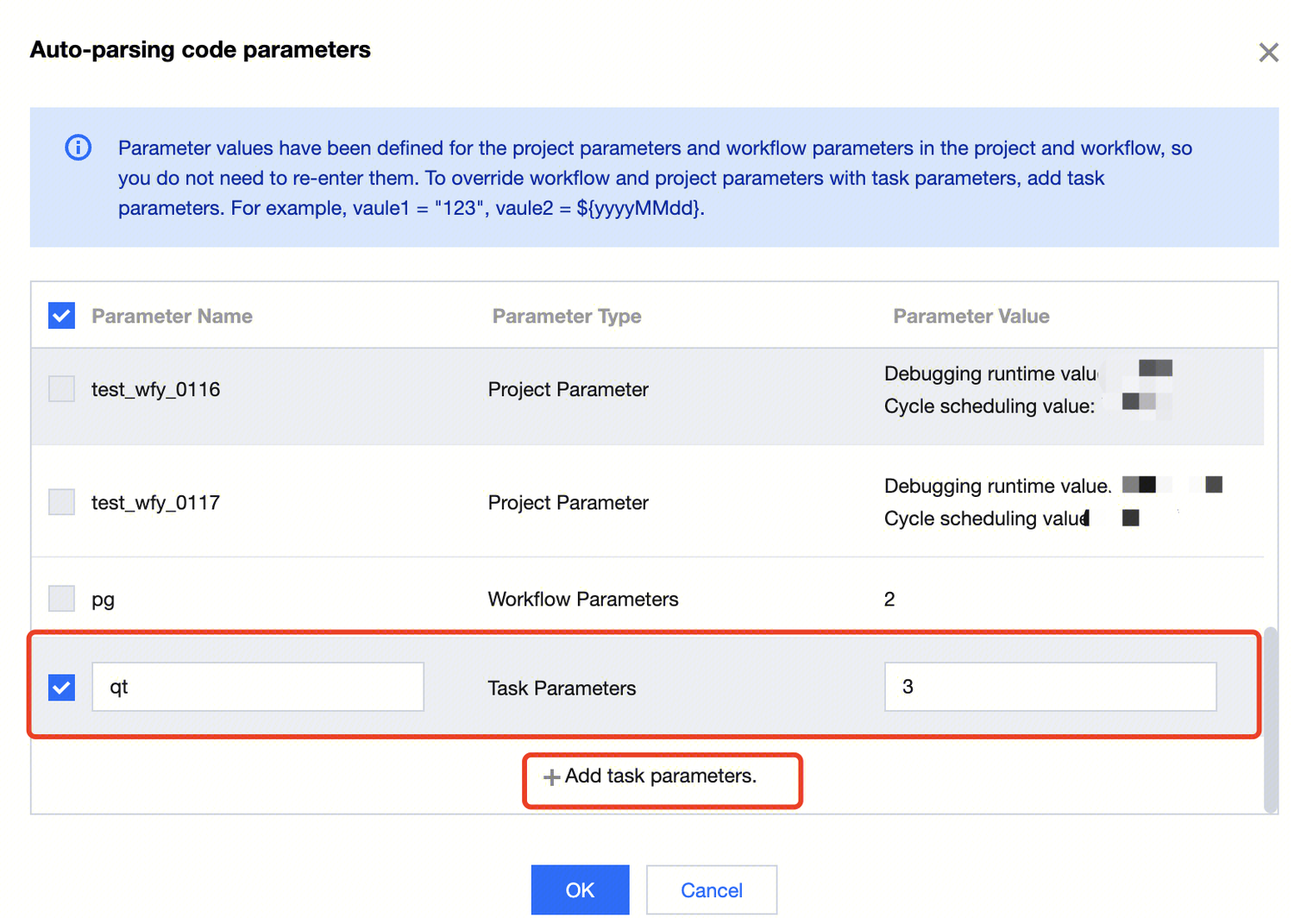
5. You can also view the parameter variable information available for use in the current task in the variable list, including project variables, workflow variables, and task variables. Modification is supported for the task variables configured in the current task, as well as adding new task variables for the current task.
6. Different task variables configured within multiple task nodes in the data workflow can provide parameter passing capabilities for interconnection according to dependency relationships.
Application Variable
You can obtain project, workflow, and computation task information in the form of application variables. View computation task-related information in SQL tasks and YARN.
Currently supported built-in application variables include:
1. Project Identifier: ${projectIdent}
2. Workflow Name: ${workflowName}
3. Task Name: ${taskName}
4. Task ID: ${taskId}
5. Person in charge (for test-runs, use the current operator; for periodic tasks, use the task owner): ${taskInCharge}
6. Task Type: ${taskType}
Usage Scenario
Use obtain task information in SQL.
You can query application variables in SQL statements to obtain information such as the current project and workflow.
SQL Example:
select
"${projectIdent}"as projectIdent,
"${workflowName}"as workflowName,
"${taskName}"as taskName,
"${taskId}"as taskId,
"${taskInCharge}"as taskInCharge,
"${taskType}"as taskType,
user_id
from
wedata_demo_db.user_info
limit
10;
Specify task name on YARN.
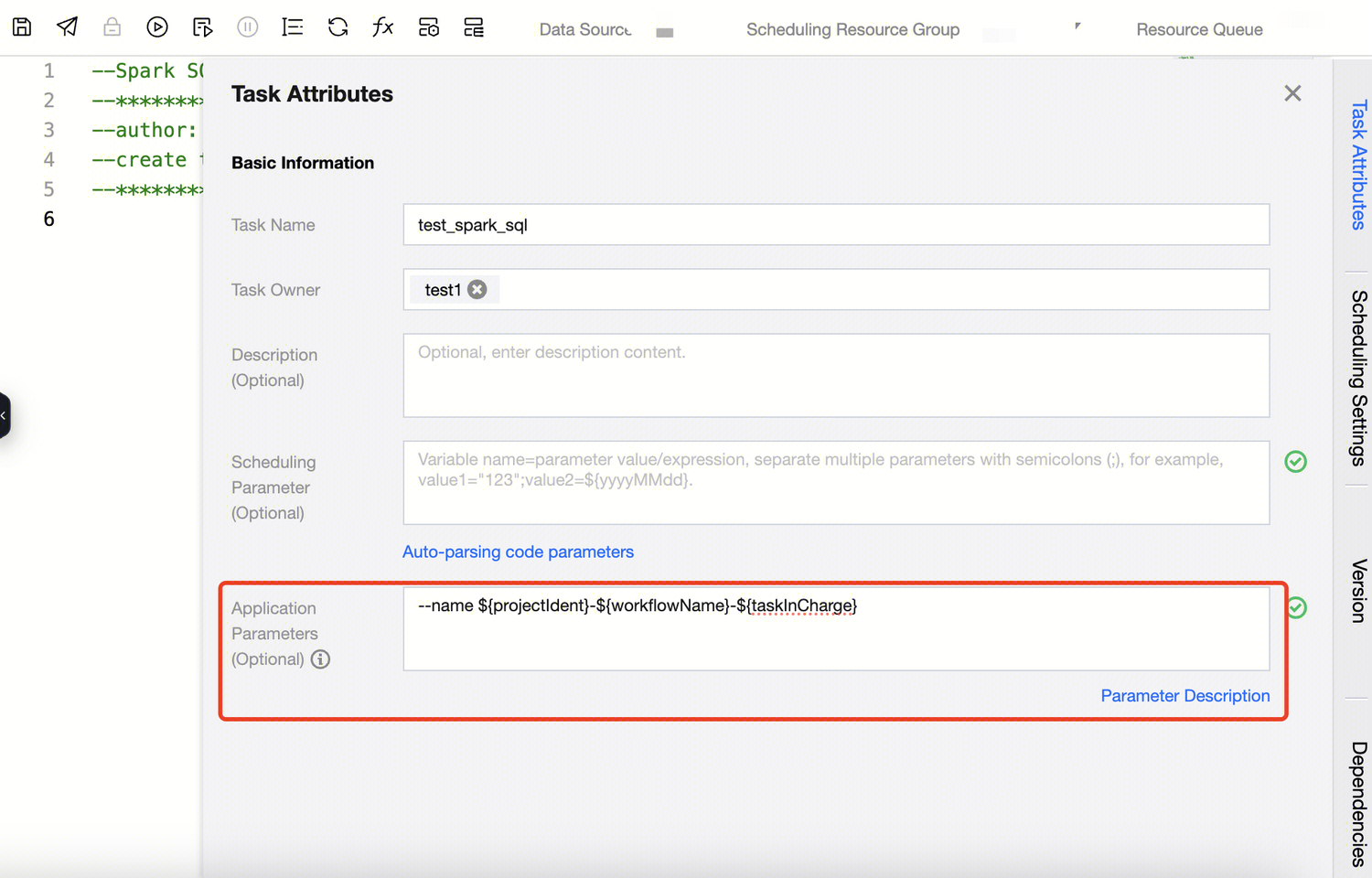
Use --name + variable in SparkSQL, PySpark, and Spark task types to specify the task name on YARN.
Currently, if a kyuubi job has been submitted before, the subsequently submitted kyuubi job may reuse the YARN application id of the previous kyuubi job, resulting in the same name of the application name. The R&D team is currently troubleshooting and solving this issue.