Setting Notification Methods
Download
フォーカスモード
フォントサイズ
1. Log in to your Tencent Cloud account and go to the message center.
Note:
You can also log in to the console, click 
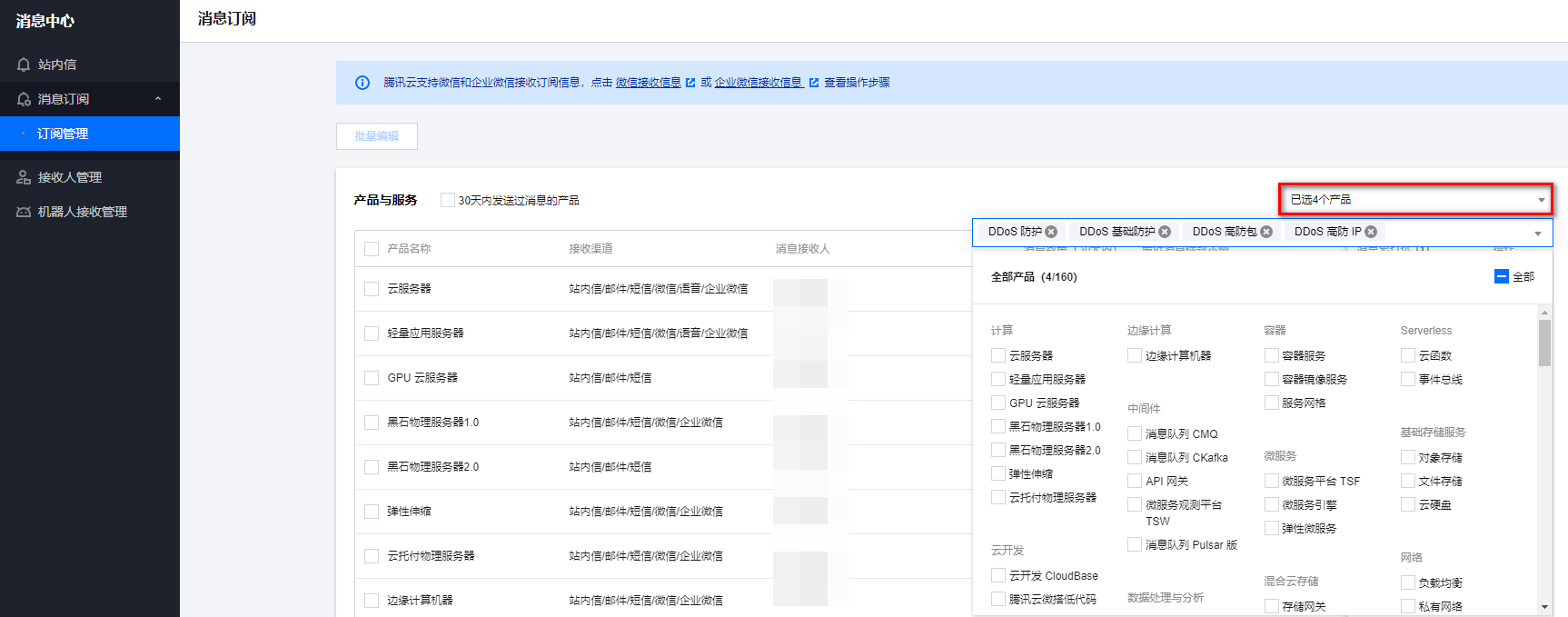
2. In the left sidebar, click Message Subscription > Subscription Management, and then select the products that you want to receive messages about.
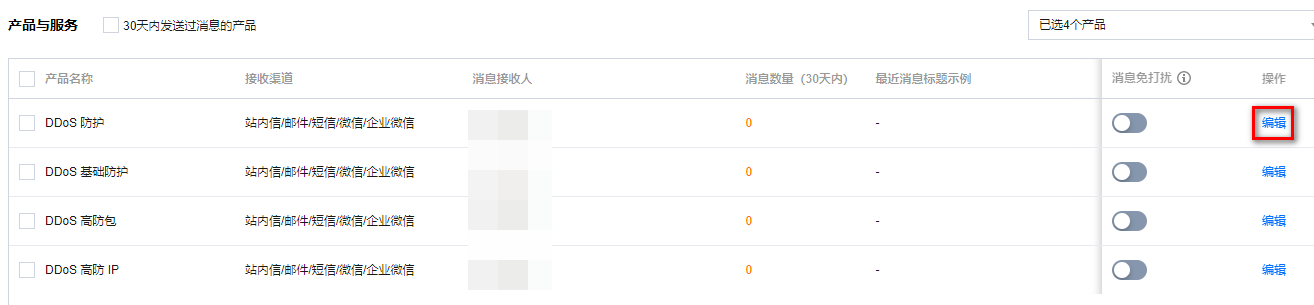
3. On the Message Subscription page, select a receiving method and click Edit.
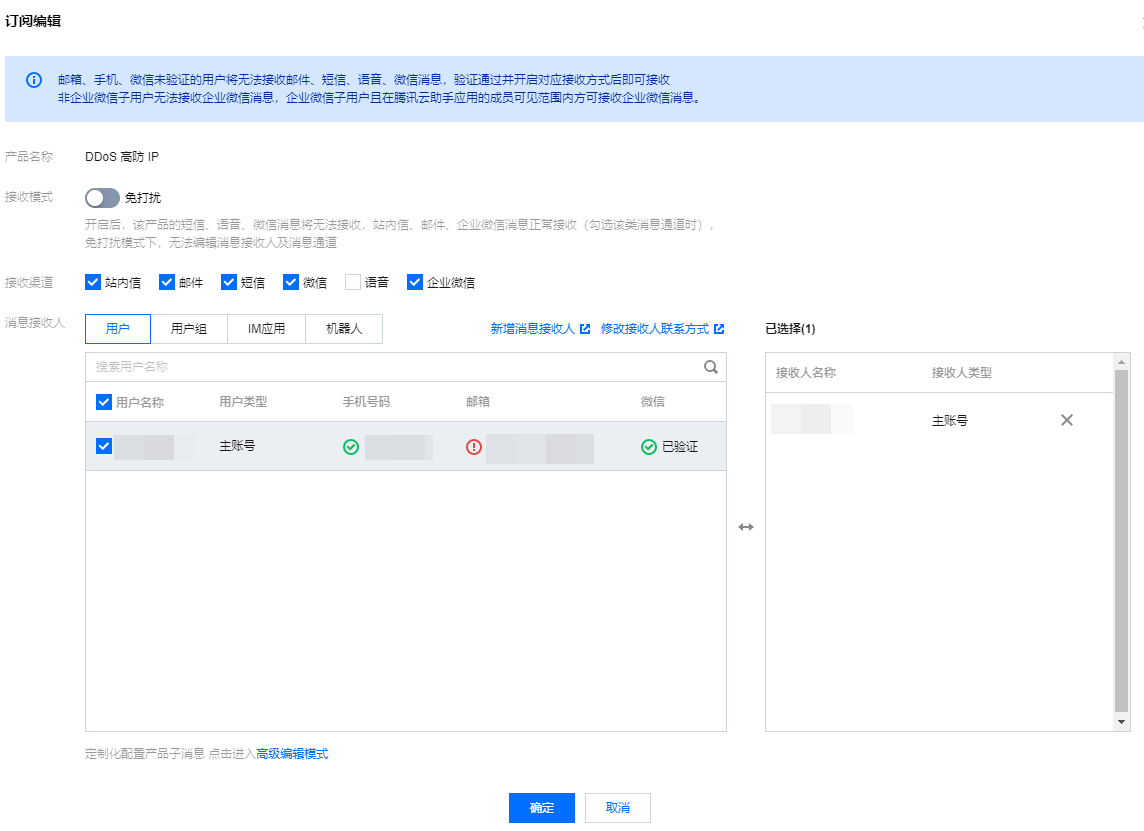
4. In the pop-up window, set message recipients and click OK.
フィードバック