tencent cloud

Tencent HealthCare Omics Platform

Product Introduction
Overview
Strengths
Use Cases
Use Limits
Purchase Guide
Billing Overview
Product Pricing
Payment Overdue
Getting Started
Run an Analysis Workflow
Example: Rapid Application Execution in 5 Minutes
Operation Guide
Console
Work Items
File Management
Image Management
Development and Debugging
Permission Management
Resource Monitoring
Practical Tutorial
Visual Running Groups Submission and Management
Rerunning and Continuing Running
API
History
Introduction
API Category
Making API Requests
Environment Management APIs
Tencent Healthcare Omics Platform APIs
Data Types
Error Codes
FAQs
Service Agreement
Related Protocol
PRIVACY POLICY MODULE HEALTHCARE OMICS PLATFORM
DATA PROCESSING AND SECURITY AGREEMENT MODULE HEALTHCARE OMICS PLATFORM
Contact Us

Project Management

PDF
フォーカスモード
フォントサイズ
最終更新日: 2024-10-22 16:05:05

Project Introduction

A Project is an environment created by users on the Tencent Healthcare Omics Platform for resource isolation and control. All operations on the Tencent Healthcare Omics Platform, including but not limited to table upload, task creation and management, application creation, editing, and running, etc., are performed in a project. A project is a logical concept, and applications in a Project use the same bucket as storage resources.

Create Project

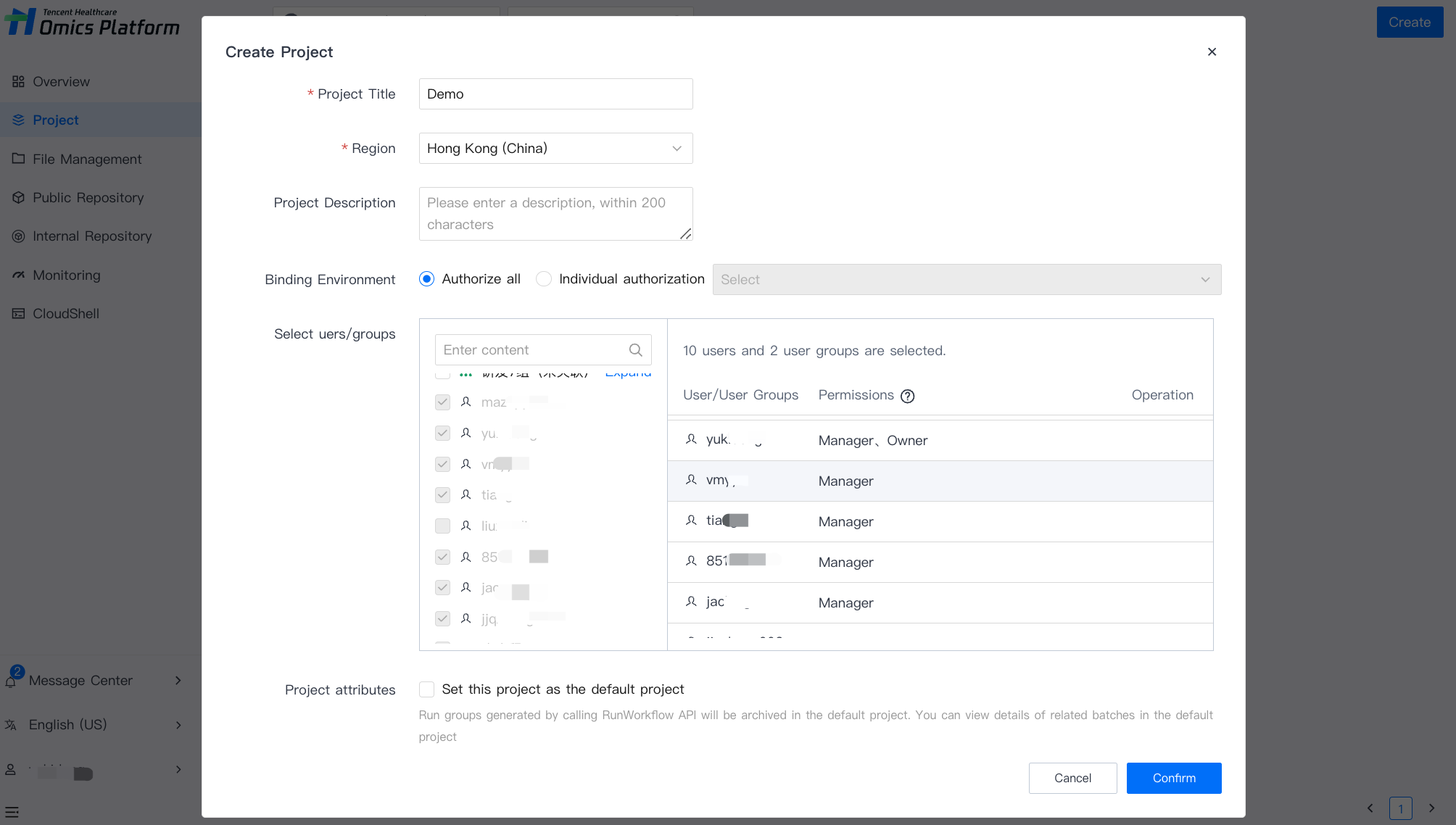
On the Project page, select Create, and enter the necessary information (the headline, region, and associated bucket) to create a new project.


Project name cannot be the same.
Regions and buckets cannot be modified after they are set.

Delete Project

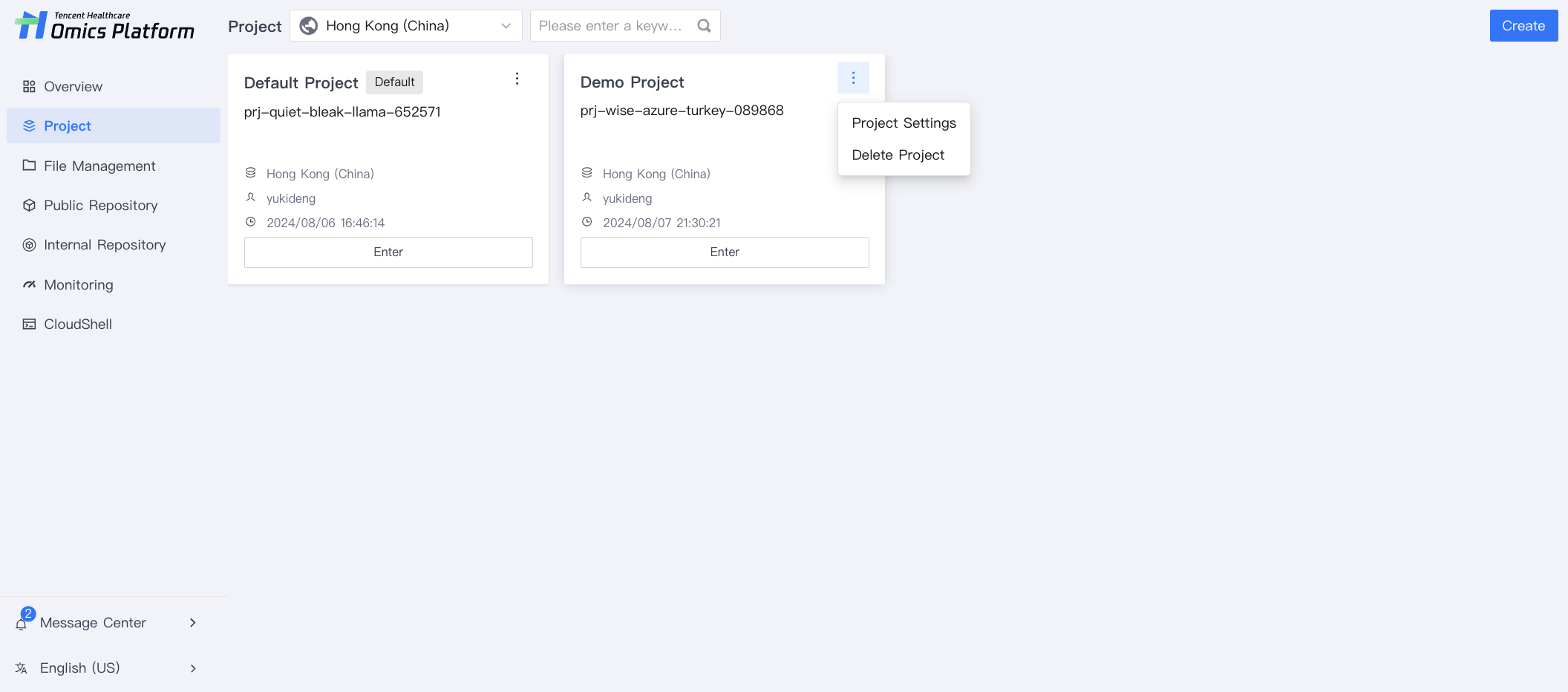
To delete a project, select More of the project module and click Delete Project. After the confirmation, the project will be deleted.


ヘルプとサポート

この記事はお役に立ちましたか?

フィードバック