1. Click the ID of the created gateway instance to enter the instance details page.
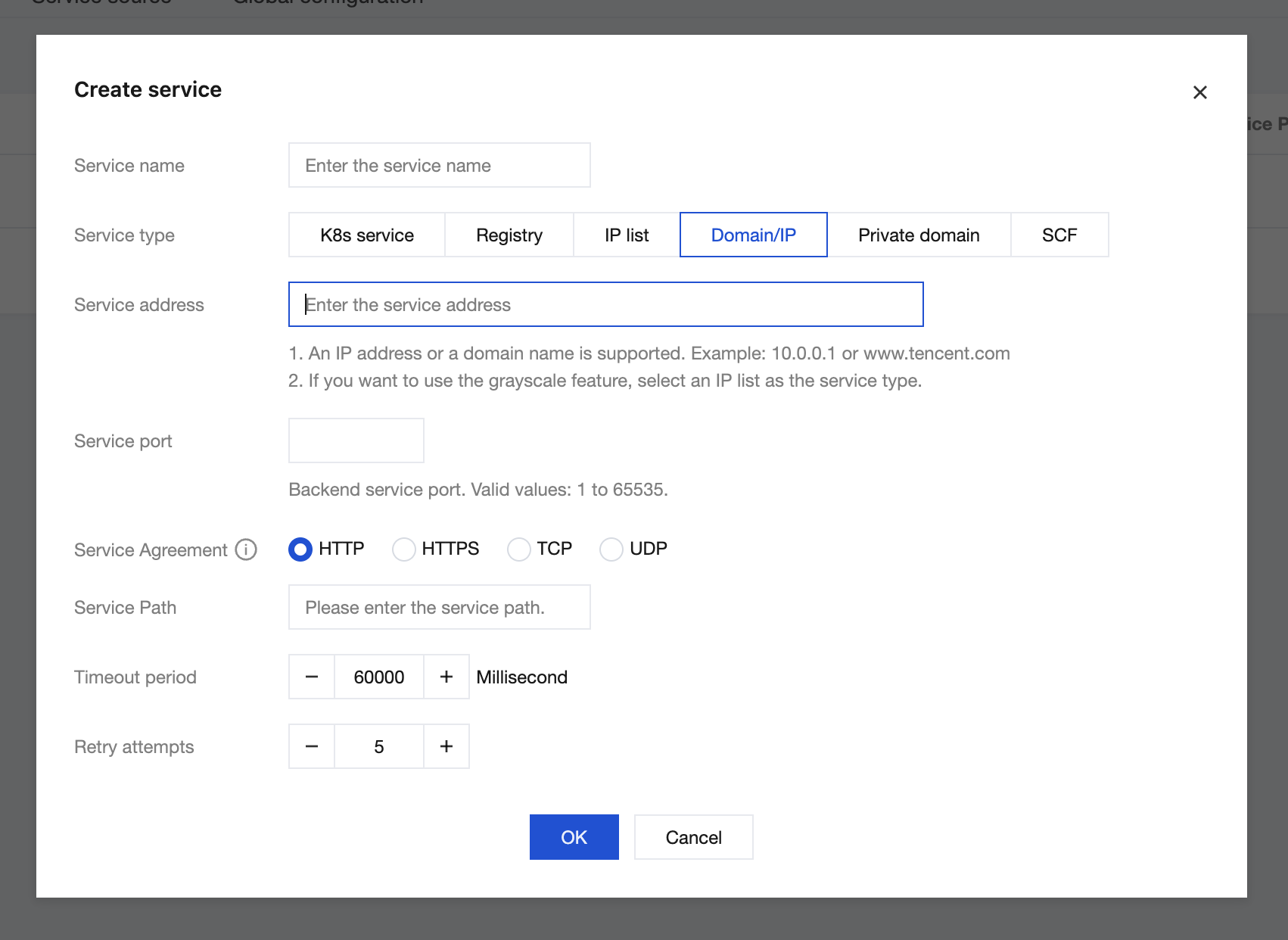
2. In the top menu bar, choose Service & Route > Service and click Create in the service list.
3. On the Create Service page, configure related parameters and click Submit.
Note:
This step specifies which backend service to forward requests to after the cloud-native gateway receives them from a Client. The backend service in this example can be any accessible address, either on Tencent Cloud or on the public internet.
Step 3: Configuring Routing for the Backend Service
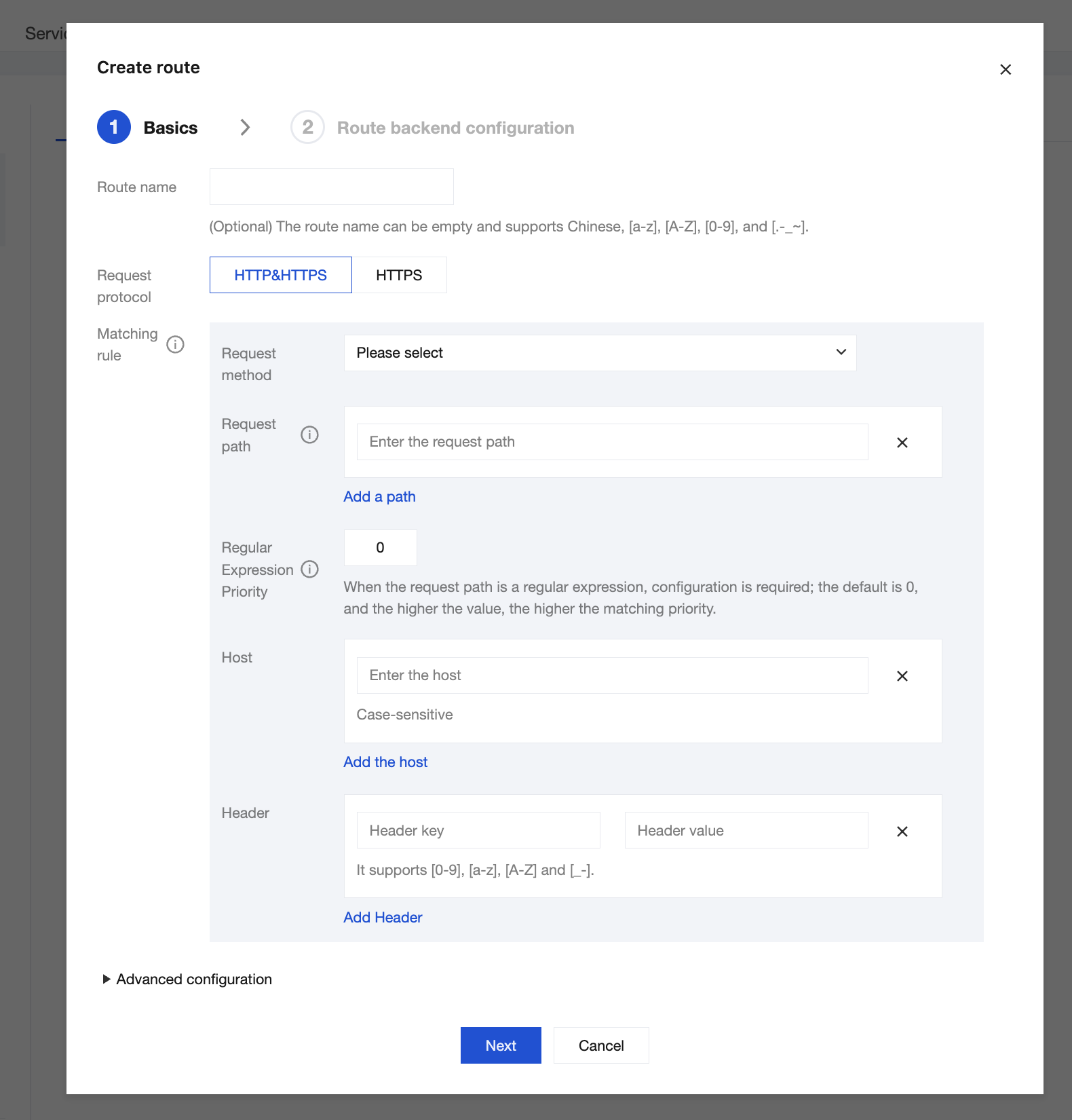
1. After the backend service is added, click the backend service name to enter the Service & Route > Route page.
2. Click Create, set the routing information, and click Next.
Note:
At least one of Request Method, Request Path, and Host needs to be configured.
3. Configure the backend service information of the route, confirm that the backend service information is correct, and click Submit to complete route creation.
Step 4: Accessing the Route
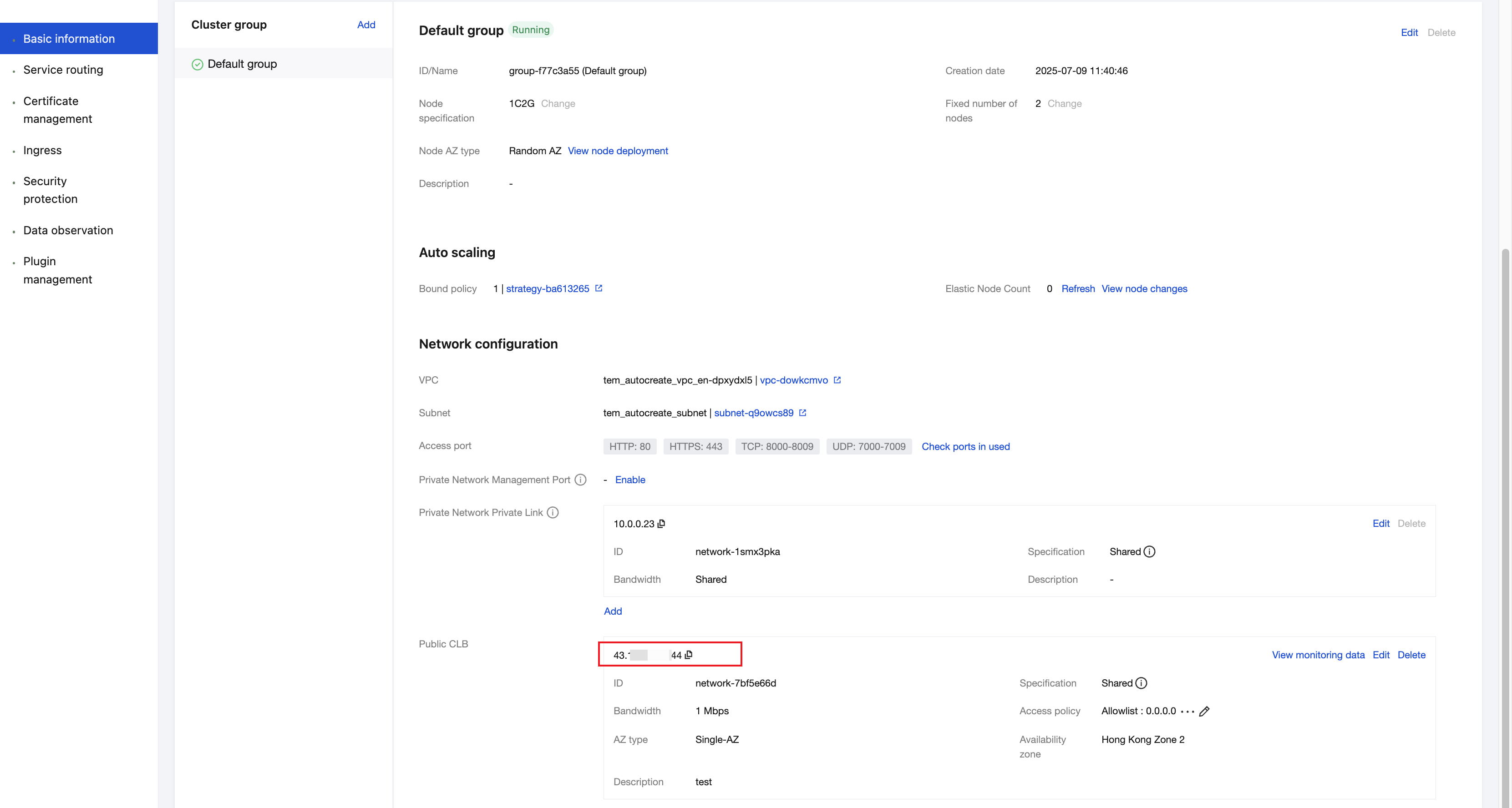
1. Go to the Basic Information page of the cloud-native gateway and obtain the CLB address.
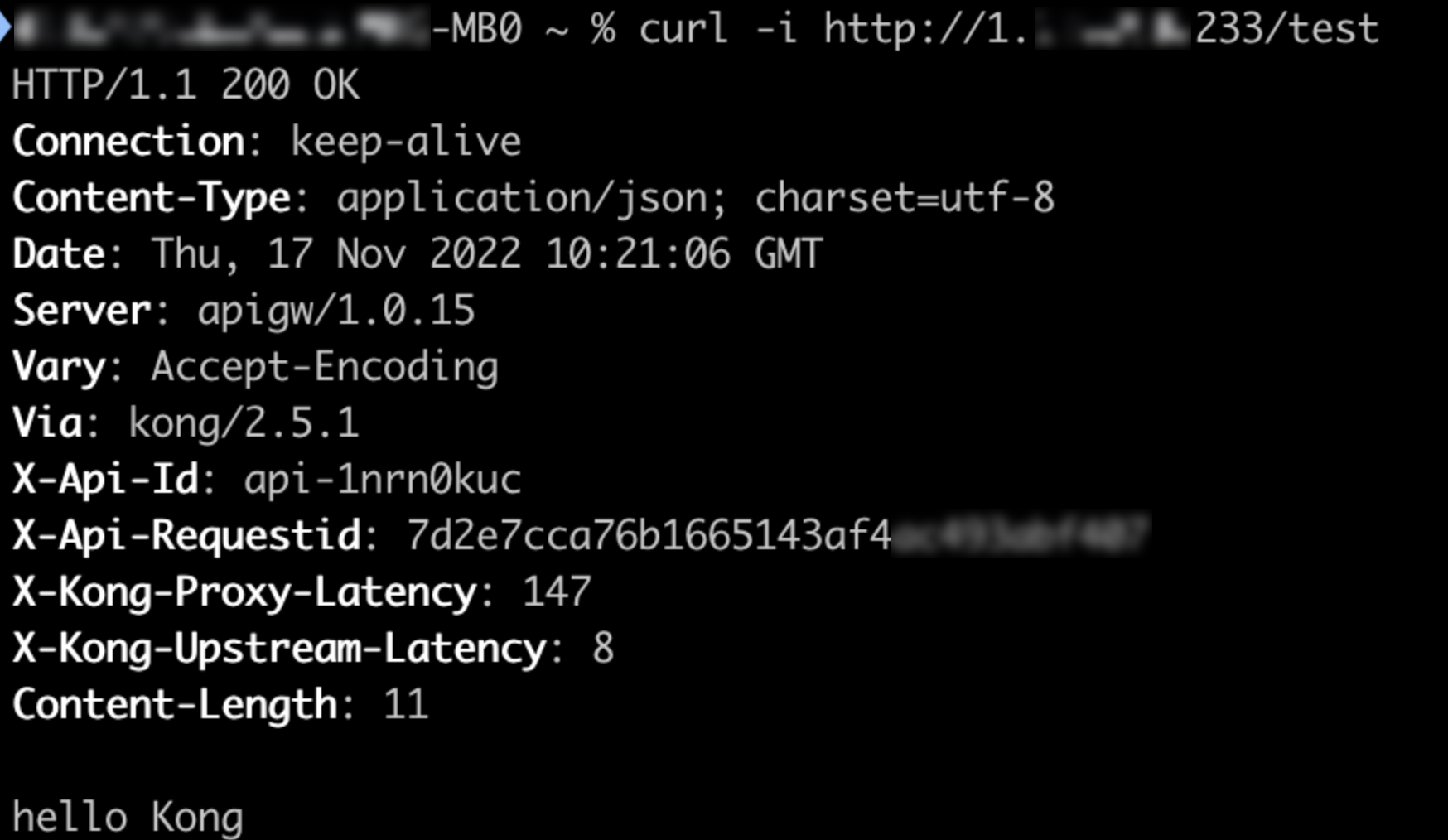
2. Use the CLB address and the configured route path to access the API. Execute a curl command to test, confirming that the backend service is successfully accessed through the cloud-native gateway.