This document describes how to implement access control on the Kong Cloud Native API Gateway using the Kong ACL plugin. It primarily covers the following two scenarios:
3. A consumer is configured, and authentication is enabled.
Operation Steps
Note
Allowing access for specified users is used as an example. The configuration steps for denying access for specified users are similar.
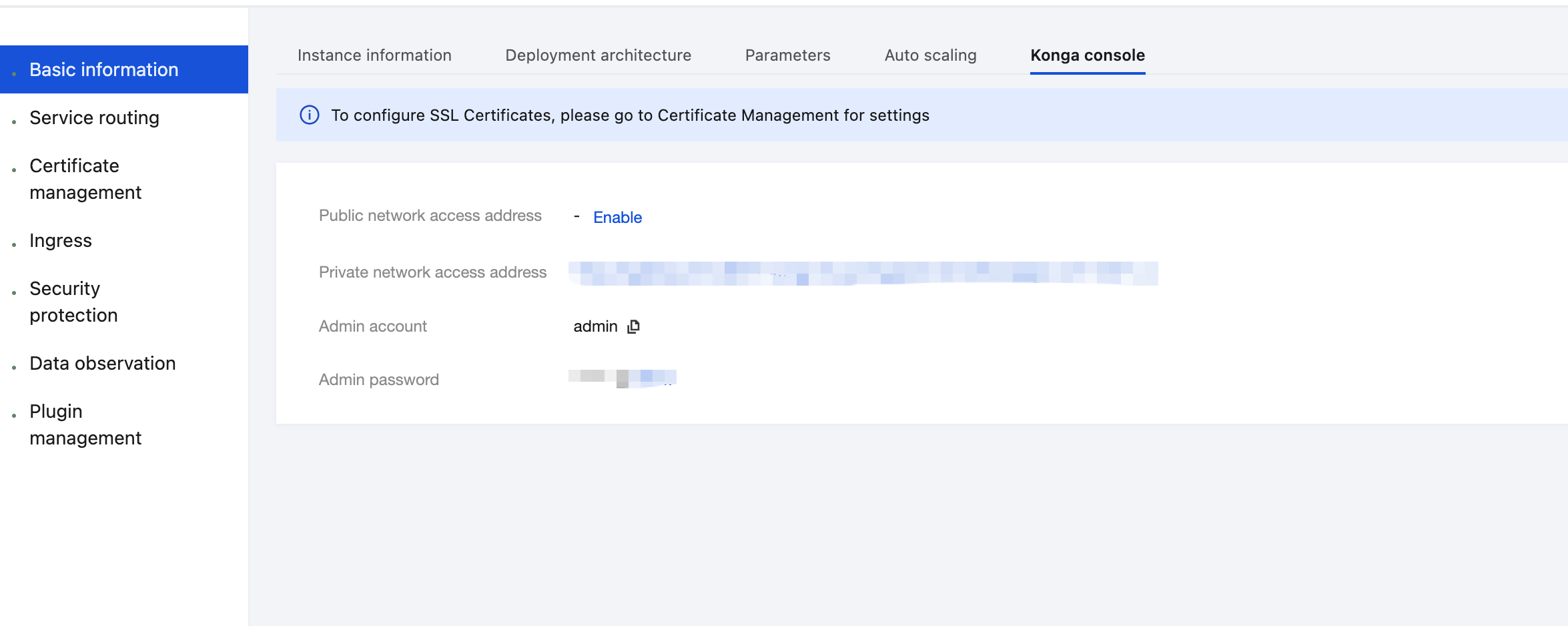
1. Log in to the Tencent Service Framework (TSF) console, go to the details page of the Cloud Native API Gateway instance for which the ACL plugin needs to be configured, and view the Konga console login method on the Konga Console tab page.
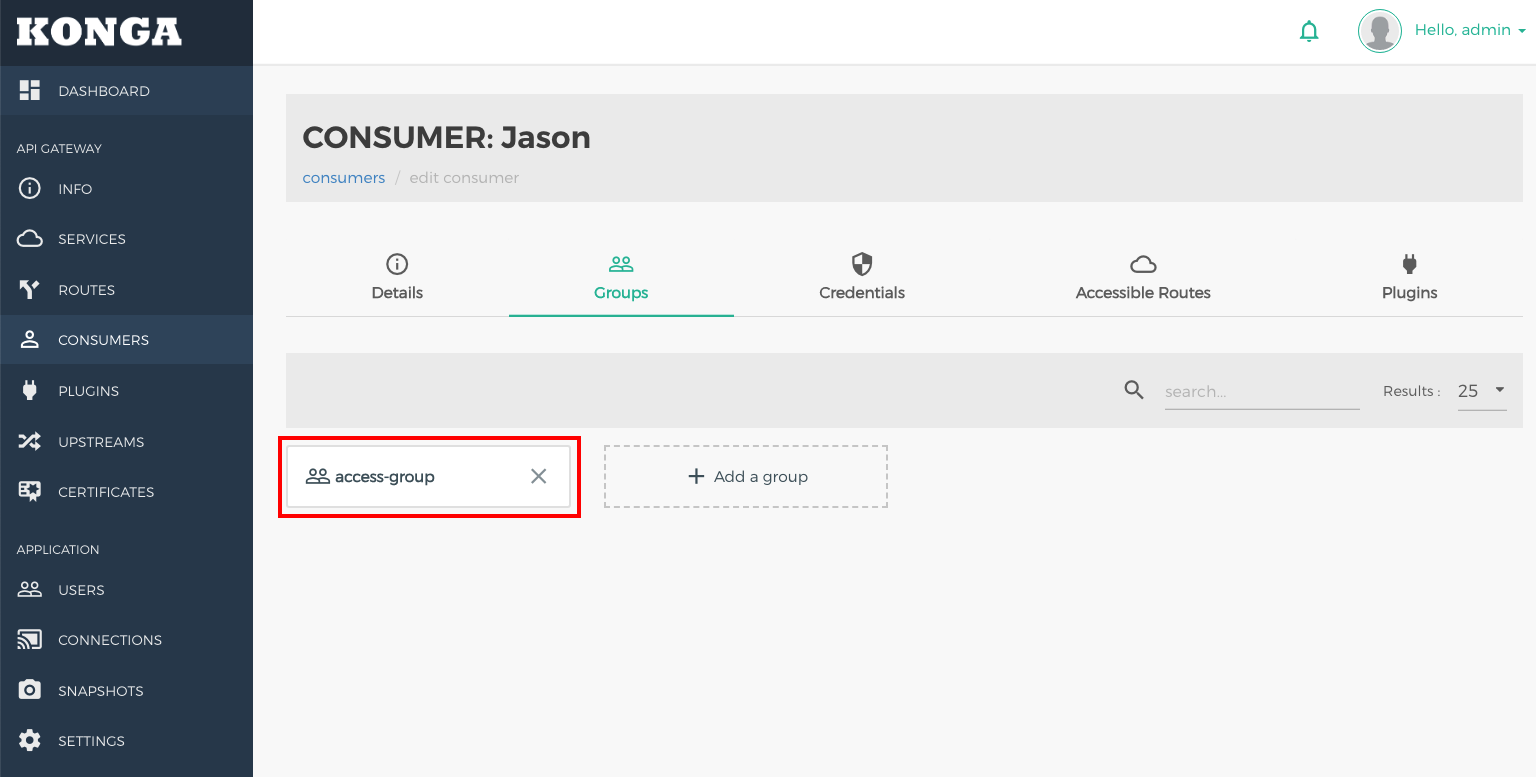
2. Log in to the Konga console, go to the consumer details page, and select the user (such as Jason) for whom access control needs to be configured. Click the Groups tab, and allocate a group (for example, access-group) for the user.
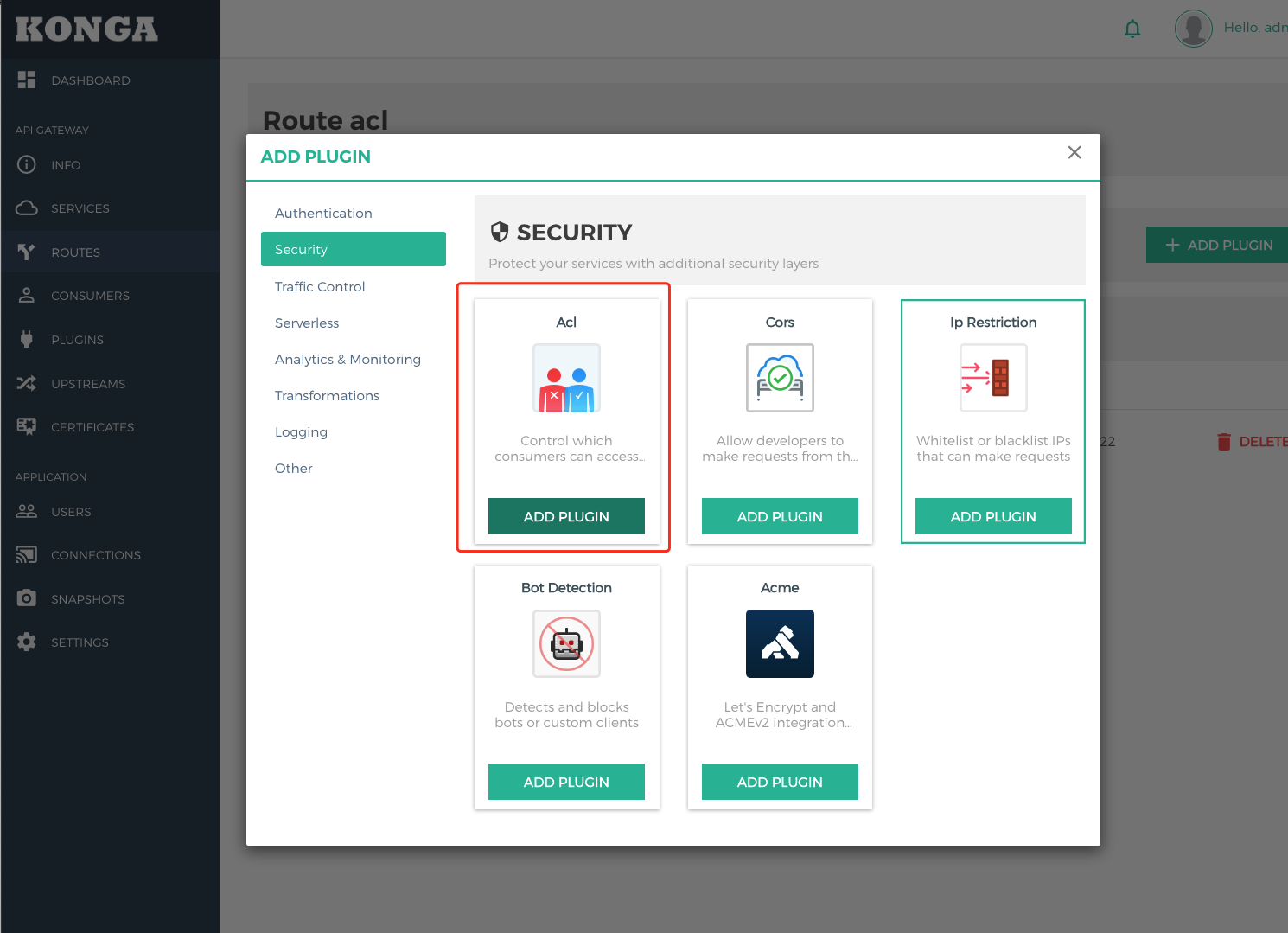
3. Go to the details page of the selected route, click ADD PLUGIN, select Acl under the Security group in the plugin marketplace, and click ADD PLUGIN.
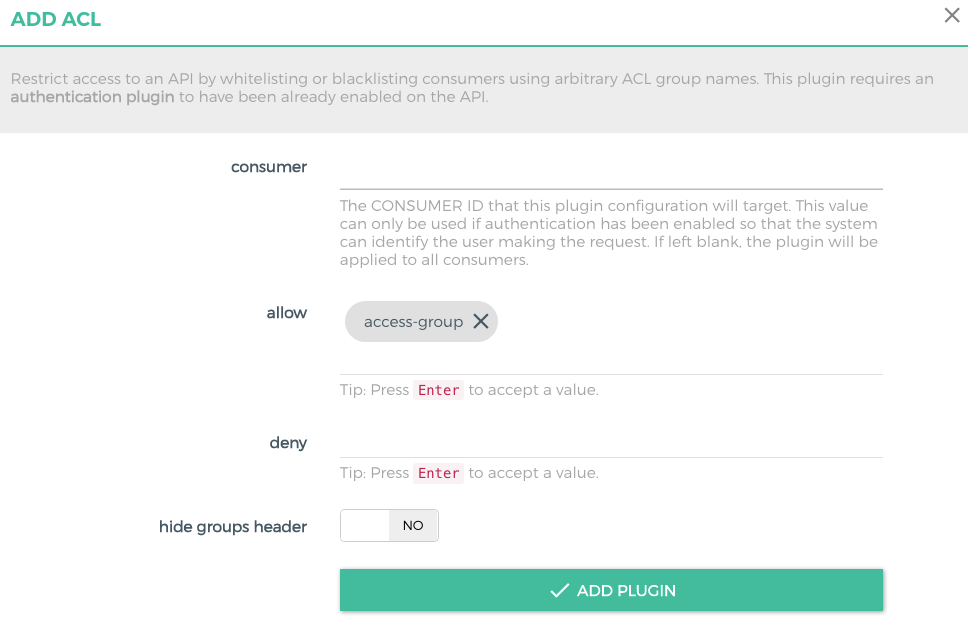
4. In the plugin configuration, enter the Group(s) that are allowed to access, press Enter, and save.
allow: Enter the group that is allowed to access the service. Enter multiple groups if multiple groups are allowed to access the service.
deny: Enter the group that is not allowed to access. Enter multiple groups if multiple groups are not allowed to access.
consumer: Enter the ID of the consumer that requires application access control. If it is left blank, the IP address access control applies to all consumers.
Note
At least one of allow and deny needs to be configured.
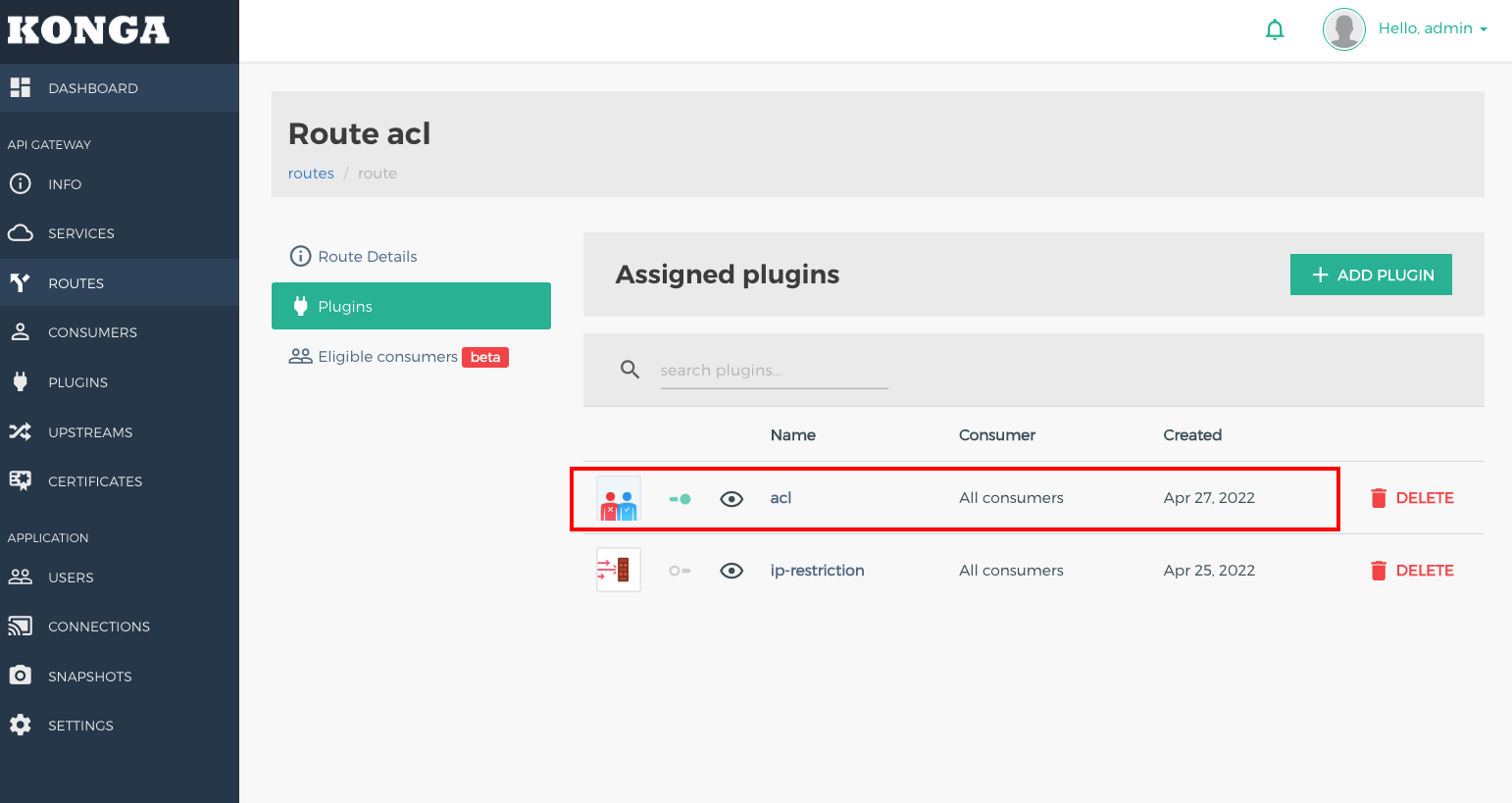
5. Return to the route page and verify the plugins bound to this route.
6. Use the credential of a user (such as Jason) in the group that is allowed to access to initiate an API request. The request is allowed.
HTTP/1.1 200 OK
Connection: keep-alive
Content-Length: 13
Content-Type: text/plain;charset=UTF-8
Date: Wed, 27 Apr 2022 06:46:38 GMT
Server: Cowboy
Vary: Origin
X-Kong-Proxy-Latency: 10
X-Kong-Upstream-Latency: 1775
{"ok"}
7. Initiate a request using the credential of a user (such as Tom) not in the user group to initiate a request. The request is denied.