Federated Instance Group
Scenarios
By incorporating regular Polaris instances into management through global instances, a federated architecture is enabled, allowing for unified management of service governance policies and implementation of cross-region disaster recovery.
Version Limitations
Only Polaris instance version 2.0.1.0 and later versions support this capability.
Only Basic Edition and Enterprise Edition instances support this capability.
Definition
Regular Instance: Newly created Polaris instances default to regular Polaris instances. Regular instances support conversion to global instances.

Global Instance: A regular instance can be converted to a global instance, but a global instance cannot be converted back to a regular instance.
Note:
Supports data synchronization from regular instances to global instances, storing namespace, service data, and governance rule data; and supports querying service instance data and service governance rule data from global instances by regular instances.
Global instances do not support access methods such as SpringCloud Tencent and K8s service provided by regular instances; they can only manage regular instances. The number of instances accessed via a global instance equals the sum of the number of instances in each managed regular instance.
Service invocation monitoring is not supported.
Operation Steps
To implement a federated architecture, the following operations need to be performed:
1. On the console, create new regular instances and global instances.
2. Associate regular instances with global instances;
3. Resource synchronization: synchronize resources from regular instances to global instances.
Instance Creation
Log in to Tencent Microservices Platform to create two regular instances and two global instances. For details, see Engine Management.
Note:
The two regular instances share the same region, while the two global instances are in different regions.
Instance Association
Federated Instance Group
1. Associate regular instances with global instances
Method 1:
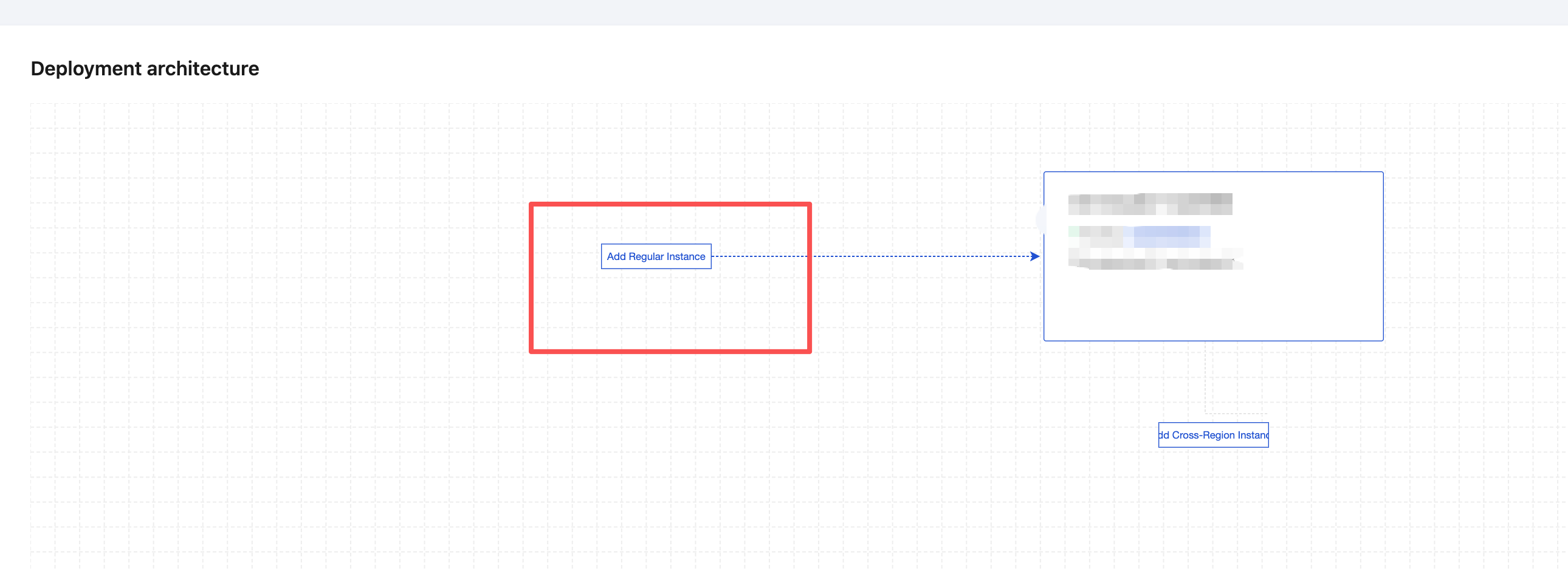
Go to the Engine Management page of the global instances, select the Instance Architecture tab, and enter the Deployment Architecture page.
Click Add Regular Instance. Then, on the association page, select the target global instance to associate and form a federated architecture.
Note:
When regular instances are associated with global instances, the regular engine instances will be restarted, which is expected to take 3 - 5 minutes.
One regular Polaris instance can only associate with one global instance.
A global instance can associate with up to 4 regular instances. The associated regular instances must be in the same region, while the global instance and regular instances can be in different regions.
The number of global instances in a single region is unlimited; the number of regular instances under a single global instance does not exceed 4.
A regular instance can only be bound to one instance (regular instance/global instance).
This feature is only supported in the Basic and Enterprise editions, not in the Development edition, and only supports binding instances of the same edition.
Method 2:
Go to the Engine Management page of the regular instance, select the Instance Architecture tab, and enter the Deployment Architecture page.
Click Add Global Instance. Then, on the association page, select the target global instance to associate and form a federated architecture.
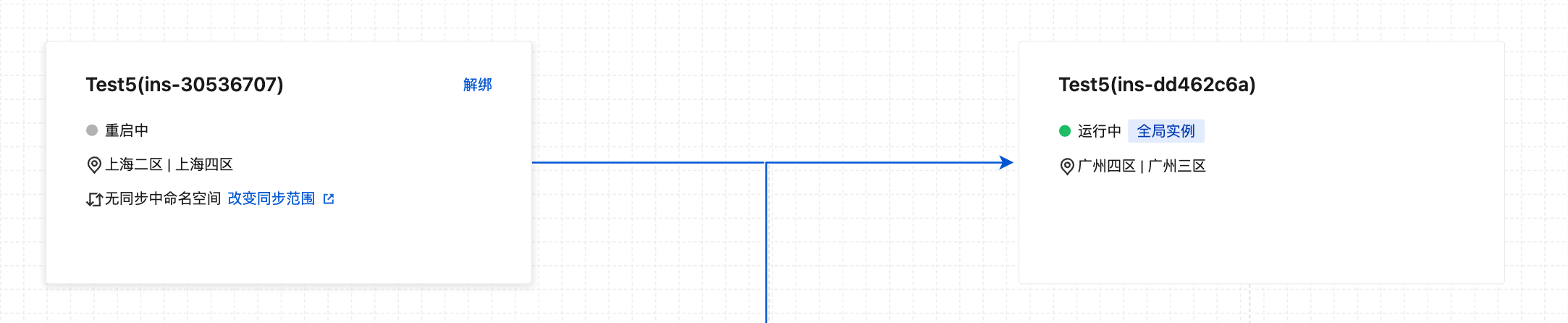
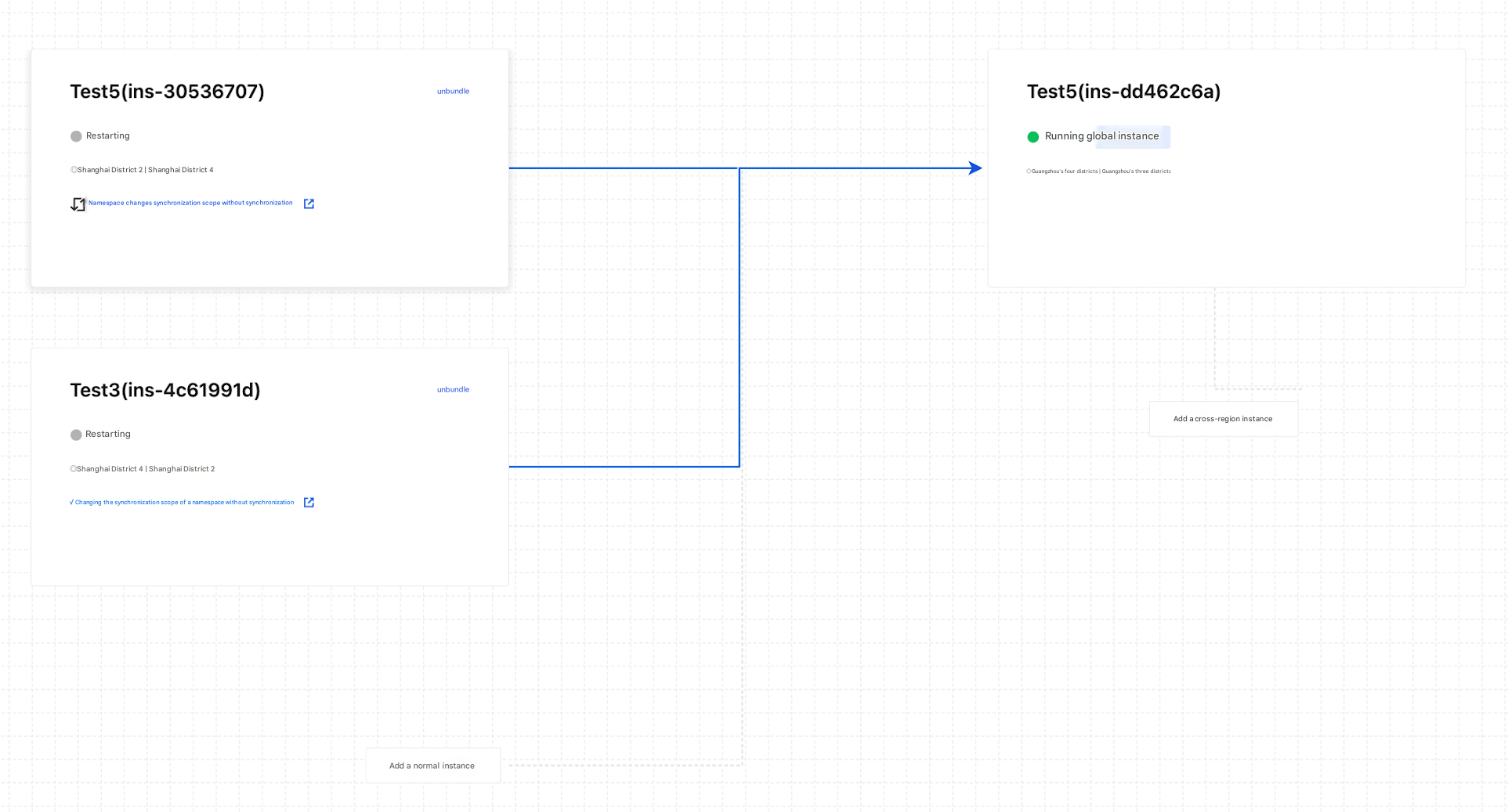
Similarly, associate two regular instances in the same region with the same cross-region global instance, as shown in the figure below.
2. Association of Two Global Instances
Go to the Engine Management page of the global instances, select the Instance Architecture tab, and enter the Deployment Architecture page.
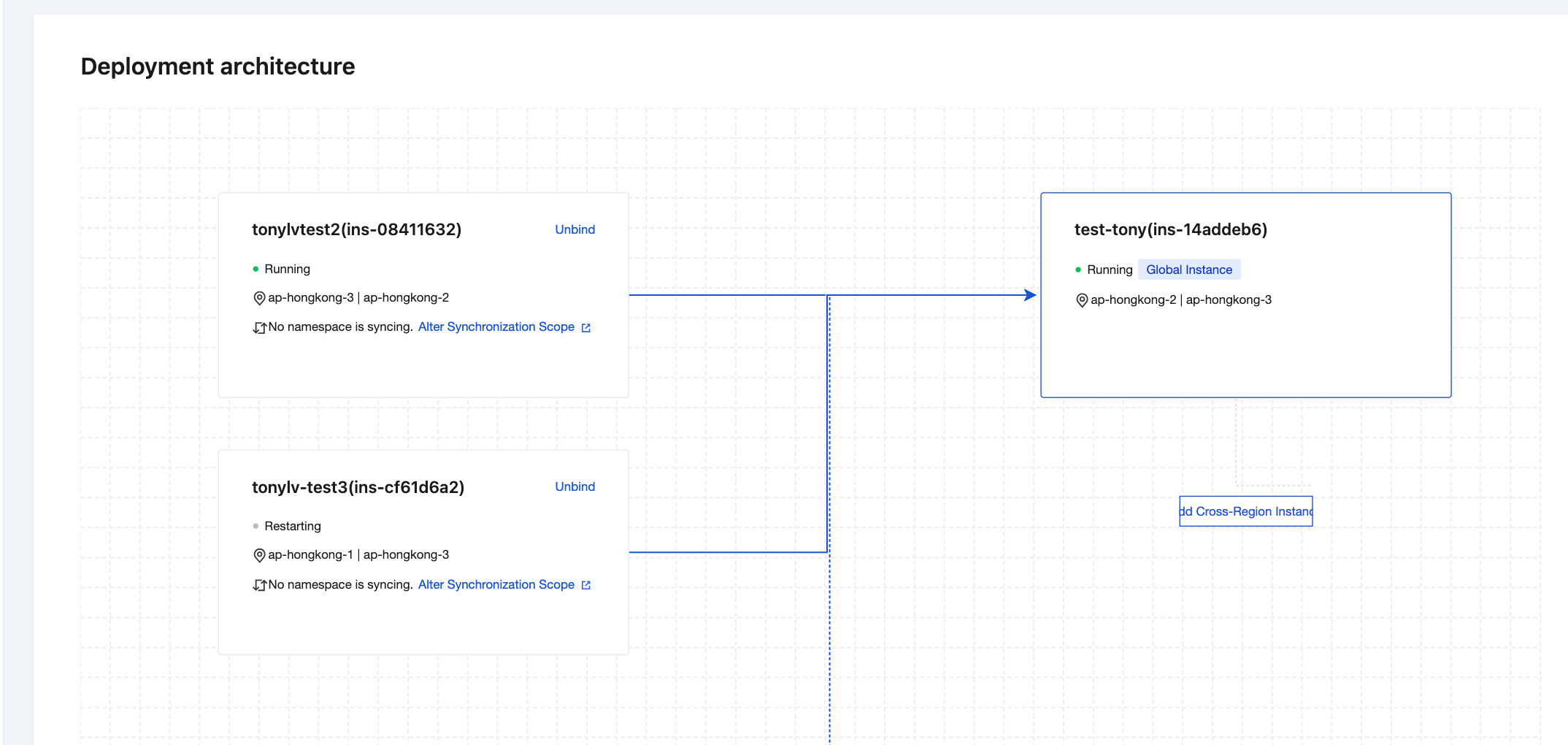
Click Add Cross-Region Instance. Then, on the association page, select the target instance to associate with the cross-region global instance.
This forms a federated architecture composed of a cross-region global instance group and two managed regular instances.
Resource Synchronization
Go to the engine instance list page, select the target regular engine instance, and enter the engine details page. You can also switch the instance list page to "Table View" to facilitate locating the target federated instance group.
Synchronize Namespace Resources
In the left sidebar, select the Namespace tab, and click New/Edit Namespace.
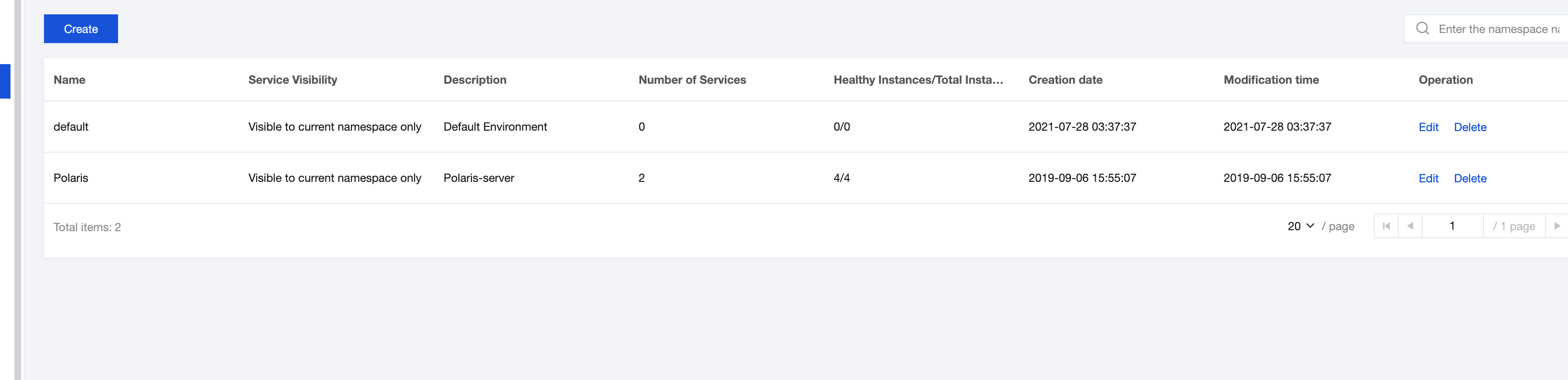
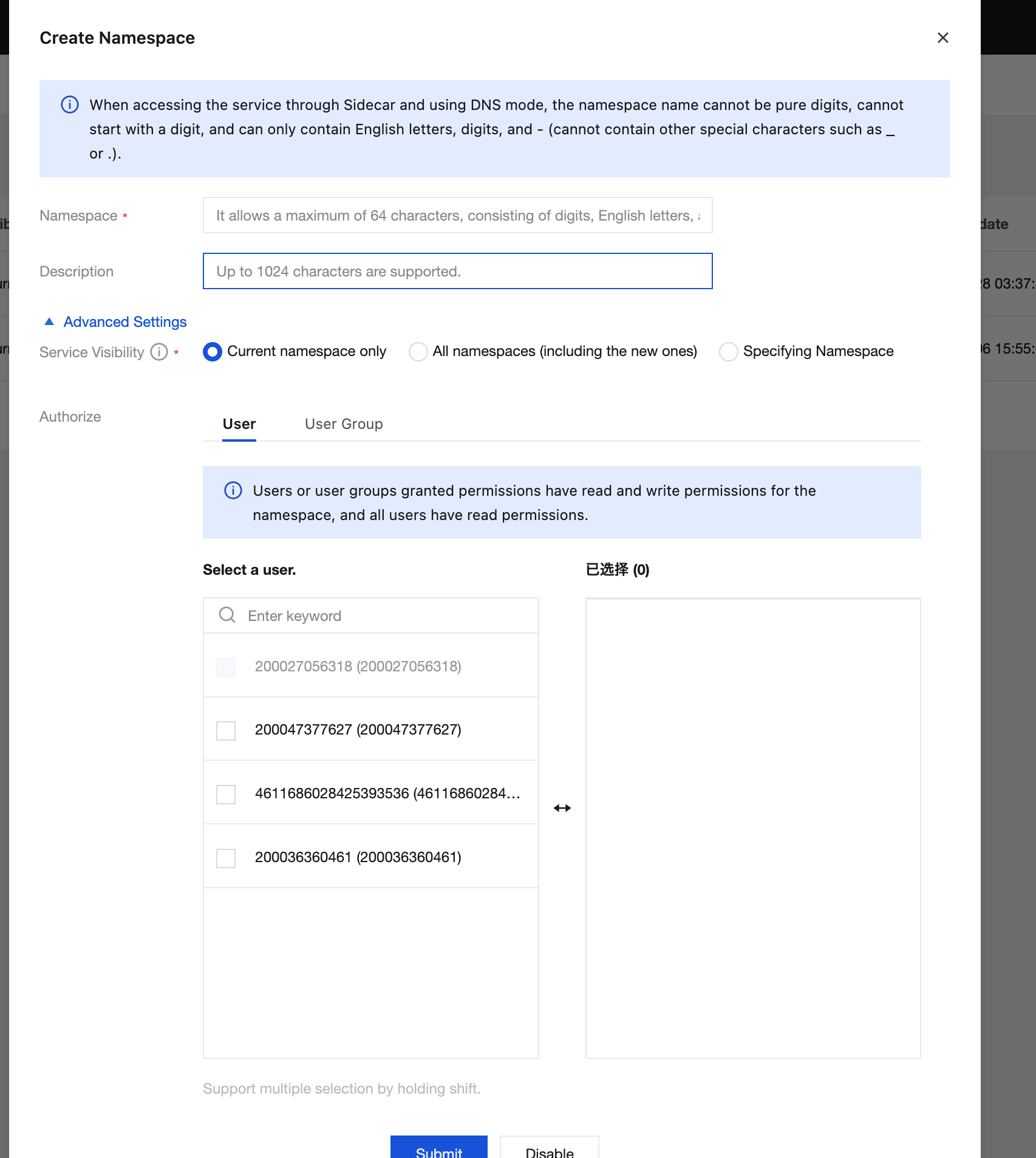
On the New/Edit Namespace page, click Advanced Settings, select whether to enable synchronization with global instances. Once enabled, the synchronization toggle for all services under this namespace will be automatically activated.
Note:
After the Synchronize Global Instances toggle is enabled, all service synchronization toggles under this namespace will be automatically activated. All service resources will be synchronized to global instances. Once synchronized to global instances, services become globally visible. To disable synchronization for a specific service, go to its details page and disable it.
After the Synchronize Global Instances toggle is disabled, all service synchronization toggles under this namespace will be automatically deactivated. All service resources will no longer be synchronized to global instances. To enable synchronization for a specific service, go to its details page and enable it.
Synchronize Service Resources
In the left sidebar, select the Service tab, and click New/Edit Service.
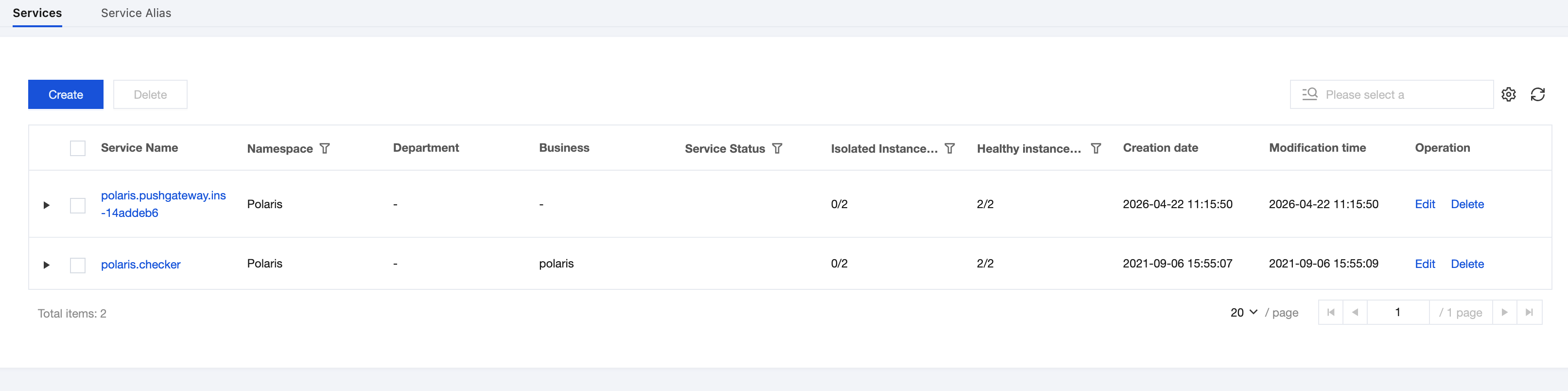
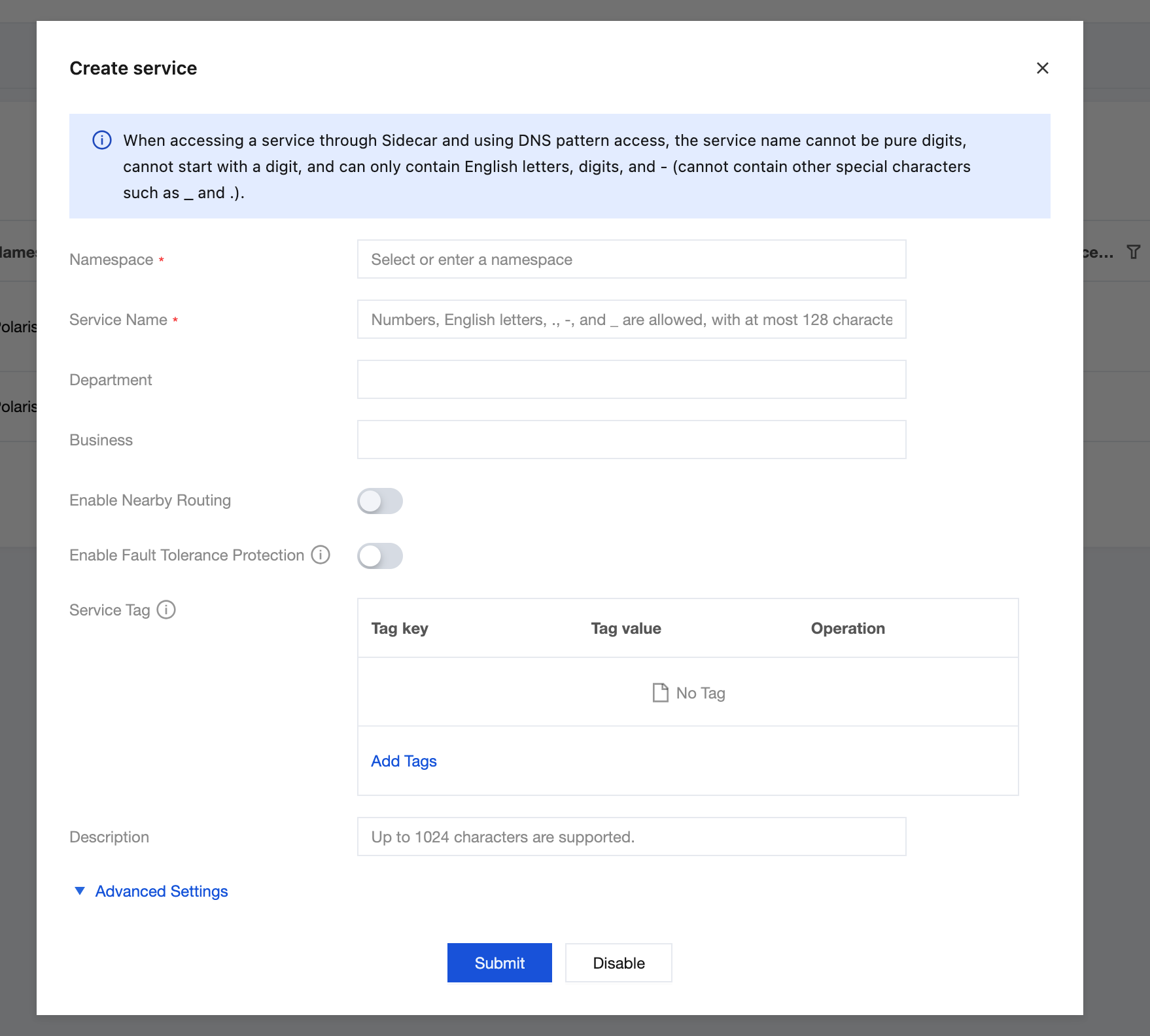
On the service new/edit page, click Advanced Settings, select whether to enable synchronization with global instances. Once enabled, the service and service instances will be synchronized to global instances.
Note:
After the Synchronize Global Instances toggle for services is enabled, the service and service instances will be synchronized to global instances. Once the services are synchronized to global instances, they become globally visible.
After the Synchronize Global Instances toggle for services is disabled, the service and service instances will no longer be synchronized to global instances.
In global instances, data synchronized from Polaris instances to global instances does not support editing operations; only deletion is supported.
フィードバック