lossless deployment
Feature Overview
For any online application, operations such as release, scaling out, scaling in, and restart are inevitable. Java applications often delay loading, asynchronously loading some resources after startup, for example: services need to obtain data or files from file storage COS, and can only provide services externally after the data or files are fetched. If services are registered directly after application startup, it may cause service calls to fail because the service is not actually ready. To ensure a lossless service launch, it is necessary that after the instance is successfully registered and ready, first warm up with small traffic, and then allow traffic in. Specific features include:
Deferred service registration
Service Registration Readiness Check (provides an interface to verify whether service registration is successful, enabling integration with K8s readiness checks)
Service small traffic warm-up

Operation Steps
To implement service routing, you need to complete two parts of operations:
Configure lossless launch rules on the Tencent Cloud console.
Client access, and introduce the lossless launch plugin. Polaris provides two access methods:
SpringCloud Tencent
Java Agent
The following section will detail the usage steps.
Tencent Cloud Console Operation Steps
1. Log in to the Tencent Service Framework (TSF) console.
2. In the left sidebar, select Polaris (North Star), and then select the target engine instance on the instance details page.
3. In the left sidebar, under Service Governance Center, click Service Management, select the target Polaris engine and target service, and go to the Service Details page.
4. Click the Lossless Launch/Shutdown TAB.
5. In the lossless launch configuration box, click the Settings button.
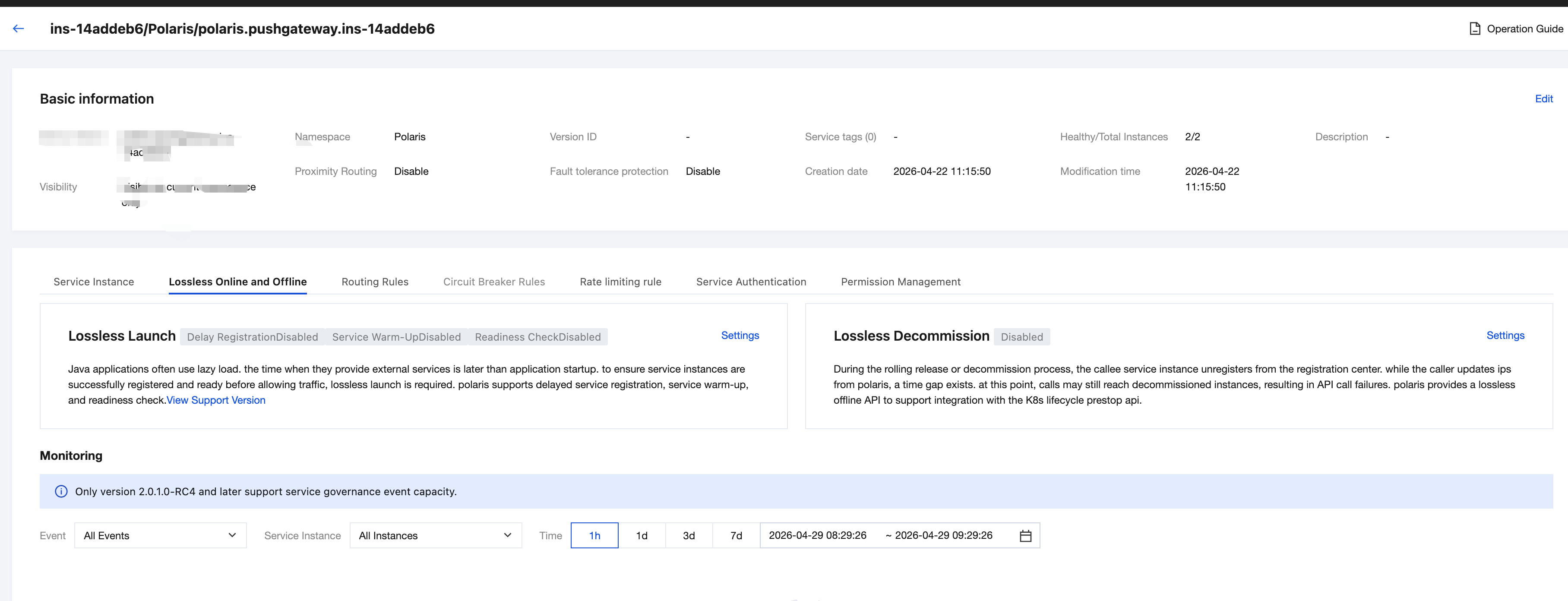
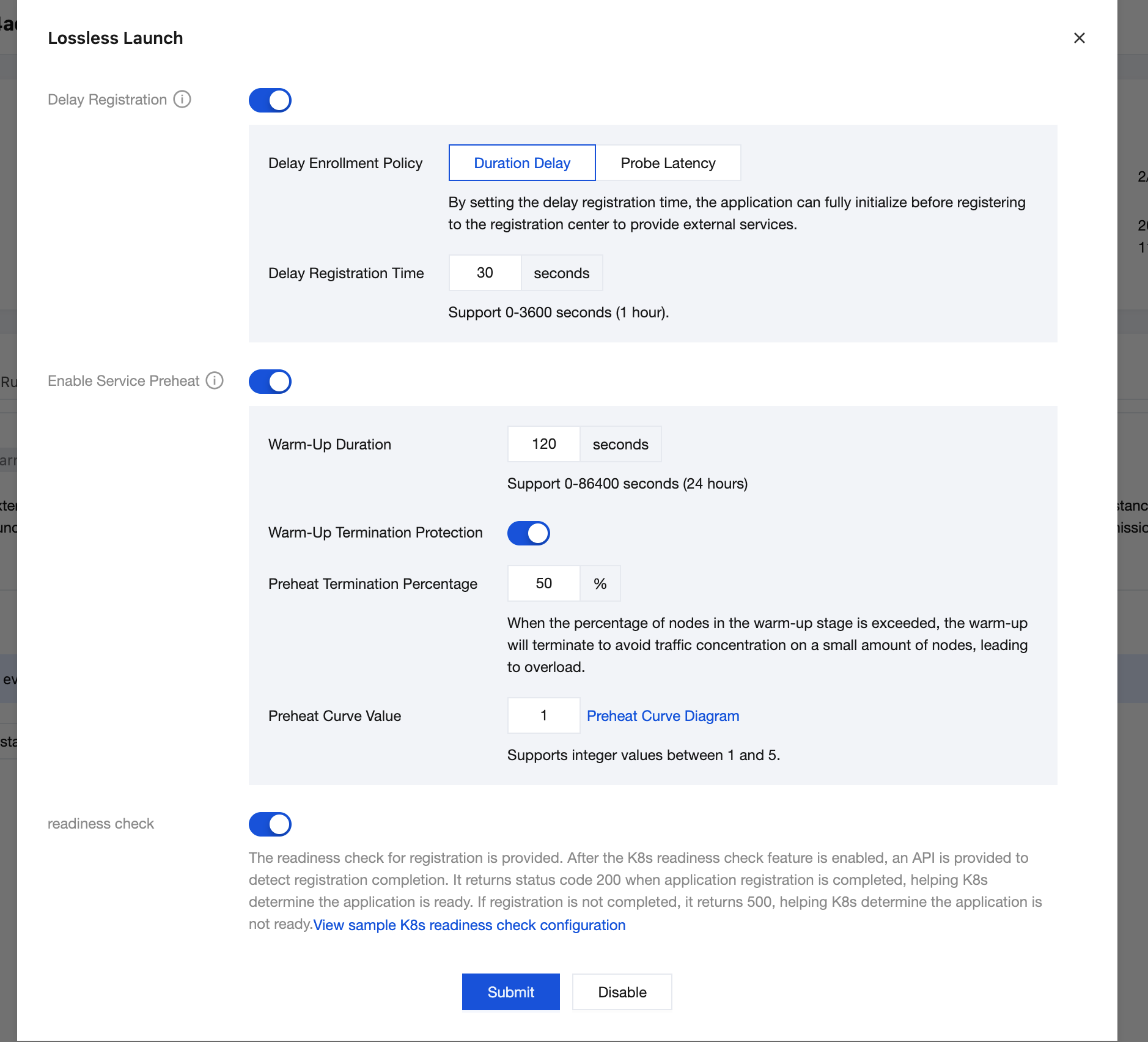
6. Enable the configuration switch based on your business requirements.
Feature | Description | Field |
Delayed Registration | Polaris enables delayed registration, allowing service registration only after the application has fully started. Polaris supports two methods of delayed registration: Time-based Delay: After the delay for registration is set, an application can register with the registry and provide services externally after full initialization. Probing-based Delay: The health check API externally exposed by the application is probed. If the API probing succeeds, the status code 200 is returned, confirming that the application can provide external services. Then, registration to the registry is allowed. | Time-based Delay: Delayed Registration Time: registration delay in the range of 0–3600 seconds. Default value: 30 seconds. |
| | Probing-based Delay: Probing Protocol: HTTP Probing Method: PUT, GET, POST, DELETE, or all. Probing API: Enter the health check API exposed by your business. When the API probing succeeds, service registration is performed. Example: /health |
Service Warm-Up | Polaris provides service warm-up capability. After verification with a small amount of traffic is successful, normal traffic is then introduced. | Warm-up Duration: The default value is 120 seconds, and the value ranges from 0 seconds to 86400 seconds (24 hours). Warm-up End Percentage: When more than a certain percentage of nodes are in the warm-up phase, warm-up terminates to prevent traffic from concentrating on a small number of nodes and causing overload. Default value: 50%. Warm-up curve value: The default value is 1. It supports integer values between 1 and 5. Traffic weight increases exponentially based on the configured warm-up curve value. The larger the value, the steeper the warm-up curve gradient. Service instance weight calculation rule:  |
Readiness Check | After readiness check is enabled, an API is provided for determining whether registration is complete. This works in conjunction with the Kubernetes readiness check feature: When application registration is complete, the HTTP 200 status code is returned, helping Kubernetes determine that the application is ready; if registration is not complete, the HTTP 500 status code is returned, helping Kubernetes determine that the application is not ready.
| |
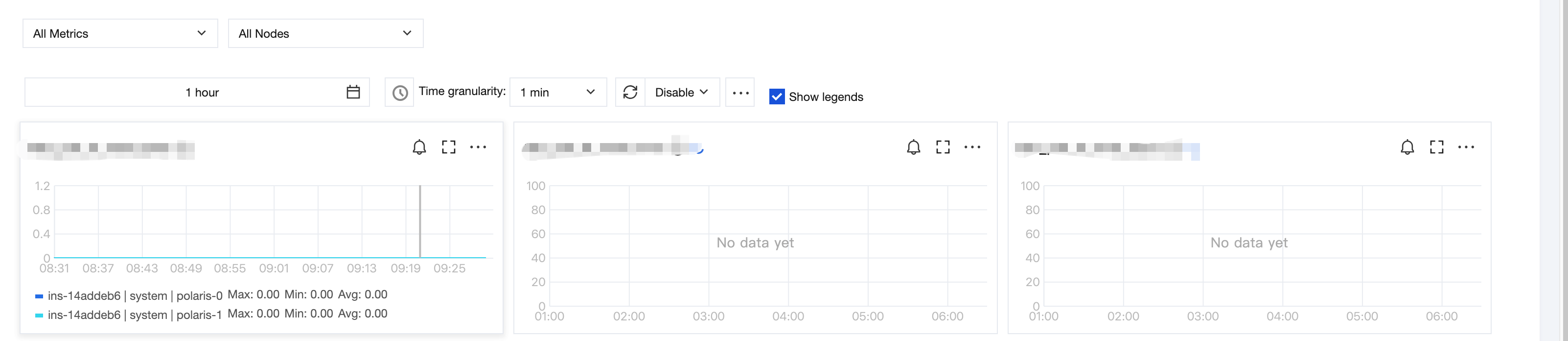
7. Observability.
You can monitor the status of zero-downtime service deployment and service requests in real time, ensuring each operation conforms to expectations.
Application Client Operational Steps
Polaris provides two integration approaches:
1. SpringCloud Tencent
2. Java Agent
1. Services integrate with Polaris service registration and discovery capabilities through Spring Cloud Tencent. For specific steps, see: Service Registration and Discovery.
2. Add the spring cloud tencent lossless launch/shutdown plugin dependency.
Add dependencies in pom.xml:
<dependencies><dependency><groupId>com.tencent.cloud</groupId><artifactId>spring-cloud-tencent-lossless-plugin</artifactId></dependency></dependencies>
Services integrate with Polaris through Java Agent. For specific steps, see: Java Agent Supports Lossless Launch/Shutdown.
フィードバック