Configuration Group
Scenarios
Polaris provides a visual configuration management interface. You can view the release status of configuration files on the TSF console, and edit, modify, and perform other operations on the configurations.
This task describes how to conduct configuration group management under a Polaris engine via the TSF console.
Prerequisite
The Polaris engine has been created.
The namespace has been created.
Operation Steps
Create Configuration Group
1. Log in to the TSF console, select Polaris (North Star) in the left menu bar, and go to the engine instance list page.
2. Select the target engine on the instance list page, click Configuration Management, and go to the configuration groups page.
3. Click **Create** in the upper-left corner and select relevant information based on your business requirements.
Namespace: Select the created namespace.
Group name: Enter the service name. Allowed characters include digits, English letters, ., -, _, and the length is limited to 128 characters.
Department: **Optional**. Enter the business department information.
Business: Enter business information.
Tag: **Optional**. Used for resource management by type. For detailed usage methods, see Tag Management.
Remarks: Optional. Enter the configuration group description.
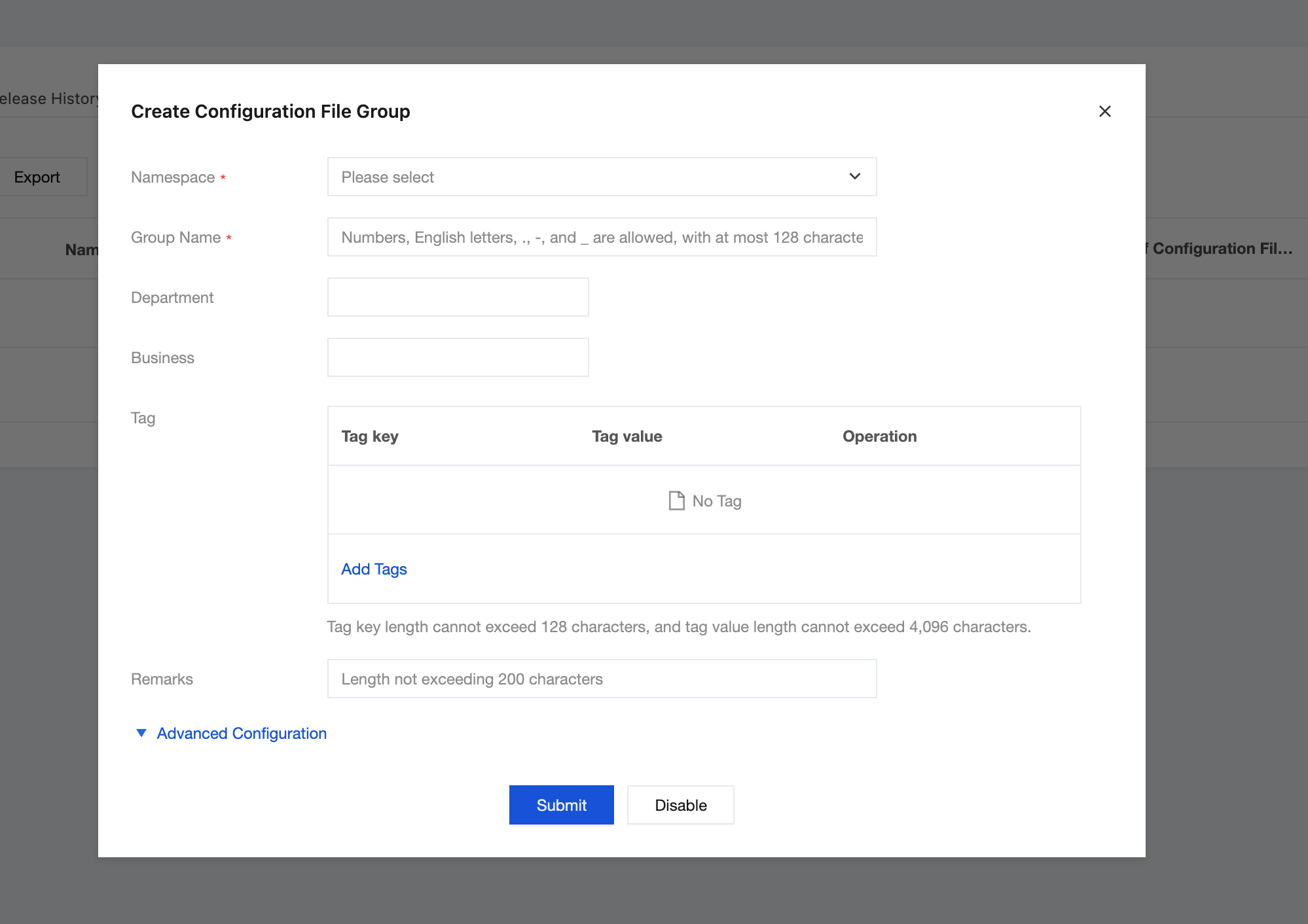
4. Click Submit to create a new configuration group.
Next steps: After the configuration group is created, you need to create configuration files under this group. See Configuration Files.
Delete Configuration Group
1. In the left sidebar, choose Configuration Management > Configuration Groups, select the target configuration group, and click Delete in the Actions column.
2. Confirm the deletion on the secondary dialog box page.
フィードバック