This document targets users accessing the PolarisMesh governance center hosted by the Microservices Engine who wish to utilize the distributed traffic throttling capability of Polaris.
Why It Is Necessary for Users to Manually Create
User access methods include two scenarios: multi-VPC and public network access. Users from different access sides need to see different server IPs, and the relevant Polaris system services cannot be automatically created.
2. On the governance centerpolarismesh page, click the drop-down list in the upper-left corner of the page and select the target region.
3. Click the "ID" of the target engine to go to the basic information page.
4. Console based on instance information.
Engine Instance Client Public Network Access Is Not Enabled
Create polaris.limiter
1. In the basic information page of the instance, remember each VPC private IP address and access port in the access address.
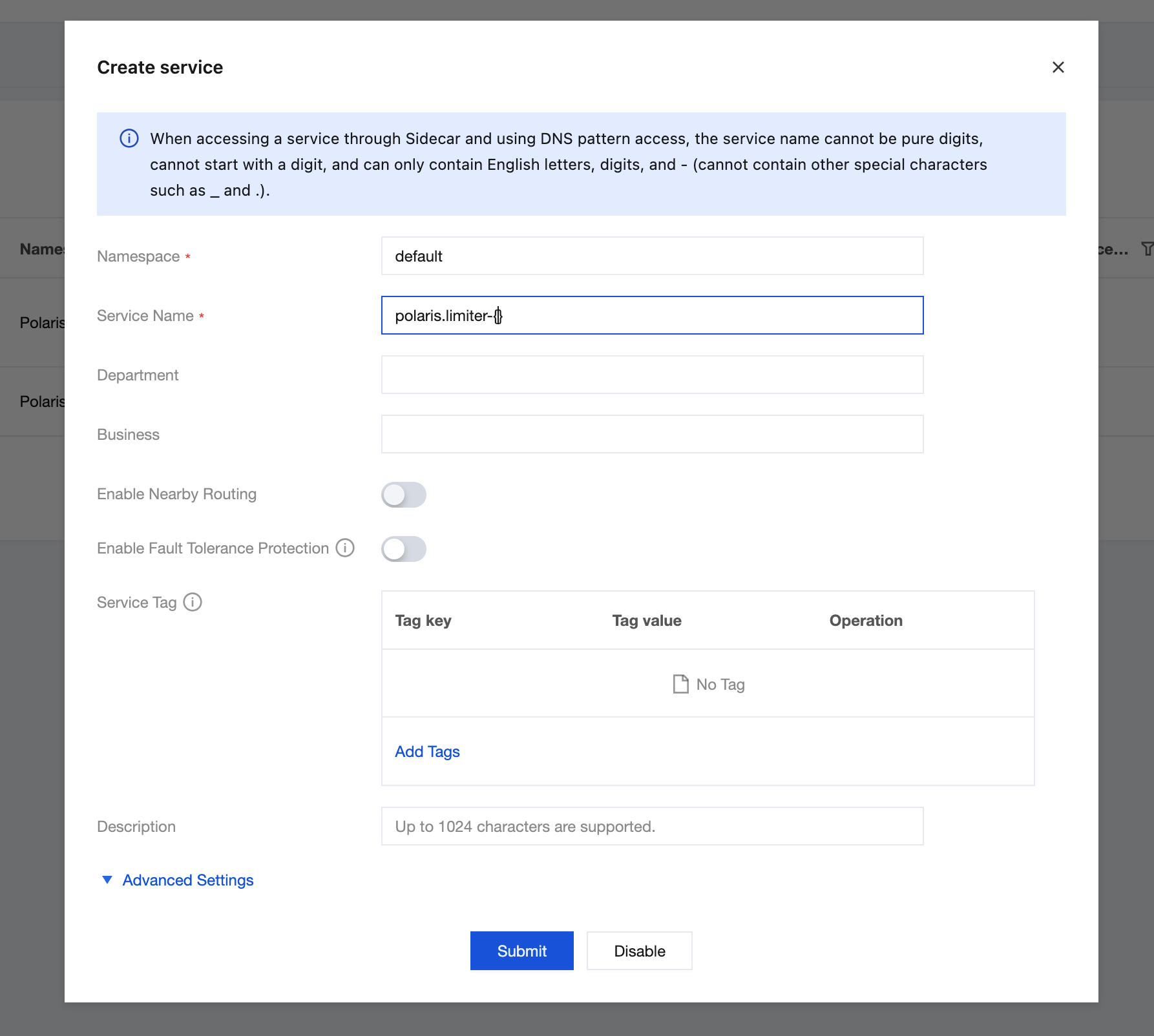
2. For each private network VPC IP address, create a service polaris.limiter-{vpc name} in the namespace Polaris.
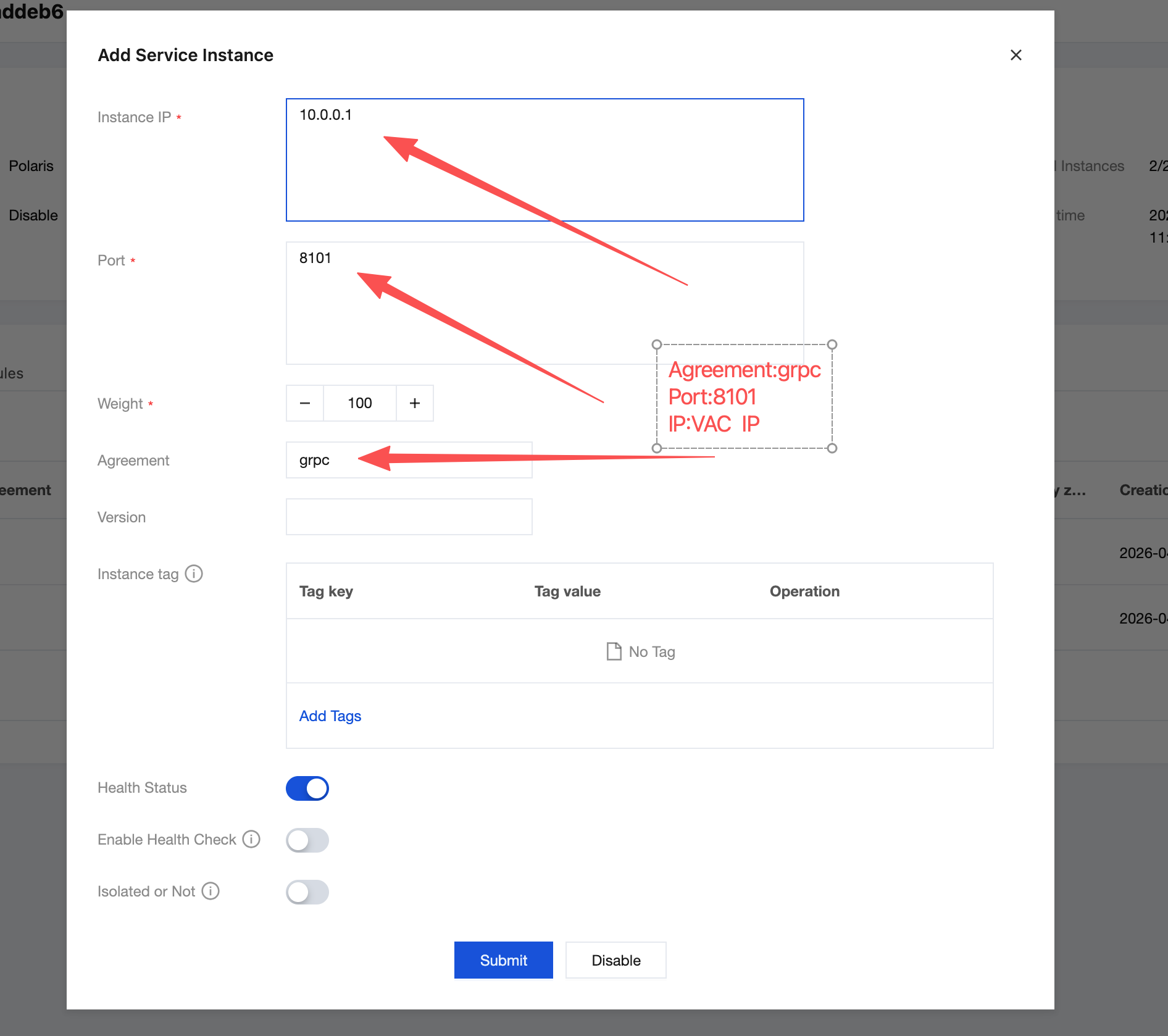
3. Click the service polaris.limiter-{vpc name} to go to the service instance page, and based on the VPC private IP address recorded in the first step above and the port protocol grpc, create an instance.
4. Following the steps above, the instance list of the service polaris.limiter-{vpc name} is finally as follows:
Note:
If it is a single VPC access scenario, there is no need to refer to the naming convention polaris.limiter-{vpc name}. Directly using polaris.limiter is sufficient.
Configuration File Description for polaris-java Access
In the polaris.yaml file, configure secondary addressing according to the following example:
global:
serverConnector:
addresses:
- '{corresponding VPC's private network access IP address}:8091'
provider:
rateLimit:
enable:true
limiterNamespace: Polaris
limiterService:'polaris.limiter-{vpc name}'
Description of Configuration Files for spring-cloud-tencent Integration
Modify the bootstrap.yaml or bootstrap.properties file:
spring:
cloud:
polaris:
address:"{corresponding VPC's private network access IP address}:8091"
Create the polaris.yml file under resources.
Configure secondary addressing according to the following example:
provider:
rateLimit:
enable:true
limiterNamespace: Polaris
limiterService:'polaris.limiter-{vpc name}'
Enable Client Public Network Access for Engine Instances
Create the polaris.limiter service
1. On the basic information page of the instance, remember the public IP address and access port in the access address.
2. Create the service polaris.limiter in the namespace Polaris.
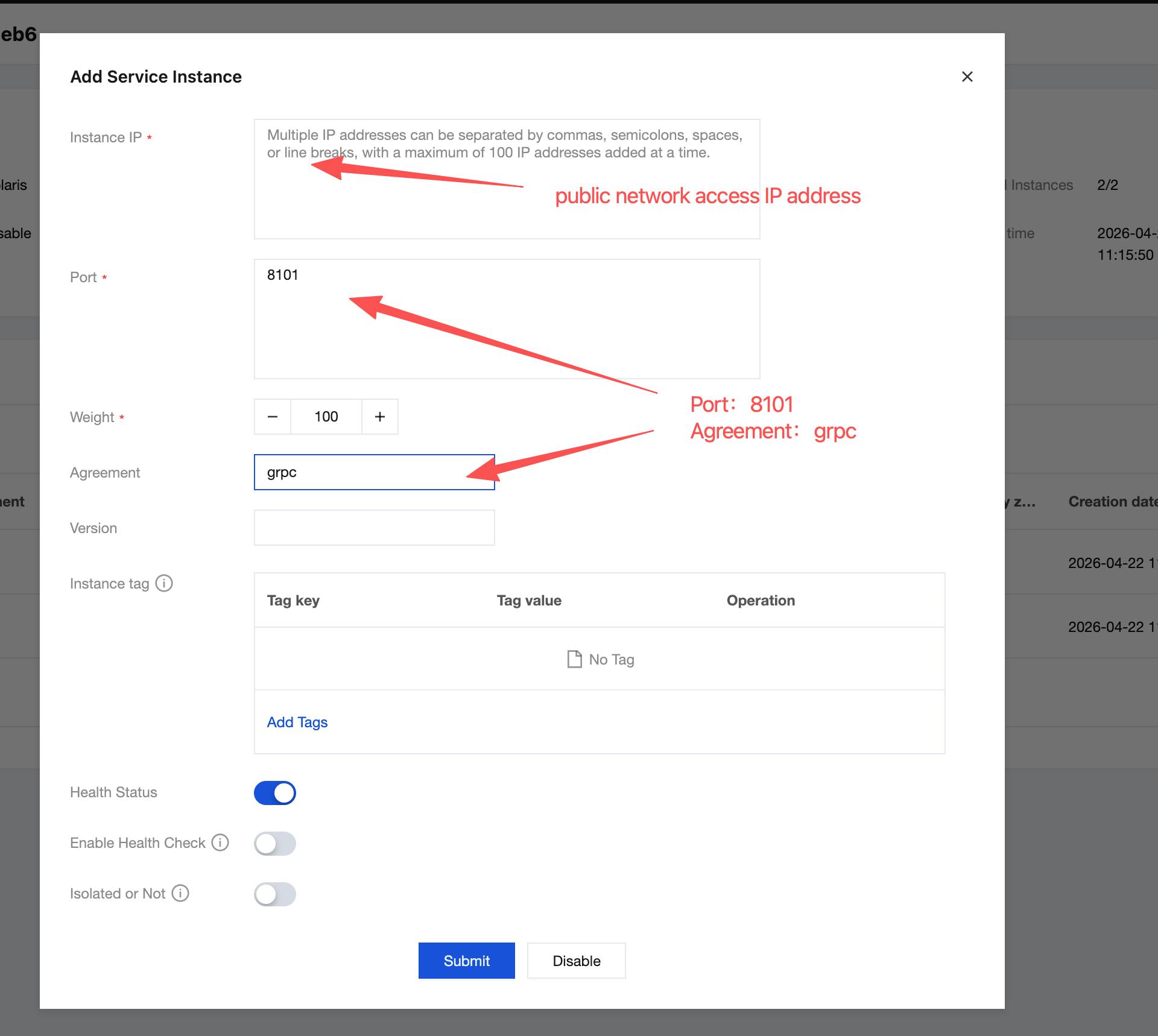
3. Click the service polaris.limiter, go to the service's instance page, and based on the client's public network access IP address and port protocol grpc, create instances respectively.
4. After performing the above steps, the instance list for the service polaris.limiter should be as follows:
Configuration File Description for polaris-java Access
In the polaris.yaml file, configure secondary addressing according to the following example:
global:
serverConnector:
addresses:
-'{corresponding public network access IP address}:8091'
provider:
rateLimit:
enable:true
limiterNamespace: Polaris
limiterService: polaris.limiter
Description of Configuration Files for spring-cloud-tencent Integration
Modify the bootstrap.yaml or bootstrap.properties file.
spring:
cloud:
polaris:
address:'{corresponding public network access IP address}:8091'
Create the polaris.yml file under resources .
Configure secondary addressing according to the following example: