Overview
Scenarios
Product Architecture
Instance Types
Compatibility Notes
Module | Parameter | Default Value |
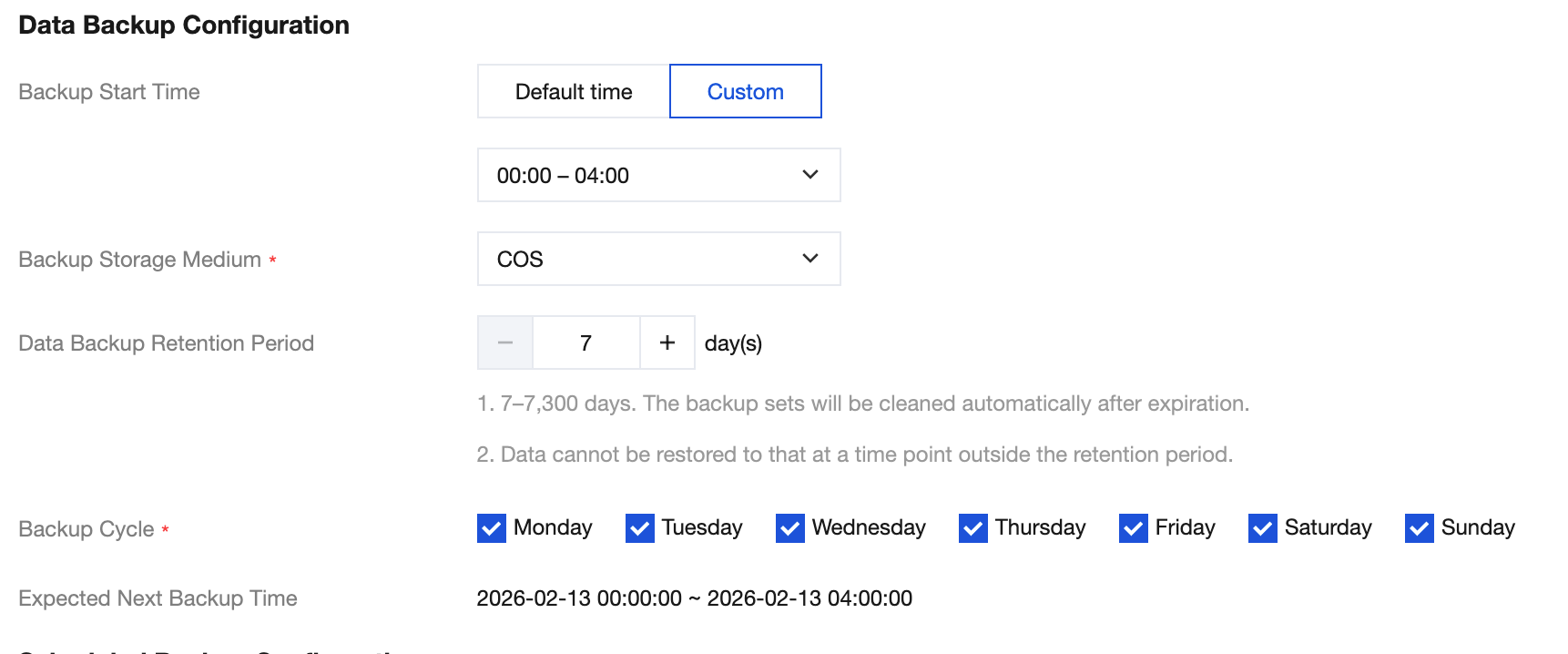
Data Backup Configuration | Backup Start Time | 00:00~04:00 |
| Data Backup Retention Period | 7 days |
| Backup Cycle | MON, TUE, WED, THU, FRI, SAT, SUN |
Scheduled Backup Configuration | Scheduled Backup Retention | Disabled. |
| Long-Term Retention of Scheduled Backup | Disabled. |
| Scheduled Backup Retention Period | 90 days |
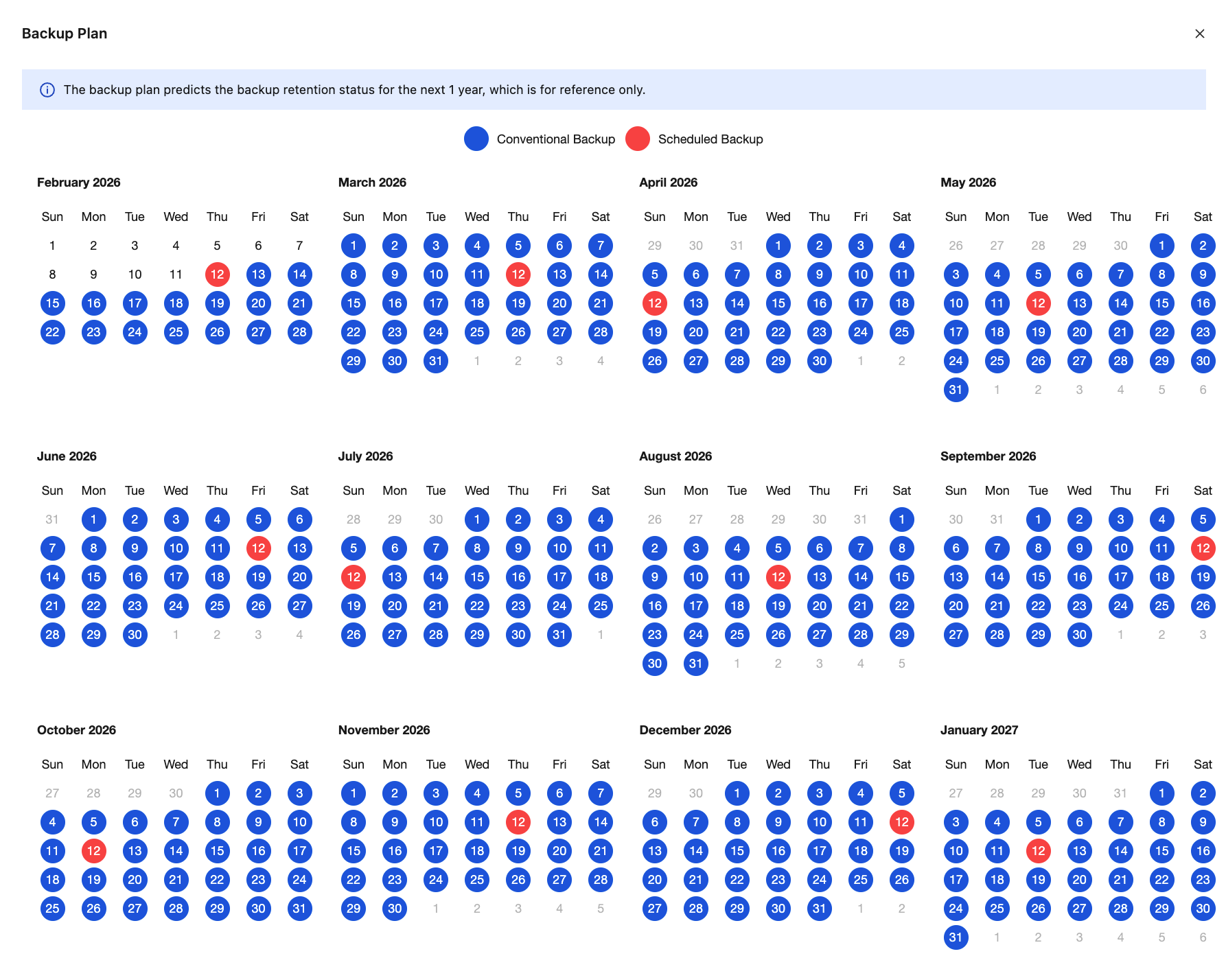
| Scheduled Backup Policy | One unit per month. |
| Scheduled Backup Start Date | Today |
Log Backup Configuration | Log Backup Retention Period | 7 days |
Parameter | Description |
Backup Start Time | The time window for data backup is the period during which the system schedules and initiates automatic backups within the selected time range. Note: Restarting the database is not allowed during full backups. Carefully select the backup time window. We recommend setting it during off-peak business hours. The backup start time is only the time when the backup task enters the scheduling queue. For example, if you select to enable backup at 00:00 - 04:00, the system will initiate the backup task at a certain time point within the 00:00 - 04:00 time range. The specific initiation time depends on the backend backup policy and the backup system status. To ensure that the backup task does not affect the instance operation, the backup task may be delayed due to the queue. The backup task takes time proportional to the amount of data. |
Backup Storage Medium | Backup set storage medium. COS: Object Storage SNAPSHOT: Snapshot Storage |
Data Backup Retention Period | The retention period for data backup files is fixed at 7 days, and this setting cannot be modified currently. After the 7-day retention period, the system will automatically delete the backup files, so they cannot be used for data recovery. |
Backup Cycle | The days of the week on which data backups can be initiated. By default, all 7 days from Monday to Sunday are selected, and you can customize the backup schedule. Select at least two days per week on a weekly basis. |
Parameter | Description |
Scheduled Backup Retention | Enable: If your industry (such as insurance, banking, and so on) requires long-term or extended retention of backup sets to meet security and compliance requirements, turn on Scheduled Backup Retention as needed. In particular, the long-term retention policy for scheduled backups allows backup sets to be retained after instance termination and automatically deletes them upon expiration to ensure data security. Disable (default value): Indicates that the user has no requirement for long-term retention of instance data backup sets. |
Long-Term Retention of Scheduled Backup | Used to decouple full backup sets from the strong binding of instance lifecycle. Enable: Indicates that data backup sets will not be immediately deleted upon instance termination. Disable (default value): Indicates that data backup sets are immediately deleted upon instance termination. After disabling, no new scheduled data backup sets will be generated; existing scheduled data backup sets will continue to be retained and automatically deleted upon expiration according to the original policy. |
Scheduled Backup Retention Period | The retention period for scheduled backups in storage media supports 90 to 7300 days (20 years) and must be longer than the retention period of regular data backups. Backup sets will be automatically deleted when they exceed the retention period or when the instance is terminated (with long-term retention disabled). After this occurs, these backup sets will no longer be available for data restoration operations. Adjusting the scheduled backup retention period will affect the retention period of existing scheduled backups, causing backups exceeding the retention period to be purged. |
Scheduled Backup Policy | Users can specify the number of retained backup sets on a weekly, monthly, quarterly, or yearly basis according to business scenarios. The maximum number of retained scheduled backups must be less than or equal to the number of data backup sets. The system will dynamically display the allowed number of retained scheduled backups based on the backup cycle configured in the data backup settings. Note: The upper limit for the number of retentions varies across different cycles. The number of retentions must be set within the upper limit. When the number of retentions is set to 1, the first valid backup of the current cycle will be retained. When the number of retentions is > 1, except for the first backup, the remaining backups will be evenly distributed as much as possible within the cycle. |
Scheduled Backup Start Date | The start date for scheduled backups defaults to the current day. |
フィードバック