Release Notes
Associating With Policies
By default, a sub-account does not have the permissions to perform performance testing. You need to log in to the root account and grant the relevant permissions to the sub-account so that it can access the PTS resources normally.
Prerequisites
Use a sub-account with AdministratorAccess or QcloudCamFullAccess permissions to log in to the Tencent Cloud console. To create a sub-account, see Creating Sub-user.
Customizing Policies
1. Use a sub-account with AdministratorAccess or QcloudCamFullAccess permissions to go to Cloud Access Management > Policies.
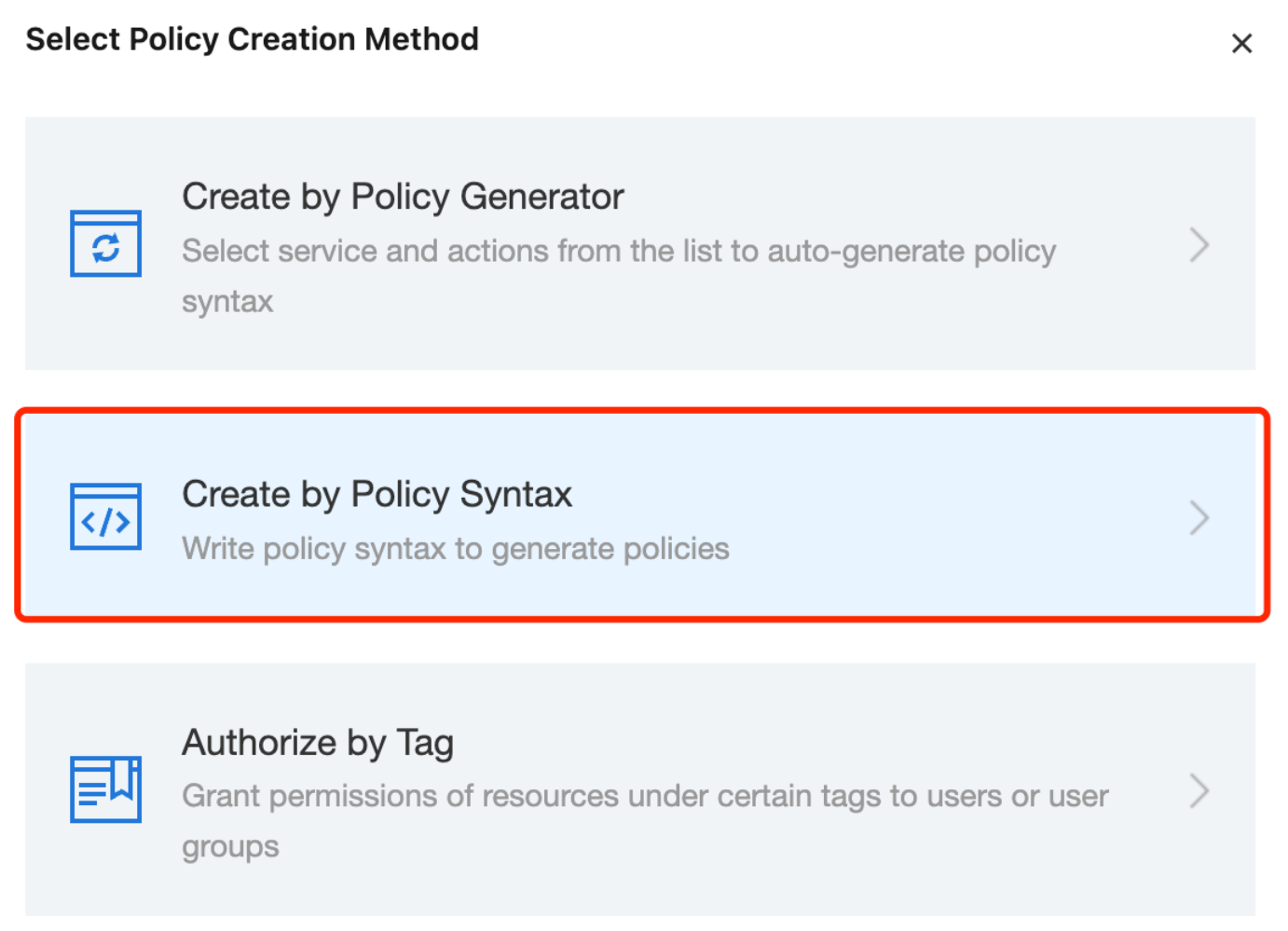
2. Click Create Custom Policy > Create by Policy Syntax and select a blank template. Complete the policy editing according to Policy Syntax.
Authorizing with Policies
Note:
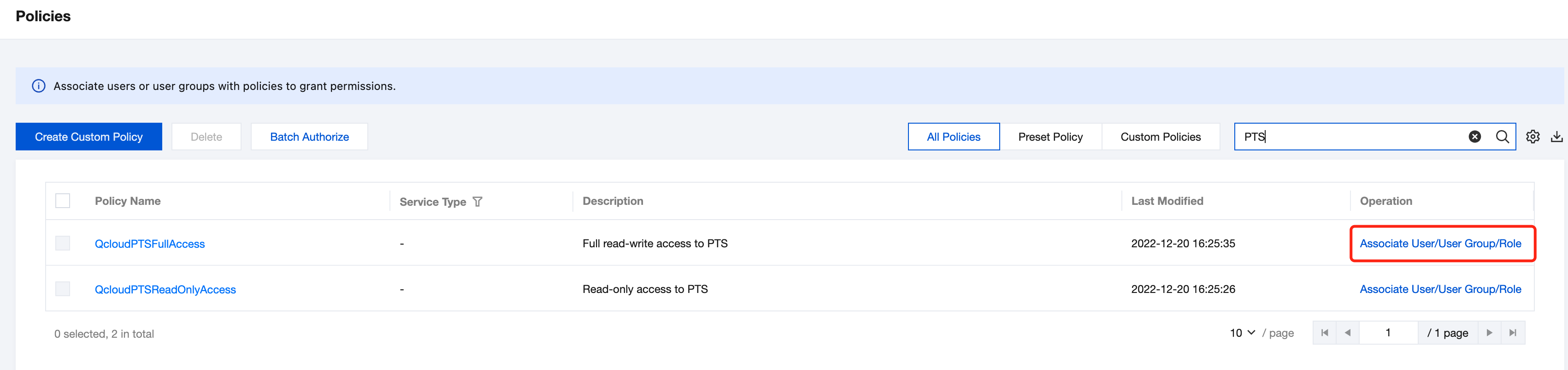
PTS creates default policies for you: QcloudPTSFullAccess (PTS full read/write access) and QcloudPTSReadOnlyAccess (PTS read-only access). You can quickly associate these default policies by searching for their names. You can also associate with custom policies. After successful association, sub-accounts can access the related resources normally.
1. Use a sub-account with AdministratorAccess or QcloudCamFullAccess permissions to go to Cloud Access Management > Policies.
2. Go to the Policy Management page and enter the corresponding policy name in the policy name search box.
3. Select read-only access or full read/write access permissions, and then click Associate User/Group/Role in the Operation column.
List Of APIs That Support Resource-Level Authorization
API Operations | API Description |
AbortJob | Stops a task. |
CreateProject | Creates a project. |
CreateScenario | Creates scenarios. |
DeleteJobs | Deletes tasks. |
DeleteProjects | Deletes projects. |
DeleteScenarios | Deletes scenarios. |
DescribeCheckSummary | Queries checkpoint summary information. |
DescribeJobs | Queries the task list. |
DescribeLabelValues | Queries tag content. |
DescribeProjects | Queries project lists. |
DescribeRegions | Querying region list. |
DescribeSampleBatchQuery | Queries metrics in batches, returning metric content at fixed time points. |
DescribeSampleQuery | Queries metrics, returning metric content at fixed time points. |
DescribeSampleStreamBatchQuery | Queries metric sequences in batches. |
DescribeSampleStreamQuery | Queries metric sequences within a time range. |
DescribeScenarioWithJobs | Queries scenario configurations and include the content of executed tasks. |
DescribeScenarios | Queries scenario lists. |
DescribeServiceSummary | Queries service summary information. |
DescribeZones | Queries the availability zone list. |
GenerateTmpKey | Generates temporary COS credentials. |
StartJob | Creates and starts tasks. |
UpdateJob | Updates tasks. |
UpdateProject | Updates projects. |
UpdateScenario | Updates scenarios. |
List Of APIs That Do Not Support Resource-Level Authorization
For PTS API operations that do not support resource-level permissions, you can still grant users permissions to conduct these operations, but the resource element of the policy statement should be specified as *.
API Operations | API Description |
CreateProject | Creates PTS service instances. |
フィードバック