Downloading Backup
Download
フォーカスモード
フォントサイズ
This document describes how to download a backup through the PostgreSQL console.
Must-Knows
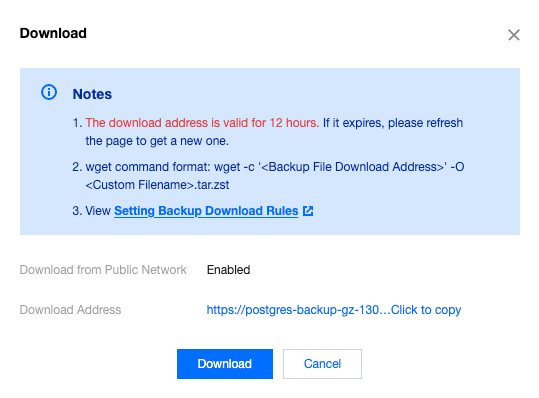
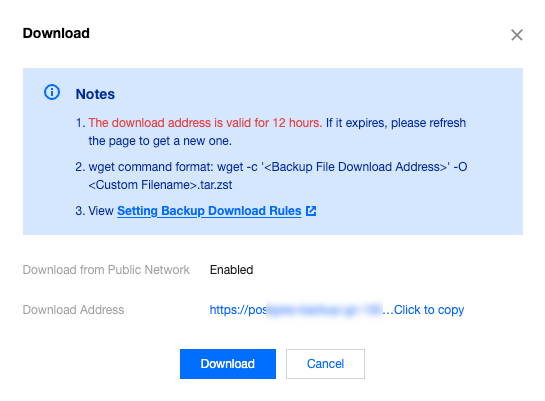
Both the private network address and the local download address are valid for 12 hours. After they expire, please refresh the page to obtain them again.
When downloading with wget, you need to enclose the URL in English quotation marks.
After downloading the file, you need to decompress it using zstd. If you do not have this tool, you need to install it.
Operation Steps
Downloading Backup Data
1. Log in to the TencentDB for PostgreSQL console, select a region, click the instance ID, and go to the instance management page.
2. On the instance management page, select the Backup and Restoration page and click Data Backup List.

3. Under the backup list, select the backup you want to download, and click Download in its Operation column.
4. In the download window, two download methods are provided: via the private network VPC address and via local download.
Note:
We recommend that you copy the download address, log in to a CVM (Linux) within the VPC where the cloud database resides, and use the wget command for high-speed download over the private network, which is more efficient.
5. Alternatively, you can click the Database Backup tab on the left side of the console, go to the Backup List, and click Data Backup List to download the data backup.
Downloading Log Backups
1. Log in to the TencentDB for PostgreSQL console, select a region, click the instance ID, and go to the instance management page.
2. On the instance management page, select the Backup and Restoration page and click Log Backup List.

3. Under the log backup list, select the backup you want to download, and click Download in its Operation column.
4. In the download window, two download methods are provided: via the private network VPC address and via local download.
5. Alternatively, you can click the Database Backup tab on the left side of the console, go to the Backup List, and click Log Backup List to download the data backup.
フィードバック