Custom Allow Rule
Download
フォーカスモード
フォントサイズ
When website administrators need to allow public network users to access a specific site based on users' access request characteristics, they can configure it by adding rules to the custom allow rule.
Adding Custom Allow Rule
1. Log in to the WAF console, and in the left sidebar, click Protection Policies > Blocklist.
2. On the Blocklist/Allowlist page, select the domain to be protected in the top-left corner, and click Custom allow rules.
3. On the Custom allow rules page, click Add rule.
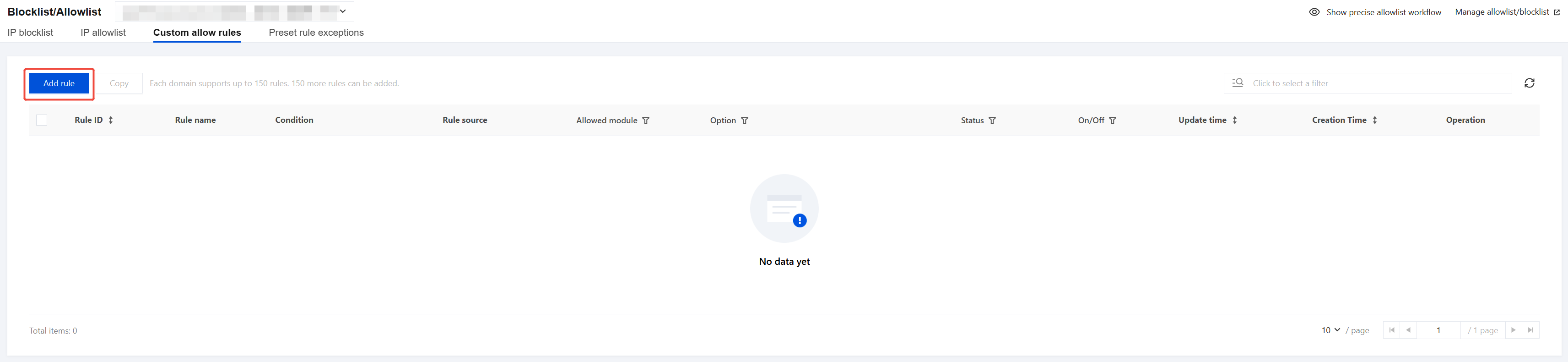
4. In the Add to Precise Allowlist pop-up window, configure related parameters and click OK.
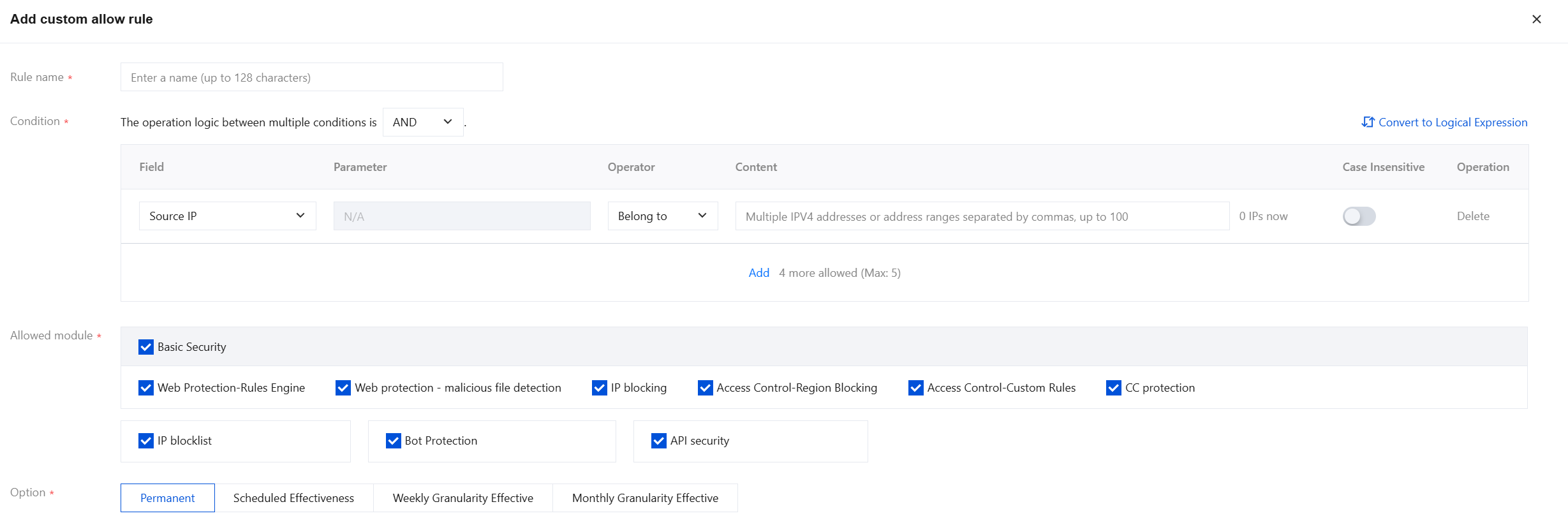
Field description:
Rule name: Custom rule name, up to 50 characters.
Condition: For field descriptions of matching methods, see Field description for matching. You can add up to 5 rules.
Allowed module: Select the module applied to configure the custom allow rule here.
Basic security
Web protection (Rule Engine, malicious file detection)
IP blocking
Access control (Region Blocking, Custom Rules)
CC protection
IP blocklist
Bot Protection
API Security
Option: You can choose from Permanent, Scheduled Effectiveness, Weekly Granularity Effective or Monthly Granularity Effective.
Note:
The custom allow rule of WAF supports using masks to allow access requests from source IP addresses in a specific IP range. We can enter a specific IP range in the matching content (such as 10.10.10.0/24).
5. The rule will take effect. HTTP access requests from the specific source IP will be allowed.
Management Custom Allow Rule
On the Custom allow rules page, you can query and filter based on multiple resource attributes. Rules can be edited or deleted in the corresponding location of the operation column.
Note:
Deleted rules cannot be recovered; they will only take effect after being re-added.

フィードバック