IP Query
Download
フォーカスモード
フォントサイズ
This document describes how to view the IP information and blocking status using the IP query feature.
IP Query
1. Log in to the WAF console and click IP Query on the left sidebar.
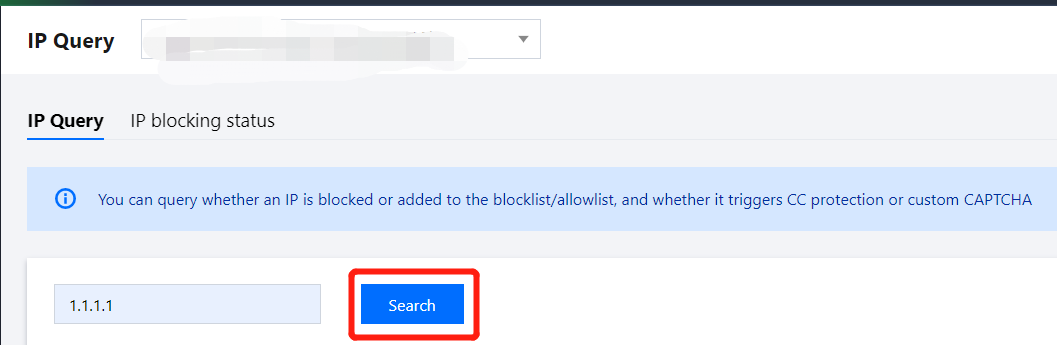
2. On the page that appears, click a target domain name and enter an IP to search. Then click Search.
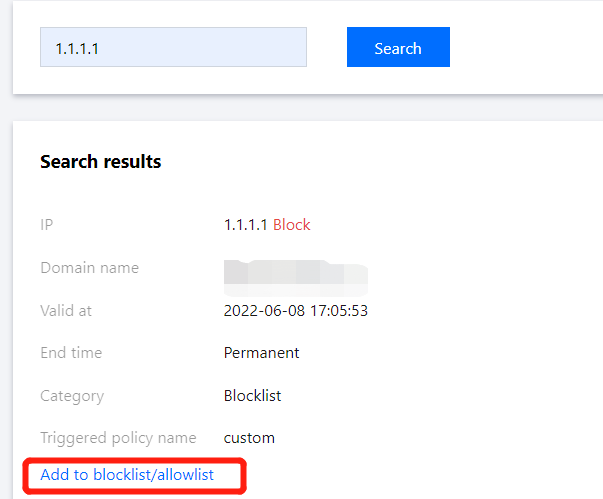
3. In the query results, you can view the specific IP details, and click Add to blocklist/allowlist to manually add the IP to the blocklist/allowlist.
IP Blocking Status
1. Log in to the WAF console and select IP Query on the left sidebar. Open the IP blocking status tab.
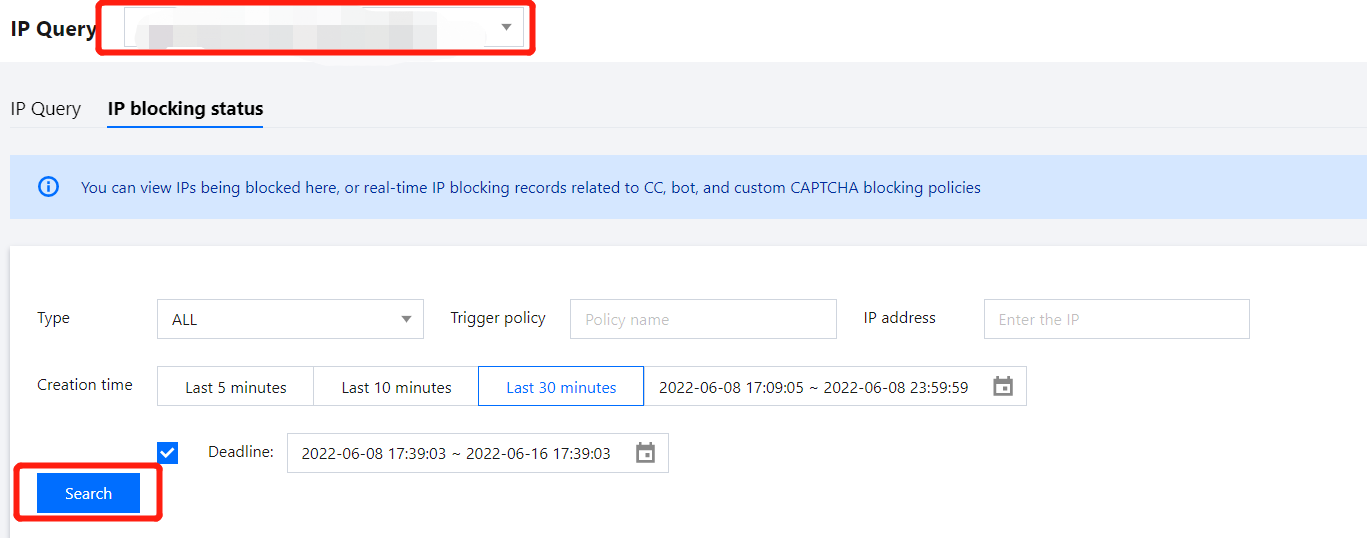
2. On the IP blocking status page, specify the IP type, triggering policy, IP address, creation time or expiration time, and click Search.
3. Click Export all. In the pop-up window, click Export record to export the query results.
Note:
A large export may take longer time to process.
Up to 10,000 entries can be exported.
4. In the list of query results, select an IP that you want to add to the blocklist/allowlist, and click Add to blocklist or Add to allowlist.

フィードバック