Electron関連
Download
フォーカスモード
フォントサイズ
インストール関連
trtc-electron-sdkは公式のElectron v12.0.1バージョンと互換性がありますか。
互換性があります。trtc-electron-sdkは特にelecron自体のSDKに依存しないので、それに関するバージョンの依存関係はありません。
Electronのダウンロードの際に404エラーが表示されます。

端末に次のコマンドを入力します。
$ npm config set electron_custom_dir 8.1.1 # バージョン番号によって決定
実行関連
Windows 32システムの実行時にError:resource\\trtc_electron_sdk.node is not a valid Win32 applicationというエラーが表示されます。32ビットのtrtc_electron_sdk.nodeが必要ということでしょうか。
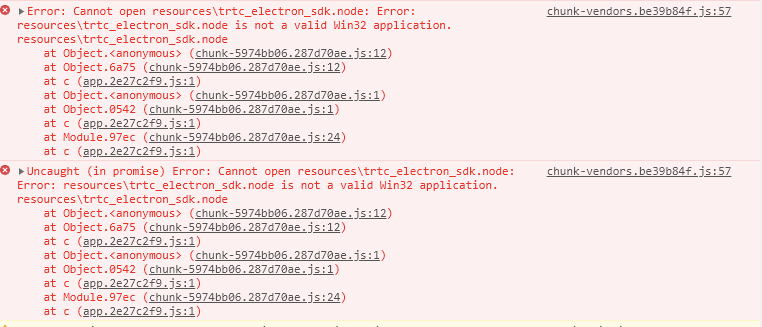
1. プロジェクトディレクトリ下のtrtc-electron-sdkのライブラリディレクトリ(xxx/node_modules/trtc-electron-sdk)に入り、次を実行します。
npm run install -- arch=ia32
2. 32ビットの
trtc_electron_sdk.nodeのダウンロードを完了後、項目を再度パッケージ化します。vscode terminalでElectron Demoを起動すると、入室後にディスプレイが白くなります。
vscodeにカメラの権限が必要です。次の方法で権限を追加することができます。
cd ~/Library/Application\\ Support/com.apple.TCC/cp TCC.db TCC.db.baksqlite3 TCC.db # sqlite> prompt appears.# for Mojave, CatalinaINSERT into access VALUES('kTCCServiceCamera',"com.microsoft.VSCode",0,1,1,NULL,NULL,NULL,'UNUSED',NULL,0,1541440109);# for BigSurINSERT into access VALUES('kTCCServiceCamera',"com.microsoft.VSCode",0,1,1,1,NULL,NULL,NULL,'UNUSED',NULL,0,1541440109);
Demoの実行時にNULLポインタの未定義のエラー“cannot read property 'dlopen' of undefined”がスローされてしまいます。
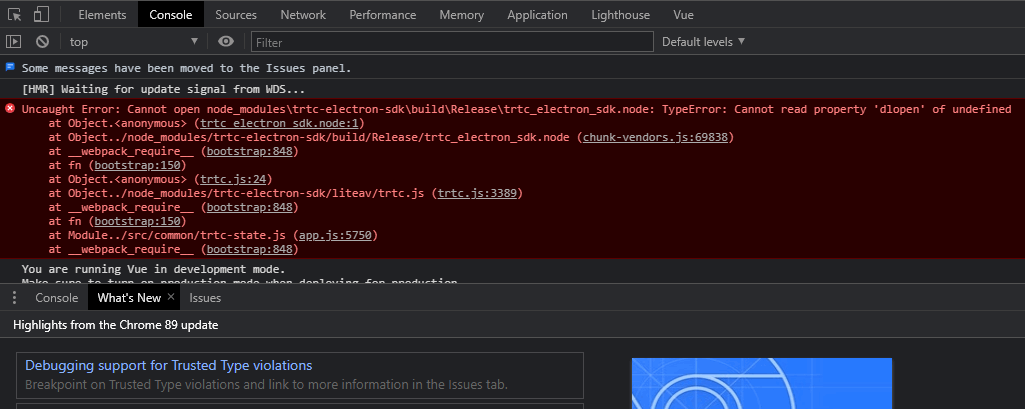
let win = new BrowserWindow({width: 1366,height: 1024,minWidth: 800,minHeight: 600,webPreferences: {nodeIntegration: true,contextIsolation: false},});
Electronで再入室の問題が何度も発生します。
具体的なcaseを分析する必要がありますが、おおよその原因は次のとおりです。
クライアントのネットワーク状態不良(ネットワークが切断されると再入室がトリガーされます)。
連続して2回入室シグナルを送信した場合も、再入室となる場合があります。
デバイスの負荷が高すぎたことで、デコードに失敗し再入室となる場合があります。
同一のUIDでの複数端末ログインが互いにキックアウトされ、再入室となる場合があります。
端末に「Electron failed to install correctly」と表示されました。
インストールが完了したように見えて、実行中のプログラムがある場合、端末に次のエラーが表示されます。
Error: Electron failed to install correctly, please delete node_modules/electron and try installing again
次の3つの手順によって手動でのダウンロードを行ってください。
1.
npm config get cacheを実行し、キャッシュディレクトリを確認します。2. Electronを手動でダウンロードし、キャッシュディレクトリに保存します。
3. 再び
npm installを実行します。カメラまたはマイクを呼び出すとそのままクラッシュしました。
vscodeの端末起動プログラムを使用し、trtc-electron-sdkがカメラとマイクを起動した場合、プログラムがそのままクラッシュします。
対処方法A:権限が承認されている端末実行プログラムを使用します。
対処方法B:vscodeの権限承認を行います。システム環境設定 > セキュリティとプライバシーからvscodeの権限を承認します。
対処方法C:次の手順で保護メカニズムを無効化します。
1.1 システムを再起動し、 command + rキーを押したまま、システムが保護モードに入るまで押し続けます。
1.2 terminal を開いて
csrutil disableと入力し、保護メカニズムを無効化します。1.3 再起動し、正常にシステムに入ります。この時点で vscode の端末起動プログラムは使用できるようになっています。
1.4 保護メカニズムを再度有効にしたい場合は、ステップ2で
csrutil enableを実行します。Electronのコンソールで「xx is not defined」というエラーが表示されました。
プログラムの実行時に、Electron のコンソールで
xx is not defined と表示されます。この xx には node モジュールが入ります。例えば次のようになります。Uncaught ReferenceError: require is not defined
Electron の
main.js ファイルで nodeIntegration 設定項目を true に変更します。let win = new BrowserWindow({width: 1366,height: 1024,webPreferences: {nodeIntegration: true, // この項目をtrueに設定してください},});
パッケージ化関連
.nodeモジュールのロードに問題があります。
エラーメッセージ
パッケージ化してコンパイルしたプログラムを実行する際、コンソールにこのようなエラーメッセージがみられます。
NodeRTCCloud is not a constructor
Cannot open xxx/trtc_electron_sdk.nodeまたはThe specified module could not be found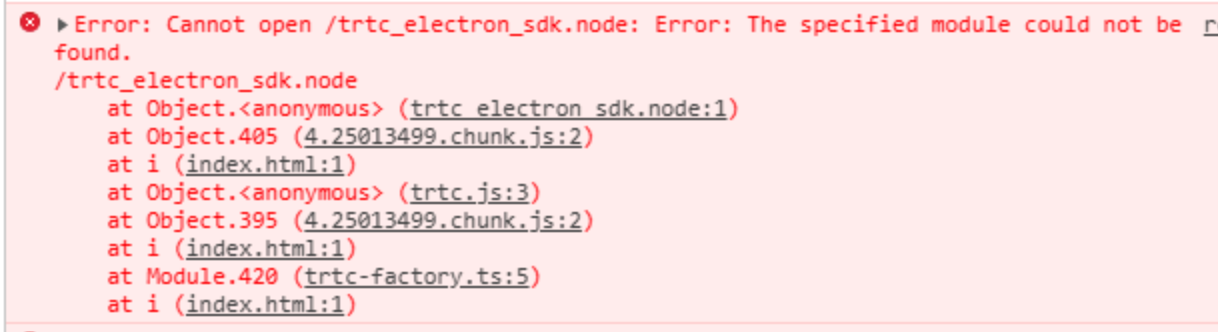
dlopen(xxx/trtc_electron_sdk.node, 1): image not found
ソリューション
上のようなメッセージが表示された場合は、 trtc_electron_sdk.nodeモジュールがプログラムに正しくパッケージ化されていないことを意味します。次の手順に従って処理することができます。
1.
native-ext-loaderをインストールします。$ npm i native-ext-loader -D
2. webpack の設定を変更します。
2.1
webpack.config.jsを構築する際、 受信名を--target_platformのコマンドラインパラメータにできるため、コードの構築プロセスで異なる目標プラットフォームの特徴に応じて正しくパッケージできます。 module.exportsの前に以下のコードを追加します。const os = require('os');// target_platformパラメータが渡されない場合、プログラムはデフォルトで現在のプラットフォームタイプに応じてパッケージしますconst targetPlatform = (function(){let target = os.platform();for (let i=0; i<process.argv.length; i++) {if (process.argv[i].includes('--target_platform=')) {target = process.argv[i].replace('--target_platform=', '');break;}}// win32 は統一してWindowsプラットフォームを表し、32ビットと64ビットのどちらも含まれます。darwinはMacプラットフォームを表しますif (!['win32', 'darwin'].includes) target = os.platform();return target;})();
2.2 次のrules設定を追加します。
module: {rules: [{test: /\\.node$/,loader: 'native-ext-loader',options: {rewritePath: targetPlatform === 'win32' ? './resources' : '../Resources'}},]}
ご注意:
vue-cliを使用して作成した項目については、webpack設定はvue.config.jsファイルのconfigureWebpackオプションに保存されます。create-react-appを使用して作成した項目については、webpack設定ファイルは[プロジェクトディレクトリ]/node_modules/react-scripts/config/webpack.config.jsとなります。3. packages.jsonファイルを設定し、パッケージ設定と構築したスクリプトを追加します。
3.1
electron-builderパッケージ設定を追加します(大文字と小文字の区別に注意)。"build": {"省略": "...","win": {"extraFiles": [{"from": "node_modules/trtc-electron-sdk/build/Release/","to": "./resources","filter": ["**/*"]}]},"mac": {"extraFiles": [{"from": "node_modules/trtc-electron-sdk/build/Release/trtc_electron_sdk.node","to": "./Resources"}]},"directories": {"output": "./bin"}},
3.2 scripts構築、パッケージスクリプト
create-react-app項目の追加については次の設定をご参照ください。"scripts": {"build:mac": "react-scripts build --target_platform=darwin","build:win": "react-scripts build --target_platform=win32","compile:mac": "node_modules/.bin/electron-builder --mac","compile:win64": "node_modules/.bin/electron-builder --win --x64","pack:mac": "npm run build:mac && npm run compile:mac","pack:win64": "npm run build:win && npm run compile:win64"}
3.3
vue-cli項目については次の設定をご参照ください。"scripts": {"build:mac": "vue-cli-service build --target_platform=darwin","build:win": "vue-cli-service build --target_platform=win32","compile:mac": "node_modules/.bin/electron-builder --mac","compile:win64": "node_modules/.bin/electron-builder --win --x64","pack:mac": "npm run build:mac && npm run compile:mac","pack:win64": "npm run build:win && npm run compile:win64"}
エントリーファイルが見つかりません。
create-react-appを使用して作成した項目を、electron-builderでパッケージ化する際にこの問題が起きることがあります。$ node_modules\\.bin\\electron-builder.cmd• electron-builder version=22.6.0 os=6.1.7601• loaded configuration file=package.json ("build" field)• public/electron.js not found. Please see https://medium.com/@kitze/%EF%B8%8F-from-react-to-an-electron-app-ready-for-production-a0468ecb1da3• loaded parent configuration preset=react-cra
このうち、
public/electron.js not foundが、エントリーファイルが見つからないことを意味しています。ソリューション
1. エントリーファイルを移動してリネームします。
$ cd [項目ディレクトリ]$ mv main.electron.js ./public/electron.js
2. pacakge.jsonファイルを修正します。
{"main": "public/electron.js","省略": "..."}
パッケージ化を実行した際、fs-extraモジュールの構文エラーが表示されました。
[プロジェクトディレクトリ]\\node_modules\\electron-builder\\node_modules\\fs-extra\\lib\\empty\\index.js:33} catch {^SyntaxError: Unexpected token {at new Script (vm.js:51:7)
フィードバック