tencent cloud

Building a LAMP Development Environment
마지막 업데이트 시간:2022-06-16 16:39:53
Building a LAMP Development Environment
마지막 업데이트 시간: 2022-06-16 16:39:53

Overview

Linux, Apache, MySQL, PHP (LAMP) is an internationally popular web application framework. It encompasses the Linux OS, Apache web server, MySQL/MariaDB database, PHP environment, and related components.
Note:
The LAMP application image is based on CentOS 7.6 64-bit.

Directions

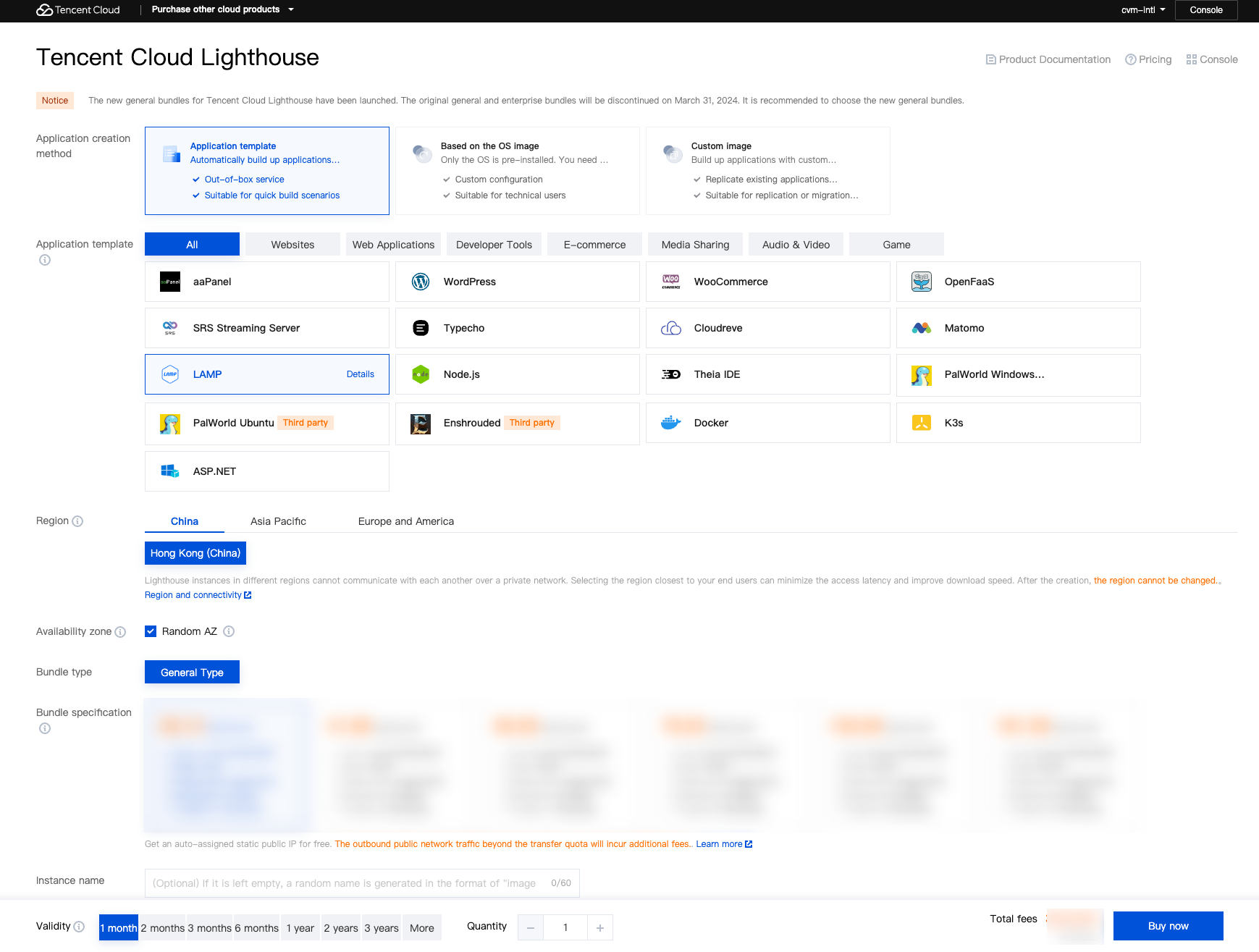
1. Log in to the Lighthouse console.


Region: Select a region near your target users to reduce the network latency and improve their access speed.
Availability zone: Randomly assigned is selected by default. You can select one as well.
Image: Select the LAMP 7.4.16 application image.
Instance bundle: Select an instance bundle according to the required instance configuration (including CPU, memory, system disk, bandwidth, and monthly traffic).
Instance name: Enter a custom instance name. If it is left empty, the selected image name will be used as the name by default. When multiple instances are created in a batch, their names will be consecutive with auto-incrementing suffixes. For example, if you enter "LH" as the name and create three instances, the three instances are named "LH1", "LH2", and "LH3".
Purchase period: Default to 1 month.
Quantity: Default to 1.
2. Click Buy now to submit your order and make the payment as prompted.
Relevant Operations

Viewing LAMP configuration items

1. Log in to the Lighthouse console.
2. In the instance list, select the target instance created with the LAMP application image to enter its details page.
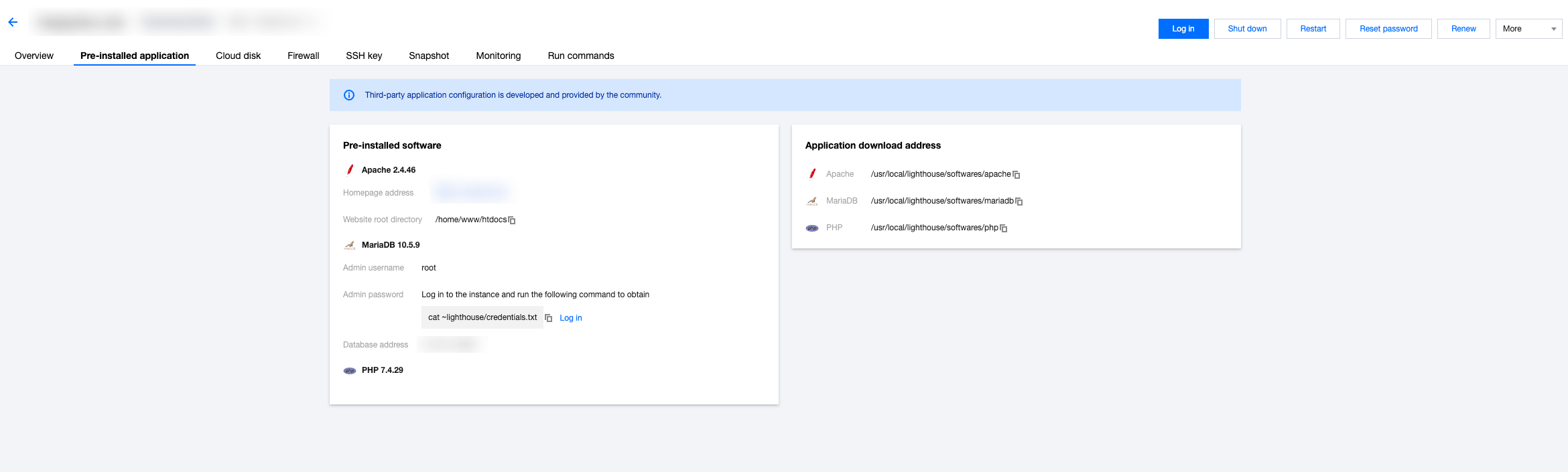
3. Select the Pre-installed application tab to enter the application details page.


4. You can view the configuration items of the LAMP application.
Apache's homepage address and website root directory.
MariaDB's admin account (root) and password, database address, and database name.
Note:
You can get the admin password by logging in to the instance via webshell and running the cat ~lighthouse/credentials.txt command.
Apache, MariaDB, and PHP software installation paths on CentOS.
Note:
Access http://LAMP instance public IP/phpinfo.php to view the PHP configuration information.

Enabling HTTPS access

Install the SSL certificate and enable HTTPS access for your LAMP instance as instructed in Apache Server Certificate Installation.
문제 해결에 도움이 되었나요?
더 자세한 내용은 문의하기 또는 티켓 제출 을 통해 문의할 수 있습니다.
아니오

피드백