Query Tag Modification Record

마지막 업데이트 시간:2024-05-21 17:44:42
Overview
This document introduces how to view tag modification record event details through the operation audit console.
Directions
1. Log in to the Cloud Audit console, and choose Operation Records in the left sidebar.
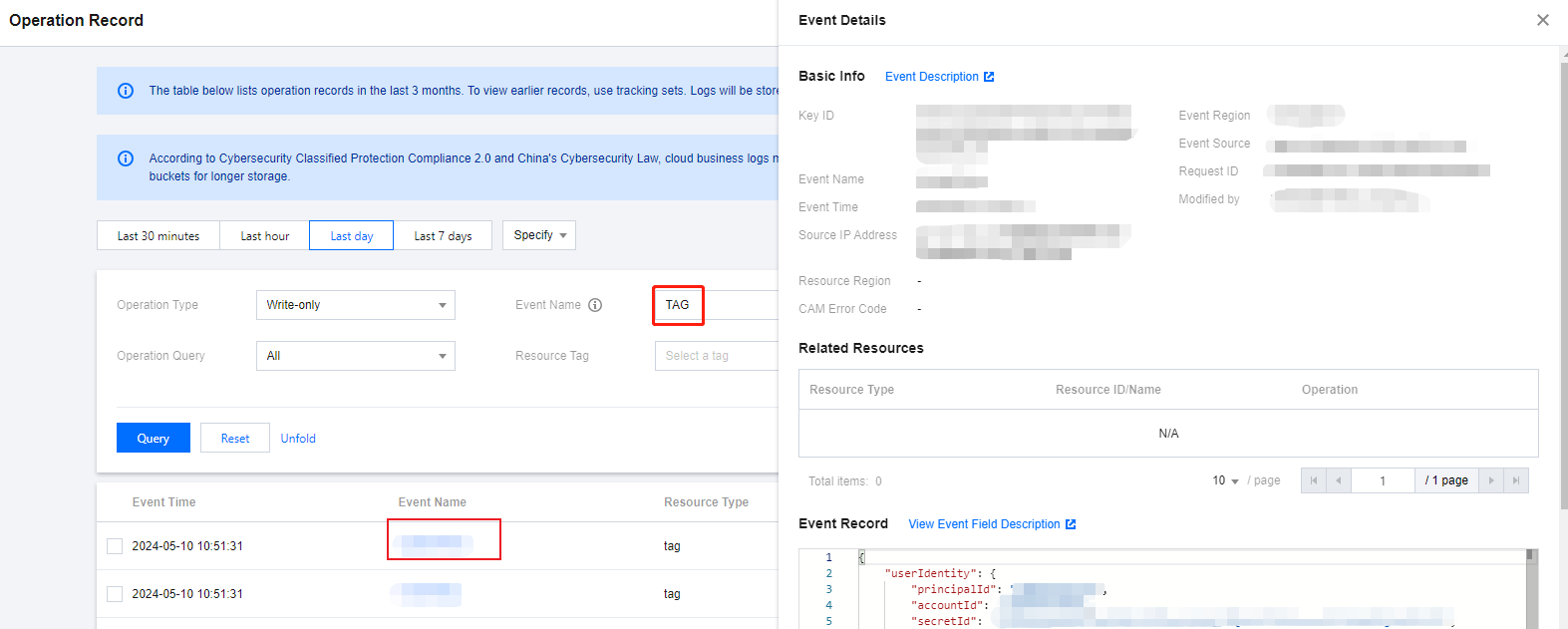
2. Under Event Name drop-down, choose TAG, and choose the corresponding date range and conditions to query detailed records.
3. Click on the specific Event, and the details of the event is displayed on the right.
The operator refers to the event operator. They are divided into the following types:
Root Account Operation: Username is displayed as root.
Sub-user Operation: Username is displayed as the sub-user name. If the sub-user has been deleted, the sub-user ID is displayed.
Role Operation: Username is displayed as the role name. If the role has been deleted, the role ID is displayed.
You can click on the operator to go to the User List page to view more information about the user.
4. To view operation record event details through operation audit, see Viewing Event Details in Operation Record.
피드백