ES allows access to your cluster through private VIP within your VPC. You can write code to access your cluster through the Elasticsearch REST client and import your data into the cluster. You can also ingest your data through Elasticsearch's official components such as Logstash and Beats.
This document takes the official components Logstash and Beats as examples to describe how to connect your data source of different types to ES.
Preparations
You need to create a CVM instance or a Docker cluster in the same VPC as the ES cluster, as accessing the ES cluster needs to be done within the VPC.
2. Customize the \\*.conf configuration file based on the data source type and place it in the /usr/share/logstash/pipeline/ directory which can be customized.
3. Run Logstash.
docker run --rm -it -v ~/pipeline/:/usr/share/logstash/pipeline/ docker.elastic.co/logstash/logstash:5.6.9
Using TKE
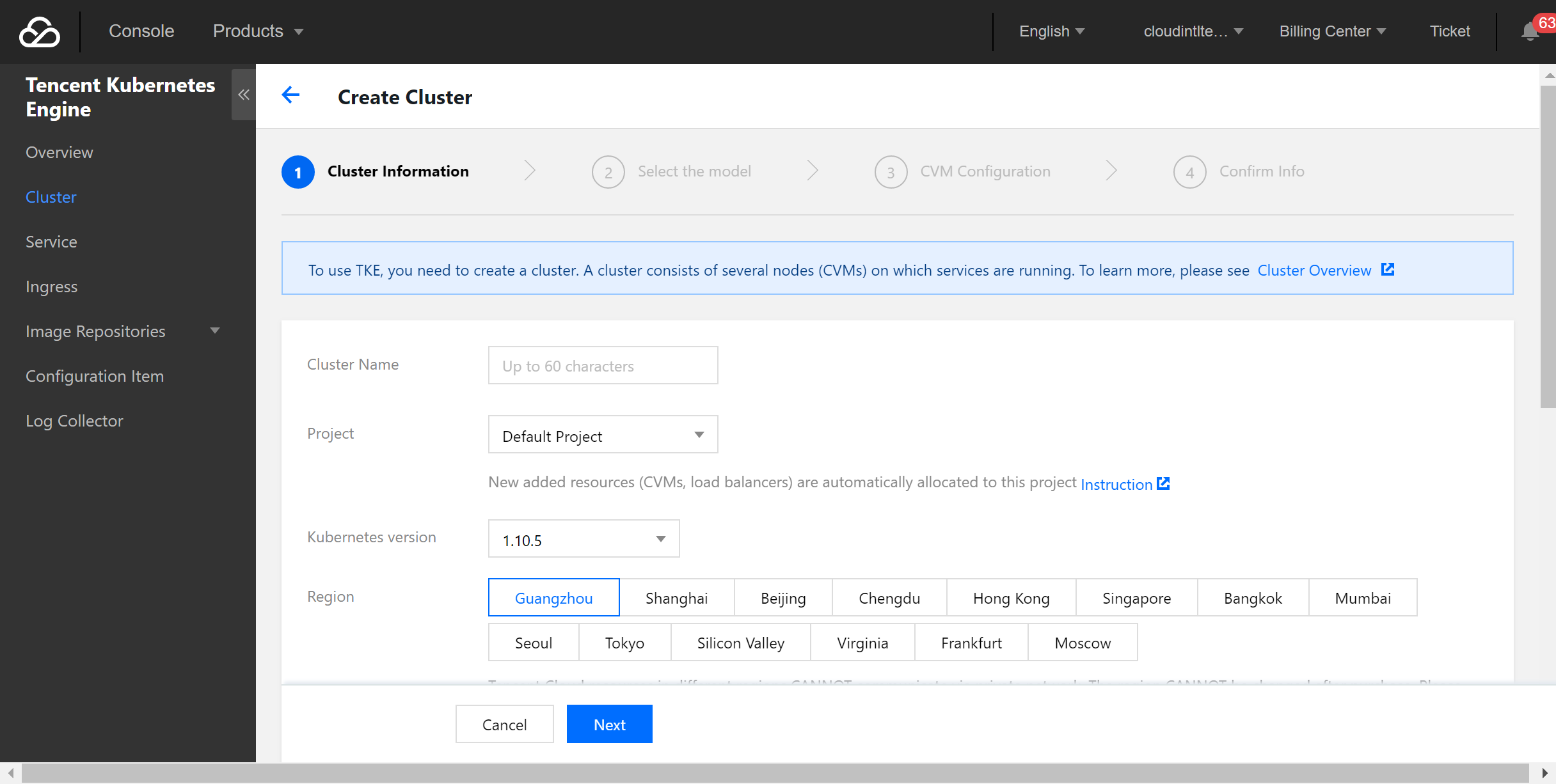
Tencent Cloud Docker clusters run on CVM instances, so you need to create a CVM cluster in the TKE Console first.
1. Log in to the TKE Console and select Cluster > Create on the left sidebar to create a cluster.
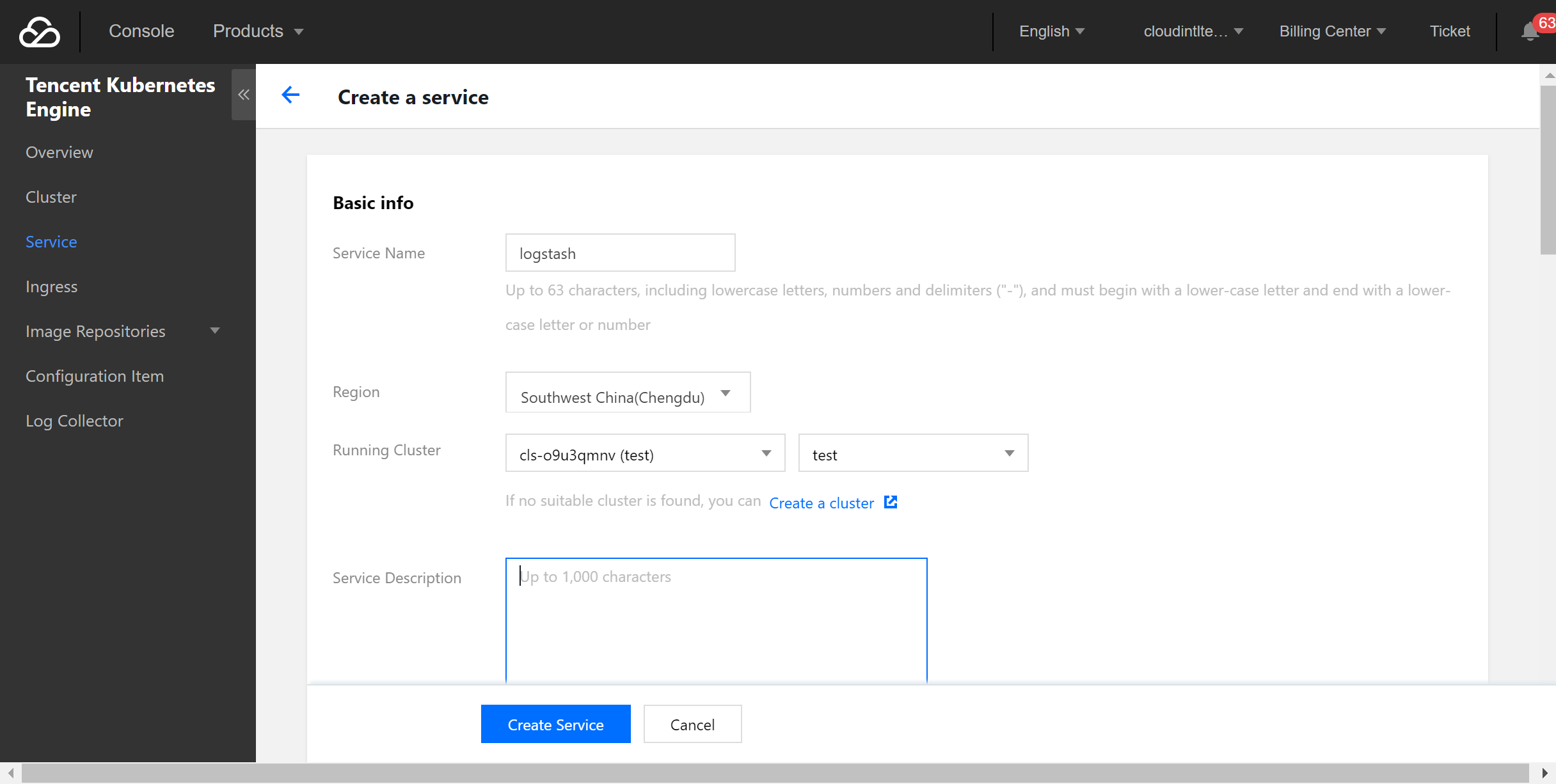
2. Select Service on the left sidebar and click Create to create a service.
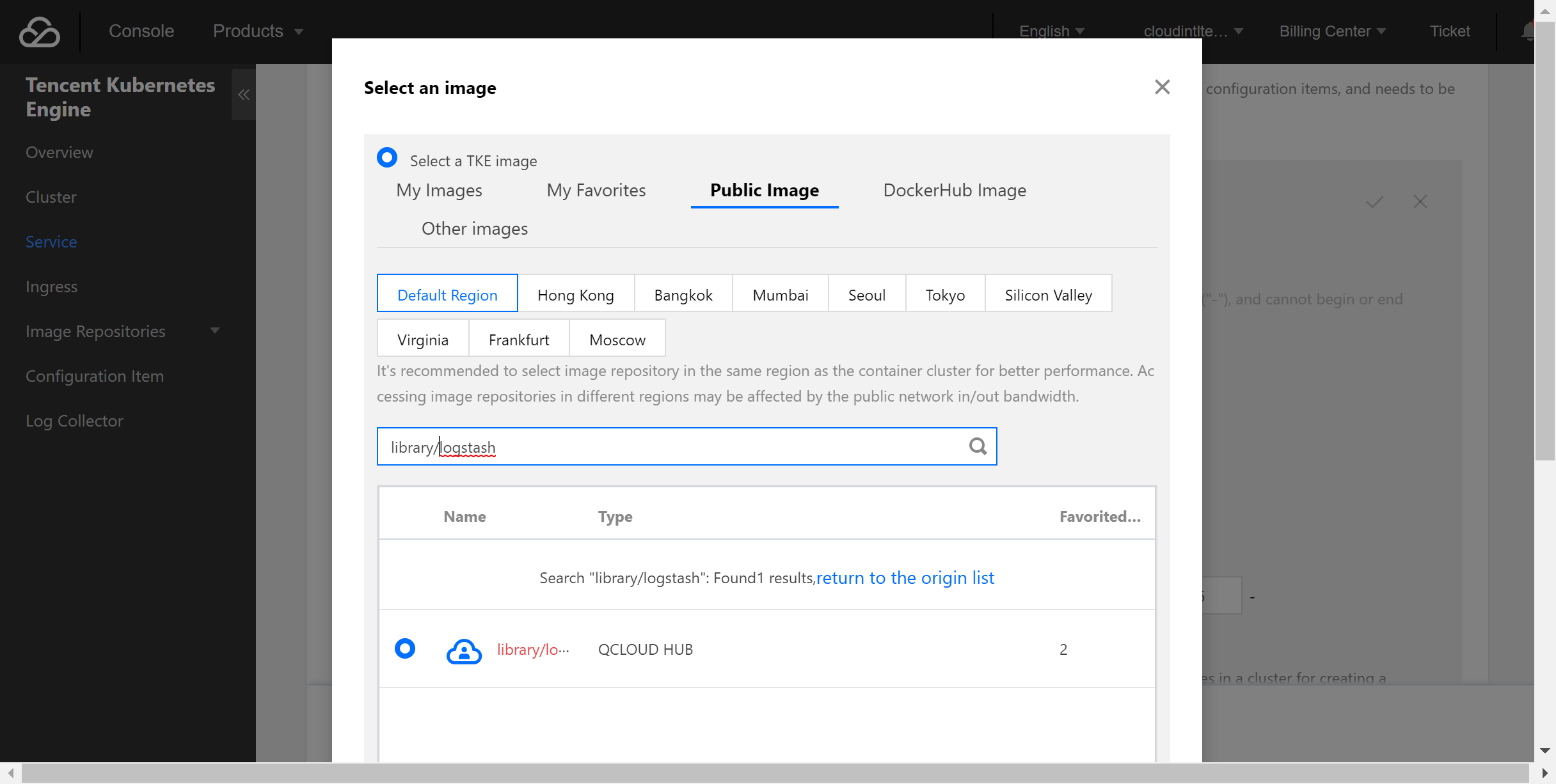
3. Select the official image of Logstash.
In this example, the Logstash image provided by TencentHub image registry is used. You can also create a Logstash image by yourself.
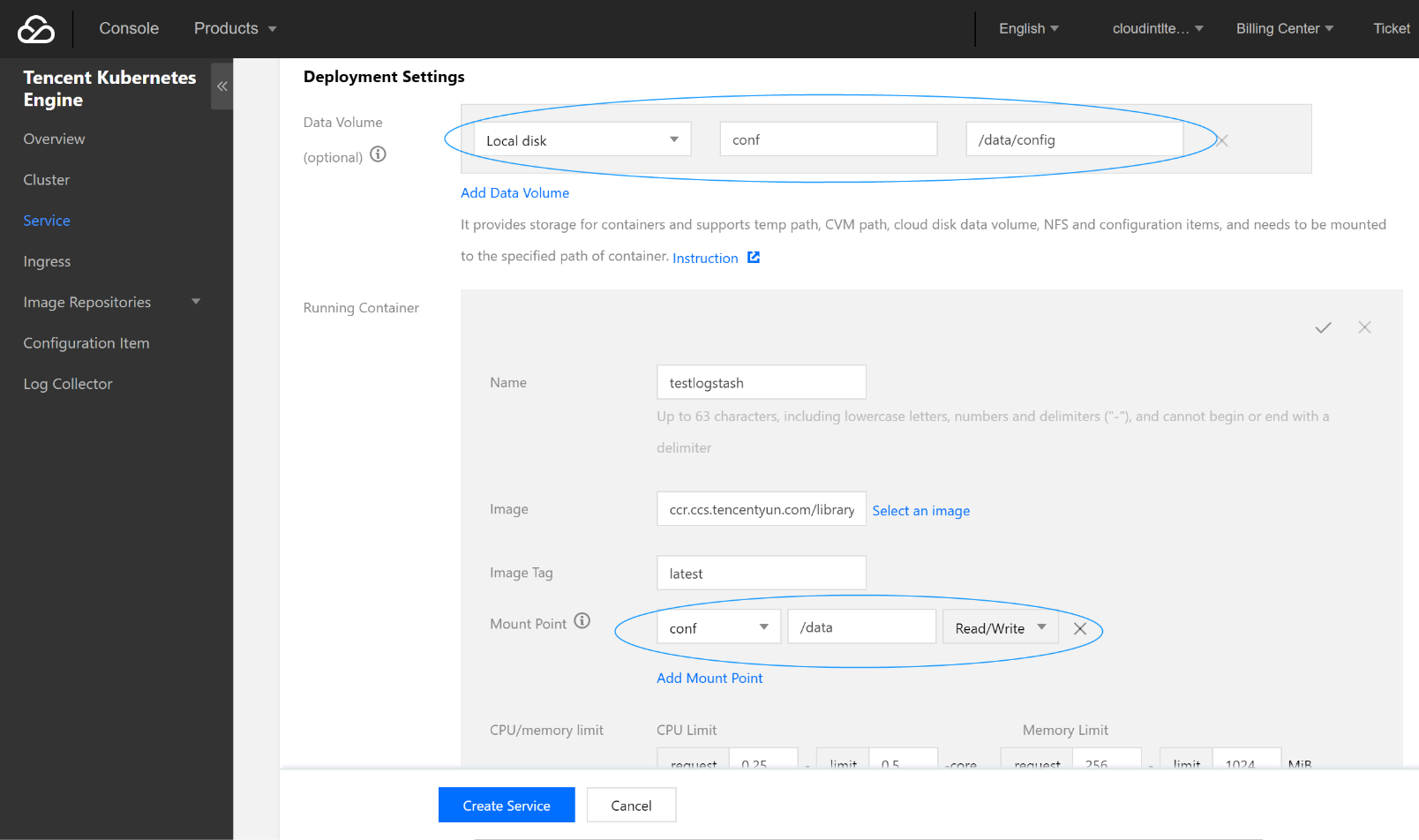
4. Create a data volume.
Create a data volume to store the Logstash configuration file. In this example, a configuration file named logstash.conf is added to the /data/config directory on the CVM instance and mounted to the /data directory of Docker, so that the logstash.conf file can be read when the container starts.
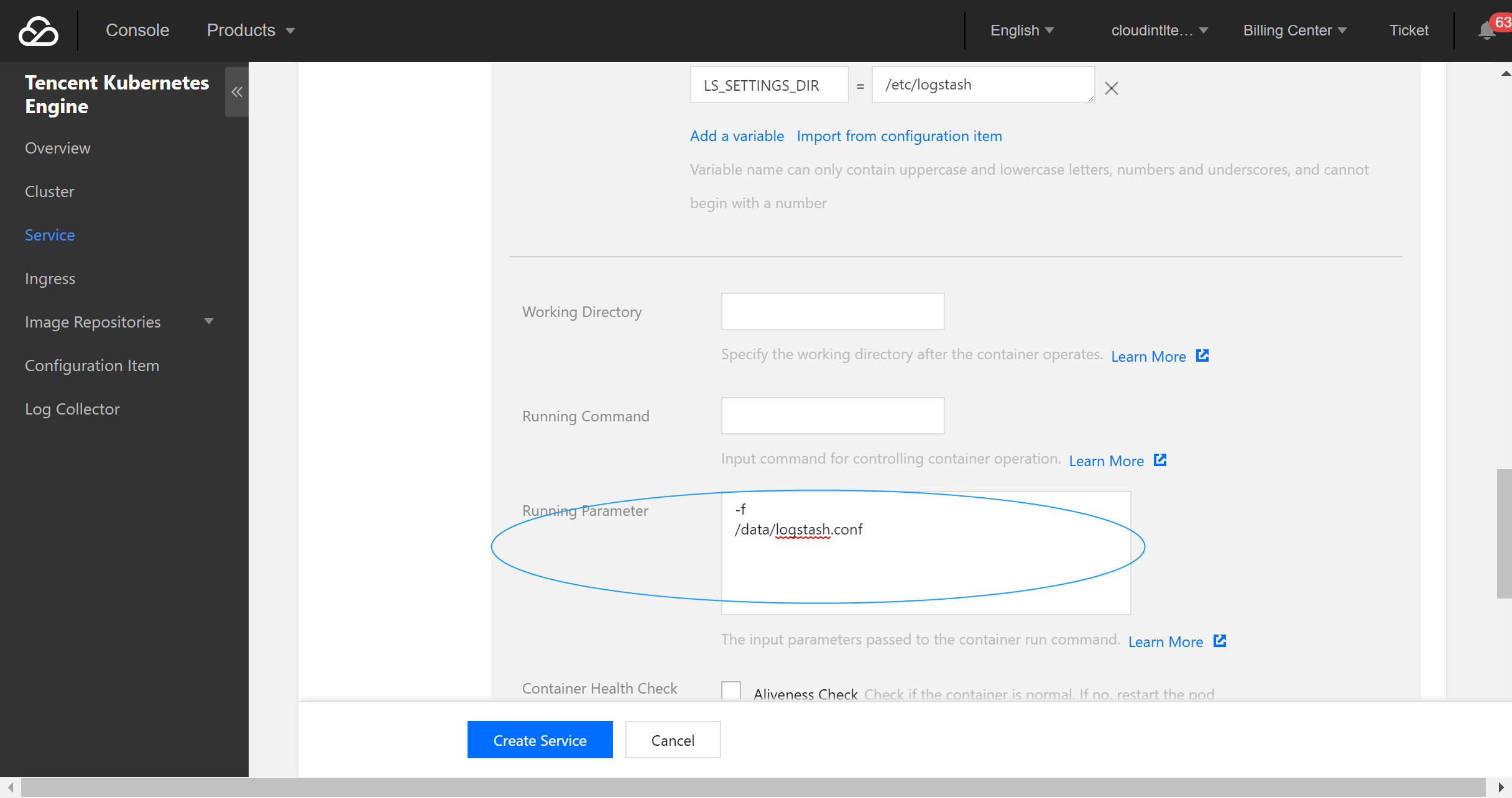
5. Configure the execution parameters.
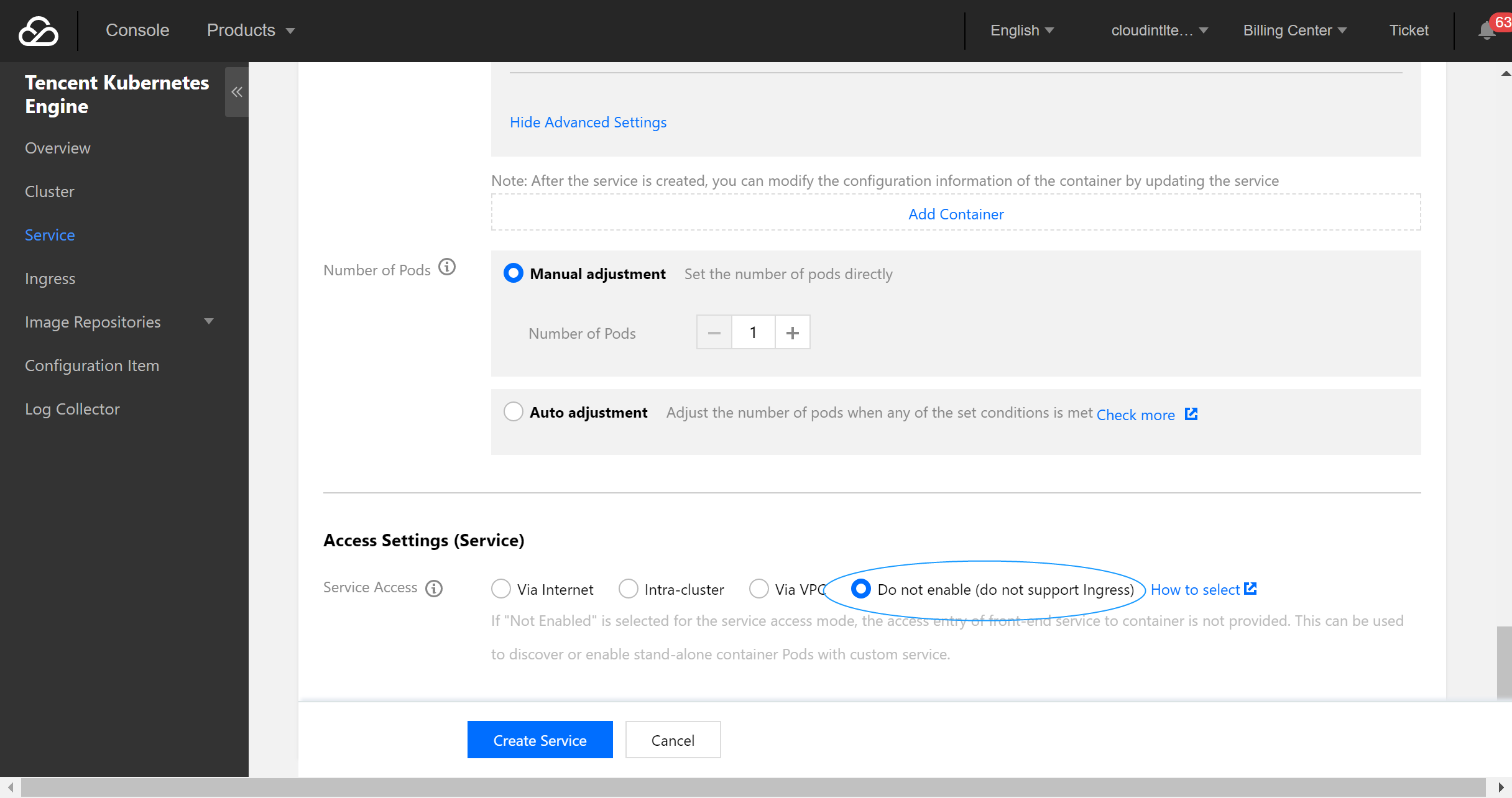
6. Configure the service parameters and create a service as needed.
Configuration file description
File data sources
input {
file{
path =>"/var/log/nginx/access.log"# File path
}
}
filter {
}
output {
elasticsearch {
hosts =>["http://172.16.0.89:9200"]# Private VIP address and port of the ES cluster
index =>"nginx_access-%{+YYYY.MM.dd}"# Custom index name suffixed with date. One index is generated per day
}
}
For more information on connecting file data sources, please see File input plugin.
Kafka data sources
input{
kafka{
bootstrap_servers =>["172.16.16.22:9092"]
client_id =>"test"
group_id =>"test"
auto_offset_reset =>"latest"# Start consumption from the latest offset
consumer_threads =>5
decorate_events =>true# This attribute will bring the current topic, offset, group, partition, and other information into the message
topics =>["test1","test2"]# Array type. Multiple topics can be configured
type=>"test"# Data source identification field
}
}
output {
elasticsearch {
hosts =>["http://172.16.0.89:9200"]# Private VIP address and port of the ES cluster
index =>"test_kafka"
}
}
For more information on connection Kafka data sources, please see Kafka input plugin.
# Set the monitoring interval. The meanings of each field (from left to right) are minutes, hours, days, months, and years. If all of them are `*`, it indicates to update once every minute by default
schedule =>"* * * * *"
type=>"jdbc"
}
}
output {
elasticsearch {
hosts =>["http://172.16.0.30:9200"]
index =>"test_mysql"
document_id =>"%{id}"
}
}
For more information on connecting JDBC data sources, please see JDBC input plugin.
Using Beats to Access ES Cluster
Beats contains a variety of single-purpose collectors. These collectors are relatively lightweight and can be deployed and run on servers to collect data such as logs and monitoring information. Beats occupies less system resources than Logstash does.
Beats includes FileBeat for collecting file-type data, MetricBeat for collecting monitoring metric data, PacketBeat for collecting network packet data, etc. You can also develop your own Beats components based on the official libbeat library as needed.
2. Customize the \\*.conf configuration file based on the data source type and place it in the /usr/share/logstash/pipeline/ directory which can be customized.
3. Run Filebeat.
docker run docker.elastic.co/beats/filebeat:5.6.9
Using TKE
The deployment method of Filebeat through TKE is similar to that of Logstash, and you can use the Filebeat image provided by Tencent Cloud.