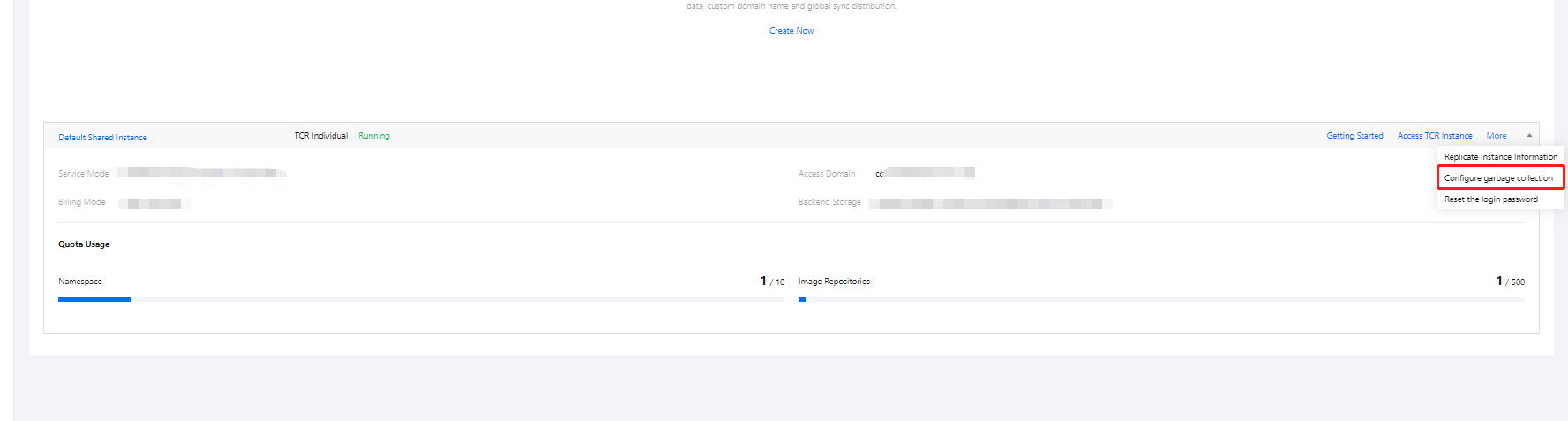
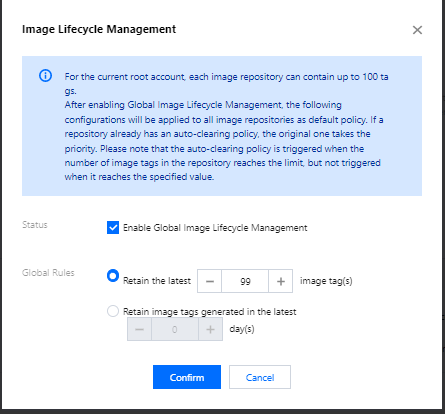
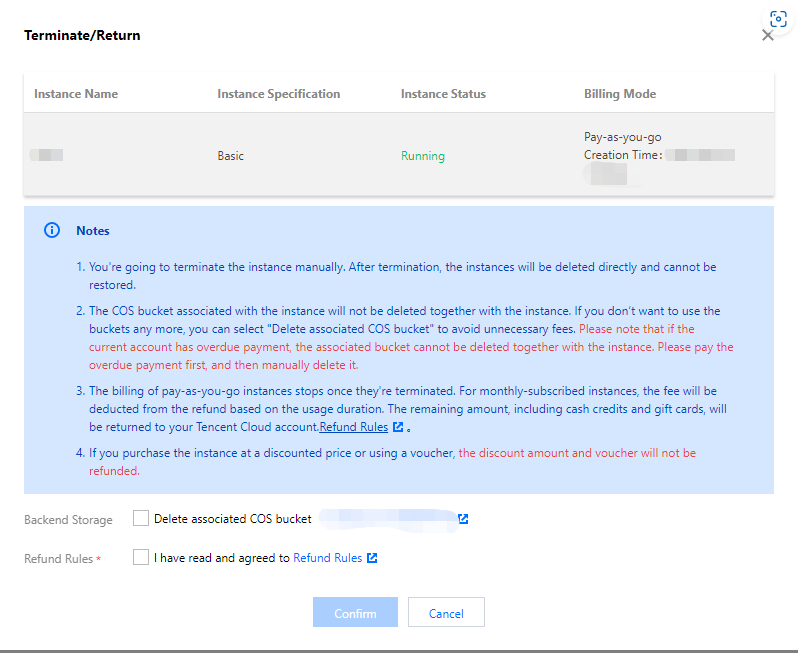
Overview
Prerequisites
Directions
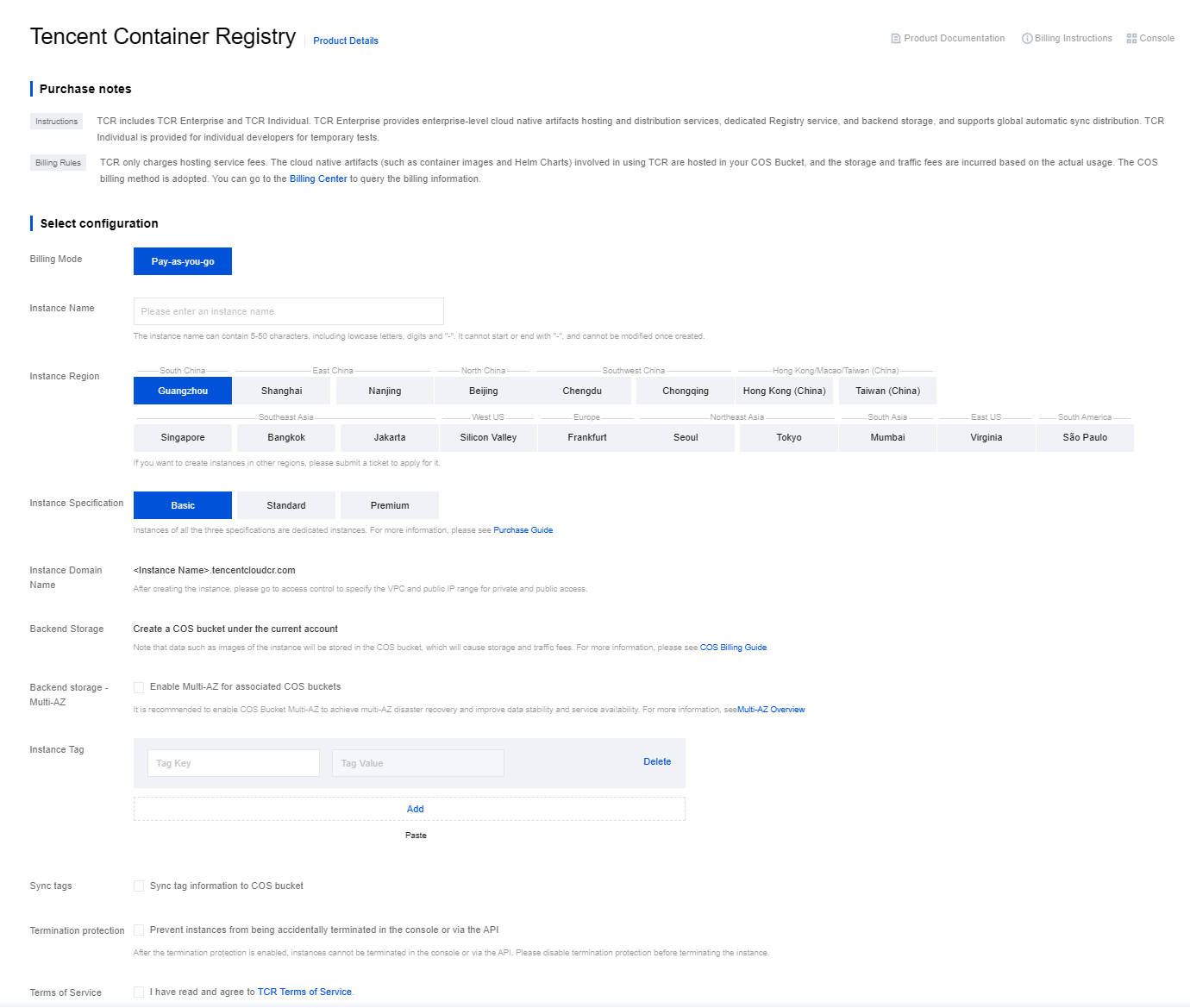
Creating via the console

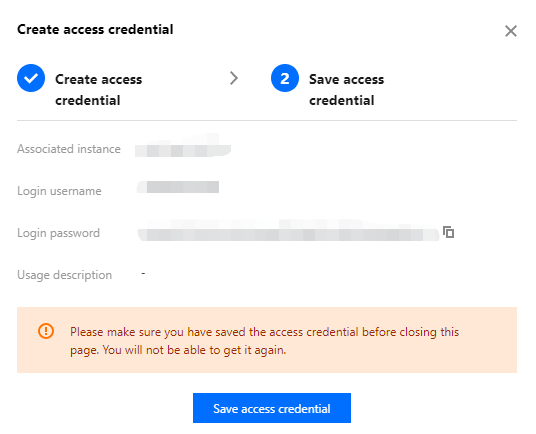
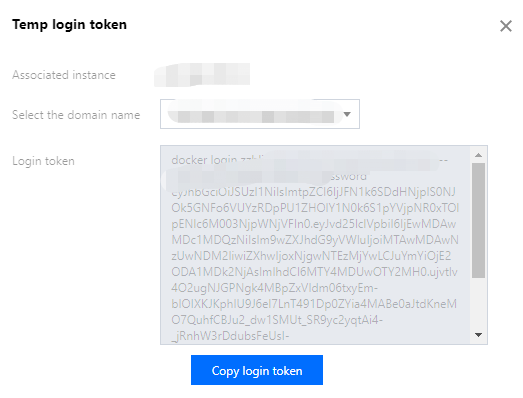
docker login command to log in to the instance.Creating via API
CreateInstance API. For more information, see CreateInstance.
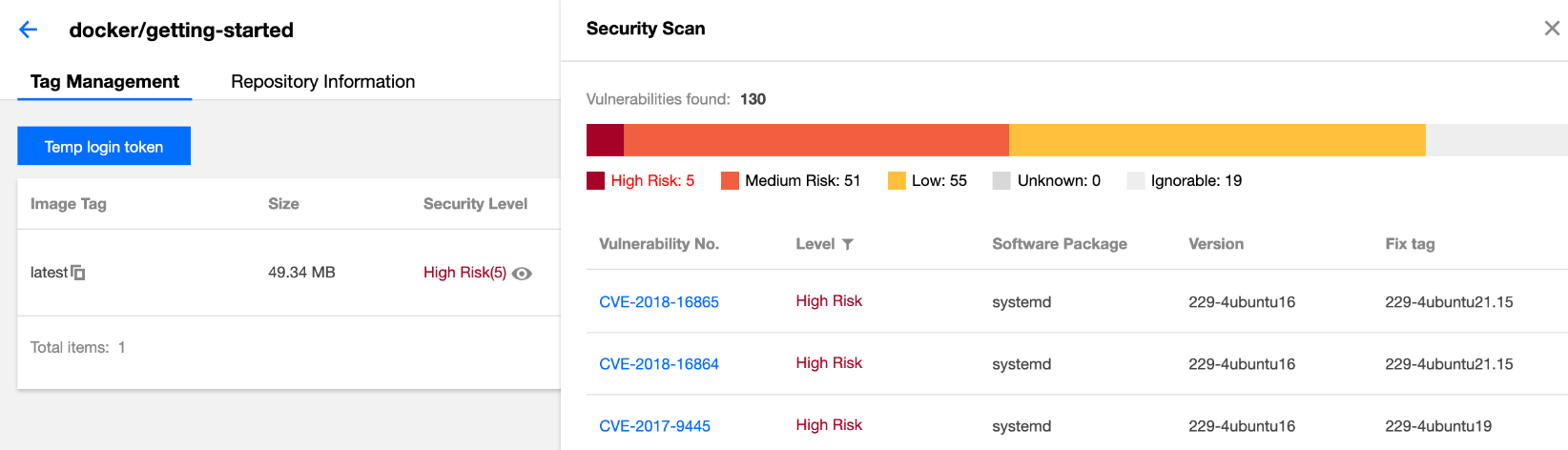
Copyright Notice
©2013-2026 Tencent Cloud. All rights reserved.
Copyright in this document is exclusively owned by Tencent Cloud. You must not reproduce, modify, copy or distribute in any way, in whole or in part, the contents of this document without Tencent Cloud's the prior written consent.
Trademark Notice
All trademarks associated with Tencent Cloud and its services are owned by the Tencent corporate group, including its parent, subsidiaries and affiliated companies, as the case may be. Trademarks of third parties referred to in this document are owned by their respective proprietors.
Service Statement
This document is intended to provide users with general information about Tencent Cloud's products and services only and does not form part of Tencent Cloud's terms and conditions. Tencent Cloud's products or services are subject to change. Specific products and services and the standards applicable to them are exclusively provided for in Tencent Cloud's applicable terms and conditions.
Last updated:2025-12-22 17:33:20

docker login command to log in to the instance.CreateInstance API. For more information, see CreateInstance.Last updated:2025-12-22 17:33:20


CreateInstanceToken API. For more information, see CreateInstanceToken.Last updated:2025-12-22 17:33:20
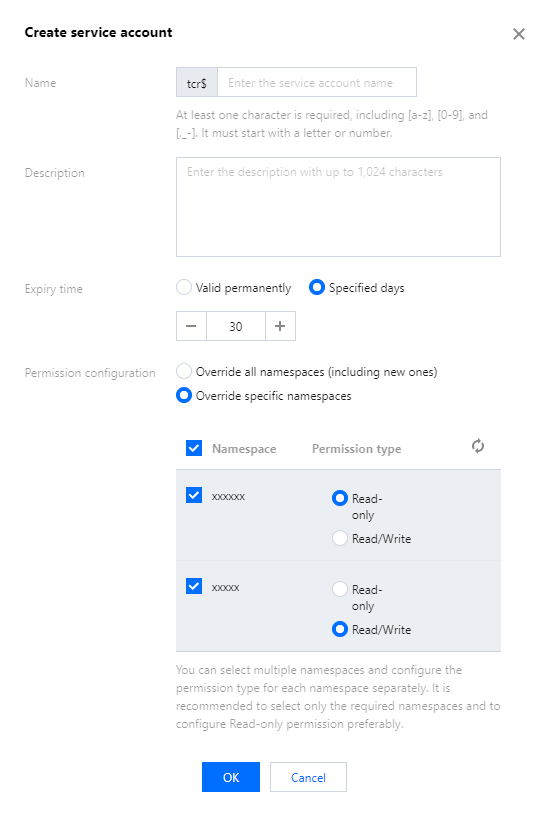
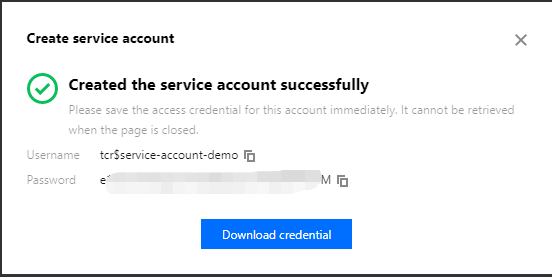
tcr$ is automatically added to the name to mark it as a service account. For example, if you enter robot-demo, the actual username is tcr$robot-demo.


Last updated:2025-12-22 17:33:20

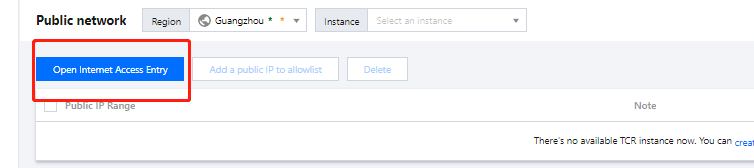
192.168.0.0/24. We do not recommend that you enter 0.0.0.0/0 to accept all internet access requests to the instance.Last updated:2025-12-22 17:33:20


echo '172.16.1.95 techo-demo.tencentcloudcr.com' >> /etc/hosts
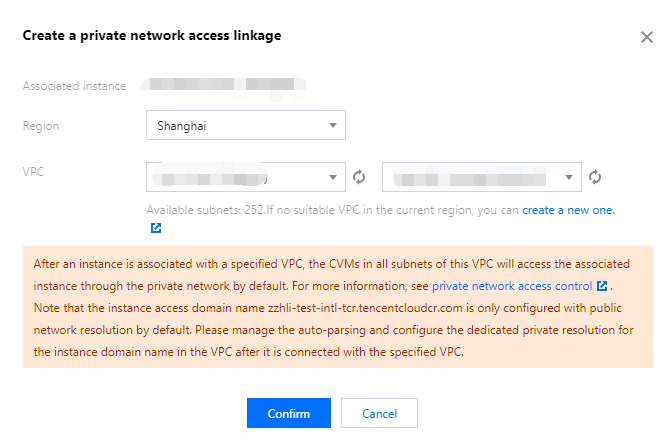
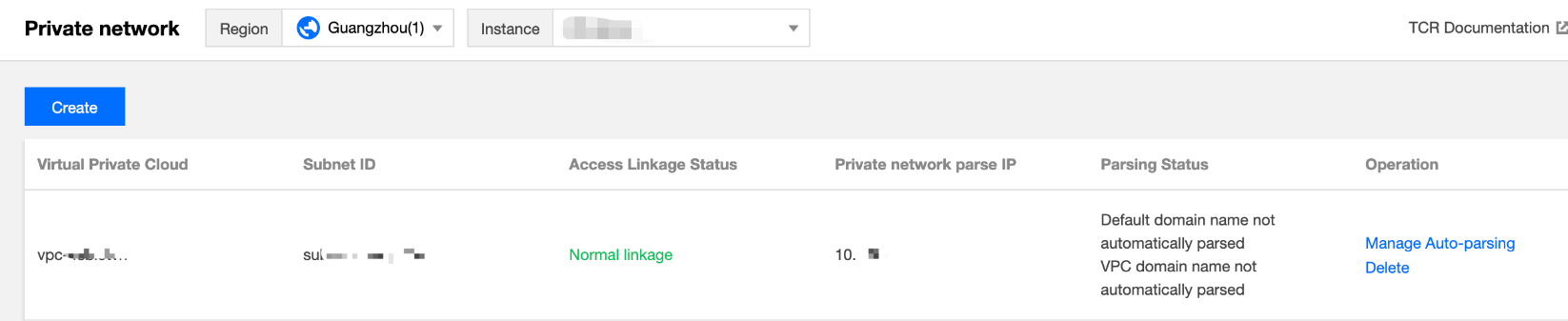
172.21.17.69 and demo.tencentcloudcr.com with the private network parsing IP and TCR instance domain name that you use.Last updated:2025-12-22 17:33:20
Last updated:2025-12-22 17:33:20
APIs and Description | Resource Type | Six-segment Example of Resource |
CreateInstanceCreating an instance | instance | qcs::tcr:$region:$account:instance/$instanceid |
DescribeInstanceStatusQuerying the instance status | instance | qcs::tcr:$region:$account:instance/*qcs::tcr:$region:$account:instance/$instanceid |
DescribeInstancesQuerying the instance information | instance | qcs::tcr:$region:$account:instance/*qcs::tcr:$region:$account:instance/$instanceid |
CreateInstanceTokenCreating an instance access credential | instance | qcs::tcr:$region:$account:instance/$instanceid |
DeleteInstanceTokenDeleting a long-term access credential | instance | qcs::tcr:$region:$account:instance/$instanceid |
ModifyInstanceTokenUpdating the instance’s long-term access credential | instance | qcs::tcr:$region:$account:instance/$instanceid |
DescribeInstanceTokenQuerying the long-term access credential information | instance | qcs::tcr:$region:$account:instance/$instanceid |
APIs and Description | Resource Type | Six-segment Example of Resource |
CreateNamespaceCreating a namespace | repository | qcs::tcr:$region:$account:repository/$instanceId/$namespaceName |
DeleteNamespaceDeleting a namespace | repository | qcs::tcr:$region:$account:repository/$instanceId/$namespaceName |
ModifyNamespaceUpdating the namespace information | repository | qcs::tcr:$region:$account:repository/$instanceId/$namespaceName |
DescribeNamespacesQuerying the namespace information | repository | qcs::tcr:$region:$account:repository/$instanceId/*qcs::tcr:$region:$account:repository/$instanceId/$namespaceName |
APIs and Description | Resource Type | Six-segment Example of Resource |
CreateRepositoryCreating an image repository | repository | qcs::tcr:$region:$account:repository/$instanceId/$namespaceName/$repositoryName |
DeleteRepositoryDeleting an image repository | repository | qcs::tcr:$region:$account:repository/$instanceId/$namespaceName/$repositoryName |
ModifyRepositoryUpdating the image repository information | repository | qcs::tcr:$region:$account:repository/$instanceId/$namespaceName/$repositoryName |
DescribeImagesQuerying the container image information | repository | qcs::tcr:$region:$account:repository/$instanceId/$namespaceName/$repositoryName/* |
DescribeImagesQuerying the image repository information | repository | qcs::tcr:$region:$account:repository/$instanceId/$namespaceName/*qcs::tcr:$region:$account:repository/$instanceId/$namespaceName/$repositoryName |
Last updated:2025-12-22 17:33:20
Resource Type | Resource Description Method in Authorization Policy |
Enterprise edition instance | qcs::tcr:$region:$account:instance/* |
Enterprise edition repository | qcs::tcr:$region:$account:repository/* |
Personal edition repository | qcs::tcr:$region:$account:repo/* |
$region: the region information. For example, ap-guangzhou indicates the region of Guangzhou. If the value is null, the field indicates all regions. For the specific list of regions and abbreviations, refer to Regions and Availability Zones.$account: the root account of the resource owner. The value is expressed as uin/${uin}, for example, uin/12345678. If the value is null, the field indicates the root account of the CAM user who creates the policy.tcr-xxxxxxxx/team-01/repo-demo/*. You can get the resource path in Image Repository.tcr-xxxxxxxx. You can get the instance ID in the Instance List.{"version": "2.0","statement": [{"action": ["tcr:DescribeRepositories","tcr:PullRepository","tcr:DescribeNamespaces"],"resource": ["qcs::tcr:::repository/tcr-xxxxxxxx/team-01/repo-demo/*"],"effect": "allow"},{"action": ["tcr:DescribeInstance*"],"resource": ["qcs::tcr:::instance/tcr-xxxxxxxx"],"effect": "allow"}]}
{"version": "2.0","statement": [{"action": ["tcr:*"],"resource": "*","effect": "allow"}]}
{"version": "2.0","statement": [{"action": ["tcr:Describe*","tcr:PullRepository*"],"resource": "*","effect": "allow"}]}
{"version": "2.0","statement": [{"action": ["tcr:*"],"resource": ["qcs::tcr:::instance/*","qcs::tcr:::repository/*"],"effect": "allow"}]}
{"version": "2.0","statement": [{"action": ["tcr:Describe*","tcr:PullRepository*"],"resource": ["qcs::tcr:::instance/*","qcs::tcr:::repository/*"],"effect": "allow"}]}
{"version": "2.0","statement": [{"action": ["tcr:*"],"resource": ["qcs::tcr:::instance/tcr-xxxxxxxx","qcs::tcr:::repository/tcr-xxxxxxxx/*"],"effect": "allow"}]}
{"version": "2.0","statement": [{"action": ["tcr:*"],"resource": ["qcs::tcr:::repository/tcr-xxxxxxxx/team-01","qcs::tcr:::repository/tcr-xxxxxxxx/team-01/*"],"effect": "allow"},{"action": ["tcr:DescribeInstance*"],"resource": ["qcs::tcr:::instance/tcr-xxxxxxxx"],"effect": "allow"}]}
{"version": "2.0","statement": [{"action": ["tcr:Describe*","tcr:PullRepository"],"resource": ["qcs::tcr:::instance/tcr-xxxxxxxx","qcs::tcr:::repository/tcr-xxxxxxxx/team-01","qcs::tcr:::repository/tcr-xxxxxxxx/team-01/repo-demo","qcs::tcr:::repository/tcr-xxxxxxxx/team-01/repo-demo/*"],"effect": "allow"}]}
Last updated:2025-12-22 17:33:20


Last updated:2025-12-22 17:33:20


Last updated:2025-12-22 17:33:20

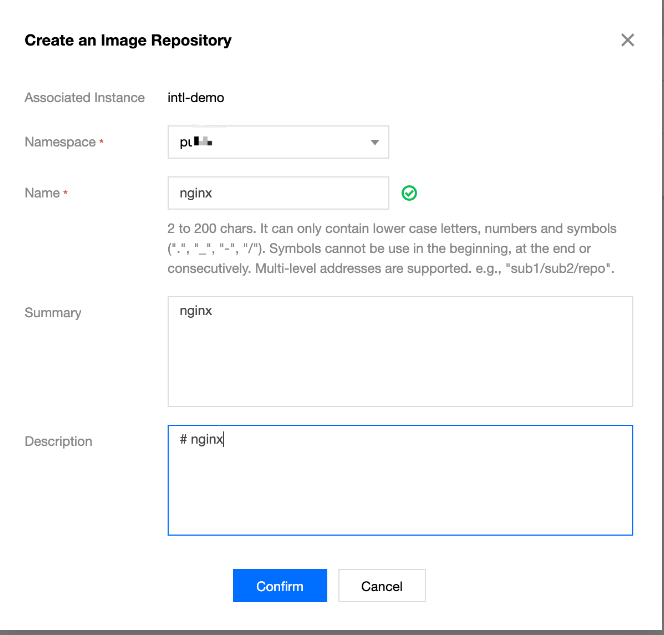
team-01/front/nginx. You can set the name flexibly based on your business requirements.


Last updated:2025-12-22 17:33:20


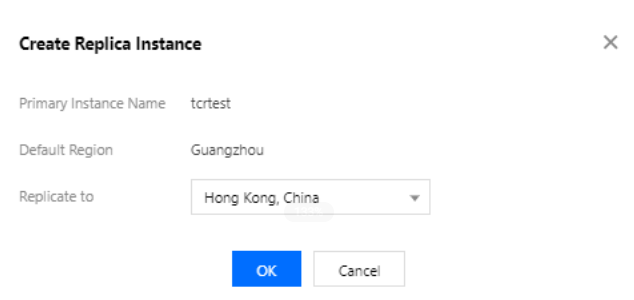
CreateReplicationInstance API to create a replica instance. For more information, see CreateReplicationInstance.Last updated:2025-12-22 17:33:20

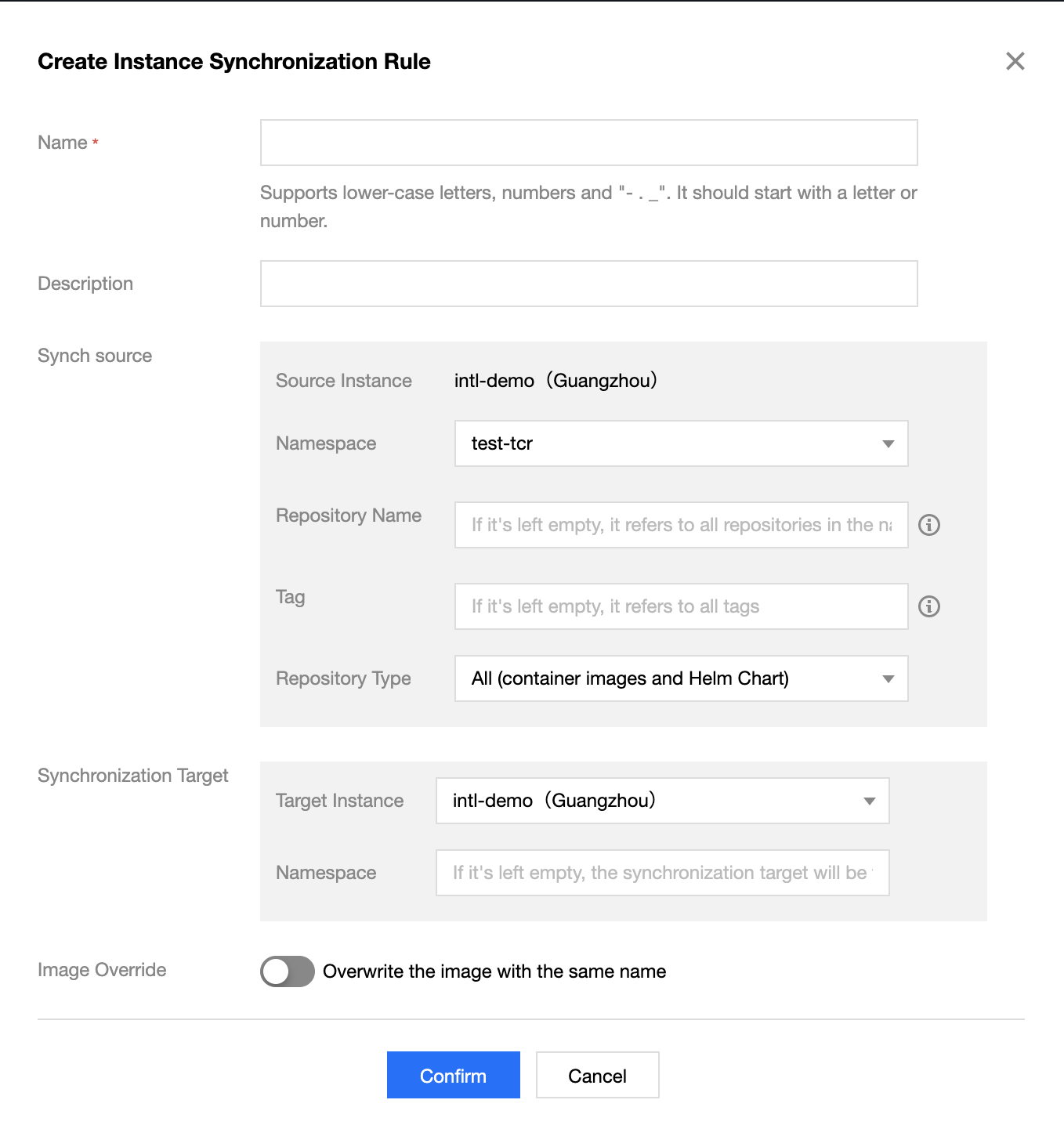
project with multi-level sub-repositories such as project/subrepo1/subrepo2. To synchronize the sub-repositories in the target instance, leave the namespace field in the target instance blank.


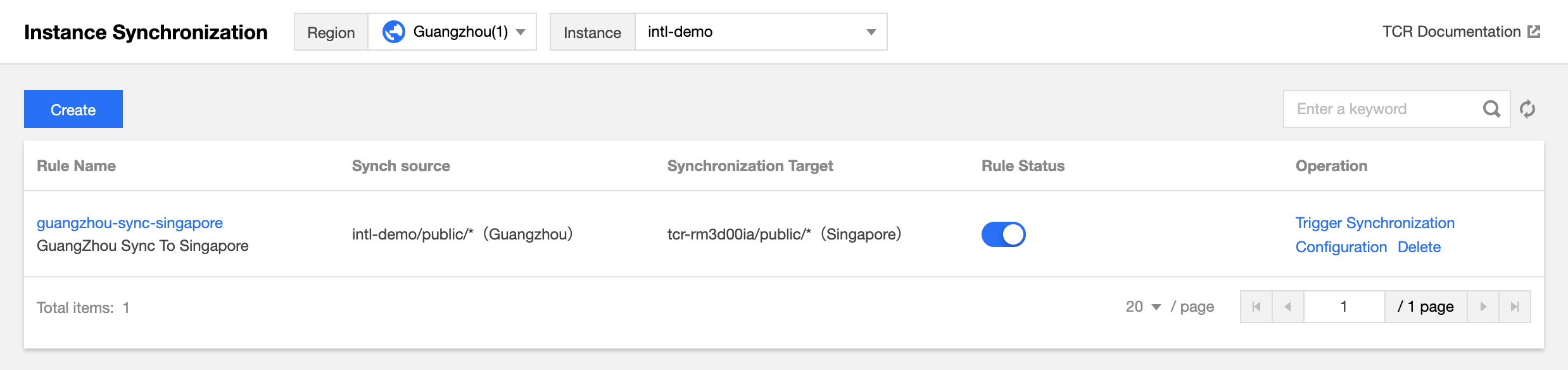
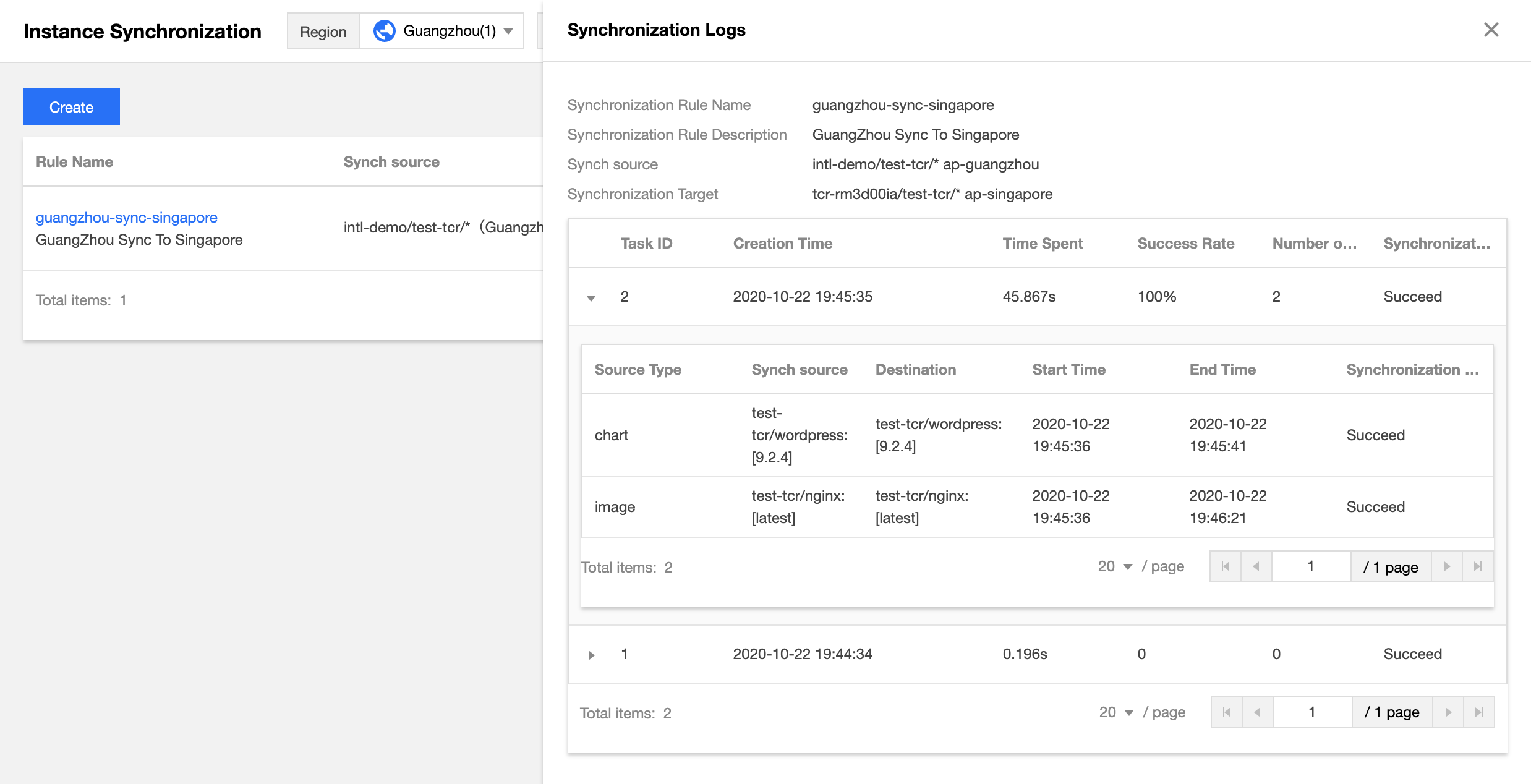
ManageReplication API to manage instance sync.Last updated:2025-12-22 17:33:20
yum install -y fuse command on the cluster nodes to install FUSE.kubectl label node xxx cloud.tencent.com/apparate=true
cloud.tencent.com/apparate=true.cloud.tencent.com/apparate=true, the node will also automatically deploy the DaemonSet process and can load acceleration images normally.helm repo add tcr-helm-public https://helmhub.tencentcloudcr.com/chartrepo/publichelm pull tcr-helm-public/apparate --version 1.0.0
values.yaml.tar -xzvf apparate-1.0.0.tgzvim apparate/values.yaml
imagePullSecretsCrs: This configuration is used for pulling acceleration images. You need to set dockerUsername, dockerPassword, and dockerServer to specify the TCR Enterprise Edition instance username, password, and access domain respectively.image: Retain the default value. This configuration is used for pulling basic images during application installation on a cluster. If the cluster is not deployed in the Chinese mainland, change the value to the access domain name of the TCR Individual image repository in the corresponding region.helm package apparate/helm install apparate apparate-1.0.0.tgz
helm install command, you need to configure the cluster access credentials locally in advance. For more information, see Connecting to a Cluster Using the Local Helm Client.nginx:latest-apparate, and its artifact type is OCI-Image-v1.cloud.tencent.com/apparate=true is added to the node to which the workload Pod is scheduled.cloud.tencent.com/apparate=true so that the workload will be scheduled to a node that supports accelerated images to implement accelerated startup.Last updated:2025-12-22 17:33:20


Last updated:2025-12-22 17:33:21

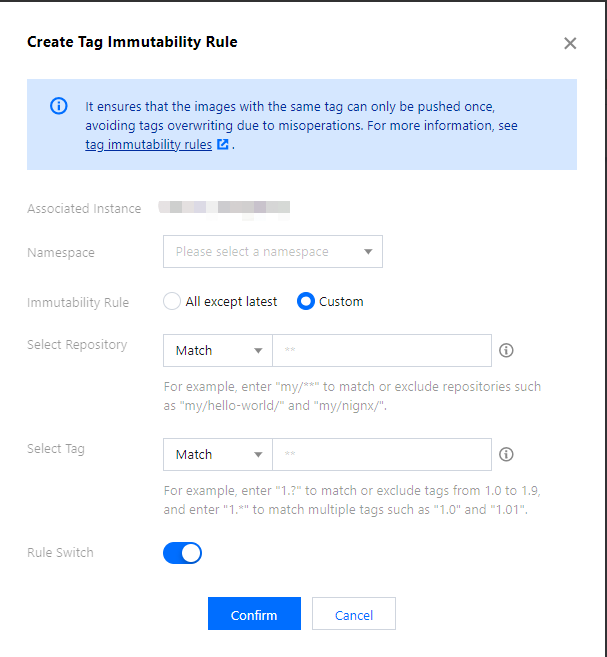
Configuration Item | Description |
Associated instance | The instance which has been selected currently. |
Namespaces | The current instance needs to enable the namespace for tag protection. Only a rule can be created in a single namespace. |
Immutability rule | latest: in all repositories in the current namespace, all image tags are not allowed to be overwritten except the latest tag. |
| Custom: customize the configuration of the repository and image tag that need to be matched. Repository matching: select filter type for the image repository, and enter the name of the repository which needs to be filtered. Tag matching: select filter type for the image tag, and enter the name of the tag which needs to be filtered. |
Rule switch | The rule is effective as of creation by default. Enabling means the rule takes effect. You can enable/disable the rule in the configuration. |
Last updated:2025-12-22 17:33:20
Last updated:2025-12-22 17:33:21

Last updated:2025-12-22 17:33:21


CreateTagRetentionRule API to create tag retention rules. For more information, see CreateTagRetentionRule.Last updated:2025-12-22 17:33:21
Last updated:2025-12-22 17:33:21
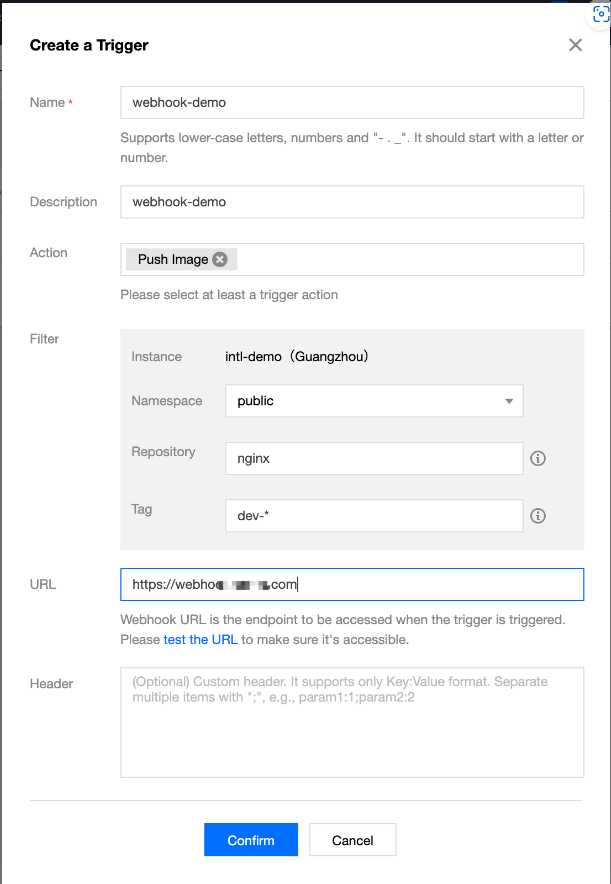
Key:Value format, which is applicable to authentication and other scenarios.
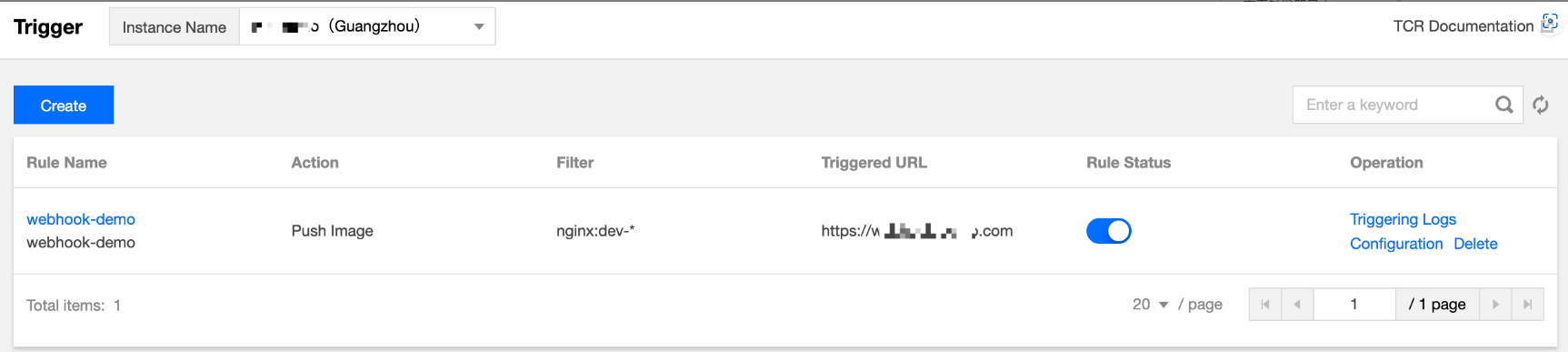
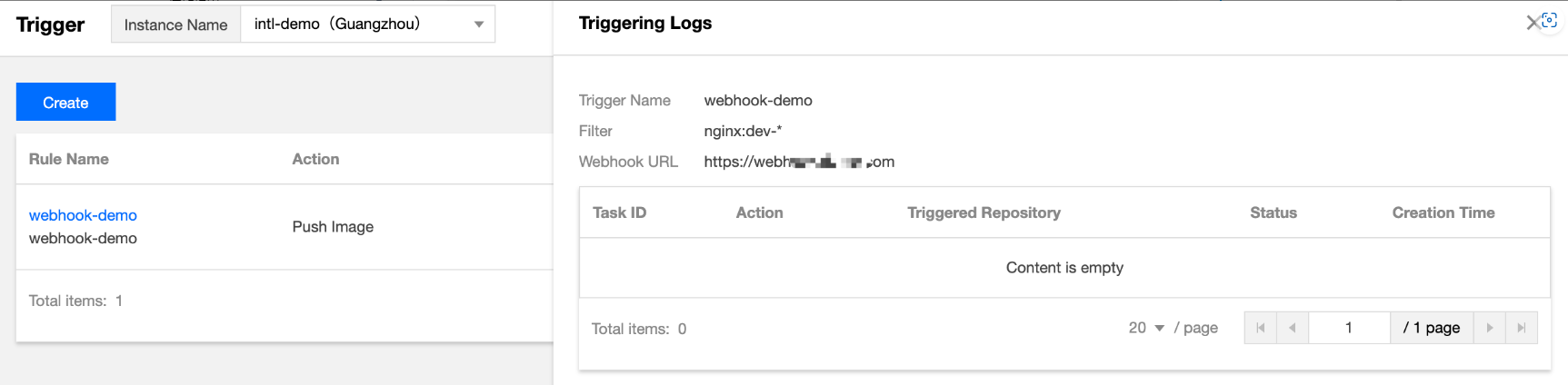
webhook-demo is used as an example.Authentication: xxxxxxx.


{"type": "pushImage","occur_at": 1589106605,"event_data": {"resources": [{"digest": "sha256:89a42c3ba15f09a3fbe39856bddacdf9e94cd03df7403cad4fc105xxxx268fc9","tag": "v1.10.0","resource_url": "xxx-bj.tencentcloudcr.com/public/nginx:v1.10.0"}],"repository": {"date_created": 1587119137,"name": "nginx","namespace": "public","repo_full_name": "public/nginx","repo_type": "public"}},"operator": "332133xxxx"}
*: matches all strings of any length that do not contain the path separator (/).**: matches all strings of any length that contain the path separator (/).** must be used as a complete relative path. If you use /path**, it will be the same as /path* and will only match the first-level repositories whose names are prefixed with path. To match all repositories under path, you should use /path/**. To match all repositories whose names are prefixed with path, you should use /path*/**.?: matches any single character except ‘/’.{alt1, alt2, …}: matches multiple regular expressions at the same time.Matches all repositories in the specified namespace | ** or leave it empty |
Matches all first-level repositories whose names are prefixed with path in the specified namespace | /path* |
Matches all first-level repositories whose names are prefixed with path1 and path2 in the specified namespace | /{path1, path2}* |
Matches all repositories under the path1 and path2 directories in the specified namespace | /{path1, path2}/** |
Matches all repositories whose names are prefixed with path1 and path2 in the specified namespace | /{path1, path2}*/** |
Matches all 1.x version tags in the specified repositories | 1.? |
Matches all version tags whose names are prefixed with env1 and env2 in the specified repository | {env1*, env2*} |
Last updated:2025-12-22 17:33:21


helm version -c command to check the version of the installed client.curl -fsSL -o get_helm.sh https://raw.githubusercontent.com/helm/helm/master/scripts/get-helm-3
chmod 700 get_helm.sh
./get_helm.sh
helm repo add $instance-$namespace https://$instance.tencentcloudcr.com/chartrepo/$namespace --username $username --password $instance-token
$instance-$namespace: Name of the Helm repository. We recommend that you use the combination of instance name + namespace name for naming so as to distinguish between instances and namespaces.https://$instance.tencentcloudcr.com/chartrepo/$namespace: Remote address of the Helm repository.$username: Username obtained in Step 2.$instance-token: Password obtained in Step 2.
If the add operation is successful, the following message will be prompted."$instance-$namespace" has been added to your repositories
helm cm-push with the helm push command.helm push command to push Helm Charts to the specified repository, as well as uploading directories and compressed packages.helm plugin install https://github.com/chartmuseum/helm-push
helm create tcr-chart-demo
helm cm-push tcr-chart-demo $instance-$namespace
$instance-$namespace is the name of the added local repository.tar zcvf tcr-chart-demo-1.0.0.tgz tcr-chart-demo/
helm cm-push tcr-chart-demo-1.0.0.tgz $instance-$namespace
$instance-$namespace is the name of the added local repository.helm repo update
helm fetch <Local repository name>/<Chart name> --version <Chart version>
helm fetch tcr-demo-project-a/tcr-chart-demo --version 1.0.0
Last updated:2025-12-22 17:33:21


Last updated:2025-12-22 17:33:21
APIs and Description | ResourceType | Six-segment Example of Resource |
CreateNamespacePersonalCreating a namespace of Personal Edition | repo | qcs::tcr:$region:$account:repo/$namespace |
DeleteNamespacePersonalDeleting a namespace of Personal Edition | repo | qcs::tcr:$region:$account:repo/$namespace |
APIs and Description | ResourceType | Six-segment Example of Resource |
DescribeRepositoryOwnerPersonalQuerying all repositories of Personal Edition | repo | qcs::tcr:$region:$account:repo/* |
CreateRepositoryPersonalCreating an image repository of Personal Edition | repo | qcs::tcr:$region:$account:repo/$namespace/$repo |
DeleteRepositoryPersonalDeleting an image repository of Personal Edition | repo | qcs::tcr:$region:$account:repo/$namespace/$repo |
BatchDeleteRepositoryPersonalDeleting the image repositories of Personal Edition in batches | repo | qcs::tcr:$region:$account:repo/$namespace/* |
DeleteImagePersonalDeleting the repository tag of Personal Edition | repo | qcs::tcr:$region:$account:repo/$namespace/$repo |
BatchDeleteImagePersonalDeleting the repository tags of Personal Edition in batches | repo | qcs::tcr:$region:$account:repo/$namespace/$repo |
PullRepositoryPersonalPulling the images in the image repository of Personal Edition | repo | qcs::tcr:$region:$account:repo/$namespace/$repo |
PushRepositoryPersonalPushing the images in the image repository of Personal Edition | repo | qcs::tcr:$region:$account:repo/$namespace/$repo |
Last updated:2025-12-22 17:33:21
{"version": "2.0","statement": [{"action": ["tcr:*"],"resource": ["qcs::tcr:::repo/*"],"effect": "allow"}]}
{"version": "2.0","statement": [{"action": ["tcr:Describe*","tcr:PullRepository*"],"resource": ["qcs::tcr:::repo/*"],"effect": "allow"}]}
team-01 in the default region.{"version": "2.0","statement": [{"action": ["tcr:*"],"resource": ["qcs::tcr:::repo/team-01","qcs::tcr:::repo/team-01/*"],"effect": "allow"}]}
repo-demo in the namespace team-01 in the default region.{"version": "2.0","statement": [{"action": ["tcr:Describe*","tcr:PullRepositoryPersonal"],"resource": ["qcs::tcr:::repo/team-01","qcs::tcr:::repo/team-01/repo-demo","qcs::tcr:::repo/team-01/repo-demo/*"],"effect": "allow"}]}
Last updated:2025-12-22 17:33:21
API Name of v2.0 | API Name of v3.0 | Description | Latest Resource Description Method |
CreateCCRNamespace | CreateNamespacePersonal | Creates a namespace of Personal Edition | qcs::tcr:$region:$account:repo/$namespace |
DeleteUserNamespace | DeleteNamespacePersonal | Deletes a namespace of Personal Edition | qcs::tcr:$region:$account:repo/$namespace |
GetUserRepositoryList | DescribeRepositoryOwnerPersonal | Queries all repositories of Personal Edition | qcs::tcr:$region:$account:repo/* |
CreateRepository | CreateRepositoryPersonal | Creates an image repository of Personal Edition | qcs::tcr:$region:$account:repo/$namespace/$repo |
DeleteRepository | DeleteRepositoryPersonal | Deletes an image repository of Personal Edition | qcs::tcr:$region:$account:repo/$namespace/$repo |
BatchDeleteRepository | BatchDeleteRepositoryPersonal | Deletes image repositories of Personal Edition in batches | qcs::tcr:$region:$account:repo/$namespace/* |
DeleteTag | DeleteImagePersonal | Deletes the repository tag of Personal Edition | qcs::tcr:$region:$account:repo/$namespace/$repo |
BatchDeleteTag | BatchDeleteImagePersonal | Deletes the repository tags of Personal Edition in batches | qcs::tcr:$region:$account:repo/$namespace/$repo |
pull | PullRepositoryPersonal | Pulls the images in the image repository of Personal Edition | qcs::tcr:$region:$account:repo/$namespace/$repo |
push | PushRepositoryPersonal | Pushes the images in the image repository of Personal Edition | qcs::tcr:$region:$account:repo/$namespace/$repo |
ccr as the product prefix, and the API name is version 2.0. For example, create a namespace as ccr:CreateCCRNamespace.ccr as the product name, and there is only a repo resource type. For example, to describe the image repository repo-b under the namespace namespace-a, it would be qcs::ccr:::repo/namespace-a/repo-b. If $region and $account are left empty, all regions will be used by default, and the account will be the root account of the CAM user who created the policy by default.
For more information on authorization solution, see TKE Image Registry Resource-level Permission Settings.tcr as the product prefix, and the API name is version 3.0. For example, create a namespace of Personal Edition as tcr:CreateNamespacePersonal.tcr as the product name, and there are three resource types: instance, repository and repo. Among them, repo is a dedicated resource type of the Personal Edition. For example, to describe the image repository repo-b under the namespace of Personal Edition namespace-a, it would be qcs::tcr:$region:$account:repo/namespace-a/repo-b. If $region and $account are left empty, all regions will be used by default, and the account will be the root account of the CAM user who created the policy by default.
For more information on authorization solution, see CAM APIs for Personal Edition and Example of Authorization Solution of the Personal Edition.repo-b (an image repository of Personal Edition) under the namespace namespace-a in the default region. Then this account can only query the repository information and pull the image in the repository, but cannot modify the repository attributes, push images, and delete the repository.{"version": "2.0","statement": [{"action": ["ccr:pull"],"resource": "qcs::ccr:::repo/namespace-a/repo-b","effect": "allow"}]}
{"version": "2.0","statement": [{"action": ["tcr:PullRepositoryPersonal"],"resource": "qcs::tcr:::repo/namespace-a/repo-b","effect": "allow"}]}
Last updated:2025-12-22 17:33:21


Last updated:2025-12-22 17:33:21

DeleteInstance API to delete an instance. For more information, see DeleteInstance.