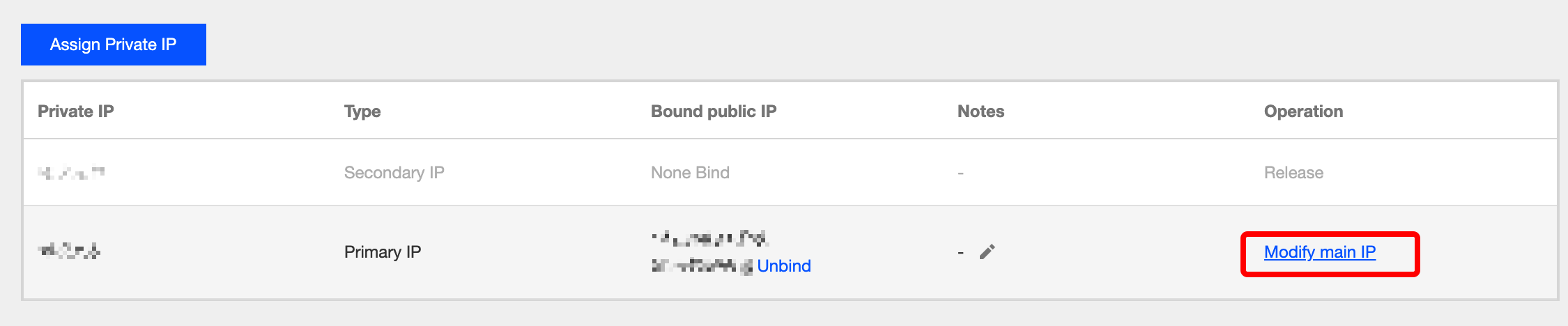
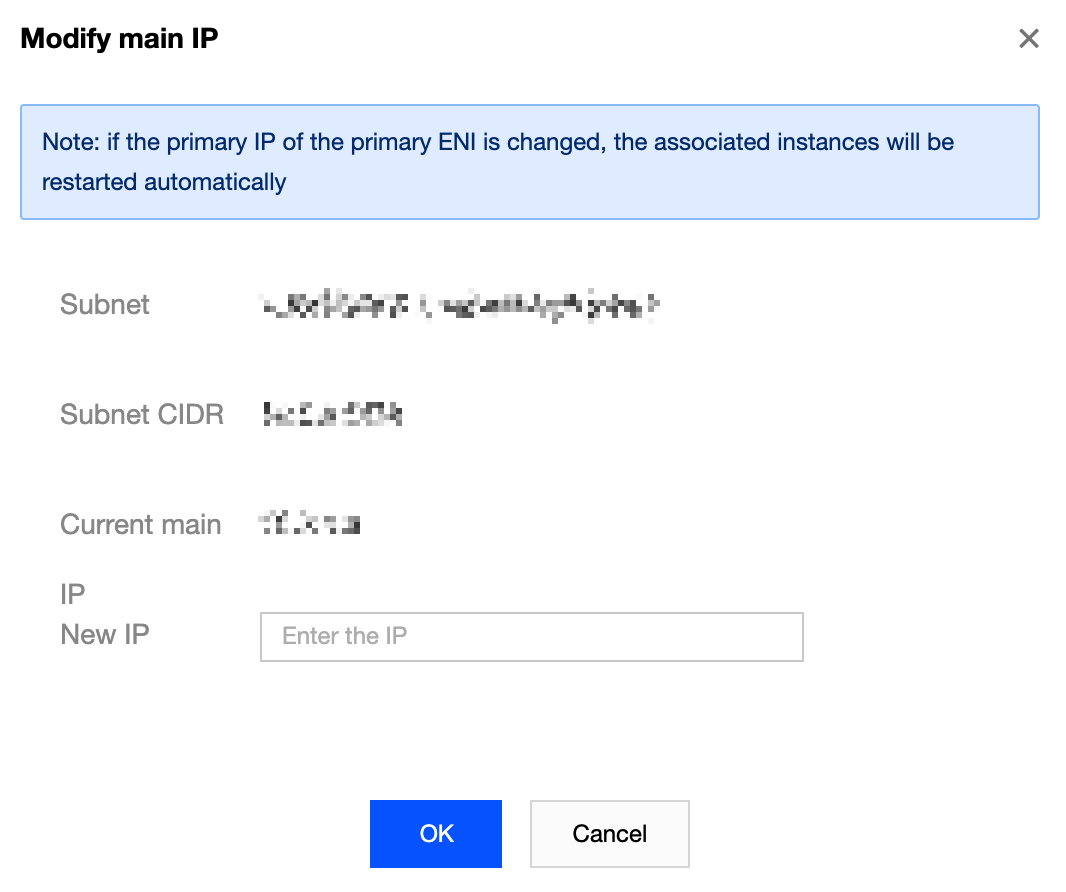
This document guides you to configure an ENI on a Linux CVM.
This document provides instructions on how to configure an ENI on two common server images: CentOS and Ubuntu.
Configuring an ENI on a CentOS CVM
Note:
This method is applicable to CentOS versions 8.0, 7.8, 7.6, 7.5, 7.4 and 7.2.
The nic-hotplug.tgz tool automatically creates the ENI configuration file and distributes the ENI route when an ENI is bound or the CVM is restarted.
If the CVM has already configured with ENIs, ensure that the routes of existing ENIs have been correctly configured before using the tool to configure a new one. If restart is acceptable to your business, you can restart the CVM as instructed in the step5 for the tool configuration to take effect on all ENIs. Directions
1. Log in to the CVM and run the following command to download the nic-hotplug.tgz tool.
wget https://iso-1255486055.cos.ap-guangzhou.myqcloud.com/nic-hotplug.tgz
2. Run the following command to decompress the file.
tar -zxvf nic-hotplug.tgz
3. Run the following commands to grant the execute permission and install the tool.
cd nic-hotplug
chmod +x ./install.sh
./install.sh
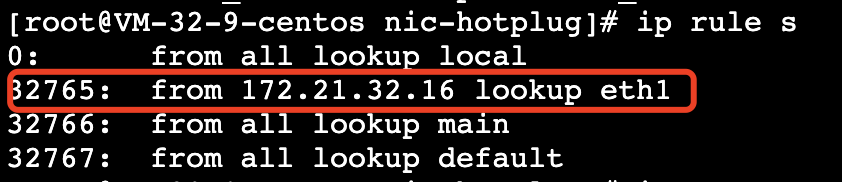
4. Bind an ENI, and then verify that the route of the new ENI eth1 has been distributed. 4.1 Run the ip rule show command. You can see that the policy-based route of the ENI eth1 has been added.
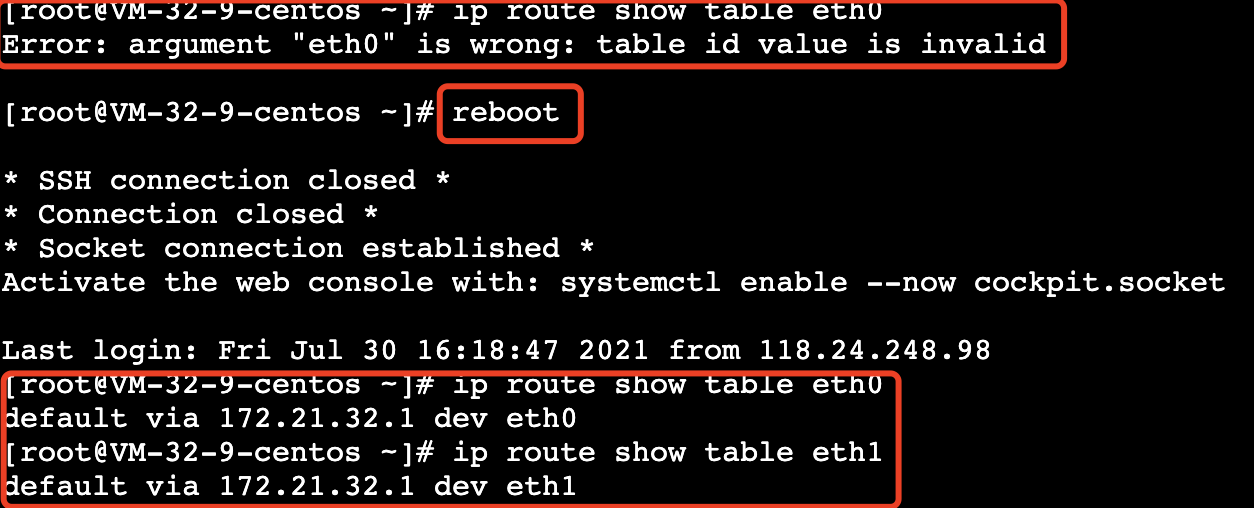
4.2 Run the ip route show table eth1 command to view the ENI eth1 route table.
5. (Optional)
If there are existing ENIs, you can restart the CVM via the console or running the reboot command. Then, the routes of all ENIs will be automatically distributed. Restart CVM by running the command:
Method 2: Manual configuration
Note:
This approach is compatible with CentOS versions 8.0, 7.8, 7.6, 7.5, 7.4, and 7.2, as well as Rocky Linux 9.x series.
The configuration procedures for CentOS and Rocky Linux are analogous, with the only discrepancy lying in the commands used to restart the network service. For further details, please refer to the operational steps. Prerequisites
Directions
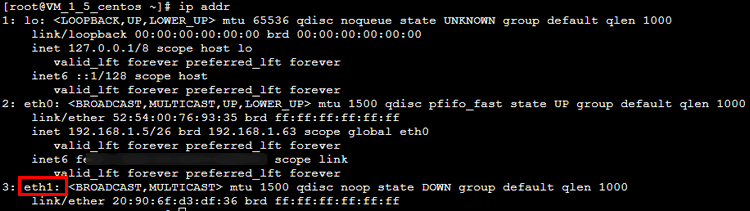
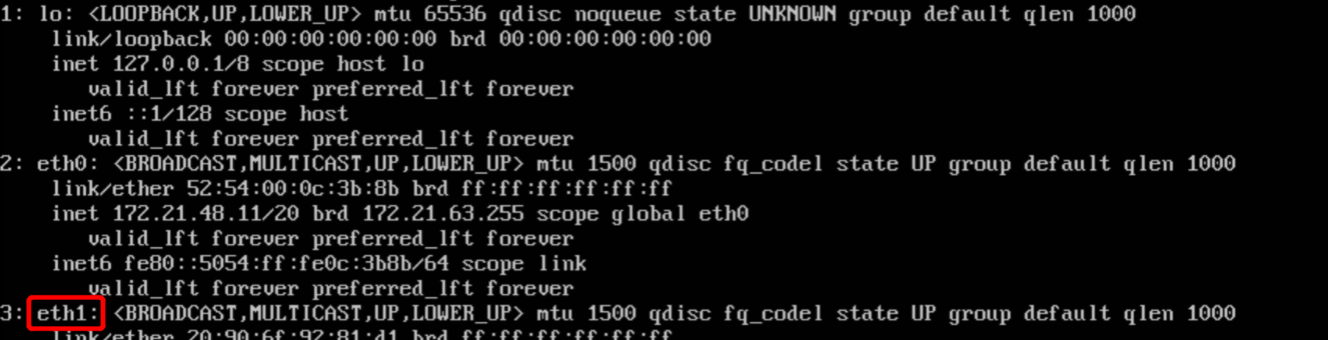
1. Log in to the CVM as the administrator and run the following command to locate the ENI to be configured (IP not shown). As shown in the figure, the ENI to be configured is eth1. 2. Run the following command to access the /etc/sysconfig/network-scripts/ folder.
cd /etc/sysconfig/network-scripts/
3. Create a configuration file such as ifcfg-eth1 for the new ENI.
3.1 Run the following command.
3.2 Run the following command to modify the configuration file.
3.3 Press i to switch to the edit mode and modify the configuration file as follows:
Note:
For the methods to view the IP address and subnet mask of the ENI, see the Appendix. Mode 1: Statically manual IP configuration
DEVICE='eth1' # Enter the actual ENI name obtained in step 1.
NM_CONTROLLED='yes'
ONBOOT='yes'
IPADDR='192.168.1.62' # Enter the actual IP address of the ENI.
NETMASK='255.255.255.192' # Enter the actual subnet mask.
#GATEWAY='192.168.1.1' # Enter the actual IP address of the gateway of the subnet where the ENI is located. In this example, because eth1 and eth0 are in the same subnet and the gateway has been defined, so the IP address will not be entered repeatedly here to avoid gateway conflict.
Mode 2: Dynamically acquire IP address
BOOTPROTO=dhcp #Automatically acquire IP address
DEVICE=eth1 # Enter the name of the ENI to be configured
HWADDR=20:90:6F:63:98:CC # Please replace it with the actual MAC address of the ENI
ONBOOT=yes
PERSISTENT_DHCLIENT=yes
TYPE=Ethernet
USERCTL=no
PEERDNS=no
DEFROUTE=no # Determine whether to set the ENI as the default route. Do not set eth1 as the default route here for avoiding route conflict
3.4 Press Esc when you get to the last line of vim, enter wq!, and then press Enter to save and close the configuration file.
4. Run the following command to restart the network service for the configuration to take effect.
Note:
If you have configured DNS, the resolv.conf file may be reset after the network is restarted, and the DNS resolution may be affected.
systemctl restart network
systemctl restart NetworkManager
5. Check and verify the IP configuration.
5.1 Run the following command to check the IP address.
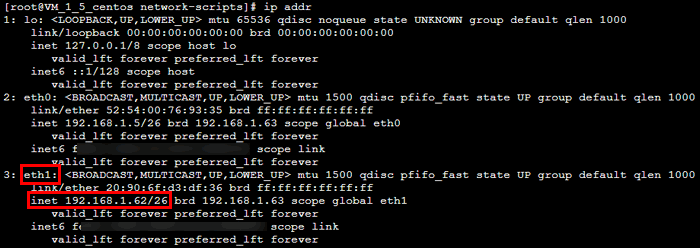
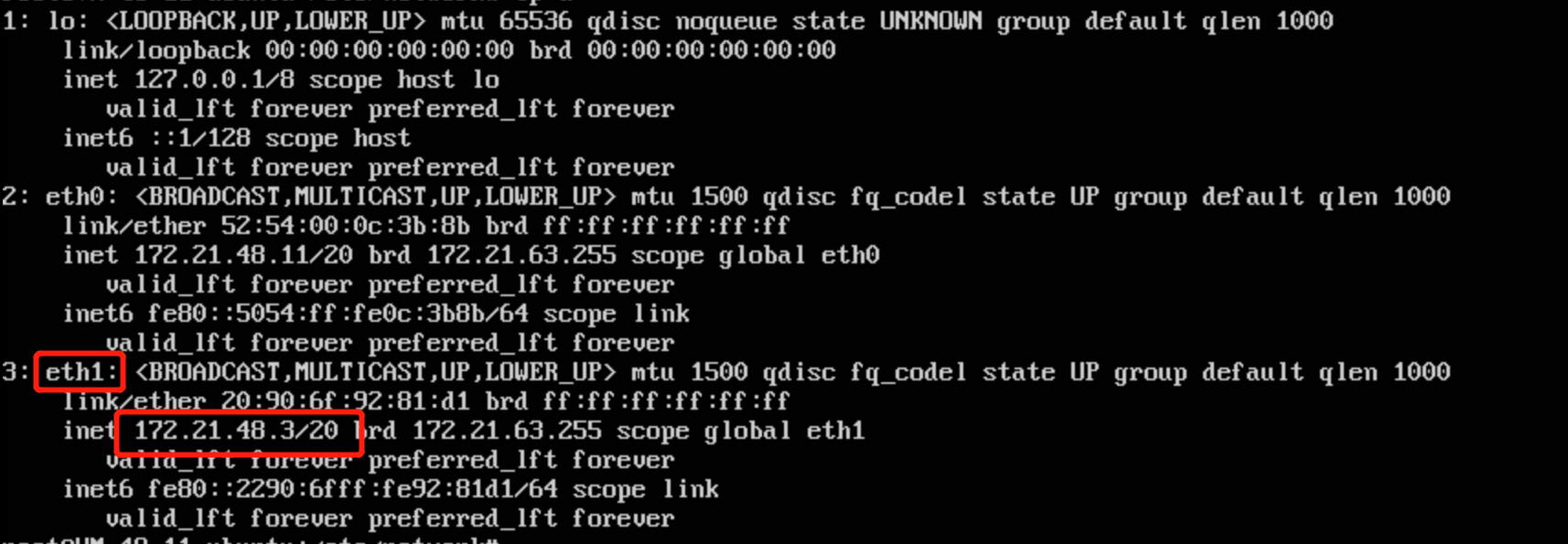
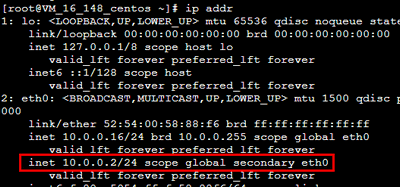
5.2 Confirm that the secondary ENI and its IP are visible, as shown below:
5.3 If the IP address is incorrectly configured, perform the following checks:
5.3.1 Verify the configuration file. Reconfigure the file if needed.
5.3.2 Confirm whether the network service has restarted. You can run the following command to restart the network for the configuration to take effect.
systemctl restart network
6. Configure the routing policy based on actual needs.
7. After the preceding configuration, the Linux image still sends packets from the primary ENI by default. In this case, you can configure policy-based routing to specify the ENI through which packets are sent and returned.
7.1 Create two route
tables. echo "10 t1" >> /etc/iproute2/rt_tables #Replace “10” with the actual route ID and “t1” with the actual route table name.
echo "20 t2" >> /etc/iproute2/rt_tables #Replace “20” with the actual route ID and “t2” with the actual route table name.
7.2 Add default routes for both route tables in the following two ways.
Configure a temporary policy-based route, which needs to be re-configured after restarting the network. Run the following command.
ip route add default dev eth0 via 192.168.1.1 table 10 #Replace “192.168.1.1” with the subnet gateway of the primary ENI.
ip route add default dev eth1 via 192.168.1.1 table 20 #Replace “192.168.1.1” with the subnet gateway of the secondary ENI.
Configure a permanent policy-based route, which can be saved in the configuration file. The following operations use CentOS 7.8 as an example.
7.2.1 Edit the configuration file "route-ENI name" (such as route-eth0) under the directory "/etc/sysconfig/network-scripts/".
vim /etc/sysconfig/network-scripts/route-eth0 # Edit the route-eth0 file
7.2.2 Add a line of command: `default dev [ENI name, such as eth0] via [the gateway of the ENI, such as 192.168.1.1] table [code of the policy-based route table, such as 10]`. For example,
default dev eth0 via 192.168.1.1 table 10 # Add a default gateway for route table 10 in the route-eth0 file
7.2.3 Press "ESC", and enter " wq!" to save and exit. Then follow the same operation to configure the route-eth1 file.
vim /etc/sysconfig/network-scripts/route-eth0
default dev eth0 via 192.168.1.1 table 20
7.2.4 Restart the network for the configuration to take effect.
systemctl restart network
7.3 Configure a policy-based routing policy.
ip rule add from 192.168.1.5 table 10 #Enter the actual IP address of the primary ENI.
ip rule add from 192.168.1.62 table 20 #Enter the actual IP address of the secondary ENI.
8. After completing the configuration, you can ping the private IP of a CVM that is in the same subnet. If the pinging succeeds, the configuration is correct. If no other CVM exists, you can bind the private IP of the secondary ENI to a public IP and then ping the public IP.
Configuring ENI on an Ubuntu CVM
1. Log in to the CVM as the administrator and run the following command to locate the ENI to be configured (IP not shown). As shown in the figure, the ENI to be configured is eth1. 2. Run the following command to access the /etc/network/ folder.
3. Modify the configuration file “interfaces”.
3.1 Run the following command to switch to the "root" account and modify the configuration file.
3.2 Press i to switch to the edit mode and add the following content to the configuration file.
Note:
For the methods to view the IP address and subnet mask of the ENI, see the Appendix. auto eth1 # Enter the actual ENI name obtained in step 1.
iface eth1 inet static # Enter the actual ENI name obtained in step 1.
address 172.21.48.3 # Enter the actual IP address of the ENI.
netmask 255.255.240.0 # Enter the actual subnet mask.
3.3 Press Esc when you come to the last line of vim, enter wq!, and then press Enter to save and close the configuration file.
4. Restart the ENI eth1.
4.1 Run the following commands to switch to the “root” account and install ifupdown.
sudo su
apt install ifupdown
4.2 Turn off the ENI eth1.
4.3 Start the ENI eth1.
5. Check and verify the IP configuration.
5.1 Run the following command to check the IP address.
5.2 Confirm that the secondary ENI and its IP are visible, as shown below:
5.3 If the IP address is incorrectly configured, perform the following checks:
5.3.1 Verify the configuration file. Reconfigure the file if needed.
5.3.2 Confirm whether the ENI has restarted. You can run the following commands to restart ENI for the configuration to take effect.
6. Configure the routing policy based on actual needs.
Note:
After the preceding configuration, the Linux image still sends packets from the primary ENI by default. In this case, you can configure policy-based routing to specify the ENI through which packets are sent and returned. A temporary static route is configured accordingly. You need to reconfigure a route after restarting the network.
6.1 Run the following commands to c
reate two route tables. echo "10 t1" >> /etc/iproute2/rt_tables #Replace “10” with the actual route ID and “t1” with the actual route table name.
echo "20 t2" >> /etc/iproute2/rt_tables #Replace “20” with the actual route ID and “t2” with the actual route table name.
6.2 Run the following commands to add default routes for both route tables.
ip route add default dev eth0 via 172.21.48.1 table 10 #Replace “172.21.48.1” with the subnet gateway of the primary ENI.
ip route add default dev eth1 via 172.21.48.1 table 20 #Replace “172.21.48.1” with the subnet gateway of the secondary ENI.
7. Run the following commands to configure policy-based routing.
ip rule add from 172.21.48.11 table 10 #Enter the actual IP address of the primary ENI.
ip rule add from 172.21.48.3 table 20 #Enter the actual IP address of the secondary ENI.
8. After completing the configuration, you can ping the private IP of a CVM that is in the same subnet. If the pinging succeeds, the configuration is correct. If no other CVM exists, you can bind the private IP of the secondary ENI to a public IP and then ping the public IP.
Appendix
Viewing the IP address of an ENI
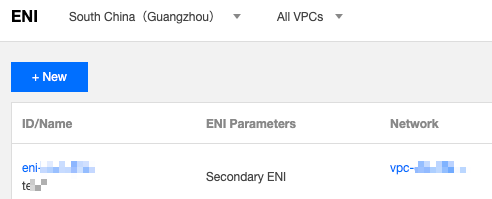
2. Choose IP and ENI > ENI in the left sidebar to go to the ENI list page.
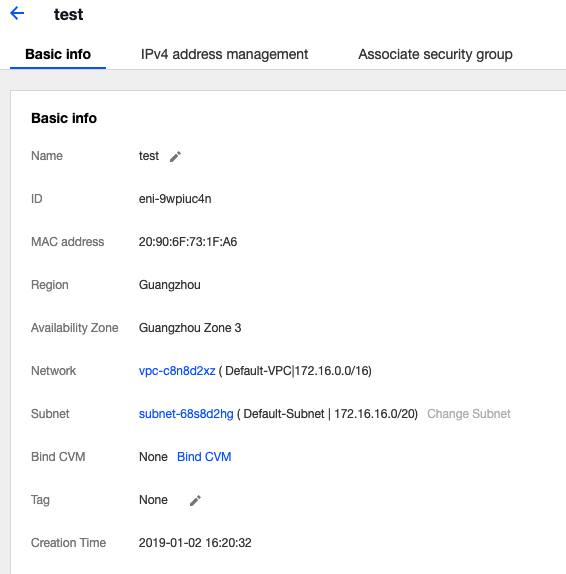
3. Click the ID of the target ENI to go to its details page.
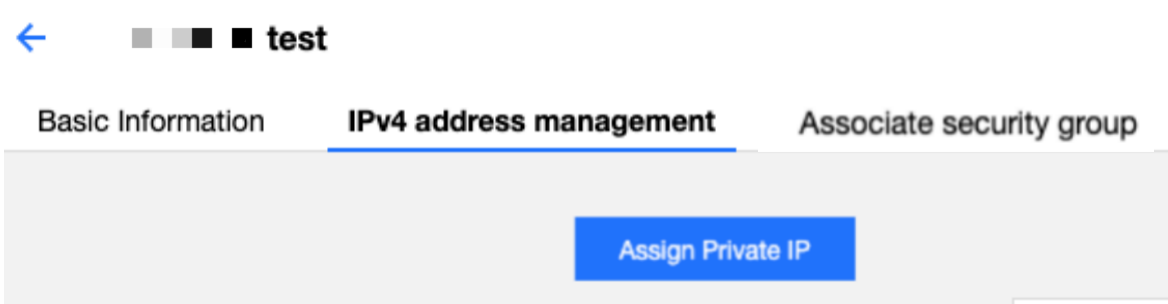
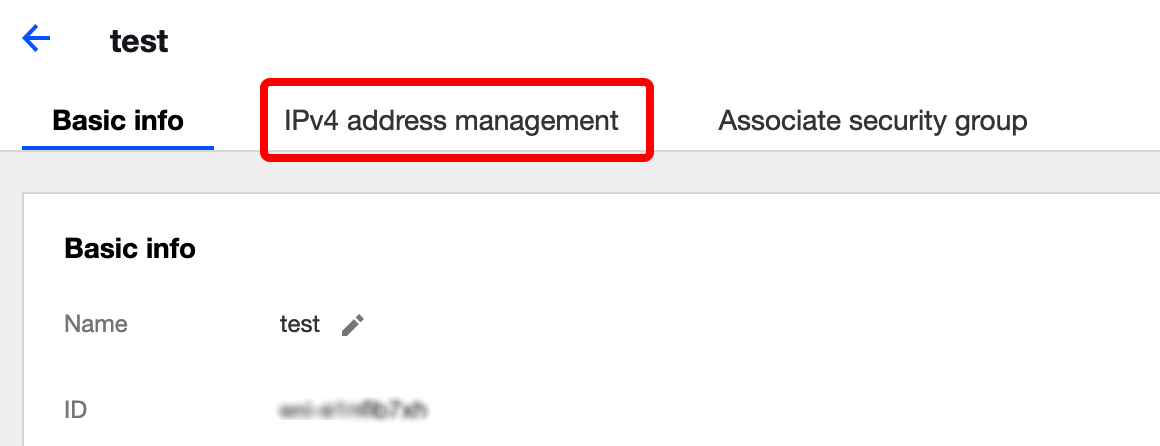
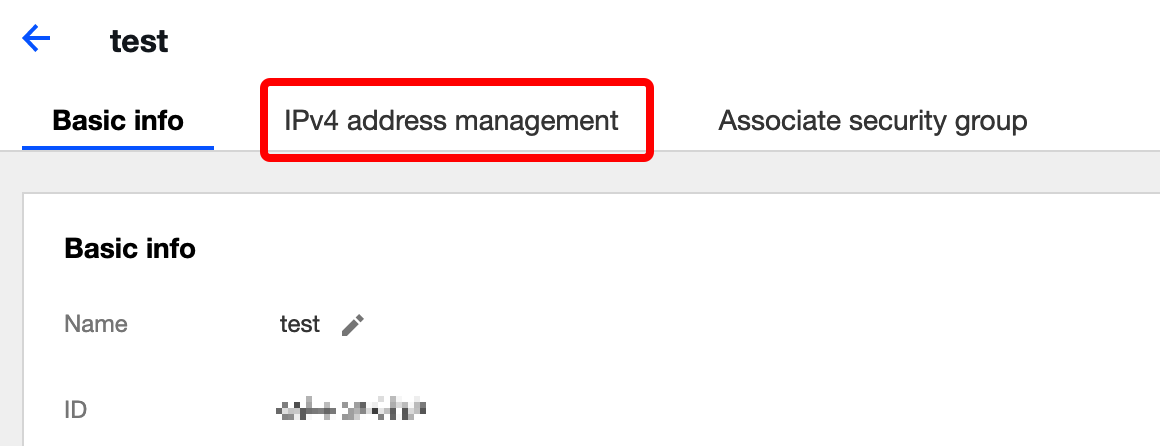
4. Select the IPv4 address management tab to view the IP address of the ENI, which is the private IP.
Viewing the subnet mask of an ENI
2. Choose IP and ENI > ENI in the left sidebar to go to the ENI list page.
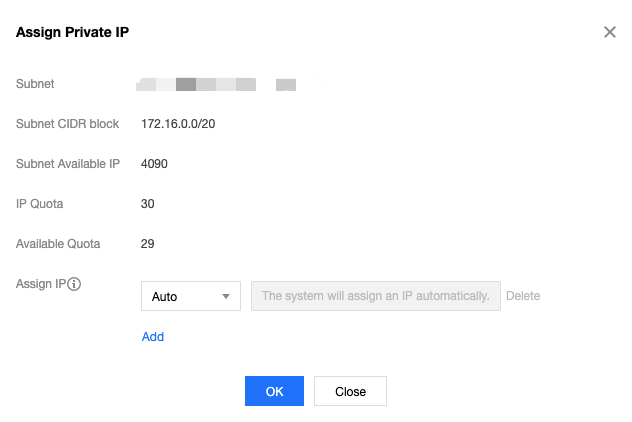
3. Click the ID of the target ENI to go to its details page, where you can view the subnet mask of the ENI.
As shown in the following figure, the CIDR bits of the subnet are /20, which means that the subnet mask of the ENI is 255.255.240.0.
The relationship between the CIDR bits and the subnet mask is described in the following table:
|
/28 | 255.255.255.240 |
/27 | 255.255.255.224 |
/26 | 255.255.255.192 |
/25 | 255.255.255.128 |
/24 | 255.255.255.0 |
/23 | 255.255.254.0 |
/22 | 255.255.252.0 |
/21 | 255.255.248.0 |
/20 | 255.255.240.0 |
/19 | 255.255.224.0 |
/18 | 255.255.192.0 |
/17 | 255.255.128.0 |
/16 | 255.255.0.0 |
Viewing the gateway
If you haven’t made any changes, the gateway is the first IP address in the subnet IP range. For example, if the subnet IP range is 192.168.0.0/24, the gateway is 192.168.0.1.
If you are not sure about the subnet IP range of the ENI, please follow the steps below:
2. Choose IP and ENI > ENI in the left sidebar to go to the ENI list page.
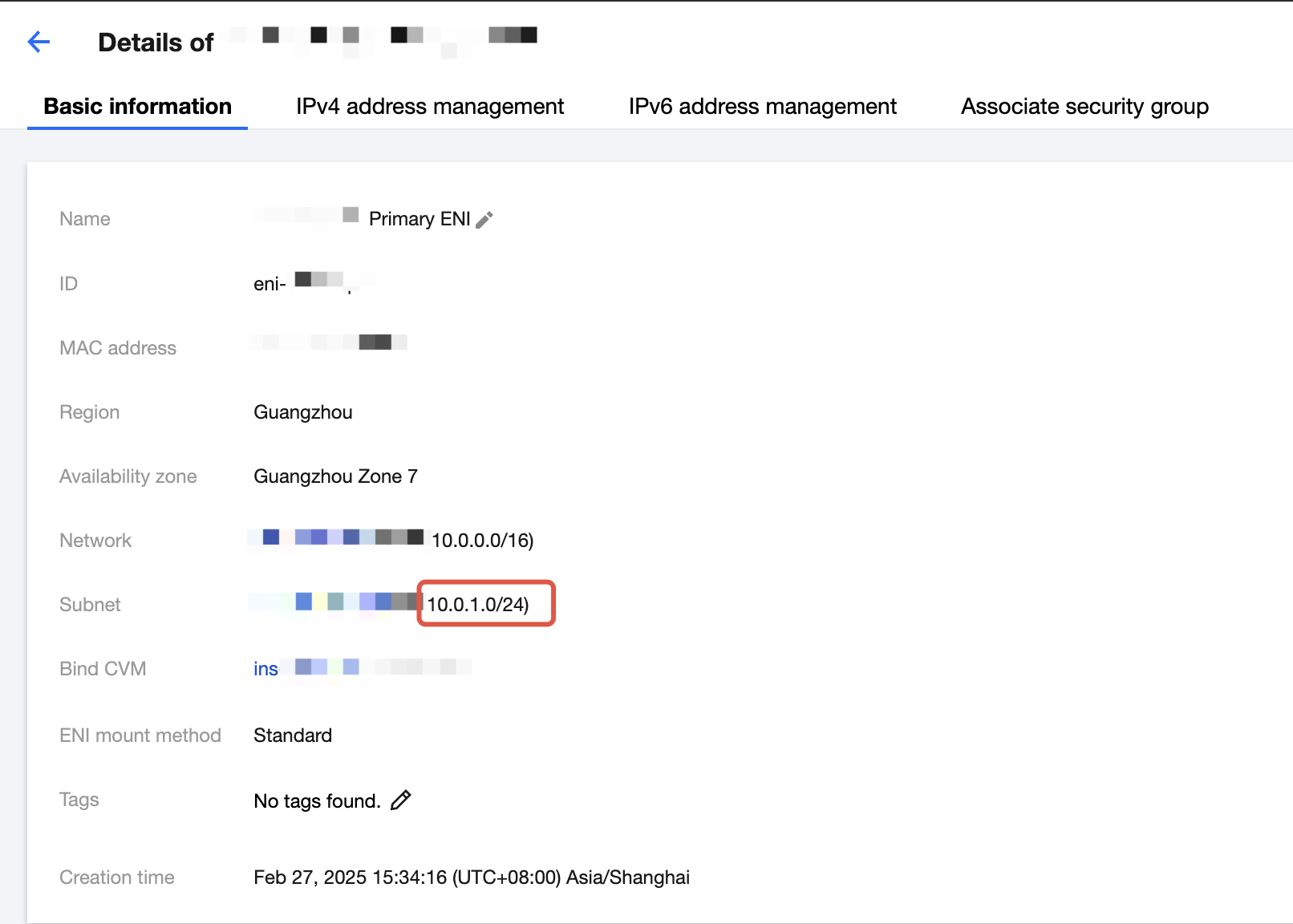
3. Click the ID of the target ENI to go to its details page, where you can view the subnet where the ENI resides. As shown in the figure below, the first IP address in the subnet IP range is 10.0.1.1.