TUILiveKit Release Notes
Live SDK Release Notes
LiveListStore and LiveSeatStore.Core Concept | Type | Core Responsibilities & Description |
LiveListStore | class | createLive(): Start live stream as host.endLive(): End live stream as host.joinLive(): Audience joins live room.leaveLive(): Leave live room. |
LiveInfo | struct | liveID: Unique room identifier.seatLayoutTemplateID: Layout template ID (e.g., 600 for dynamic grid). |
LiveSeatStore | class | Core seat management class. Manages all seat information and seat-related operations in the room. Provides a real-time seat list data stream via liveSeatState.seatList. |
LiveSeatState | struct | Represents the current state of all seats. seatList: a StateFlow containing the real-time seat list.speakingUsers: users currently speaking and their volume. |
SeatInfo | class | Data model for a single seat. The seat list (seatList) emitted by LiveSeatStore is a list of SeatInfo objects. Key fields: index: seat position.isLocked: whether the seat is locked.userInfo: user information for the seat. If the seat is empty, this field is empty. |
SeatUserInfo | class | Detailed data model for the user occupying a seat. When a user successfully takes a seat, the userInfo field in SeatInfo is populated. Key fields: userID: unique user ID.userName: user nickname.avatarURL: user avatar URL.microphoneStatus: microphone status (on/off).cameraStatus: camera status (on/off). |
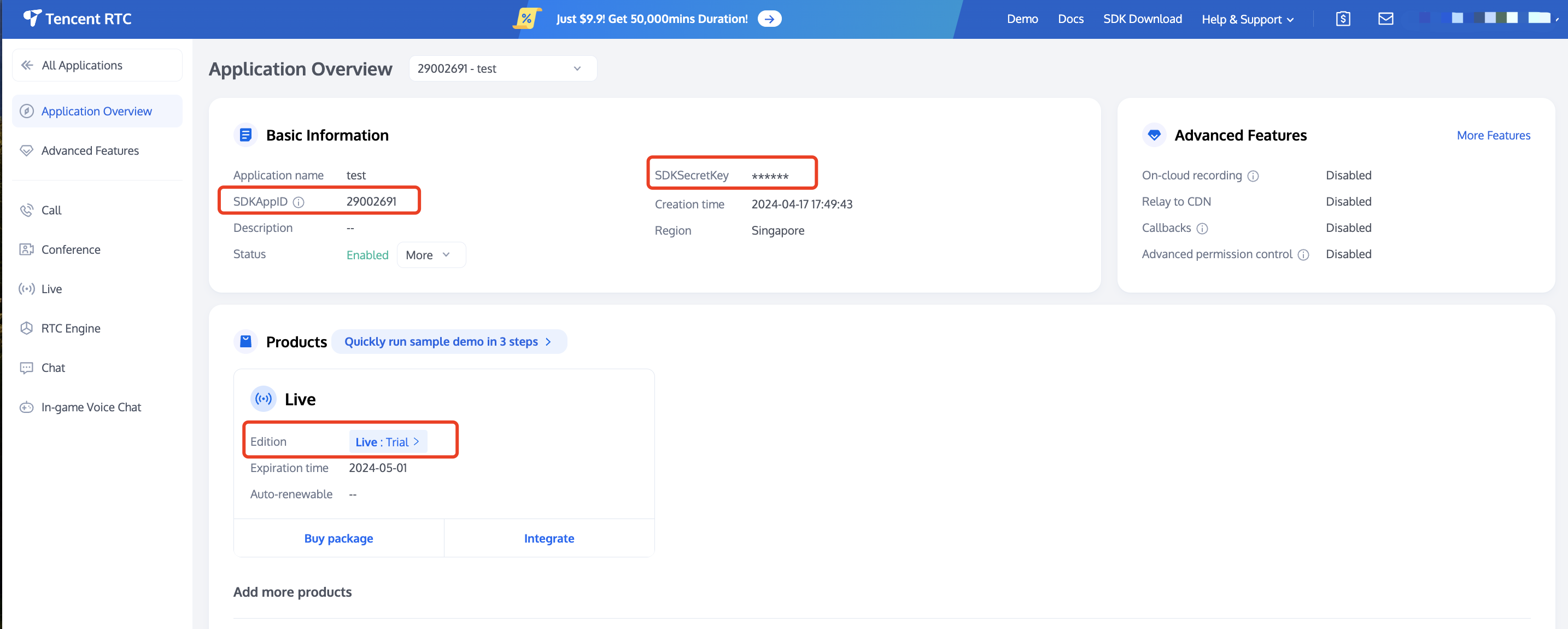
SDKAppID: Application identifier (required). Tencent Cloud uses SDKAppID for billing and details.SDKSecretKey: Application secret key, used to initialize the configuration file with secret information.
pod 'AtomicXCore' to your Podfile, then run pod install.target 'xxxx' dopod 'AtomicXCore'end
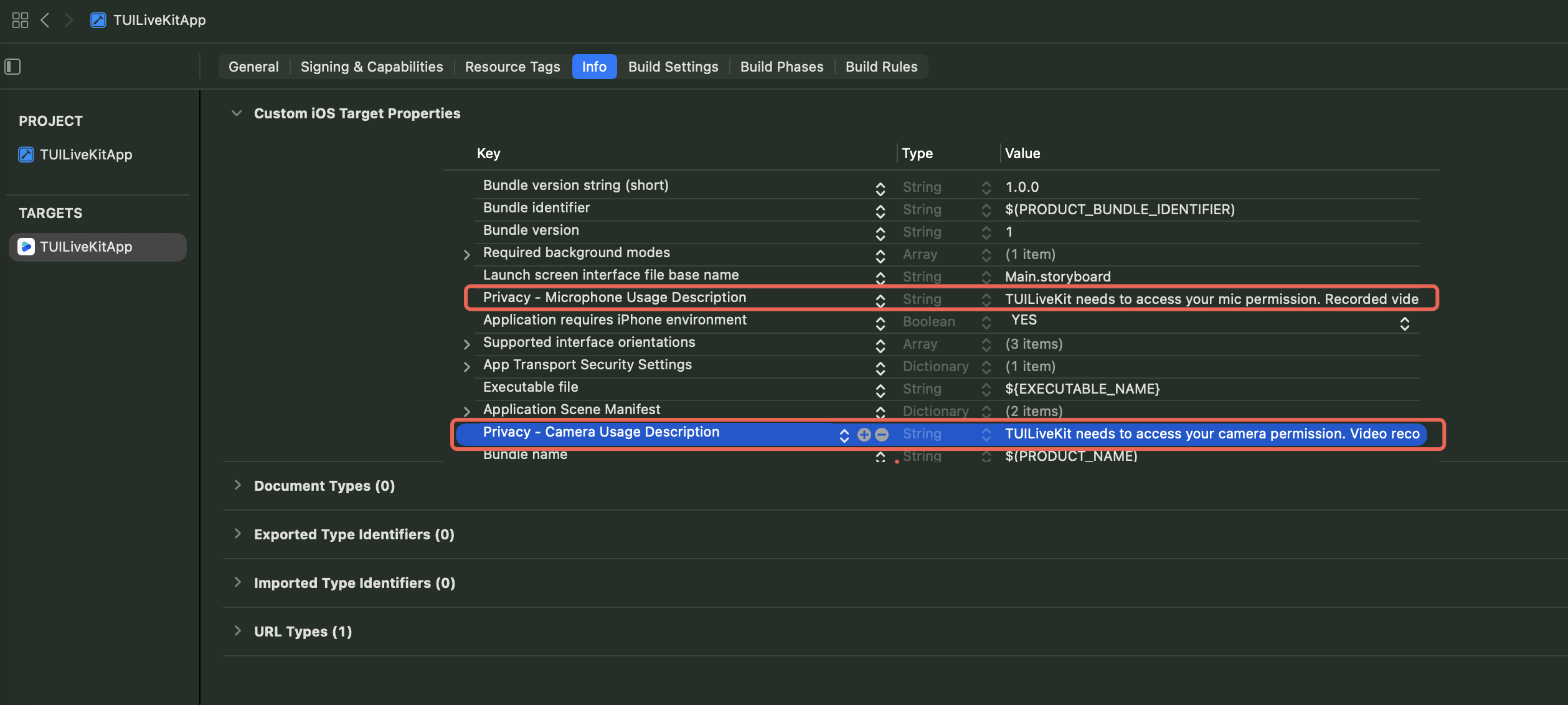
Info.plist file.<key>NSMicrophoneUsageDescription</key><string>TUILiveKit needs microphone permission to enable sound in recorded videos</string>

LoginStore.shared.login in your project to complete authentication. This is required before using any functionality of AtomicXCore.import AtomicXCore// AppDelegate.swiftfunc application(_ application: UIApplication, didFinishLaunchingWithOptions launchOptions: [UIApplication.LaunchOptionsKey: Any]?) -> Bool {LoginStore.shared.login(sdkAppID: 1400000001, // Replace with your SDKAppIDuserID: "test_001", // Replace with your UserIDuserSig: "xxxxxxxxxxx") { result in // Replace with your UserSigswitch result {case .success(let info):debugPrint("login success")case .failure(let error):debugPrint("login failed code:\\(error.code), message:\\(error.message)")}}return true}
Parameter | Type | Description |
sdkAppID | Int | |
userID | String | The unique ID for the current user. Must contain only English letters, numbers, hyphens, and underscores. |
userSig | String | A ticket for Tencent Cloud authentication. Please note: Development Environment: You can use the local GenerateTestUserSig.genTestSig function to generate a UserSig or generate a temporary UserSig via the UserSig Generation Tool.Production Environment: To prevent key leakage, you must use a server-side method to generate UserSig. For details, see Generating UserSig on the Server. For more information, see How to Calculate and Use UserSig. |
ViewController, instantiate LiveSeatStore. Use the Combine framework to observe changes in liveSeatStore.state for real-time seat updates and UI rendering.import UIKitimport AtomicXCoreimport Combineclass YourAnchorViewController: UIViewController {private let liveListStore = LiveListStore.sharedprivate let deviceStore = DeviceStore.shared// Initialize LiveSeatStore with liveIDprivate let liveID = "test_voice_room_001"private lazy var liveSeatStore = LiveSeatStore.create(liveID: liveID)// Manage subscription lifecycleprivate var cancellables = Set<AnyCancellable>()override func viewDidLoad() {super.viewDidLoad()// Initialize your layout here// setupUI()// Listen for seat list changesobserveSeatList()}private func observeSeatList() {// Subscribe to seat list updates and refresh seat UIliveSeatStore.state.subscribe(StatePublisherSelector(keyPath: \\LiveSeatState.seatList)).removeDuplicates().receive(on: DispatchQueue.main).sink { [weak self] seatInfoList in// Update seat UI with seatInfoList// Example: self?.updateMicSeatView(seatInfoList)print("Seat list updated: \\(seatInfoList.count) seats")}.store(in: &cancellables)}}
openLocalMicrophone from DeviceStore:import UIKitimport AtomicXCoreclass YourAnchorViewController: UIViewController {// ... other code ...private func openDevices() {DeviceStore.shared.openLocalMicrophone(completion: nil)}}
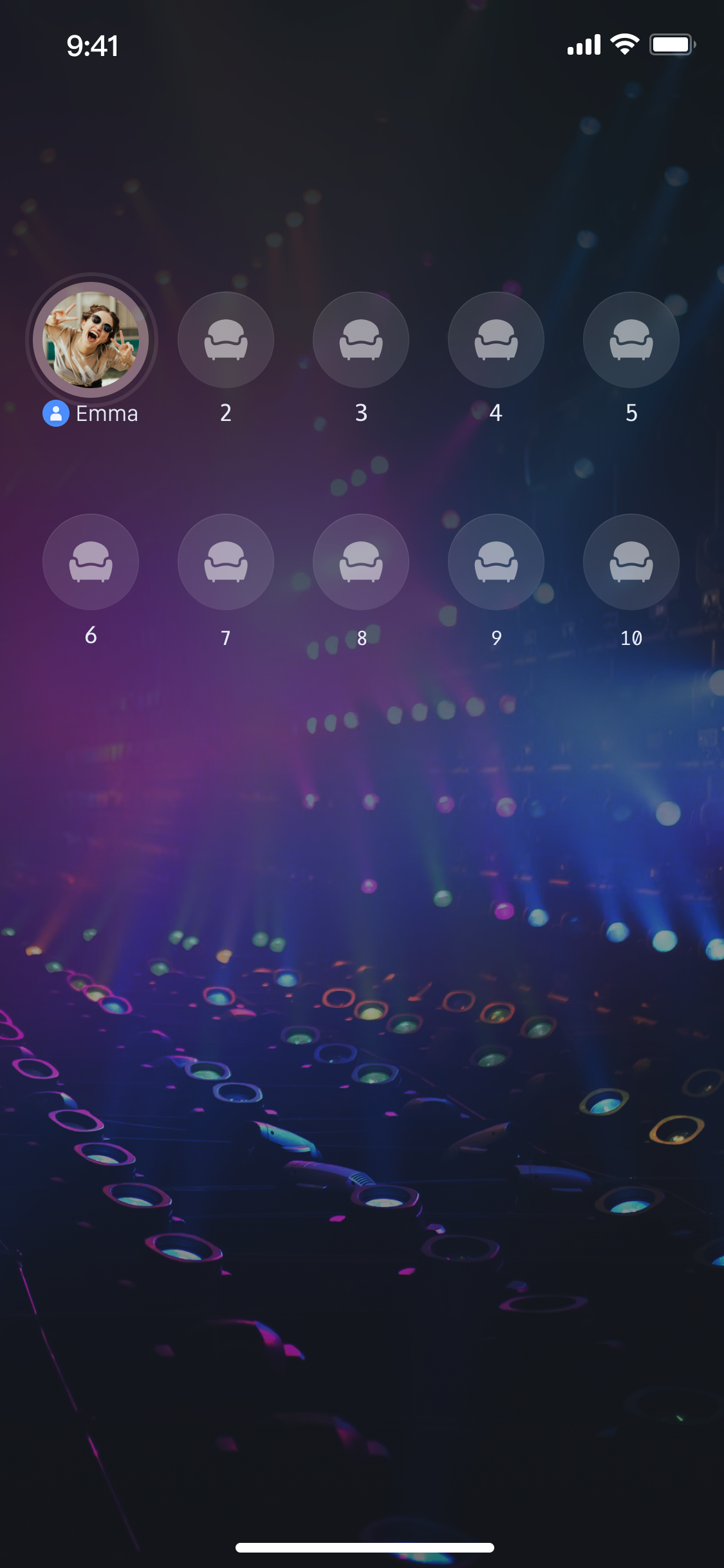
createLive on LiveListStore:import UIKitimport AtomicXCoreclass YourAnchorViewController: UIViewController {// ... other code ...private let liveID = "test_voice_room_001"override func viewDidLoad() {super.viewDidLoad()// ... other code ...// Start voice chatstartLive()}private func startLive() {var liveInfo = LiveInfo()liveInfo.liveID = liveIDliveInfo.liveName = "test voice chat room"liveInfo.seatTemplate = SeatLayoutTemplate.AudioSalon(seatCount: 9) // Set the live streaming template to the voice chat room template, with 9 seatsliveInfo.seatMode = .applyliveListStore.createLive(liveInfo) { [weak self] result inguard let self = self else { return }switch result {case .success(let liveInfo):print("Response startLive onSuccess")// Host is on seat by default; unmute microphone if neededliveSeatStore.unmuteMicrophone(completion: nil)case .failure(let errorInfo):print("Response startLive onError: \\(errorInfo.message)")}}}}
Parameter Name | Type | Required | Description |
liveID | String | Required | Unique identifier for the live room |
liveName | String | Optional | Room title |
notice | String | Optional | Room announcement |
isMessageDisable | Bool | Optional | Mute chat ( true: muted, false: not muted) |
isPublicVisible | Bool | Optional | Public visibility ( true: visible, false: not visible) |
seatMode | TakeSeatMode | Optional | Seat mode ( .free: free seat, .apply: apply for seat) |
seatTemplate | SeatLayoutTemplate | Required | Seat layout template ID |
coverURL | String | Optional | Room cover image URL |
backgroundURL | String | Optional | Room background image URL |
categoryList | [NSNumber] | Optional | Room category tags |
activityStatus | Int | Optional | Live activity status |
isGiftEnabled | Bool | Optional | Enable gift feature ( true: enabled, false: disabled) |
LiveSeatStore instance to subscribe to state.seatList and update the UI in real time:import UIKitimport AtomicXCoreimport Combineclass YourAnchorViewController: UIViewController {// ... other code ...private var cancellables = Set<AnyCancellable>()private lazy var liveSeatStore = LiveSeatStore.create(liveID: "your_live_id")override func viewDidLoad() {super.viewDidLoad()// ... other code ...observeSeatList()}private func observeSeatList() {liveSeatStore.state.subscribe(StatePublisherSelector(keyPath: \\LiveSeatState.seatList)).removeDuplicates().receive(on: DispatchQueue.main).sink { [weak self] seatInfoList in// seatInfoList contains the latest seat dataprint("Seat list updated: \\(seatInfoList.count) seats")}.store(in: &cancellables)}}
endLive on LiveListStore. The SDK will handle stream termination and room cleanup.import UIKitimport AtomicXCoreimport RTCRoomEngineclass YourAnchorViewController: UIViewController {// ... other code ...private func stopLive() {liveListStore.endLive { result inswitch result {case .success(let data):print("endLive success")case .failure(let errorInfo):print("endLive error: \\(errorInfo.message)")}}}}
ViewController, instantiate LiveSeatStore and subscribe to state.seatList for seat UI updates.import UIKitimport AtomicXCoreimport Combineclass YourAudienceViewController: UIViewController {private let liveListStore = LiveListStore.shared// Use the same liveID as the hostprivate let liveID = "test_voice_room_001"private lazy var liveSeatStore = LiveSeatStore.create(liveID: liveID)private var cancellables = Set<AnyCancellable>()override func viewDidLoad() {super.viewDidLoad()// Initialize your layout here// setupUI()observeSeatList()}private func observeSeatList() {liveSeatStore.state.subscribe(StatePublisherSelector(keyPath: \\LiveSeatState.seatList)).removeDuplicates().receive(on: DispatchQueue.main).sink { [weak self] seatInfoList in// Update seat UI with seatInfoList// Example: self?.updateMicSeatView(seatInfoList)print("AudienceVC Seat list updated: \\(seatInfoList.count) seats")}.store(in: &cancellables)}}
joinLive on LiveListStore:import UIKitimport AtomicXCoreclass YourAudienceViewController: UIViewController {// ... other code ...override func viewDidLoad() {super.viewDidLoad()// ... other code ...joinLive()}private func joinLive() {liveListStore.joinLive(liveID: liveID) { result inDispatchQueue.main.async {switch result {case .success(let liveInfo):print("joinLive success")case .failure(let errorInfo):print("joinLive error: \\(errorInfo.message)")}}}}}
leaveLive on LiveListStore:import UIKitimport AtomicXCoreclass YourAudienceViewController: UIViewController {// ... other code ...private func leaveLive() {liveListStore.leaveLive { result inswitch result {case .success:print("leaveLive success")case .failure(let errorInfo):print("leaveLive error: \\(errorInfo.message)")}}}}

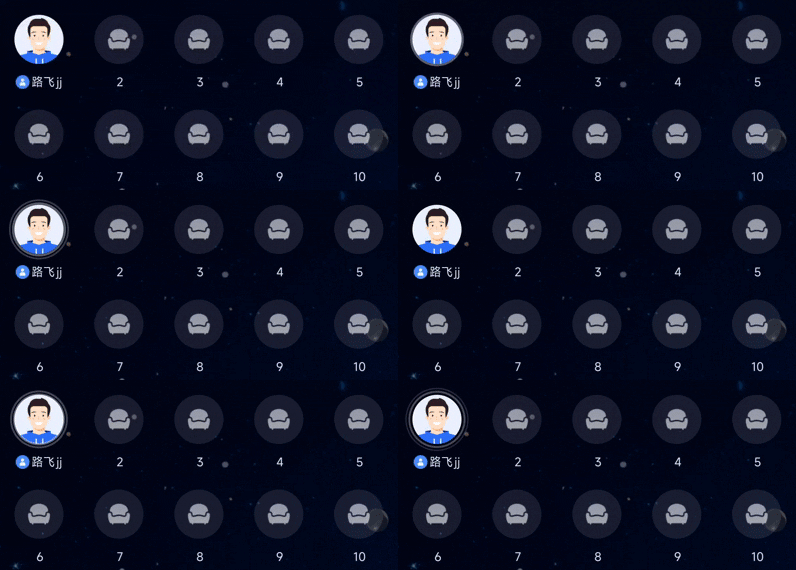
LiveSeatStore provides a speakingUsers stream for this purpose.
YourAnchorViewController or YourAudienceViewController, subscribe to speakingUsers and update the UI accordingly:import UIKitimport AtomicXCoreimport Combineclass YourAnchorViewController: UIViewController {// ... (other code omitted) ...private var cancellables = Set<AnyCancellable>()override func viewDidLoad() {super.viewDidLoad()// ... (other code omitted) ...observeSpeakingUsersState()}private func observeSpeakingUsersState() {liveSeatStore.state.subscribe(StatePublisherSelector(keyPath: \\LiveSeatState.speakingUsers)).removeDuplicates().receive(on: DispatchQueue.main).sink { [weak self] speakingUserMap in// Update UI to indicate which users are speakingprint("Speaking users updated: \\(speakingUserMap.count) users")}.store(in: &cancellables)}}
metaData feature of LiveListStore to achieve this.updateLiveMetaData API. AtomicXCore will synchronize these changes in real time to all audience members.LiveListState.currentLive and listen for changes in metaData. When a relevant key is updated, parse its value and update your business state.import AtomicXCoreimport Combine// 1. Define a background music model (recommended: Codable)struct MusicModel: Codable {let musicId: Stringlet musicName: String}// 2. Host side: Push background music infofunc updateBackgroundMusic(music: MusicModel) {guard let jsonData = try? JSONEncoder().encode(music),let jsonString = String(data: jsonData, encoding: .utf8) else { return }let metaData = ["music_info": jsonString]LiveListStore.shared.updateLiveMetaData(metaData) { result inif case .success = result {print("Background music \\(music.musicName) pushed successfully")} else if case .failure(let error) = result {print("Background music push failed: \\(error.message)")}}}// 3. Audience side: Subscribe and update business logicprivate func subscribeToDataUpdates() {LiveListStore.shared.state// Listen for metaData changes in the current room.subscribe(StatePublisherSelector(keyPath: \\LiveListState.currentLive)).map { $0.metaData["music_info"] }.removeDuplicates().receive(on: DispatchQueue.main).sink { jsonString inguard let jsonString = jsonString,let data = jsonString.data(using: .utf8),let music = try? JSONDecoder().decode(MusicModel.self, from: data) else {return}// Update business state, play new music// ... (e.g.: playMusic(music))}.store(in: &cancellables)}
Feature | Description | Store | Implementation Guide |
Audience Take Seat | Audience members can apply to take a seat and interact with the host in real time. | ||
Host Cross-Room PK | Hosts from different rooms can connect for interaction or PK. | ||
Add Barrage Chat | Room members can send and receive real-time text messages. | ||
Gift System | Audience can send virtual gifts to hosts to increase interaction and engagement. |
Store/Component | Description | API Docs |
LiveListStore | Manages the full live room lifecycle: create, join, leave, destroy room; query room list; modify room info; listen for room status changes. | |
LiveSeatStore | Seat management: handle seat list, user status, seat operations (take seat, leave seat, kick, lock, toggle mic/camera), and seat events. | |
DeviceStore | Audio/video device control: microphone, camera, screen sharing, device status monitoring. | |
CoGuestStore | Audience co-host management: application, invitation, acceptance, rejection, member permissions, status sync. | |
CoHostStore | Host cross-room connection: supports multiple layouts, initiate/accept/reject connection, manage co-host interaction. | |
BattleStore | Host PK battle: initiate PK, manage PK status, synchronize scores, listen for battle results. | |
GiftStore | Gift interaction: fetch gift list, send/receive gifts, listen for gift events. | |
BarrageStore | Barrage (chat overlay): send text/custom barrage, maintain barrage list, monitor barrage status. | |
LikeStore | Like interaction: send likes, listen for like events, synchronize like count. | |
LiveAudienceStore | Audience management: get real-time audience list, count, entry/exit events. | |
AudioEffectStore | Audio effects: voice change, reverb, in-ear monitoring, effect switching. | |
BaseBeautyStore | Basic beauty: adjust smoothing/whitening/redness (0-100), reset beauty status, synchronize effect parameters. |
NSMicrophoneUsageDescription) in Info.plist.DeviceStore.shared.openLocalMicrophone(completion: nil).LiveSeatStore instance (LiveSeatStore.create(liveID: liveID)) with the same liveID before calling createLive or joinLive.liveSeatStore.state.seatList, and the cancellables lifecycle matches your ViewController.createLive (host) or joinLive (audience) was called successfully (check the .success branch in switch result).Esta página foi útil?
Você também pode entrar em contato com a Equipe de vendas ou Enviar um tíquete em caso de ajuda.
comentários