Business Discount
Download
Modo Foco
Tamanho da Fonte
Overview
Business discount is Tencent Cloud's discount with resell partners, which is the partner's purchase price and reflected in the partner's expense center > billing statement (i.e. Bill A). This discount is hidden to sub-customers.
The discount is case-sensitive between policy discount and special approval discount (special approval discount is SVIP discount), with the following differences:
Policy discount: Partners pay Tencent Cloud at this discount when ALL direct sub-clients, indirect sub-clients, or partners consume services.
Special approval discount: Partners pay Tencent Cloud at this discount only when the designated customer UIN consumes services.
Applicable Objects
This document is suitable for resellers and first-level distributors to read.
Prerequisites
The business discount feature is in grayscale and currently only available to users on the allowlist. If needed, contact your channel manager to apply for enabling the allowlist experience of the business discount.
Applying for Discount
You need to discuss your discount offline with the sales manager, who will provide you with a complete product quote, including discounts and other information.
Viewing Discount
1. Log in with a partner account to the Tencent Cloud official website, then go to Expense Center > Business Discount to view.
Note:
The discount information displayed on the interface ends the day before the current date.
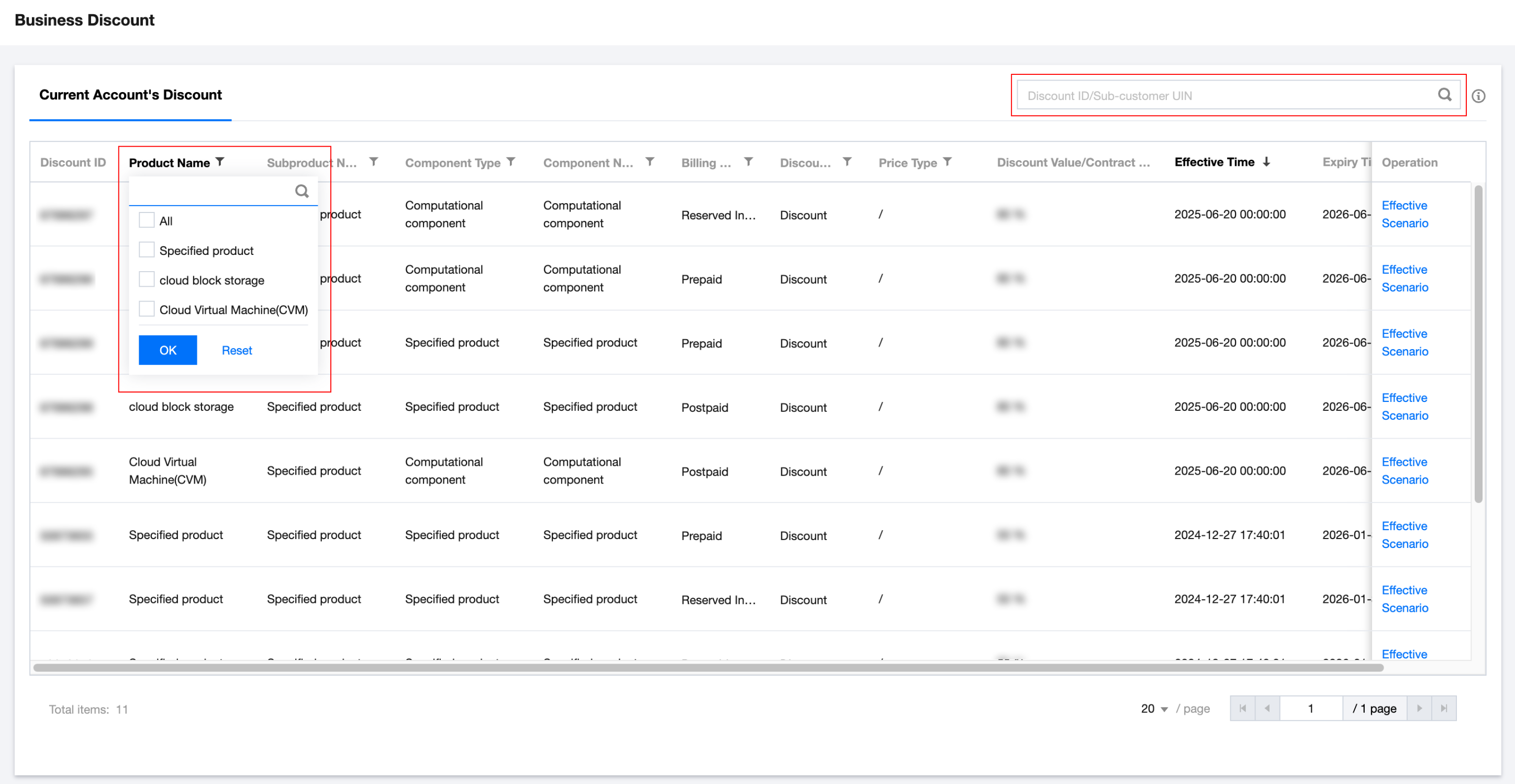
2. The list displays policy discounts and special approval discounts.
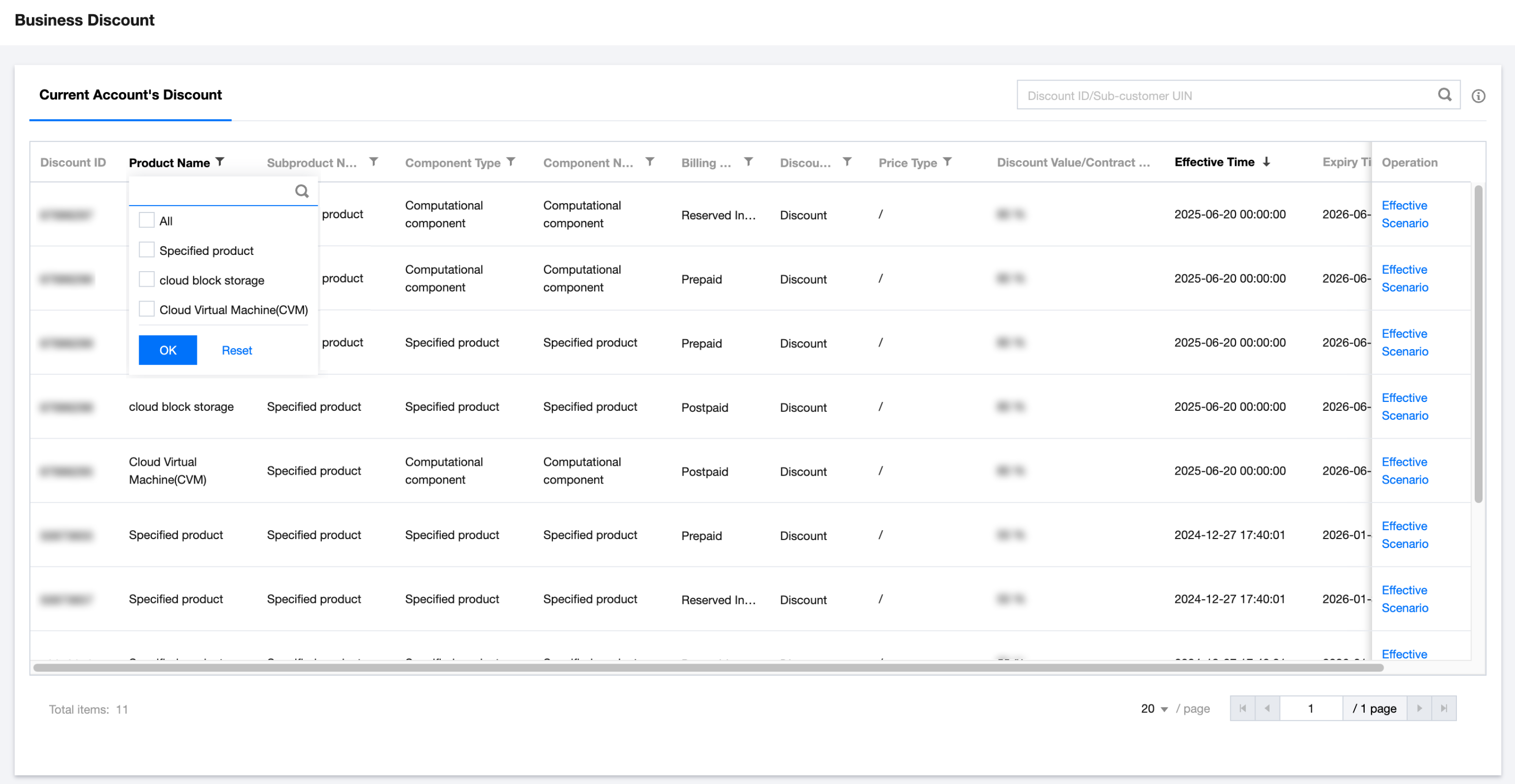
product name, subproduct name, component type, component name columns display as "specified product" for policy discount. Click the funnel icon on the right of the column name, check "specified product" to view related discount information.
To find special approval discounts for a specific customer, enter the customer UIN in the upper right corner to filter.
3. You can check the discount rate or contract price, discount validity period, and expiration time.
4. Hover the mouse over the Effective Scenario text in the operation list to view discount conditional information.
Adjusting Discount
Contact your sales manager to discuss and adjust.
Ajuda e Suporte
Esta página foi útil?
Você também pode entrar em contato com a Equipe de vendas ou Enviar um tíquete em caso de ajuda.
comentários