Introduction
The Follow component lets you attach 2D images, pag files, and other assets to specific objects on the screen. Tencent Effect currently supports tracking for faces, gestures, bodies, and cat faces. This example demonstrates face tracking; other tracking types follow similar steps.
Basic Usage
Step 1: Add a Follow Object
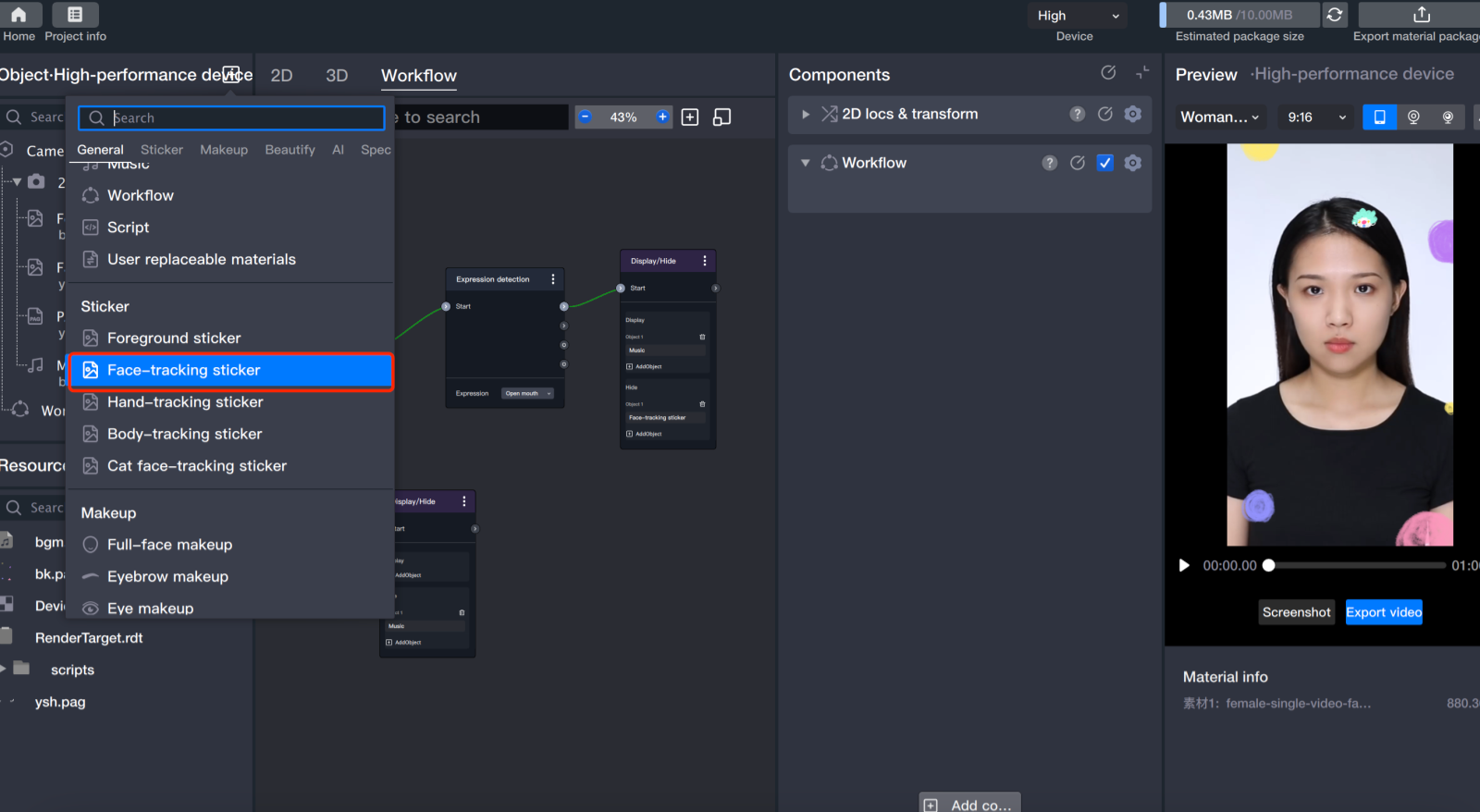
Add a follow object: In the Object panel, add a follow sticker.
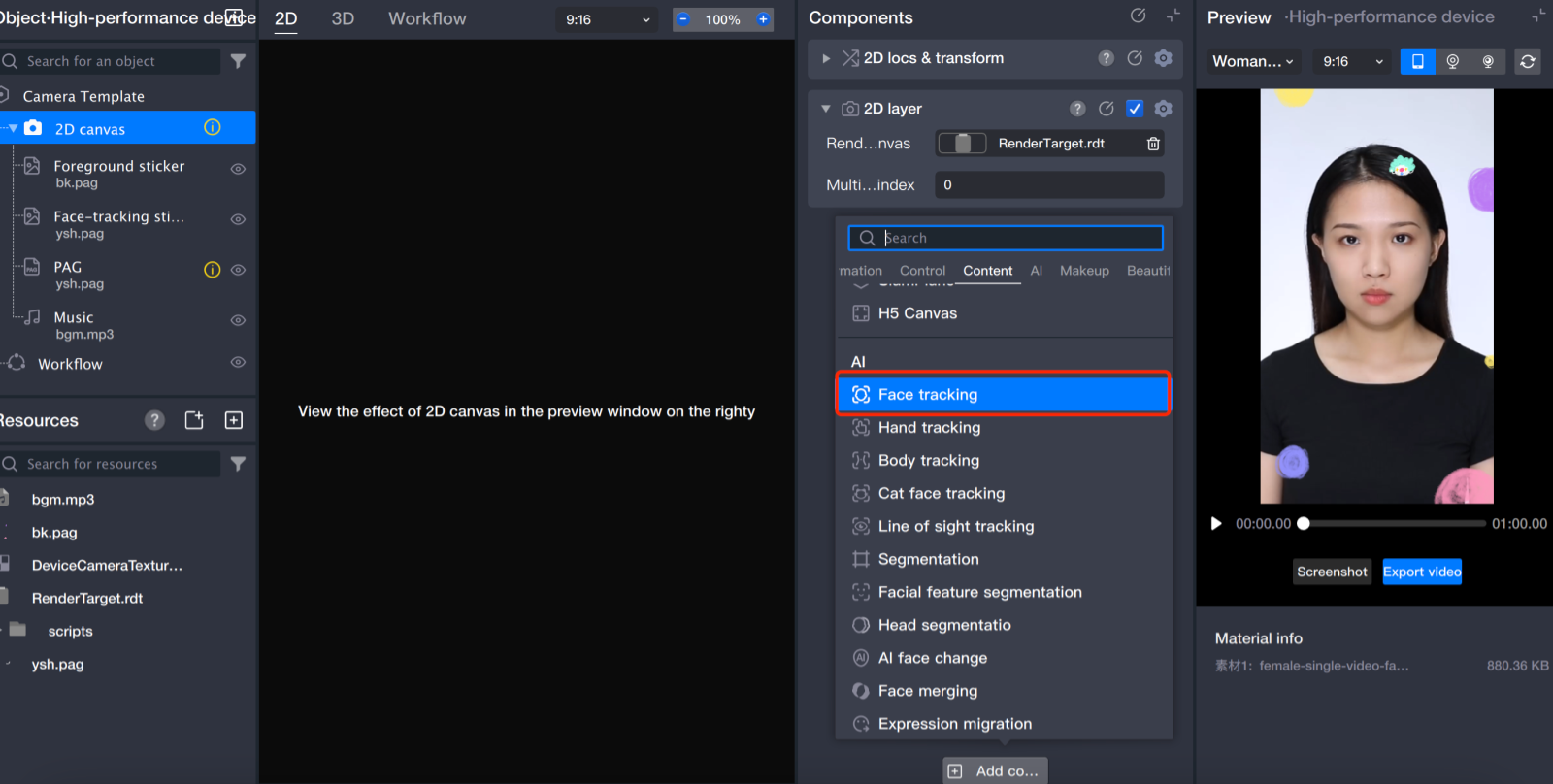
You can also add a tracking component directly:
Create or select an object, then add a tracking component to it in the Component panel.
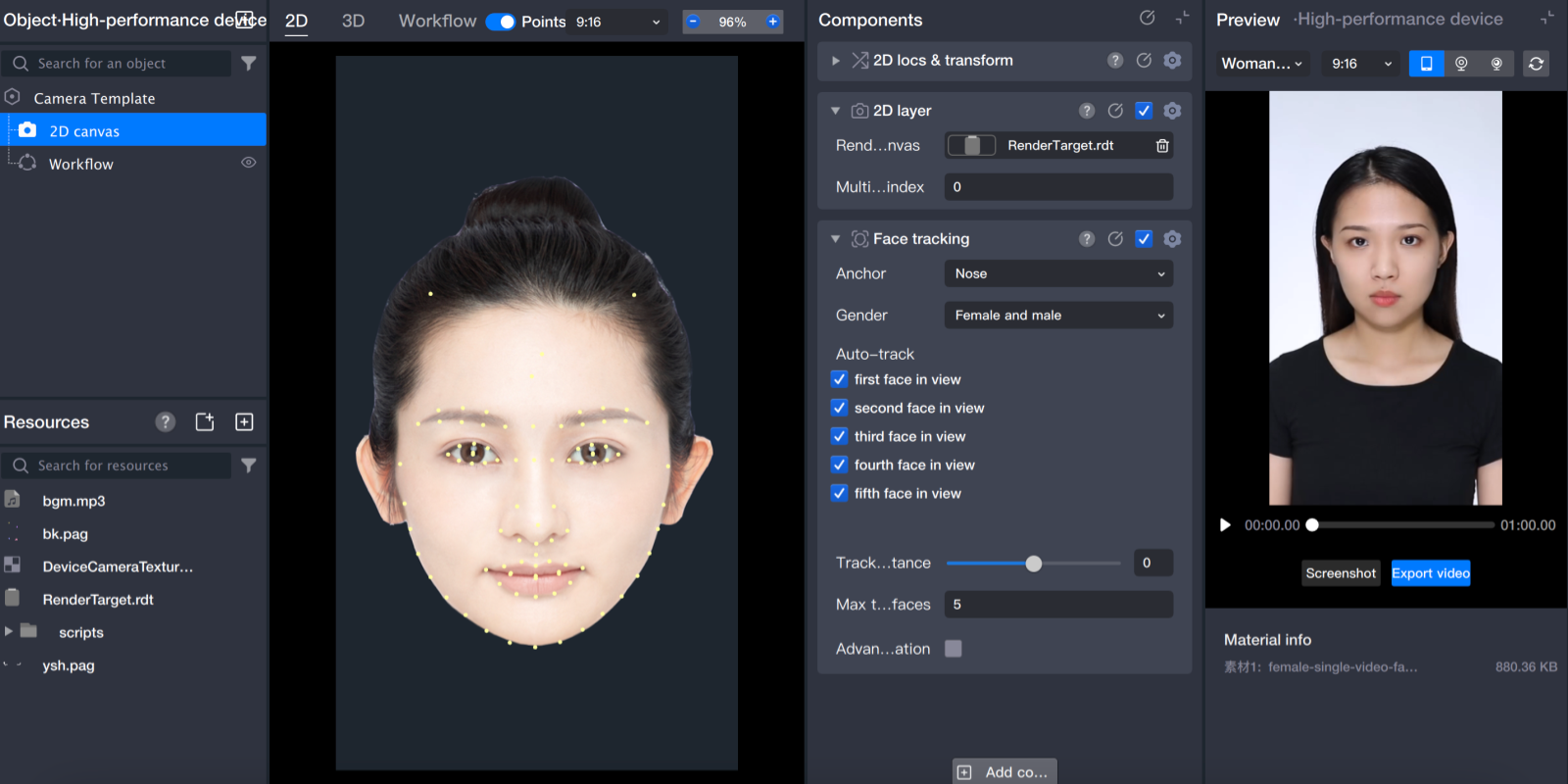
After adding any follow component, the Scene panel displays the corresponding template landmark map.
Step 2: Import Sticker Files
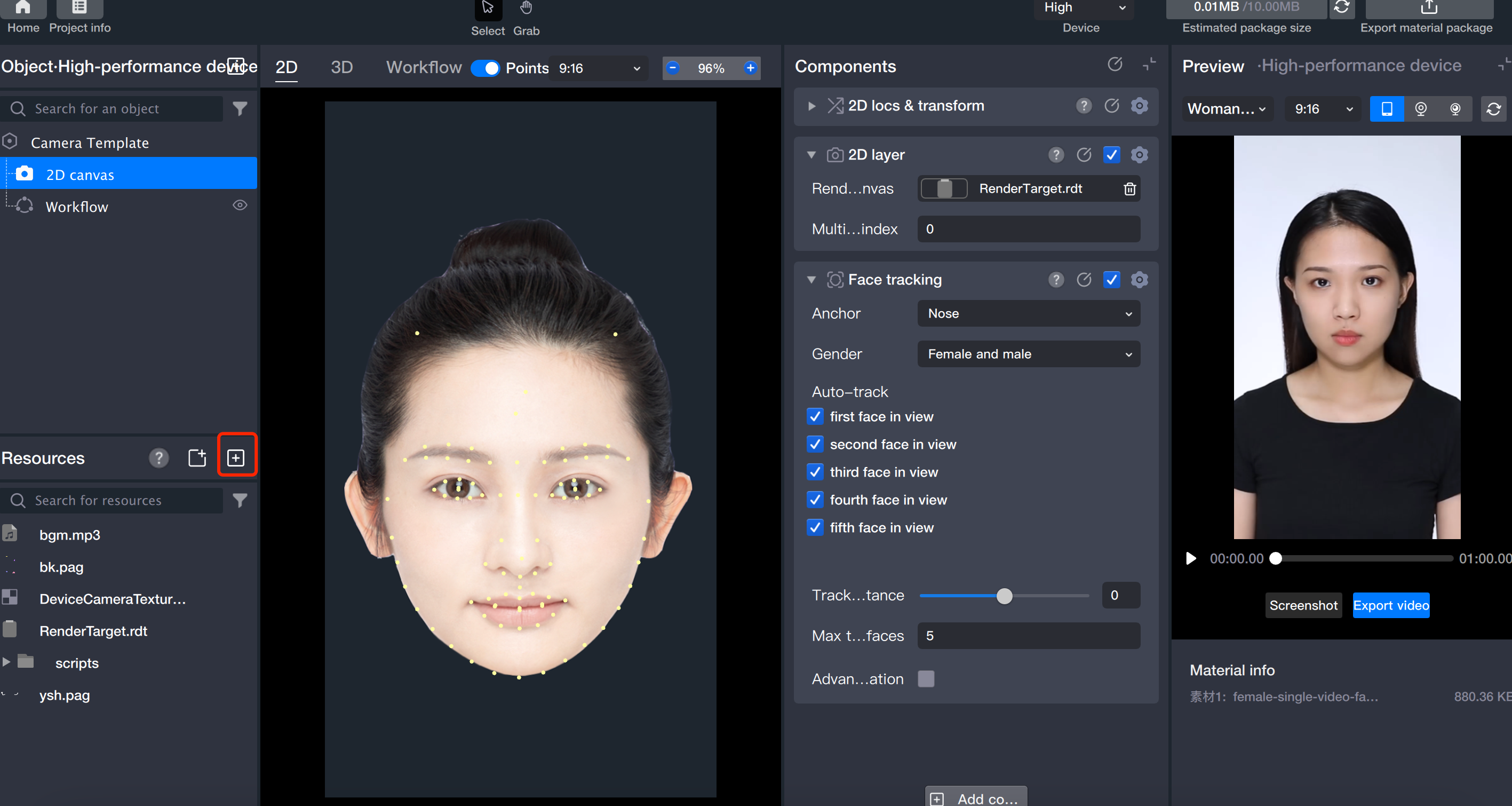
1. Click + to import external sticker files into the Resource panel.
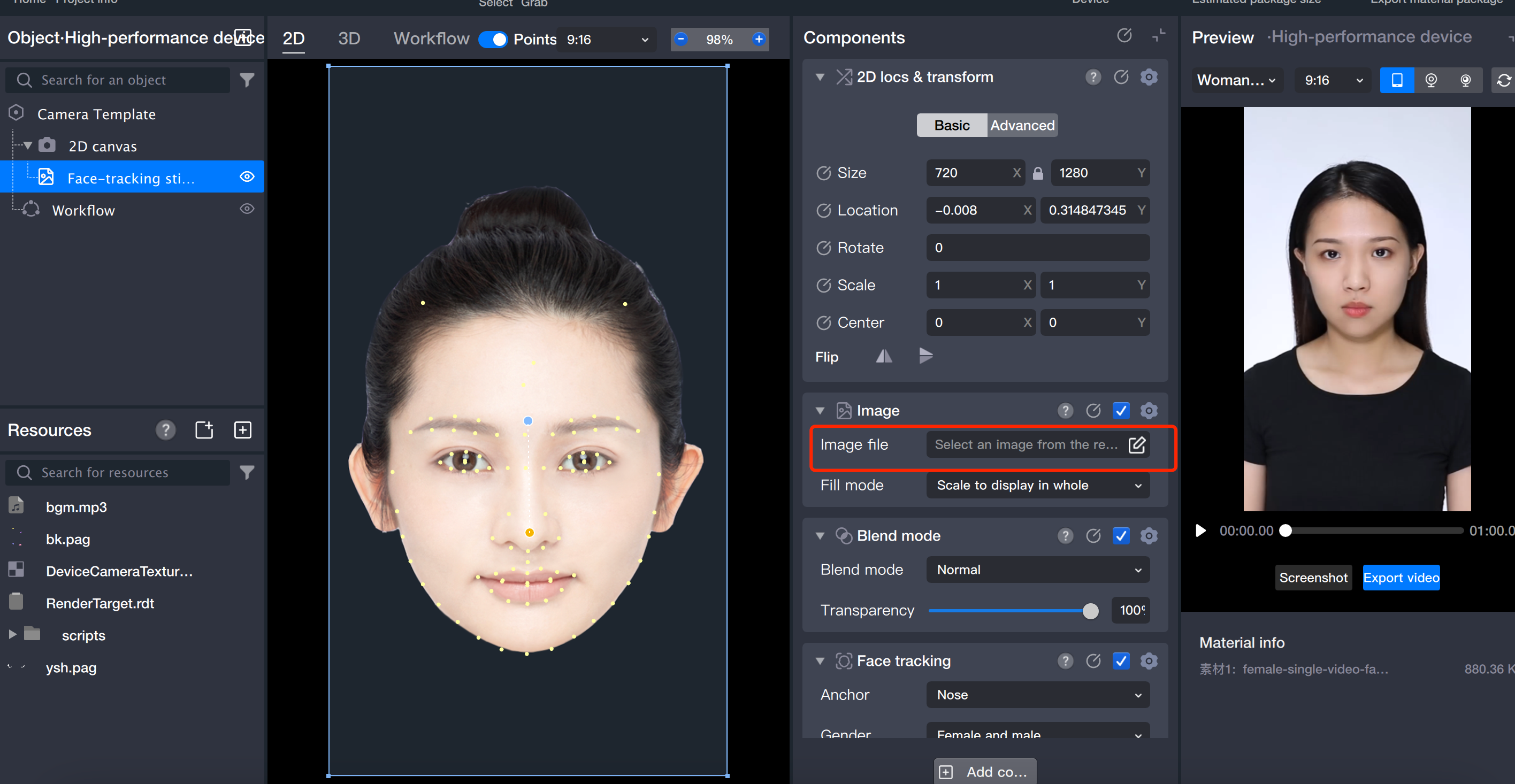
2. In the Component panel, click the file property and select the sticker file you imported in the previous step.
Step 3: Adjust Asset Parameters
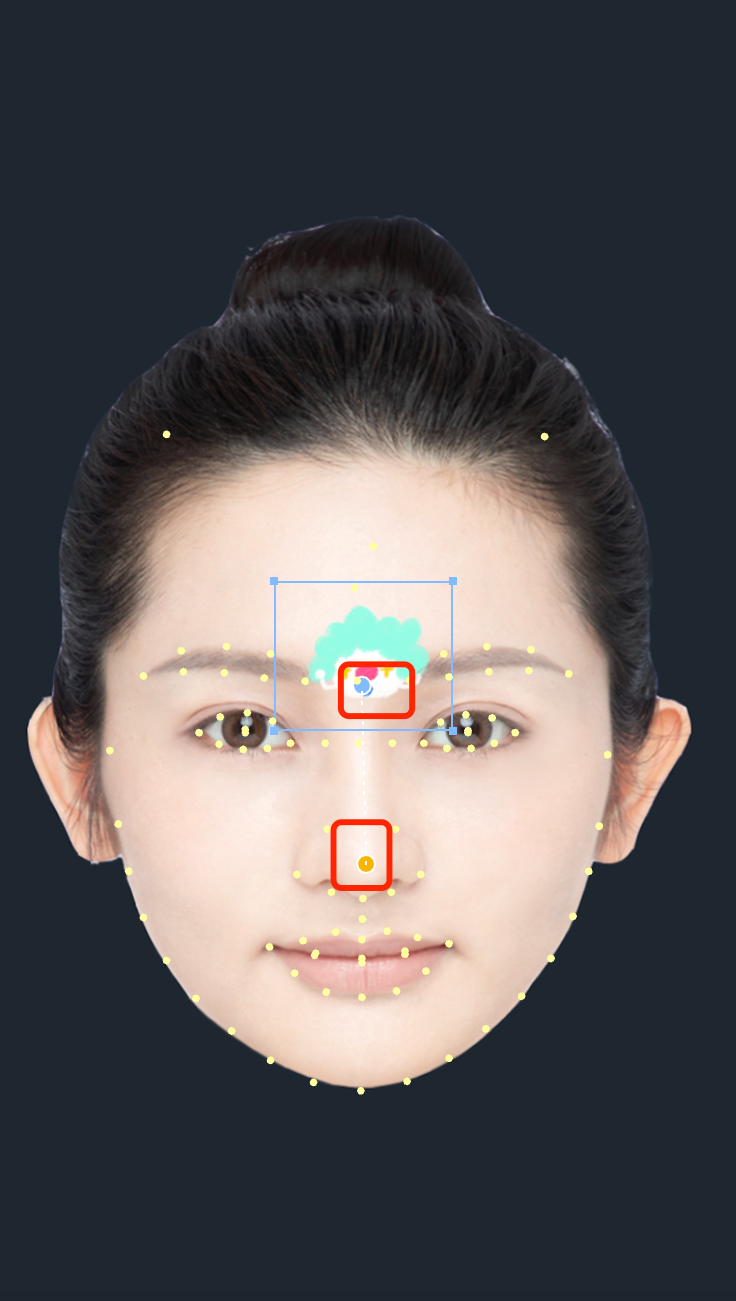
1. Bind landmarks
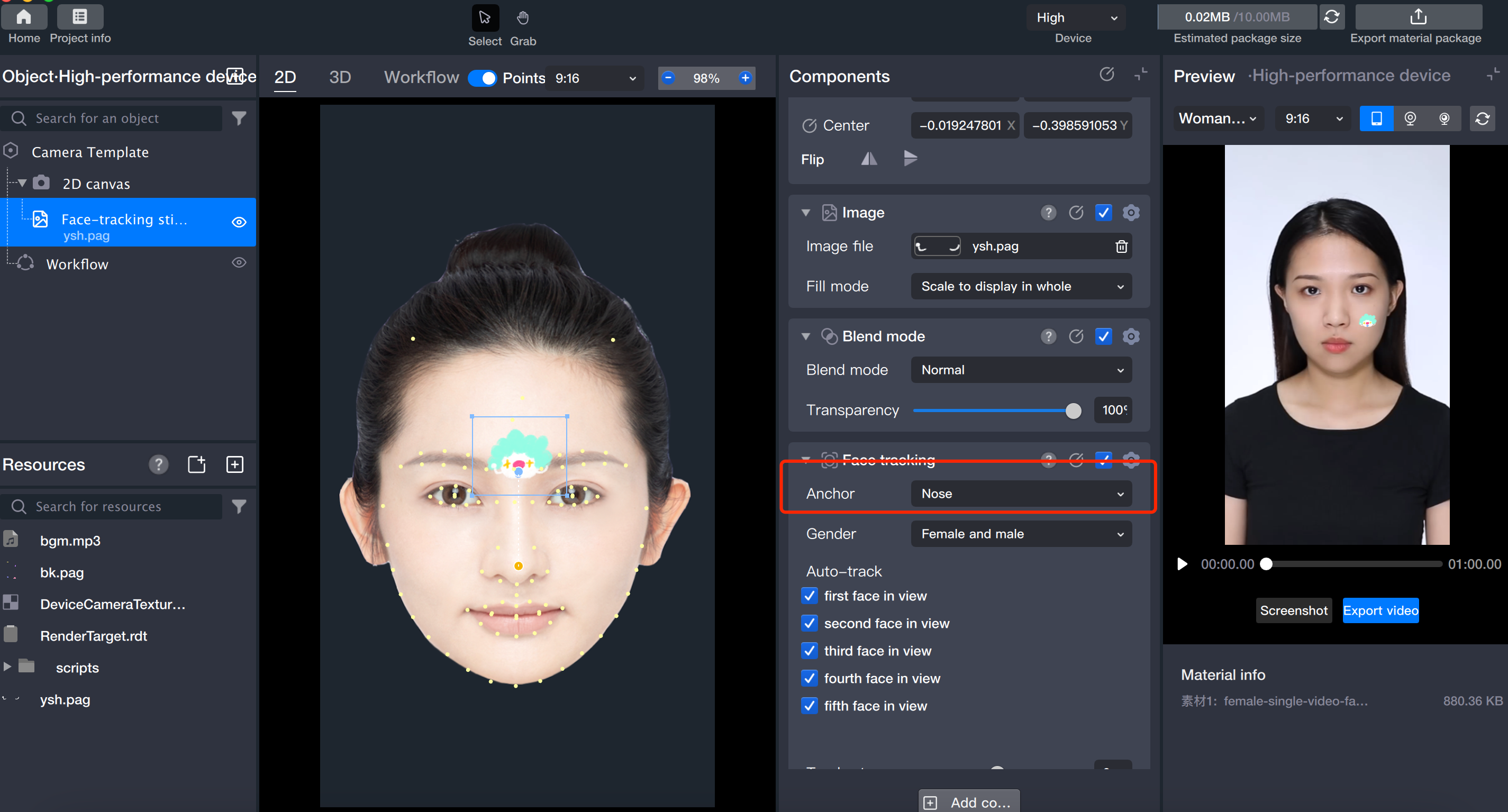
Drag to bind the landmark.
Adjust in the Component panel.
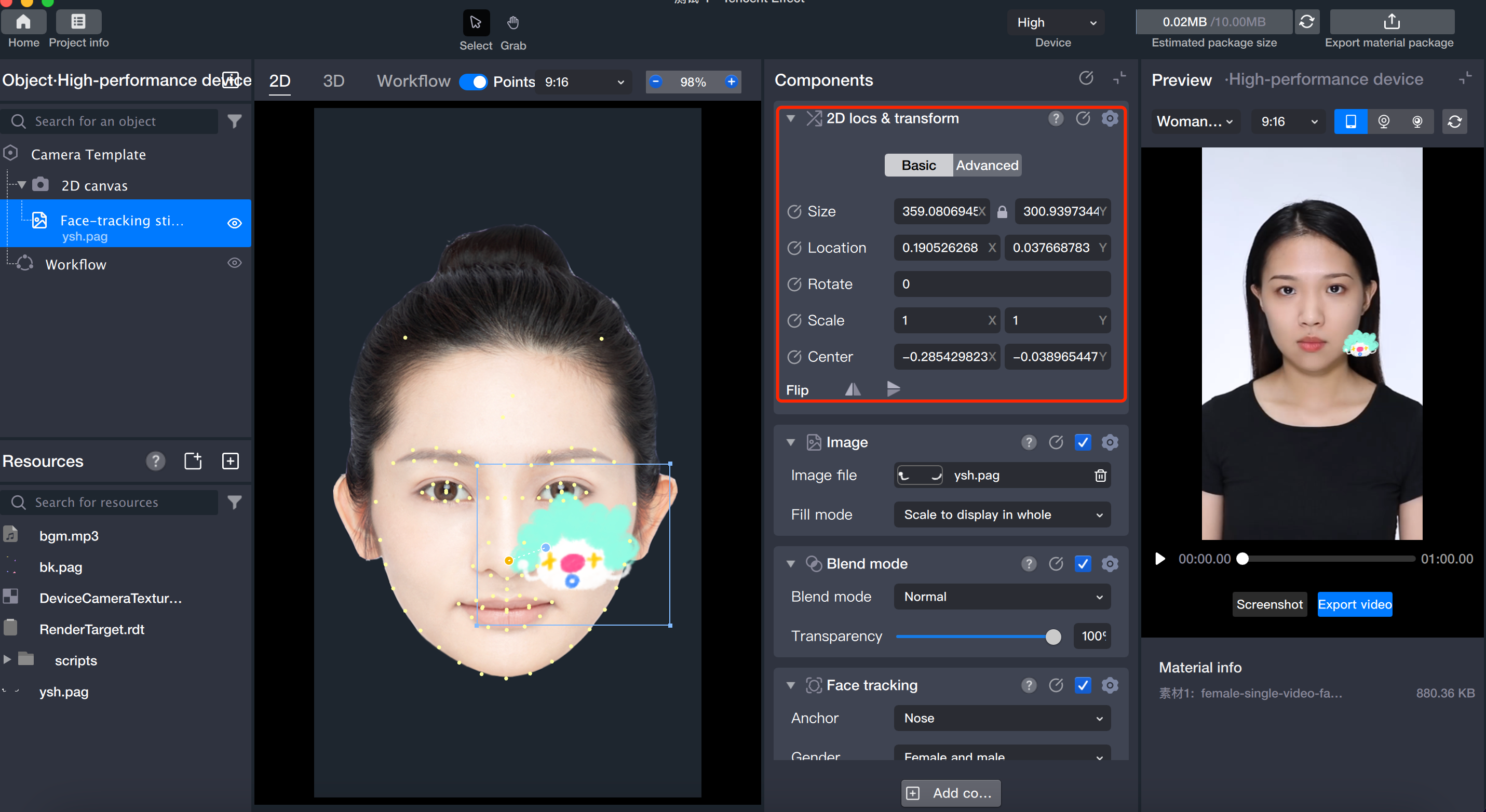
2. Change sticker position, orientation, and size.
Drag the sticker in the Scene panel to reposition it.
Adjust position and transformation in the Component panel.
Note:
Make sure to select this object or its parent object in the Object panel.
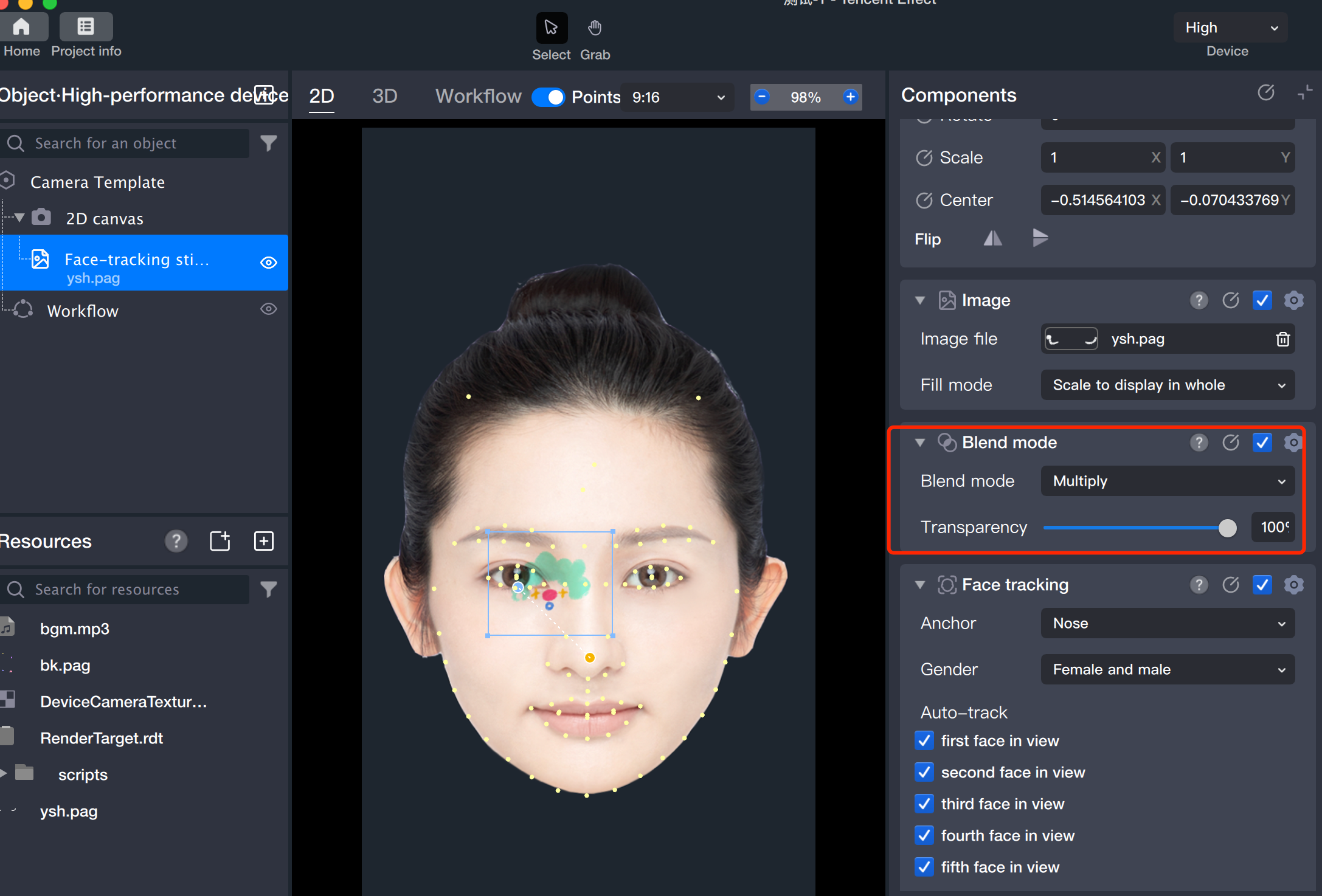
3. Modify modes.
To help designers preview image effects, the blend mode and fill mode parameters for follow component stickers are consistent with those commonly used in design software.