WeData can connect with Data Lake Compute (DLC, hereafter referred to as DLC) through access policy configurations, operating DLC's product features and resource permissions. Thereby, it empowers WeData with agile and efficient data lake analytics and computing services, supports federated query analysis of multi-source heterogeneous data, bridges data silos, and unleashes the value of data.
Prerequisites
WeData users need to purchase and configure DLC products.
2. Drag the cursor to the profile picture in the upper right corner, click CAM in the expanded menu.
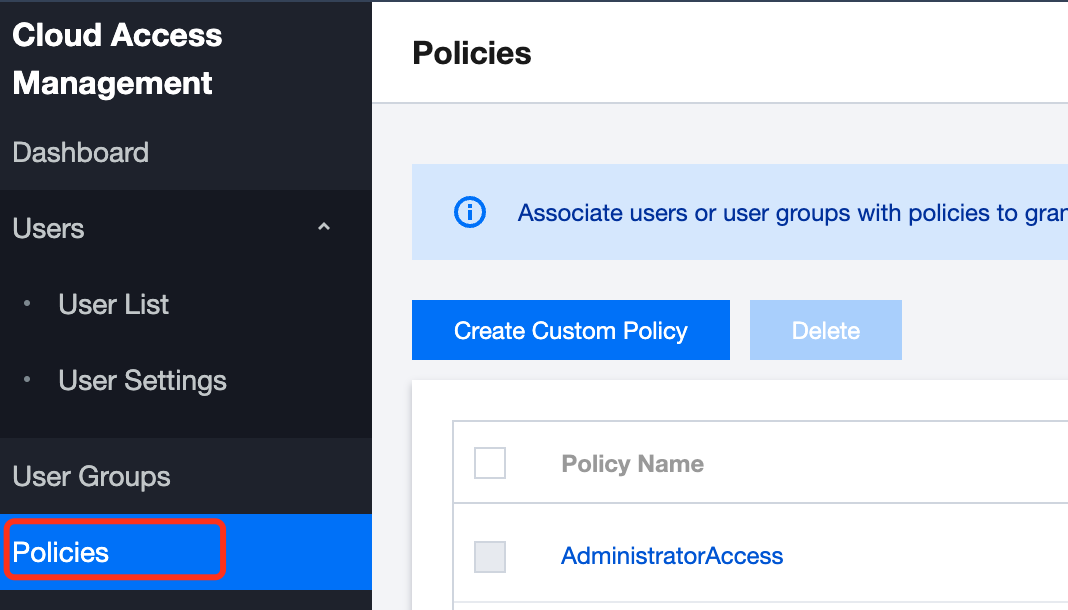
3. In the left menu of the CAM page, click Policies to go to the policy configuration page.
Add a DLC Access Policy
Once users or user groups are associated with a policy, they obtain the operations permissions described by the policy. In the following process, users can configure the full services and operations permissions of DLC according to the policy steps and assign them to the user's role, enabling the corresponding role to acquire the relevant permissions.
Step One: Create a Policy
Click Create Custom Policy on the policy page to start configuring product or service permissions for the current user.
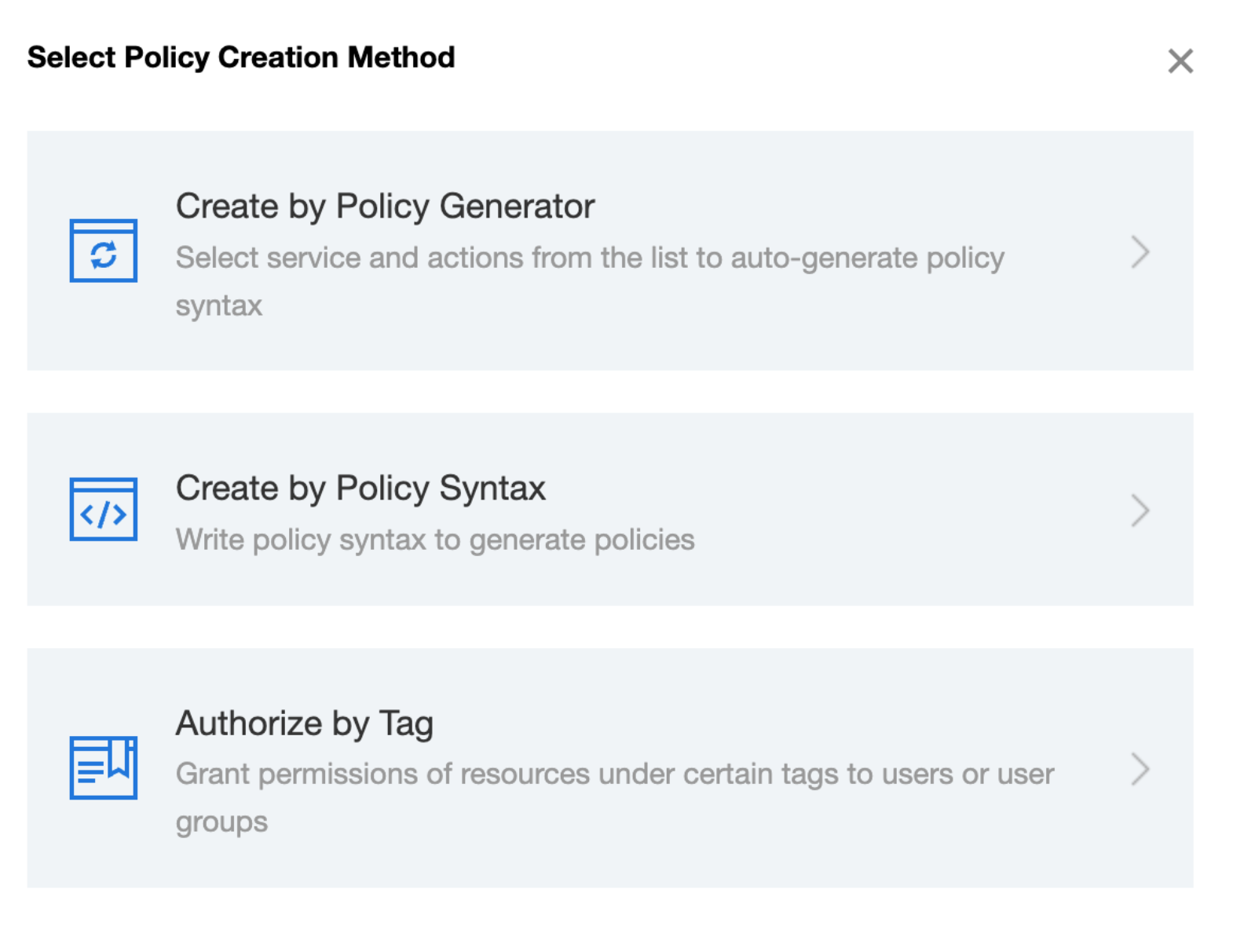
In the Policy Creation Method, select Creat by Policy Generator. This method allows selecting products, services, and operations from a list to automate policy syntax generation.
Step Two: Configure a Policy
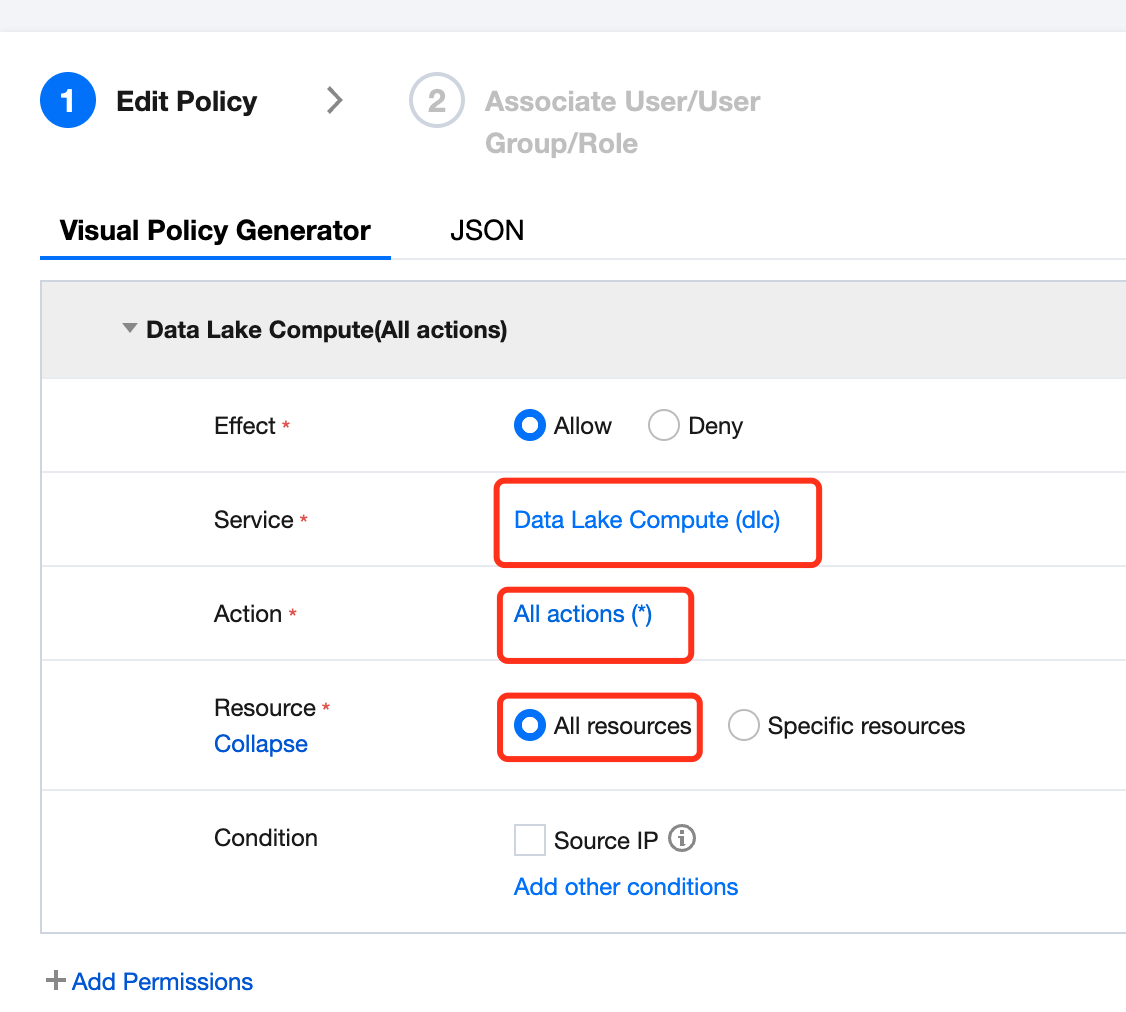
Under the Creating by Policy Generator method, use the Visualization Policy Generator on the edit policy configuration page to edit the policy.
The configuration items are as follows:
Configuration Item
Information
Effect
Select Allow
Service
Select the Data Lake Compute (DLC) service
Action
Select All Operations
Resource
Select All Resources
Condition
Keep the default, no selection required
After editing the policy step configuration, click Next to proceed to the Associate Users/User Groups/Roles step.
Step 3: Associate the policy with Users/User Groups/Roles
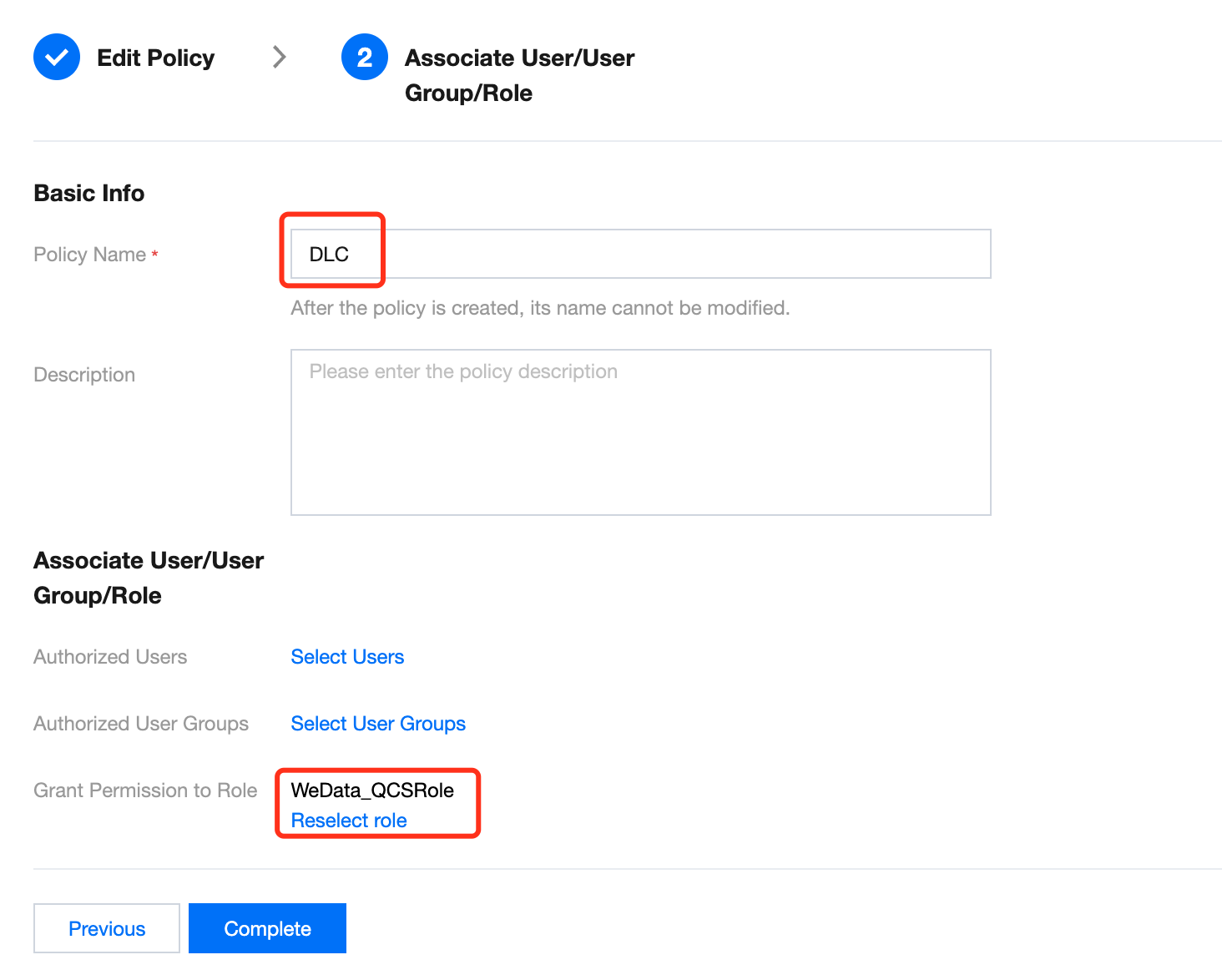
After completing the policy configuration steps, proceed to configure the basic information of the policy, and associate the policy with specific user roles.
The configuration items are as follows:
Configuration Item
Information
Basic Info
Policy Name
Define the name of the current policy. Once created, the policy name cannot be changed.
Description(Optional)
Define the policy description information.
Associate User/User Groups/Role
Authorize Users
Keep the default, no selection required.
Authorize User Groups
Keep the default, no selection required.
Grant Permission to Role
Authorize the WeData_QCSRole role.
After configuration is complete, click Complete, and WeData will have access to DLC resources.