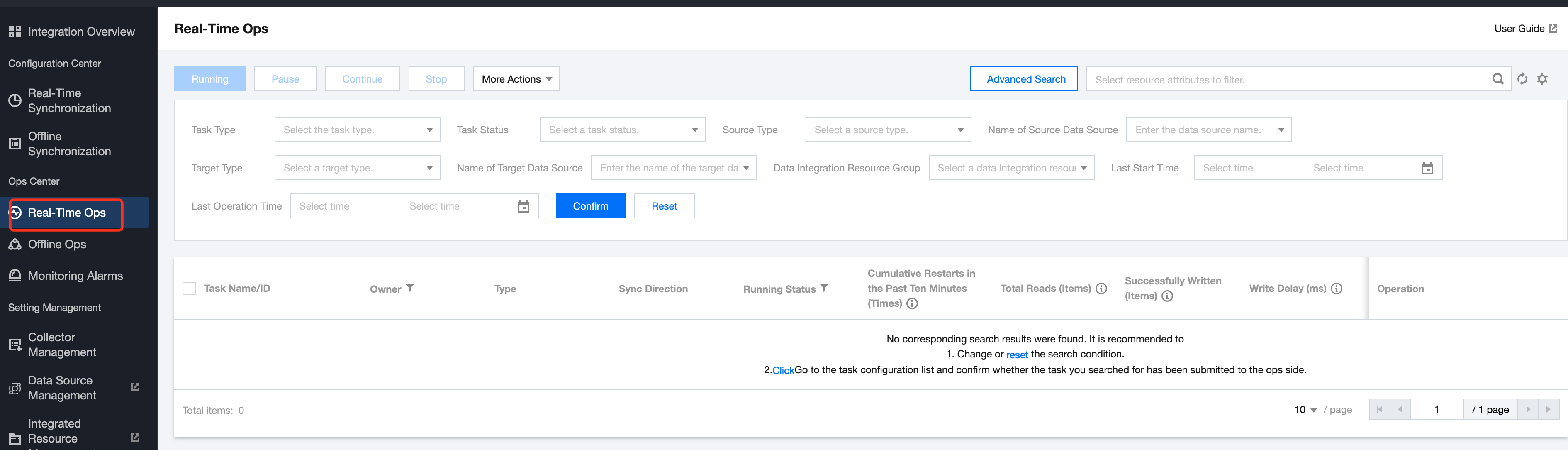
For real-time tasks that are configured and submitted, you can check and operate the corresponding tasks in Real-time OPS. In Real-time OPS, you can view the basic running status of tasks, task running metrics statistics, running logs, and configuration task exception alerts. This document lists common OPS operations for real-time synchronization tasks.
Prerequisites
The operation and maintenance page only supports and displays completed real-time tasks.
OPS List
The Operations and Maintenance List supports management and start/stop operations for all submitted tasks.
Real-time Task Status and Meaning:
Status Types
Description
Initialize
The task has not started running after its first submission to OPS.
Operating
Status Reversing. This status often appears right after task operations are completed, indicating the task is in the process of status reversal.
Running
The task is running.
Paused
The current task is paused. The task status and read offset are preserved, but distinguish between normal pause and forced pause. A normal pause generates a snapshot when paused, while a forced pause generates no snapshot during the operation. When resuming the task, it runs based on the most recent snapshot.
Stopped
The task has been manually stopped.
Note:
If the user manually stops the task, the task will switch to this status. Other non-exceptional stoppages.
Failure
The task failed to run.
Detection Exception
The resource group or other objects configured for the task do not exist
Real-time Task Supported Operations and Meanings:
Operation Type
Description
Running
Running the current task starts read-write
Pause
Pause the current task. After pausing, the task status and offset will be preserved, allowing for subsequent reads from the completed offset.
Forced Pause
No snapshot will be generated during forced pause. When resuming, the task will run based on the most recent snapshot. This type of pause may cause partial task data replay. If the target write is append, there will be duplicate data. If the target write is upsert, there will be no duplicate issue
Note:
Use forced pause if the task cannot be paused normally.
Continue
Continue running from the last paused offset.
Note:
It is recommended not to pause tasks for too long, as re-running may fail due to expired source logs or lost offsets.
Stop
Manually stop the current task. After stopping, the current task status and offset will not be preserved.
Note:
Use the stop operation cautiously. After stopping, re-running the task will discard its original status and offset. Historical running indicators and logs will also be unavailable.
Real-time Task Status and Corresponding Allowed Operations: