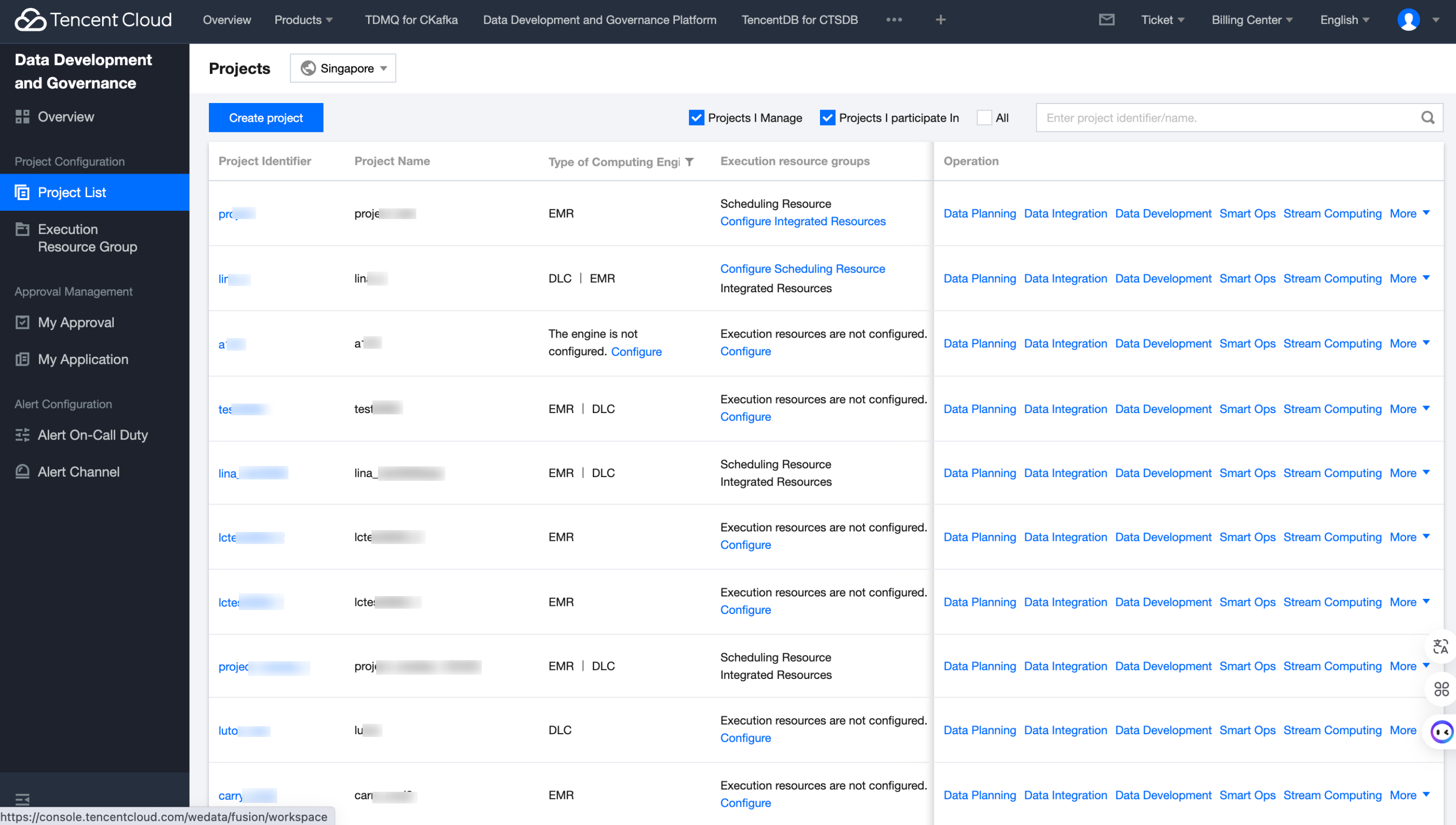
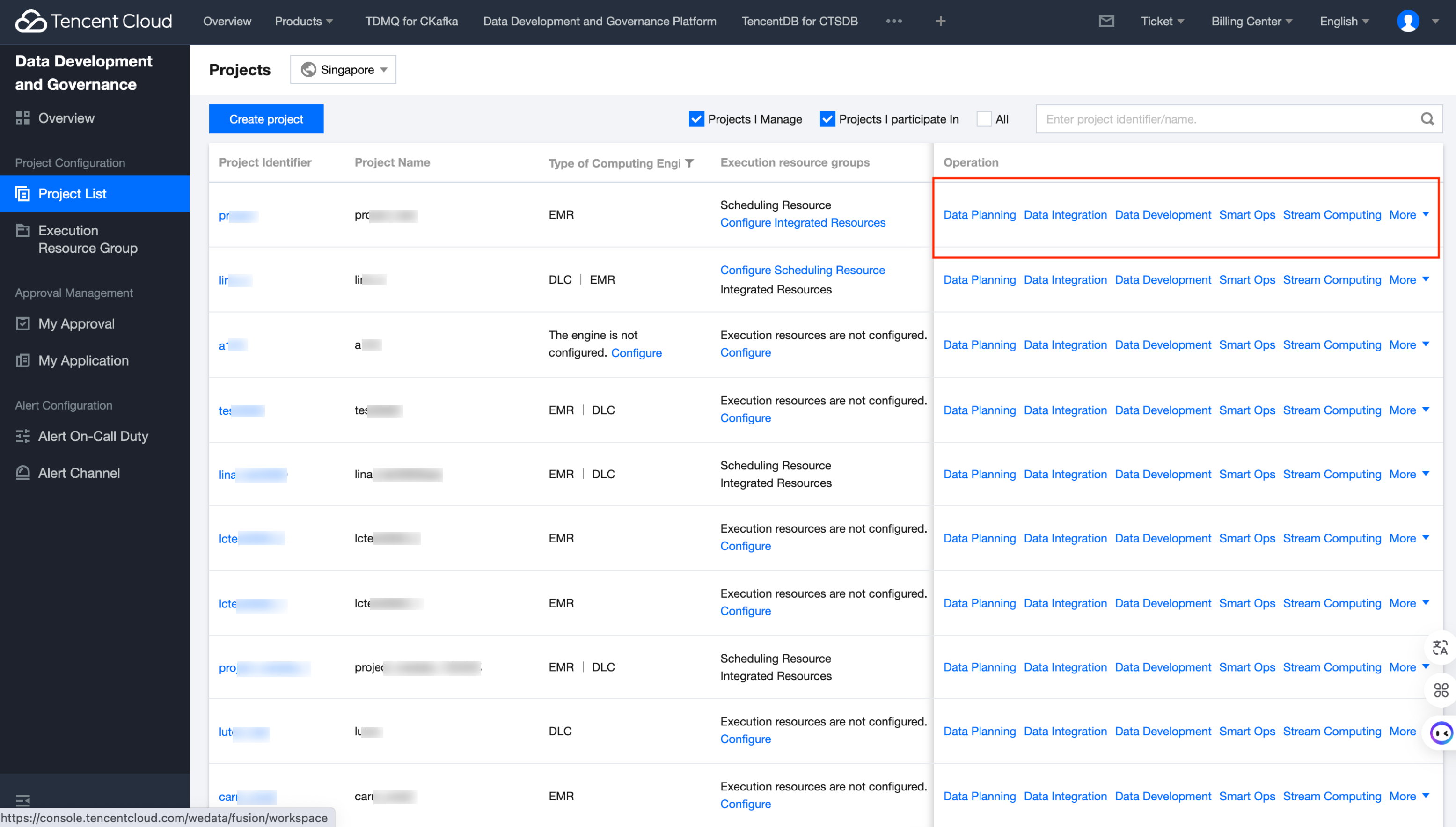
Click on Project List in the left sidebar of the console to view the project list and perform operations such as project creation. The project list provides basic information of all projects under the account, including region, project ID/name, creator, creation time, compute engine type bound to the project, execution resource group, and operation entry for modules under the project.
Entering Each Feature Module
Select a project in the project list and click on Data Development, Ops Center, Data Operation, Data Quality, Project Management, Data Security, Data Integration, Data Planning next to the corresponding project to enter the appropriate page for operations.
Note:
Only members added to the project can enter the feature module. Non-project members have no permission to access the corresponding project, and the feature module will be grayed out, unable to enter.
Create Project
WeData supports users to create projects through the console. Directions:
1. Select the region where your work belongs to.
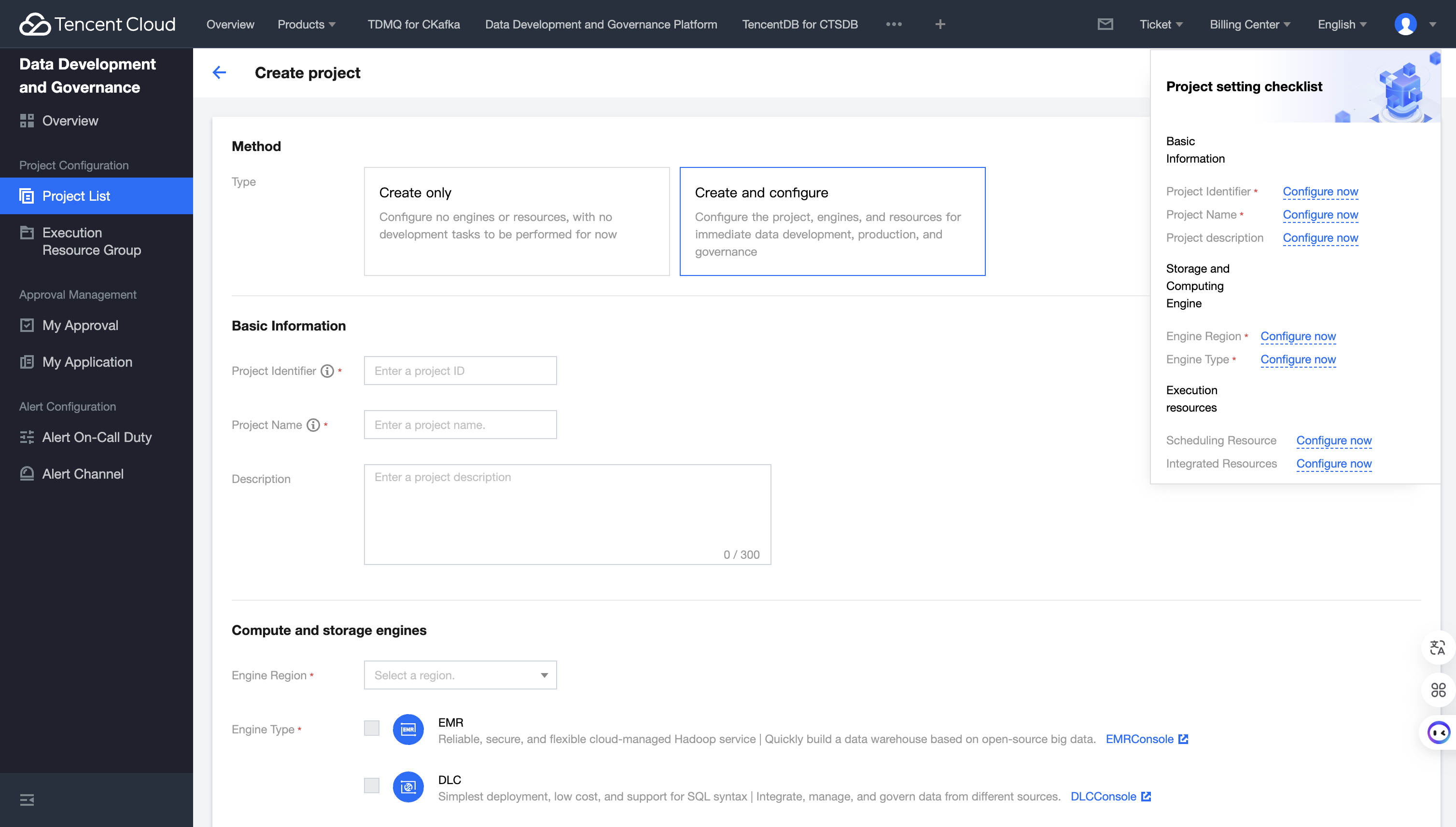
2. 1. Click Create Project and configure the project according to your needs in the pop-up on the right.
Category
Parameter
Description
Ways to create
Creation type
Two project creation methods are available: "create and configure project" and "create project only".
Basic Info
Project ID
The Project English ID must be unique within the region. It must start with a letter and can contain letters, numbers, and underscores, with no more than 20 characters.
Project Name
Project Chinese display name, unique within the region. It must start with a letter or Chinese character and can contain letters, Chinese characters, numbers, and underscores.
Description
Perform a simple description of the created space.
Select engine type
Elastic MapReduce (EMR)
After activation, you can use Elastic MapReduce (EMR) in WeData to develop big data processing tasks.
Note:
Not currently supported to get the ranger address of the shared cluster.
Data Lake Compute (DLC)
After activation, you can use Tencent Cloud Data Lake Compute (DLC) in WeData.
Tencent Cloud TCHouse-P
Once activated, you can use Tencent Cloud TCHouse-P in WeData.
Configure storage and computing engine
Region
Select the region where the Compute Engine Instance is located. Different types of Compute Engine Instances in WeData need to be in the same region.
EMR cluster
Select one from the available EMR clusters of the current tenant in the selected region. WeData only supports EMRs containing the Hive component. If no available cluster, purchase an instance.
DLC
Data engine
Select one or more from the available DLC data engines of the current tenant in the selected region.
Database Name
Default to DataLakeCatalog. A database in a DLC engine is required.
Test Connectivity
Login to Tencent Cloud to test whether the password can connect resources.
Engine metadata collection
Once enabled, a collection task will be automatically created. After completing the execution resource group configuration, the collection task will collect and parse metadata for the data in the engine. Go to the data operation module to view and modify tasks.
TCHouse-P Cluster
Version
Selectable versions are TCHouse-P1.0 or TCHouse-P2.0.
Cluster Name
The names of the TCHouse-P clusters that have been purchased in the selected region under this account.
Username & Password
Account password for connecting to the TCHouse-P cluster.
Test Connectivity
Test whether the test password can connect to the cluster. After successful connection, you can create a project (If the connectivity test fails, it may be because WeData is forbidden by the network firewall where the cluster is located).
Execute resource allocation
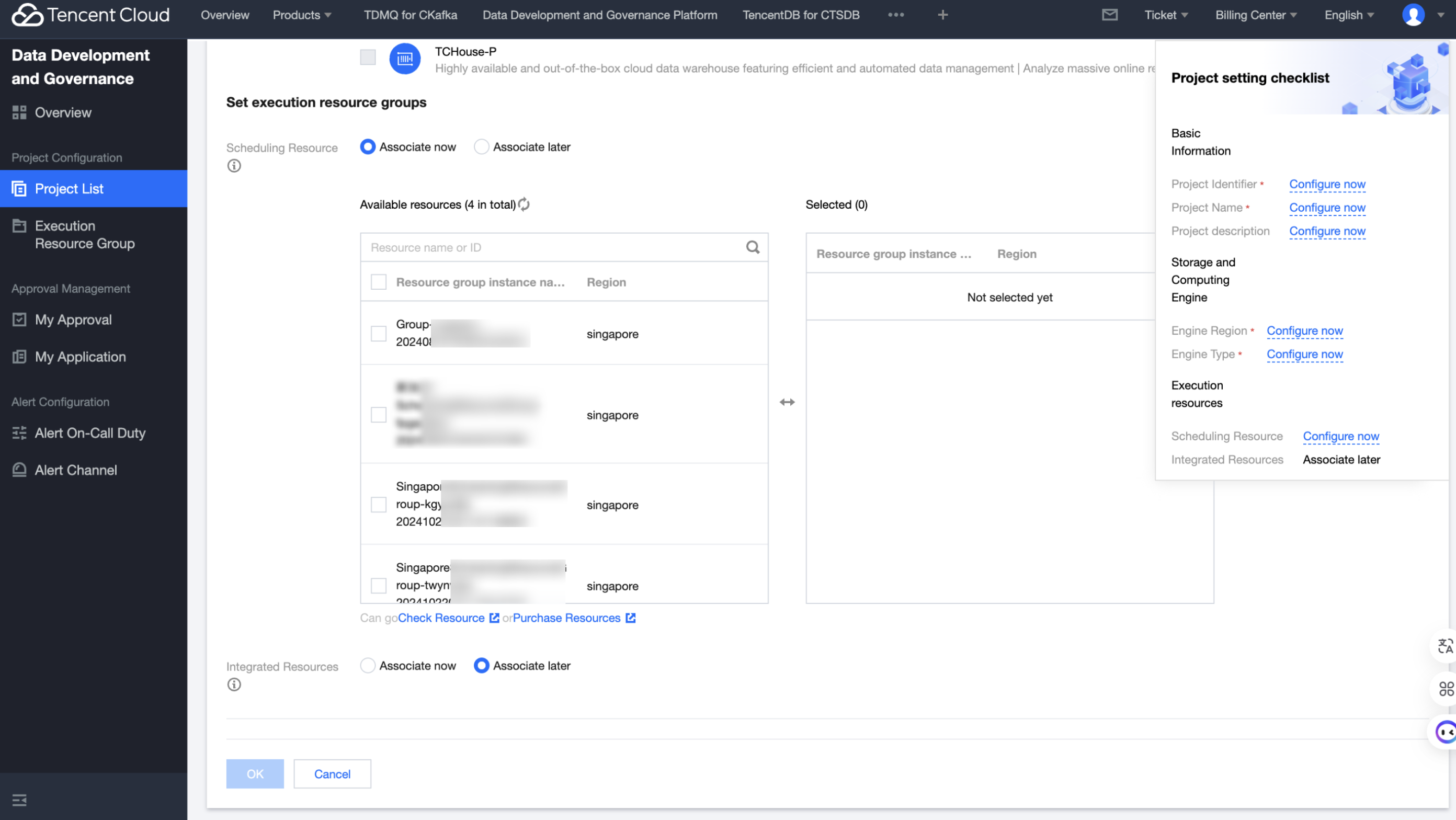
Schedule resources
Schedule resources
Scheduling resources are mainly used for scheduled data development tasks (including SQL tasks, shell tasks).
Associating the Resource
Scheduling resources must be located in the same region as EMR. After association, the project exclusively uses the associated resources. This list only shows scheduling resources that are not associated with other projects. You can go to view the resources or purchase resources.
Integration Resource
Integration Resource
The Integration Resource Group mainly runs data integration tasks.
Associating the Resource
After association, the project exclusively owns the associated resources. This list only shows integrating resources not associated with other projects. Go to view.
3. Once the configuration is complete, click Confirm to generate a project.
Note:
Under the project, binding different types of engines will impact the available task types in the data development module.