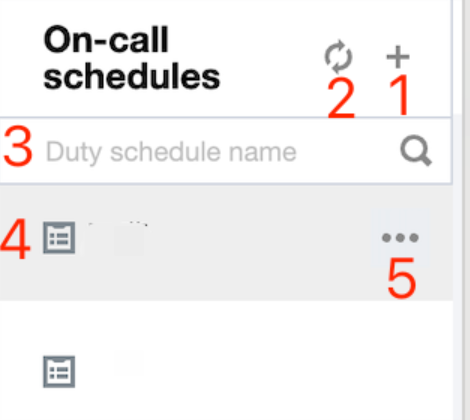
Users can manage duty rosters through the duty roster directory feature.
Information
Details
1
Create a new duty roster and configure basic duty roster information
2
Refresh Duty Roster Directory
3
You can retrieve a specific duty roster by its name
4
Created duty rosters will be displayed in the directory
5
Provides duty roster operations feature, supporting editing and deleting
Create New Duty Roster
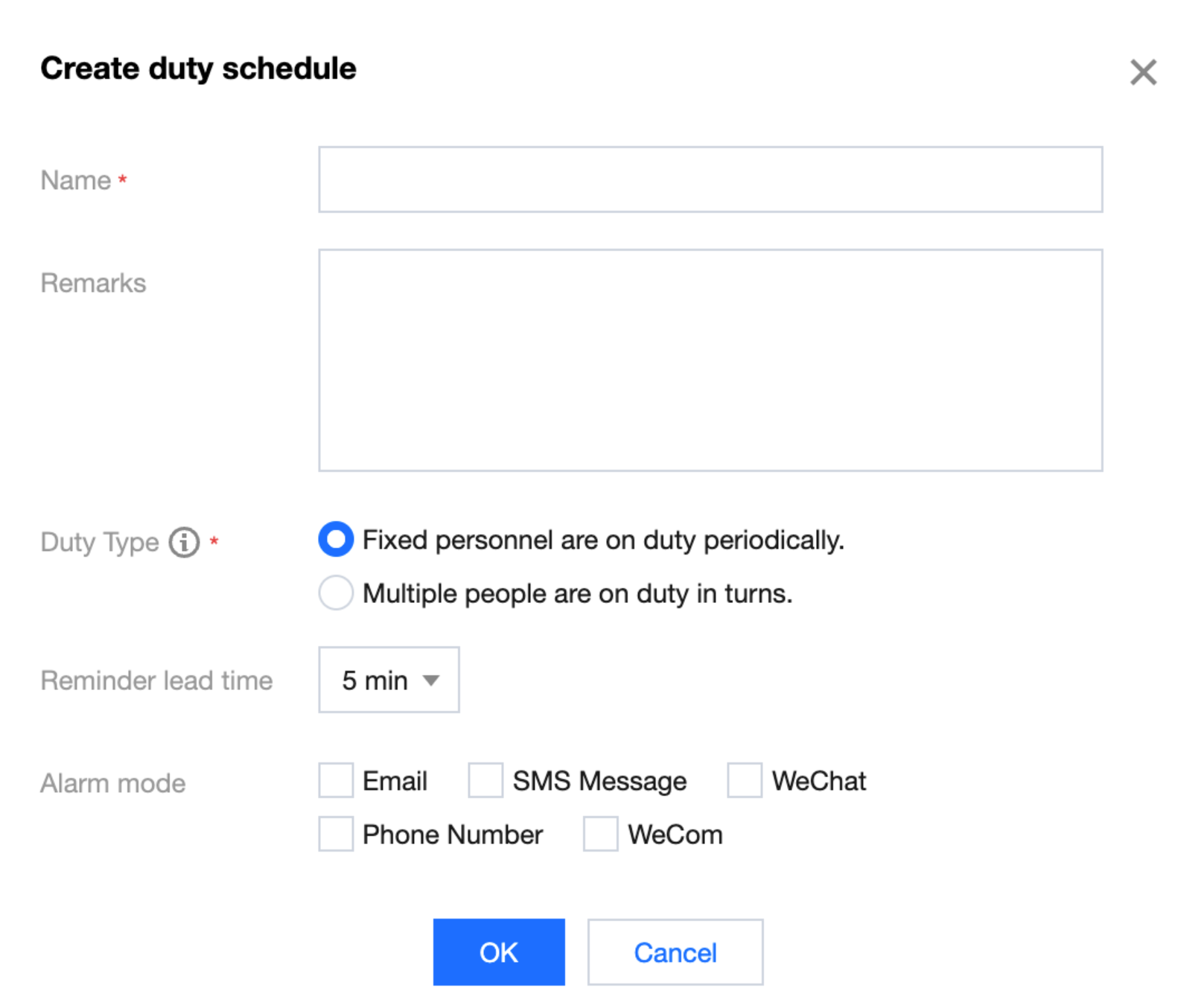
Click Create duty task button, configure basic duty roster information in the pop-up window to complete the creation.
Information
Details
Name
Duty Roster Name
Remarks
Optional Remark Information
Reminder lead time
Reserved time for advance reminders before duty for the scheduled staff
Alert mode
Notification method for alert information to the scheduled staff
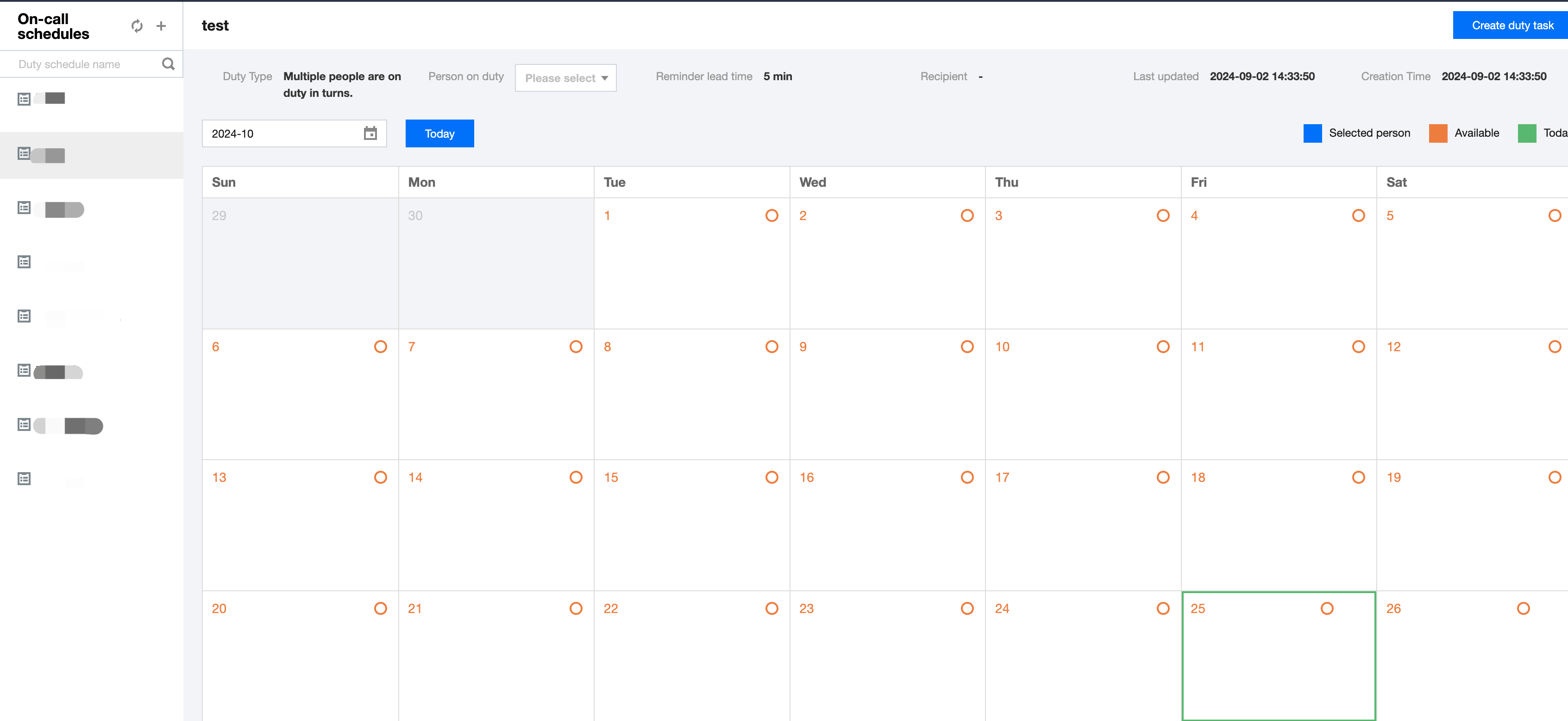
Duty Roster
The duty roster can be externally referenced as a whole, e.g., it can be set as the alert notification recipient in alert rules. However, specific duty details need to be set through more granular Duty. A duty roster can contain multiple duties.
Create Duty
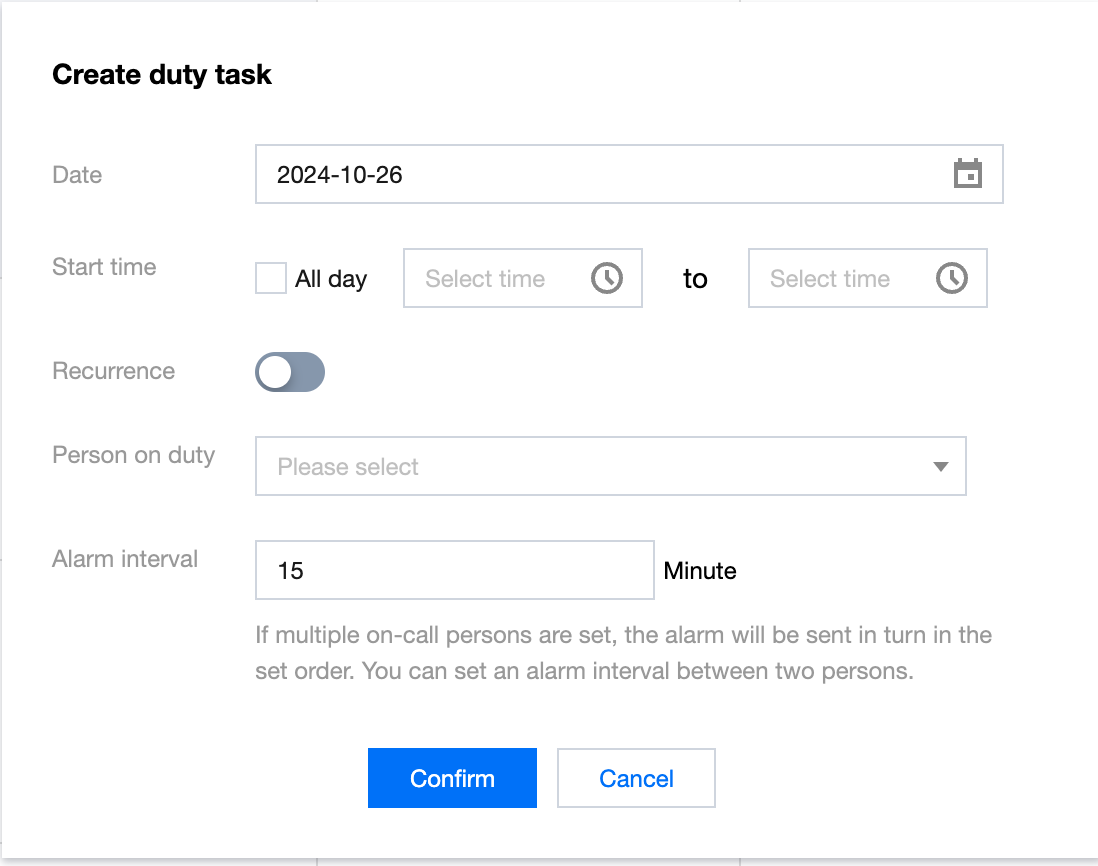
Click the Create duty task button to add duty information to the corresponding duty roster.
Information
Details
Date
Effective date of duty information
Start time
Duty time of the staff, options are All Day or a designated time period within a day
Recurrence
Options are Daily, Weekly, Every Workday, Every Weekend, Monthly, or Custom duty cycle
Person on duty
Select Duty Staff
Alarm interval
When multiple duty staff are set, alerts will be sent in rotation according to the set order, and the interval time between different people can be set
Alarm Channel
In addition to common alert methods such as SMS and WeChat, WeData also supports tenant-level HTTP alerts configured in the console. This method is usually used to integrate with the company's internal alert systems.
The HTTP alert method involves three steps: HTTP Alert Service Development, HTTP Alert Service Address Configuration, and WeData Task Alert Configuration.
Step 1. HTTP Alert Service Development
HTTP Alert is essentially WeData sending an HTTP POST alert request to an external service (belonging to the tenant). The tenant develops the HTTP alert receiving service based on the following HTTP POST request information. The request body structure is as follows:
{
"AlarmInfo":"Dear Tencent Cloud user, Hello! Your account (Account ID: xxxxxx, Nickname: WeData) under [WeData] DataInLong - Task Exception Monitoring Service has a message notification. Details are as follows: Alert level: Important, Project Name: project01, Task Name: data connection mysql2hive, Alarm reason: task paused (task accumulated pause exceeds 1 minute). Please promptly go to Real-time Operation and Maintenance to view and handle. --Tencent Cloud WeData Team",
"CheckPath":"Real-time Operation and Maintenance",
"CreateTime":21345678121
}
Field description:
Information
Details
AlarmInfo
Alert Information
UserId
Alarm recipient's main account ID
UserName
Alarm recipient's name
ServiceName
Name of the service that generated the alert
Content
Alarm content
CheckPath
View address
CreateTime
Time the alert was generated
Step 2. HTTP Alert Service Address Configuration
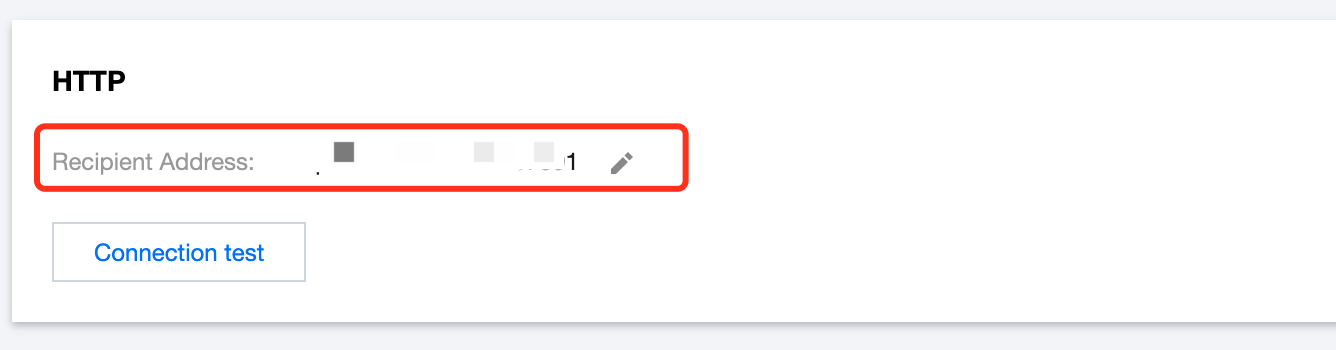
Enter WeData Console, click on the left Alert Settings menu, and configure the service address developed in Step 1 in the Receiving Address.
After entering the receiving address, click Connection Test. The prompt information can help determine whether the address is available and whether the connection is successful.
Step 3. WeData Task Alert Configuration
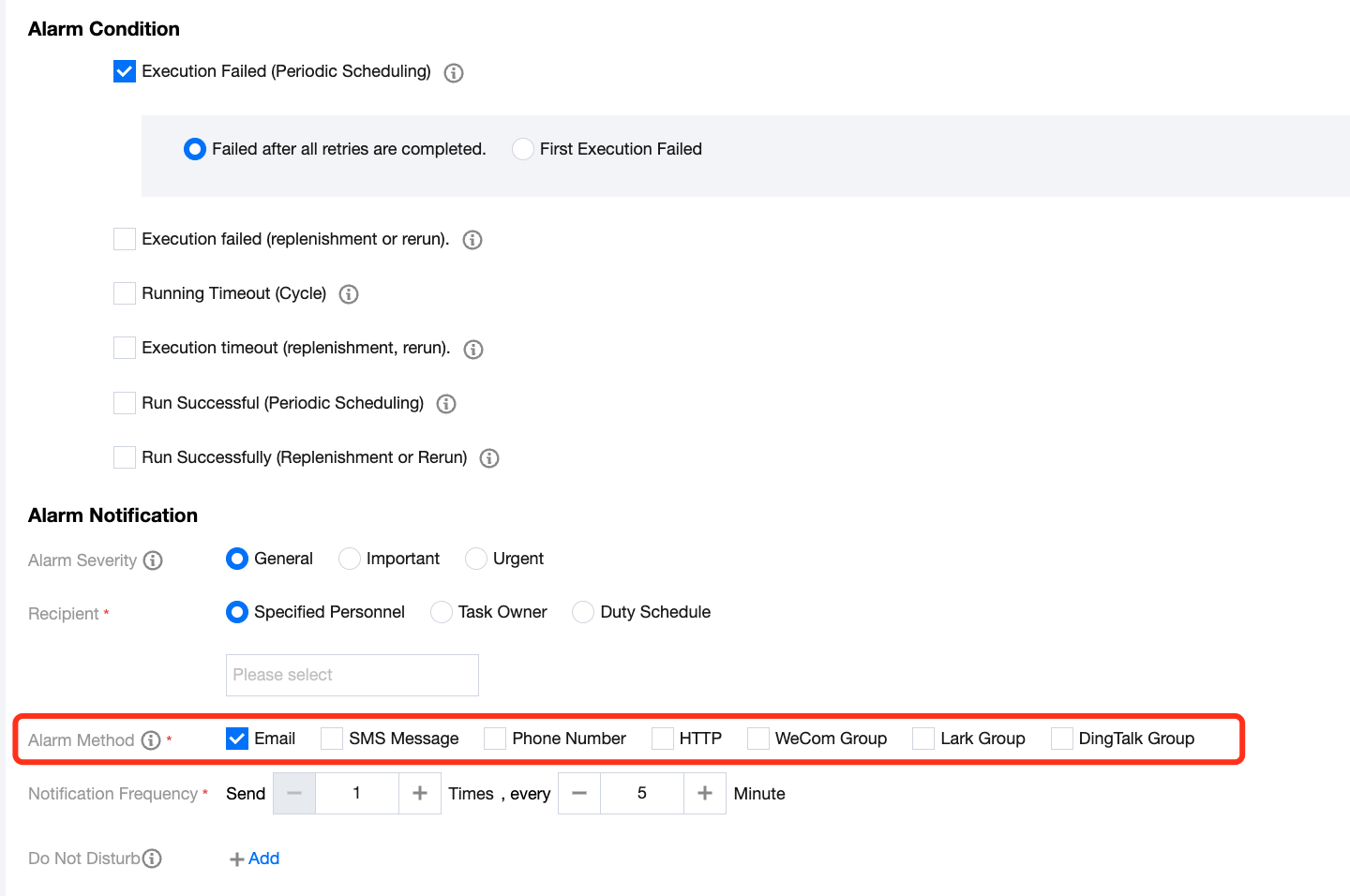
After completing Step 1 and Step 2, users can set up alerts for tasks in Data Development > Ops Center > Task List. By selecting "HTTP" as the alert method, the task's alert information will be sent via HTTP POST to the address configured in Step 2.