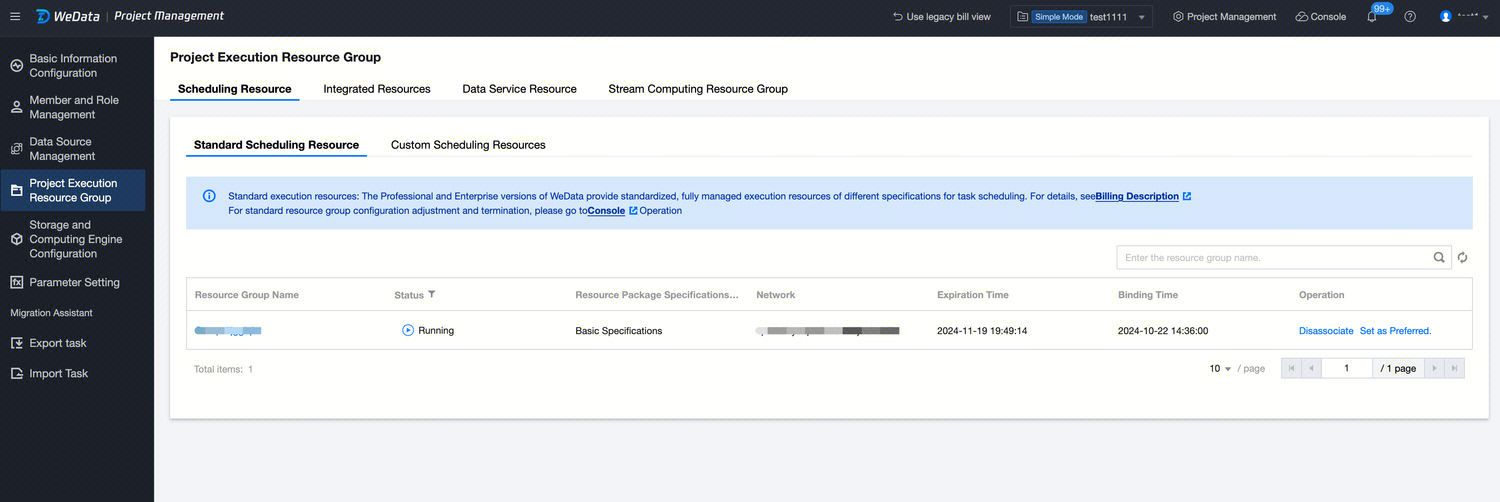
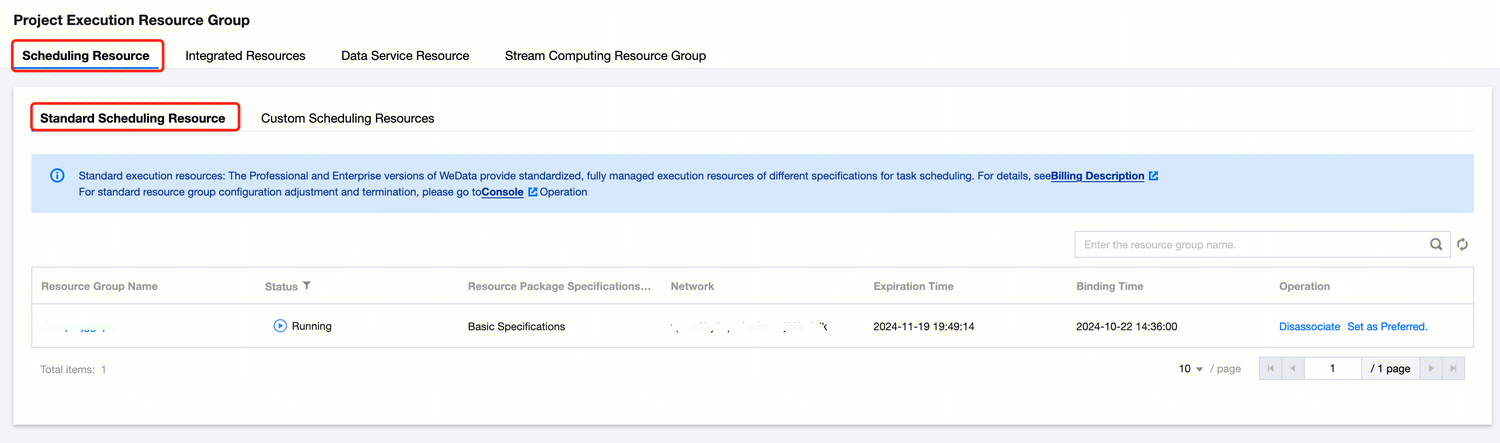
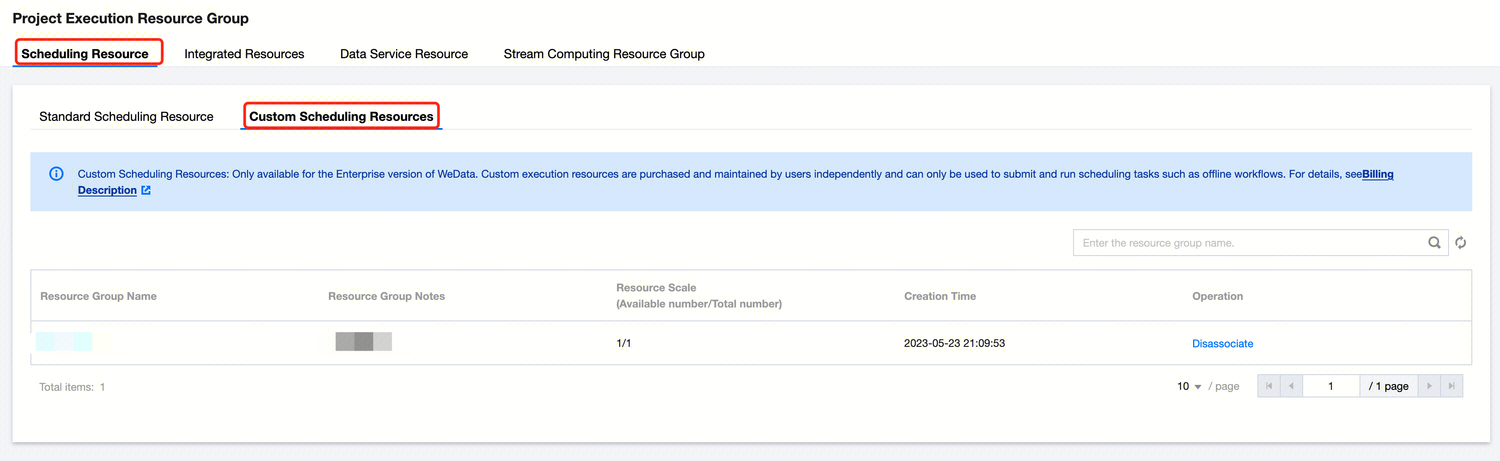
This page displays resource group information already bound to the current project space, including scheduling resource group, integration resource group, data service resource group, and stream computing resource group.
Standard Scheduling Resources
The Professional Edition and Enterprise Edition of WeData offer varying specifications of standardized fully managed execution resources for task scheduling. For details, see Billing Instructions. To reconfigure or terminate standard resource groups, please go to Scheduling Resource Group Configuration.
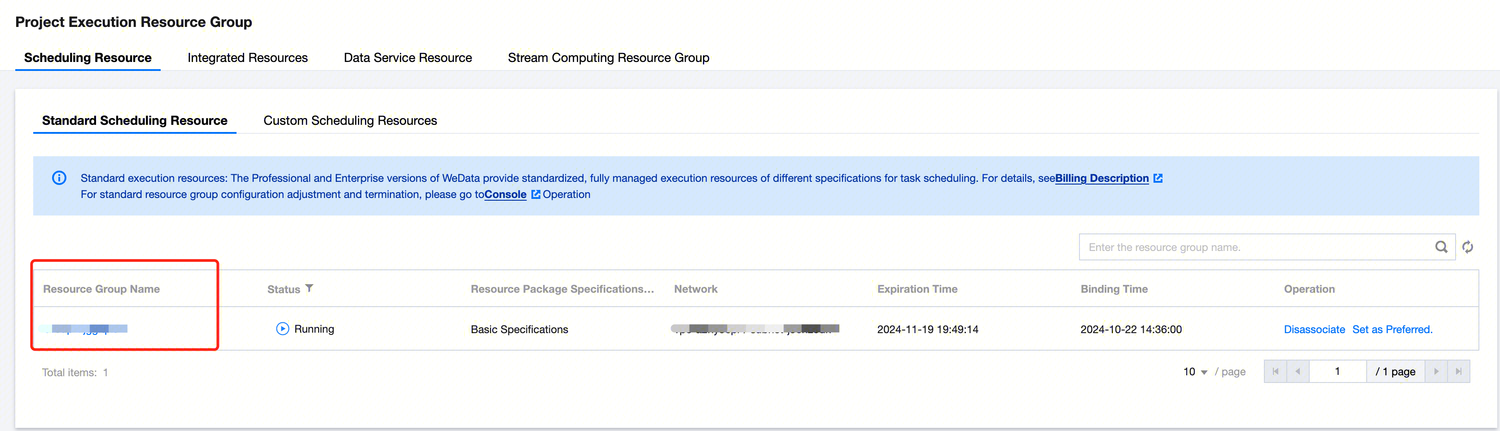
After binding a project to the standard scheduling resource group, click the resource group name to enter the resource group information page, view resource info, resource monitoring, and perform resource group operations.
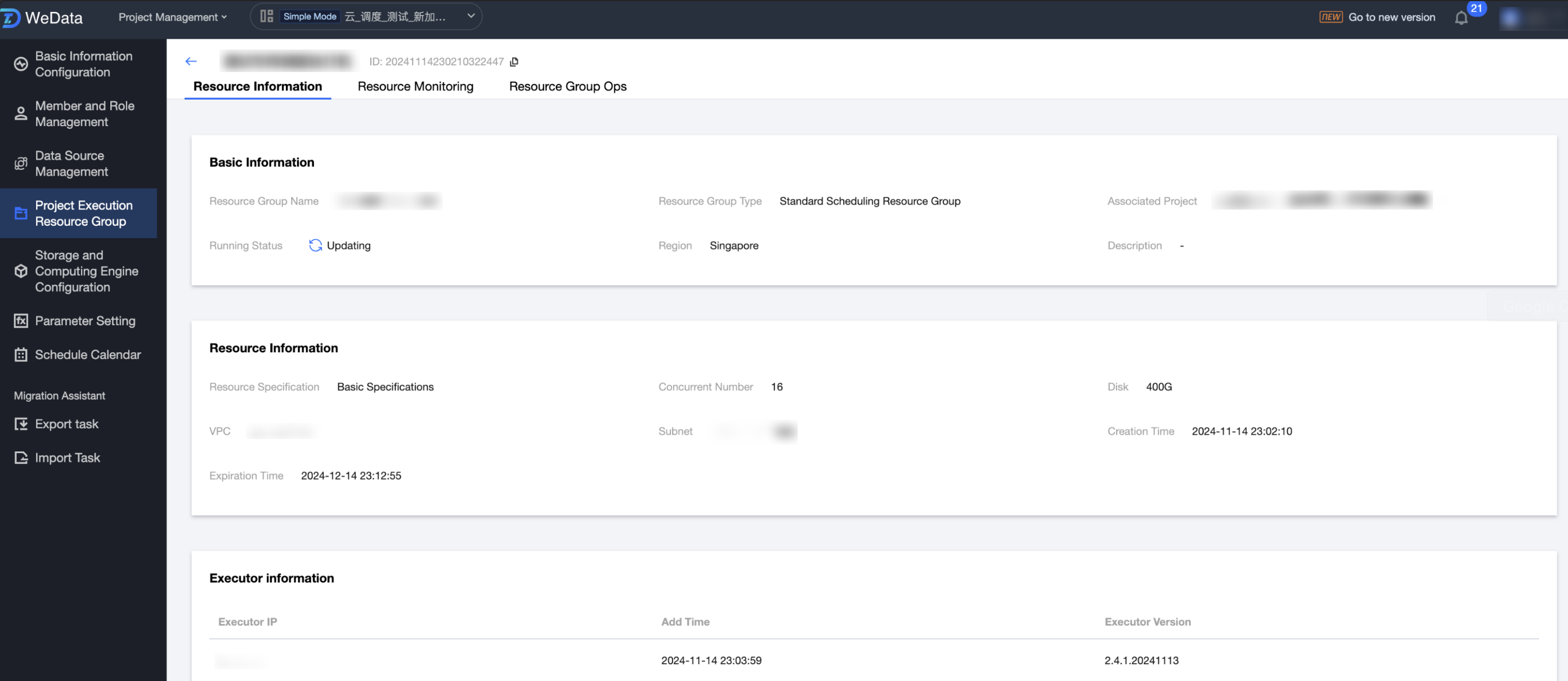
Resource Information
Enter the resource information page to view basic resource information and resource details.
Resource monitoring
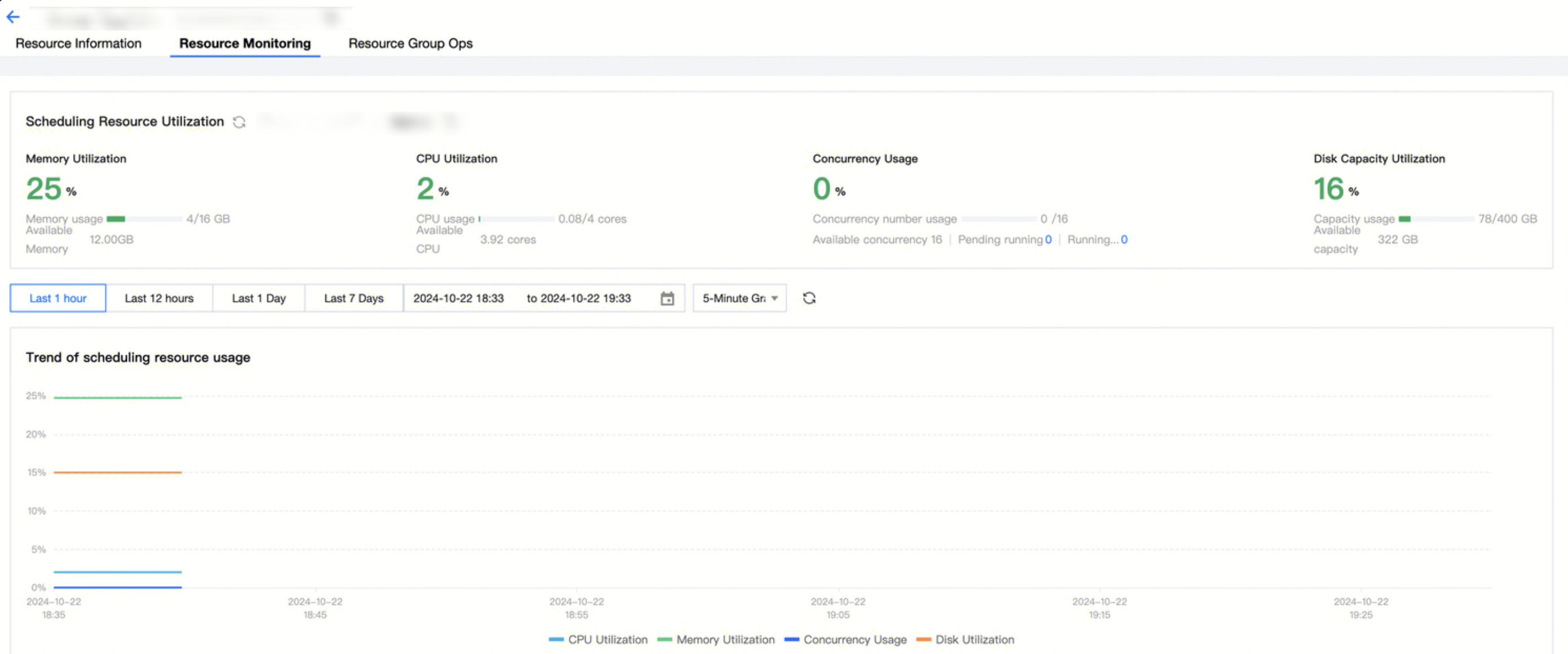
Enter the resource monitoring page to monitor the usage of the scheduling resource.
Resource Group Operations
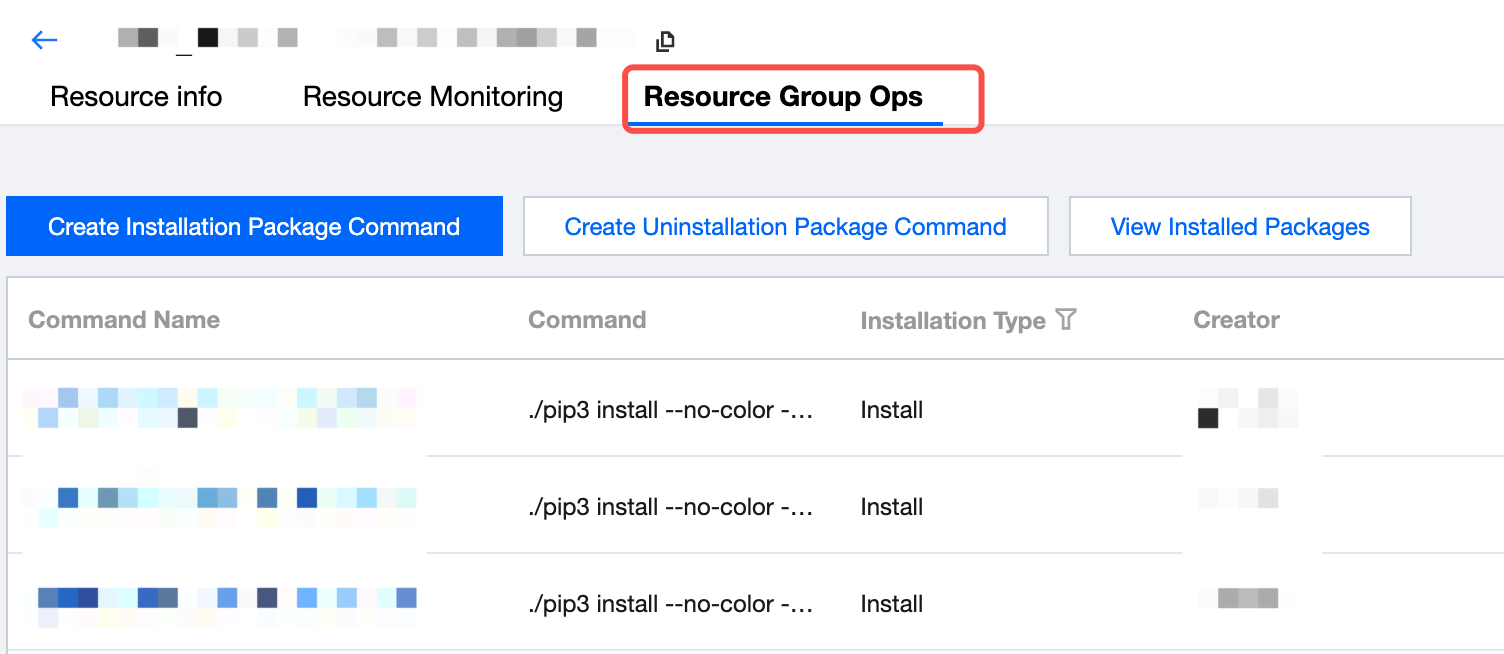
Resource Group Operations currently provides Python Package Support for Python Tasks in data development, offering installation, operation, and maintenance management features.
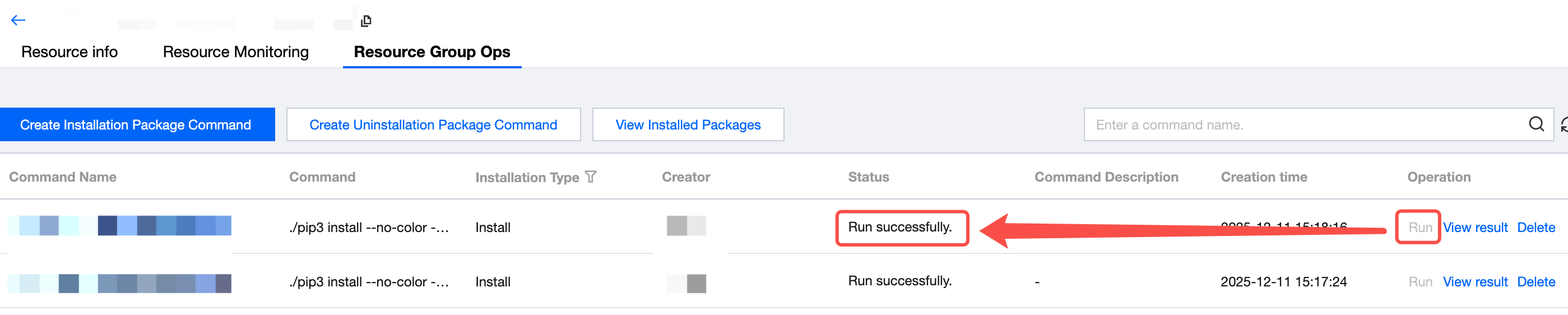
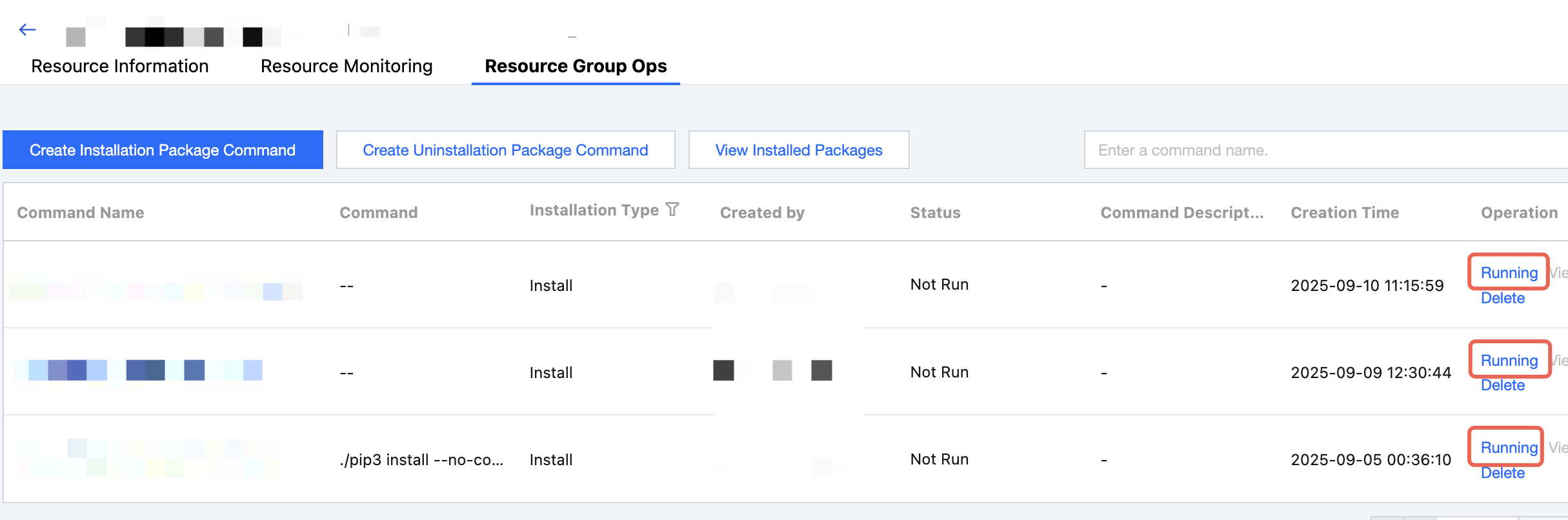
The Resource Group Operation and Maintenance interface provides portals for Python package installation, uninstallation, and viewing, as well as a command execution record list. Users can view relevant information about Python installation and uninstallation here, including the name, installation type, creator, status, description, and time.
Python Package Installation
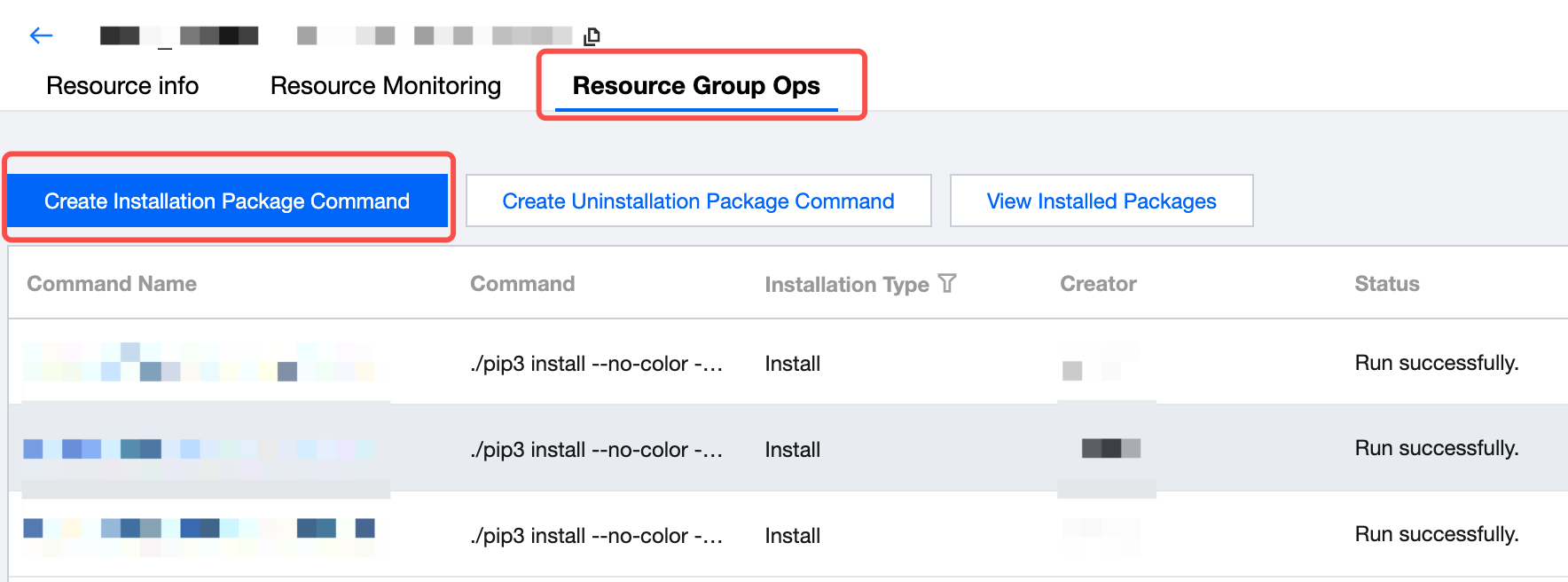
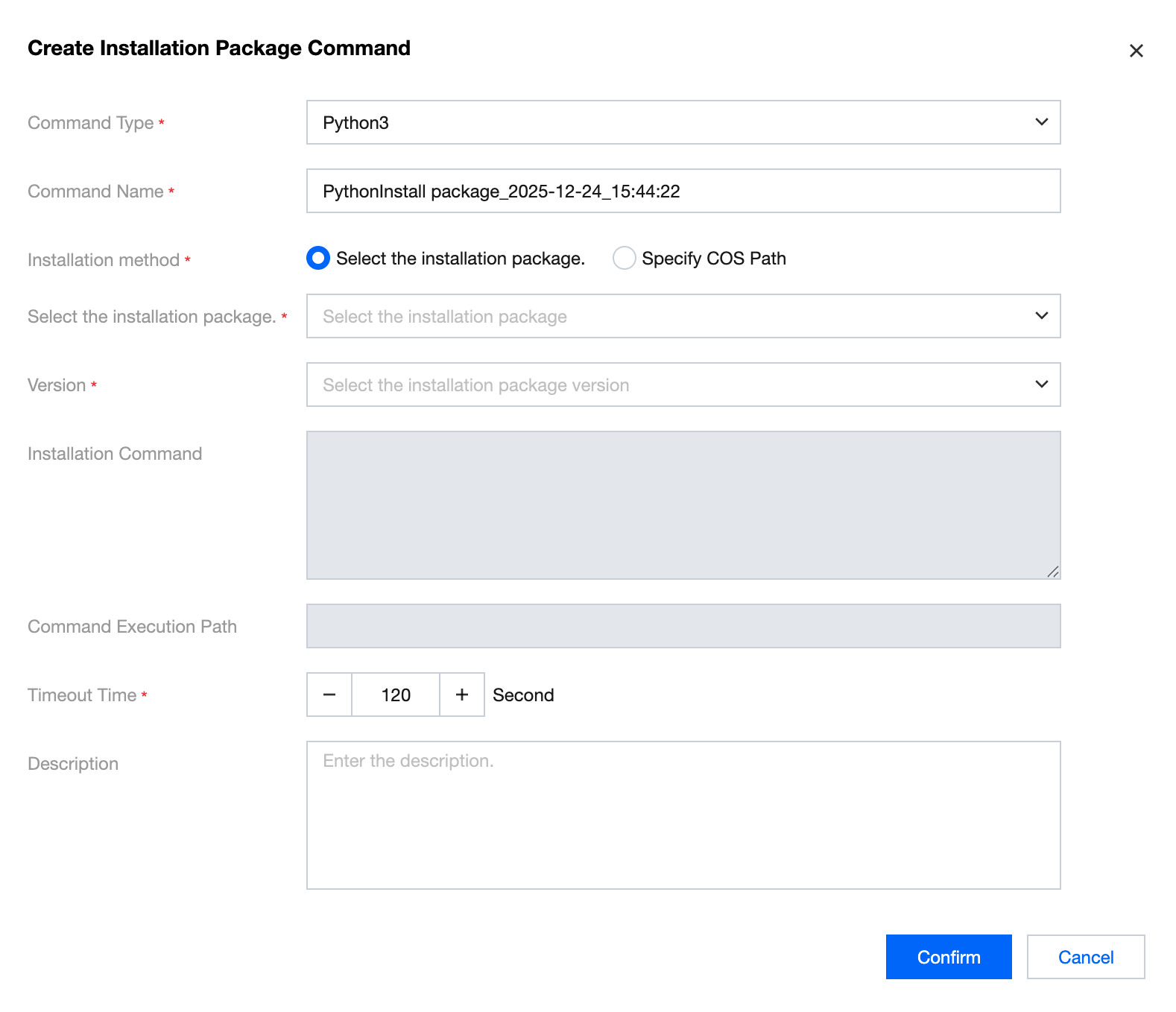
1. Click Python Package Installation, then configure Python package information in the pop-up window.
Note:
Note: The feature only takes effect in scheduling resources with the new specification. Old specifications cannot be installed.
Information
Description
Command Name
Automatically generated, defaults to "Python installation package_current time". Users can modify.
Package Type
Python version, including Python2 and Python3.
Select Install package
Supports keyword search. Currently supported installation packages are as follows:
The default path provided by WeData, the installation path of Python packages.
Install command
Auto generate.
Timeout Time
Maximum duration for command execution, terminate execution if exceeded.
Description
Custom description.
2. Python package installation procedure. Once configured, just generate the installation command. On the resource group operations webpage, click run in the corresponding installation command operation list to execute the Python package installation command. Once installed successfully, the status column will show the command execution success information.
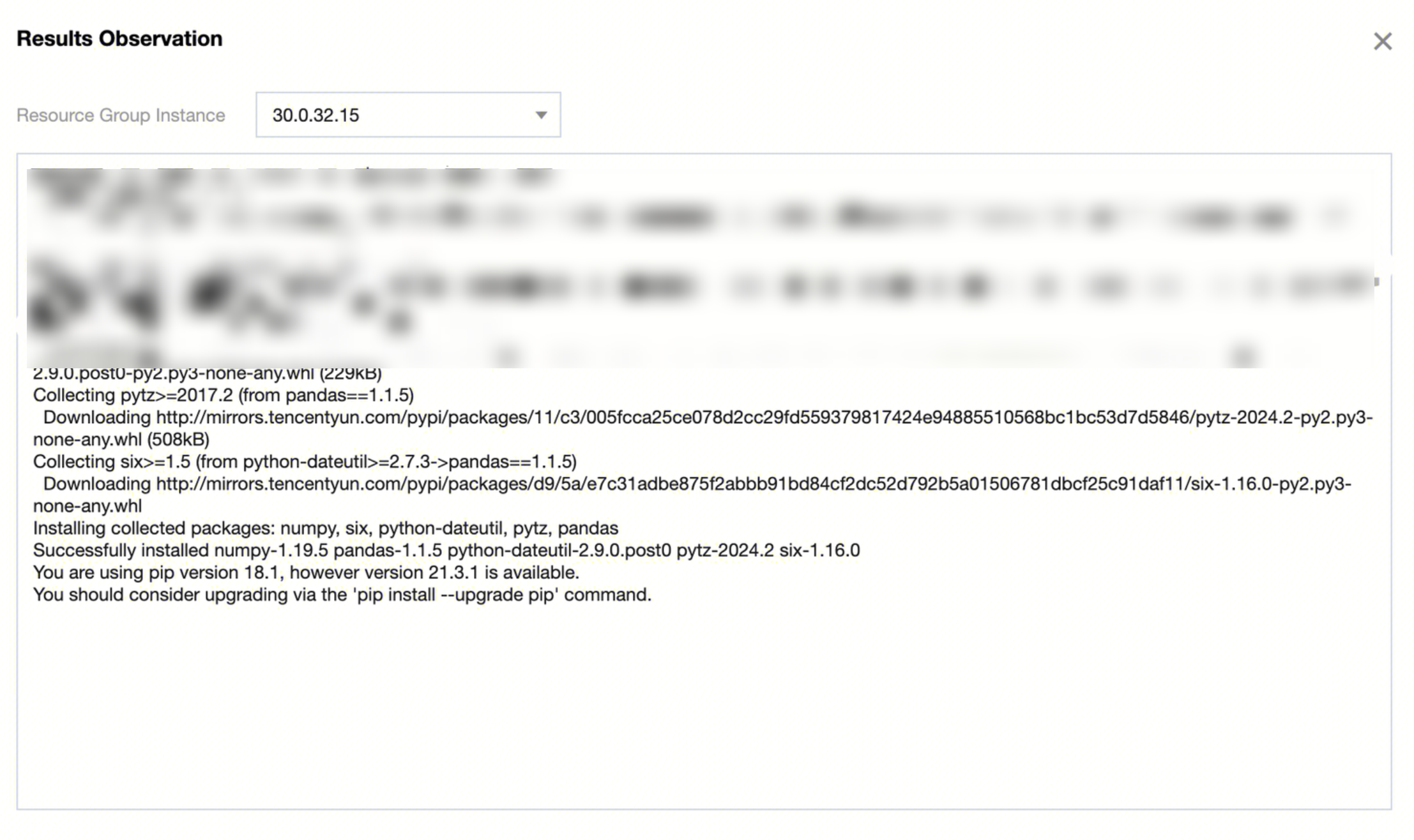
3. Click View Result in the operation column to check the detailed information of the command execution.
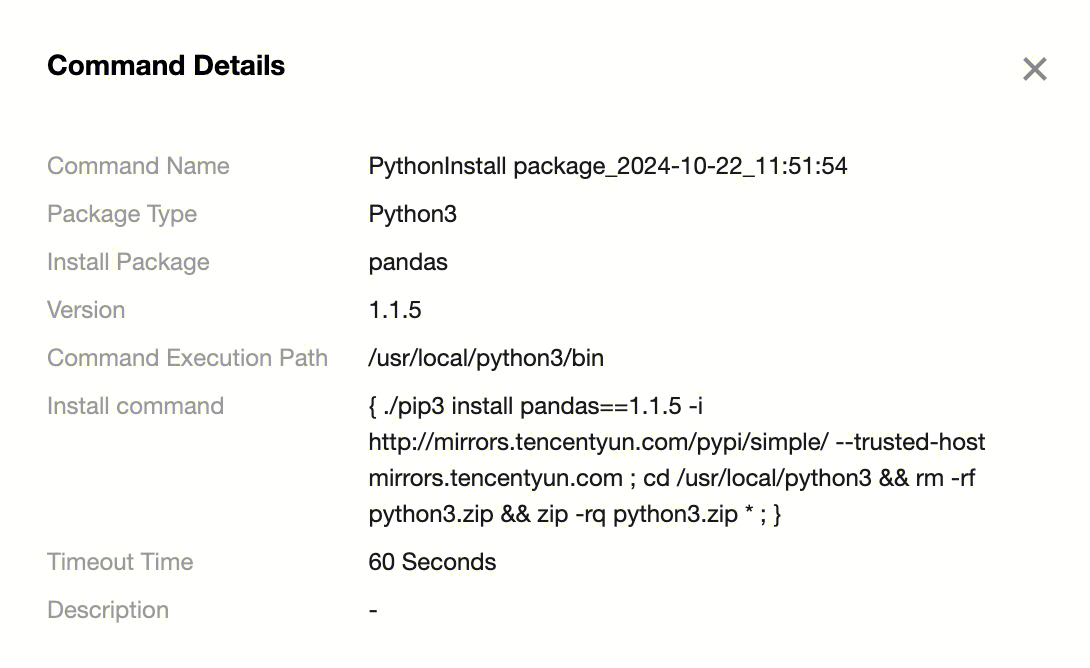
4. Click Command Name in the list to view command details.
Python Package Viewing
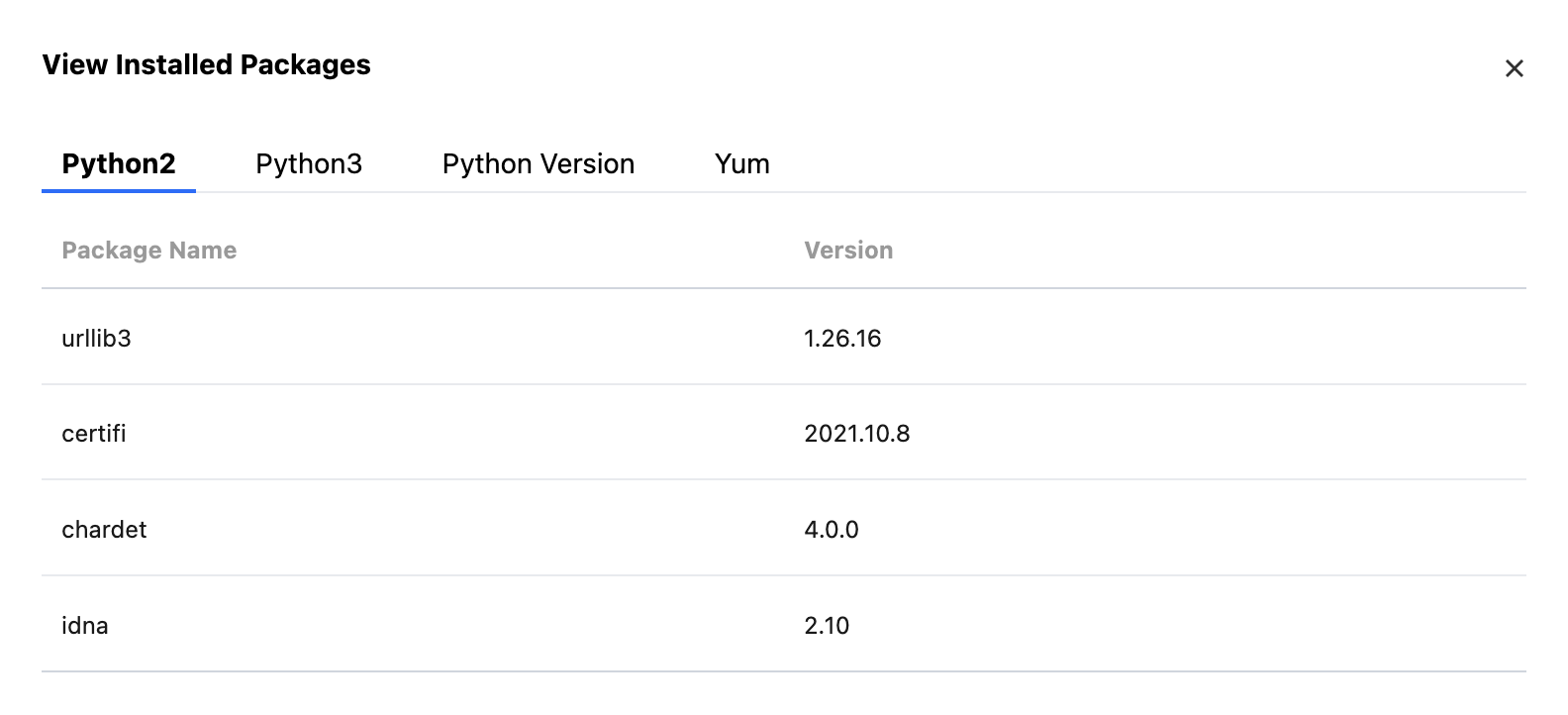
Click Python Package Viewing, then see the installed Python packages info for Python2 and Python3 in the pop-up window.
Uninstalling Python Packages
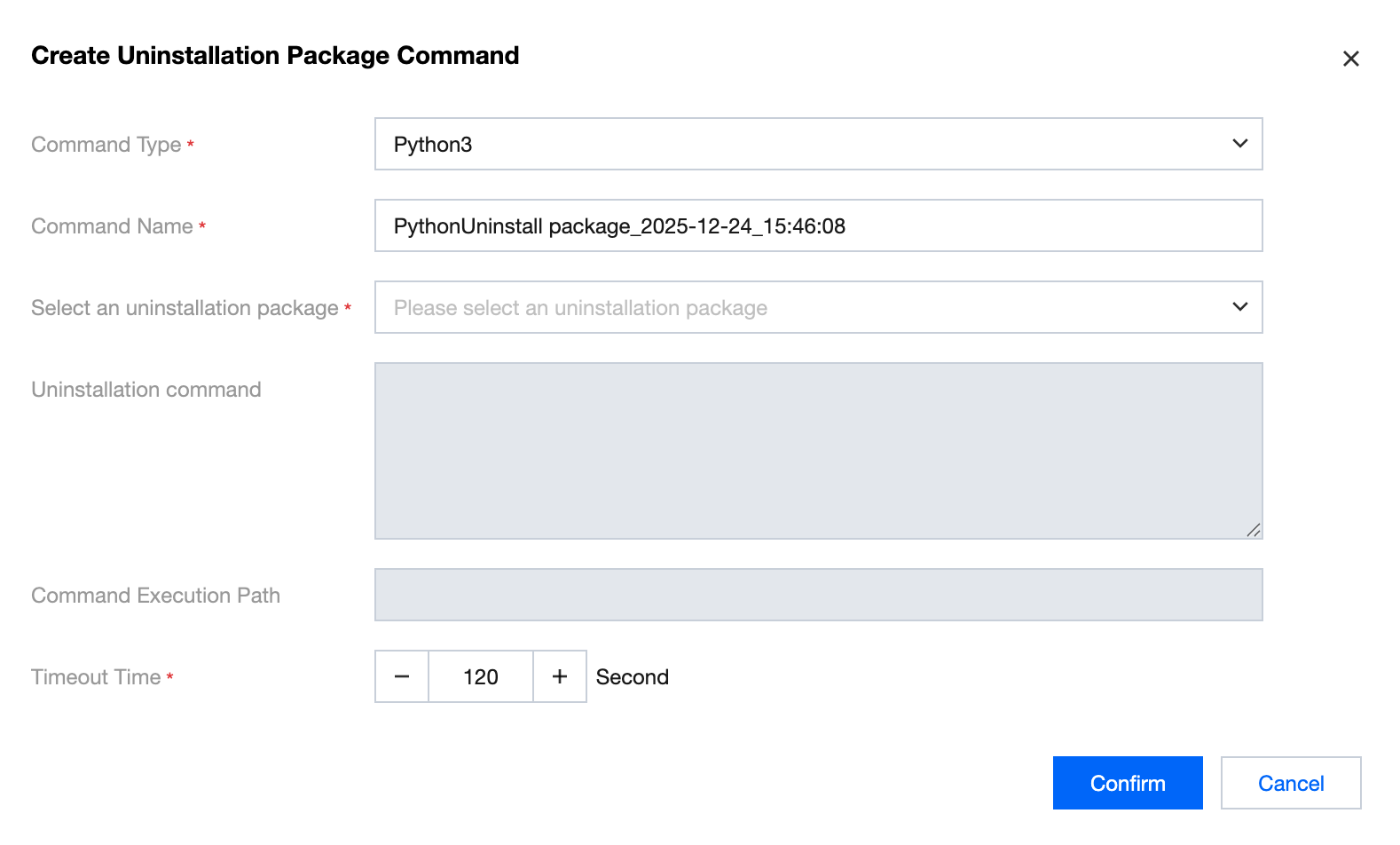
After clicking Uninstalling Python Packages, choose the installed python packages in the pop-up window to initiate uninstallation.
Information
Description
Command Name
Automatically generated, defaults to "Python uninstallation package_current time". Users can modify.
Package Type
Python version, including Python2 and Python3.
Select uninstallation package
Select installed Python packages.
command execution path
The default path provided by WeData, the uninstall path of Python packages.
uninstallation command
Auto generate.
Timeout Time
Maximum duration for command execution, terminate execution if exceeded.
Installing Python Version
Usage scenario: supports installing Python version in the scheduling resource group. The installed Python version is suitable for Python tasks and PySpark tasks in the orchestration space.
Installation Steps:
1. Create installation package command.
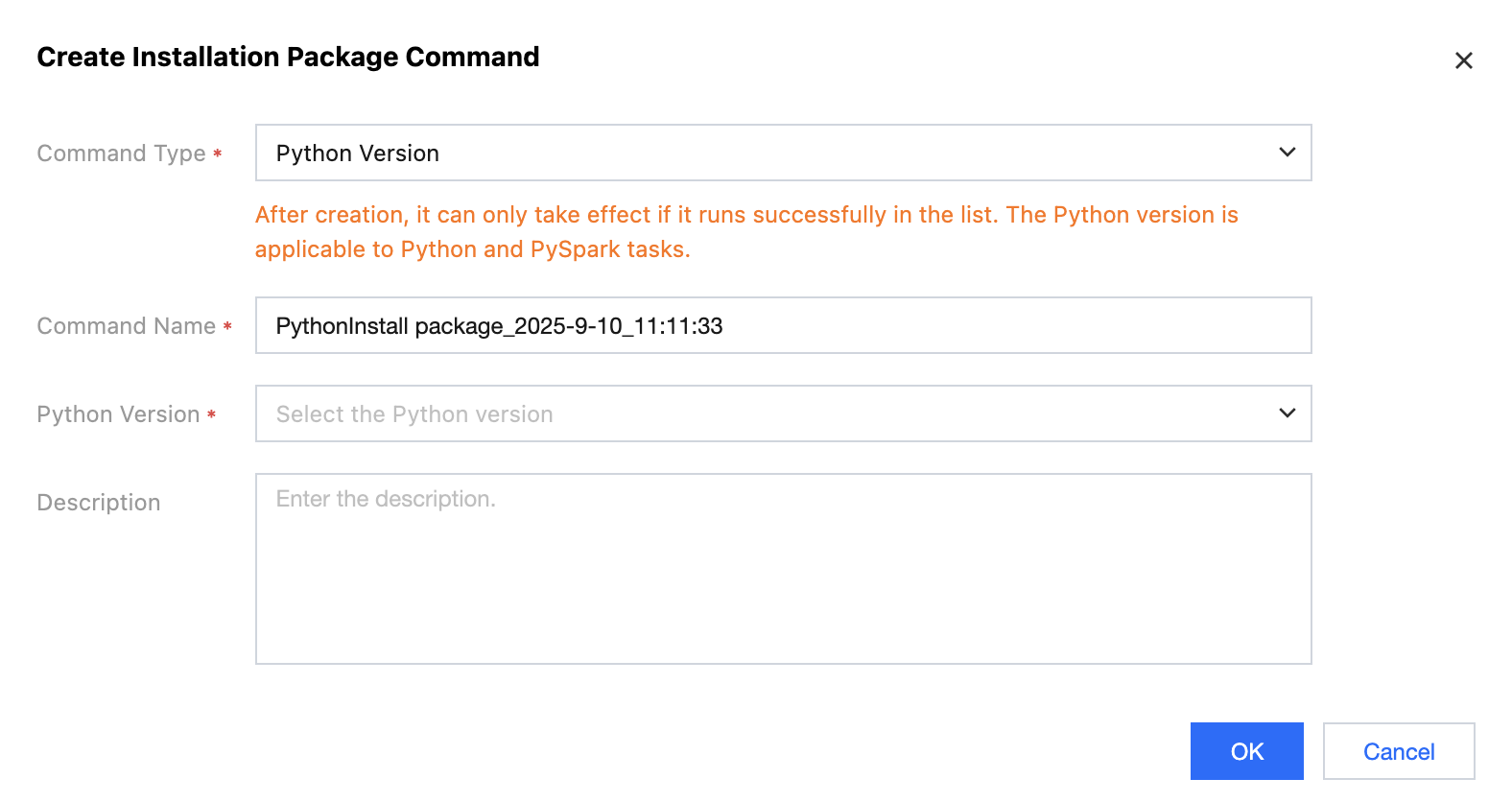
Select command type Python version > Select the Python version to install > Click Confirm to create installation package command.
2. Execute installation package command > Complete Python version installation.
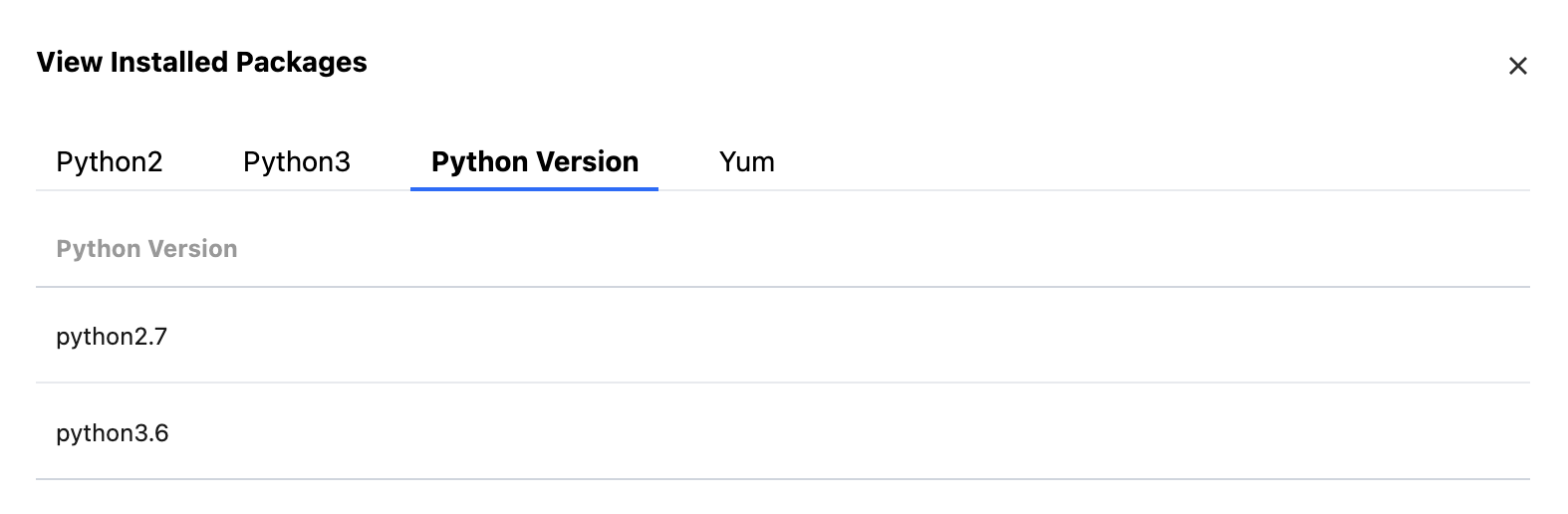
3. View installed Python versions.
Click installed package to view > Select Python version to view installed versions.
Note:
Note: To guarantee tasks execute normally, uninstalling Python version is not supported currently.
4. Use Python version.
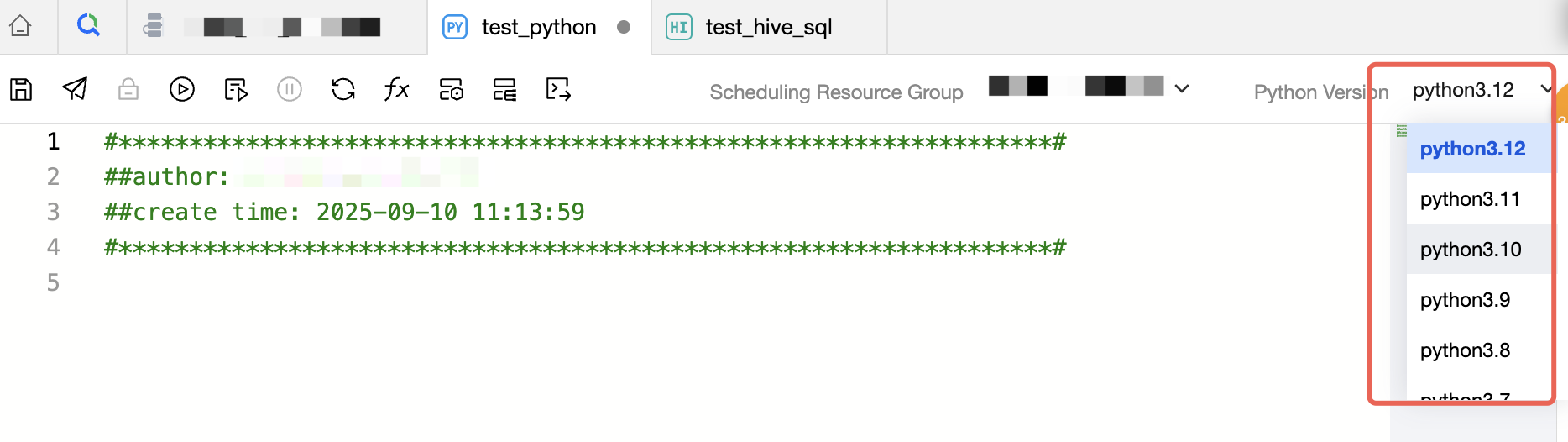
Once installed successfully, select the corresponding scheduling resource group in Python Task or PySpark task to select the already installed Python package.
Custom Scheduling Resources
The enterprise edition of WeData allows associating CVM under the current user's account for scheduling resource groups. Custom scheduling resource groups will be managed and maintained by the user.
Note:
Note: Starting from September 11, 2025, the platform will no longer support custom scheduling resource groups. Standard resource groups are recommended for use. Historic custom resource groups remain unaffected.
Installing Python Version
Usage scenario: supports installing Python version in the scheduling resource group. The installed Python version is suitable for Python tasks and PySpark tasks in the orchestration space.