Creating CKafka
Baixar
Modo Foco
Tamanho da Fonte
This article describes how to create the message queue CKafka in Tencent Cloud CDC.
Prerequisites
You have created a Tencent Cloud CDC. For specific operations, see create a dedicated cluster.
The local cluster has purchased the message queue CKafka. For the purchase method, see create and pay for an order.
Directions
1. Log in to Tencent Cloud CDC console.
2. In the left sidebar, click Dedicated Cluster to go to the Tencent Cloud CDC management page.
3. Click any cluster to go to the cluster basic information page.
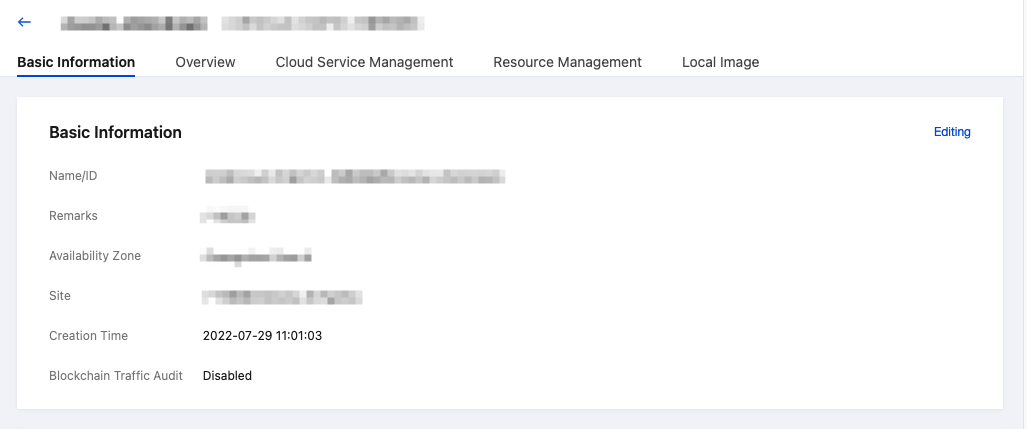
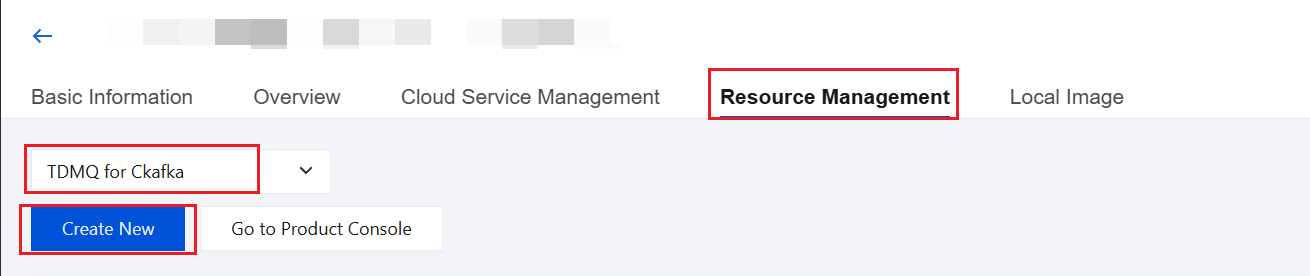
4. Click Resource Management, select the CKafka Tag, and click Create New to configure CKafka.
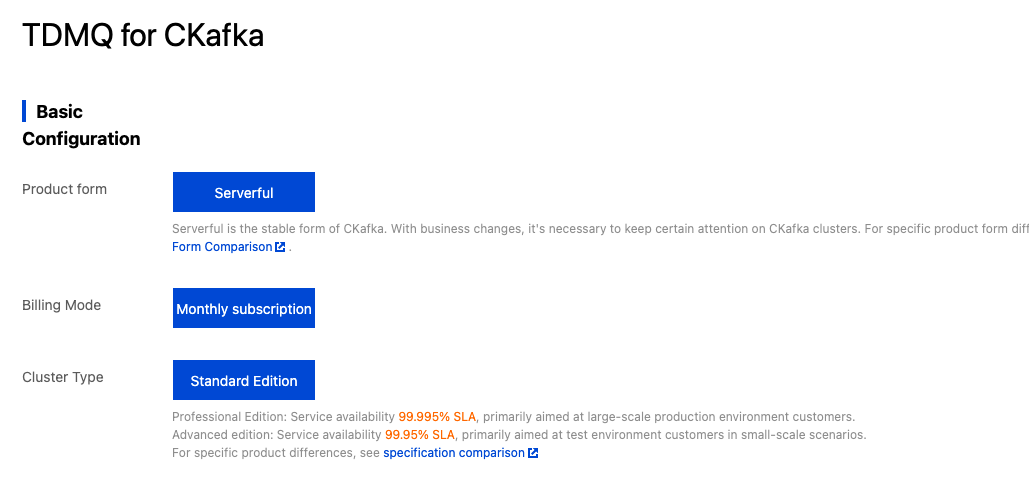
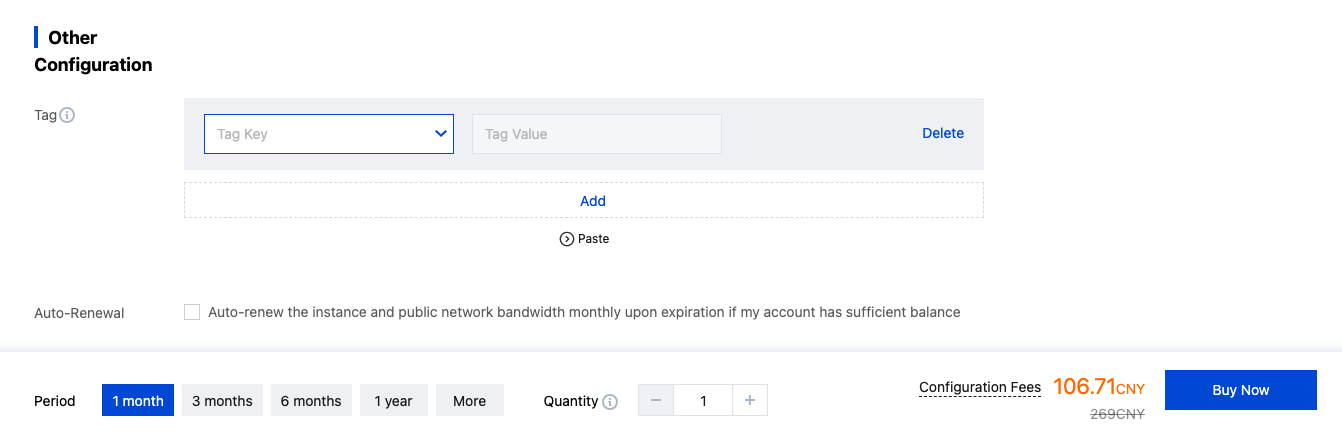
5. On the configuration page, configure according to your business requirements. After configuration, click Buy Now to complete the creation of CKafka.
Ajuda e Suporte
Esta página foi útil?
Você também pode entrar em contato com a Equipe de vendas ou Enviar um tíquete em caso de ajuda.
comentários