Enabling Disaster Recovery for Masters of Self-Deployed Clusters
Download
Modo Foco
Tamanho da Fonte
Última atualização: 2024-12-13 15:57:58
Overview
TKE includes managed clusters and self-deployed clusters. If you use a managed cluster, you do not need to be concerned about disaster recovery. The masters of managed clusters are internally maintained by TKE. If you use a self-deployed cluster, you need to manage and maintain the master nodes yourself.
To enable disaster recovery for a self-deployed cluster, you need to first plan a disaster recovery scheme based on your needs and then complete the corresponding configuration during cluster creation. This document introduces how to enable disaster recovery for the masters of a TKE self-deployed cluster for your reference.
How to Enable Disaster Recovery
To enable disaster recovery, you need to start from physical deployment. To prevent a fault in the physical layer from causing exceptions on multiple masters, you need to widely distribute master nodes. You can use a placement group to choose the CPM, exchange, or rack dimension to distribute master nodes, thus preventing underlying hardware or software faults from causing exceptions on multiple masters. If you have high requirements for disaster recovery, you can consider deploying masters across availability zones, so as to prevent situations where a large-scale fault causes the entire IDC to become unavailable, leading to multiple master exceptions.
The placement group and the TKE self-deployed cluster need to be in the same region.
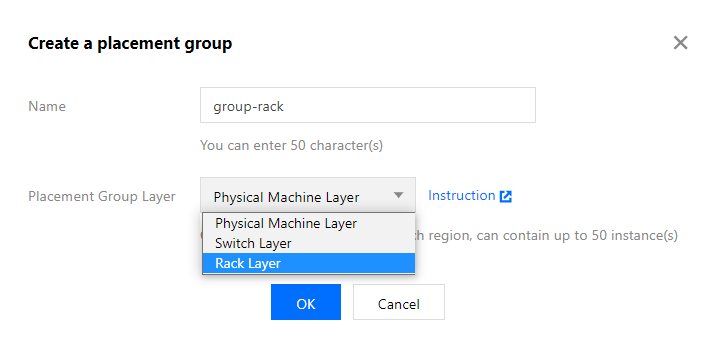
The placement group layers are as follows. In this document, the "rack layer" is selected as an example:
Placement Group Layer
Description
CPM layer
A master node of a self-deployed cluster is deployed on a CVM, which is a virtual machine running on a CPM. Multiple virtual machines may run on one CPM. If the CPM is faulty, all virtual machines running on it will be affected. By using this layer, you can distribute master nodes to different CPMs to prevent one faulty CPM from causing exceptions on multiple nodes.
Exchange layer
Multiple different CPMs may be connected to the same exchange. If the exchange is faulty, multiple CPMs will be affected. By using this layer, you can distribute master nodes to CPMs connected to different exchanges, thereby preventing one faulty exchange from causing exceptions on multiple master nodes.
Rack layer
Multiple different CPMs may be placed on the same rack. If a rack-level fault occurs, multiple CPMs on the rack will become faulty. By using this layer, you can distribute master nodes to CPMs on different racks, thereby preventing rack-level faults from causing exceptions on multiple master nodes.
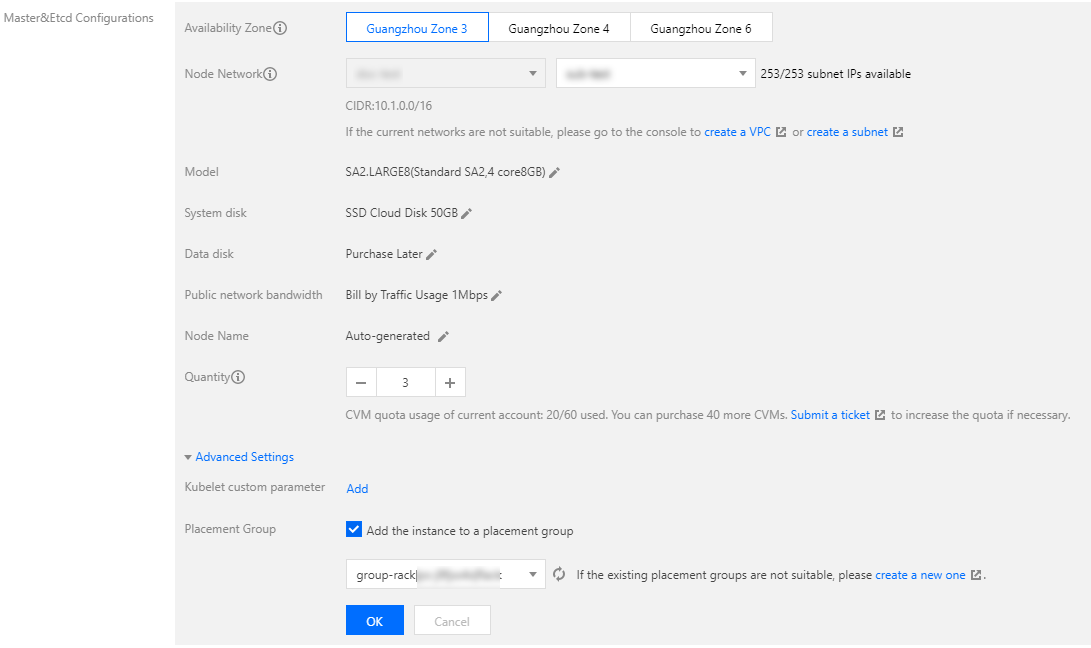
2. Refer to Creating a Cluster to create a TKE self-deployed cluster. Choose Master&Etcd Configuration > Advanced Configuration, check Add Instance to Spread Placement Group, and select the created placement group. See the figure below:
After configuration is completed, the corresponding master nodes will be distributed to different racks to enable rack-level disaster recovery.
Disaster Recovery with Masters Deployed Across Availability Zones
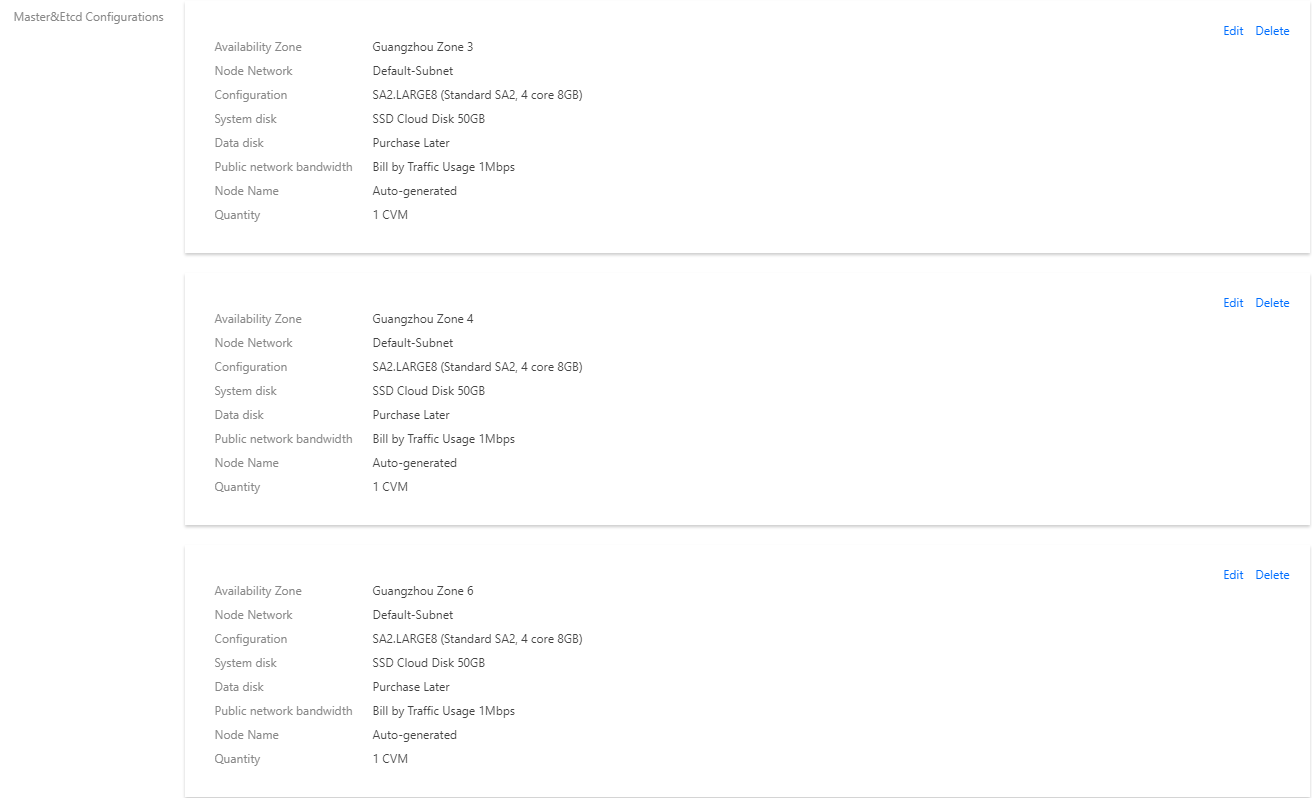
If you have high requirements for disaster recovery and want to prevent situations where a large-scale fault causes the entire IDC to become unavailable, causing exceptions on all master nodes, you can choose to deploy masters in different availability zones. The configuration method is as follows:
During cluster creation, in Master&Etcd Configuration, add models to multiple availability zones. See the figure below: