Backup and Restoration Practices
Modo Foco
Tamanho da Fonte
Overview
This document describes how to perform backup and restoration operations with accidental deletion of the service-controller resource in a cluster as an example.
Directions
1. Enabling Periodic Backup
1. Log in to the TKE console and select Cluster in the left sidebar.
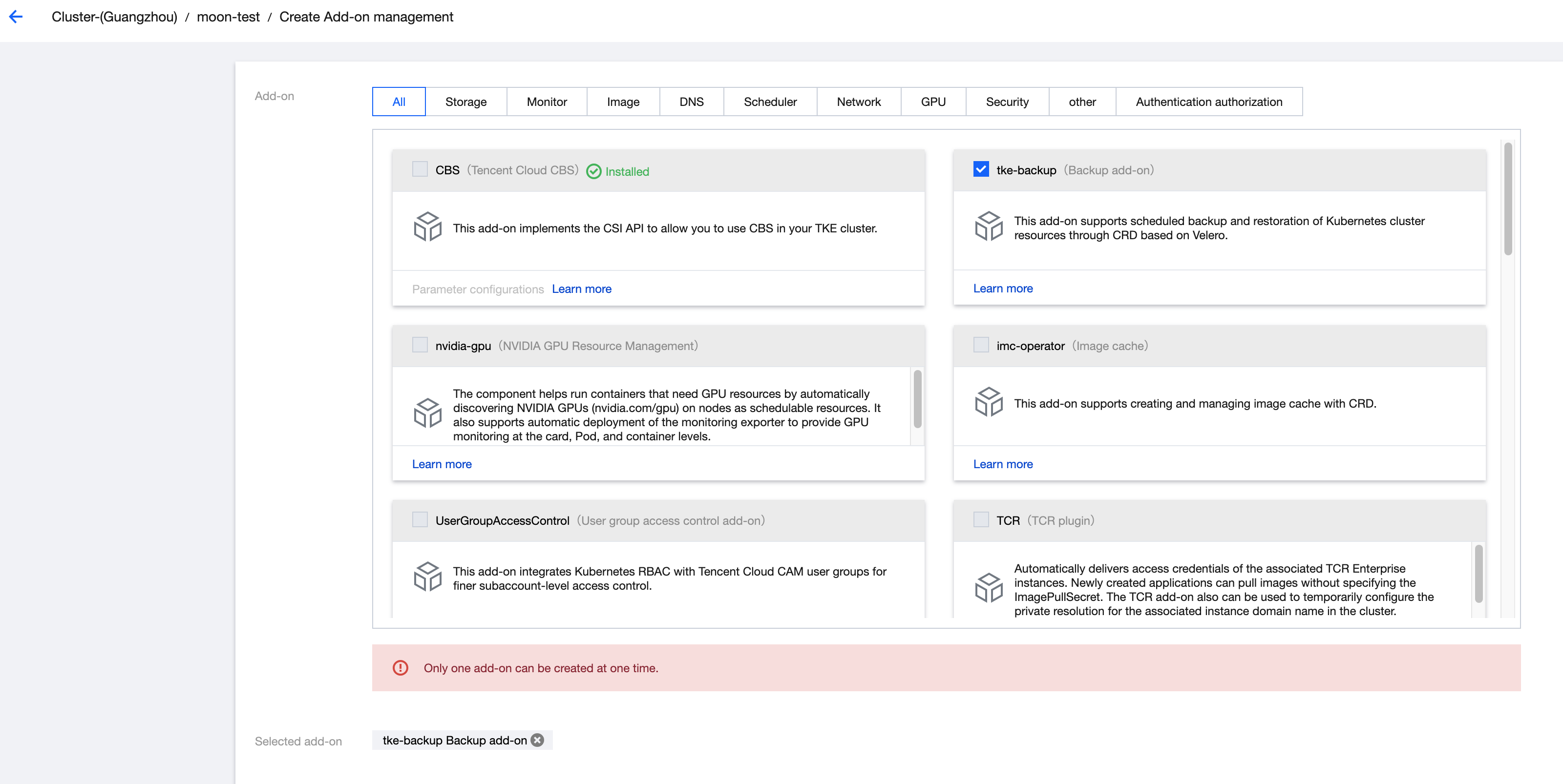
2. Install the tke-backup add-on in cluster add-on management and ensure that the add-on status is displayed as Success. For detailed installation steps, see Installing an Add-On on the Add-On Management Page.
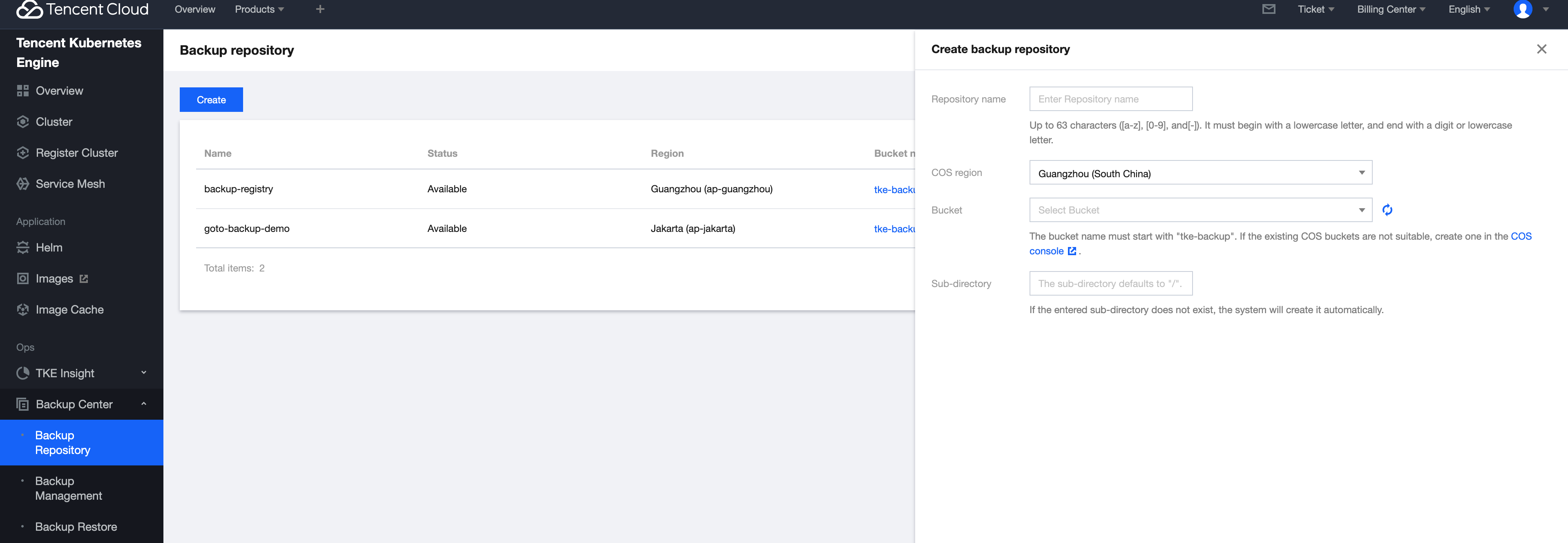
3. On the Backup Center > Backup Repository page, click Create to create a backup repository and complete the repository configuration. For operation details, see Creating a Backup Repository.
4. On the Backup Management page, create a periodic backup for the cluster. For operation details, see Creating a Backup.
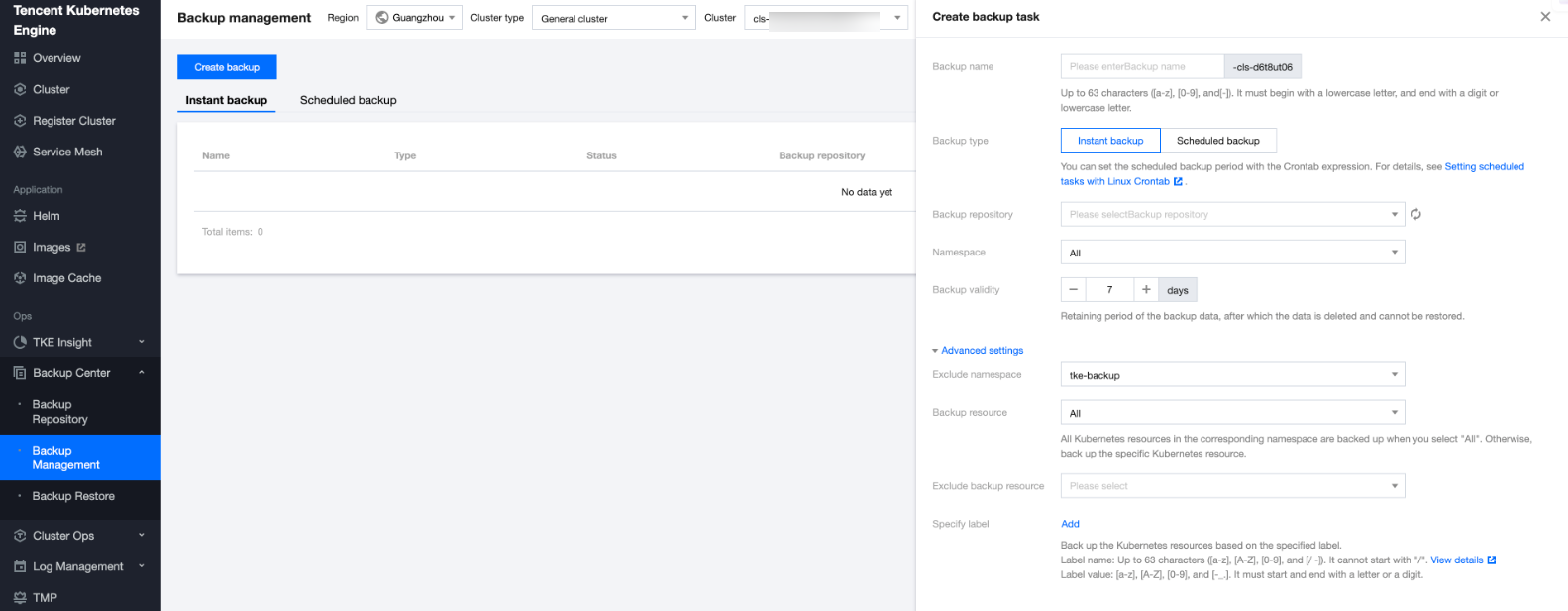
5. In the backup list, confirm whether the status is normal.
2. Simulating Accidental Deletion
Simulate accidental deletion of the service-controller resource object under the kube-system namespace of a cluster. At this time, an exception occurs when a service object is added to the cluster.

3. Completing the Restoration Process
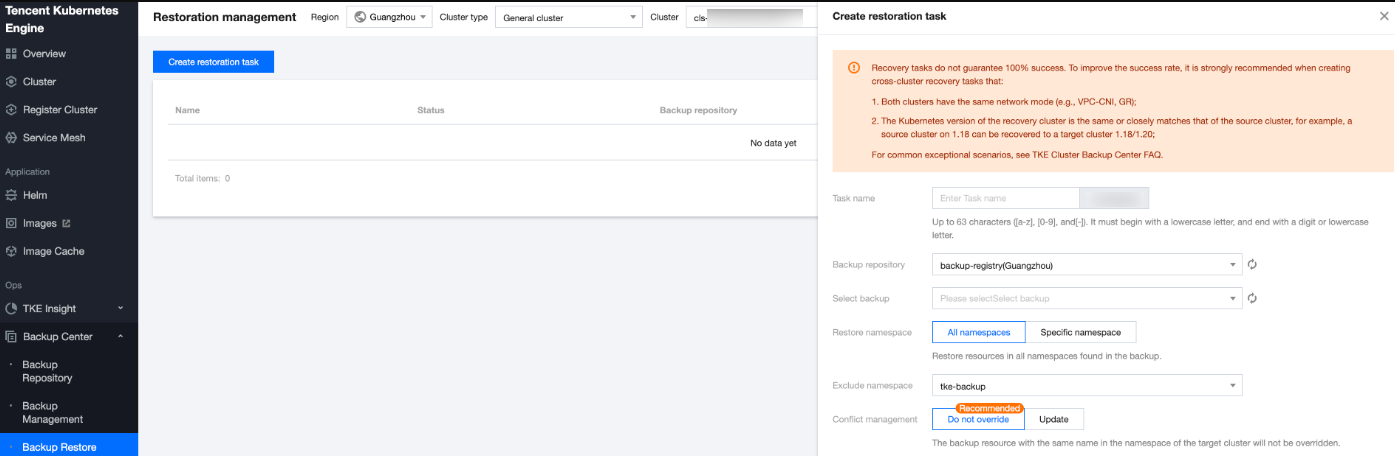
1. On the Backup Center > Restoration Management page, select a cluster and create a restoration task under it. For operation details, see Creating a Restoration Task.
Since service-controller is deployed under the kube-system namespace, we select the corresponding namespace for restoration.
For conflict management, we select Do not overwrite. It indicates that except for service-controller, other identically named resource objects running under the kube-system namespace will not be updated by backup data in this restoration.
2. On the Backup Center > Restoration Management page, confirm the execution status of the restoration task.
3. In the background, check whether the corresponding Pod of service-controller is running normally and whether the business has been restored.

Ajuda e Suporte
Esta página foi útil?
Você também pode entrar em contato com a Equipe de vendas ou Enviar um tíquete em caso de ajuda.
comentários