Política de privacidade
Contrato de segurança e processamento de dados
SDK folder. For example, you can find the SDK files for 64-bit Windows in ./SDK/CPlusPlus/Win64/. The folder contains the following files:Directory | Description |
include | API header files with comments |
lib | The LIB file for compilation and DLL files to load |
TRTCDemo.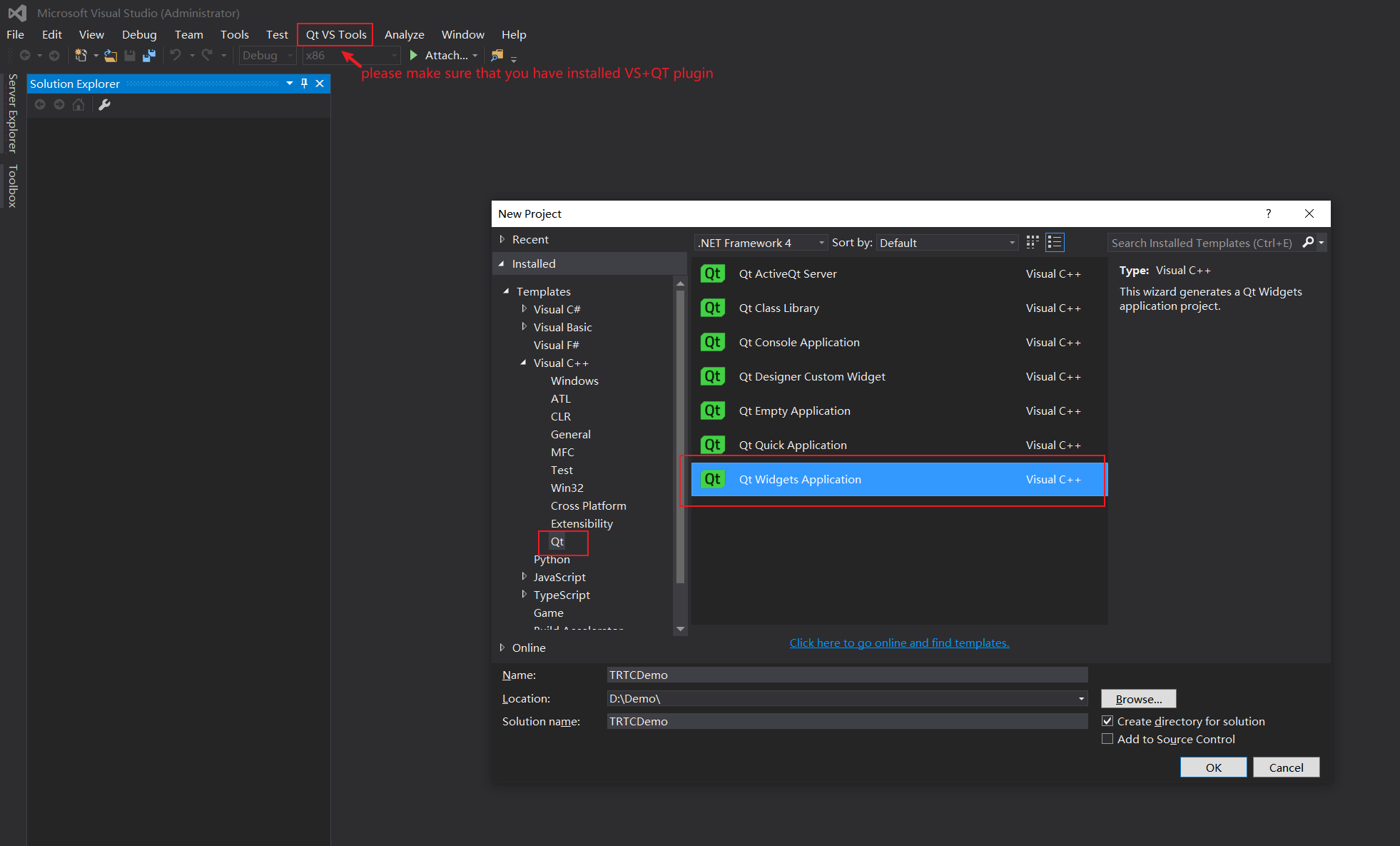
SDK folder to the directory where TRTCDemo.vcxproj is located.CSharp folder in SDK.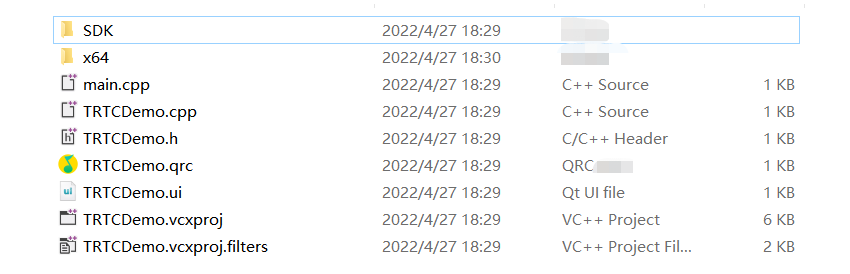
TRTCDemo, and select Properties. Configure the project as follows:$(ProjectDir)SDK\\CPlusPlus\\Win64\\include and $(ProjectDir)SDK\\CPlusPlus\\Win64\\include\\TRTC header file directories (for 64-bit Windows) to Additional Include Directories.$(ProjectDir)SDK\\CPlusPlus\\Win32\\include and $(ProjectDir)SDK\\CPlusPlus\\Win32\\include\\TRTC.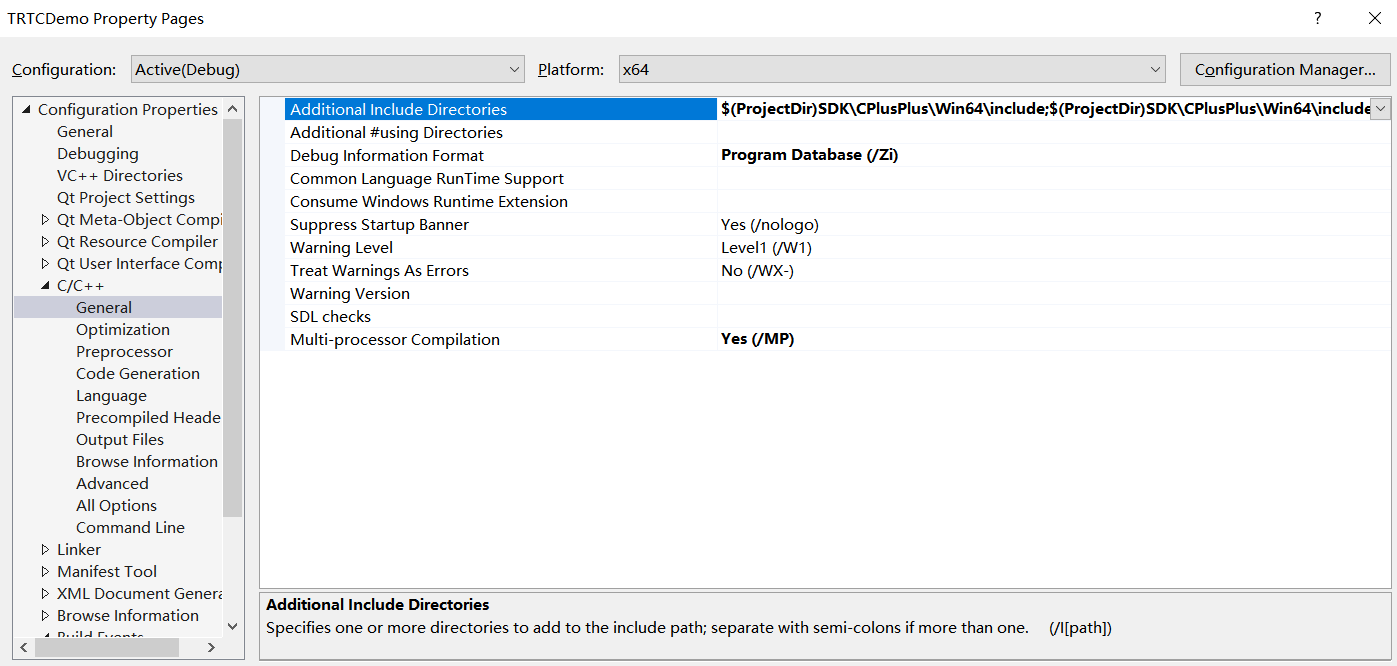
$(ProjectDir)SDK\\CPlusPlus\\Win64\\lib directory (for 64-bit Windows) to ** Additional Library Directories**.$(ProjectDir)SDK\\CPlusPlus\\Win32\\lib.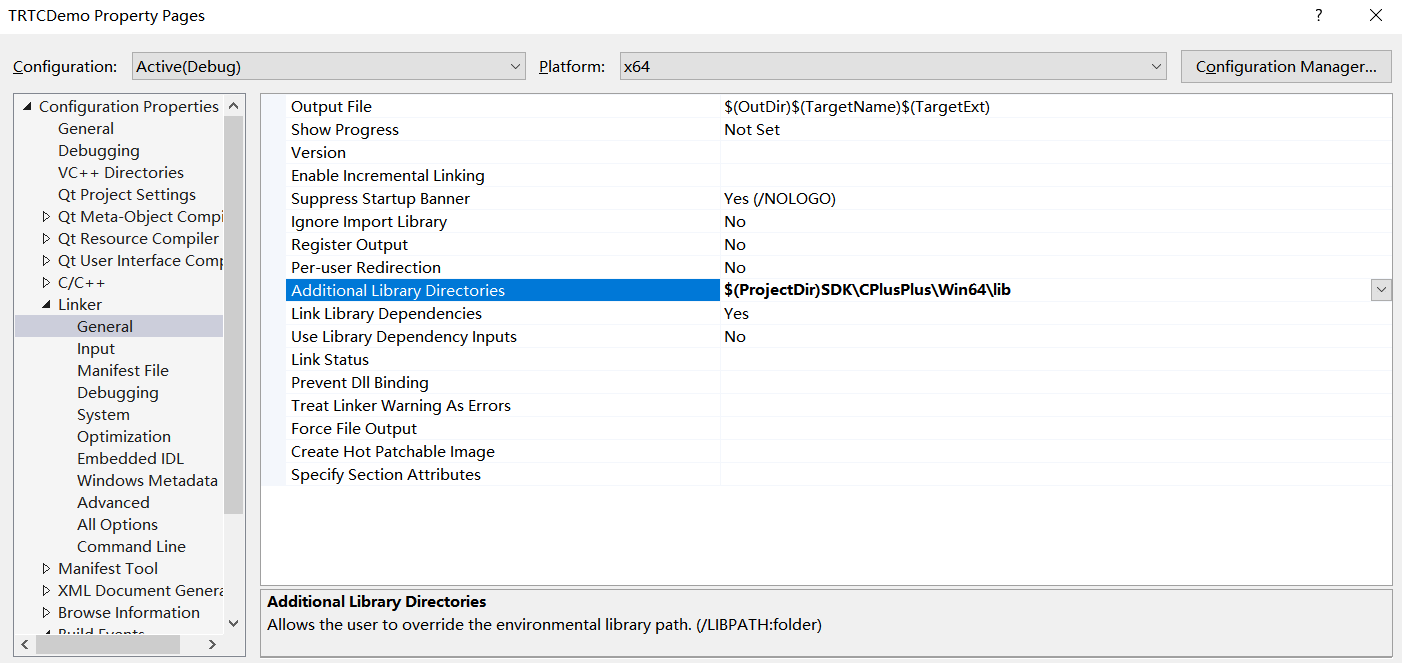
liteav.lib to Additional Dependencies.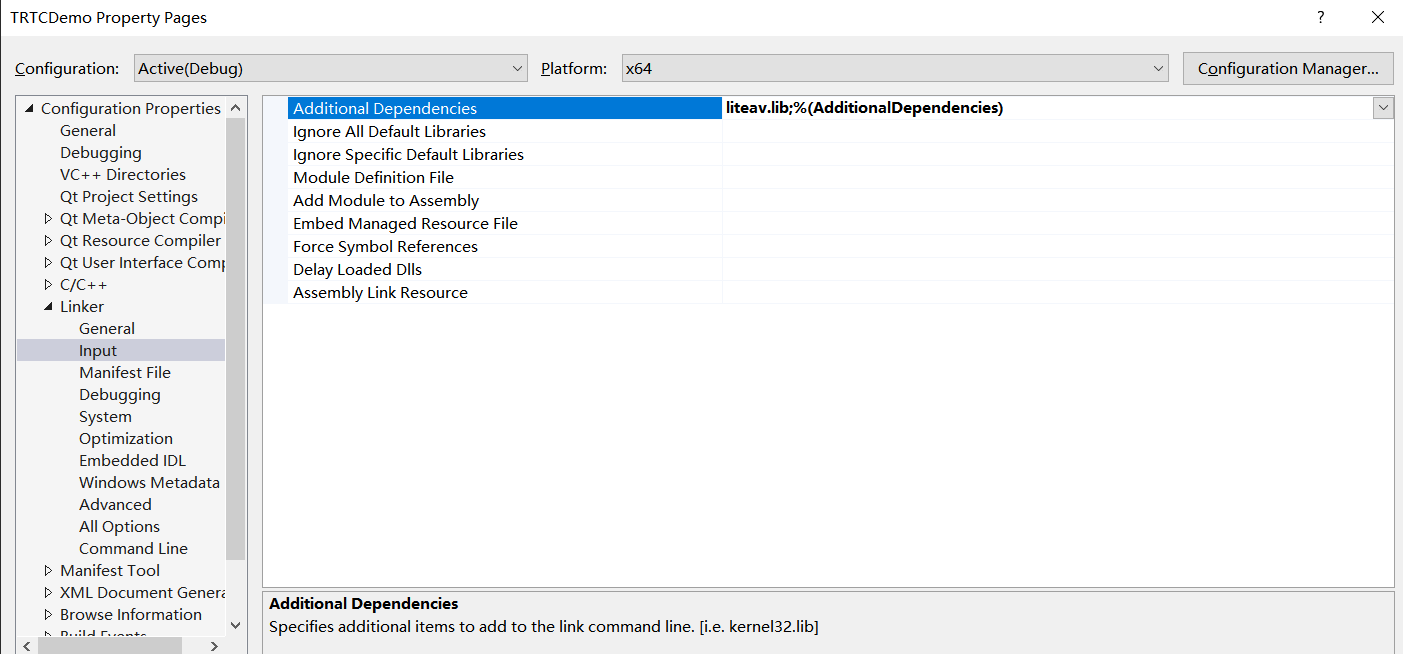
copy /Y $(ProjectDir)SDK\\CPlusPlus\\Win64\\lib\\*.dll $(OutDir) (for 64-bit Windows) to Command Line. This ensures that the DLL files of the SDK are automatically copied to the project’s execution directory after compilationcopy /Y $(ProjectDir)SDK\\CPlusPlus\\Win32\\lib\\*.dll $(OutDir).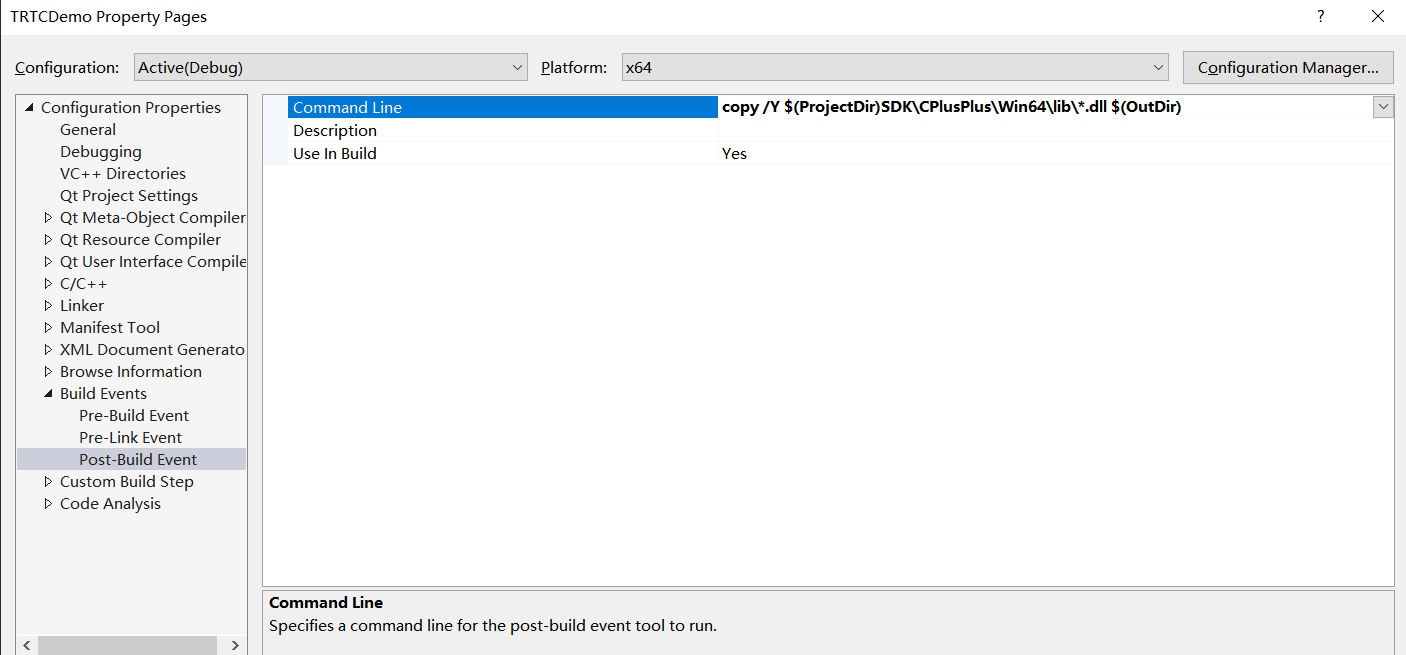
TRTCDemo.cpp file, add the code below to import the header file:#include "ITRTCCloud.h"#include <QLabel>
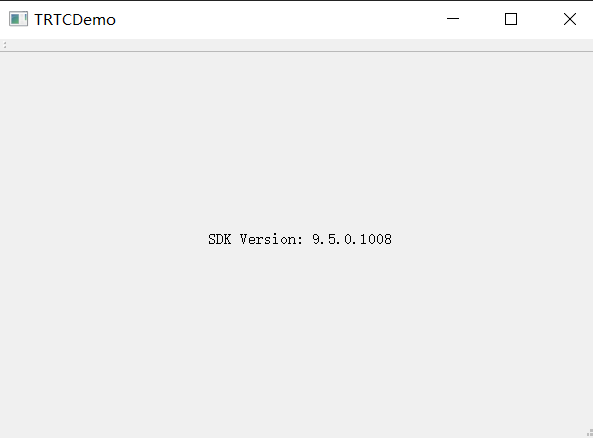
TRTCDemo::TRTCDemo constructor of TRTCDemo.cpp, add the following testing code:ITRTCCloud * pTRTCCloud = getTRTCShareInstance();std::string version(pTRTCCloud->getSDKVersion());QString sdk_version = QString("SDK Version: %1").arg(version.c_str());QLabel* label_text = new QLabel(this);label_text->setAlignment(Qt::AlignCenter);label_text->resize(this->width(), this->height());label_text->setText(sdk_version);
fatal error C1083: Could not open include file: “TRTCCloud.h”: No such file or directory
error LNK2019: unresolved external symbol "__declspec(dllimport) public: static class TXString __cdecl TRTCCloud::getSDKVersion(void)" (__imp_?getSDKVersion@TRTCCloud@@SA?AVTXString@@XZ), referenced in function "protected: virtual int __thiscall CTRTCDemoDlg::OnInitDialog(void)" (?OnInitDialog@CTRTCDemoDlg@@MAEHXZ)
Esta página foi útil?
Você também pode entrar em contato com a Equipe de vendas ou Enviar um tíquete em caso de ajuda.
comentários