tencent cloud

Tag

Product Introduction
Overview
Features
Scenarios
Use Limits
Resource Types Supporting Tag APIs
Purchase Guide
Getting Started
Creating Tags and Binding Resources
Querying Resources by Tag
Operation Guide
Creating Tags
Tagging Resources
Unbinding Tags
Unbinding or Modifying Tags in Batches
Deleting Tags
Viewing Tagged Resources
Querying and Editing Resource Tags
Setting Tag Quotas
Exporting Resource Tags
Query Tag Modification Record
CreatedBy
Tag Policy
Exporting a Tag List
API Documentation
History
Introduction
API Category
Making API Requests
Write APIs
Read APIs
Project APIs
Data Types
Error Codes
FAQs
Glossary
DocumentaçãoTagOperation GuideExporting Resource Tags

Exporting Resource Tags

PDF
Modo Foco
Tamanho da Fonte
Última atualização: 2024-05-21 17:44:27

Overview

You can export information such as resource list, resource association tag, resource type, and belonging business for analysis via the Tag Console.

Directions

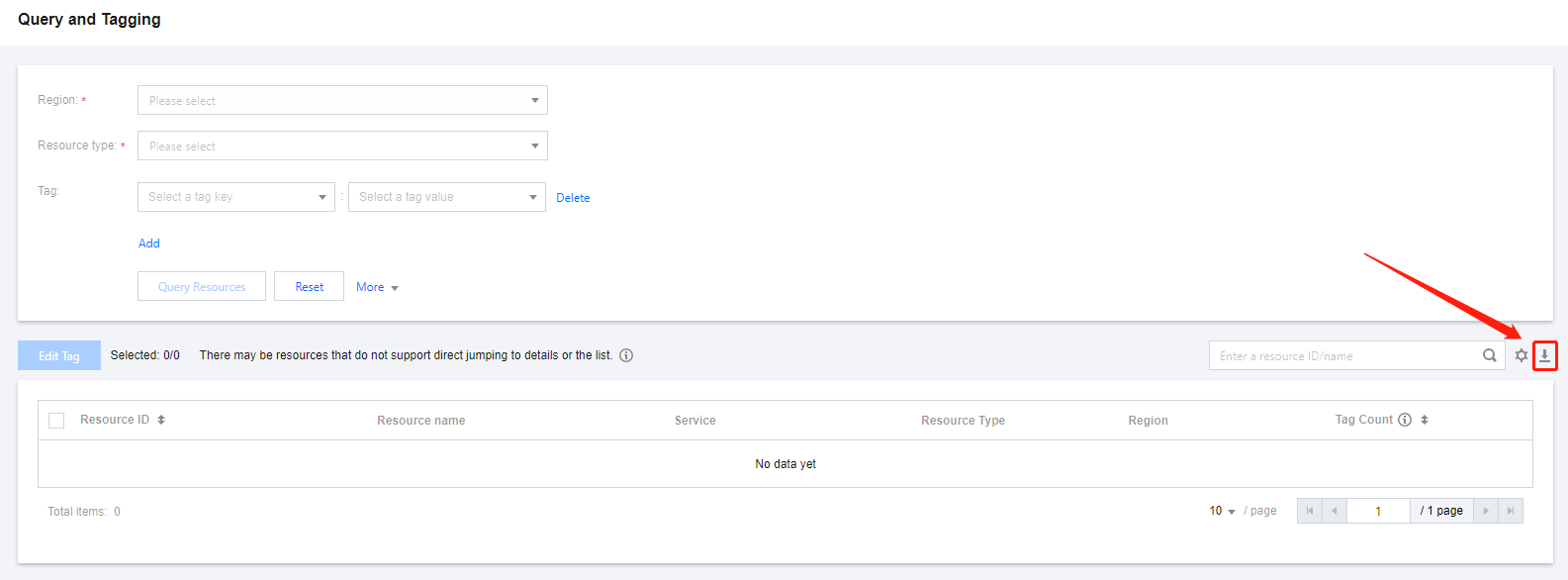
1. Log in to the Tag Console, and enter the Resource Tag page.
2. Choose the required region, resource type, and tag data.
3. Click the

button on the right.

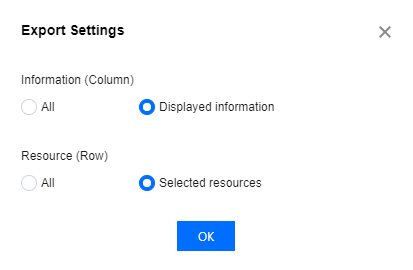
4. On the Export Options page, choose the desired export fields and range as needed, click OK to complete the download.

5. After the data has been downloaded, you can go to the local directory to view the exported data.

Report Format

The exported data is in CSV format. You can use common spreadsheet software to open the CSV file for further analysis or develop an application program to use the CSV file and perform customized analysis.
The CSV file contains the following information:

Column Attribution

Field Name

Field Description
Column A
Resource ID
Resource ID Information
Column B
Resource Name
Display name of resources as defined on the product side. To change, go to the corresponding business console.
If the value is empty, it means that the service does not support pulling resource name information or that the resource does not support custom definition of resource names.
Column C
Product Name
Cloud product name of the resource, such as CVMs, COS, and CLB.
Column D
Resource Type
Resource type of the resource.
Column E
Region
Resource region of the resource.
If the value is not region-specific, it indicates that the resource has no associated region concept.
Column F
Number of Tags
The number of tags associated with the current resource.
Column G
Tag Key/Tag Value
First Row: Tag key associated with the resource.
Second Row: Tag value associated with the resource.
In case of multiple tags, additional columns will be added gradually.
If the value is empty, it indicates the corresponding resource is not associated with any tag key/tag value.


Ajuda e Suporte

Esta página foi útil?

comentários