Overview
You can export custom tag key values from the tag list console for analysis.
Directions
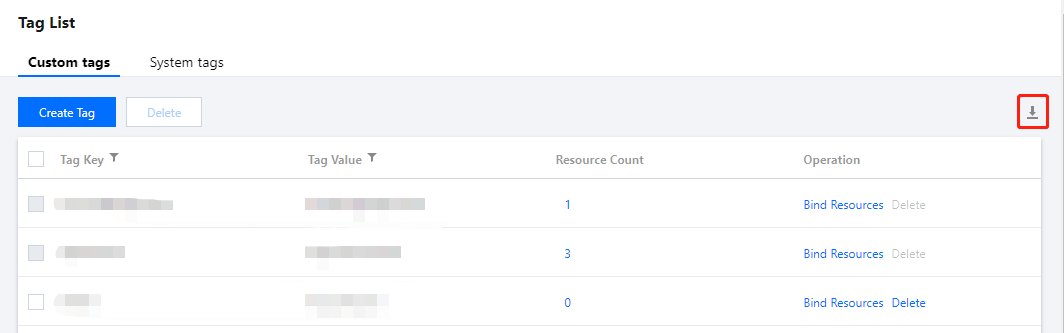
1. Log in to the Tag console > Tag List > Custom tags tab. 2. Filter the tag key values you need to export (up to 50,000 each time).
Export All Tags:
Click on the right side, choose the export range: All Tags, and click OK to complete the download. Export Filtered Tags:
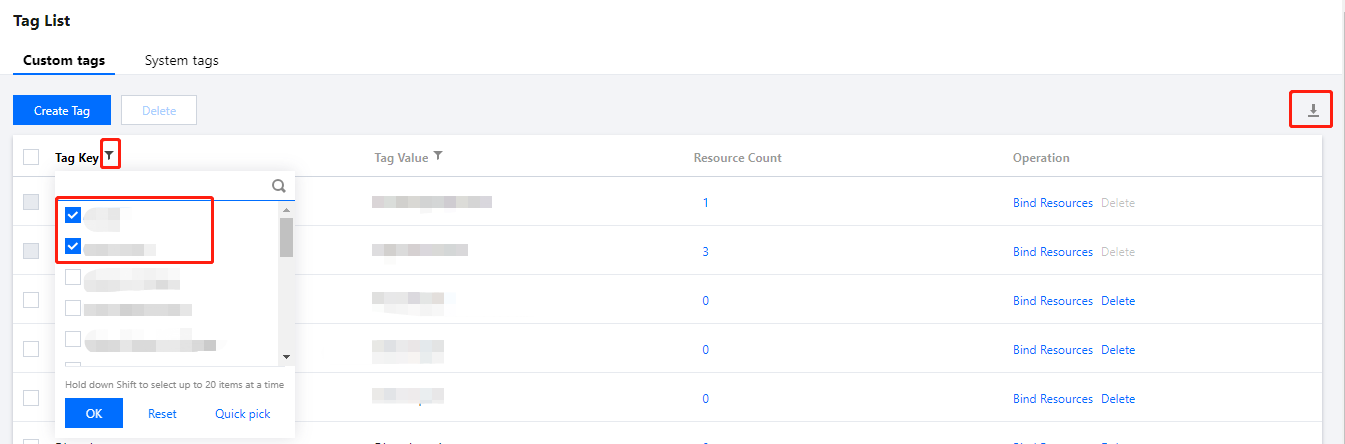
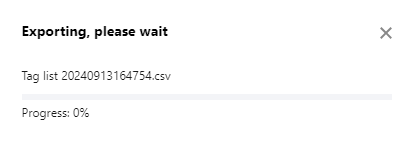
Click , and check the tag keys you need to download. Click on the right side, choose the export range: Filtered Tags, and click OK to complete the download. 3. During the download process, the current data download progress is displayed.
4. After the data download is complete, you can go to the local directory to view the exported data.
Report Format
The exported data is in the CSV file format. You can use common spreadsheet software to open the CSV file for analysis, or build an application to use the CSV file programmatically and perform custom analysis.
The CSV file contains the following information:
|
Column A |
Tag key |
Tag key (key) |
Column B |
Tag value |
Tag value (value) |