tencent cloud

Tag

Product Introduction
Overview
Features
Scenarios
Use Limits
Resource Types Supporting Tag APIs
Purchase Guide
Getting Started
Creating Tags and Binding Resources
Querying Resources by Tag
Operation Guide
Creating Tags
Tagging Resources
Unbinding Tags
Unbinding or Modifying Tags in Batches
Deleting Tags
Viewing Tagged Resources
Querying and Editing Resource Tags
Setting Tag Quotas
Exporting Resource Tags
Query Tag Modification Record
CreatedBy
Tag Policy
Exporting a Tag List
API Documentation
History
Introduction
API Category
Making API Requests
Write APIs
Read APIs
Project APIs
Data Types
Error Codes
FAQs
Glossary

Enabling Tag Policy Restrictions

PDF
Modo Foco
Tamanho da Fonte
Última atualização: 2025-08-08 14:13:12

Overview

After creating a tag policy, you can also enable tag policy key-value restrictions to achieve the following effects:
1. The tag key Department needs to be applied to both sub-user 1 and sub-user 2.
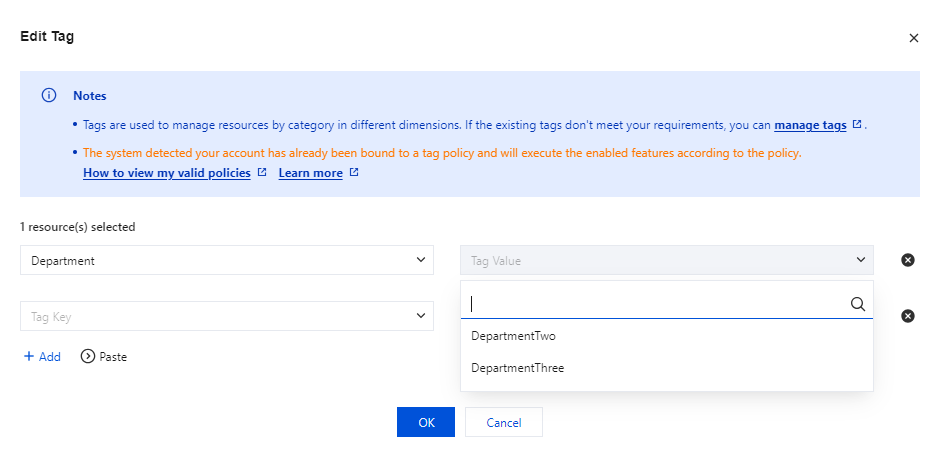
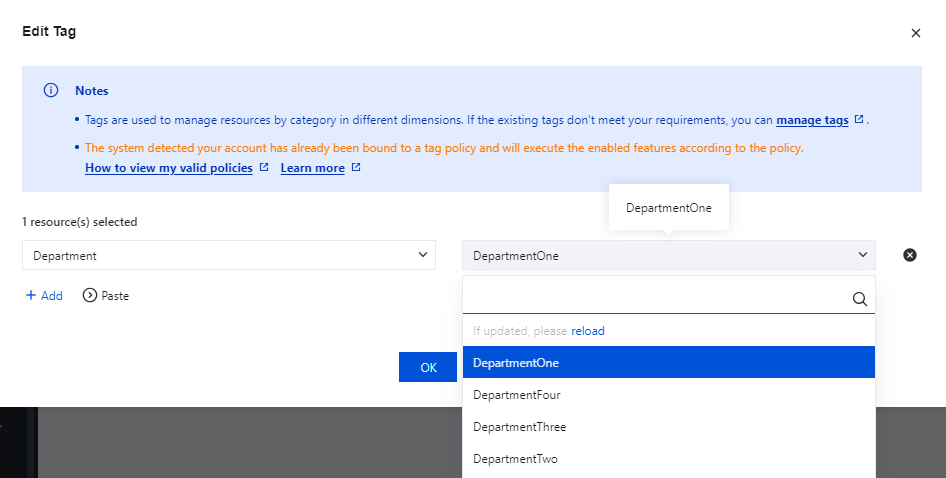
2. Sub-user 1 can only use Department: DepartmentOne, while sub-user 2 can only use Department: DepartmentTwo and Department: DepartmentThree.
According to Creating Tag Policy, the specified tag values can be fixed values and dynamic values. However, since the same tag key of sub-user 2 has two tag values, they can be only fixed values.
When creating tag policies for sub-user 1 and sub-user 2, it is necessary to create a dedicated tag policy for each sub-user. Specifically, the tag value in sub-user 1's policy should only include DepartmentOne, and the tag value in sub-user 2's policy should only include DepartmentTwo and DepartmentThree.

Step 1: Administrator Enables Restrictions

1. Log in to the tag console and click Tag Policy > Policy List on the left sidebar.
2. Click Create tag policy. For detailed steps, refer to Creating Tag Policy. There are 2 policies for 2 sub-users, as shown below:
2.1 Same for both policies:
2.1.1 "auto_assign": {"@@assign": "on"} indicates that the tag key for Department has auto-assignment enabled for both sub-user 1 and sub-user 2.
2.2 Different for two policies:
"auto_assign_value": {"@@assign": "on"} in sub-user 1's policy indicates that the tag value has auto-assignment for sub-user 1 because its tag value is unique and does not require manual selection. However, the Department tag value for sub-user 2 is not unique, so sub-user 2 needs to select it manually and it is not set in the policy.
Tag policy of sub-user 1
Tag policy of sub-user 2
{
"tags": {
"Department": {
"tag_key": {
"@@assign": "Department"
},
"tag_value": {
"@@assign": [
"DepartmentOne"
]
},
"resource_type_scope": {
"@@assign": [
"*"
]
},
"auto_assign": {
"@@assign": "on"
},
"auto_assign_value": {
"@@assign": "on"
}
}
}
}
{
"tags": {
"Department": {
"tag_key": {
"@@assign": "Department"
},
"tag_value": {
"@@assign": [
"DepartmentTwo",
"DepartmentThree"
]
},
"resource_type_scope": {
"@@assign": [
"*"
]
},
"auto_assign": {
"@@assign": "on"
}
}
}
}
3. Then bind policy 1 to sub-user 1 and policy 2 to sub-user 2. For details, see Binding Tag Policy.
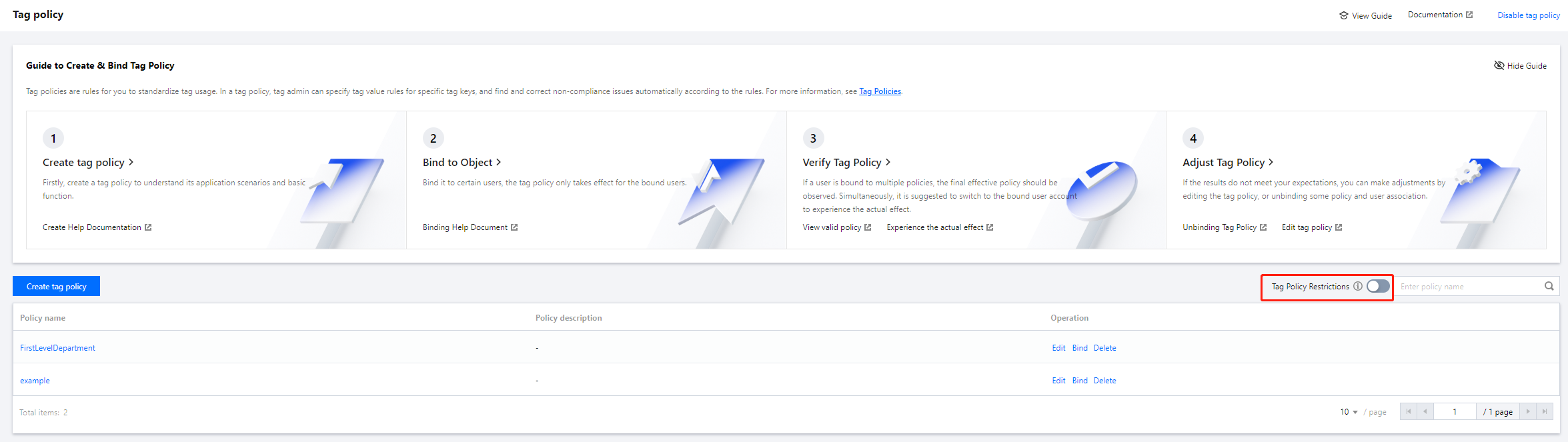
4. In the tag policy list, enable Tag Policy Restrictions and confirm it in the pop-up window.


Step 2: Sub-User Performs Verification

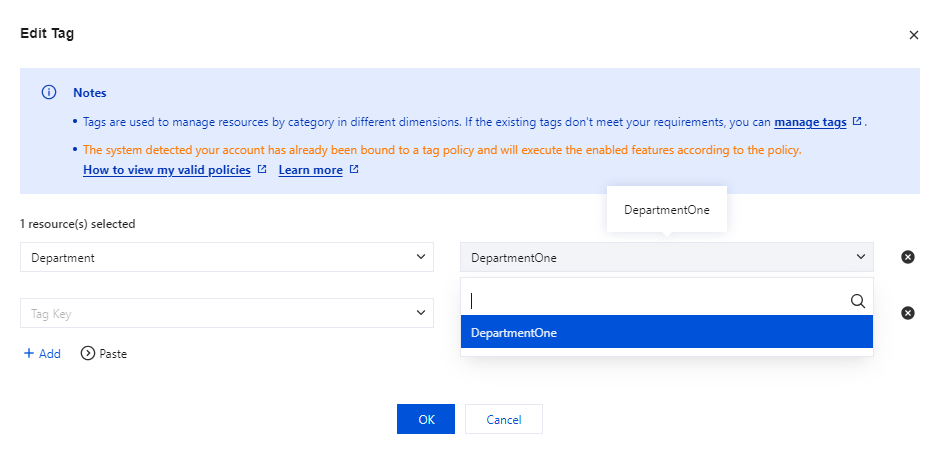
1. Switch to sub-user 1 and log in. The effect is as follows:
Condition
Use Tag Policy with Key-Value Restrictions Enabled
Use Tag Policy Without Key-Value Restrictions Enabled
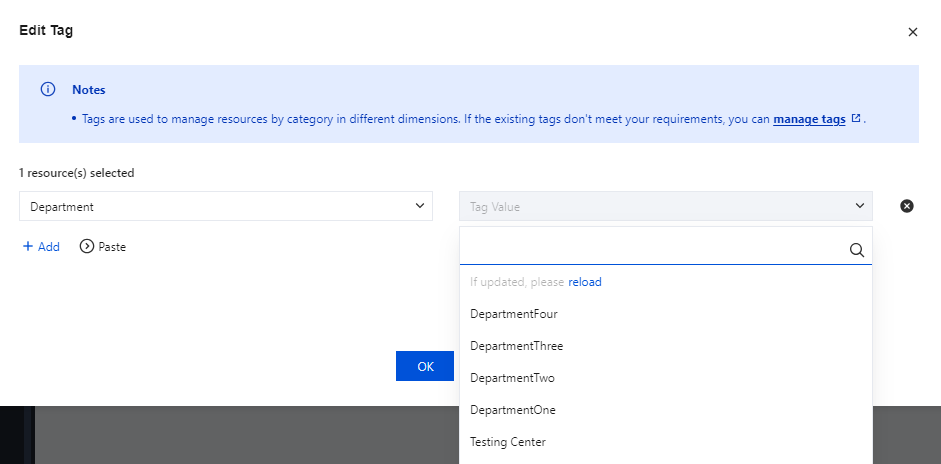
Use No Tag Policy
Effect


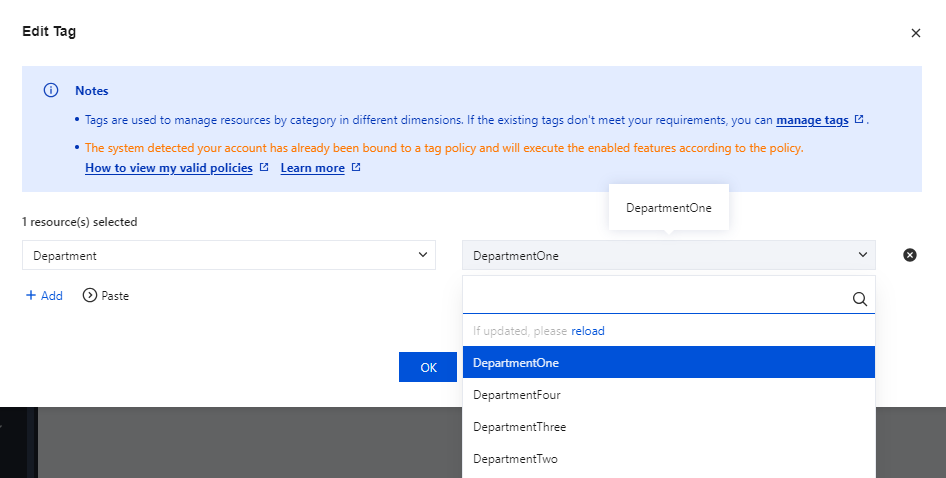
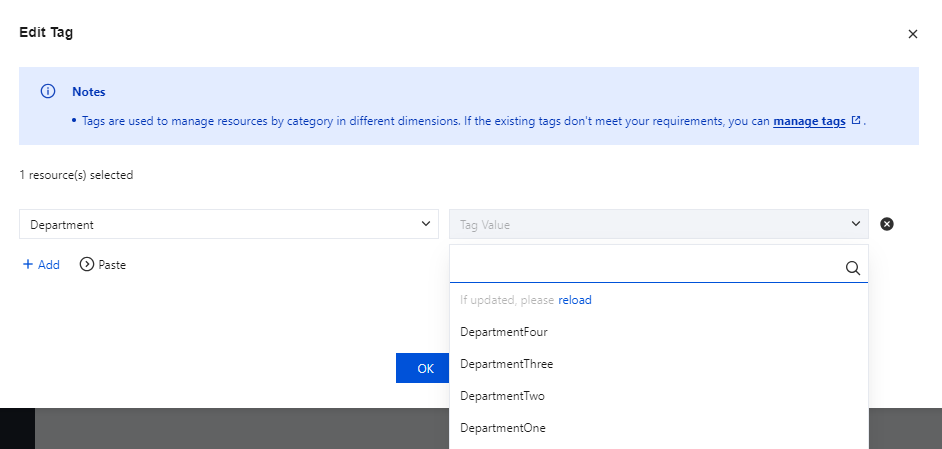
2. Switch to sub-user 2 to log in. The effect is as follows:
Condition
Use Tag Policy with Key-Value Restrictions Enabled
Use Tag Policy Without Key-Value Restrictions Enabled
Use No Tag Policy
Effect


Ajuda e Suporte

Esta página foi útil?

comentários