
Serverless 多文件上传处理
最后更新时间:2023-12-22 10:07:15
Serverless 多文件上传处理
最后更新时间: 2023-12-22 10:07:15
操作场景
通过腾讯云 Serverless 处理 multipart/form-data 多文件上传的 HTTP 请求,原理上需要利用 API 网关的 Base64 编码能力,将原始 HTTP 请求中的 multipart 字节流编码为字符串,以便将 HTTP Event 序列化,传入云函数 SCF 进行处理。
云函数将 API 网关传来 event 中的 body 获取并解码 Base64 后,生成的字节流则与普通 HTTP 请求中的无异,正常处理即可。在 Node.JS 中,我们可以利用
busboy 等库进行处理。操作步骤
步骤1:创建云函数
1. 登录 云函数控制台。
2. 在函数服务页面,单击新建,创建一个
Node.js 云函数。创建时,具体参数如下:
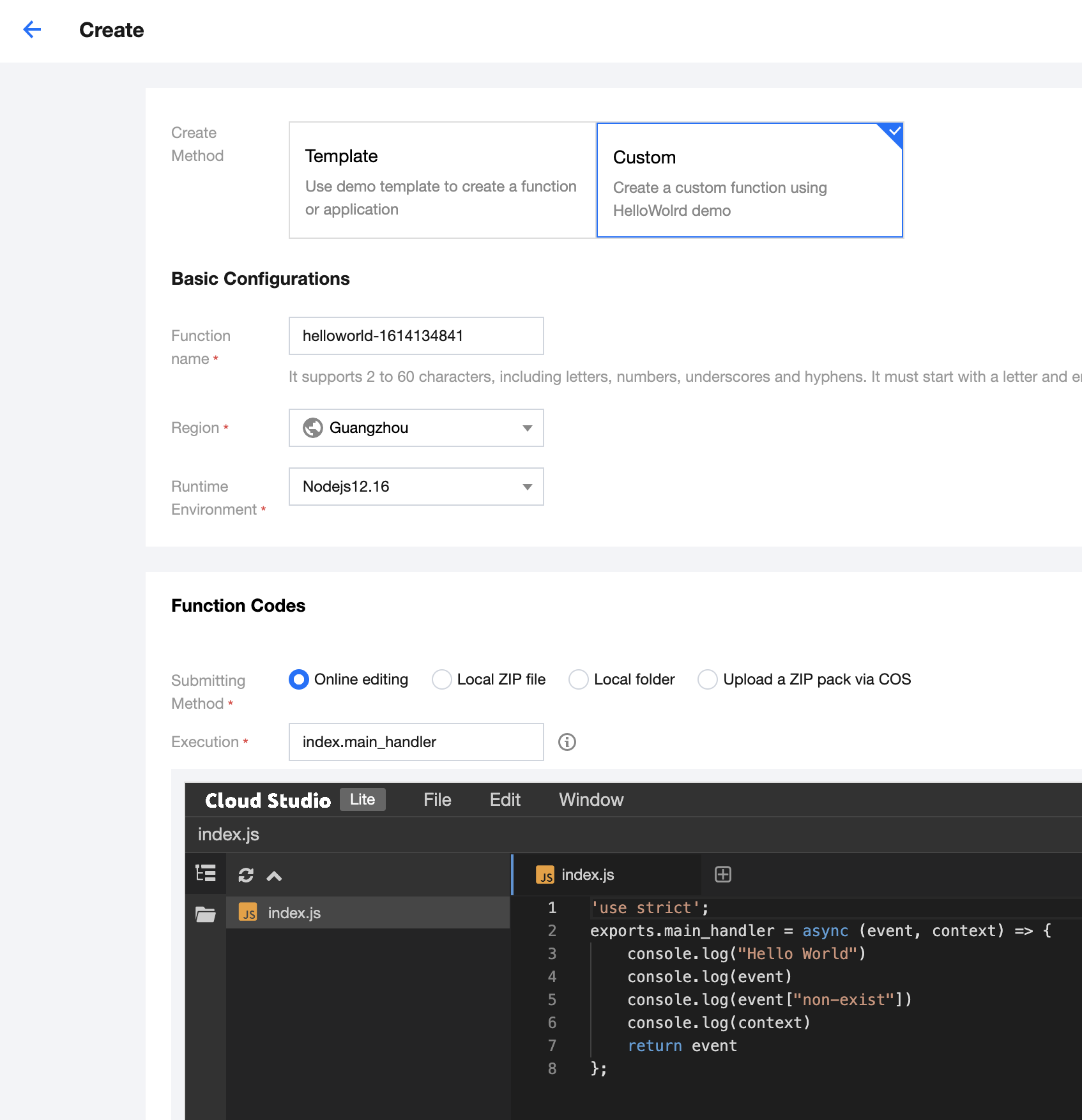
3. 单击完成,完成云函数的创建。
步骤2:编写代码并部署
1. 云函数创建完成后,可以参考以下示例代码编写处理 multipart/form-data 的具体逻辑。
// handler.js"use strict";const stream = require("stream");const Busboy = require("busboy");/** 处理用户上传 (POST) */const handlePost = (event) => {return new Promise((resolve, reject) => {const busboy = new Busboy({ headers: event.headers });let html = "";/** 接受到文件 */busboy.on("file", (fieldname, file, filename, encoding, mimetype) => {let buf = Buffer.alloc(0);console.log({ fieldname });/** 接受到文件的数据块,拼接出完整的 buffer */file.on("data", function (data) {buf = Buffer.concat([buf, data]);});/** 文件的数据块接受完毕,生成 DOM 字符串 */file.on("end", function () {const imgBase64 = buf.toString("base64");html += ``;});});/** multipart/form-data 接受完毕,构造并返回生成的 html */busboy.on("finish", function () {console.log({ msg: "Parse form complete!", html });resolve({statusCode: 200,headers: {"content-type": "text/html",},body: html,});});/*** busboy 需要 stream pipe 的方式来进行处理,* 我们将 body 解码为 buffer后,* 转换为 stream,最终 pipe 给 busbody*/const bodyBuf = Buffer.from(event.body, "base64");var bufferStream = new stream.PassThrough();bufferStream.end(bodyBuf);bufferStream.pipe(busboy);});};/** 返回静态文件 */const handleGet = (event) => {const html = `<html><head></head><body><form method="POST" enctype="multipart/form-data"><input type="file" name="image-1" accept="image/*"><br /><input type="file" name="image-2" accept="image/*"><br /><input type="submit"></form></body></html>`;console.log({ msg: "Get form complete!", html });return {statusCode: 200,headers: {"content-type": "text/html",},body: html,};};/** 云函数入口函数 */exports.main_handler = async (event, context) => {const method = event.httpMethod;/** 当请求为 POST 请求时,我们处理用户的 multipart/form-data,并生成展示上传结果的页面 */if (method === "POST") {return handlePost(event);}/** 当请求为 GET 请求时,我们返回上传文件的页面 */if (method === "GET") {return handleGet(event);}};
2. 编写代码后,您也可以为云函数安装运行时需要的依赖。例如,利用 busboy 进行 multipart/form-data 数据的解码。
注意:
依赖要安装在 src 文件夹下。
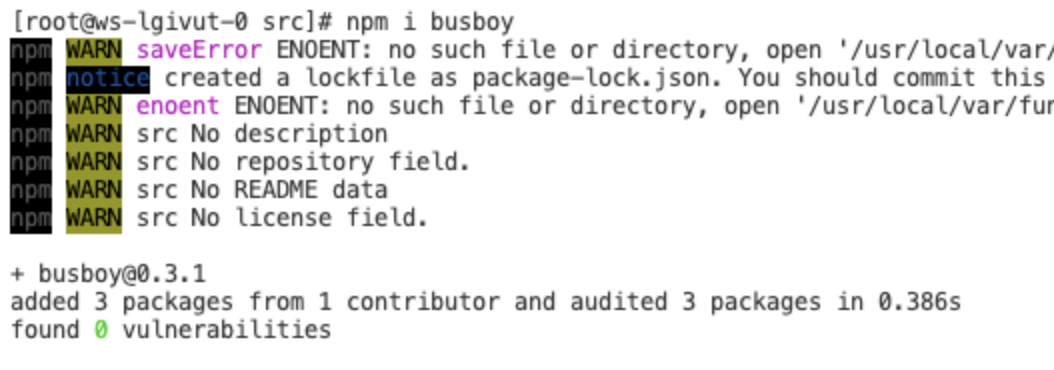
3. 单击部署,完成云函数的部署。
步骤3:绑定 API 网关触发器
在云函数的触发管理中,我们需要为云函数绑定 API 网关触发器,才能够处理用户具体的 HTTP 请求,具体的绑定方式和配置如下图:
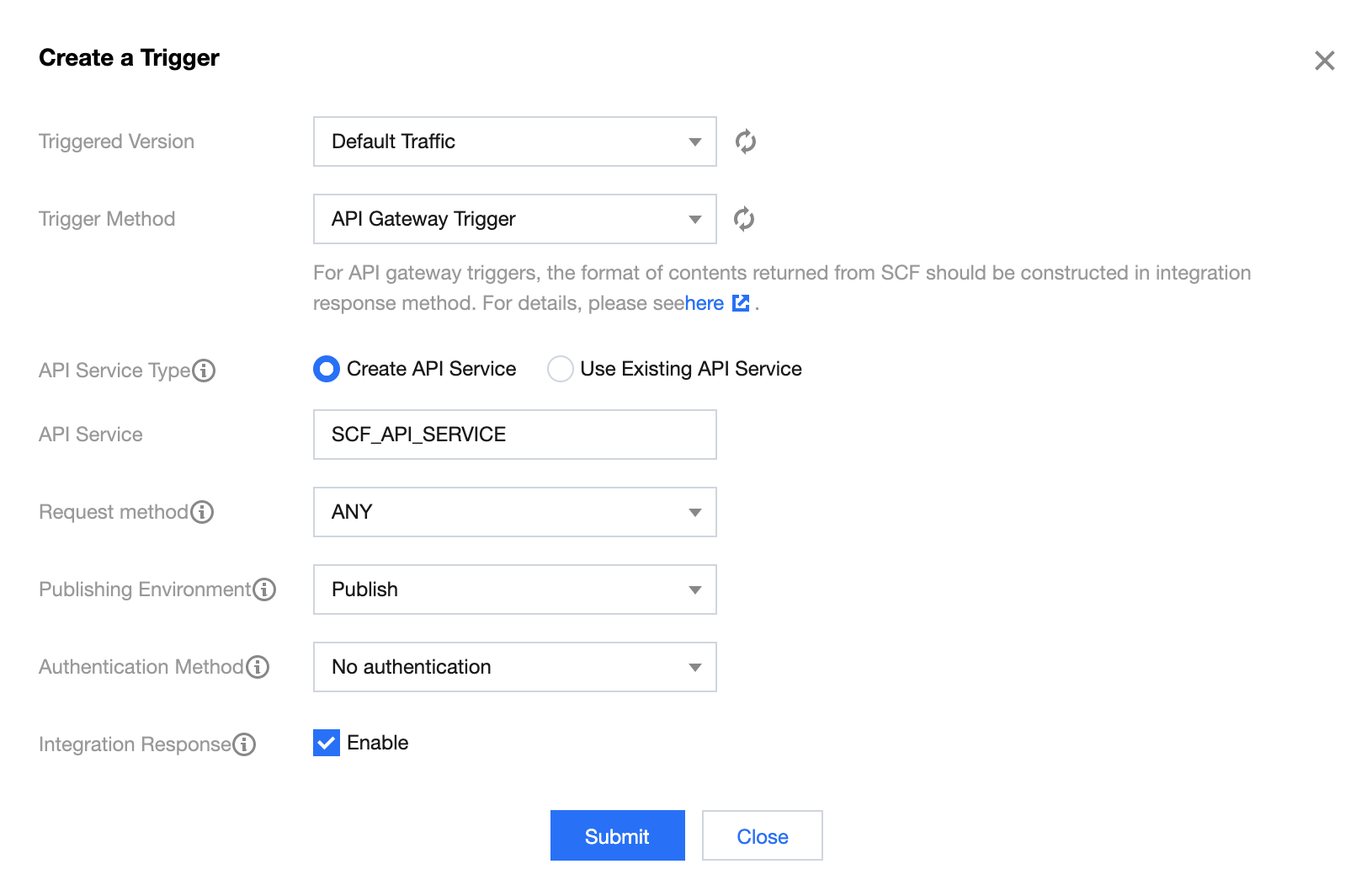
这个时候,如果访问 API 网关绑定的链接,会发现虽然静态页面能够工作,但是上传图片后,页面没有展示正确的结果。这是因为默认情况下,API 网关没有开启 base64 编码功能,multipart formdata 被错误编码为字符串传入 handler 函数,busboy 自然无法进行解码。
因此,我们需要进入 API 网关,找到绑定的 API 服务,在其中的基础配置中打开 base64 编码。
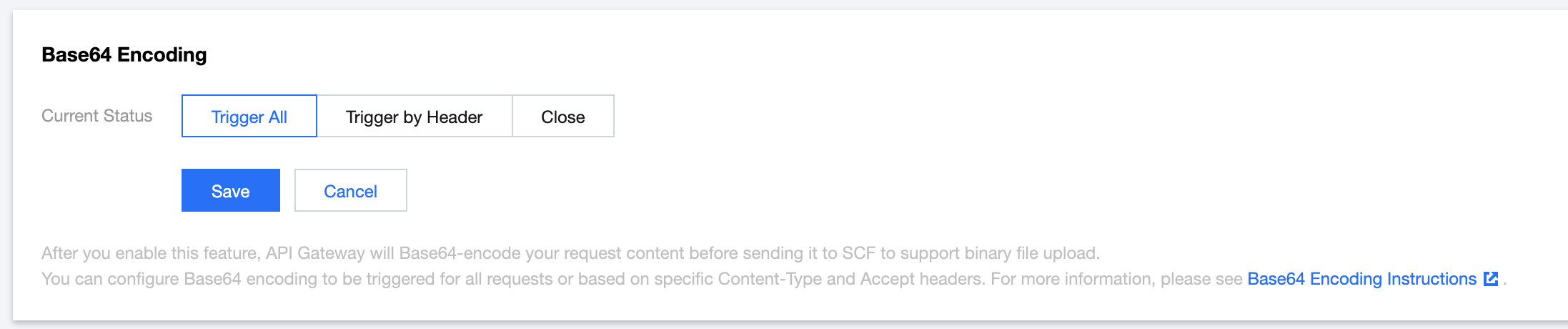
打开并发布服务后,我们的服务就可以正常工作了。
示例 Demo
文档反馈