即时通信 IM

Demo 专区

产品文档

【版权声明】

©2013-2026 腾讯云版权所有

本⽂档著作权归腾讯云单独所有,未经腾讯云事先书⾯许可,任何主体不得以任何形式复制、修改、抄袭、传播全部或部分本⽂档内容。
【商标声明】

及其他腾讯云服务相关的商标均为腾讯集团下的相关公司主体所有。另外,本⽂档涉及的第三⽅主体的商标,依法由权利⼈所有。
【服务声明】

本⽂档意在向客户介绍腾讯云全部或部分产品、服务的当时的整体概况,部分产品、服务的内容可能有所调整。您所购买的腾讯云产品、服务的种类、服务标准等应由您与腾讯云之间的商业合同约定,除⾮双⽅另有约定,否则,腾讯云对本⽂档内容不做任何明⽰或默⽰的承诺或保证。

文档目录

Demo 专区

开通服务

最近更新时间:2026-03-17 17:20:13

体验 Demo

最近更新时间:2026-03-03 11:29:20

快速跑通

概述

最近更新时间:2026-03-03 11:29:20

移动端

Android(View)

最近更新时间:2026-03-03 11:29:20

iOS(UIKit)

最近更新时间:2026-03-26 15:03:59

Flutter

最近更新时间:2026-03-03 11:29:20

uniapp

最近更新时间:2026-03-03 11:29:20

React Native

最近更新时间:2026-03-03 11:29:20

Unity

最近更新时间:2026-03-03 11:29:21

UE

最近更新时间:2026-03-03 11:29:21

桌面端

React

最近更新时间:2026-03-03 11:29:21

Electron

最近更新时间:2026-03-03 11:29:21

Vue

最近更新时间:2026-03-03 11:29:21

\"}],\"id\":\"OHLfrN1CZuClABNJmWDvW\"},{\"type\":\"code-line\",\"children\":[{\"text\":\"\"}],\"id\":\"BEjwIo0J5vyND_QR4kusq\"},{\"type\":\"code-line\",\"children\":[{\"text\":\"\"}],\"id\":\"gGY0VSqPN50A1z0m-Zu62\"},{\"type\":\"code-line\",\"children\":[{\"text\":\"\"}],\"id\":\"X0FlnkHXaavl4V0D30yEk\"},{\"type\":\"code-line\",\"children\":[{\"text\":\"\"}],\"id\":\"2ht05L3Soy7R5rrlCn15E\"}],\"id\":\"8U6A3d7aW7OP-iS9JSa_h\",\"autoWrap\":false,\"executionContext\":{},\"indent\":1},{\"id\":\"JErG4rKhFuU9I9i_5vr5-\",\"children\":[{\"text\":\"常见问题\"}],\"nodeId\":\".E5.B8.B8.E8.A7.81.E9.97.AE.E9.A2.98\",\"type\":\"h2\"},{\"id\":\"gGAYXxb9CBBSO0yENy4ir\",\"children\":[{\"text\":\"支持哪些平台?\"}],\"nodeId\":\".E6.94.AF.E6.8C.81.E5.93.AA.E4.BA.9B.E5.B9.B3.E5.8F.B0.EF.BC.9F\",\"type\":\"h4\"},{\"id\":\"eM_m2WzCRX4nwhIdQfBXE\",\"children\":[{\"text\":\"目前支持 iOS、Android、Windows、Mac 和 WebGL。\"}],\"type\":\"p\"},{\"id\":\"CJWscYGBz7jS9DsmBYK9c\",\"children\":[{\"text\":\"Android 单击 Build And Run 报错找不到可用设备?\"}],\"nodeId\":\"android-.E5.8D.95.E5.87.BB-build-and-run-.E6.8A.A5.E9.94.99.E6.89.BE.E4.B8.8D.E5.88.B0.E5.8F.AF.E7.94.A8.E8.AE.BE.E5.A4.87.EF.BC.9F\",\"type\":\"h4\"},{\"id\":\"O5LQA-geJX3kLRBIfrjUv\",\"children\":[{\"text\":\"确保设备没被其他资源占用,或单击 Build 生成 apk 包,再拖动进模拟器里运行。\"}],\"type\":\"p\"},{\"id\":\"ZDK3JQWJinPnbY1UDVVoh\",\"children\":[{\"text\":\"iOS 第一次运行报错?\"}],\"nodeId\":\"ios-.E7.AC.AC.E4.B8.80.E6.AC.A1.E8.BF.90.E8.A1.8C.E6.8A.A5.E9.94.99.EF.BC.9F\",\"type\":\"h4\"},{\"id\":\"XWKj8PxCuKpJJYg65xBx6\",\"children\":[{\"text\":\"按照上面的 Demo 运行配置后,如果报错,可以单击\"},{\"b\":1,\"text\":\"Product\"},{\"text\":\">\"},{\"b\":1,\"text\":\"Clean\"},{\"text\":\",清除产物后重新 Build,或者关闭 Xcode 重新打开再次 Build。\"}],\"type\":\"p\"},{\"id\":\"no8ncWRrtdNAAKdRbK2Zq\",\"children\":[{\"text\":\"2019.04版 Unity,iOS 平台报错?\"}],\"nodeId\":\"2019.04.E7.89.88-unity.EF.BC.8Cios-.E5.B9.B3.E5.8F.B0.E6.8A.A5.E9.94.99.EF.BC.9F\",\"type\":\"h4\"},{\"id\":\"wVZe1Dbkx8lss6X38StgV\",\"children\":[{\"text\":\"Library/PackageCache/\"},{\"isBlock\":false,\"text\":\"com.unity.collab-proxy@1.3.9\"},{\"text\":\"/Editor/UserInterface/Bootstrap.cs(23,20): error CS0117: 'Collab' does not contain a definition for 'ShowChangesWindow'\\n在 Editor 工具栏单击\"},{\"b\":1,\"text\":\"Window\"},{\"text\":\">\"},{\"b\":1,\"text\":\"Package Manager\"},{\"text\":\",将 Unity Collaborate 降级到1.2.16。\"}],\"type\":\"p\"},{\"id\":\"PB_QSPx1JO4J9v-wpiHoE\",\"children\":[{\"text\":\"2019.04版 Unity,iOS 平台报错?\"}],\"nodeId\":\"2019.04.E7.89.88-unity.EF.BC.8Cios-.E5.B9.B3.E5.8F.B0.E6.8A.A5.E9.94.99.EF.BC.9F2\",\"type\":\"h4\"},{\"id\":\"YcQOJ_8UR2TQLSN_-IrtU\",\"children\":[{\"text\":\"Library/PackageCache/\"},{\"isBlock\":false,\"text\":\"com.unity.textmeshpro@3.0.1\"},{\"text\":\"/Scripts/Editor/TMP_PackageUtilities.cs(453,84): error CS0103: The name 'VersionControlSettings' does not exist in the current context\\n打开源码,把\"},{\"code\":1,\"text\":\"|| VersionControlSettings.mode != \\\"Visible Meta Files\\\"\"},{\"text\":\"这部分代码删除即可。\"}],\"type\":\"p\"},{\"id\":\"QyvW6aetCgTiCr5dXQJb5\",\"type\":\"h4\",\"children\":[{\"text\":\"这是 C# 接口吗?如何脱离 Unity 使用?\"}],\"nodeId\":\"dd70b6df-dc42-4558-8c6d-c234fab98c43\"},{\"type\":\"p\",\"children\":[{\"text\":\"Unity SDK 是使用 C# 的 SDK,但由于 Unity SDK 包含 Unity 特性,不能直接在纯 C# 的环境下使用。\"}],\"id\":\"RGlnTQCOSSeKbRljWxElH\"},{\"type\":\"p\",\"id\":\"YxcmioWxsT0IHxG8dfdTv\",\"children\":[{\"text\":\"若需要能在 C# 环境下使用,我们提供单独的 \"},{\"type\":\"ref\",\"props\":{\"type\":\"link\",\"url\":\"https://www.nuget.org/packages/TencentCloudChat/1.0.1\"},\"children\":[{\"text\":\"C# SDK\"}],\"id\":\"_mgtozusm1FjYouJH_r6V\"},{\"text\":\" nuget 包。使用方法与 Unity SDK 相同,可直接参见 Unity SDK 文档使用。\"}]},{\"type\":\"p\",\"id\":\"jsktjxkgOYV_TWyS1C7XT\",\"children\":[{\"text\":\"其中,纯 C# SDK 只支持 PC 端,Unity SDK 支持移动端。\"}]},{\"type\":\"h4\",\"id\":\"07iMcJ6wgIrljM-VSO-o-\",\"children\":[{\"text\":\"有可以直接使用的 UI 吗?\"}],\"nodeId\":\"edc9d9ff-5309-47d8-a63c-782067b62c9f\"},{\"type\":\"p\",\"children\":[{\"text\":\"现在暂不提供 Unity SDK 和 C# SDK 相应的 UIKit。\"}],\"id\":\"vHzFMpbMV7hTSpPlc6ph8\"},{\"id\":\"wkuoOiXz-kwDY4nxvuZk9\",\"children\":[{\"text\":\"错误码如何查询?\"}],\"nodeId\":\".E9.94.99.E8.AF.AF.E7.A0.81.E5.A6.82.E4.BD.95.E6.9F.A5.E8.AF.A2.EF.BC.9F\",\"type\":\"h4\"},{\"id\":\"vBXhfSoW0Gn4EkmzxhMmN\",\"children\":[{\"text\":\"Chat SDK 的 API 层面错误码,请查看 \"},{\"id\":\"jOOeBWBKkgn52lByL5wmV\",\"children\":[{\"text\":\"该文档\"}],\"linkTarget\":\"blank\",\"props\":{\"type\":\"link\",\"url\":\"https://intl.cloud.tencent.com/document/product/1047/34348\"},\"type\":\"ref\"},{\"text\":\"。\"}],\"start\":false,\"type\":\"p\"}]"}},"45907":{"categoryId":1047,"weight":570,"type":"page","extension":"","pid":77753,"id":45907,"lang":"zh","title":"Flutter","pdfUrl":"","docType":"default","children":[],"firstReleaseTime":"2022-03-16 19:42:15","recentReleaseTime":"2022-03-16 19:42:15","content":{"title":"Flutter","body":"
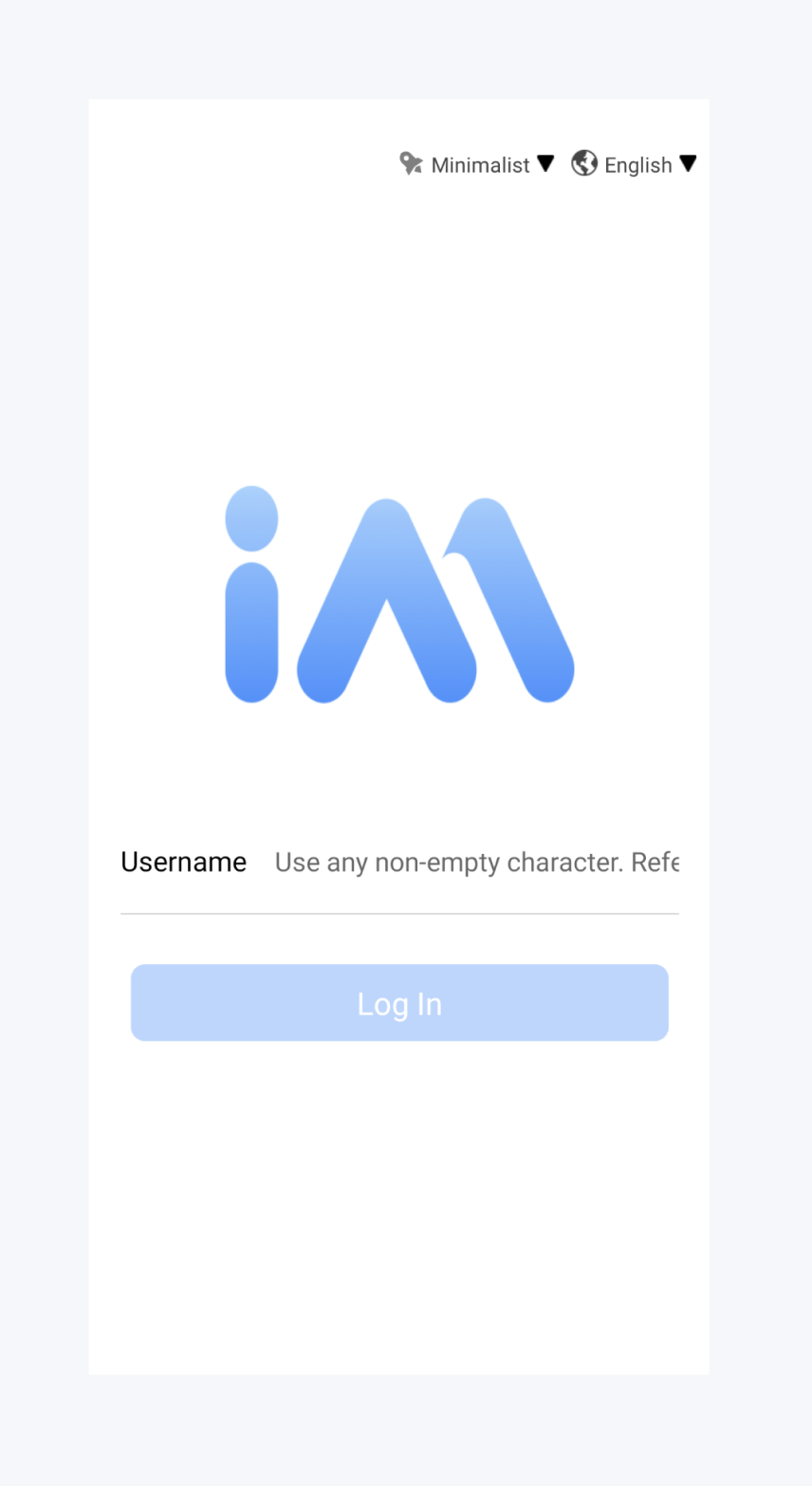
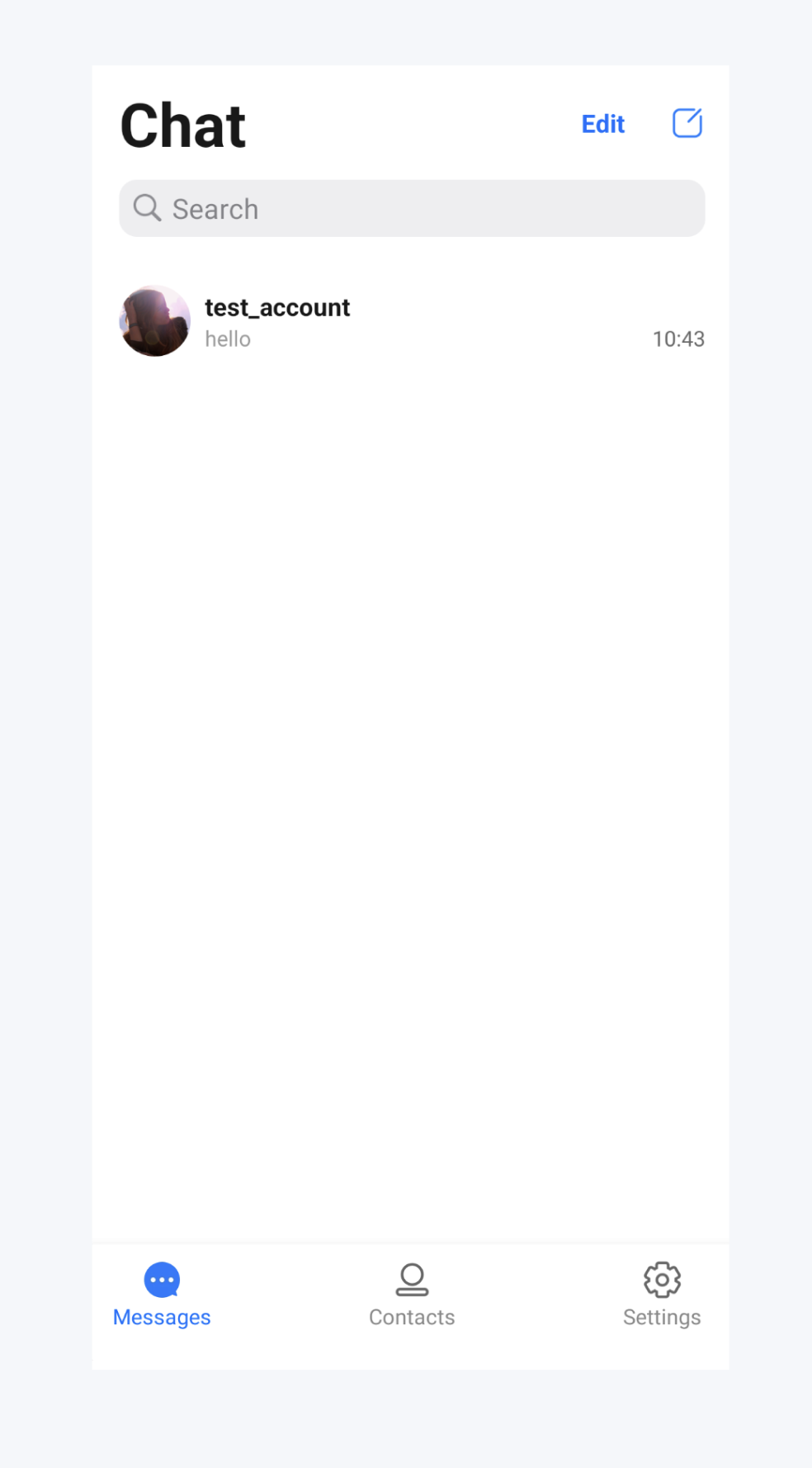
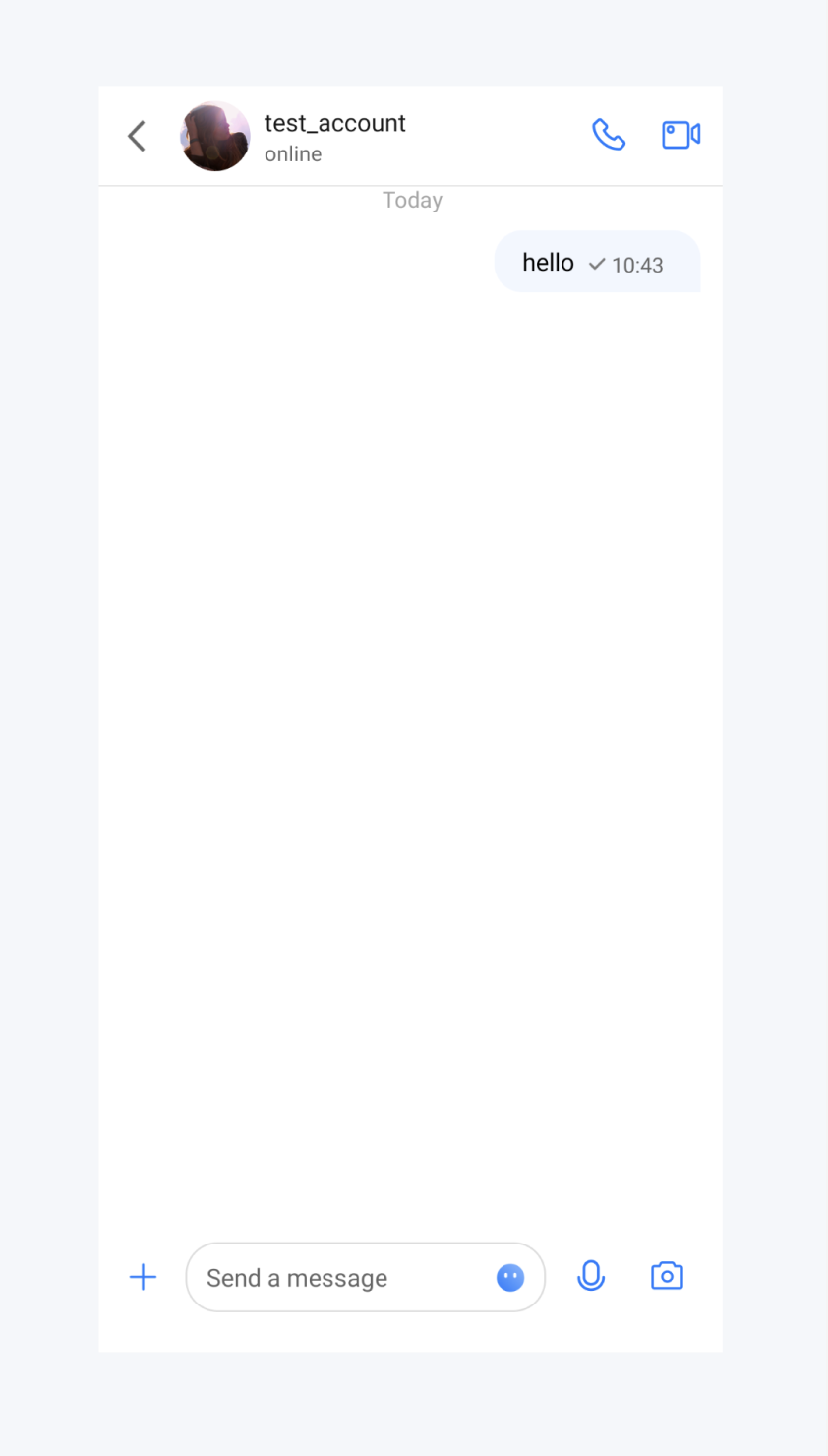
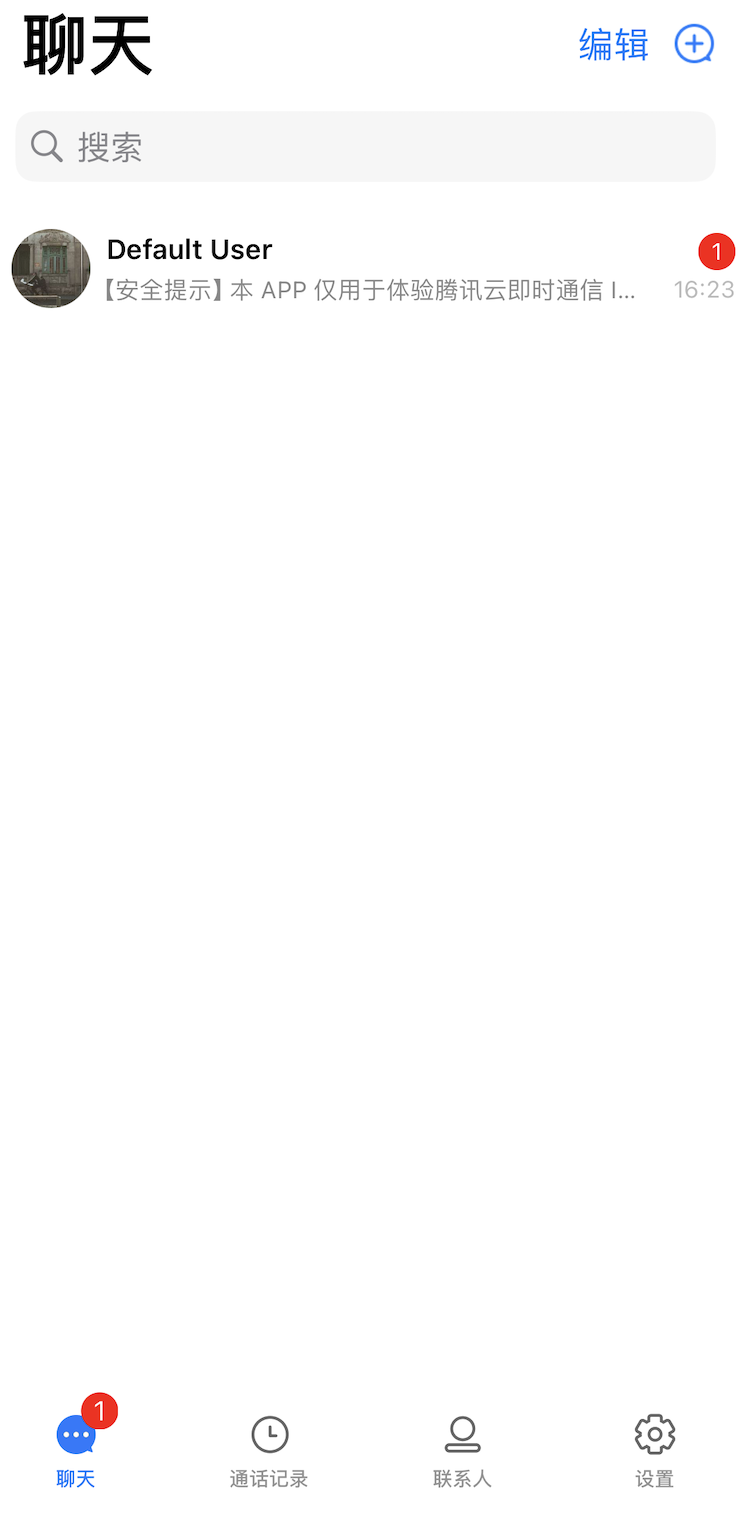
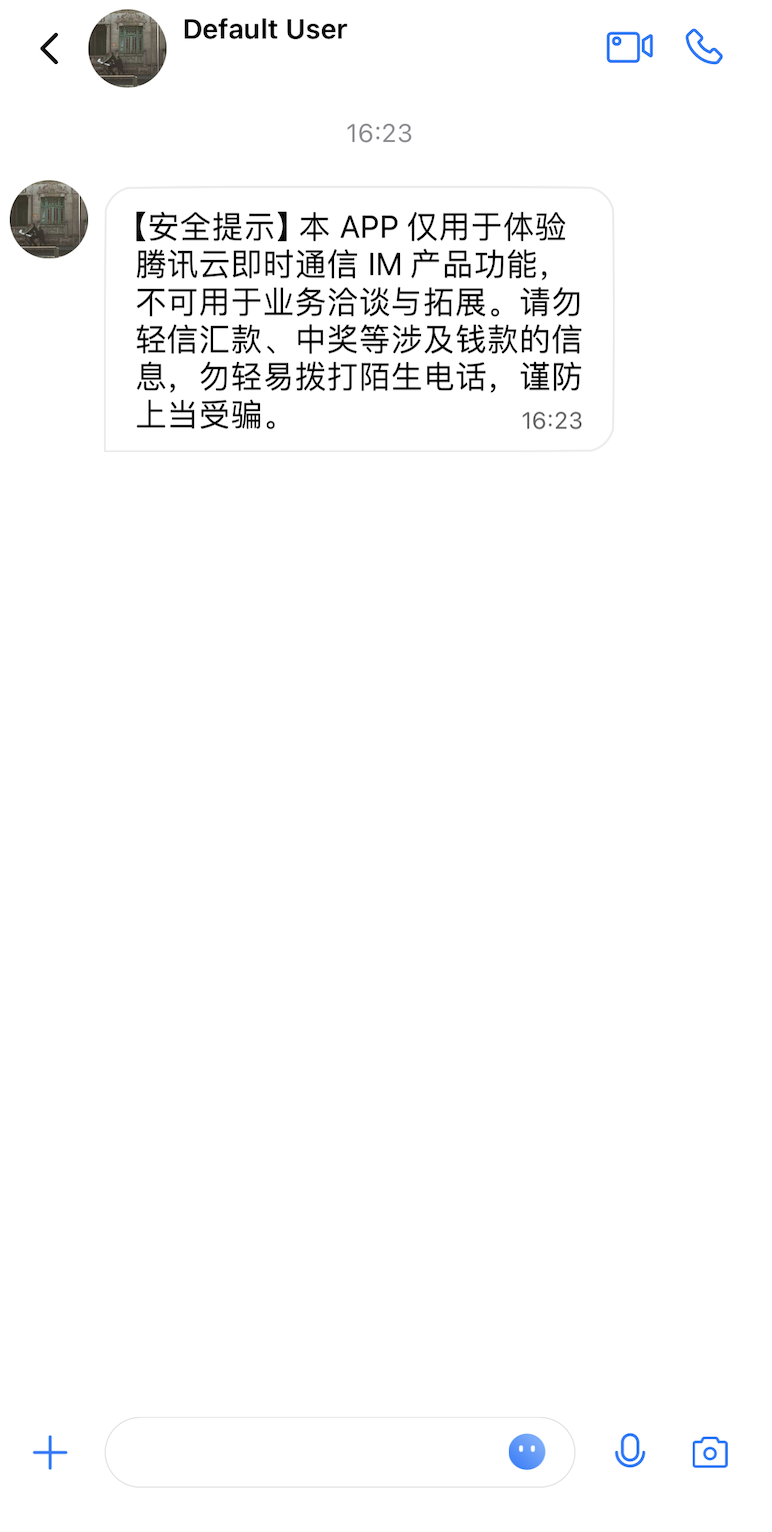
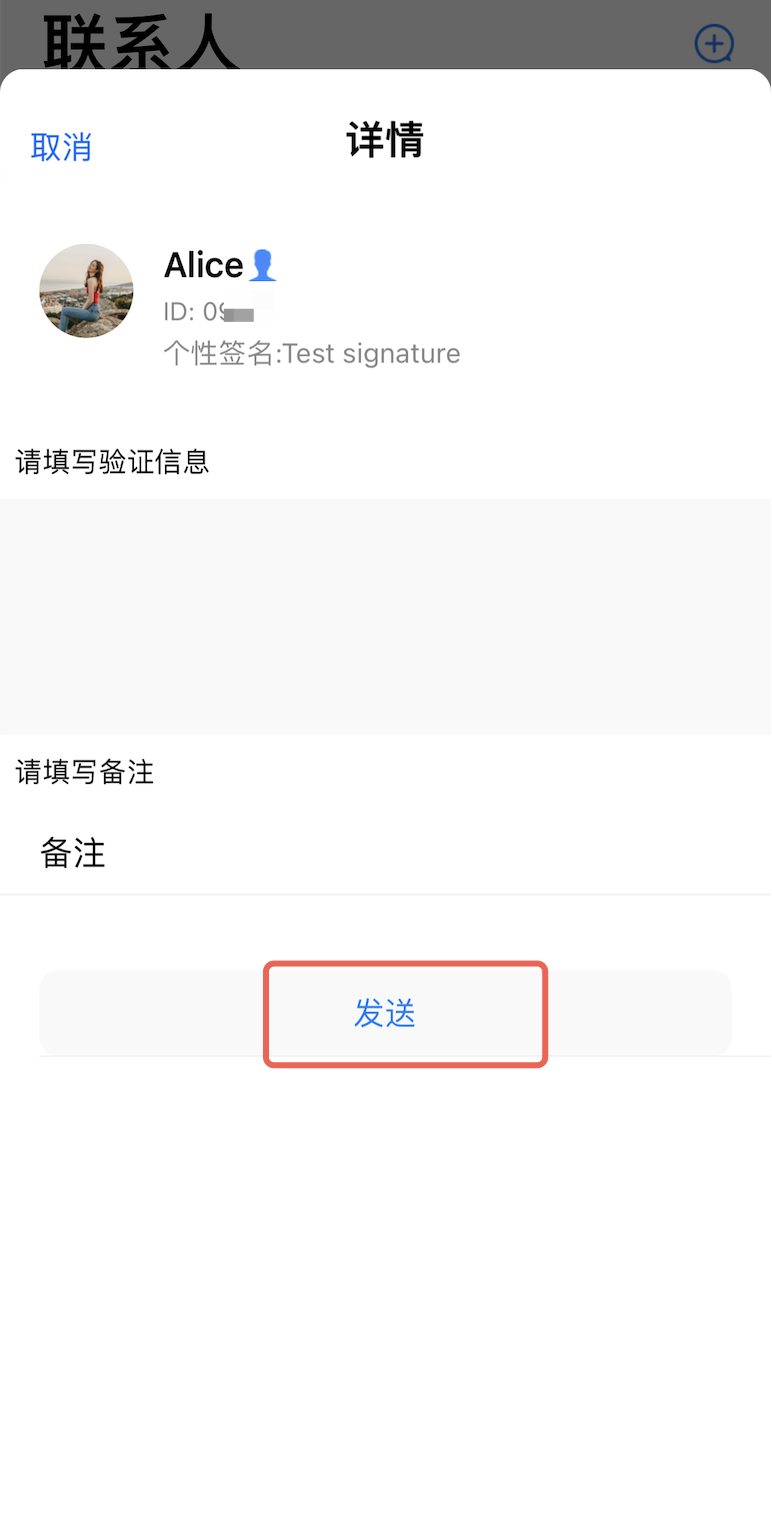
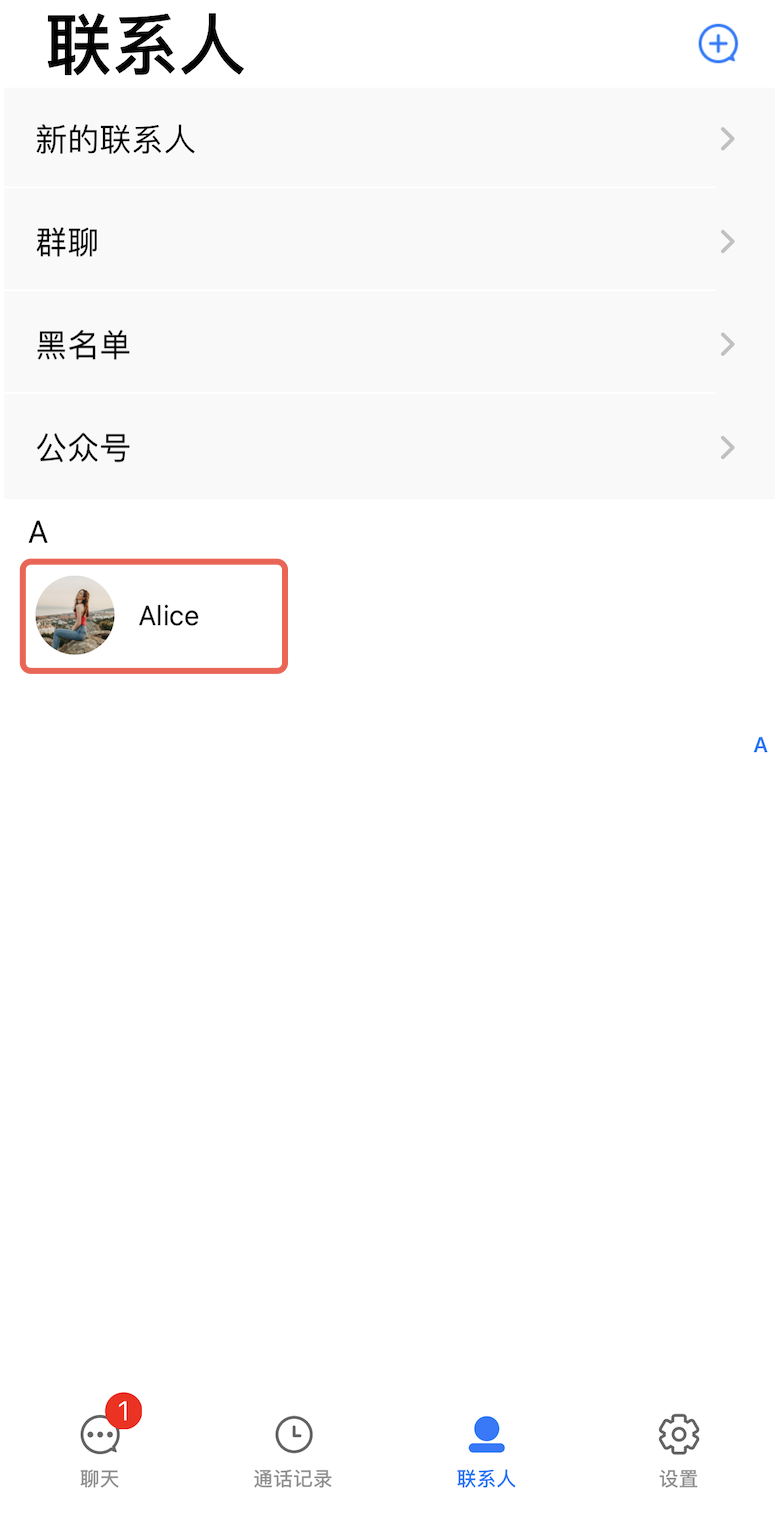
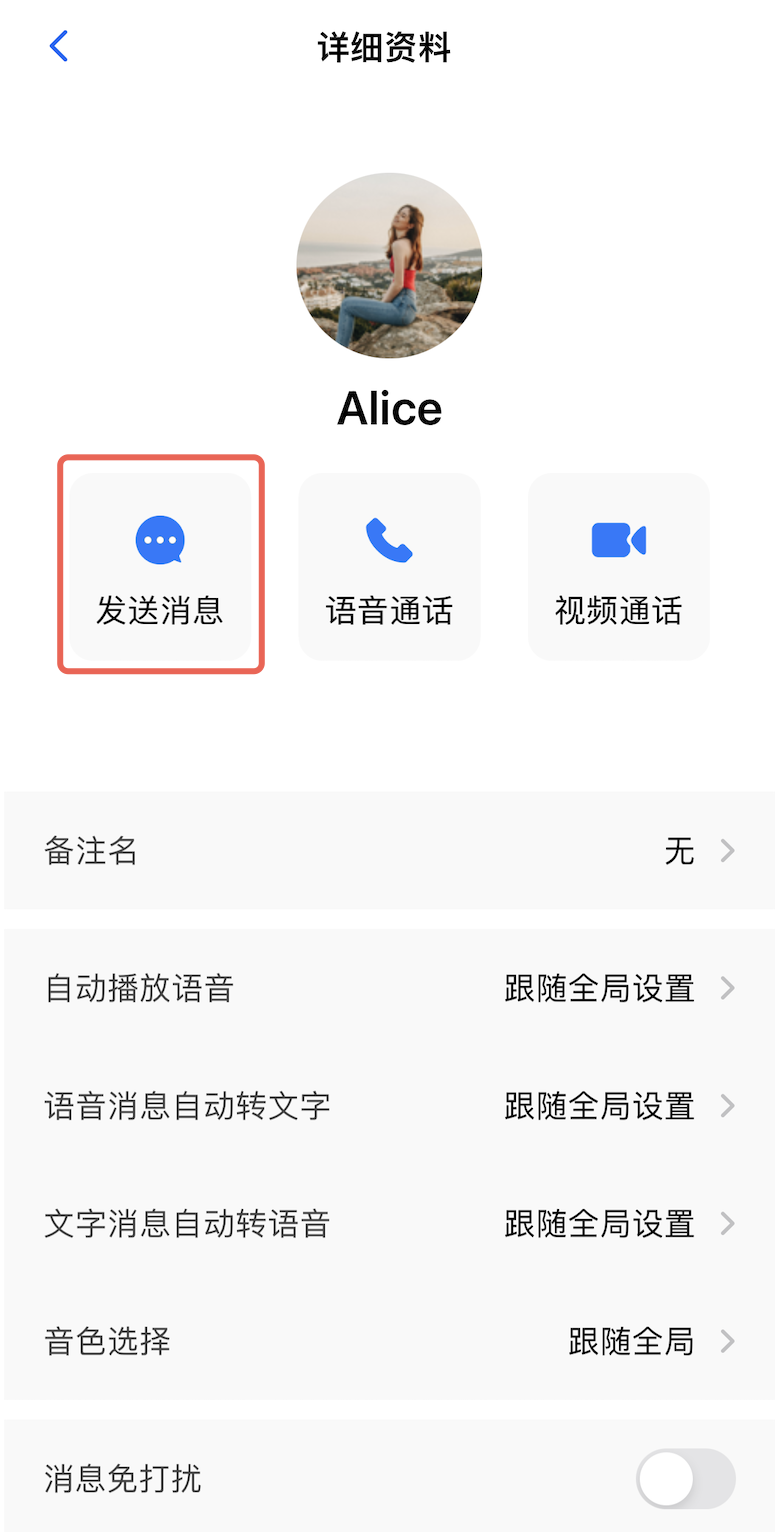
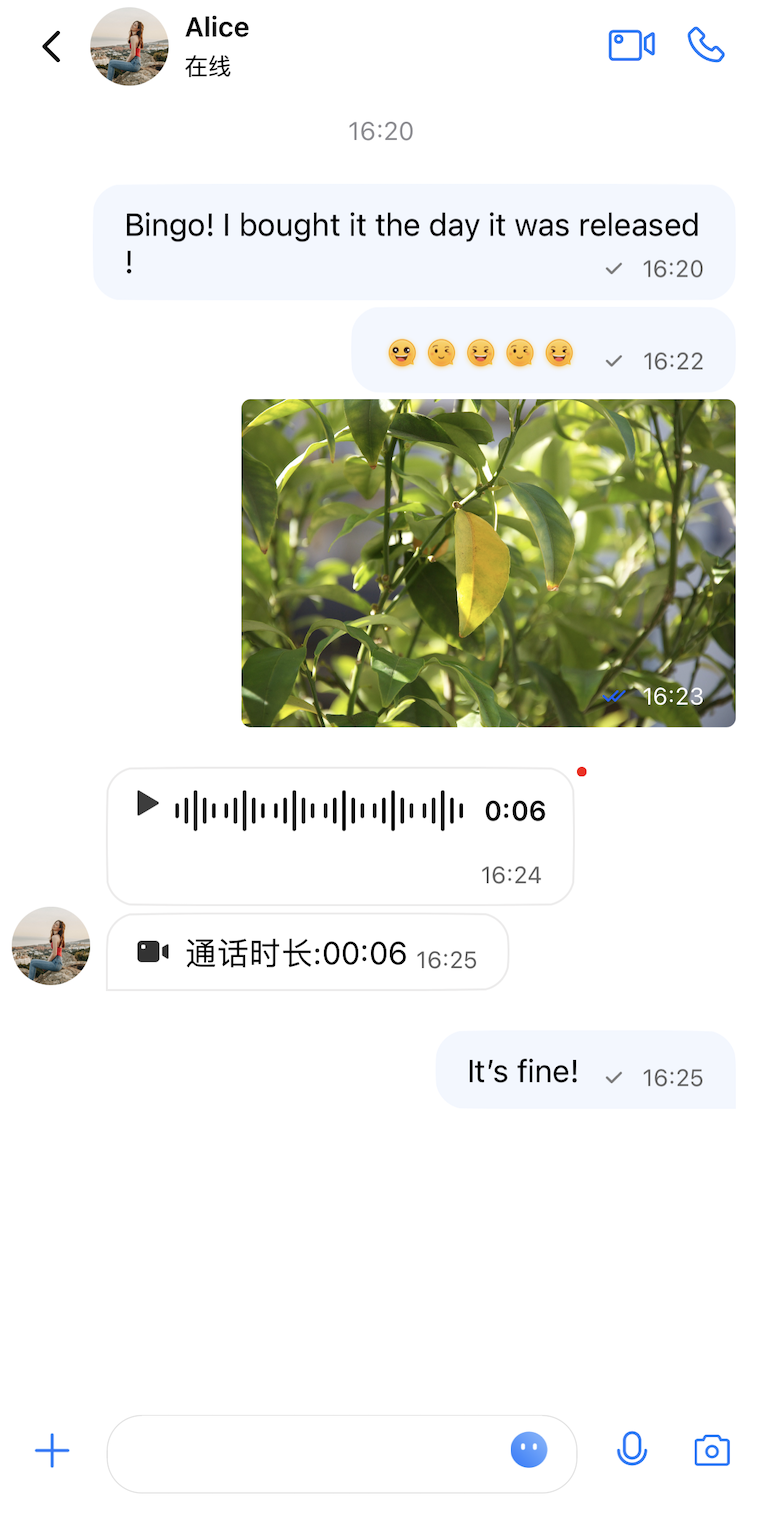
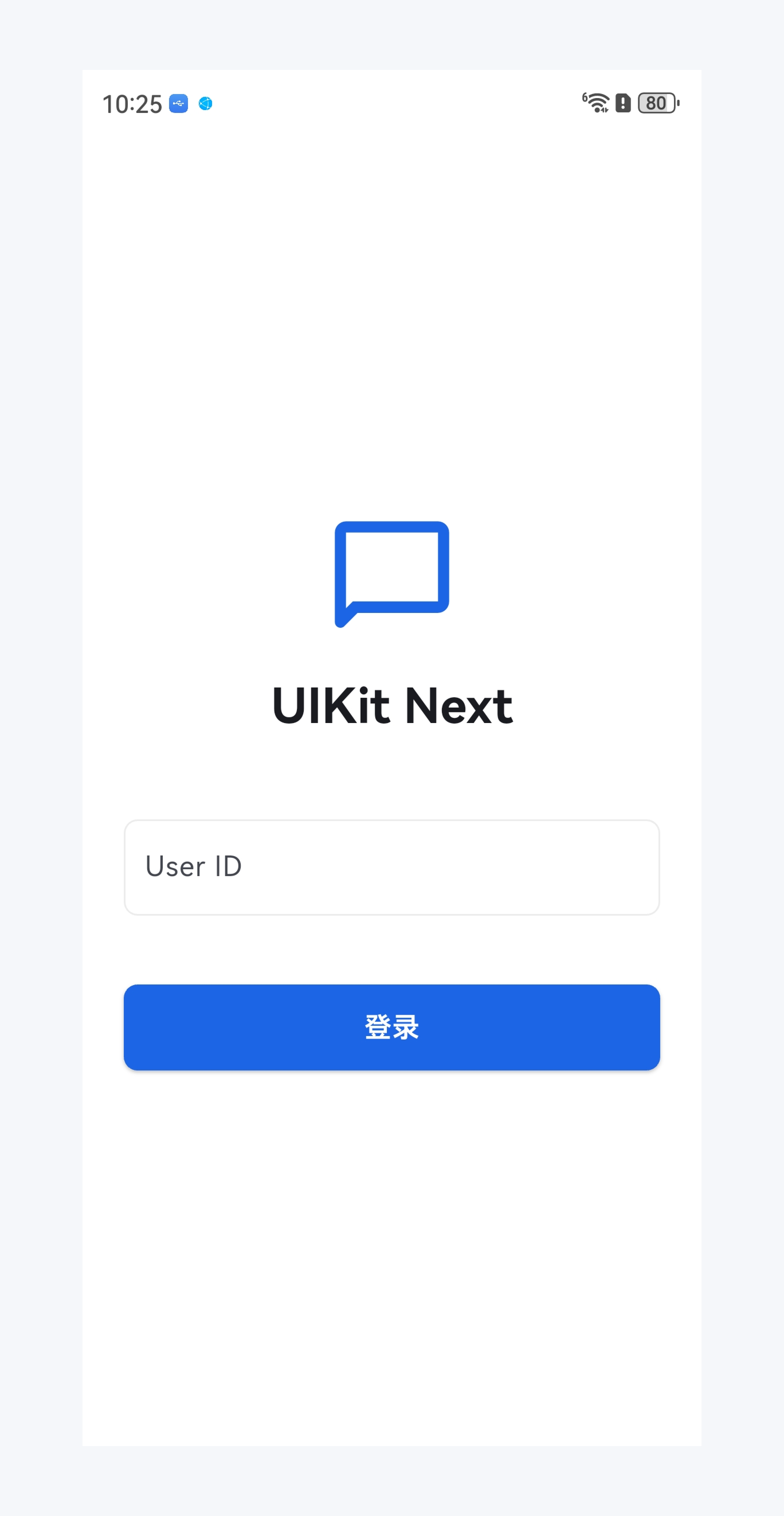
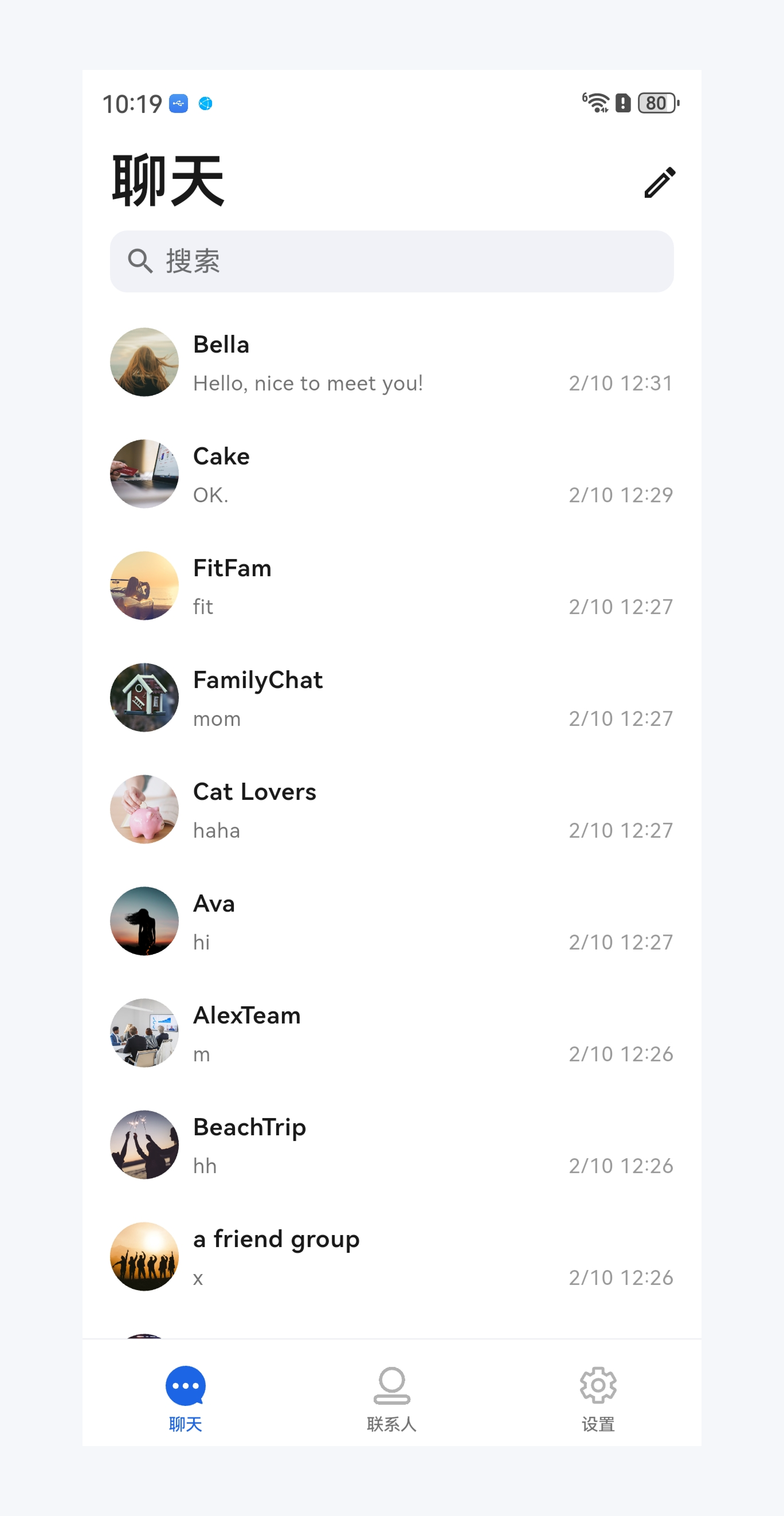
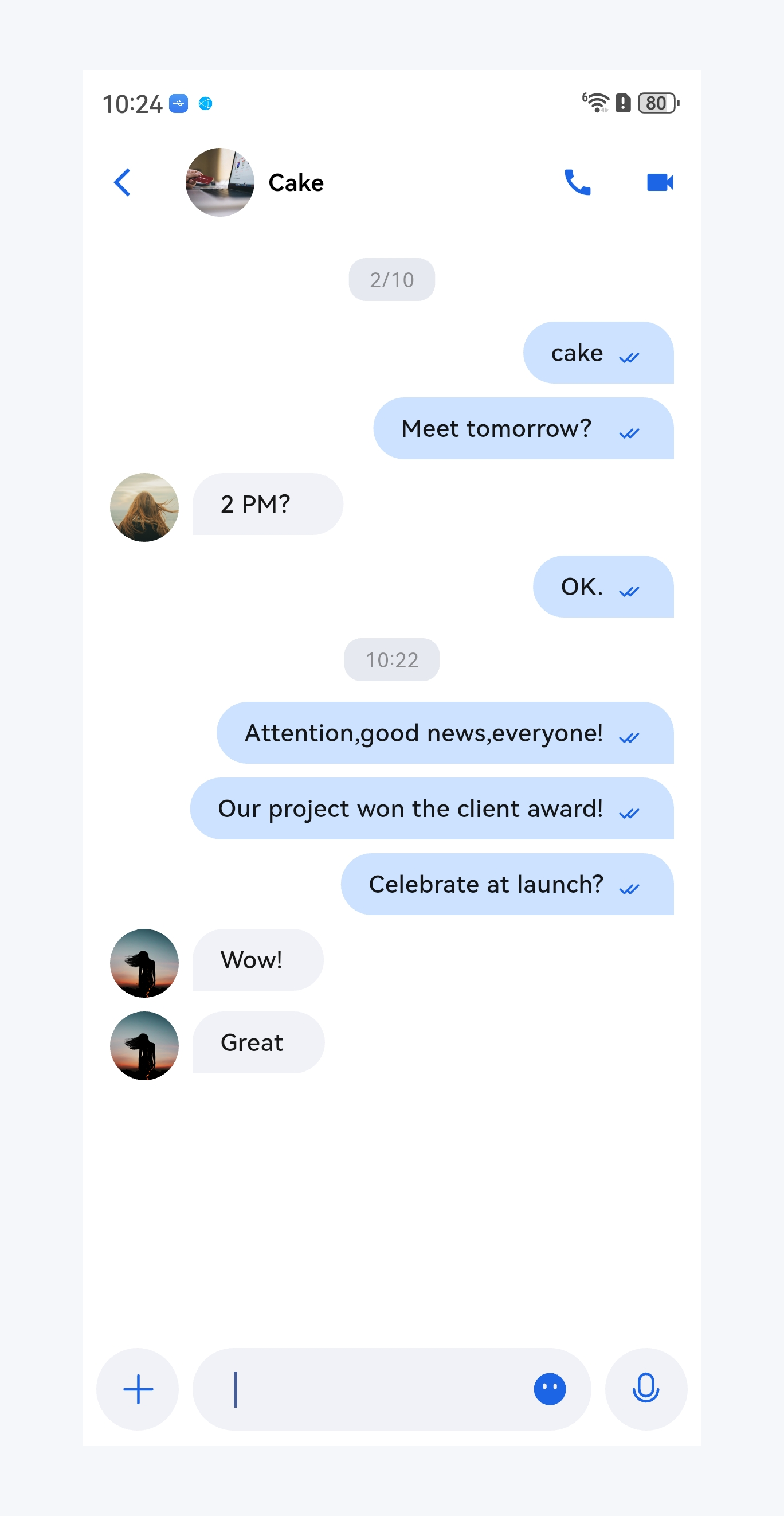
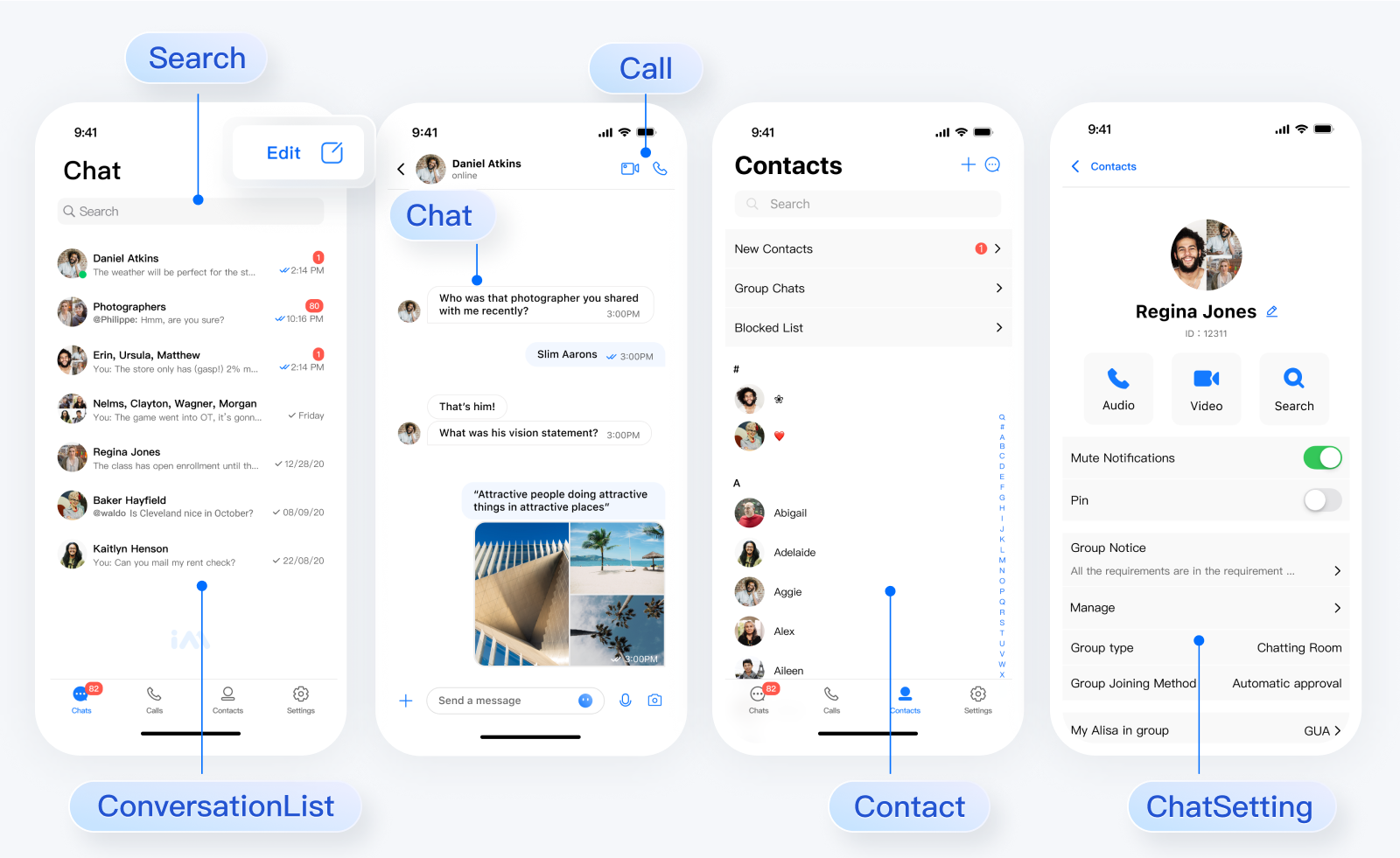
本文介绍如何快速跑通 Chat Demo 来体验文字、语音、视频等消息发送功能。跑通后运行效果如下图所示:
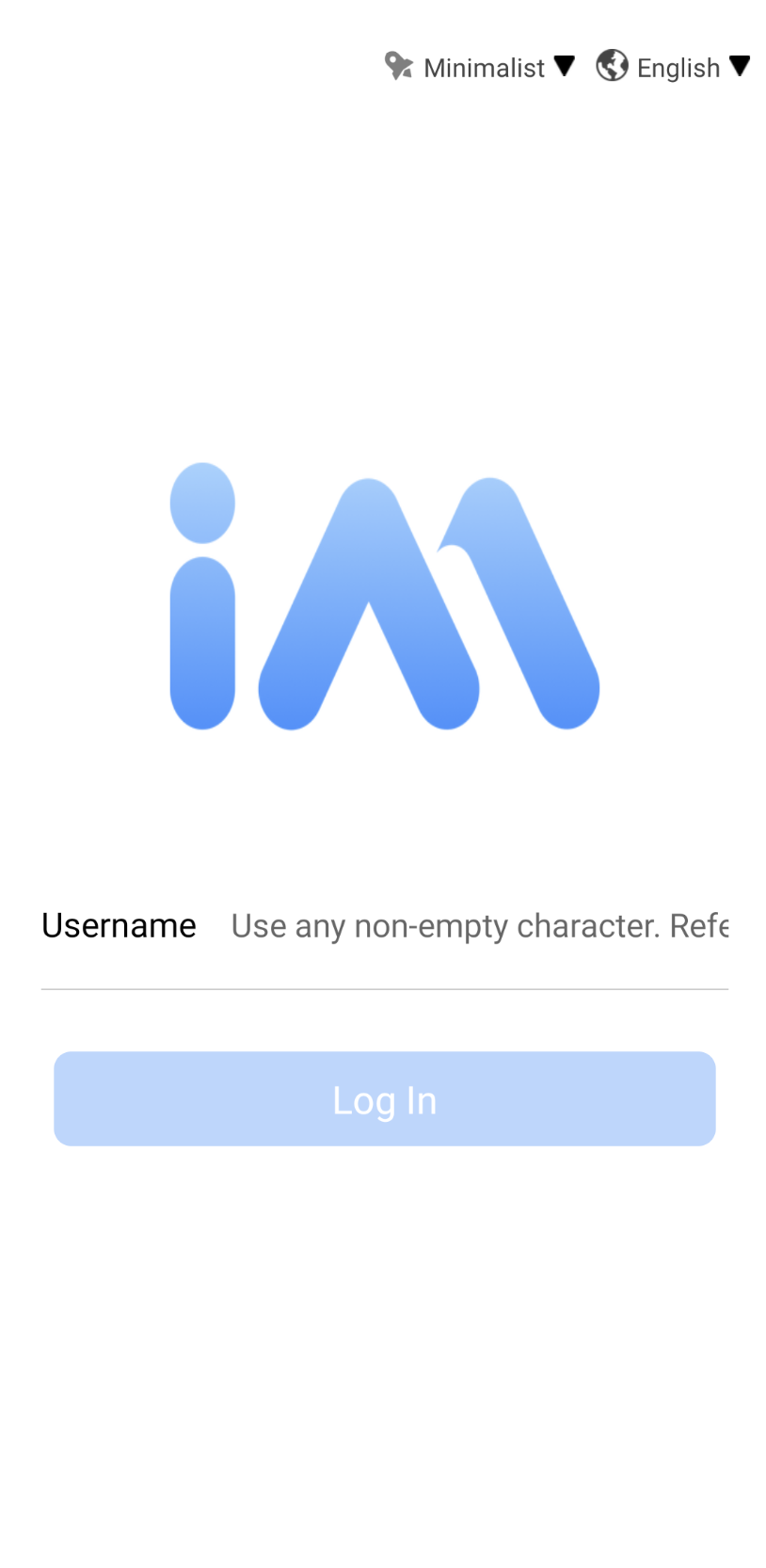
登录页
会话列表页
聊天页
\"\"

\"\"

\"\"


快速体验

您可以前往该页面体验各端 Chat Demo:体验 Demo

前提条件

开通服务

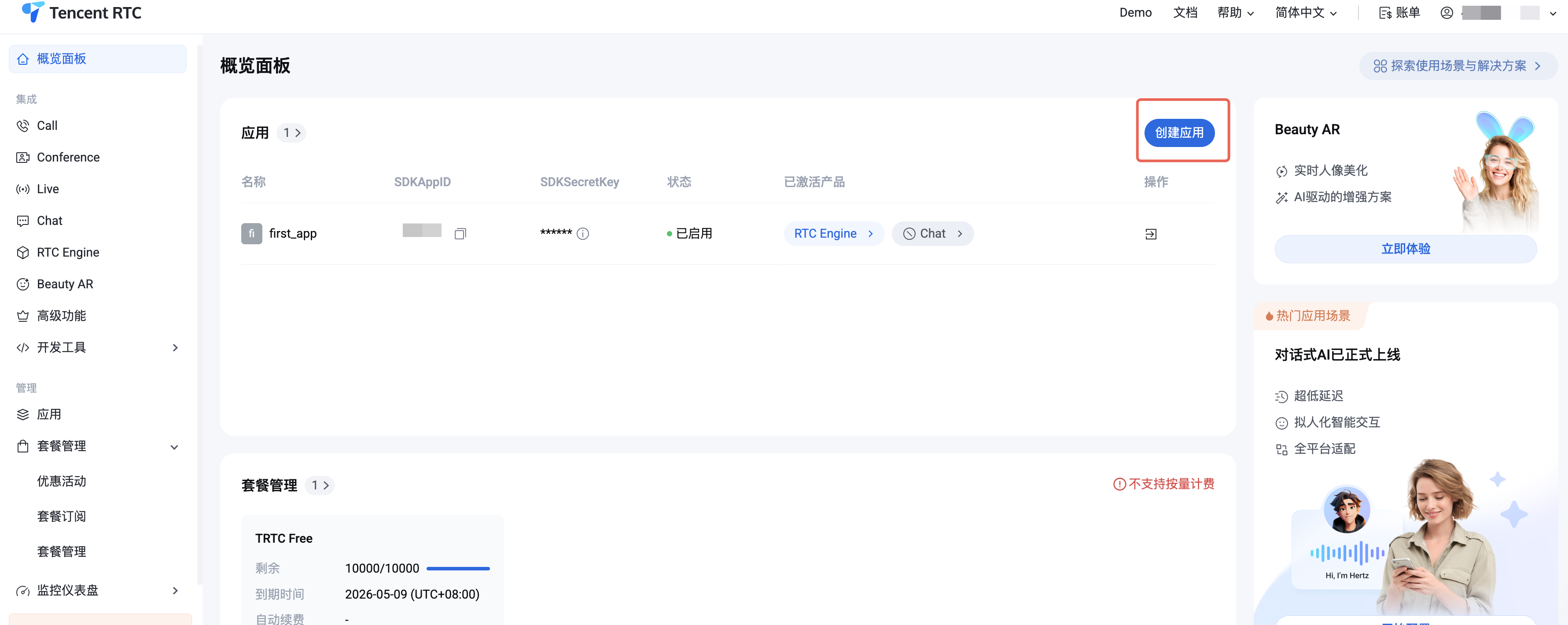
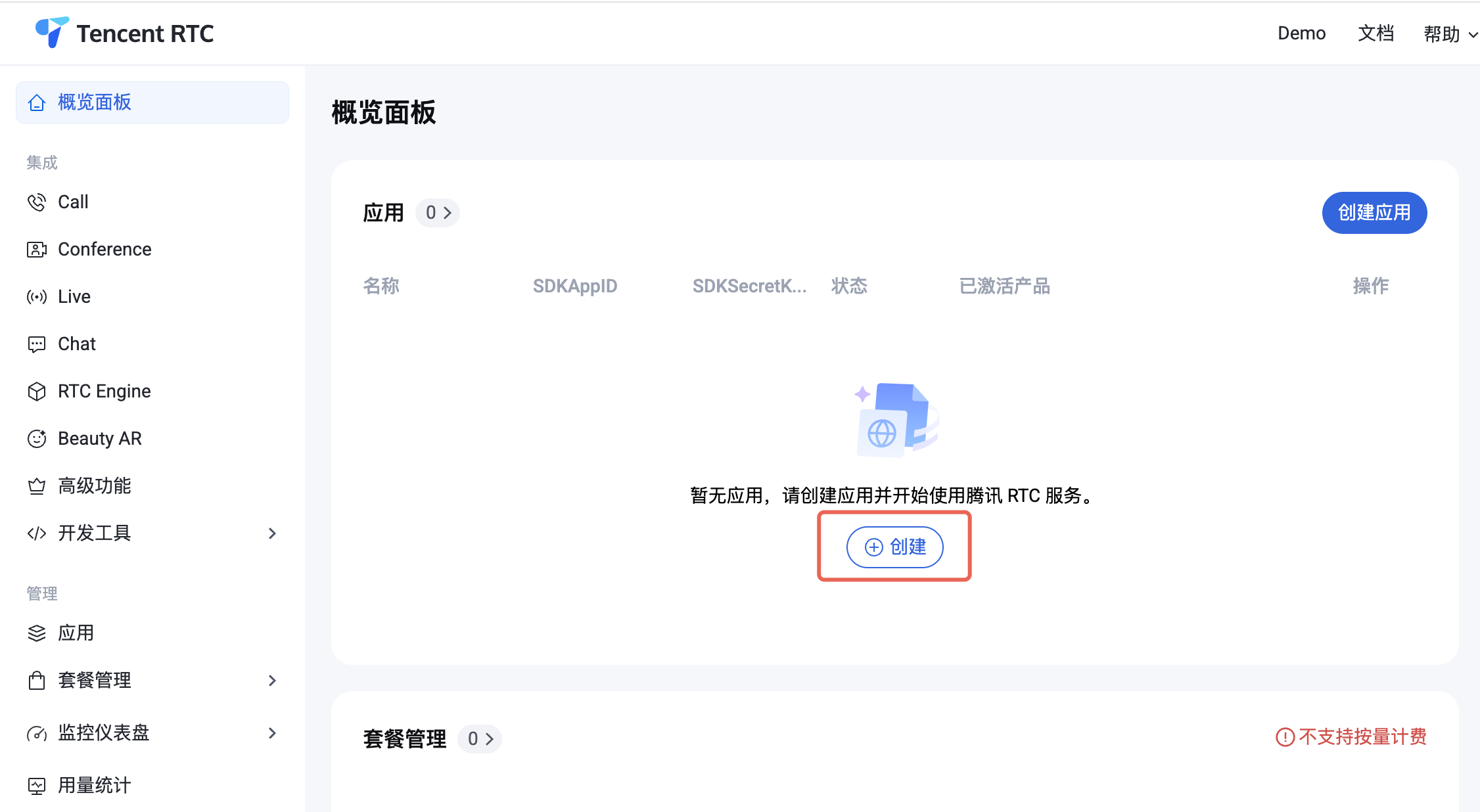
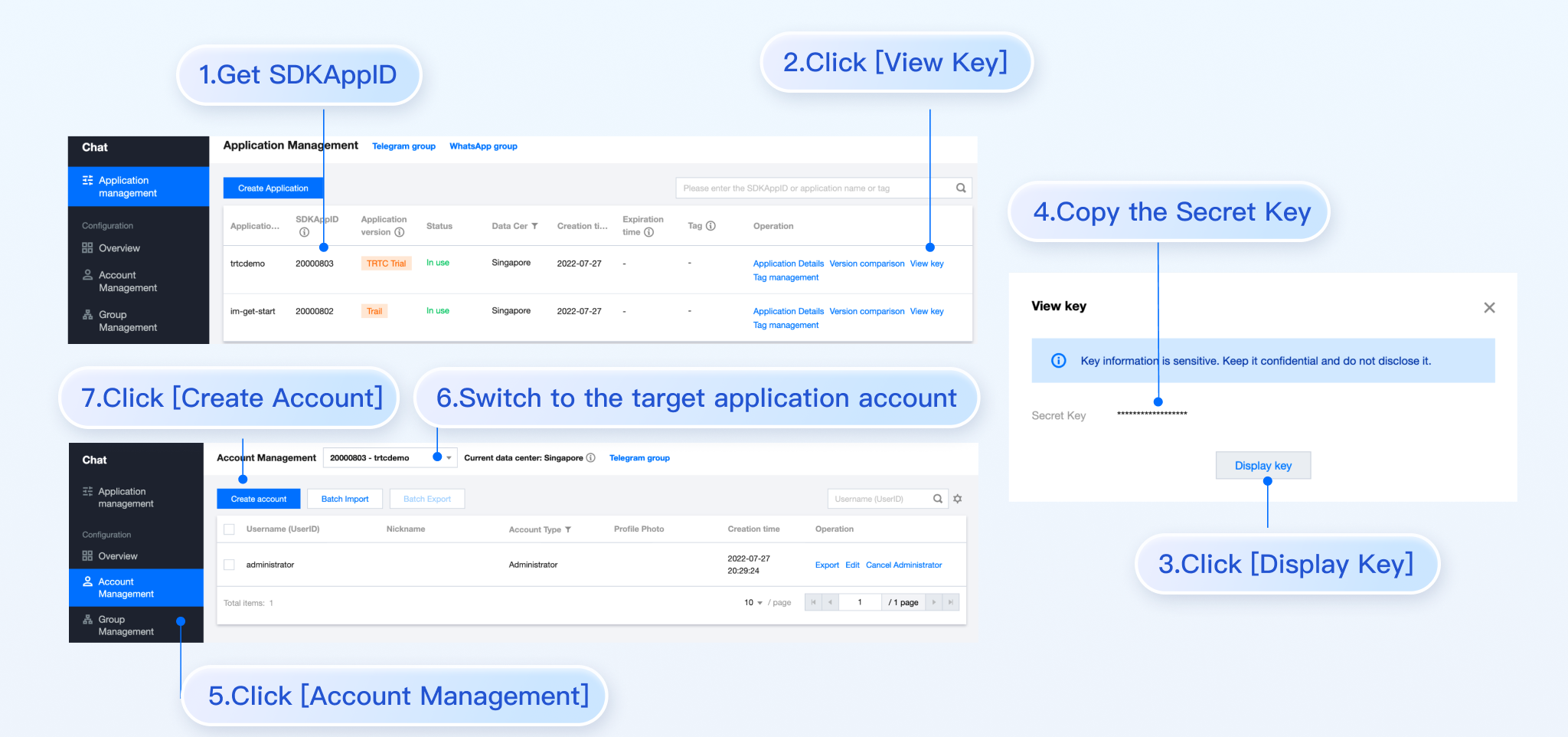
1. 登录控制台。如果您已有应用,请记录其 SDKAppID 和密钥信息。
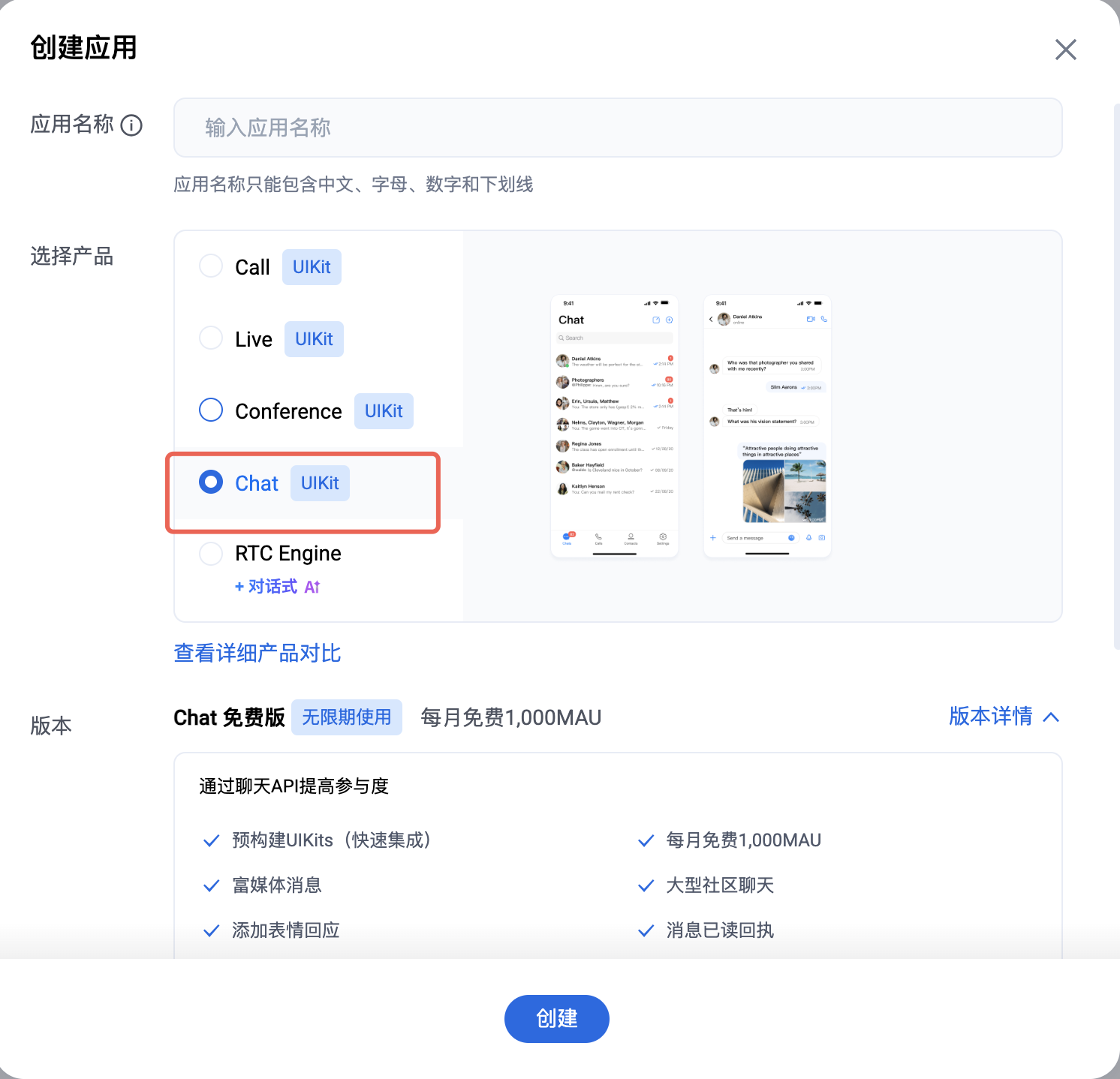
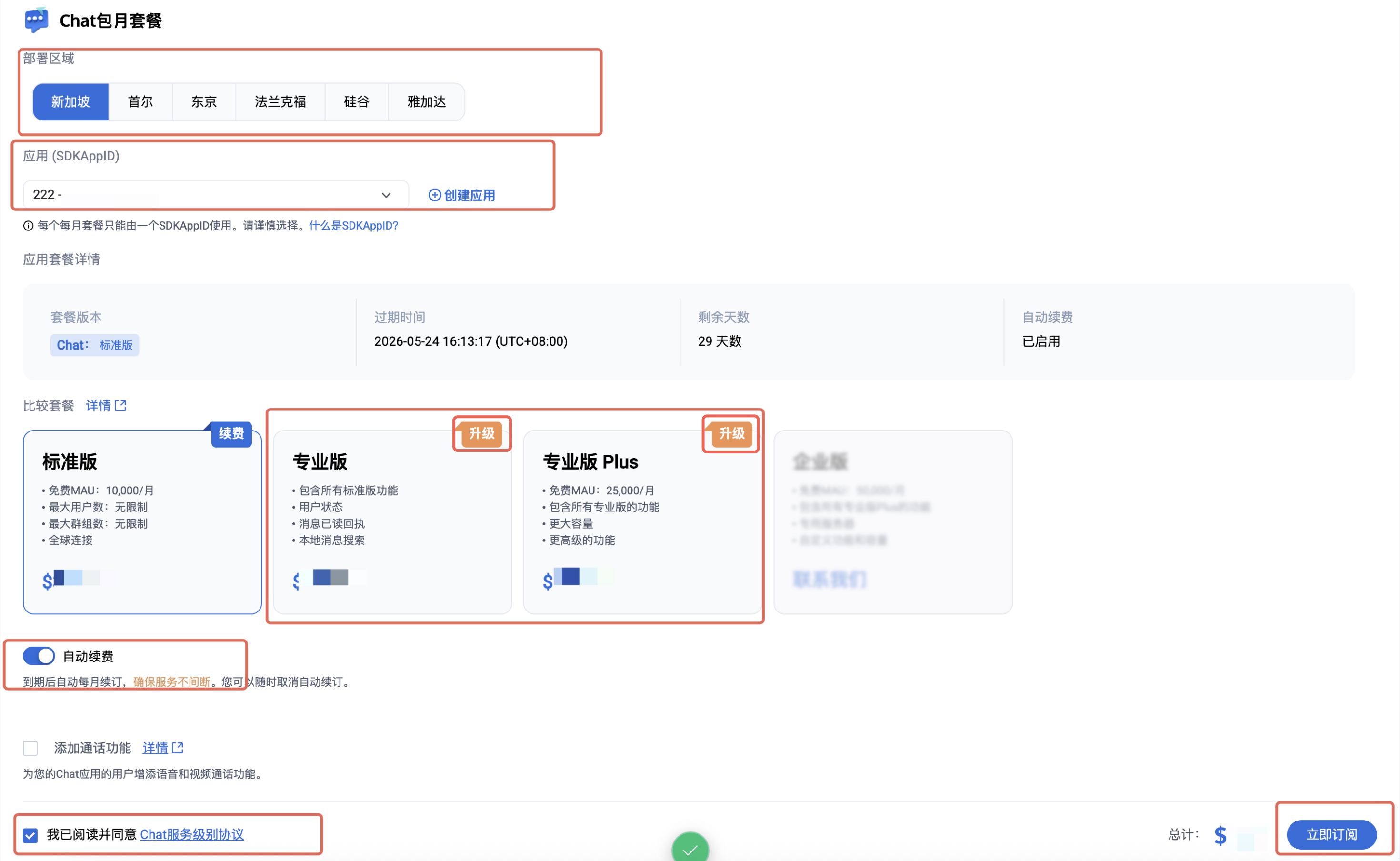
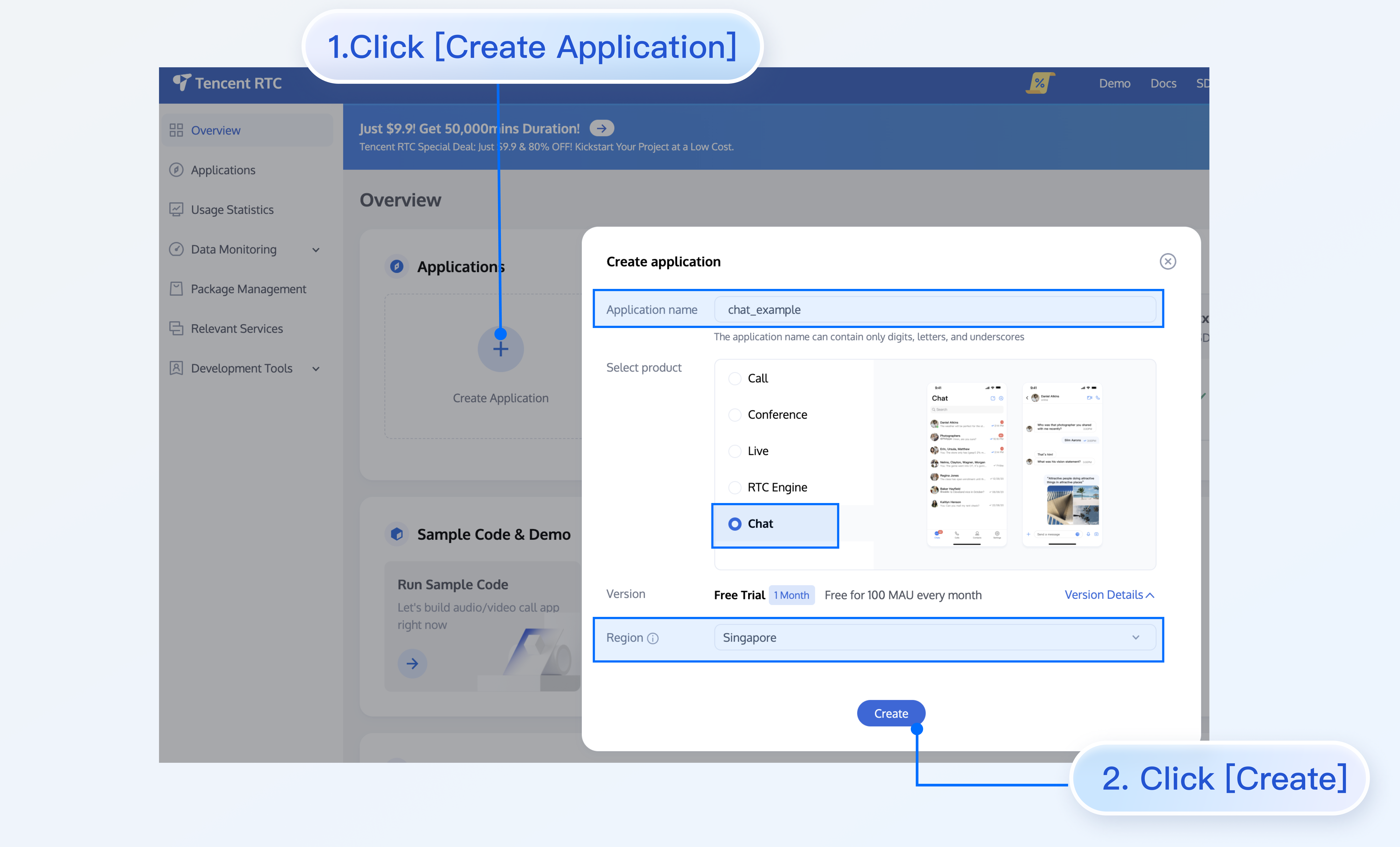
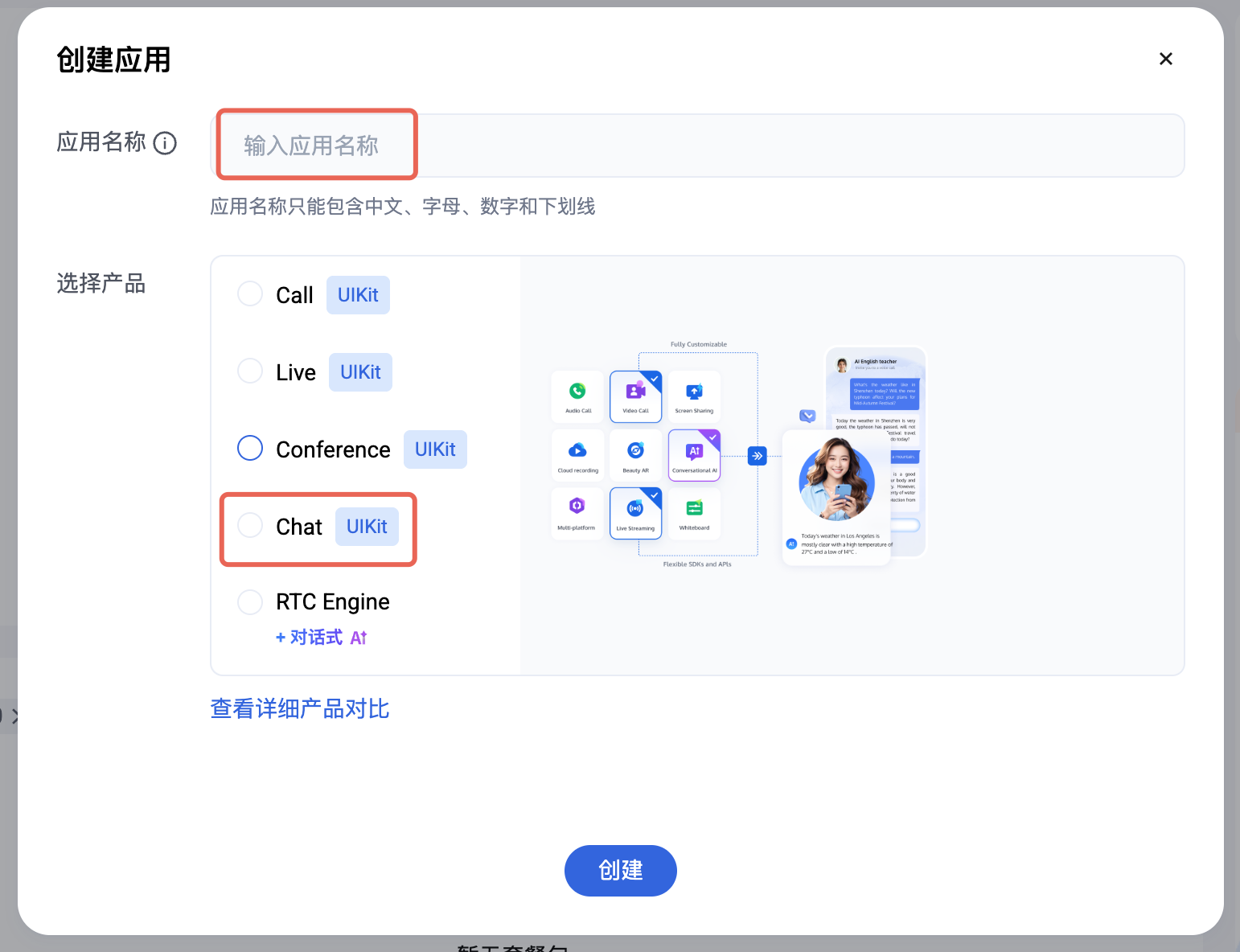
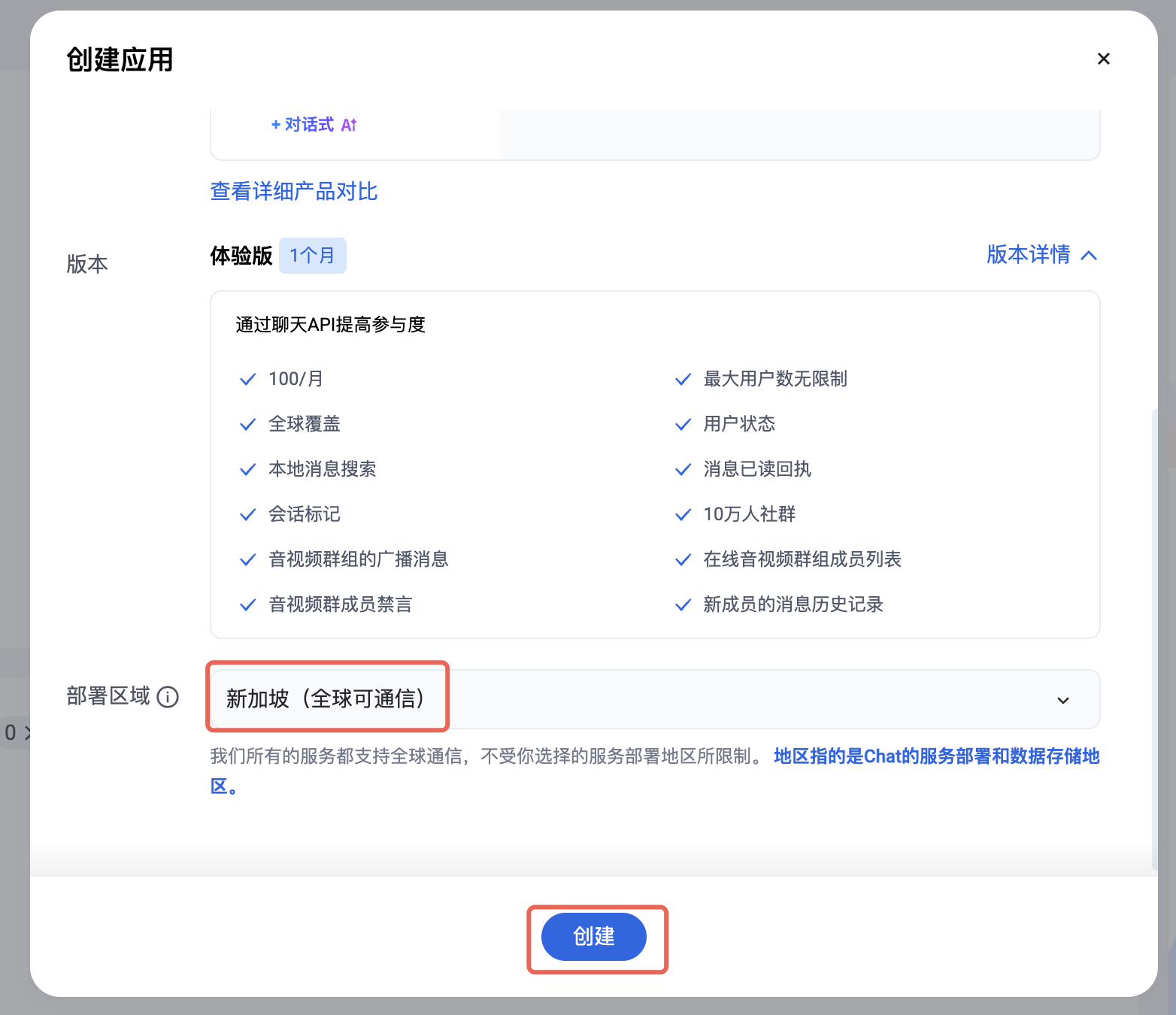
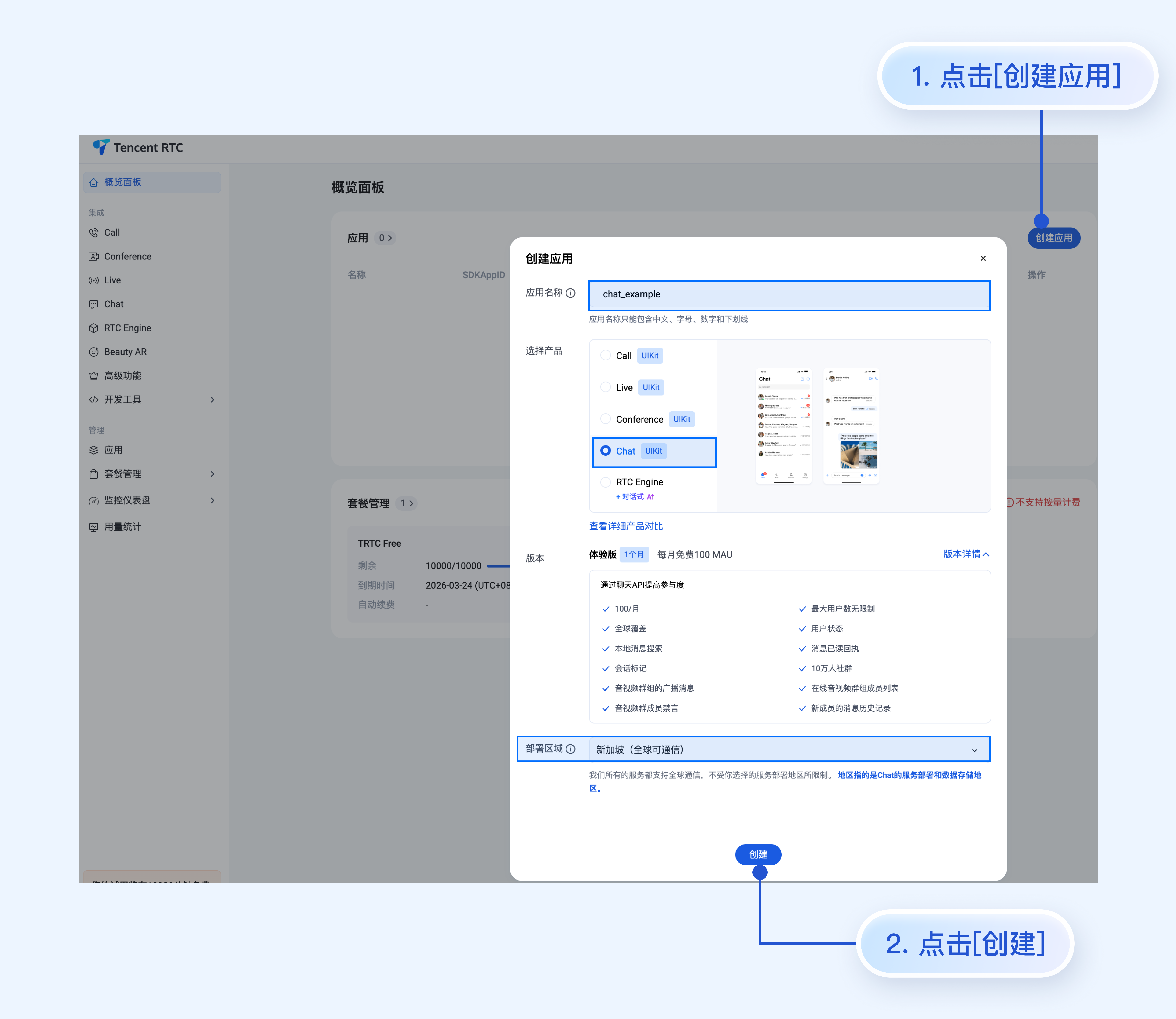
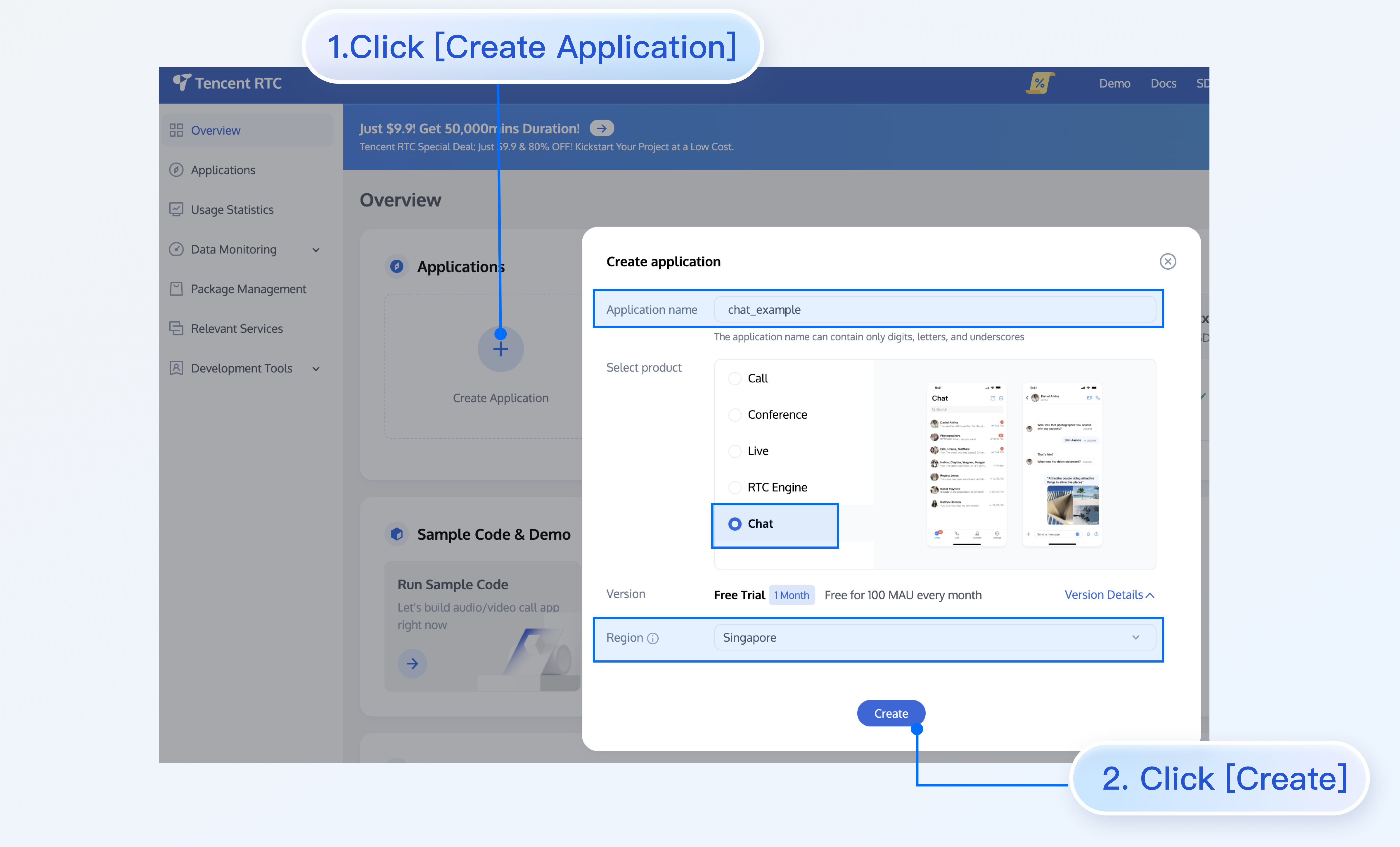
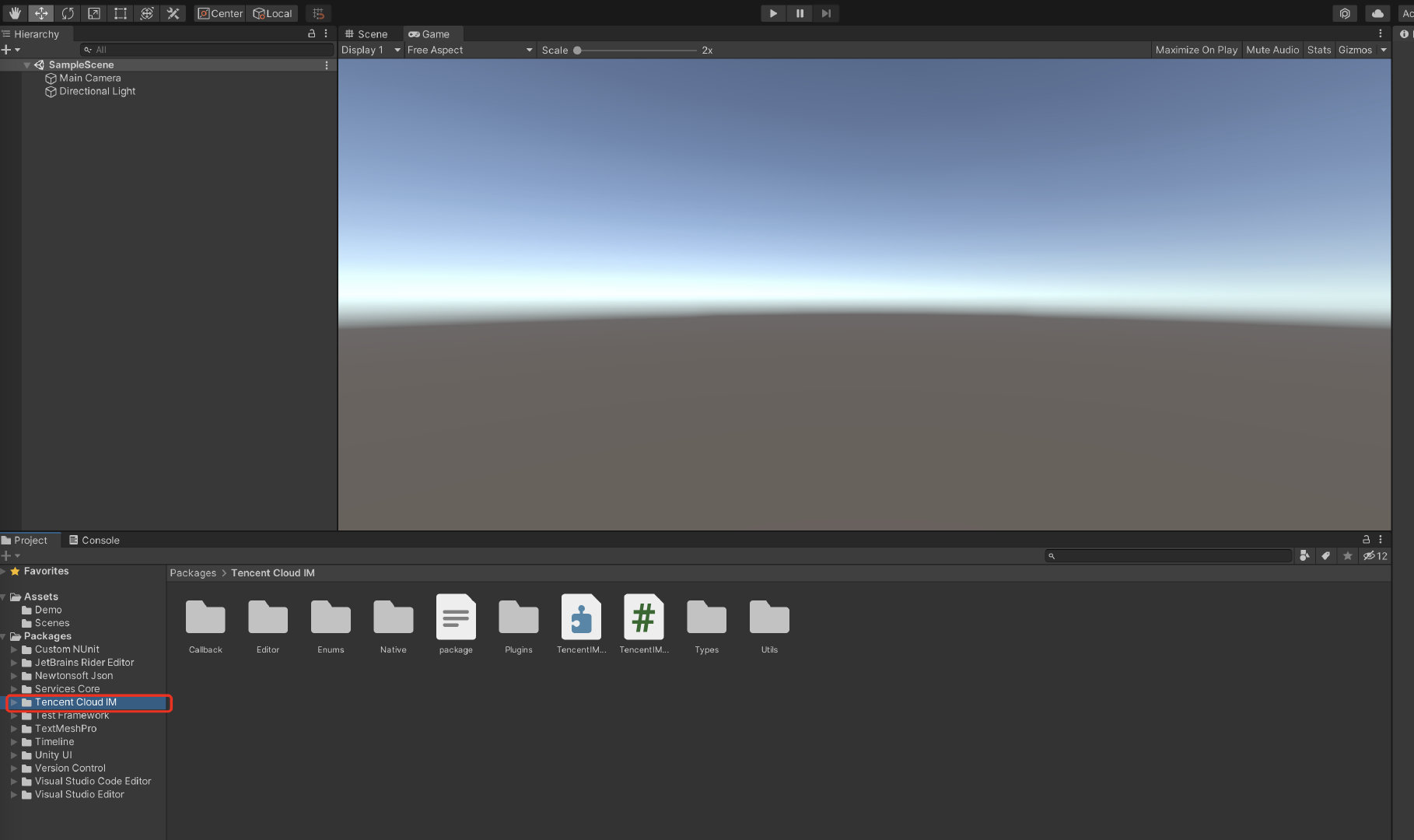
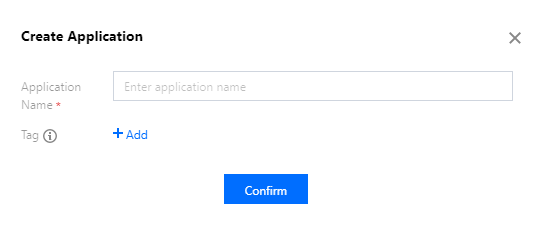
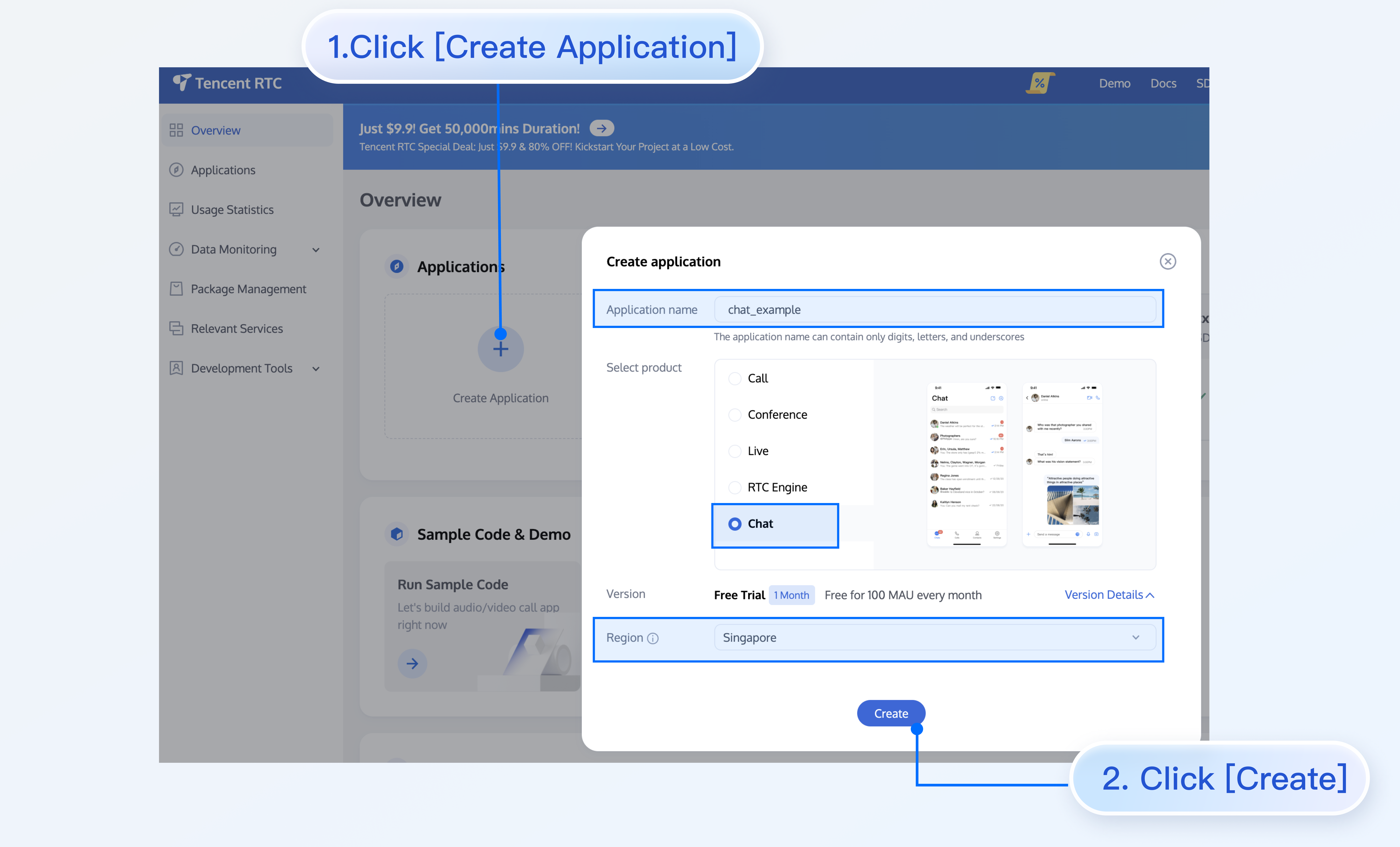
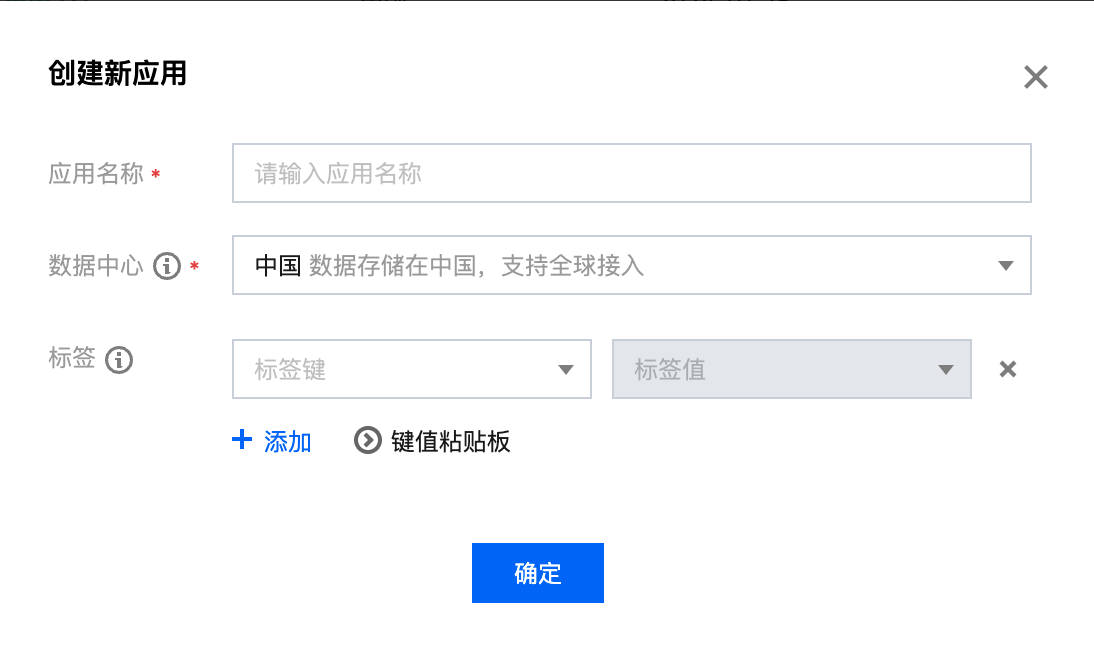
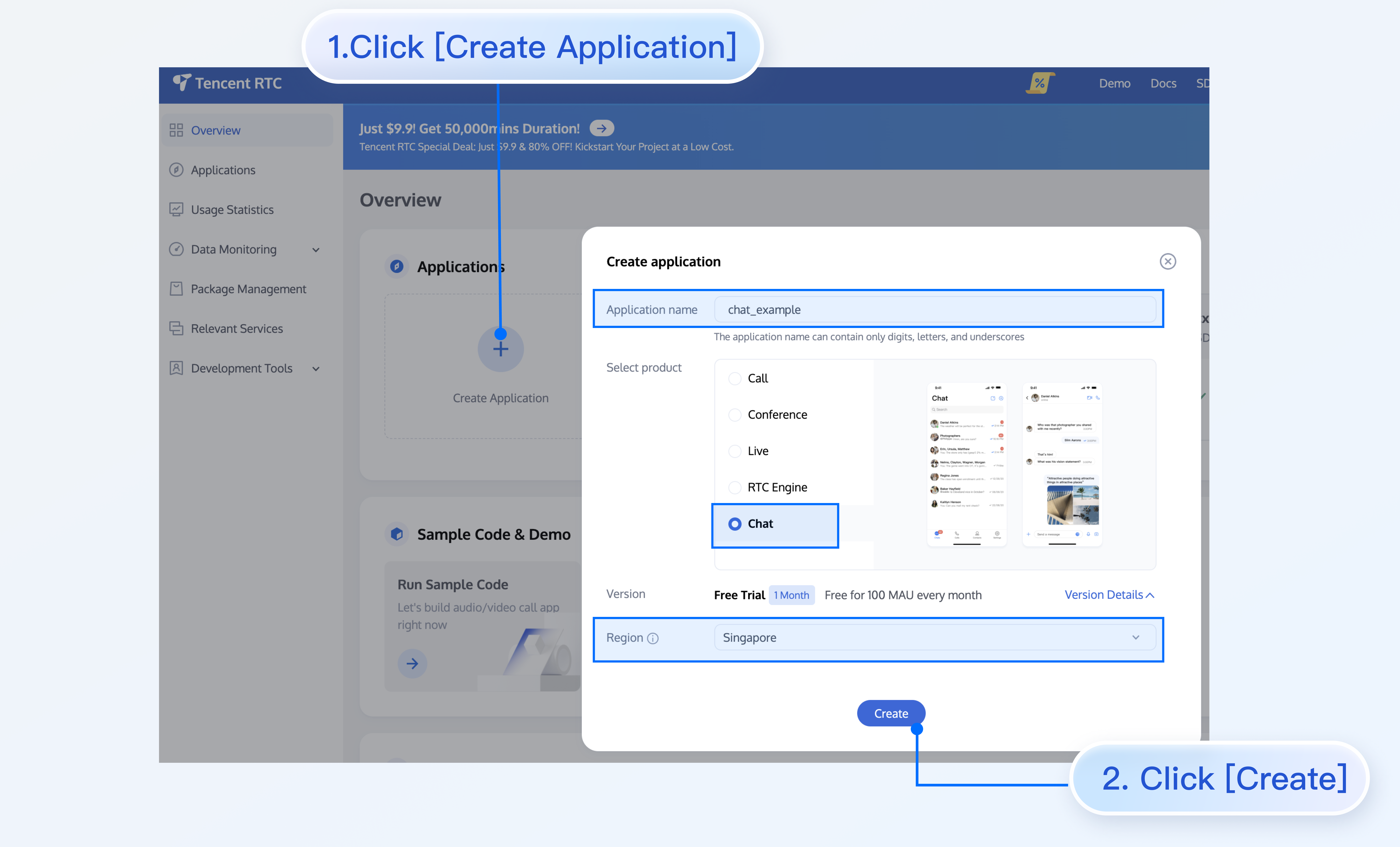
2. 单击创建应用,在对话框中输入您的应用名称,选择产品、部署区域,单击创建来创建应用。
\"\"

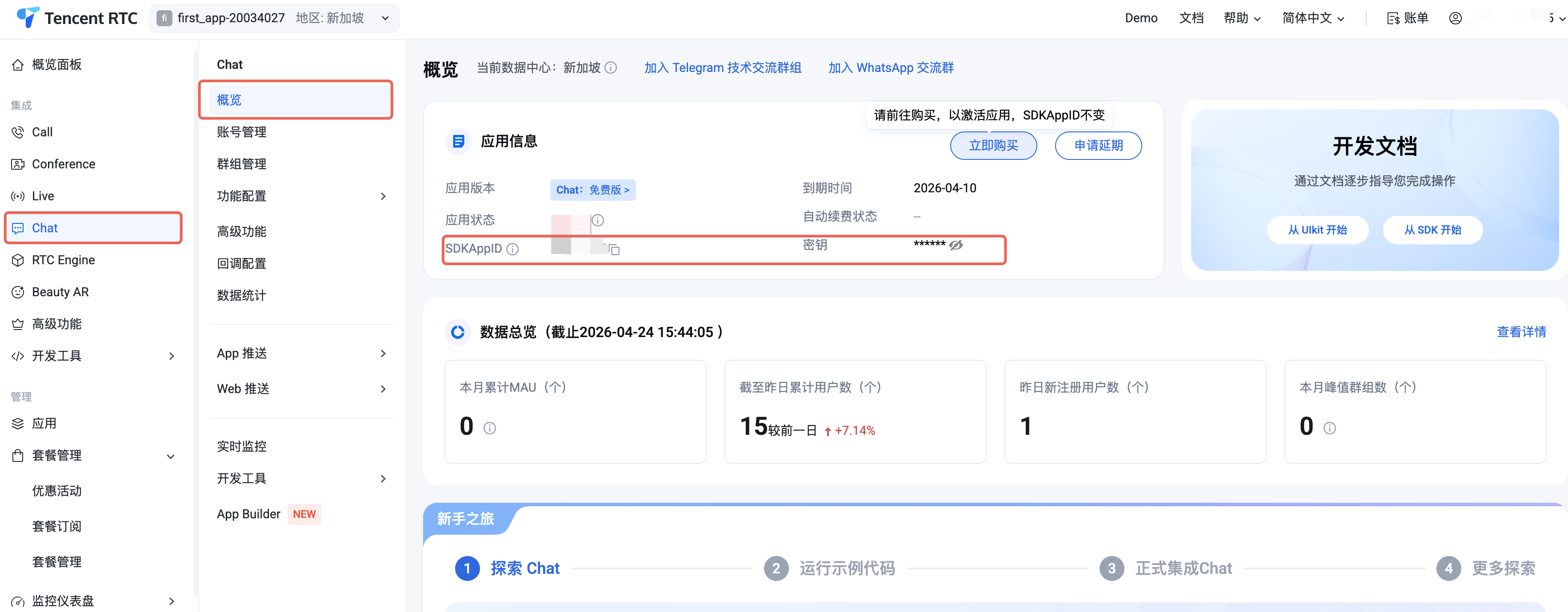
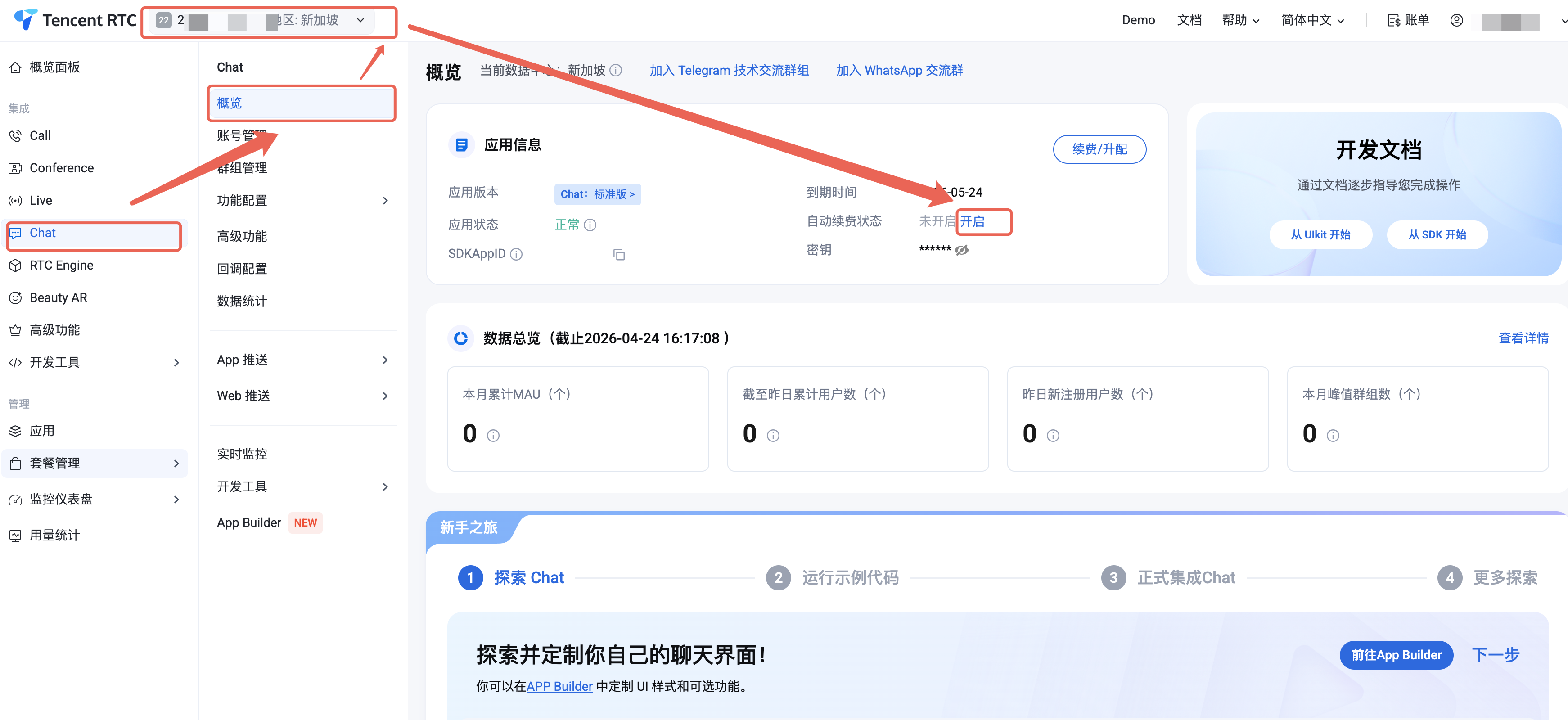
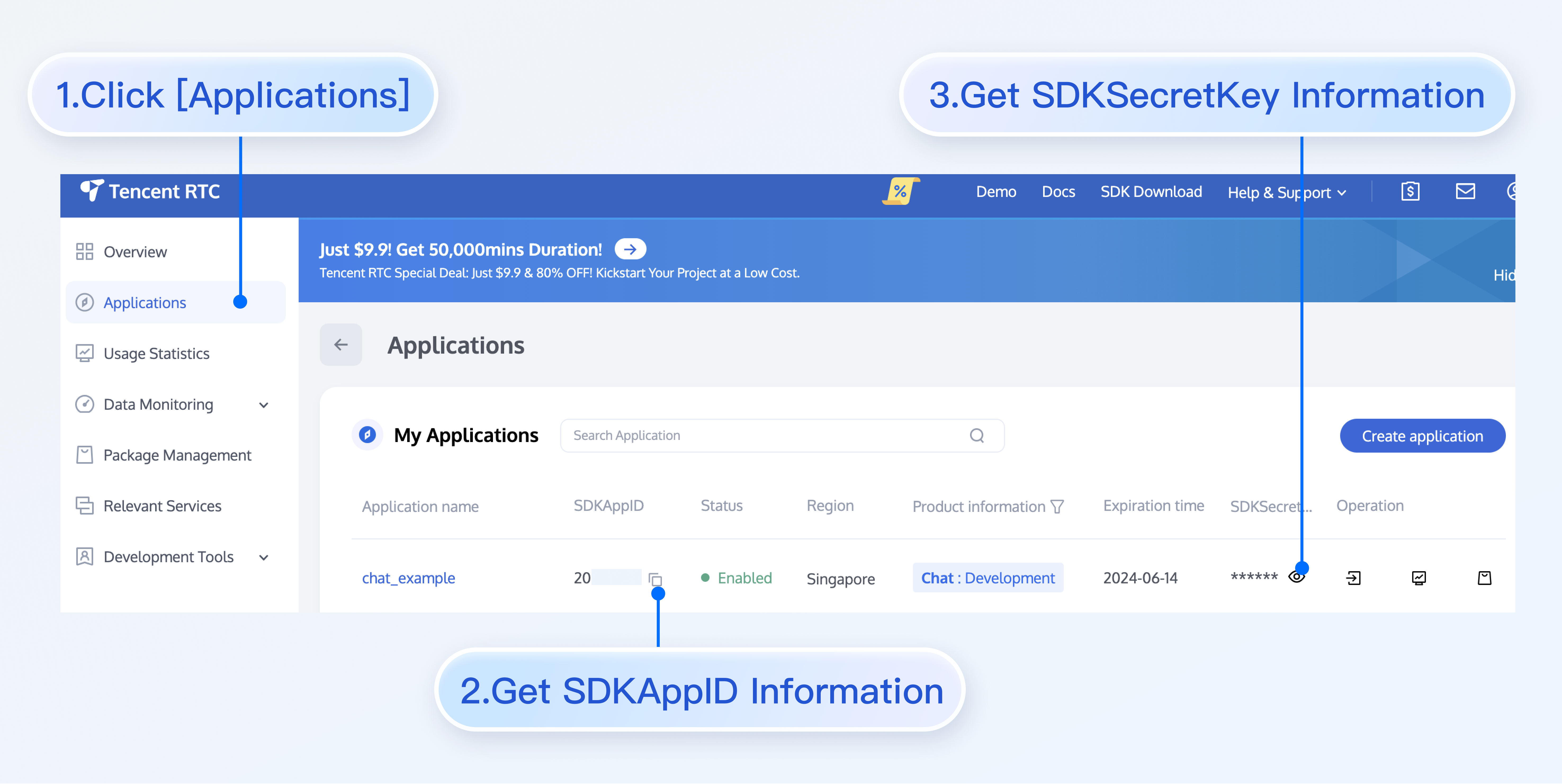
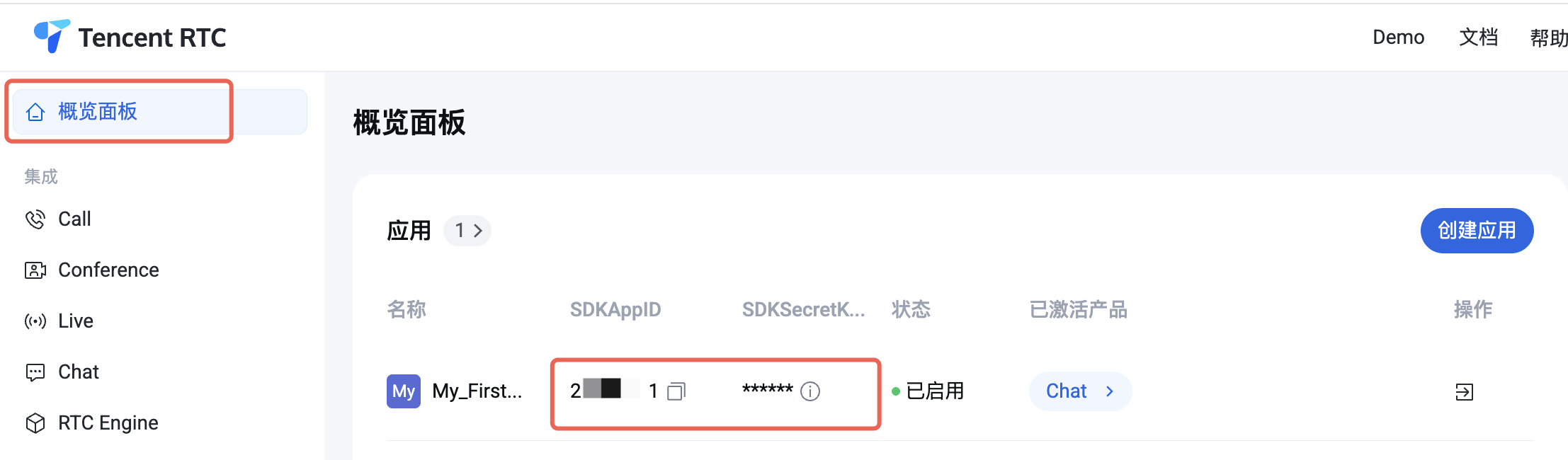
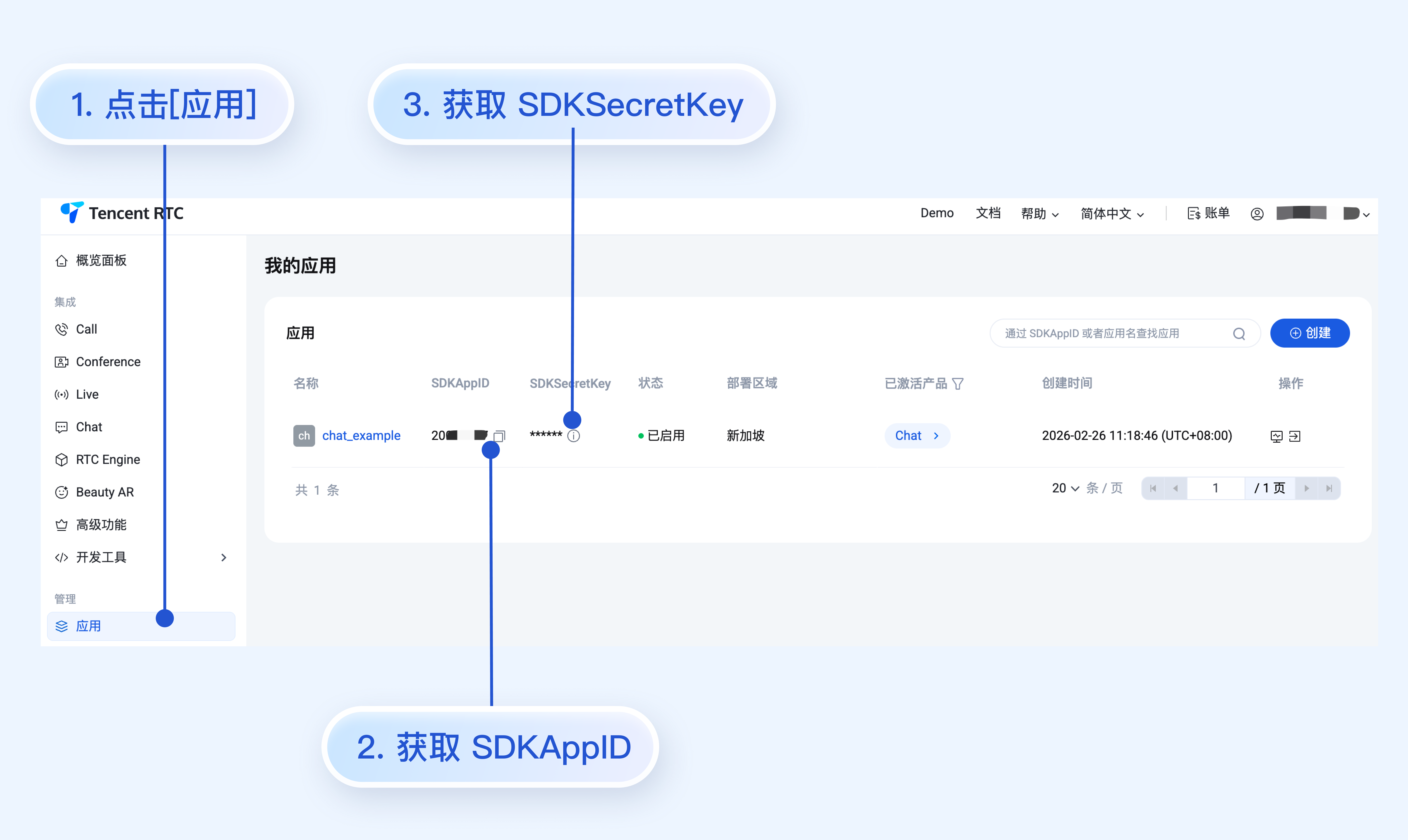
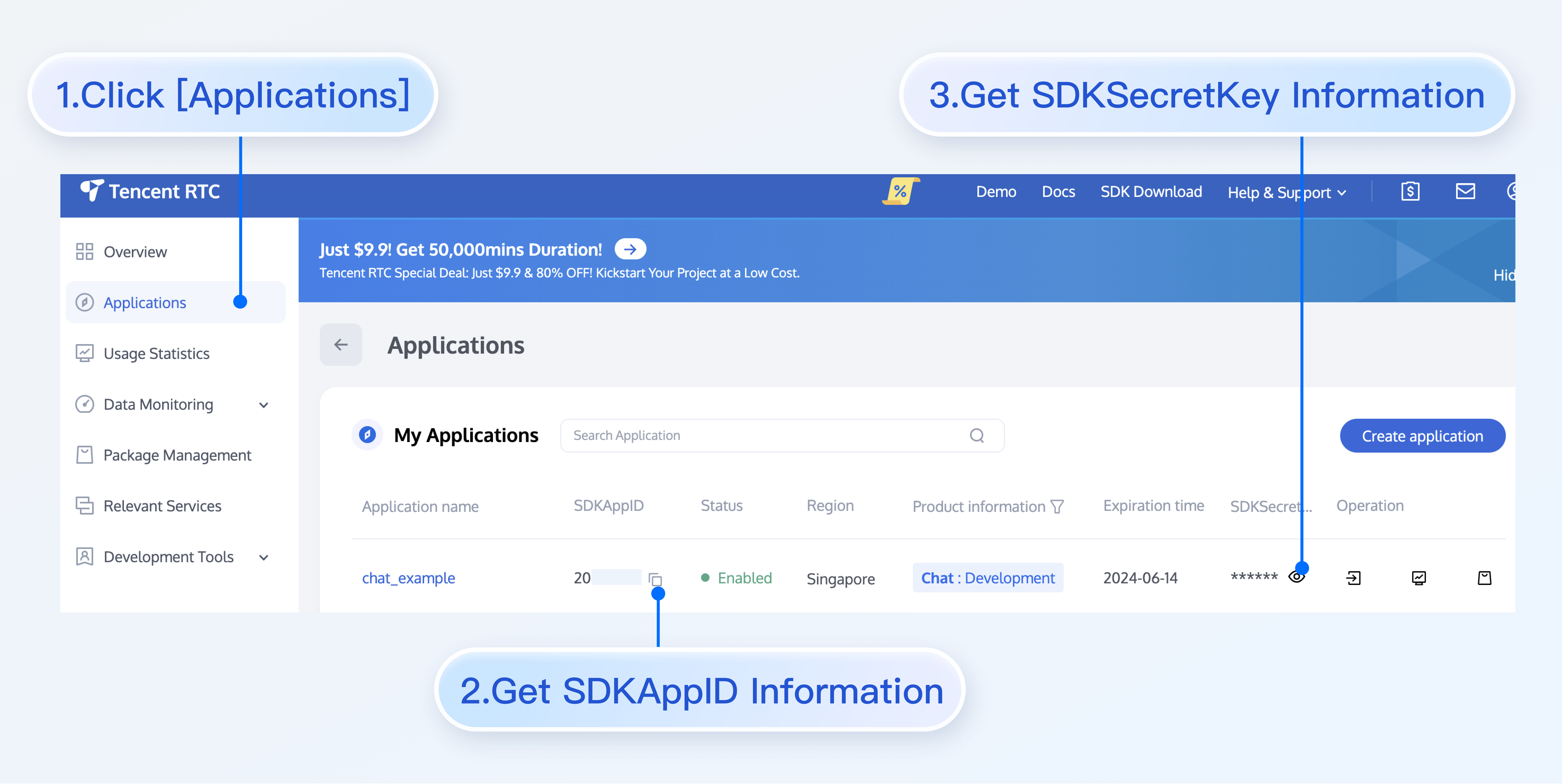
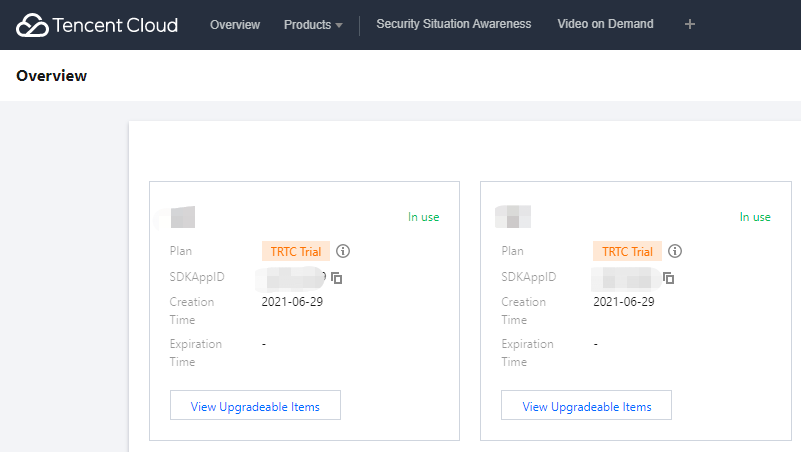
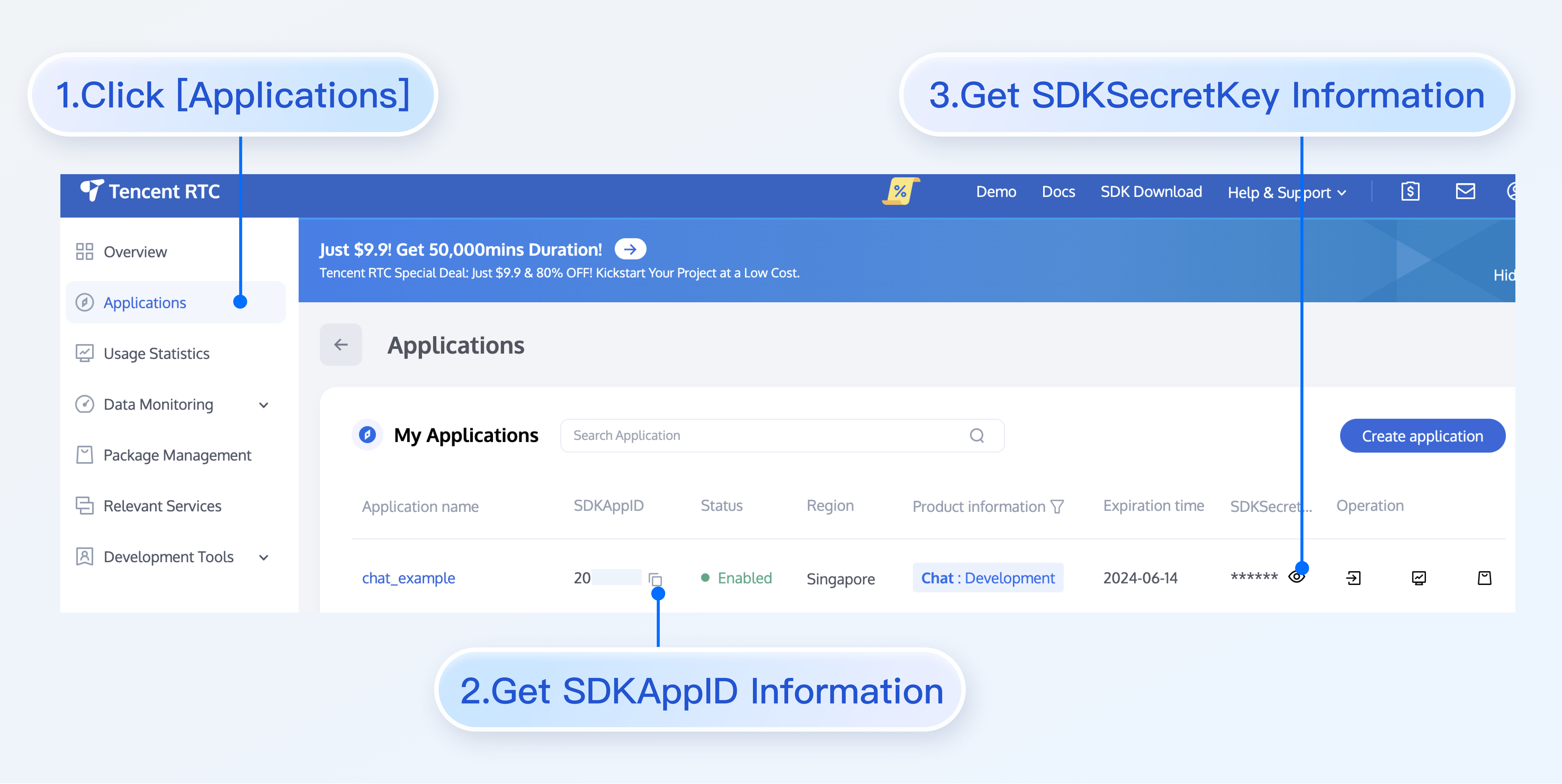
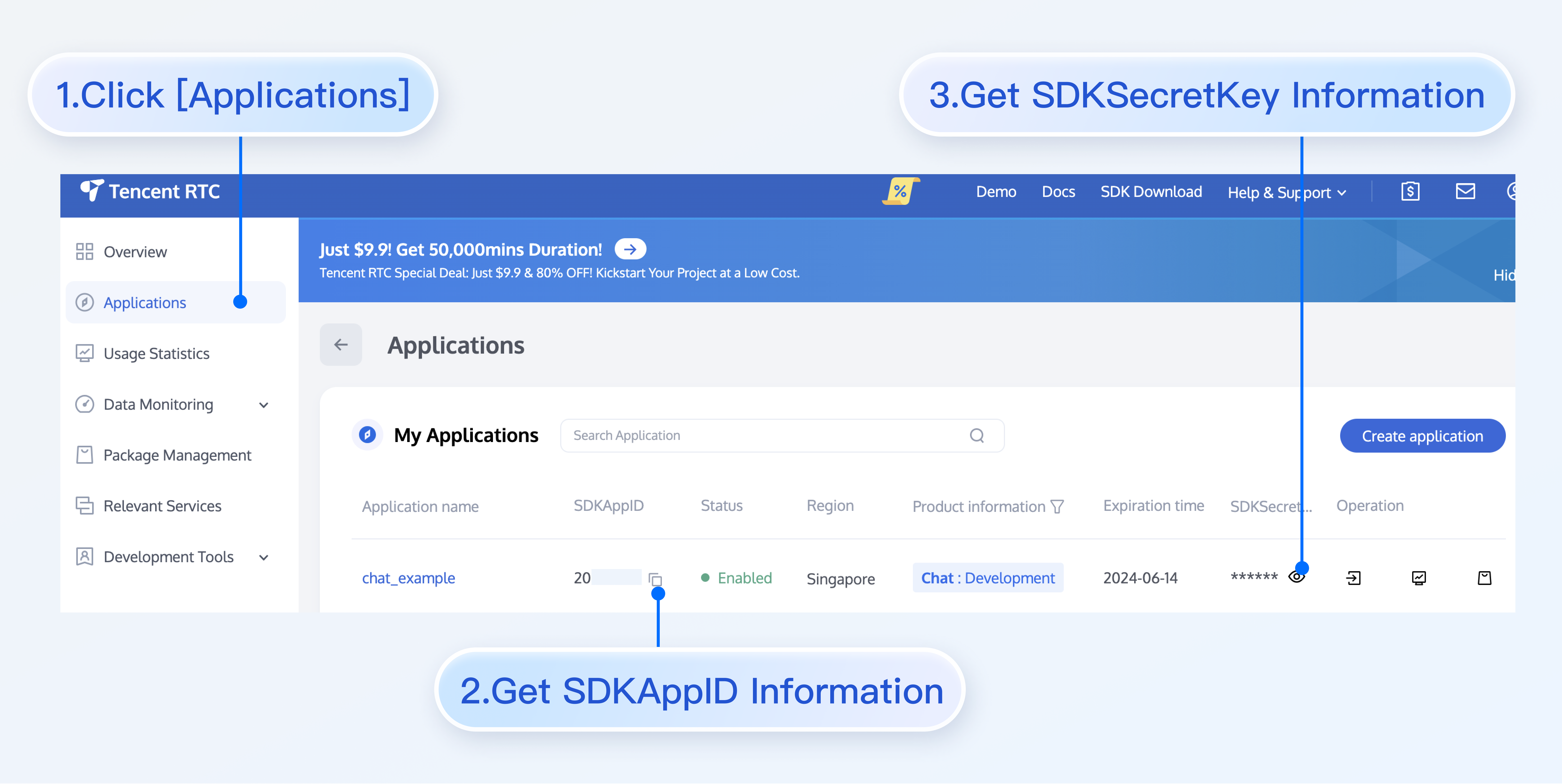
3. 创建完成后,可在控制台总览页查看新建应用的 SDKAppIDSDKSecretKey,后续运行 Demo 时需要用到这两个信息。
\"\"

注意:
请妥善保管 SDKSecretKey,谨防泄露!

环境准备

Flutter >= 3.29.0 版本,Dart >= 3.7.0 版本
Android Studio Ladybug | 2024.2.1 及以上版本,Android Gradle plugin 7.3.1 以上版本,JDK 17 版本。
Xcode 12.0 及以上版本

版本兼容性说明

为确保构建环境稳定,请严格遵循官方兼容性要求进行配置:
Gradle、Android Gradle Plugin、JDK 与 Android Studio 的兼容性,请参阅 Android 官方文档:版本说明。
Kotlin、Android Gradle Plugin 与 Gradle 的版本对应关系,请参阅 Kotlin 官方文档:Kotlin-Gradle 插件兼容性。
使用 JDK 17 版本,其他版本可能导致编译失败,请参阅:Java 版本切换
我们建议您根据上述指南,选择与项目要求完全匹配的版本组合。

操作步骤

获取 Demo

说明:
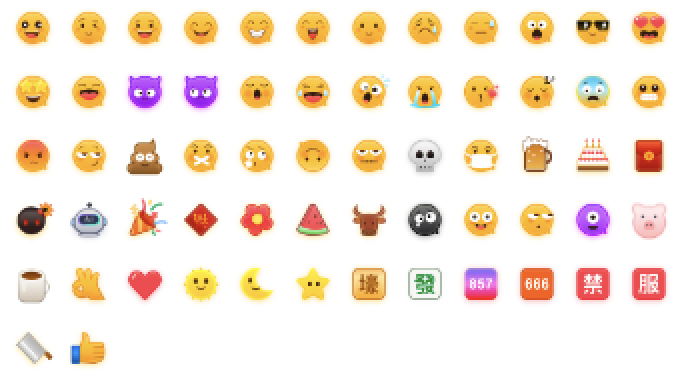
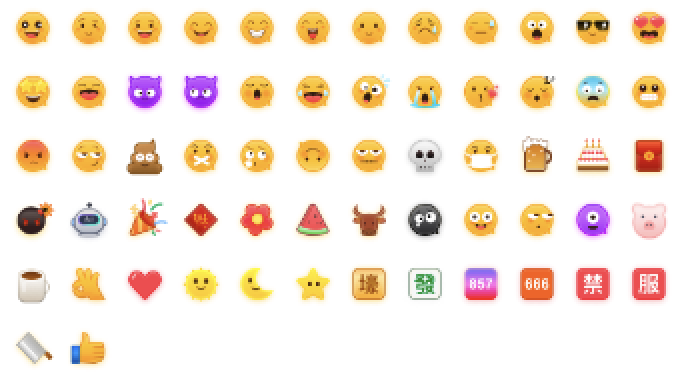
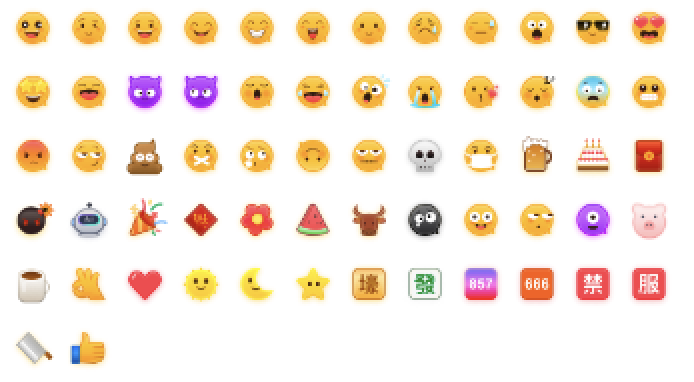
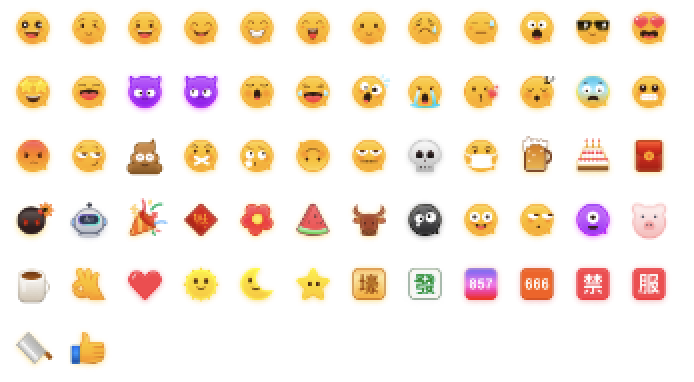
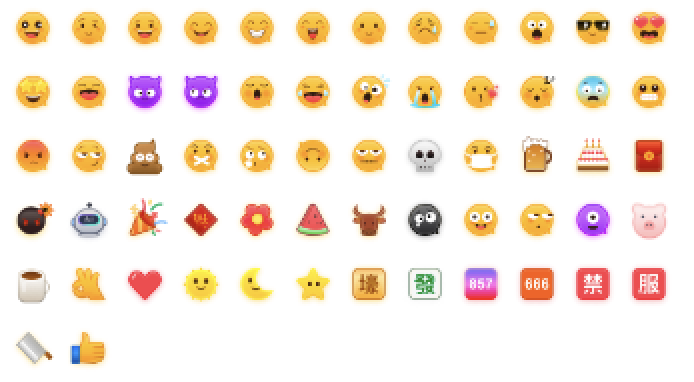
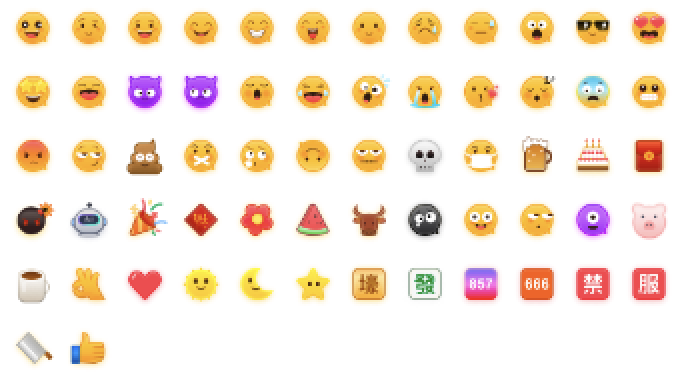
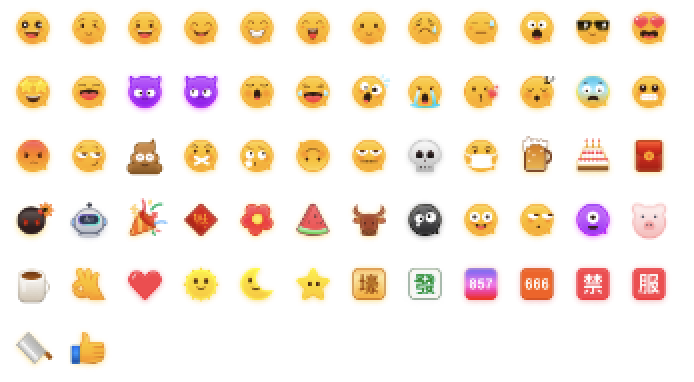
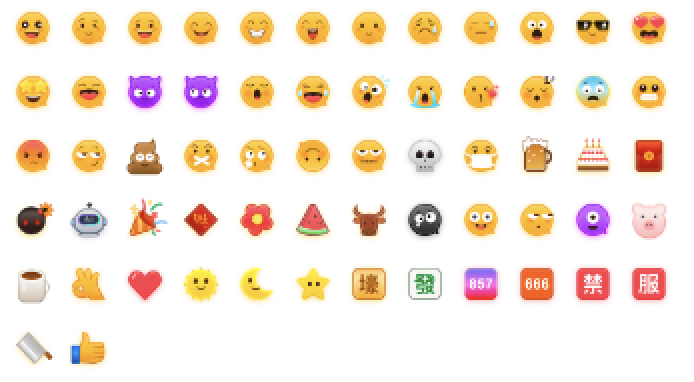
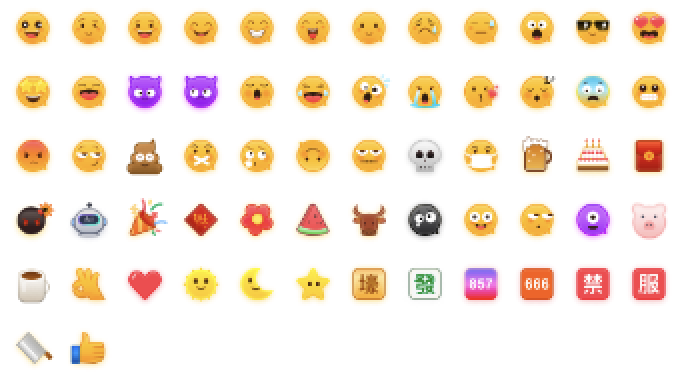
为尊重表情设计版权,Chat Demo/TUIKit 工程中不包含大表情元素切图,正式上线商用前请您替换为自己设计或拥有版权的其他表情包。下图所示默认的小黄脸表情包版权归腾讯云所有,您可以通过升级至 Chat 专业版 Plus 和企业版 免费使用该表情包。
\"\"

1. 下载即时通信 Flutter Chat UIKit 工程。
2. 使用 Android Studio 打开下载的 chat/demo 项目,Android Studio > File > Open > 选择 demo 根目录,找到对应的 login_page 文件,路径为 lib/login_page.dart
3. 设置 login_page 文件中的相关参数:
SDKAppID: 请设置为前文中获取的实际应用 SDKAppID
SecretKey: 请设置为前文中获取的实际密钥信息 。
禁止:
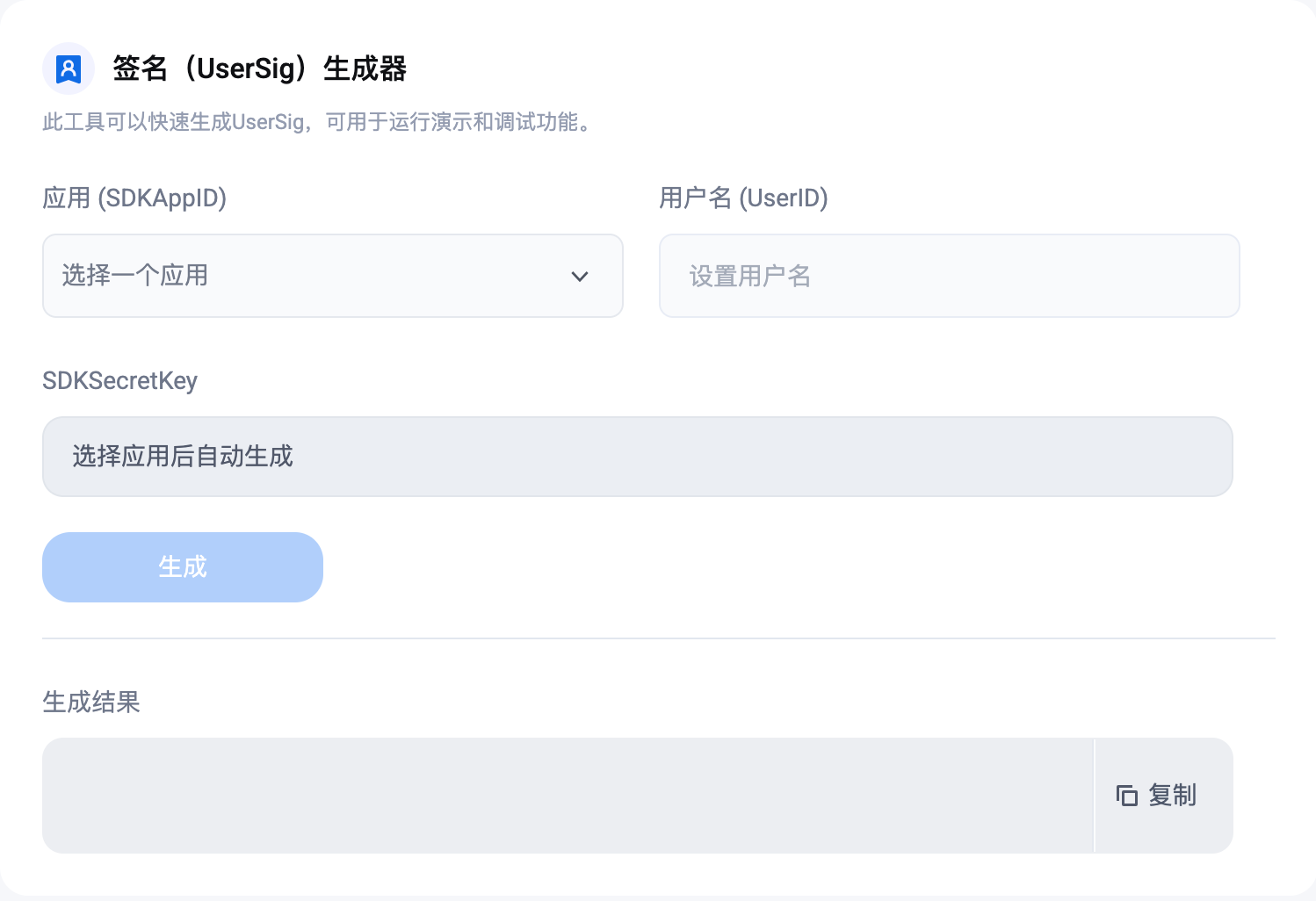
本文提到的获取 UserSig 的方案是在客户端代码中配置 SecretKey,该方法中 SecretKey 很容易被反编译逆向破解,一旦您的密钥泄露,攻击者就可以盗用您的腾讯云流量,因此该方法仅适合本地跑通 Demo 和功能调试。正确的 UserSig 签发方式是将 UserSig 的计算代码集成到您的服务端,并提供面向 App 的接口,在需要 UserSig 时由您的 App 向业务服务器发起请求获取动态 UserSig。更多详情请参见 服务端生成 UserSig

编译并运行 Demo

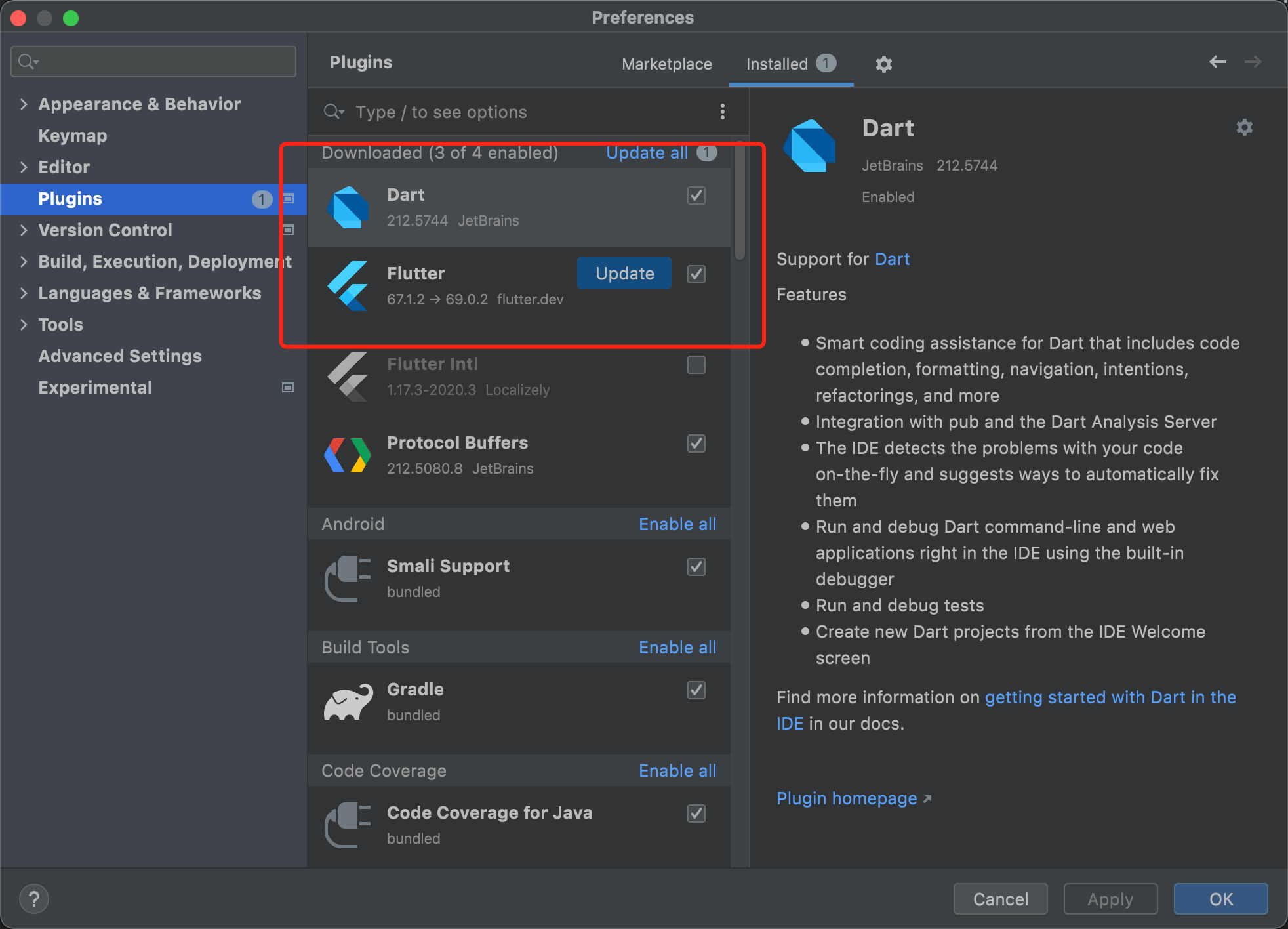
用 Android Studio 导入工程,并安装 Flutter 和 Dart 插件。
\"\"

在项目根目录执行如下命令安装依赖。
flutter pub get
以运行 Android 设备为例:
将 Android 设备连接至电脑,在 Android 设备上打开开发者模式,启用 USB 调试,并且在 Android 设备上选择 USB 用于传输文件(如有)。
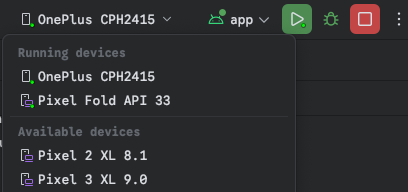
在 Android Studio 界面顶部的 Running devices 选项中选择您用来测试的 Android 设备。
点击运行按钮开始编译。编译成功后,您的设备上会自动安装好 Chat App。
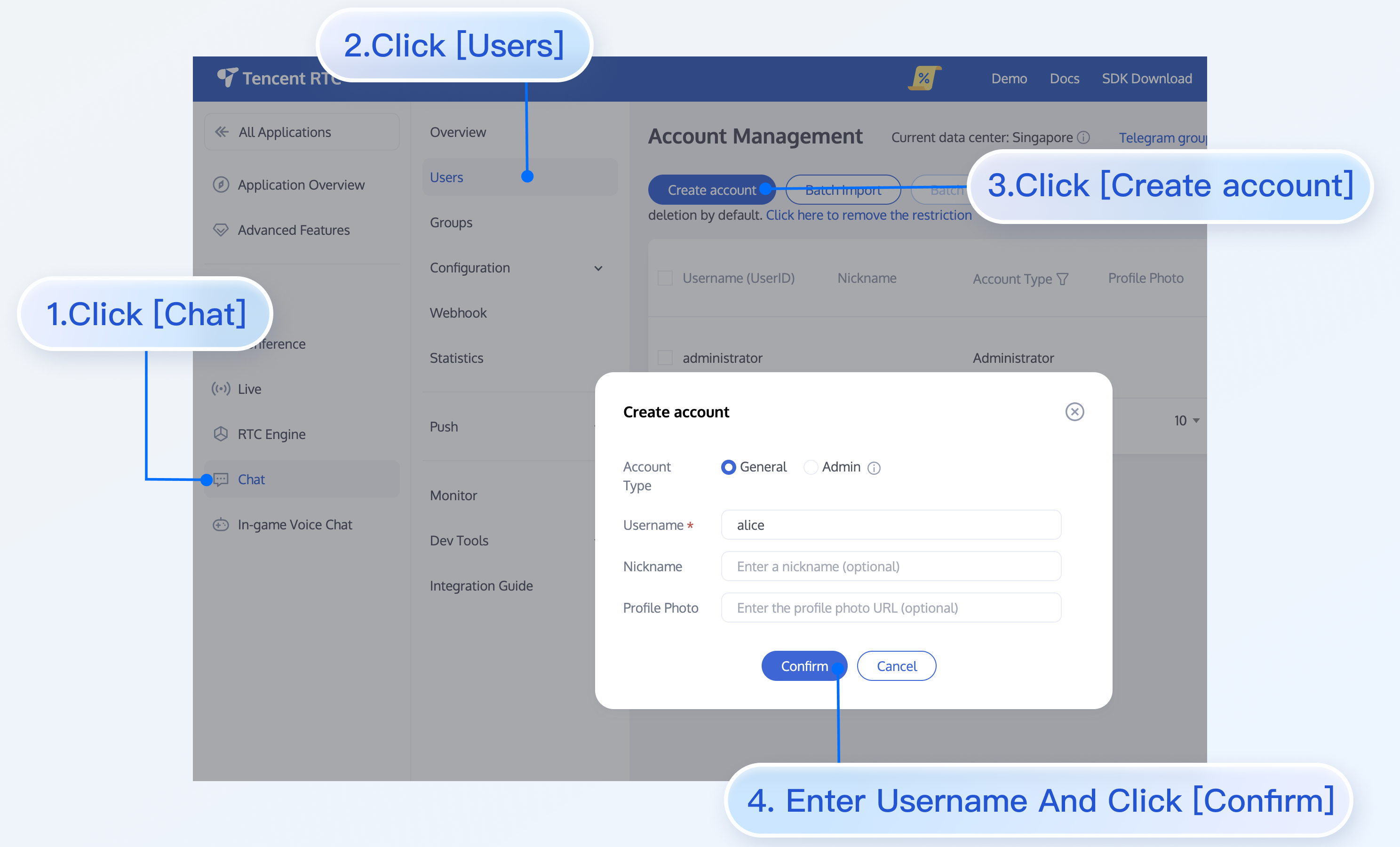
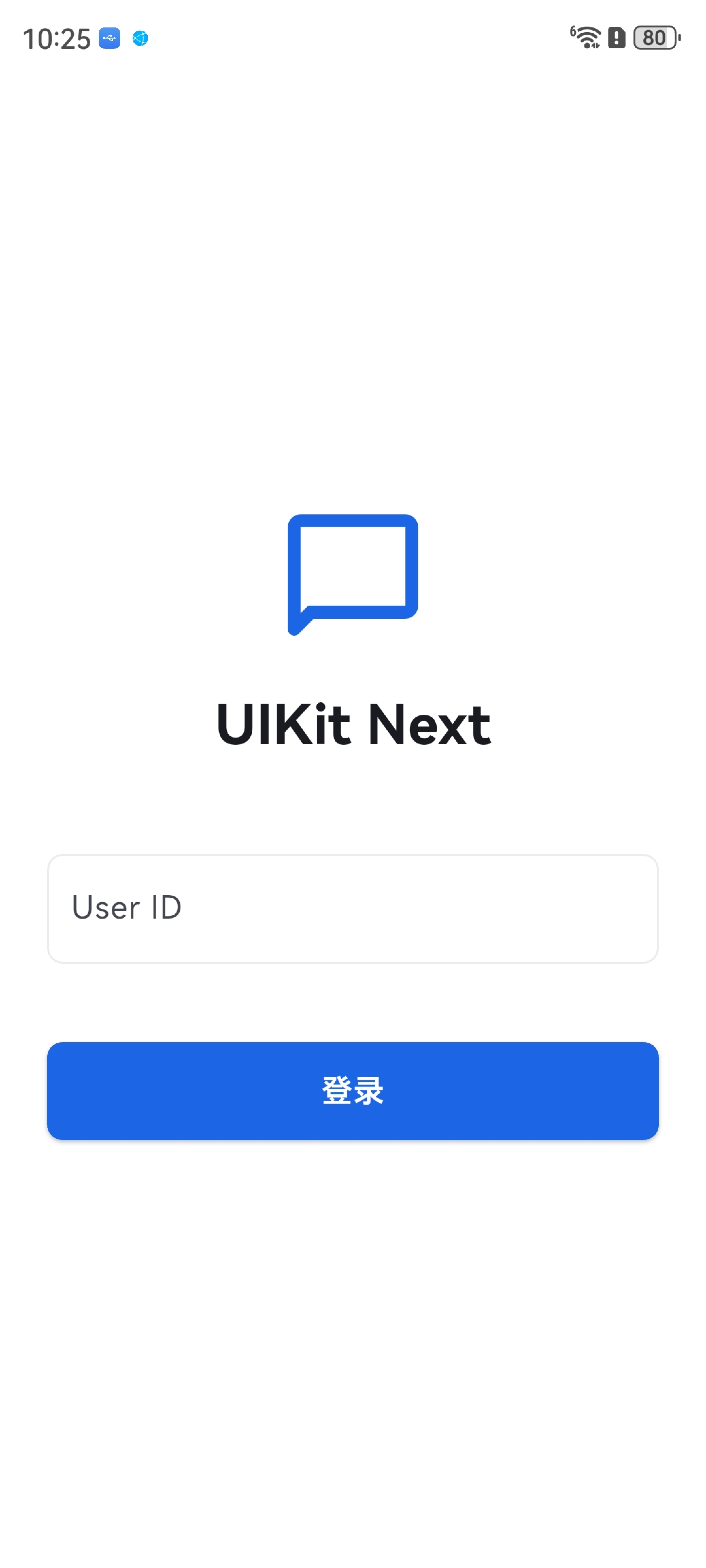
打开 App,输入任意 UserID 即可创建并登录用户账号。
\"\"

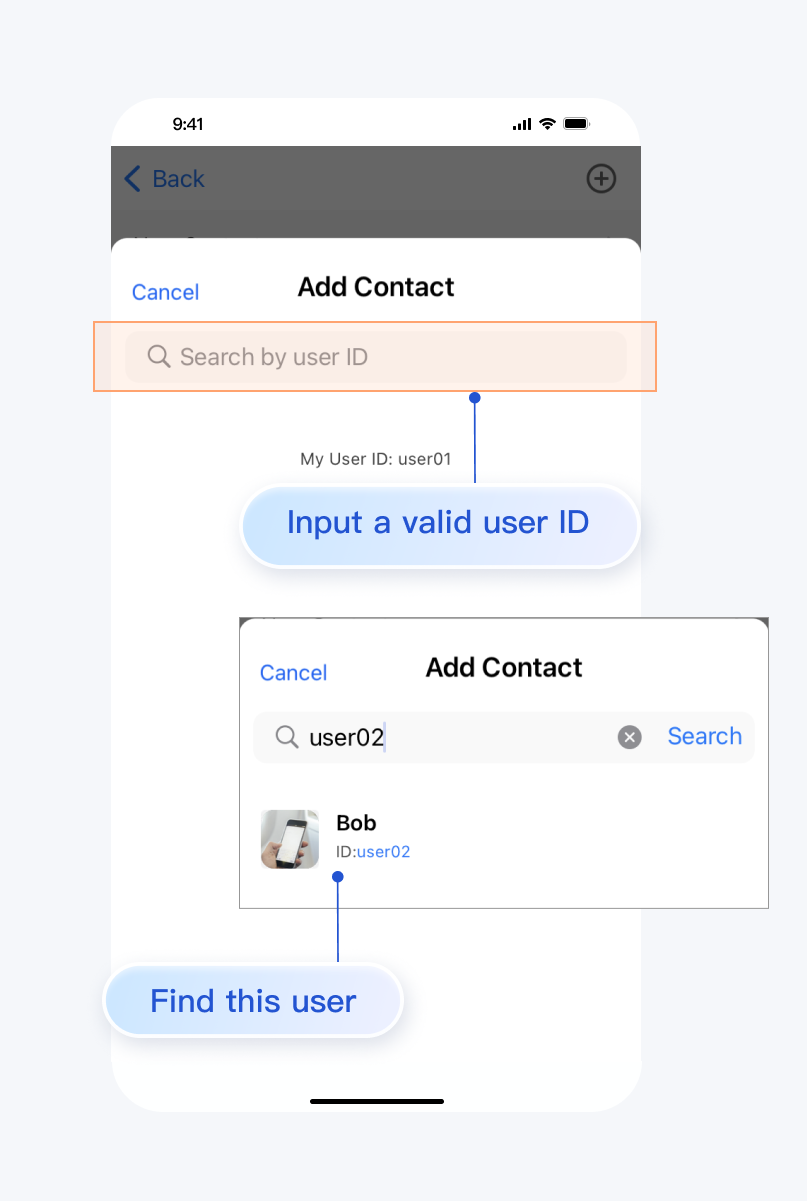
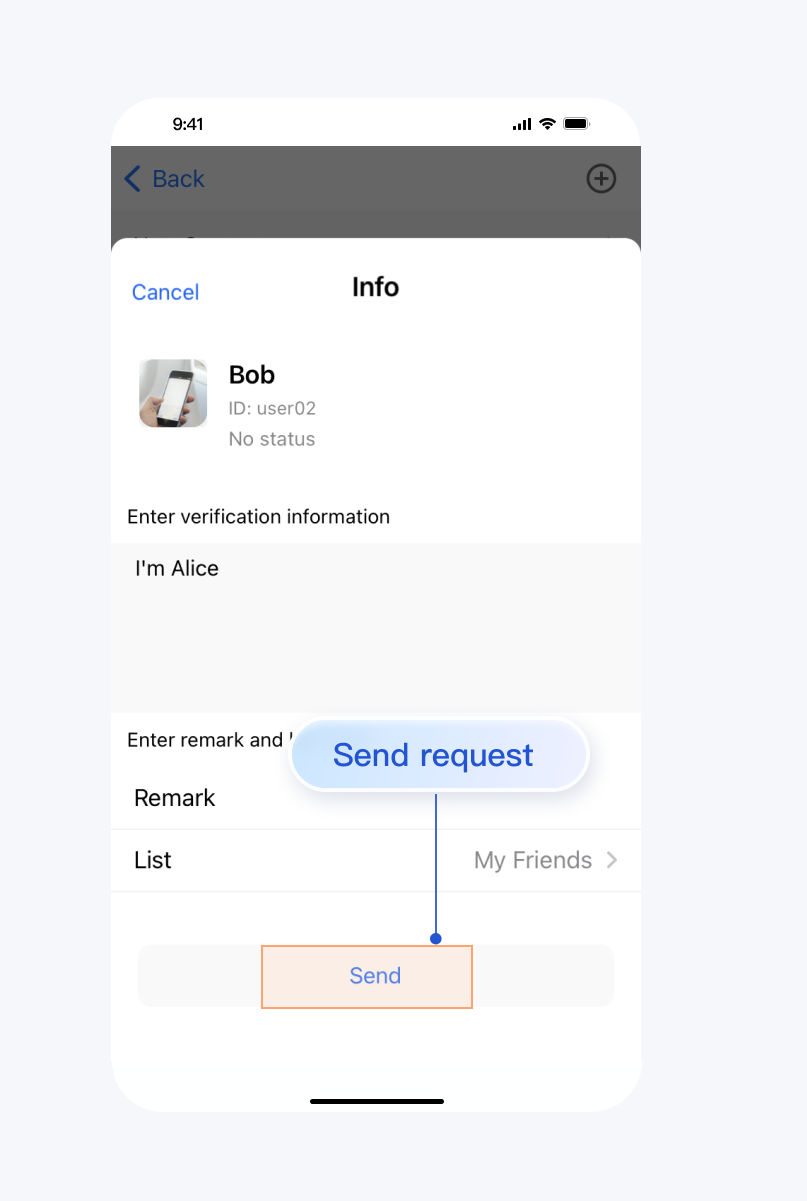
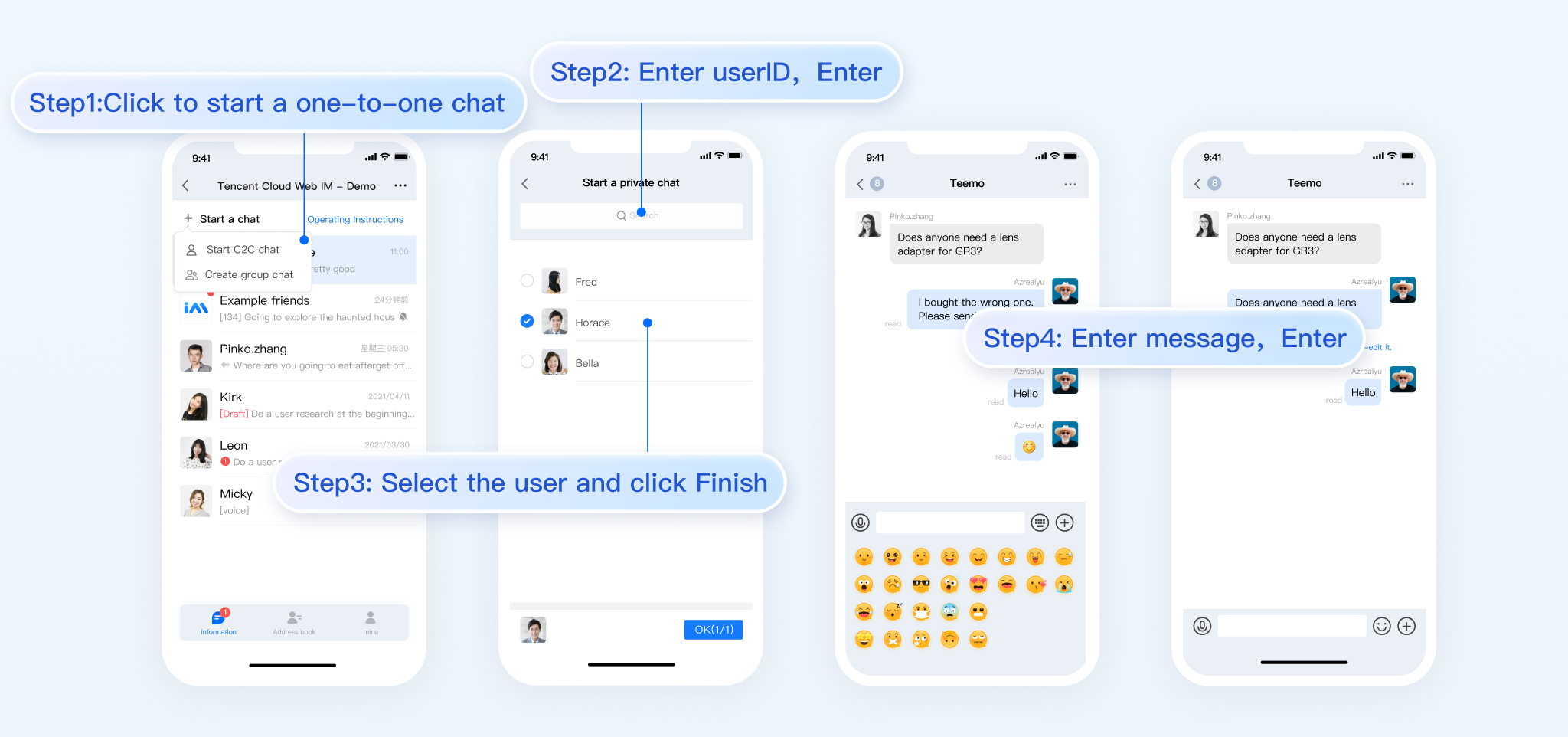
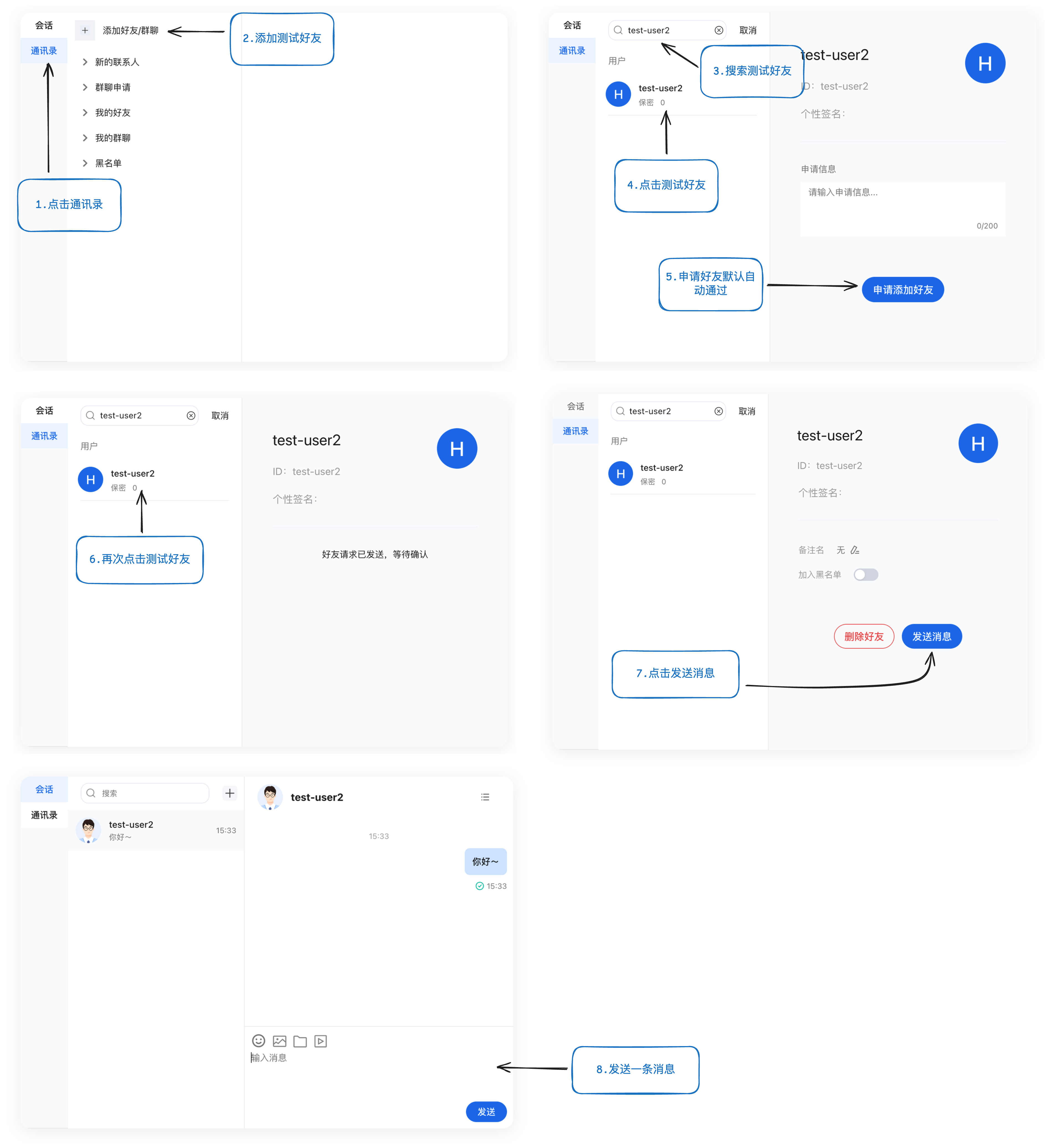
为方便测试消息互通,您可以创建两个不同的用户账号,添加好友后互相发送消息。
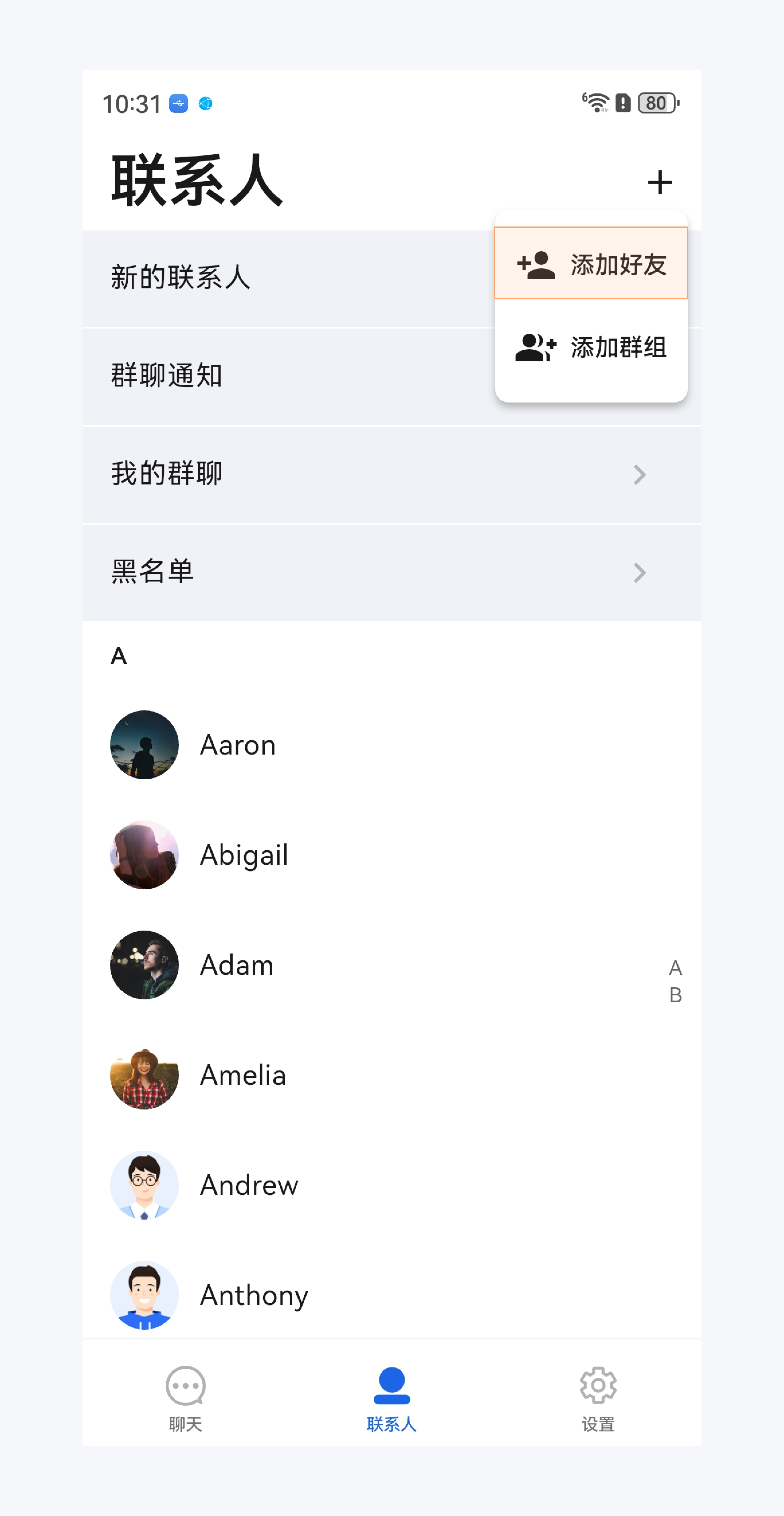
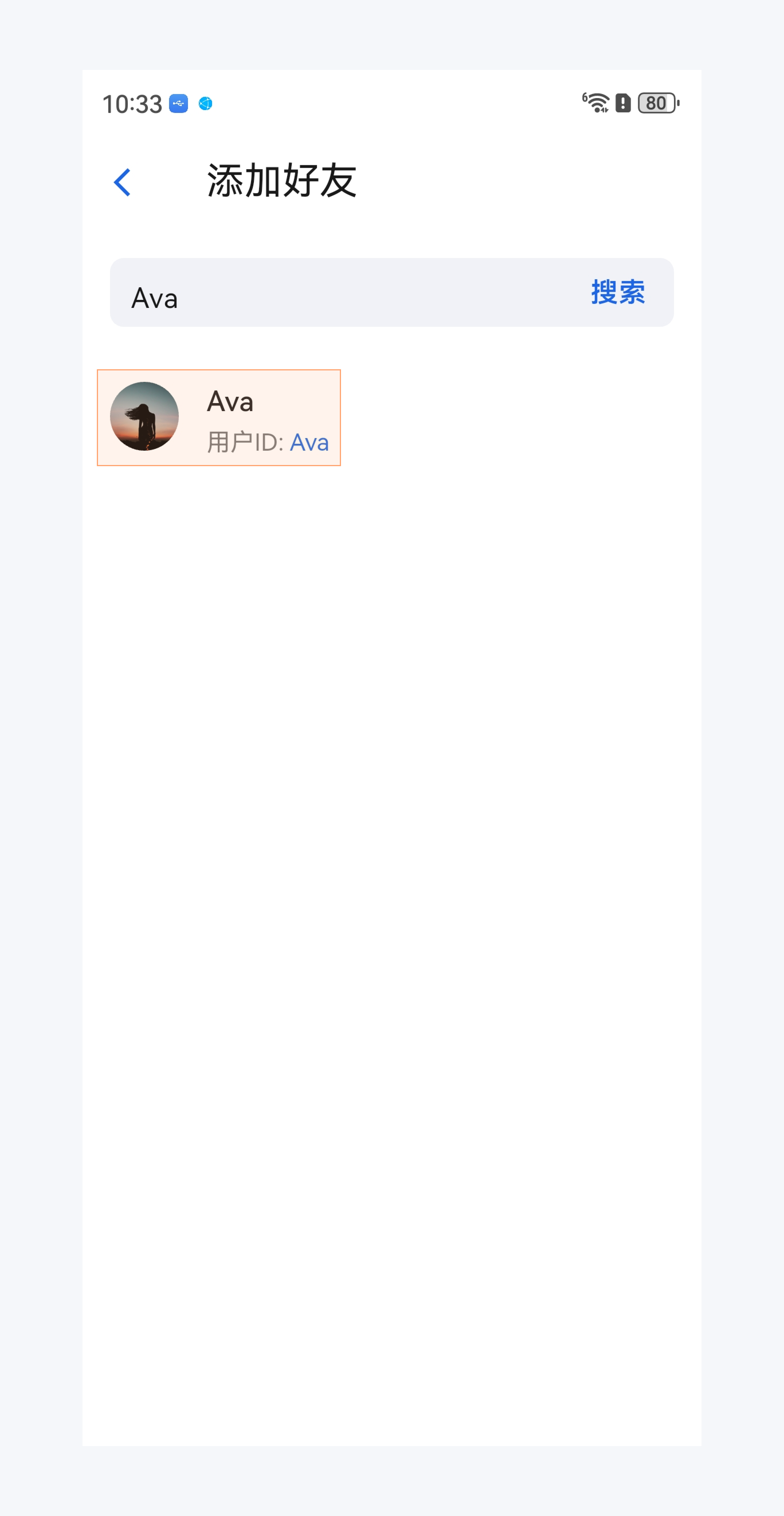
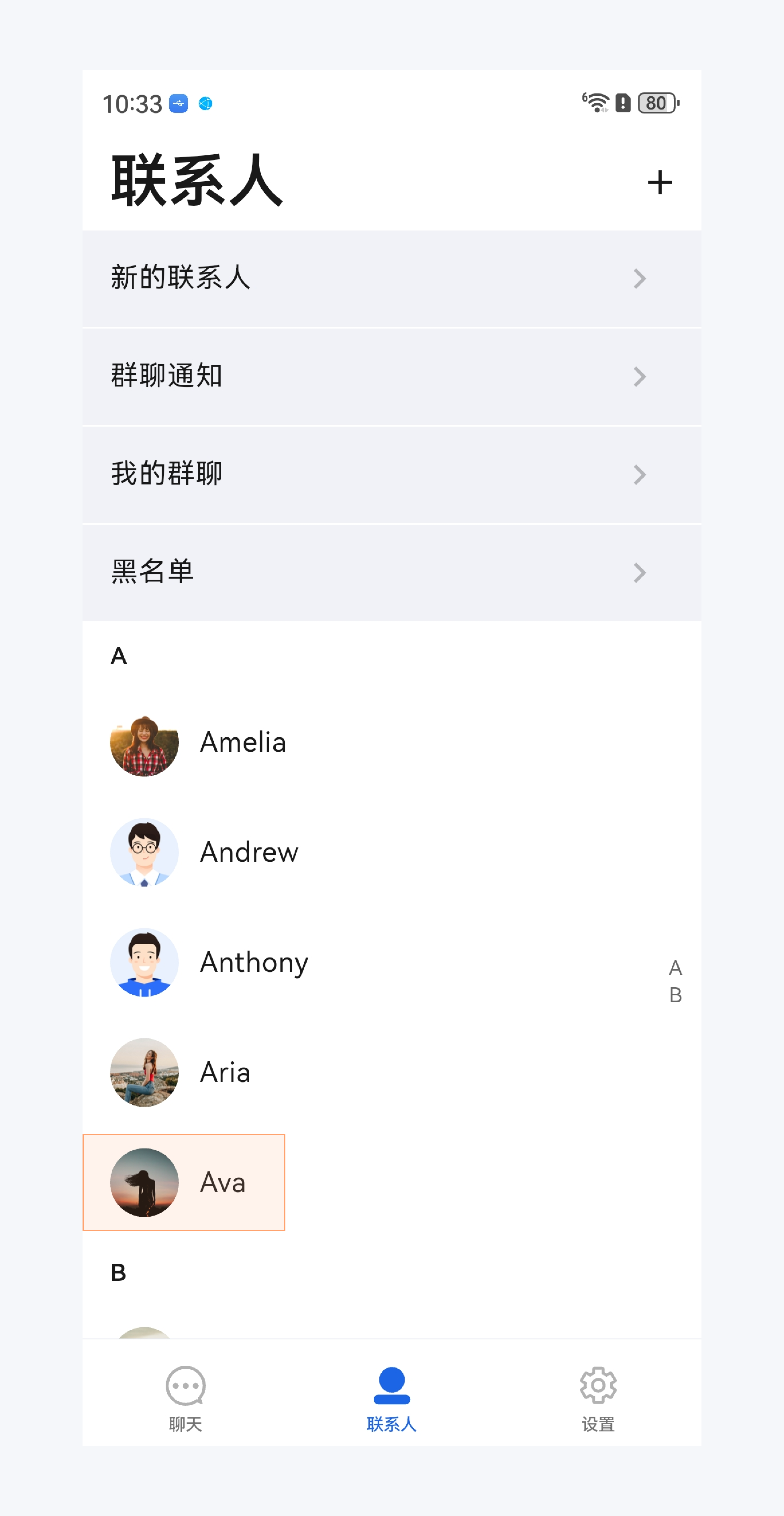
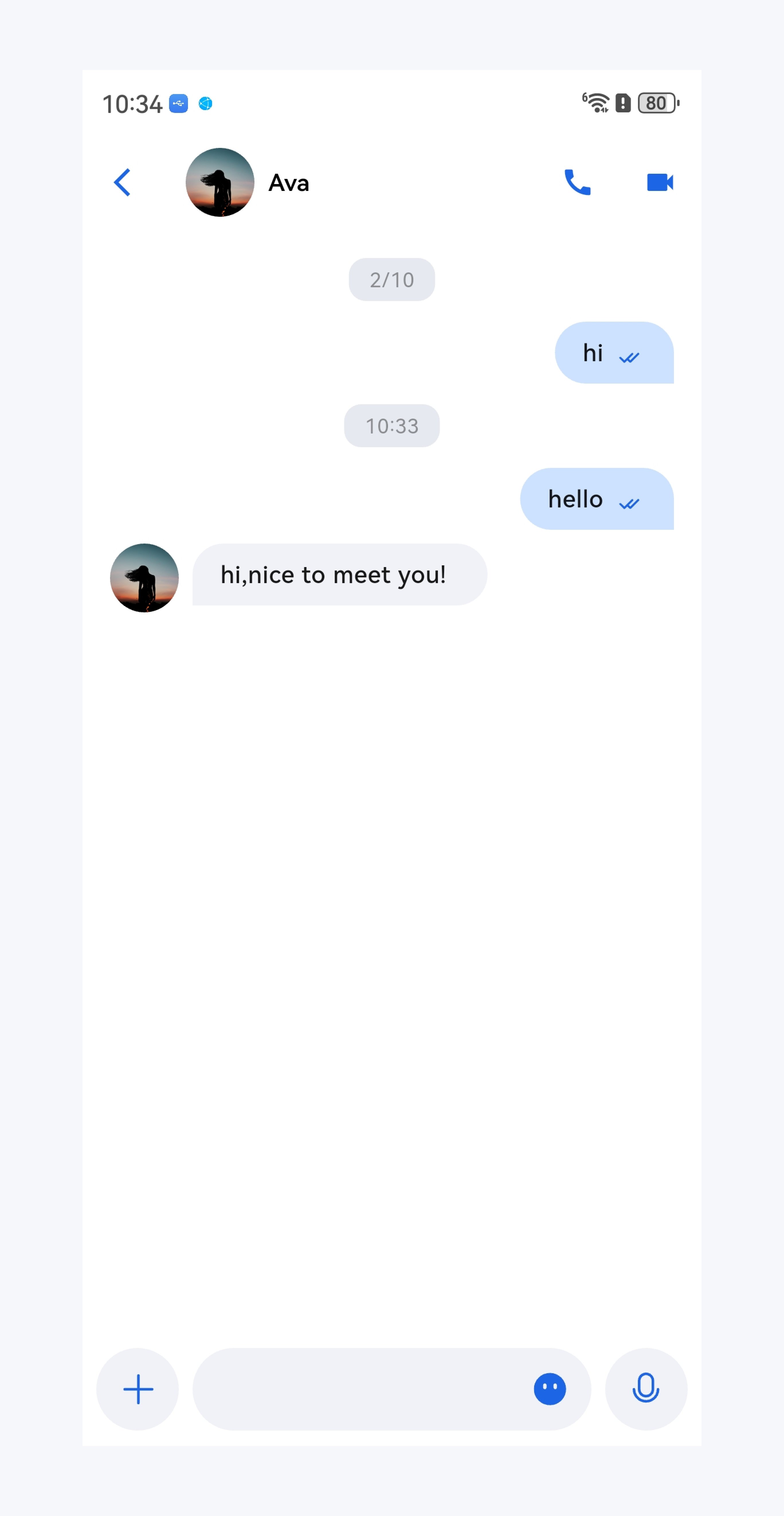
添加好友
搜索好友
通讯录新增好友
与好友聊天
\"\"

\"\"

\"\"

\"\"


常见问题

iOS 端 Pods 依赖无法安装成功的问题?

方案一:手动删除 ios/Pods 文件夹,及 ios/Podfile.lock 文件,并执行如下命令,重新安装依赖。
cd ios
sudo gem install ffi
pod install --repo-update
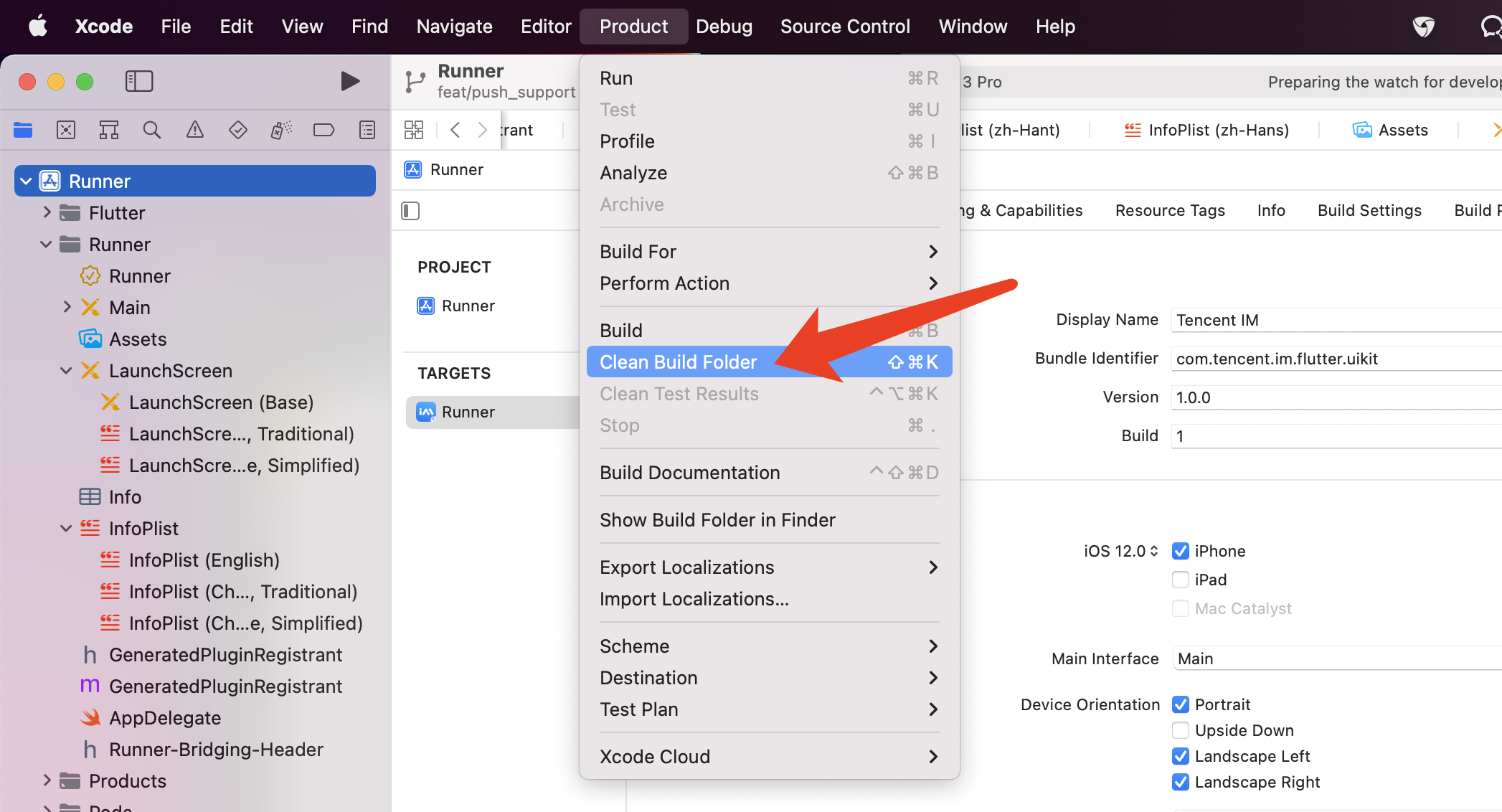
方案二:配置运行后,如果报错,可以单击 Product > Clean Build Folder,清除产物后重新运行 pod installflutter run
\"\"


Flutter 环境的问题?

如您需得知 Flutter 的环境是否存在问题,请运行 Flutter doctor 检测 Flutter 环境是否装好。

使用 Flutter 自动生成的项目,引入 TUIKit 后,运行 Android 端报错的问题?

\"\"

1. 打开 android\\app\\src\\main\\AndroidManifest.xml,根据如下,补全 xmlns:tools="http://schemas.android.com/tools" / android:label="@string/android_label"tools:replace="android:label"
<manifest xmlns:android="http://schemas.android.com/apk/res/android"
package="替换成您的 Android 端包名"
xmlns:tools="http://schemas.android.com/tools">
<application
android:label="@string/android_label"
tools:replace="android:label"
android:icon="@mipmap/ic_launcher" // 指定一个 icon 路径
android:usesCleartextTraffic="true"
android:requestLegacyExternalStorage="true">
2. 打开 android\\app\\build.gradle,补全 defaultConfigminSdkVersiontargetSdkVersion
defaultConfig {
applicationId "" // 替换成您的Android端包名
minSdkVersion 21
targetSdkVersion 30
}

Demo 中语音转文字支持的数据中心?

目前语音转文字仅支持中国数据中心的 SDKAppID 体验。

联系我们

如果您在接入或使用过程中有任何疑问或者建议,欢迎 联系我们 提交反馈。

","recentReleaseTime":"2026-03-03 11:29:20","slate":"[{\"type\":\"p\",\"children\":[{\"text\":\"本文介绍如何快速跑通 Chat Demo 来体验文字、语音、视频等消息发送功能。跑通后运行效果如下图所示:\"}],\"id\":\"ZqPXJ6PquipI6VPMQfQOU\"},{\"type\":\"table\",\"children\":[{\"type\":\"row\",\"children\":[{\"type\":\"cell\",\"children\":[{\"type\":\"p\",\"children\":[{\"text\":\"登录页\"}],\"id\":\"MlMqPfNoe2mYKjsGm5Tcc\",\"align\":\"center\"}],\"id\":\"_Q9FjsR6oNICElvHONwtY\"},{\"type\":\"cell\",\"children\":[{\"type\":\"p\",\"children\":[{\"text\":\"会话列表页\"}],\"id\":\"YIb5lN1GGAn4KSsZJ8p97\",\"align\":\"center\"}],\"id\":\"0VcRqBPwkgiDwCDTmjUM_\"},{\"type\":\"cell\",\"children\":[{\"type\":\"p\",\"children\":[{\"text\":\"聊天页\"}],\"id\":\"DBd0fyOvXj3WUgKomWmgt\",\"align\":\"center\"}],\"id\":\"04UbGLgdXY8YZ-46ZWm2z\"}],\"id\":\"zacIPg3V0xVa9e26Y6yl0\"},{\"type\":\"row\",\"children\":[{\"type\":\"cell\",\"children\":[{\"type\":\"image\",\"url\":\"https://cloudcache.intl.tencent-cloud.com/cms/backend-cms/be83e8f712bd11f19132525400a31896.png\",\"alt\":\"\",\"inline\":false,\"children\":[{\"text\":\"\"}],\"id\":\"abt66CY67yx6eGdcNOfzn\",\"naturalSize\":[2736,5288],\"size\":[220,425],\"align\":\"center\"}],\"id\":\"P4DN4OjUaJ63jEU0eUUcf\"},{\"type\":\"cell\",\"children\":[{\"type\":\"image\",\"url\":\"https://cloudcache.intl.tencent-cloud.com/cms/backend-cms/caaa8f1a12bd11f18bc5525400074c32.png\",\"alt\":\"\",\"inline\":false,\"children\":[{\"text\":\"\"}],\"id\":\"vpkYMAH5BiHRVDKxI1JNo\",\"naturalSize\":[2736,5288],\"size\":[220,425],\"align\":\"center\"}],\"id\":\"UbokDbPRjtZxOoHHGEkzh\"},{\"type\":\"cell\",\"children\":[{\"type\":\"image\",\"url\":\"https://cloudcache.intl.tencent-cloud.com/cms/backend-cms/d4cc179812bd11f19132525400a31896.png\",\"alt\":\"\",\"inline\":false,\"children\":[{\"text\":\"\"}],\"id\":\"mdZlNdmOP5-luSCx_7P42\",\"naturalSize\":[2736,5288],\"size\":[220,425],\"align\":\"center\"}],\"id\":\"MS1-0PzRdYeWW9r7OCFNP\"}],\"id\":\"0RKCinMHaI6dbeChSbeKn\"}],\"widthMode\":\"percentage\",\"widths\":[33.33,33,33.67],\"id\":\"ncnBQB0cHeOSHS6TLgPX9\",\"rowHeader\":true},{\"type\":\"h2\",\"id\":\"BFfLblWv47yvCa3OHiGE6\",\"children\":[{\"text\":\"快速体验\"}],\"nodeId\":\"125f8539-6a54-4df5-8a39-da35a3f9e14d\"},{\"type\":\"p\",\"children\":[{\"text\":\"您可以前往该页面体验各端 Chat Demo:\"},{\"type\":\"ref\",\"props\":{\"type\":\"link\",\"url\":\"https://trtc.io/document/35076#42b9c204-f927-4326-9af6-370e511773f3\"},\"children\":[{\"text\":\"体验 Demo\"}],\"id\":\"xoEvFnQx1LEX8BEQ6XHb8\"},{\"text\":\"。\"}],\"id\":\"2NXm6pNDsfT4flRy_L4Oo\"},{\"type\":\"h2\",\"id\":\"HPXs_De8nBe52_iXa4gDE\",\"children\":[{\"text\":\"前提条件\"}],\"nodeId\":\"bc0c5c40-f814-49f1-b8cc-e5913f509305\"},{\"type\":\"h3\",\"id\":\"DRg1cjb7muIVTFU2w2eM5\",\"nodeId\":\"8e802861-e339-4b98-95f7-a2fa0af911d9\",\"children\":[{\"text\":\"开通服务\"}]},{\"id\":\"XWweh0ZUpmJa9DxLGkqtC\",\"children\":[{\"text\":\"登录\"},{\"type\":\"ref\",\"props\":{\"type\":\"link\",\"url\":\"https://trtc.io/login\"},\"children\":[{\"text\":\"控制台\"}],\"id\":\"mhQJkUjuYoeX_vo19pecH\"},{\"text\":\"。如果您已有应用,请记录其 \"},{\"text\":\"SDKAppID\",\"code\":1},{\"text\":\" 和密钥信息。\"}],\"type\":\"oli\",\"start\":true,\"nodeId\":\"\"},{\"id\":\"VLHh4Xkd4cDAFQ2U8DM4r\",\"children\":[{\"text\":\"单击\"},{\"text\":\"创建应用\",\"b\":1},{\"text\":\",在对话框中输入您的\"},{\"text\":\"应用名称\",\"b\":1},{\"text\":\",选择产品、部署区域,单击\"},{\"text\":\"创建\",\"b\":1},{\"text\":\"来创建应用。\"}],\"type\":\"oli\",\"start\":false},{\"type\":\"image\",\"url\":\"https://cloudcache.intl.tencent-cloud.com/cms/backend-cms/aef3dd2a12da11f1ac395254001d6acc.png\",\"inline\":false,\"alt\":\"\",\"children\":[{\"text\":\"\"}],\"id\":\"zNE5ush7YwbLb3h212e76\",\"naturalSize\":[6220,5392],\"size\":[696,603],\"indent\":1},{\"id\":\"KJkhniQV1vdPQQy8immeN\",\"children\":[{\"text\":\"创建完成后,可在控制台总览页查看新建应用的 \"},{\"text\":\"SDKAppID\",\"code\":1},{\"text\":\"、\"},{\"text\":\"SDKSecretKey\",\"code\":1},{\"text\":\",后续运行 Demo 时需要用到这两个信息。\"}],\"type\":\"oli\"},{\"type\":\"image\",\"url\":\"https://cloudcache.intl.tencent-cloud.com/cms/backend-cms/6f1e770912db11f1a92352540097cba1.png\",\"alt\":\"\",\"inline\":false,\"children\":[{\"text\":\"\"}],\"id\":\"Y1geISaa3Wy3fN81FnOYg\",\"naturalSize\":[6220,3712],\"size\":[696,415],\"indent\":1},{\"type\":\"hint\",\"hintType\":\"ban\",\"children\":[{\"type\":\"p\",\"children\":[{\"b\":1,\"text\":\"注意:\",\"color\":\"#F64041\"}],\"id\":\"QtDyojpnyvC5zwIKV_-pz\"},{\"type\":\"p\",\"id\":\"7RK-jJmzrJd0i7P42X9be\",\"children\":[{\"text\":\"请妥善保管 SDKSecretKey,谨防泄露!\"}],\"start\":true}],\"id\":\"cLDRSp_x30C50uQWWyTep\",\"indent\":1},{\"id\":\"7kYmG0m_nAgPZRqridamx\",\"nodeId\":\".E7.8E.AF.E5.A2.83.E8.A6.81.E6.B1.82\",\"type\":\"h3\",\"children\":[{\"text\":\"环境准备\"}]},{\"type\":\"uli\",\"children\":[{\"text\":\"Flutter >= 3.29.0 版本,Dart >= 3.7.0 版本\"}],\"id\":\"ELAUy1q29CLSEjLsBxg94\"},{\"type\":\"uli\",\"children\":[{\"text\":\"Android Studio Ladybug | 2024.2.1 及以上版本,Android Gradle plugin 7.3.1 以上版本,JDK 17 版本。\"}],\"id\":\"xVih99k51o0COJCHrrNko\"},{\"type\":\"uli\",\"children\":[{\"text\":\"Xcode 12.0 及以上版本\"}],\"id\":\"JLBOYckHlBmyHEEH7vTwL\"},{\"type\":\"hint\",\"hintType\":\"info\",\"children\":[{\"type\":\"p\",\"children\":[{\"text\":\"\"},{\"type\":\"inline-anchor\",\"nodeId\":\"version_ compatibility\",\"children\":[{\"text\":\"版本兼容性说明\",\"b\":1},{\"text\":\":\",\"color\":\"inherit\",\"b\":1}],\"id\":\"n1ewmvO9FPHeKRxbS-Iox\"},{\"text\":\"\"}],\"id\":\"GYxOoKcsH5UxV18OJ1eQC\"},{\"type\":\"p\",\"children\":[{\"text\":\"为确保构建环境稳定,请严格遵循官方兼容性要求进行配置:\"}],\"id\":\"zFSDCSBh9aPqM_tKaBKJK\"},{\"type\":\"uli\",\"children\":[{\"text\":\"Gradle、Android Gradle Plugin、JDK 与 Android Studio 的兼容性,请参阅 Android 官方文档:\"},{\"type\":\"ref\",\"props\":{\"type\":\"link\",\"url\":\"https://developer.android.com/build/releases/gradle-plugin#updating-gradle\"},\"children\":[{\"text\":\"版本说明\"}],\"id\":\"yZ1ZJA5bPRFuGsK3JTDoO\"},{\"text\":\"。\"}],\"id\":\"Vj5A38UPScZ6P52Dv8MdJ\"},{\"type\":\"uli\",\"children\":[{\"text\":\"Kotlin、Android Gradle Plugin 与 Gradle 的版本对应关系,请参阅 Kotlin 官方文档:\"},{\"type\":\"ref\",\"props\":{\"type\":\"link\",\"url\":\"https://kotlinlang.org/docs/gradle-configure-project.html#apply-the-plugin\"},\"children\":[{\"text\":\"Kotlin-Gradle 插件兼容性\"}],\"id\":\"TeBy7JHn7QHLVDnrfIjh4\"},{\"text\":\"。\"}],\"id\":\"8soF26hVKObUBsTlrC0Cn\"},{\"type\":\"uli\",\"children\":[{\"text\":\"使用 JDK 17 版本,其他版本可能导致编译失败,请参阅:\"},{\"type\":\"ref\",\"props\":{\"type\":\"link\",\"url\":\"https://developer.android.com/build/jdks#kts\"},\"children\":[{\"text\":\"Java 版本切换\"}],\"id\":\"gIVaynTrpDA2IufdM2pxA\"},{\"text\":\"。\"}],\"id\":\"NgBdm_t1rps0TYCopci1e\"},{\"type\":\"p\",\"children\":[{\"text\":\"我们建议您根据上述指南,选择与项目要求完全匹配的版本组合。\"}],\"id\":\"iUjzQz9g7bf2eEVwjSGE4\"}],\"id\":\"McVIRl3rxc8epAMhga9V-\"},{\"type\":\"h2\",\"id\":\"scAbUcaD5PAIiOFzZ5KLM\",\"children\":[{\"text\":\"操作步骤\"}],\"nodeId\":\"dd0d63e3-80a1-4e87-8a15-25426f893a40\"},{\"id\":\"Zqwqfzd4kq4Yq_Bk39M2Q\",\"type\":\"h3\",\"nodeId\":\"step1\",\"children\":[{\"text\":\"获取 Demo\"}]},{\"type\":\"hint\",\"hintType\":\"info\",\"children\":[{\"id\":\"UPIEAWO3Yas3qgoQi7cDA\",\"children\":[{\"text\":\"说明:\",\"type\":\"text\",\"b\":1,\"color\":\"inherit\",\"id\":\"BRRQ0wJcSKg0qpi-3Ie6-\"}],\"type\":\"p\"},{\"type\":\"p\",\"children\":[{\"text\":\"为尊重表情设计版权,Chat Demo/TUIKit 工程中不包含大表情元素切图,正式上线商用前请您替换为自己设计或拥有版权的其他表情包。下图所示默认的\"},{\"text\":\"小黄脸表情包版权归腾讯云所有\",\"b\":1},{\"text\":\",您可以通过升级至 \"},{\"type\":\"ref\",\"props\":{\"type\":\"link\",\"url\":\"https://console.trtc.io/subscription/buy/chat?packType=pro\"},\"children\":[{\"text\":\"Chat 专业版 Plus 和企业版\"}],\"id\":\"y8vExHUAB5QnjgE_9GBH2\"},{\"text\":\" 免费使用该表情包。\"}],\"id\":\"gUHvpTgg3PnEVZ-KpGGHa\"},{\"type\":\"image\",\"url\":\"https://cloudcache.intl.tencent-cloud.com/cms/backend-cms/00faba1000f611f18548525400380f7d.png\",\"inline\":false,\"alt\":\"\",\"children\":[{\"text\":\"\"}],\"id\":\"gqVJGbJUbjD-DOf3HkCSO\",\"naturalSize\":[694,382],\"size\":[242,133]}],\"id\":\"FDYC3VaVywVNueiAd1zdI\"},{\"type\":\"oli\",\"children\":[{\"text\":\"下载即时通信 \"},{\"type\":\"ref\",\"props\":{\"type\":\"link\",\"url\":\"https://github.com/Tencent-RTC/TUIKit_Flutter\"},\"children\":[{\"text\":\"Flutter Chat UIKit\"}],\"id\":\"0DfeV_9QcLOctwhTDefsZ\"},{\"text\":\" 工程。\"}],\"id\":\"L-sPDo8AtHKH_1N1sIQaD\"},{\"type\":\"oli\",\"id\":\"laoGvLcZFoK5gL61mHAZy\",\"children\":[{\"text\":\"使用 Android Studio 打开下载的 \"},{\"text\":\"chat/demo\",\"code\":1},{\"text\":\" 项目,\"},{\"text\":\"Android Studio\",\"b\":1},{\"text\":\" > \"},{\"text\":\"File\",\"b\":1},{\"text\":\" > \"},{\"text\":\"Open\",\"b\":1},{\"text\":\" > 选择 demo 根目录,找到对应的 \"},{\"text\":\"login_page\",\"code\":1},{\"text\":\" 文件,路径为 \"},{\"text\":\"lib/login_page.dart\",\"code\":1},{\"text\":\"。\"}]},{\"type\":\"oli\",\"id\":\"qubZZm-dKrDTLvHOIb2bU\",\"children\":[{\"text\":\"设置 \"},{\"text\":\"login_page\",\"code\":1},{\"text\":\" 文件中的相关参数:\"}]},{\"type\":\"uli\",\"id\":\"rfcMWl-8sxQyRNGij0q7C\",\"children\":[{\"text\":\"SDKAppID: 请设置为前文中获取的实际应用 \"},{\"text\":\"SDKAppID\",\"code\":1},{\"text\":\"。\"}],\"indent\":1},{\"type\":\"uli\",\"id\":\"SWnP_YQ_MkZIOGSdKUXGm\",\"children\":[{\"text\":\"SecretKey: 请设置为前文中获取的实际密钥信息 。\"}],\"indent\":1},{\"type\":\"hint\",\"hintType\":\"ban\",\"children\":[{\"type\":\"p\",\"children\":[{\"b\":1,\"text\":\"禁止:\",\"color\":\"#F64041\"}],\"id\":\"RmQxLz3-A-wwQ6N8pa8Nh\"},{\"type\":\"p\",\"children\":[{\"text\":\"本文提到的获取 UserSig 的方案是在客户端代码中配置 SecretKey,该方法中 SecretKey 很容易被反编译逆向破解,一旦您的密钥泄露,攻击者就可以盗用您的腾讯云流量,因此\"},{\"text\":\"该方法仅适合本地跑通 Demo 和功能调试\",\"b\":1},{\"text\":\"。正确的 UserSig 签发方式是将 UserSig 的计算代码集成到您的服务端,并提供面向 App 的接口,在需要 UserSig 时由您的 App 向业务服务器发起请求获取动态 UserSig。更多详情请参见 \"},{\"type\":\"ref\",\"props\":{\"type\":\"link\",\"url\":\"https://trtc.io/document/34385?product=chat&menulabel=uikit&platform=android#GeneratingdynamicUserSig\"},\"children\":[{\"text\":\"服务端生成 UserSig\"}],\"id\":\"sE01v5mp2-Ejotd3de2xi\"},{\"text\":\"。\"}],\"id\":\"iPJIEKTUQrmFsoFS-mP8B\"}],\"id\":\"n5y7XeoC3oj9kVdtK1Ao0\"},{\"type\":\"h3\",\"id\":\"lJg7VB_jwX62FC6uODDgG\",\"nodeId\":\"d134d051-77fb-4acd-895f-35c3682514b0\",\"children\":[{\"text\":\"编译并运行 Demo\"}]},{\"type\":\"uli\",\"children\":[{\"text\":\"用 Android Studio 导入工程,并安装 Flutter 和 Dart 插件。\"}],\"id\":\"83PgBrTePYMWrN9UnrKzN\"},{\"type\":\"image\",\"url\":\"https://cloudcache.intl.tencent-cloud.com/cms/backend-cms/5c15041100f611f191b4525400ecee81.png\",\"inline\":false,\"alt\":\"\",\"children\":[{\"text\":\"\"}],\"id\":\"rlwNT7dJC8fLkKFz-1ZB6\",\"naturalSize\":[1964,1416],\"size\":[567,408],\"indent\":1},{\"type\":\"uli\",\"id\":\"2fK3in9R3p7sFKliQJY21\",\"children\":[{\"text\":\"在项目根目录执行如下命令安装依赖。\"}]},{\"type\":\"code-block\",\"language\":\"plaintext\",\"children\":[{\"type\":\"code-line\",\"children\":[{\"text\":\"flutter pub get\",\"code\":1}],\"id\":\"ftKkosonx8CQys3UM9f_a\"}],\"id\":\"myjYLBF4W5K5rnuBy26fz\",\"autoWrap\":false,\"indent\":1,\"executionContext\":{}},{\"type\":\"uli\",\"id\":\"ecwMS40lLGeuhfzcGxZbQ\",\"children\":[{\"text\":\"以运行 Android 设备为例:\"}]},{\"type\":\"uli\",\"children\":[{\"text\":\"将 Android 设备连接至电脑,在 Android 设备上打开开发者模式,启用 USB 调试,并且在 Android 设备上选择 USB 用于传输文件(如有)。\"}],\"id\":\"hqUpNZrjB1TFxFnoGnXU6\",\"indent\":1},{\"type\":\"uli\",\"children\":[{\"text\":\"在 Android Studio 界面顶部的 \"},{\"text\":\"Running devices\",\"b\":1},{\"text\":\" 选项中选择您用来测试的 Android 设备。\"}],\"id\":\"y5atpD0aXfTzhOQuRKyos\",\"indent\":1},{\"type\":\"uli\",\"id\":\"z5gDbRko8sc0kqRgfSIbG\",\"children\":[{\"text\":\"点击运行按钮开始编译。编译成功后,您的设备上会自动安装好 Chat App。\"}],\"indent\":1},{\"type\":\"uli\",\"id\":\"ZZabRku-tWXjDG9VeyA0S\",\"children\":[{\"text\":\"打开 App,输入任意 UserID 即可创建并登录用户账号。\"}],\"indent\":1},{\"type\":\"image\",\"url\":\"https://cloudcache.intl.tencent-cloud.com/cms/backend-cms/965ef52512c511f1880952540073fd3b.png\",\"alt\":\"\",\"inline\":false,\"children\":[{\"text\":\"\"}],\"id\":\"a9FcSjje3vvZ8Wq0gtfSz\",\"naturalSize\":[2160,4800],\"size\":[217,482],\"indent\":2},{\"type\":\"uli\",\"children\":[{\"text\":\"为方便测试消息互通,您可以创建两个不同的用户账号,添加好友后互相发送消息。\"}],\"id\":\"qWvsW7f9pk7WUQE8ZqaTW\",\"indent\":1},{\"type\":\"table\",\"children\":[{\"type\":\"row\",\"children\":[{\"type\":\"cell\",\"children\":[{\"type\":\"p\",\"children\":[{\"text\":\"添加好友\"}],\"id\":\"8dzzA-uFAz7N-FycldRw5\",\"align\":\"center\"}],\"id\":\"vYDLA9oErASRWeP6jK4rU\"},{\"type\":\"cell\",\"children\":[{\"type\":\"p\",\"children\":[{\"text\":\"搜索好友\"}],\"id\":\"xFr9WGMXAKhSd5M1rOY4g\",\"align\":\"center\"}],\"id\":\"cgKHqRrUAvUI7J7aeYdNY\"},{\"type\":\"cell\",\"children\":[{\"type\":\"p\",\"children\":[{\"text\":\"通讯录新增好友\"}],\"id\":\"k8SZZhC6pz6wPcVOjh5vc\",\"align\":\"center\"}],\"id\":\"kffqp8Zr9xOvytc7dPKds\"},{\"type\":\"cell\",\"children\":[{\"type\":\"p\",\"children\":[{\"text\":\"与好友聊天\"}],\"id\":\"JOU34J8Sjpoxqigy94-kM\",\"align\":\"center\"}],\"id\":\"7-pgIM5U033sU3VTQ4O6I\"}],\"id\":\"dsRGwxxZa5lDc8ntcWxao\"},{\"type\":\"row\",\"children\":[{\"type\":\"cell\",\"children\":[{\"type\":\"image\",\"url\":\"https://cloudcache.intl.tencent-cloud.com/cms/backend-cms/09d9d44e12c611f18b07525400ecee81.png\",\"alt\":\"\",\"inline\":false,\"children\":[{\"text\":\"\"}],\"id\":\"9fRJm3I6wbGai_NLsBBIh\",\"naturalSize\":[2736,5288],\"size\":[156,301],\"align\":\"center\"}],\"id\":\"kAVEZCsWEi-peq8QJGlEZ\"},{\"type\":\"cell\",\"children\":[{\"type\":\"image\",\"url\":\"https://cloudcache.intl.tencent-cloud.com/cms/backend-cms/4eca887212c611f1a92352540097cba1.png\",\"alt\":\"\",\"inline\":false,\"children\":[{\"text\":\"\"}],\"id\":\"fC6OhVg2i1vn9DMPypR8K\",\"naturalSize\":[2736,5288],\"size\":[156,301],\"align\":\"center\"}],\"id\":\"9JiOL4iO2Zz-q4E9G7Emy\"},{\"type\":\"cell\",\"children\":[{\"type\":\"image\",\"url\":\"https://cloudcache.intl.tencent-cloud.com/cms/backend-cms/8762448b12c611f19589525400370dda.png\",\"alt\":\"\",\"inline\":false,\"children\":[{\"text\":\"\"}],\"id\":\"xRKSq4UcJqzPGSnBoR10K\",\"naturalSize\":[2736,5288],\"size\":[156,301],\"align\":\"center\"}],\"id\":\"vU7n7lDSGh6Pnnz8JXInF\"},{\"type\":\"cell\",\"children\":[{\"type\":\"image\",\"url\":\"https://cloudcache.intl.tencent-cloud.com/cms/backend-cms/9735fe8712c611f1a92352540097cba1.png\",\"alt\":\"\",\"inline\":false,\"children\":[{\"text\":\"\"}],\"id\":\"wVsF2KlrvUI0VsXsSavpP\",\"naturalSize\":[2736,5288],\"size\":[156,301],\"align\":\"center\"}],\"id\":\"Ax3Otp6XalFidyxVjC56p\"}],\"id\":\"VE1JtaHWLpBVe3TykYSFV\"}],\"widthMode\":\"percentage\",\"widths\":[25,25,25,25],\"id\":\"WhupkUdK4l26G2d4-1loy\",\"rowHeader\":true,\"indent\":2},{\"id\":\"gQ24qkN-qE_i-f-_kLUeV\",\"children\":[{\"text\":\"常见问题\"}],\"nodeId\":\".E5.B8.B8.E8.A7.81.E9.97.AE.E9.A2.98\",\"type\":\"h2\"},{\"id\":\"MlhyNMnDiItuI-ENO9KsJ\",\"children\":[{\"b\":1,\"text\":\"iOS 端 Pods 依赖无法安装成功的问题?\"}],\"type\":\"h3\",\"nodeId\":\"c0ddbc22-89f3-43c7-9c63-1b5563a1e3b9\"},{\"id\":\"Y8_CkKKGPKVIQskygm5qk\",\"children\":[{\"text\":\"方案一:\",\"b\":1},{\"text\":\"手动删除 \"},{\"text\":\"ios/Pods\",\"code\":1},{\"text\":\" 文件夹,及 \"},{\"text\":\"ios/Podfile.lock\",\"code\":1},{\"text\":\" 文件,并执行如下命令,重新安装依赖。\"}],\"type\":\"p\"},{\"id\":\"n_N8Nu9Ph6xMXl5yGTRot\",\"children\":[{\"id\":\"HkTaqL5hbf29g111vpjr0\",\"children\":[{\"text\":\"cd ios\"}],\"type\":\"code-line\"},{\"id\":\"VluwFJsGnJGUaltuqzG_D\",\"children\":[{\"text\":\"sudo gem install ffi\"}],\"type\":\"code-line\"},{\"id\":\"KtogjSUFgFG33rsvl_cq7\",\"children\":[{\"text\":\"pod install --repo-update\"}],\"type\":\"code-line\"}],\"type\":\"code-block\",\"language\":\"shell\",\"autoWrap\":false},{\"id\":\"3KOEtJlE82VfPDk4sS8Ga\",\"children\":[{\"text\":\"方案二:\",\"b\":1},{\"text\":\"配置运行后,如果报错,可以单击 \"},{\"text\":\"Product\",\"b\":1},{\"text\":\" > \"},{\"text\":\"Clean Build Folder\",\"b\":1},{\"text\":\",清除产物后重新运行 \"},{\"text\":\"pod install\",\"code\":1},{\"text\":\" 或 \"},{\"text\":\"flutter run\",\"code\":1}],\"type\":\"p\"},{\"type\":\"image\",\"url\":\"https://cloudcache.intl.tencent-cloud.com/cms/backend-cms/47ce857e00f711f18548525400380f7d.png\",\"inline\":false,\"alt\":\"\",\"children\":[{\"text\":\"\"}],\"id\":\"793bFWZMXgbErTDUqwyQW\",\"naturalSize\":[2094,1132],\"size\":[564,304]},{\"id\":\"EuAfK3bXmYxrrWc7QtXkD\",\"children\":[{\"text\":\"Flutter 环境的问题?\",\"b\":1}],\"type\":\"h3\",\"nodeId\":\"79d92794-86d1-4ebb-8945-3b76c537216d\"},{\"id\":\"0T9xLdDkC1IJO2KKJf_SZ\",\"children\":[{\"text\":\"如您需得知 Flutter 的环境是否存在问题,请运行 Flutter doctor 检测 Flutter 环境是否装好。\"}],\"type\":\"p\"},{\"id\":\"3Kiw7cQrwuNE67QKEc_03\",\"children\":[{\"text\":\"使用 Flutter 自动生成的项目,引入 TUIKit 后,运行 Android 端报错的问题?\",\"b\":1}],\"type\":\"h3\",\"nodeId\":\"07d12e28-5c87-48ce-bddd-7bb99c0008ec\"},{\"type\":\"image\",\"url\":\"https://cloudcache.intl.tencent-cloud.com/cms/backend-cms/64333a1100f711f1b6b4525400370dda.png\",\"inline\":false,\"alt\":\"\",\"children\":[{\"text\":\"\"}],\"id\":\"X7pWjXLw2RbN-8GFWUPQZ\",\"naturalSize\":[830,130],\"size\":[578,90]},{\"id\":\"BlwuM-FfDmN5_L4wJeWsa\",\"children\":[{\"text\":\"打开 \"},{\"text\":\"android\\\\app\\\\src\\\\main\\\\AndroidManifest.xml\",\"code\":1},{\"text\":\",根据如下,补全 \"},{\"text\":\"xmlns:tools=\\\"http://schemas.android.com/tools\\\"\",\"code\":1},{\"text\":\" / \"},{\"text\":\"android:label=\\\"@string/android_label\\\"\",\"code\":1},{\"text\":\" 及 \"},{\"text\":\"tools:replace=\\\"android:label\\\"\",\"code\":1},{\"text\":\"。\"}],\"type\":\"oli\",\"start\":true},{\"id\":\"HfU9bgRpNpnc8-kjoh20I\",\"children\":[{\"id\":\"TWwgSRWJ4s5vIchyW4QJB\",\"children\":[{\"text\":\"\"}],\"type\":\"code-line\"},{\"id\":\"C5VkJe0o1cclEuTLaWMvB\",\"children\":[{\"text\":\" \"}],\"type\":\"code-line\"}],\"type\":\"code-block\",\"language\":\"xml\",\"indent\":1,\"autoWrap\":false},{\"id\":\"iAfpqF7AWQQmLNkKzDIqp\",\"children\":[{\"text\":\"打开 \"},{\"text\":\"android\\\\app\\\\build.gradle\",\"code\":1},{\"text\":\",补全 \"},{\"text\":\"defaultConfig\",\"code\":1},{\"text\":\" 中 \"},{\"text\":\"minSdkVersion\",\"code\":1},{\"text\":\" 及 \"},{\"text\":\"targetSdkVersion\",\"code\":1},{\"text\":\"。\"}],\"type\":\"oli\",\"start\":false},{\"id\":\"C3cPVHYETISNaed1F8Vsj\",\"children\":[{\"id\":\"8qjnMQfeRpcA-VD8JoOHR\",\"children\":[{\"text\":\"defaultConfig {\"}],\"type\":\"code-line\"},{\"id\":\"48BvF72nSOtQirDHG5LYW\",\"children\":[{\"text\":\" applicationId \\\"\\\" // 替换成您的Android端包名\"}],\"type\":\"code-line\"},{\"id\":\"YzzmIOt864swnDCUgpD-d\",\"children\":[{\"text\":\" minSdkVersion 21\"}],\"type\":\"code-line\"},{\"id\":\"l_QThJ-jdPfoaQtEhTraQ\",\"children\":[{\"text\":\" targetSdkVersion 30\"}],\"type\":\"code-line\"},{\"id\":\"ly3Huekxz24INL9sWXyF1\",\"children\":[{\"text\":\"}\"}],\"type\":\"code-line\"}],\"type\":\"code-block\",\"language\":\"gradle\",\"indent\":1,\"autoWrap\":false},{\"type\":\"h3\",\"start\":false,\"children\":[{\"text\":\"Demo 中语音转文字支持的数据中心?\",\"b\":1}],\"id\":\"AhDQIkeagdS3jFYo6bl9h\",\"nodeId\":\"6e9bdaf8-6a7b-4628-8930-52d0fb18c245\"},{\"type\":\"p\",\"children\":[{\"text\":\"目前语音转文字仅支持中国数据中心的 SDKAppID 体验。\"}],\"id\":\"doXq4uC3qEX0xKSSJtrqD\"},{\"type\":\"h2\",\"children\":[{\"text\":\"联系我们\"}],\"id\":\"59bx6Q8NkuYzDkJJYqZ5s\",\"nodeId\":\"f3aa8487-0f82-4cec-bb5d-4a4af7204747\"},{\"type\":\"p\",\"id\":\"8PX4J9C3fgnYz7nvBdbIS\",\"children\":[{\"text\":\"如果您在接入或使用过程中有任何疑问或者建议,欢迎 \"},{\"type\":\"ref\",\"props\":{\"type\":\"link\",\"url\":\"https://trtc.io/contact\"},\"children\":[{\"text\":\"联系我们\"}],\"id\":\"_kG8C4LQ06dddJWbqXCFJ\"},{\"text\":\" 提交反馈。\"}]},{\"type\":\"p\",\"children\":[{\"text\":\"\"}],\"id\":\"FPv9G_my2Ekz2U7NHZwWU\"}]"}},"45908":{"categoryId":1047,"weight":480,"type":"page","extension":"","pid":77753,"id":45908,"lang":"zh","title":"UE","pdfUrl":"","docType":"default","children":[],"firstReleaseTime":"2022-03-16 19:42:15","recentReleaseTime":"2022-03-16 19:42:15","content":{"title":"UE","body":"
本文主要介绍如何快速运行腾讯云即时通信 Chat Demo(Unreal Engine)。
说明:
目前支持 Windows、macOS、iOS、Android。

环境要求

建议 Unreal Engine 4.27.1 及以上版本。
开发端
环境
Android
Android Studio 4.0 及以上版本。
Visual Studio 2017 15.6 及以上版本。
只支持真机调试。
iOS & macOS
Xcode 11.0 及以上版本。
OSX 系统版本要求 10.11 及以上版本 。
请确保您的项目已设置有效的开发者签名。
Windows
操作系统:Windows 7 SP1 及以上版本(基于 x86-64 的 64 位操作系统)。
磁盘空间:除安装 IDE 和一些工具之外还应有至少 1.64 GB 的空间。
安装 Visual Studio 2019

前提条件

您已 注册腾讯云 账号,并完成 实名认证

操作步骤

步骤1:创建新的应用

说明:
如果您已有应用,请记录其 SDKAppID 并 获取密钥信息
同一个腾讯云账号,最多可创建300个即时通信 Chat 应用。若已有300个应用,您可以先 停用并删除 无需使用的应用后再创建新的应用。应用删除后,该 SDKAppID 对应的所有数据和服务不可恢复,请谨慎操作。
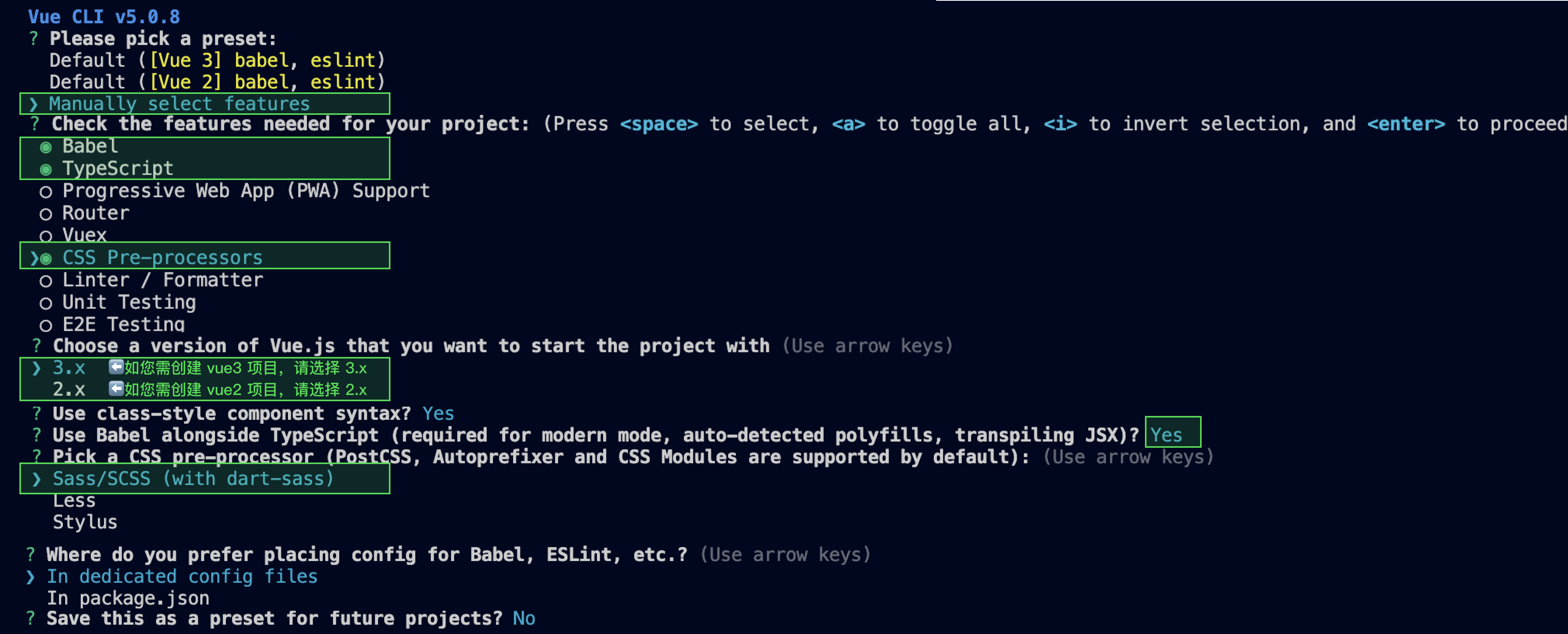
2. 单击创建新应用,在创建应用对话框中输入您的应用名称,单击确定
\"\"

3. 创建完成后,可在控制台总览页查看新建应用的状态、业务版本、SDKAppID、创建时间、标签以及到期时间。请记录 SDKAppID 信息。
\"\"


步骤2:获取密钥信息

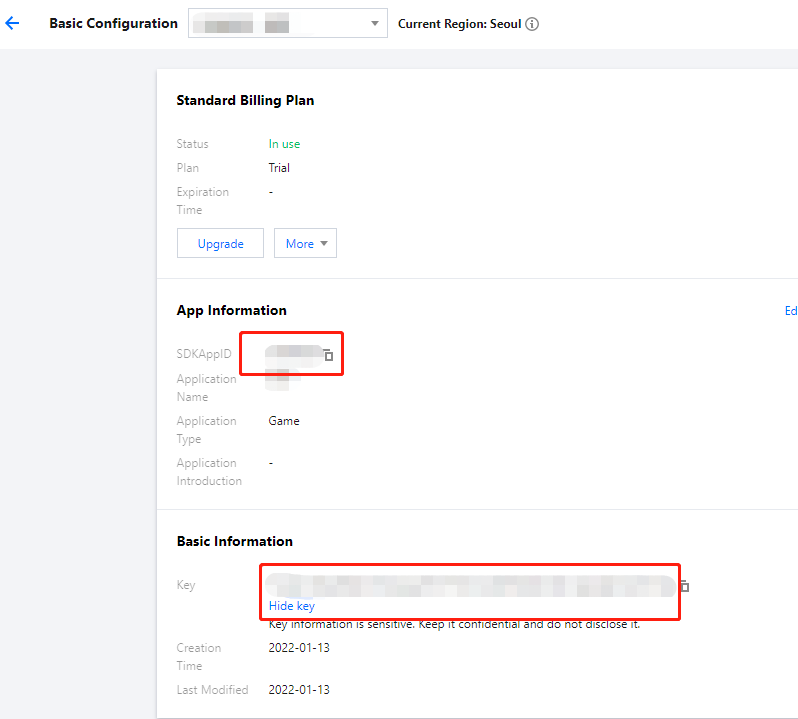
1. 单击目标应用卡片,进入应用的基础配置页面。
\"\"

2. 基本信息区域,单击显示密钥,复制并保存密钥信息。
注意:
请妥善保管密钥信息,谨防泄露。

步骤3:配置 Demo 工程文件

1. 下载即时通信 Chat Demo 工程,具体下载地址请参见 Demo 下载
说明:
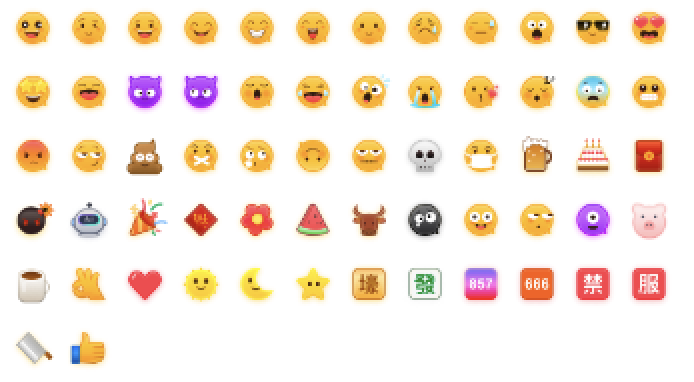
为尊重表情设计版权,Chat Demo/TUIKit 工程中不包含大表情元素切图,正式上线商用前请您替换为自己设计或拥有版权的其他表情包。下图所示默认的小黄脸表情包版权归腾讯云所有,您可以通过升级至 Chat 专业版 Plus 和企业版 免费使用该表情包。

\"\"


2. 找到并打开 /IM_Demo/Source/debug/include/DebugDefs.h 文件。
3. 设置 DebugDefs.h 文件中的相关参数:
SDKAPPID:默认为 0 ,请设置为实际的 SDKAppID。
SECRETKEY:默认为 "" ,请设置为实际的密钥信息。
禁止:
本文提到的生成 UserSig 的方案是在客户端代码中配置 SECRETKEY,该方法中 SECRETKEY 很容易被反编译逆向破解,一旦您的密钥泄露,攻击者就可以盗用您的腾讯云流量,因此该方法仅适合本地跑通 Demo 和功能调试
正确的 UserSig 签发方式是将 UserSig 的计算代码集成到您的服务端,并提供面向 App 的接口,在需要 UserSig 时由您的 App 向业务服务器发起请求获取动态 UserSig。更多详情请参见 服务端生成 UserSig

步骤4:编译打包运行

1. 双击打开 /IM_Demo/IM_Demo.uproject
2. 编译运行调试:
macOS 端
File -> Package Project -> Mac
Windows 端
File->Package Project->Windows->Windows(64-bit)
iOS 端
打包项目\nFile -> Package Project-> iOS
Android 端
1. 开发调试:详细参见 Android 快速入门
2. 打包项目:详细参见 打包 Android 项目

Chat Unreal Engine API 文档

更多接口介绍,请参见 API 概览

常见问题

Android“Attempt to construct staged filesystem reference from absolute path”报错

关闭 UE4 项目,打开 CMD,运行如下命令:
adb shell

cd sdcard

ls (you should see the UE4Game directory listed)

rm -r UE4Game

重新编译项目。
","recentReleaseTime":"2026-03-03 11:29:21","slate":"[{\"children\":[{\"text\":\"本文主要介绍如何快速运行腾讯云即时通信 Chat Demo(Unreal Engine)。\"}],\"type\":\"p\",\"id\":\"jQIWdZGXeTANXE6RjTN-_\"},{\"children\":[{\"children\":[{\"b\":1,\"color\":\"inherit\",\"text\":\"说明:\",\"type\":\"text\"}],\"type\":\"p\",\"id\":\"aTVK4N8eQhjkqH-PhficX\"},{\"children\":[{\"text\":\"目前支持 Windows、macOS、iOS、Android。\"}],\"type\":\"p\",\"id\":\"rTZIRlUM0GLr-ZQy82QBj\"}],\"hintType\":\"info\",\"type\":\"hint\",\"id\":\"v8VMikIionIY_QWhY4qj0\"},{\"children\":[{\"text\":\"环境要求\"}],\"nodeId\":\".E7.8E.AF.E5.A2.83.E8.A6.81.E6.B1.82\",\"type\":\"h2\",\"id\":\"Fb0HeTIynC3iRiitGidQO\"},{\"children\":[{\"text\":\"建议 Unreal Engine 4.27.1 及以上版本。\"}],\"type\":\"p\",\"id\":\"o6ihBcLGEhrVbtjr3RGCI\"},{\"children\":[{\"children\":[{\"children\":[{\"children\":[{\"text\":\"开发端 \"}],\"type\":\"p\",\"id\":\"fe3WzDTdpwDu-IvcE5-aN\"}],\"type\":\"cell\",\"id\":\"0O2m-lPFwf2WBmRApWuKL\"},{\"children\":[{\"children\":[{\"text\":\"环境 \"}],\"type\":\"p\",\"id\":\"AKpBmlUvodeK1ghOFdd-r\"}],\"type\":\"cell\",\"id\":\"itMgU9VT9QuC8LseYlgEM\"}],\"type\":\"row\",\"id\":\"rvvqaAuLelxzb3OVuDrvW\"},{\"children\":[{\"children\":[{\"children\":[{\"text\":\"Android\"}],\"type\":\"p\",\"id\":\"XZWoNG_ByTTjKGktqOwRk\"}],\"type\":\"cell\",\"id\":\"HKzRcA-NoJUICI-gqkTF9\"},{\"children\":[{\"children\":[{\"text\":\"Android Studio 4.0 及以上版本。\"}],\"type\":\"p\",\"id\":\"8EHYcJhLybK_6ifvJp5ws\"},{\"children\":[{\"text\":\"Visual Studio 2017 15.6 及以上版本。 \"}],\"type\":\"p\",\"id\":\"R1YhktiGZ11VcYmbE9Ftb\"},{\"children\":[{\"text\":\"只支持真机调试。 \"}],\"type\":\"p\",\"id\":\"J5WD9p3ABpkuM4QntiEhc\"}],\"type\":\"cell\",\"id\":\"r_CV-MlglR0oojE1f4XbY\"}],\"type\":\"row\",\"id\":\"Ya0X6fRJVzURJ-joUwdWb\"},{\"children\":[{\"children\":[{\"children\":[{\"text\":\"iOS & macOS\"}],\"type\":\"p\",\"id\":\"CboXbUuP3yrT1DV7qeWlB\"}],\"type\":\"cell\",\"id\":\"IdrNRicQ2rJ-Y2A6CWXUA\"},{\"children\":[{\"children\":[{\"text\":\"Xcode 11.0 及以上版本。 \"}],\"type\":\"p\",\"id\":\"3TQVvifeejY3QkJyfi5q8\"},{\"children\":[{\"text\":\"OSX 系统版本要求 10.11 及以上版本 。 \"}],\"type\":\"p\",\"id\":\"1heweqSO9ELww27fAT_gI\"},{\"children\":[{\"text\":\"请确保您的项目已设置有效的开发者签名。 \"}],\"type\":\"p\",\"id\":\"l3KMbQPb-G3IMQlgyat5-\"}],\"type\":\"cell\",\"id\":\"trST7r0BbiLd13L7hgk21\"}],\"type\":\"row\",\"id\":\"TSQKiQAhVl7CcnfSNUoKp\"},{\"children\":[{\"children\":[{\"children\":[{\"text\":\"Windows\"}],\"type\":\"p\",\"id\":\"PwSMM5q2PfyNf_RO6cEX3\"}],\"type\":\"cell\",\"id\":\"RQ8Ay2oV1QyWwbtKbe13f\"},{\"children\":[{\"children\":[{\"text\":\"操作系统:Windows 7 SP1 及以上版本(基于 x86-64 的 64 位操作系统)。 \"}],\"type\":\"p\",\"id\":\"YzysGMaAvqZhhmT-7pept\"},{\"children\":[{\"text\":\"磁盘空间:除安装 IDE 和一些工具之外还应有至少 1.64 GB 的空间。 \"}],\"type\":\"p\",\"id\":\"wZtCMhpiDbm0t19YpU_Kl\"},{\"children\":[{\"text\":\"安装 \"},{\"children\":[{\"text\":\"Visual Studio 2019\"}],\"linkTarget\":\"self\",\"props\":{\"type\":\"link\",\"url\":\"https://visualstudio.microsoft.com/zh-hans/downloads/\"},\"type\":\"ref\",\"id\":\"yYy31csidyDiYMz0pXW_p\"},{\"text\":\" 。 \"}],\"type\":\"p\",\"id\":\"FJY1RLWr2dtH72JDRAedC\"}],\"type\":\"cell\",\"id\":\"bNW0vplRU8yz39hCZ0Bjm\"}],\"type\":\"row\",\"id\":\"A7LzvBtWMyhvqHENTA8mf\"}],\"rowHeader\":true,\"type\":\"table\",\"widths\":[30,70],\"id\":\"o4-Y6cBRrVXioWqCyL7Eu\",\"widthMode\":\"percentage\"},{\"children\":[{\"text\":\"前提条件\"}],\"nodeId\":\".E5.89.8D.E6.8F.90.E6.9D.A1.E4.BB.B6\",\"type\":\"h2\",\"id\":\"oF1b6ht9-UIMB1Er3fpNy\"},{\"children\":[{\"text\":\"您已 \"},{\"children\":[{\"text\":\"注册腾讯云\"}],\"linkTarget\":\"blank\",\"props\":{\"type\":\"link\",\"url\":\"https://intl.cloud.tencent.com/document/product/378/17985\"},\"type\":\"ref\",\"id\":\"n2Kvxjd8YJhlLdnO8S1H_\"},{\"text\":\" 账号,并完成 \"},{\"children\":[{\"text\":\"实名认证\"}],\"linkTarget\":\"blank\",\"props\":{\"type\":\"link\",\"url\":\"https://intl.cloud.tencent.com/document/product/378/3629\"},\"type\":\"ref\",\"id\":\"OSiM84jB4AowROV-0m9lJ\"},{\"text\":\"。\"}],\"type\":\"p\",\"id\":\"s4B6bpQEtkhfdcSaJjLBD\"},{\"children\":[{\"text\":\"操作步骤\"}],\"nodeId\":\".E6.93.8D.E4.BD.9C.E6.AD.A5.E9.AA.A4\",\"type\":\"h2\",\"id\":\"hDAfaCZD50vxrnlRNmZby\"},{\"children\":[{\"text\":\"步骤1:创建新的应用\"}],\"nodeId\":\".E6.AD.A5.E9.AA.A41.EF.BC.9A.E5.88.9B.E5.BB.BA.E6.96.B0.E7.9A.84.E5.BA.94.E7.94.A8\",\"type\":\"h3\",\"id\":\"XaLLDSKzHDlvbYUsCx7Oq\"},{\"children\":[{\"text\":\"登录 \"},{\"children\":[{\"text\":\"即时通信 Chat 控制台\"}],\"linkTarget\":\"blank\",\"props\":{\"type\":\"link\",\"url\":\"https://console.tencentcloud.com/im\"},\"type\":\"ref\",\"id\":\"618gXUQWzTc_2bTydikPe\"},{\"text\":\"。\"}],\"start\":true,\"type\":\"oli\",\"id\":\"nfLTXqStqRcR4NutD7hDN\"},{\"children\":[{\"children\":[{\"b\":1,\"color\":\"inherit\",\"text\":\"说明:\",\"type\":\"text\"}],\"type\":\"p\",\"id\":\"7OFsg3DKecC7WBwRKYBxx\"},{\"children\":[{\"text\":\"如果您已有应用,请记录其 SDKAppID 并 \"},{\"children\":[{\"text\":\"获取密钥信息\"}],\"linkTarget\":\"self\",\"props\":{\"type\":\"link\",\"url\":\"#step2\"},\"type\":\"ref\",\"id\":\"2vvPVvmzO15sRmeRHdLkL\"},{\"text\":\"。\"}],\"type\":\"p\",\"id\":\"GDCQd505NYxjUvW8vs9Ly\"},{\"type\":\"p\",\"id\":\"VcmUJ6FphLGh2r1U773e0\",\"children\":[{\"text\":\"同一个腾讯云账号,最多可创建300个即时通信 Chat 应用。若已有300个应用,您可以先 \"},{\"children\":[{\"text\":\"停用并删除\"}],\"linkTarget\":\"blank\",\"props\":{\"type\":\"link\",\"url\":\"https://intl.cloud.tencent.com/document/product/1047/34540\"},\"type\":\"ref\",\"id\":\"HPOCCLvILYhwxs-jB-jEE\"},{\"text\":\" 无需使用的应用后再创建新的应用。\"},{\"b\":1,\"text\":\"应用删除后,该 SDKAppID 对应的所有数据和服务不可恢复,请谨慎操作。\"}]}],\"hintType\":\"info\",\"indent\":1,\"type\":\"hint\",\"id\":\"ah8cqEr9mvQ_YVkO7-gM_\"},{\"children\":[{\"text\":\"单击\"},{\"b\":1,\"text\":\"创建新应用\"},{\"text\":\",在\"},{\"b\":1,\"text\":\"创建应用\"},{\"text\":\"对话框中输入您的应用名称,单击\"},{\"b\":1,\"text\":\"确定\"},{\"text\":\"。\"}],\"start\":false,\"type\":\"oli\",\"id\":\"kZ0ei74e9wL6oGnLRMOr_\"},{\"alt\":\"\",\"children\":[{\"text\":\"\"}],\"inline\":false,\"type\":\"image\",\"url\":\"https://cloudcache.intl.tencent-cloud.com/cms/backend-cms/00b9e11e975011ef820f525400d5f8ef.png\",\"id\":\"0rb9qCNde-SZ7Y9EXunil\",\"naturalSize\":[538,227],\"size\":[491,207],\"indent\":1},{\"children\":[{\"text\":\"创建完成后,可在控制台总览页查看新建应用的状态、业务版本、SDKAppID、创建时间、标签以及到期时间。请记录 SDKAppID 信息。\"}],\"start\":false,\"type\":\"oli\",\"id\":\"dsoUIs6eSmUEv68_fdBS9\"},{\"alt\":\"\",\"children\":[{\"text\":\"\"}],\"inline\":false,\"type\":\"image\",\"url\":\"https://cloudcache.intl.tencent-cloud.com/cms/backend-cms/00b95c5d975011ef820f525400d5f8ef.png\",\"id\":\"if6y3QZFnRkMavOfoBouM\",\"naturalSize\":[801,452],\"size\":[491,277],\"indent\":1},{\"children\":[{\"text\":\"步骤2:获取密钥信息\"}],\"nodeId\":\".E6.AD.A5.E9.AA.A42.EF.BC.9A.E8.8E.B7.E5.8F.96.E5.AF.86.E9.92.A5.E4.BF.A1.E6.81.AF\",\"type\":\"h3\",\"id\":\"AYisVucMvdafO9aUccWRM\"},{\"children\":[{\"text\":\"单击目标应用卡片,进入应用的基础配置页面。\"}],\"start\":true,\"type\":\"oli\",\"id\":\"ofDkXLGBq-FXzmQnIKSdI\"},{\"alt\":\"\",\"children\":[{\"text\":\"\"}],\"inline\":false,\"type\":\"image\",\"url\":\"https://cloudcache.intl.tencent-cloud.com/cms/backend-cms/00d6819a975011ef992f52540075b605.png\",\"id\":\"68LS73saU-9tMu6wDCTM0\",\"naturalSize\":[798,719],\"size\":[491,442],\"indent\":1},{\"children\":[{\"text\":\"在\"},{\"b\":1,\"text\":\"基本信息\"},{\"text\":\"区域,单击\"},{\"b\":1,\"text\":\"显示密钥\"},{\"text\":\",复制并保存密钥信息。\"}],\"start\":false,\"type\":\"oli\",\"id\":\"kzPZCYmUTJa0svvawTUjh\"},{\"type\":\"hint\",\"hintType\":\"ban\",\"children\":[{\"type\":\"p\",\"children\":[{\"b\":1,\"text\":\"注意:\",\"color\":\"#F64041\"}],\"id\":\"SNm7E8YVcAN2IhFddbG5J\"},{\"type\":\"p\",\"children\":[{\"text\":\"请妥善保管密钥信息,谨防泄露。\"}],\"id\":\"hFR_ZbPJRkyPORtWdJRzL\"}],\"id\":\"lZ_XDchv5M842dBCec_1f\"},{\"children\":[{\"text\":\"步骤3:配置 Demo 工程文件\"}],\"nodeId\":\".E6.AD.A5.E9.AA.A43.EF.BC.9A.E9.85.8D.E7.BD.AE-demo-.E5.B7.A5.E7.A8.8B.E6.96.87.E4.BB.B6\",\"type\":\"h3\",\"id\":\"YSwvVjwrQrTsppmyz_voL\"},{\"children\":[{\"text\":\"下载即时通信 Chat Demo 工程,具体下载地址请参见 \"},{\"children\":[{\"text\":\"Demo 下载\"}],\"linkTarget\":\"blank\",\"props\":{\"type\":\"link\",\"url\":\"https://github.com/tencentyun/IMUnrealEngine\"},\"type\":\"ref\",\"id\":\"iYMO51WFkmHzciwkpVKRI\"},{\"text\":\"。\"}],\"start\":true,\"type\":\"oli\",\"id\":\"37zjm1hLvmEXvbIppCQu4\"},{\"type\":\"hint\",\"hintType\":\"info\",\"children\":[{\"type\":\"p\",\"children\":[{\"b\":1,\"text\":\"说明:\",\"color\":\"inherit\"}],\"id\":\"iAiPNE6MKOHhSoOFv5NGw\"},{\"type\":\"p\",\"children\":[{\"text\":\"为尊重表情设计版权,Chat Demo/TUIKit 工程中不包含大表情元素切图,正式上线商用前请您替换为自己设计或拥有版权的其他表情包。下图所示默认的\"},{\"text\":\"小黄脸表情包版权归腾讯云所有\",\"b\":1},{\"text\":\",您可以通过升级至 \"},{\"type\":\"ref\",\"props\":{\"type\":\"link\",\"url\":\"https://console.trtc.io/subscription/buy/chat?packType=pro\"},\"children\":[{\"text\":\"Chat 专业版 Plus 和企业版\"}],\"id\":\"Ppkl2o3gdOX3imO4xPpoR\"},{\"text\":\" 免费使用该表情包。\"}],\"id\":\"RxHJ3Q0eNNIp11m-f9dOM\"},{\"type\":\"p\",\"children\":[{\"text\":\"\"},{\"type\":\"image\",\"alt\":\"\",\"inline\":true,\"url\":\"https://cloudcache.intl.tencent-cloud.com/cms/backend-cms/2319d0eb975011ef834b525400f69702.png\",\"children\":[{\"text\":\"\"}],\"id\":\"LNnBOaTdpQ531y69si7cz\",\"naturalSize\":[694,382],\"size\":[250,137]},{\"text\":\"\"}],\"id\":\"G3eLQ2Lw7EtmBANzo_cmn\"}],\"id\":\"tKqev-2HkqGpRxTXqDQy6\",\"indent\":1},{\"children\":[{\"text\":\"找到并打开 \"},{\"code\":1,\"text\":\"/IM_Demo/Source/debug/include/DebugDefs.h\"},{\"text\":\" 文件。\"}],\"start\":false,\"type\":\"oli\",\"id\":\"Jl6f7FQRS0LMEibyouoNH\"},{\"children\":[{\"text\":\"设置 \"},{\"code\":1,\"text\":\"DebugDefs.h\"},{\"text\":\" 文件中的相关参数:\"}],\"start\":false,\"type\":\"oli\",\"id\":\"Ip54HwNziAFUcfKUjVlcm\"},{\"type\":\"uli\",\"id\":\"kg8N9LoyqiwlvrvWlyAwP\",\"children\":[{\"text\":\"SDKAPPID:默认为 0 ,请设置为实际的 SDKAppID。\"}],\"indent\":1},{\"type\":\"uli\",\"id\":\"nt1Rtyqbagw3LQZHbvdz5\",\"children\":[{\"text\":\"SECRETKEY:默认为 \\\"\\\" ,请设置为实际的密钥信息。\"}],\"indent\":1},{\"type\":\"hint\",\"hintType\":\"ban\",\"children\":[{\"type\":\"p\",\"children\":[{\"b\":1,\"text\":\"禁止:\",\"color\":\"#F64041\"}],\"id\":\"50PD_p7IbXaLY6QqeAKf0\"},{\"type\":\"uli\",\"id\":\"zFEwvFs61tpKsC4mxdbA-\",\"children\":[{\"text\":\"本文提到的生成 UserSig 的方案是在客户端代码中配置 SECRETKEY,该方法中 SECRETKEY 很容易被反编译逆向破解,一旦您的密钥泄露,攻击者就可以盗用您的腾讯云流量,因此\"},{\"b\":1,\"text\":\"该方法仅适合本地跑通 Demo 和功能调试\"},{\"text\":\"。\"}]},{\"children\":[{\"text\":\"正确的 UserSig 签发方式是将 UserSig 的计算代码集成到您的服务端,并提供面向 App 的接口,在需要 UserSig 时由您的 App 向业务服务器发起请求获取动态 UserSig。更多详情请参见 \"},{\"children\":[{\"text\":\"服务端生成 UserSig\"}],\"linkTarget\":\"blank\",\"props\":{\"type\":\"link\",\"url\":\"https://intl.cloud.tencent.com/document/product/1047/34385\"},\"type\":\"ref\",\"id\":\"XevcPprt7QvnbtHtFe9hE\"},{\"text\":\"。\"}],\"start\":false,\"type\":\"uli\",\"id\":\"yxV8eiePh-OpSOjqFm3tY\"}],\"id\":\"Qbu8nEwHZmdFf5wlimP5d\"},{\"children\":[{\"text\":\"步骤4:编译打包运行\"}],\"nodeId\":\".E6.AD.A5.E9.AA.A44.EF.BC.9A.E7.BC.96.E8.AF.91.E6.89.93.E5.8C.85.E8.BF.90.E8.A1.8C\",\"type\":\"h3\",\"id\":\"07UgnHRLrMrB8gbQh5-ji\"},{\"children\":[{\"text\":\"双击打开 \"},{\"code\":1,\"text\":\"/IM_Demo/IM_Demo.uproject\"},{\"text\":\"。\"}],\"nodeId\":\"step4\",\"start\":true,\"type\":\"oli\",\"id\":\"FJqTwYGiEzOYjfozgHbnC\"},{\"children\":[{\"text\":\"编译运行调试:\"}],\"start\":false,\"type\":\"oli\",\"id\":\"XqAyOzymXbWWYyY9ECOa0\"},{\"children\":[{\"children\":[{\"children\":[{\"b\":1,\"text\":\"File\"},{\"text\":\" -> \"},{\"b\":1,\"text\":\"Package Project\"},{\"text\":\" -> \"},{\"b\":1,\"text\":\"Mac\"}],\"type\":\"p\",\"id\":\"p8bEvICk4RrMyh4wb8MVn\"}],\"id\":\"1\",\"name\":\"macOS 端\",\"type\":\"tab\"},{\"children\":[{\"children\":[{\"b\":1,\"text\":\"File\"},{\"text\":\"->\"},{\"b\":1,\"text\":\"Package Project\"},{\"text\":\"->\"},{\"b\":1,\"text\":\"Windows\"},{\"text\":\"->\"},{\"b\":1,\"text\":\"Windows(64-bit)\"}],\"type\":\"p\",\"id\":\"EY9han_VYIHnW8oWHkbNa\"}],\"id\":\"2\",\"name\":\"Windows 端\",\"type\":\"tab\"},{\"children\":[{\"children\":[{\"text\":\"打包项目\\n\"},{\"b\":1,\"text\":\"File\"},{\"text\":\" -> \"},{\"b\":1,\"text\":\"Package Project\"},{\"text\":\"-> \"},{\"b\":1,\"text\":\"iOS\"}],\"type\":\"p\",\"id\":\"PO_qHZdGoH3bbSxqo4VhV\"}],\"id\":\"3\",\"name\":\"iOS 端\",\"type\":\"tab\"},{\"children\":[{\"children\":[{\"text\":\"开发调试:详细参见 \"},{\"children\":[{\"text\":\"Android 快速入门\"}],\"linkTarget\":\"blank\",\"props\":{\"type\":\"link\",\"url\":\"https://docs.unrealengine.com/4.27/en/SharingAndReleasing/Mobile/Android/GettingStarted/\"},\"type\":\"ref\",\"id\":\"uzgNxtyVTpZbHZvqKnO5g\"},{\"text\":\"。\"}],\"start\":true,\"type\":\"oli\",\"id\":\"mjtyxE3XAX9QTDuTAcK8G\"},{\"children\":[{\"text\":\"打包项目:详细参见 \"},{\"children\":[{\"text\":\"打包 Android 项目\"}],\"linkTarget\":\"blank\",\"props\":{\"type\":\"link\",\"url\":\"https://docs.unrealengine.com/4.27/en/SharingAndReleasing/Mobile/Android/PackagingAndroidProject/\"},\"type\":\"ref\",\"id\":\"RIRCF1eFExJjR6dm7dkA4\"},{\"text\":\"。\"}],\"start\":false,\"type\":\"oli\",\"id\":\"lxXvVDh0Um0D1E80CXNmY\"}],\"id\":\"4\",\"name\":\"Android 端\",\"type\":\"tab\"}],\"type\":\"tabs\",\"id\":\"sX4Zmt6cUm0IO9M6HpgLn\",\"indent\":1},{\"children\":[{\"text\":\"Chat Unreal Engine API 文档\"}],\"nodeId\":\"im-unreal-engine-api-.E6.96.87.E6.A1.A3\",\"type\":\"h2\",\"id\":\"x5g6XvbCtnfZ13CKZYXXy\"},{\"children\":[{\"text\":\"更多接口介绍,请参见 \"},{\"children\":[{\"text\":\"API 概览\"}],\"linkTarget\":\"blank\",\"props\":{\"type\":\"link\",\"url\":\"https://im.sdk.qcloud.com/doc/en/md_introduction_CPP%E6%A6%82%E8%A7%88.html\"},\"type\":\"ref\",\"id\":\"-ylSRfC7lcBeb6RVYV0pz\"},{\"text\":\"。\"}],\"type\":\"p\",\"id\":\"0IYM7JEPV6nrZynzPwUvl\"},{\"children\":[{\"text\":\"常见问题\"}],\"nodeId\":\".E5.B8.B8.E8.A7.81.E9.97.AE.E9.A2.98\",\"type\":\"h2\",\"id\":\"-PtjvqOdpFQZV36IBX70J\"},{\"children\":[{\"text\":\"Android“Attempt to construct staged filesystem reference from absolute path”报错\"}],\"nodeId\":\"android.E2.80.9Cattempt-to-construct-staged-filesystem-reference-from-absolute-path.22.E2.80.9D.E6.8A.A5.E9.94.99\",\"type\":\"h3\",\"id\":\"JR-Z97K7MgXgc0be1FhwK\"},{\"children\":[{\"text\":\"关闭 UE4 项目,打开 CMD,运行如下命令:\"}],\"type\":\"p\",\"id\":\"E8I5f3F_SC4u8wC7CJok2\"},{\"children\":[{\"children\":[{\"text\":\"adb shell\"}],\"type\":\"code-line\",\"id\":\"AD2fa1oZi0JuZJTCO_cp_\"},{\"children\":[{\"text\":\"\"}],\"type\":\"code-line\",\"id\":\"bGxMbjyBke9r0ORSc9SZg\"},{\"children\":[{\"text\":\"cd sdcard\"}],\"type\":\"code-line\",\"id\":\"6ihWbSsO_Bw9SRufOA8pF\"},{\"children\":[{\"text\":\"\"}],\"type\":\"code-line\",\"id\":\"J2MvnHcaEp6AwB-a6KZGu\"},{\"children\":[{\"text\":\"ls (you should see the UE4Game directory listed)\"}],\"type\":\"code-line\",\"id\":\"vdvNuoTlGPVP5a8S7o43N\"},{\"children\":[{\"text\":\"\"}],\"type\":\"code-line\",\"id\":\"551R3Ii9nkhP9g_clK3g6\"},{\"children\":[{\"text\":\"rm -r UE4Game\"}],\"type\":\"code-line\",\"id\":\"Pqc69rMctuHLKAwEp_vgM\"},{\"children\":[{\"text\":\"\"}],\"type\":\"code-line\",\"id\":\"0UUTbzG_GkMMp-DPsPzHX\"}],\"id\":\"5\",\"language\":\"bash\",\"name\":\"cmd\",\"type\":\"code-block\",\"autoWrap\":false},{\"children\":[{\"text\":\"重新编译项目。\"}],\"type\":\"p\",\"id\":\"EpFsZGOJ4EaNZhFEaA2QN\"}]"}},"45910":{"categoryId":1047,"weight":40,"type":"page","extension":"","pid":77754,"id":45910,"lang":"zh","title":"Electron","pdfUrl":"","docType":"default","children":[],"firstReleaseTime":"2022-03-16 19:42:15","recentReleaseTime":"2022-03-16 19:42:15","content":{"title":"Electron","body":"
本文主要介绍如何快速运行腾讯云即时通信 Chat Demo(Electron)并了解集成 Electron SDK 的方法。

环境要求

平台
版本
Electron
13.1.5 及以上版本。
Node.js
v14.2.0

支持平台

目前支持 Macos 和 Windows 两个平台。

体验 DEMO

在开始接入前,您可以体验我们的 DEMO ,快速了解腾讯云 Chat Electron SDK。

前提条件

您已 注册腾讯云 账号,并完成 实名认证

操作步骤

步骤1:创建应用

说明:
如果您已有应用,请记录其 SDKAppID 并 获取密钥信息
同一个腾讯云账号,最多可创建300个即时通信 Chat 应用。若已有300个应用,您可以先 停用并删除 无需使用的应用后再创建新的应用。应用删除后,该 SDKAppID 对应的所有数据和服务不可恢复,请谨慎操作。
2. 单击创建新应用,在创建应用对话框中输入您的应用名称,单击确定
\"\"

3. 请保存 SDKAppID 信息。可在控制台总览页查看新建应用的状态、业务版本、SDKAppID、标签、创建时间以及到期时间。
\"\"

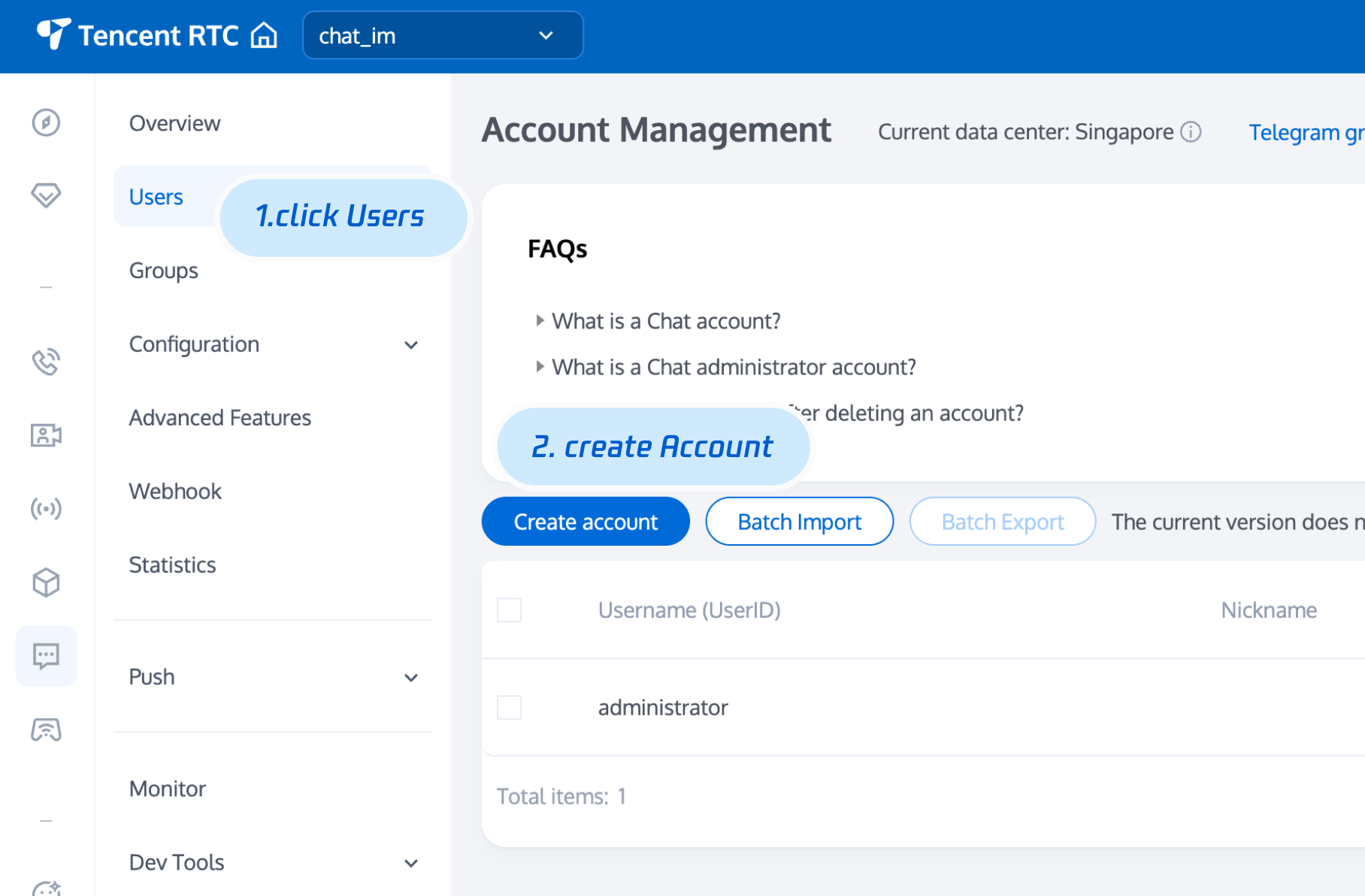
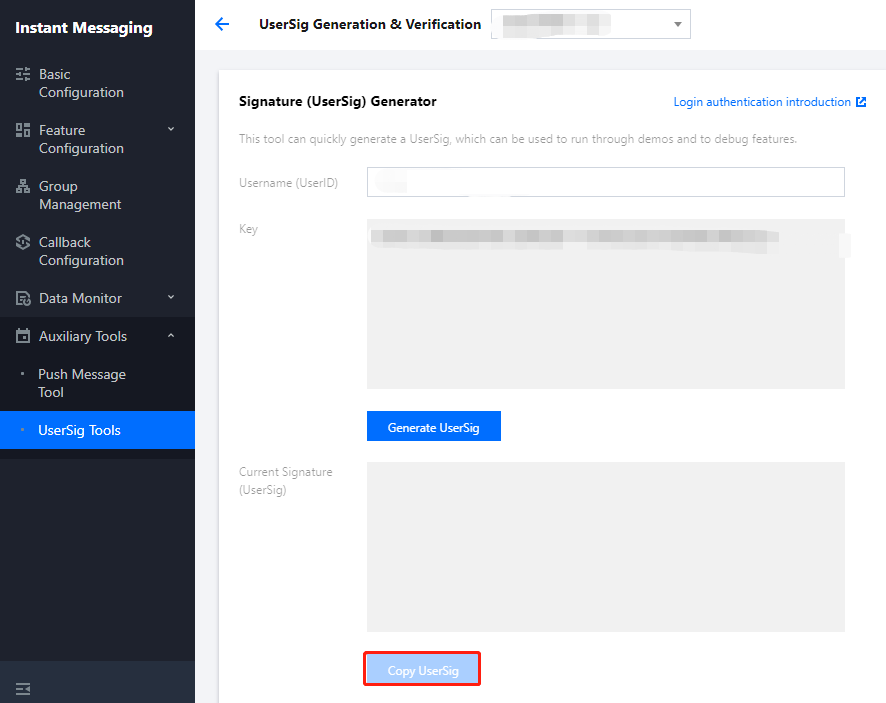
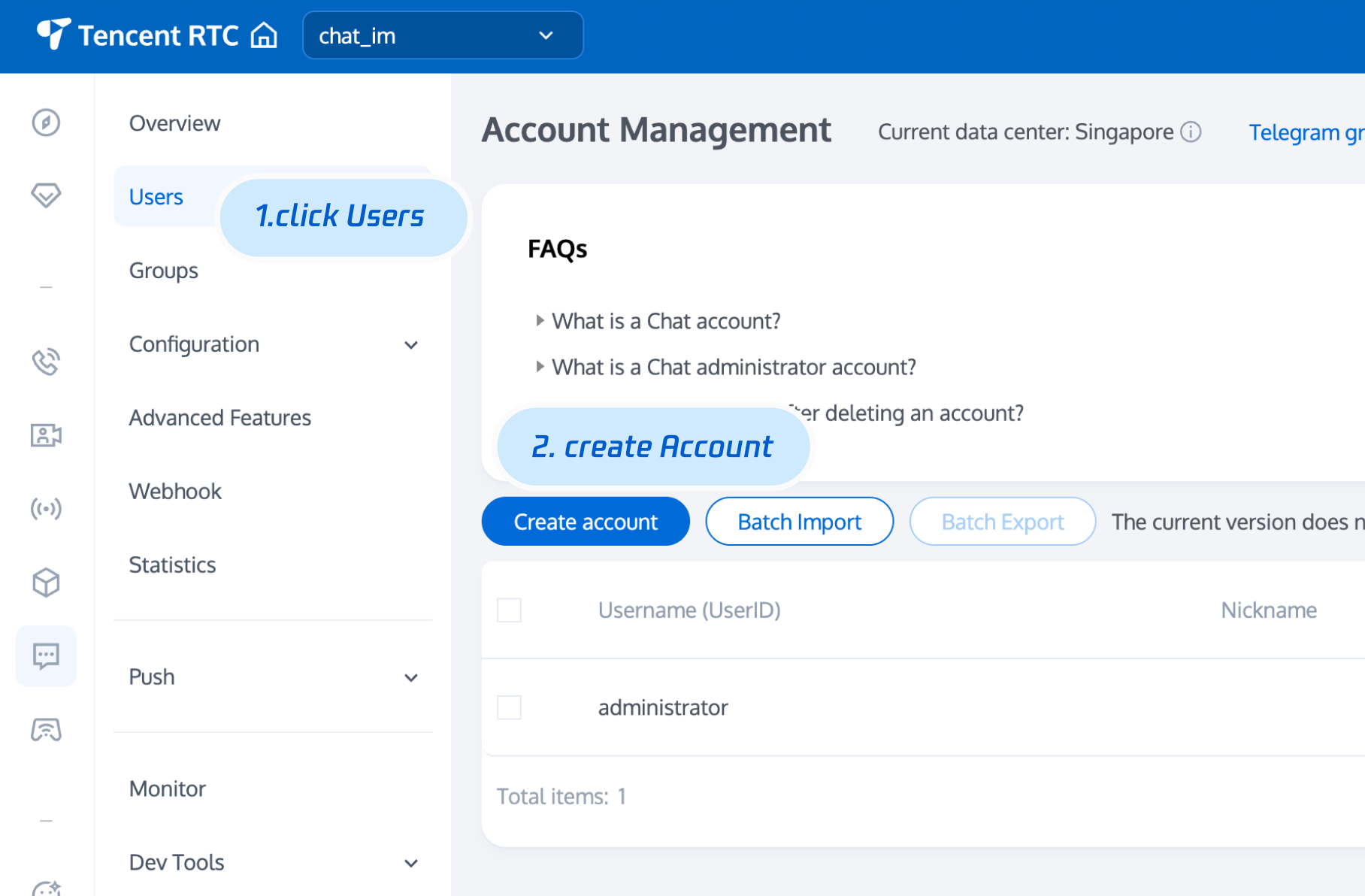
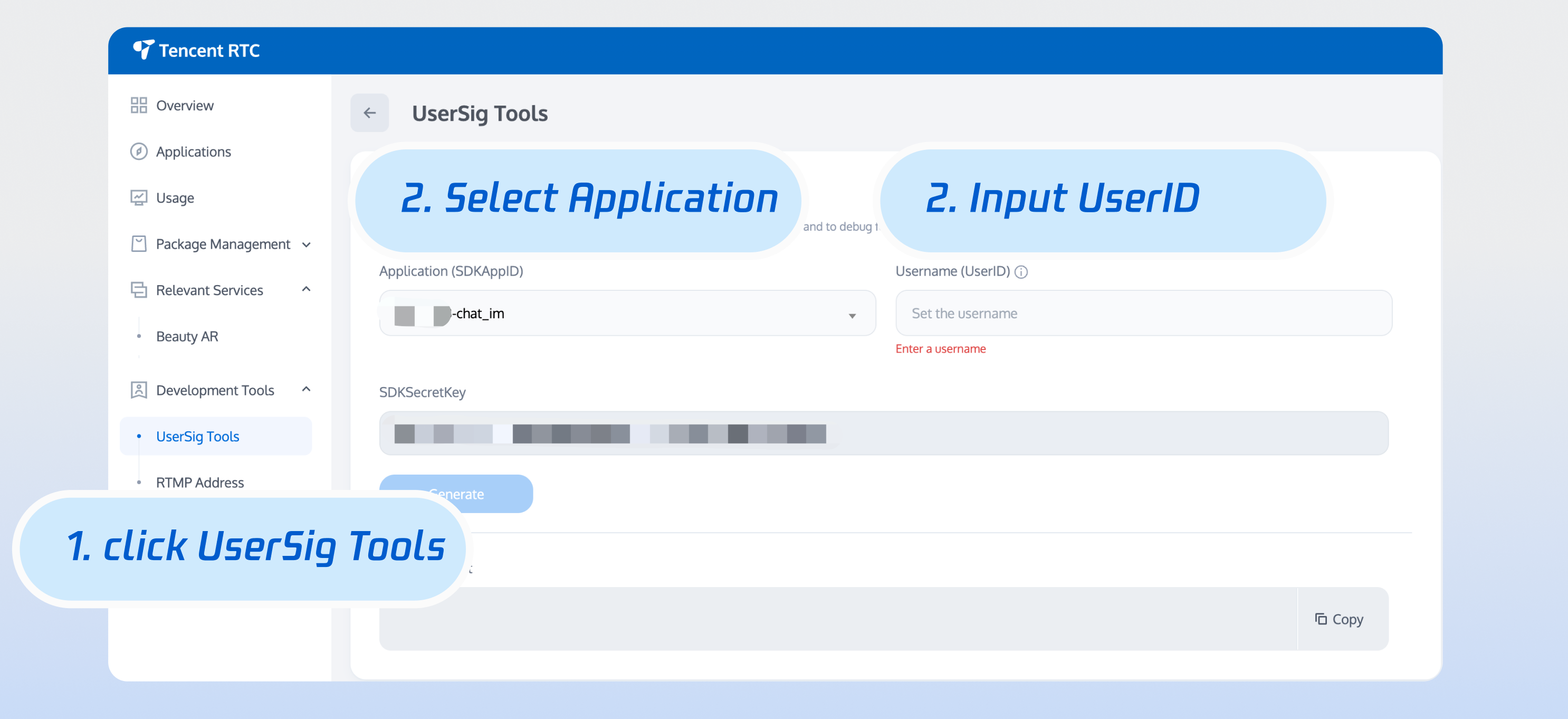
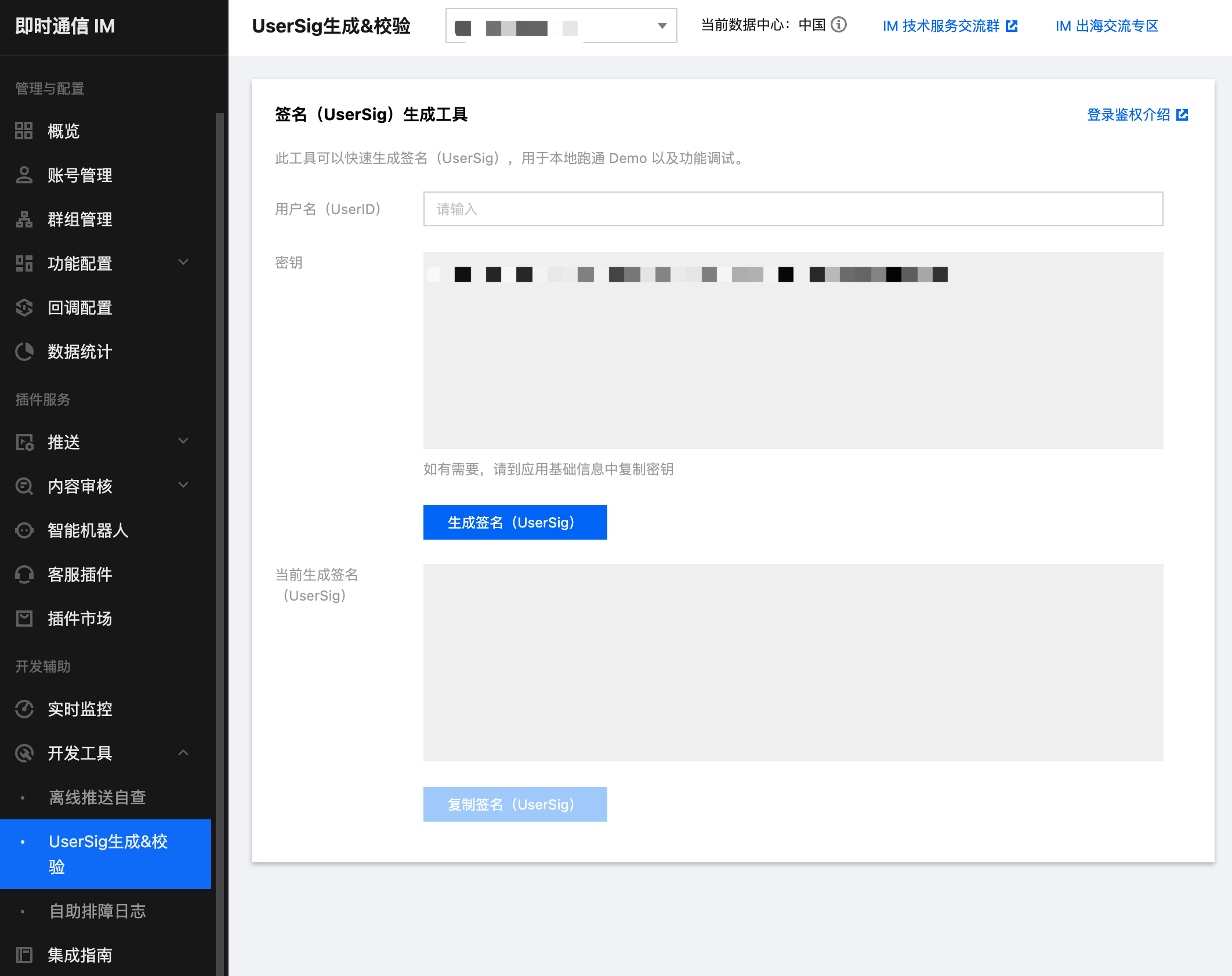
4. 单击创建后的应用,左侧导航栏单击辅助工具 > UserSig 生成&校验,创建一个 UserID 及其对应的 UserSig,复制签名信息,后续登录使用。
\"\"


步骤2:选择适合的方法集成 Electron SDK

Chat 提供了两种方式来即成,您可以选择最合适的方案来即成:
继承方式
适用场景
使用 DEMO
Chat Demo包含完整的聊天功能,代码已开源,如果您需要实现聊天类似场景,可以使用 Demo进行二次开发。可立即体验 Demo
自实现
如果 Demo 不能满足您应用的功能界面需求,可以使用该方法。
为帮助您更好的理解 Chat SDK 的各 API,我们还提供了 API 文档

步骤3:使用 Demo

说明:
为尊重表情设计版权,Chat Demo/TUIKit 工程中不包含大表情元素切图,正式上线商用前请您替换为自己设计或拥有版权的其他表情包。下图所示默认的小黄脸表情包版权归腾讯云所有,您可以通过升级至 Chat 专业版 Plus 和企业版 免费使用该表情包。

\"\"


1. 克隆即时通信 Chat Electron Demo 源码到本地。
git clone https://github.com/TencentCloud/tc-chat-demo-electron.git
2. 安装项目依赖。
// 项目根目录
npm install

// 渲染进程目录
cd src/client
npm install
3. 项目运行。
// 项目根目录
npm start
4. 项目打包。
// mac打包
npm run build:mac
// windows打包
npm run build:windows
说明:
demo 中主进程的目录为src/app/main.js,渲染进程目录为src/client。如运行过程出现问题,可优先通过常见问题查找解决。

步骤4:自实现

安装 Electron SDK\n使用如下命令,安装 Electron SDK最新版本\n在命令行执行:
npm install im_electron_sdk
完成 SDK 初始化
1. TimMain中传入您的sdkAppID
// 主进程
const TimMain = require('im_electron_sdk/dist/main')

const sdkappid = 0;// 可以去腾讯云即时通信IM控制台申请
const tim = new TimMain({
sdkappid:sdkappid
})
2. 调用TIMInit,完成 SDK 初始化。
//渲染进程
const TimRender = require('im_electron_sdk/dist/render')
const timRender = new TimRender();
// 初始化
timRender.TIMInit()
3. 登录测试用户。\n此时,您可以使用最开始的时候,在控制台申城的测试账户,完成登录验证。\n调用timRender.TIMLogin方法,登录一个测试用户。\n当返回值 code为0时,登录成功。
const TimRender = require('im_electron_sdk/dist/render')
const timRender = new TimRender();
let {code} = await timRender.TIMLogin({
userID:"userID",
userSig:"userSig" // 参考userSig生成
})
说明:
该账户仅限开发测试使用,应用上线前,正确的UserSig 签发方式是将UserSig的计算代码集成到您的服务端,并提供面向 APP的接口。在需要 UserSig时由您的 APP 向业务服务器发起请求获取动态 UserSig。更多详情请参见 服务端生成 UserSig
发送信息\n此处以发送文本消息距离,code返回 0 则为消息发送成功。\n代码示例:
const TimRender = require('im_electron_sdk/dist/render')
const timRender = new TimRender();
let param:MsgSendMessageParamsV2 = { // param of TIMMsgSendMessage
conv_id: "conv_id",
conv_type: 1,
params: {
message_elem_array: [{
elem_type: 1,
text_elem_content:'Hello Tencent!',

}],
message_sender: "senderID",
},
callback: (data) => {}
}
let {code} = await timRender.TIMMsgSendMessageV2(param);
说明:
如果发送失败,可能是由于您的 sdkAppID 不支持陌生人发送消息,您可至控制台开启,用于测试。请点击此链接,关闭好友关系链检查。
获取会话列表\n在上一个步骤中,完成发送测试消息,现在可登录另一个测试账户,拉取会话列表。\n常见应用场景为:\n在启动应用程序后立即获取会话列表,然后监听长链接以实时更新会话列表的变化。
let param:getConvList = {
userData:userData,
}
let data:commonResult<convInfo[]> = await timRenderInstance.TIMConvGetConvList(param)
此时,您可以看到您在上一步中,使用另一个测试账号发来的消息的会话。
接收消息\n常见应用场景为:
1. 界面进入新的会话后,首先一次性请求一定数量的历史消息,用于展示历史消息列表。
2. 监听长链接,实时接收新的消息,将其添加进历史消息列表中。
一次性请求历史消息列表
let param:MsgGetMsgListParams = {
conv_id: conv_id,
conv_type: conv_type,
params: {
msg_getmsglist_param_last_msg: msg,
msg_getmsglist_param_count: 20,
msg_getmsglist_param_is_remble: true,
},
user_data: user_data
}
let msgList:commonResult<Json_value_msg[]> = await timRenderInstance.TIMMsgGetMsgList(param);
监听实时获取新消息\n绑定 callback 示例代码如下:
let param : TIMRecvNewMsgCallbackParams = {
callback: (...args)=>{},
user_data: user_data
}
timRenderInstance.TIMAddRecvNewMsgCallback(param);
此时,您已基本完成 IM 模块开发,可以发送接收消息,也可以进入不同的会话。\n您可以继续完成 群组,用户资料,关系链,离线推送,本地搜索 等相关功能开发。\n详情可查看 API 文档

常见问题

支持哪些平台?

目前支持 Macos 和 Windows 两个平台。

错误码如何查询?

Chat SDK 的 API 层面错误码,请查看 错误码

安装开发环境问题,出现 npm ERR! gyp ERR! stack TypeError: Cannot assign to read only property 'cflags' of object '#<Object>' 错误如何解决?

请降低 node 版本,建议使用16.18.1。

安装开发环境问题,出现 gypgyp ERR!ERR 错误如何解决?

请参见 gypgyp ERR!ERR!

执行 npm install 出现错误 npm ERR! Fix the upstream dependency conflict, or retry,如何解决?

npmV7之前的版本遇到依赖冲突会忽视依赖冲突,继续进行安装\nnpmV7版本开始不会自动进行忽略,需要用户手动输入命令\n请执行以下命令:
npm install --force


执行 npm run start 出现错误 Error: error:0308010C:digital envelope routines::unsupported,如何解决?

请降低node版本,建议使用16.18.1。

Mac 端 Demo 执行 npm run start 会出现白屏,如何解决?

Mac 端执行npm run start 会出现白屏,原因是渲染进程的代码还没有 build 完成,主进程打开的3000端口为空页面,当渲染进程代码 build 完成重新刷新窗口后即可解决问题。或者执行cd src/client && npm run dev:react, npm run dev:electron, 分开启动渲染进程和主进程。

vue-cli-plugin-electron-builder 构建的项目如何使用 native modules?

使用vue-cli-plugin-electron-builder 构建的项目使用native modules 请参见 No native build was found for platform = xxx

webpack 构建的项目如何使用 native modules?

自己使用webpack 构建的项目使用native modules 请参见 Windows 下常见问题

出现 Dynamic Linking Error?

Dynamic Linking Error. electron-builder 配置
extraFiles:[
{
"from": "./node_modules/im_electron_sdk/lib/",
"to": "./Resources",
"filter": [
"**/*"
]
}
]

使用Electron-vite出现__dirname is not defined ?

由于Electron-vite不支持在渲染进程(renderer) 进行进程间的通信,需要将 Chat SDK 写到preload中使用 (主进程的代码正常写到主进程即可)。具体可参考 electron-vite文档
使用方法相同,可参考文档的实例代码。下面以初始化为例,使用方法如下:
// 主进程内容正常写到主进程
// main/index.ts (示例路径)
const TimMain = require('im_electron_sdk/dist/main')
const sdkappid = 0;
const tim = new TimMain({
sdkappid:sdkappid
})
// 在 preload 中使用im sdk
// preload/index.ts (示例路径)
import TimRender from 'im_electron_sdk/dist/renderer'
const timRender = new TimRender();

","recentReleaseTime":"2026-03-03 11:29:21","slate":"[{\"children\":[{\"text\":\"本文主要介绍如何快速运行腾讯云即时通信 Chat Demo(Electron)并了解集成 Electron SDK 的方法。\"}],\"type\":\"p\",\"id\":\"COOtTM5VPM4W7OsX1KlkO\"},{\"children\":[{\"text\":\"环境要求\"}],\"nodeId\":\".E7.8E.AF.E5.A2.83.E8.A6.81.E6.B1.82\",\"type\":\"h2\",\"id\":\"KEPea4poMk7yzt0nq919P\"},{\"children\":[{\"children\":[{\"children\":[{\"children\":[{\"text\":\"平台\"}],\"type\":\"p\",\"id\":\"y07gMEw3_9_93j66PElq-\"}],\"type\":\"cell\",\"id\":\"XvEsOIWTIjEI7dO6A4z3E\"},{\"children\":[{\"children\":[{\"text\":\"版本\"}],\"type\":\"p\",\"id\":\"8fTgPXQIB5EaKNQqVO574\"}],\"type\":\"cell\",\"id\":\"PuUBymlzRMwwg4bmQSt0y\"}],\"type\":\"row\",\"id\":\"5L7vnZhPQ_FBCtRYllk-m\"},{\"children\":[{\"children\":[{\"children\":[{\"children\":[{\"text\":\"Electron\"}],\"type\":\"p\",\"id\":\"HnORe604p-TQvxJhRBDJF\"}],\"type\":\"p\",\"id\":\"6osItGVJbsM8xuuw_g4Y1\"}],\"type\":\"cell\",\"id\":\"H2KqduYG3_MIXpHTcgYzd\"},{\"children\":[{\"children\":[{\"children\":[{\"text\":\"13.1.5 及以上版本。\"}],\"type\":\"p\",\"id\":\"zFEPYjym6jzugr0nEeEX4\"}],\"type\":\"p\",\"id\":\"a0XSl6T6Bi3C-AdeiMnst\"}],\"type\":\"cell\",\"id\":\"C7UMSbnNqiE5-vHgHRMNr\"}],\"type\":\"row\",\"id\":\"f1sEMvfhds3JnDsGaCLV0\"},{\"children\":[{\"children\":[{\"children\":[{\"children\":[{\"text\":\"Node.js\"}],\"type\":\"p\",\"id\":\"Hu7D6B4owm2MT6k9hnsbU\"}],\"type\":\"p\",\"id\":\"V79tSWxXttRu4-RShNH8R\"}],\"type\":\"cell\",\"id\":\"7O_5VECC2Y-8ufatGJ7fL\"},{\"children\":[{\"children\":[{\"children\":[{\"text\":\"v14.2.0\"}],\"type\":\"p\",\"id\":\"GZLG07LE-ojCJAcEzWcno\"}],\"type\":\"p\",\"id\":\"uHxnuMO9vIT9ZLpbFYH1H\"}],\"type\":\"cell\",\"id\":\"6s4xZ2F6U5SC-iRT7VWC2\"}],\"type\":\"row\",\"id\":\"LYbIDG395JB6DkMVOr-6O\"}],\"columnHeader\":false,\"rowHeader\":true,\"type\":\"table\",\"id\":\"GEt8klyem8hnpnh9caPMI\",\"widths\":[34,66],\"widthMode\":\"percentage\"},{\"children\":[{\"text\":\"支持平台\"}],\"nodeId\":\".E6.94.AF.E6.8C.81.E5.B9.B3.E5.8F.B0\",\"type\":\"h2\",\"id\":\"-G562sC-L3WlUqqRZoTlz\"},{\"children\":[{\"text\":\"目前支持 Macos 和 Windows 两个平台。\"}],\"type\":\"p\",\"id\":\"IhyHepdqnMuMAura417yN\"},{\"children\":[{\"text\":\"体验 DEMO\"}],\"nodeId\":\".E4.BD.93.E9.AA.8C-demo\",\"type\":\"h2\",\"id\":\"qRiBi_8wKCL_FwEEm59U4\"},{\"children\":[{\"text\":\"在开始接入前,您可以体验我们的 \"},{\"children\":[{\"text\":\"DEMO\"}],\"linkTarget\":\"blank\",\"linkTitle\":\"https://intl.cloud.tencent.com/document/product/1047/34279\",\"props\":{\"type\":\"link\",\"url\":\"https://intl.cloud.tencent.com/document/product/1047/34279\"},\"type\":\"ref\",\"id\":\"tAFUZCogq1G07yJhdvhCp\"},{\"text\":\" ,快速了解腾讯云 Chat Electron SDK。\"}],\"type\":\"p\",\"id\":\"zQJKCg9UHxllH8LffG2mO\"},{\"children\":[{\"text\":\"前提条件\"}],\"nodeId\":\".E5.89.8D.E6.8F.90.E6.9D.A1.E4.BB.B6\",\"type\":\"h2\",\"id\":\"ikldEJ3aCCp9Ny5ce3dlw\"},{\"children\":[{\"text\":\"您已 \"},{\"children\":[{\"text\":\"注册腾讯云\"}],\"linkTarget\":\"blank\",\"linkTitle\":\"https://intl.cloud.tencent.com/document/product/378/17985\",\"props\":{\"type\":\"link\",\"url\":\"https://intl.cloud.tencent.com/document/product/378/17985\"},\"type\":\"ref\",\"id\":\"n5hFUGENKqLkyJ6MKKrUu\"},{\"text\":\" 账号,并完成 \"},{\"children\":[{\"text\":\"实名认证\"}],\"linkTarget\":\"blank\",\"linkTitle\":\"https://intl.cloud.tencent.com/document/product/378/3629\",\"props\":{\"type\":\"link\",\"url\":\"https://intl.cloud.tencent.com/document/product/378/3629\"},\"type\":\"ref\",\"id\":\"9L25UVqimGe05sT9wY_nv\"},{\"text\":\"。\"}],\"type\":\"p\",\"id\":\"DbFi7PCfEJ_BbU-nRe4kX\"},{\"children\":[{\"text\":\"操作步骤\"}],\"nodeId\":\".E6.93.8D.E4.BD.9C.E6.AD.A5.E9.AA.A4\",\"type\":\"h2\",\"id\":\"2-mnNk7f6pzF55Q1wZjvF\"},{\"children\":[{\"text\":\"步骤1:创建应用\"}],\"nodeId\":\".E6.AD.A5.E9.AA.A41.EF.BC.9A.E5.88.9B.E5.BB.BA.E5.BA.94.E7.94.A8\",\"type\":\"h3\",\"id\":\"fI39drmBFEBroCs16CCCR\"},{\"children\":[{\"text\":\"登录 \"},{\"children\":[{\"text\":\"即时通信 Chat 控制台\"}],\"linkTarget\":\"blank\",\"linkTitle\":\"https://console.tencentcloud.com/im\",\"props\":{\"type\":\"link\",\"url\":\"https://console.tencentcloud.com/im\"},\"type\":\"ref\",\"id\":\"7HshC5ANPJt6yzrC4E3u4\"},{\"text\":\"。\"}],\"start\":true,\"type\":\"oli\",\"id\":\"hASlRm51ldMdHz7fnvmM0\"},{\"children\":[{\"children\":[{\"b\":1,\"color\":\"inherit\",\"text\":\"说明:\",\"type\":\"text\"}],\"type\":\"p\",\"id\":\"E1hjxKUi3S7jjha4B9-ml\"},{\"children\":[{\"text\":\"如果您已有应用,请记录其 SDKAppID 并 \"},{\"children\":[{\"text\":\"获取密钥信息\"}],\"linkTarget\":\"self\",\"linkTitle\":\"#step2\",\"props\":{\"type\":\"link\",\"url\":\"#step2\"},\"type\":\"ref\",\"id\":\"XaZVlBh2wg5RHjJkkchli\"},{\"text\":\"。\"}],\"type\":\"p\",\"id\":\"BRkesHjTNdv41Ec3CU8ZC\"},{\"type\":\"p\",\"id\":\"uPxwLsju85HQeldGC0GE7\",\"children\":[{\"text\":\"同一个腾讯云账号,最多可创建300个即时通信 Chat 应用。若已有300个应用,您可以先 \"},{\"children\":[{\"text\":\"停用并删除\"}],\"linkTarget\":\"blank\",\"linkTitle\":\"https://intl.cloud.tencent.com/document/product/1047/34540\",\"props\":{\"type\":\"link\",\"url\":\"https://intl.cloud.tencent.com/document/product/1047/34540\"},\"type\":\"ref\",\"id\":\"a03mnCYIPO5CfhUNbOZnI\"},{\"text\":\" 无需使用的应用后再创建新的应用。\"},{\"b\":1,\"text\":\"应用删除后,该 SDKAppID 对应的所有数据和服务不可恢复,请谨慎操作。\"}]}],\"hintType\":\"info\",\"indent\":1,\"type\":\"hint\",\"id\":\"IiNZ27htWAzNnLTX5ahlf\"},{\"children\":[{\"text\":\"单击\"},{\"b\":1,\"text\":\"创建新应用\"},{\"text\":\",在\"},{\"b\":1,\"text\":\"创建应用\"},{\"text\":\"对话框中输入您的应用名称,单击\"},{\"b\":1,\"text\":\"确定\"},{\"text\":\"。\"}],\"start\":false,\"type\":\"oli\",\"id\":\"N-dwG44CQtCoe4KeDU65o\"},{\"type\":\"image\",\"url\":\"https://cloudcache.intl.tencent-cloud.com/cms/backend-cms/5b2a3c94e10111eeb1eb525400b5f95f.png\",\"alt\":\"\",\"inline\":false,\"children\":[{\"text\":\"\"}],\"id\":\"zYULp39Piq1D67y_asOWA\",\"naturalSize\":[1094,652],\"size\":[555,330],\"indent\":1},{\"children\":[{\"text\":\"请保存 SDKAppID 信息。可在控制台总览页查看新建应用的状态、业务版本、SDKAppID、标签、创建时间以及到期时间。\"}],\"start\":false,\"type\":\"oli\",\"id\":\"bXZ_ZveH6J_LmmRielfqU\"},{\"type\":\"image\",\"url\":\"https://cloudcache.intl.tencent-cloud.com/cms/backend-cms/84c03204e10111ee9ca3525400bb593a.png\",\"alt\":\"\",\"inline\":false,\"children\":[{\"text\":\"\"}],\"id\":\"LBGSxhQtdjzrddEF0uQ5h\",\"naturalSize\":[3398,486],\"size\":[715,102],\"indent\":1},{\"children\":[{\"text\":\"单击创建后的应用,左侧导航栏单击\"},{\"b\":1,\"text\":\"辅助工具\"},{\"text\":\" > \"},{\"b\":1,\"text\":\"UserSig 生成&校验\"},{\"text\":\",创建一个 UserID 及其对应的 UserSig,复制签名信息,后续登录使用。\"}],\"start\":false,\"type\":\"oli\",\"id\":\"4k1vbYbw1e1jOCJxikG2X\"},{\"type\":\"image\",\"url\":\"https://cloudcache.intl.tencent-cloud.com/cms/backend-cms/b8062262e10111eeb1eb525400b5f95f.png\",\"alt\":\"\",\"inline\":false,\"children\":[{\"text\":\"\"}],\"id\":\"MK5eiTIeR7U4PxAuYmokm\",\"naturalSize\":[2124,1682],\"size\":[663,525],\"indent\":1},{\"children\":[{\"text\":\"步骤2:选择适合的方法集成 Electron SDK\"}],\"nodeId\":\".E6.AD.A5.E9.AA.A42.EF.BC.9A.E9.80.89.E6.8B.A9.E9.80.82.E5.90.88.E7.9A.84.E6.96.B9.E6.B3.95.E9.9B.86.E6.88.90-electron-sdk\",\"type\":\"h3\",\"id\":\"AtjFBeyW6Jue696wwDSUb\"},{\"children\":[{\"text\":\"Chat 提供了两种方式来即成,您可以选择最合适的方案来即成:\"}],\"type\":\"p\",\"id\":\"qT_mOru4a3Kxp_0P9V446\"},{\"children\":[{\"children\":[{\"children\":[{\"children\":[{\"text\":\"继承方式\"}],\"type\":\"p\",\"id\":\"uuhRieEGnyix7nZwmP7gy\"}],\"type\":\"cell\",\"id\":\"UkXzhBYb_vZ3CQub0ta42\"},{\"children\":[{\"children\":[{\"text\":\"适用场景\"}],\"type\":\"p\",\"id\":\"zeqEyIA5kwKCokQYpwMKB\"}],\"type\":\"cell\",\"id\":\"MHMRQbi72UthXRpYzzSQV\"}],\"type\":\"row\",\"id\":\"iMMdkavqtT-9d1AaDqiof\"},{\"children\":[{\"children\":[{\"children\":[{\"children\":[{\"text\":\"使用 DEMO\"}],\"type\":\"p\",\"id\":\"2uQWjFxpUOErJu8iJ6oxn\"}],\"type\":\"p\",\"id\":\"wxKyje6WWO-FNu4P__AUy\"}],\"type\":\"cell\",\"id\":\"9Fw2mhr-9QNR0ACTNfC8i\"},{\"children\":[{\"children\":[{\"text\":\"Chat Demo包含完整的聊天功能,代码已开源,如果您需要实现聊天类似场景,可以使用 Demo进行二次开发。可立即体验 \"},{\"children\":[{\"text\":\"Demo\"}],\"linkTarget\":\"blank\",\"linkTitle\":\"https://intl.cloud.tencent.com/document/product/1047/34279\",\"props\":{\"type\":\"link\",\"url\":\"https://intl.cloud.tencent.com/document/product/1047/34279\"},\"type\":\"ref\",\"id\":\"SwFQoe5PQclGJsYKzhc_s\"},{\"text\":\"。\"}],\"type\":\"p\",\"id\":\"wLODQu4wf-vZad_jTl6vC\"}],\"type\":\"cell\",\"id\":\"hZZ1p6vTZYcLq_2ke0y68\"}],\"type\":\"row\",\"id\":\"2iyfgZUxKqQGOs7rtwlee\"},{\"children\":[{\"children\":[{\"children\":[{\"children\":[{\"text\":\"自实现\"}],\"type\":\"p\",\"id\":\"MeVSQrNHyAFvniXaDhjnH\"}],\"type\":\"p\",\"id\":\"qKbPKSi-ZZyQBRL7EEwAd\"}],\"type\":\"cell\",\"id\":\"dDbXzZ9QlsB0LMSxrAXdF\"},{\"children\":[{\"children\":[{\"children\":[{\"text\":\"如果 Demo 不能满足您应用的功能界面需求,可以使用该方法。\"}],\"type\":\"p\",\"id\":\"C16KRmczlGSew5HT9ooSs\"}],\"type\":\"p\",\"id\":\"J9D46rI6nRSV16wPw7WPI\"}],\"type\":\"cell\",\"id\":\"PabOdjAd6yfTb60_8Pqlm\"}],\"type\":\"row\",\"id\":\"qPDtq6RTcjDXgxIDNSZvf\"}],\"columnHeader\":false,\"rowHeader\":true,\"type\":\"table\",\"id\":\"M1Pwv5rif78GgC4scP15y\",\"widths\":[13,87],\"widthMode\":\"percentage\"},{\"children\":[{\"text\":\"为帮助您更好的理解 Chat SDK 的各 API,我们还提供了 \"},{\"children\":[{\"text\":\"API 文档\"}],\"linkTarget\":\"blank\",\"linkTitle\":\"https://comm.qq.com/im/doc/electron/zh/\",\"props\":{\"type\":\"link\",\"url\":\"https://comm.qq.com/im/doc/electron/zh/\"},\"type\":\"ref\",\"id\":\"r84e7R7raOLNdN62s7Ch5\"},{\"text\":\"。\"}],\"type\":\"p\",\"id\":\"zIVbQyTybtSPeiPFG3WJH\"},{\"children\":[{\"text\":\"步骤3:使用 Demo\"}],\"nodeId\":\".E6.AD.A5.E9.AA.A43.EF.BC.9A.E4.BD.BF.E7.94.A8-demo\",\"type\":\"h3\",\"id\":\"HIcFxP0qHQo943t05vOHO\"},{\"type\":\"hint\",\"hintType\":\"info\",\"children\":[{\"type\":\"p\",\"children\":[{\"b\":1,\"text\":\"说明:\",\"color\":\"inherit\"}],\"id\":\"bXQFBI5_RXSMDipDlKJ4D\"},{\"type\":\"p\",\"children\":[{\"text\":\"为尊重表情设计版权,Chat Demo/TUIKit 工程中不包含大表情元素切图,正式上线商用前请您替换为自己设计或拥有版权的其他表情包。下图所示默认的\"},{\"text\":\"小黄脸表情包版权归腾讯云所有\",\"b\":1},{\"text\":\",您可以通过升级至 \"},{\"type\":\"ref\",\"props\":{\"type\":\"link\",\"url\":\"https://console.trtc.io/subscription/buy/chat?packType=pro\"},\"children\":[{\"text\":\"Chat 专业版 Plus 和企业版\"}],\"id\":\"uf2nj2rCWg7Rfb01rXWoj\"},{\"text\":\" 免费使用该表情包。\"}],\"id\":\"oENSgQRgeBnxKTDf7iqgA\"},{\"type\":\"p\",\"children\":[{\"text\":\"\"},{\"type\":\"image\",\"alt\":\"\",\"inline\":true,\"url\":\"https://cloudcache.intl.tencent-cloud.com/cms/backend-cms/c79babf9974e11efa04c52540055f650.png\",\"children\":[{\"text\":\"\"}],\"id\":\"0pZzPJyaYrwFSXsLz6VY4\",\"naturalSize\":[694,382],\"size\":[250,137]},{\"text\":\"\"}],\"id\":\"sIMu0jemxnq6cHtATIcyh\"}],\"id\":\"fimNX5PRozJtvUpBklvK3\"},{\"children\":[{\"text\":\"克隆即时通信 Chat Electron Demo 源码到本地。\"}],\"start\":true,\"type\":\"oli\",\"id\":\"qdEjwEXyBLpvMlwf5Ncvy\"},{\"children\":[{\"children\":[{\"text\":\"git clone https://github.com/TencentCloud/tc-chat-demo-electron.git\"}],\"type\":\"code-line\",\"id\":\"T7TWvIeUQIYuwETA-z2fR\"}],\"indent\":1,\"language\":\"javascript\",\"type\":\"code-block\",\"id\":\"LExElsikMZJqyFUpG5RZ3\",\"autoWrap\":false},{\"children\":[{\"text\":\"安装项目依赖。\"}],\"start\":false,\"type\":\"oli\",\"id\":\"ahtD5rfqMhSfNis4PO-HY\"},{\"children\":[{\"children\":[{\"text\":\"// 项目根目录\"}],\"type\":\"code-line\",\"id\":\"ze5dkJH1V2twtK465BiHQ\"},{\"children\":[{\"text\":\"npm install\"}],\"type\":\"code-line\",\"id\":\"rdcCef8UHcfw5_NcMgLhH\"},{\"children\":[{\"text\":\"\"}],\"type\":\"code-line\",\"id\":\"fM26zN7UsIS0fjAxZwLa-\"},{\"children\":[{\"text\":\"// 渲染进程目录\"}],\"type\":\"code-line\",\"id\":\"ELasZiVwTxP_gVQ6uszFP\"},{\"children\":[{\"text\":\"cd src/client\"}],\"type\":\"code-line\",\"id\":\"20jz1IhhD9eMIwFcGBFK3\"},{\"children\":[{\"text\":\"npm install\"}],\"type\":\"code-line\",\"id\":\"mTaKiEp7itvx_rYudkARV\"}],\"indent\":1,\"language\":\"javascript\",\"type\":\"code-block\",\"id\":\"SXskBxPRJjM8D7aItgC2f\",\"autoWrap\":false},{\"children\":[{\"text\":\"项目运行。\"}],\"start\":false,\"type\":\"oli\",\"id\":\"PhirMUPuYRxMPIixVdMIH\"},{\"children\":[{\"children\":[{\"text\":\"// 项目根目录\"}],\"type\":\"code-line\",\"id\":\"swgG6U19itGBtKgsBeXDK\"},{\"children\":[{\"text\":\"npm start\"}],\"type\":\"code-line\",\"id\":\"WmWq5EfkR502FvUYsTg1_\"}],\"indent\":1,\"language\":\"javascript\",\"type\":\"code-block\",\"id\":\"vLm1Zv2KrbU_t9m3da-P3\",\"autoWrap\":false},{\"children\":[{\"text\":\"项目打包。\"}],\"start\":false,\"type\":\"oli\",\"id\":\"-dyTpkbESHPP9kJSw5NbB\"},{\"children\":[{\"children\":[{\"text\":\"// mac打包\"}],\"type\":\"code-line\",\"id\":\"vnn-rKBl8ZbNSiCeJEPj2\"},{\"children\":[{\"text\":\"npm run build:mac\"}],\"type\":\"code-line\",\"id\":\"IP6h9x0VpHJNU0-K7BV0i\"},{\"children\":[{\"text\":\"// windows打包\"}],\"type\":\"code-line\",\"id\":\"C8tQ47eDy9tuk9BhfyhUc\"},{\"children\":[{\"text\":\"npm run build:windows\"}],\"type\":\"code-line\",\"id\":\"MDCrSEOwQAs0lp3s9itpp\"}],\"indent\":1,\"language\":\"javascript\",\"type\":\"code-block\",\"id\":\"GAFp8DApkU3stRVHY2Ugd\",\"autoWrap\":false},{\"children\":[{\"children\":[{\"b\":1,\"color\":\"inherit\",\"text\":\"说明:\",\"type\":\"text\"}],\"type\":\"p\",\"id\":\"Vk8tuKzpp0pIaIPosVuXO\"},{\"children\":[{\"text\":\" demo 中主进程的目录为\"},{\"code\":1,\"text\":\"src/app/main.js\"},{\"text\":\",渲染进程目录为\"},{\"code\":1,\"text\":\"src/client\"},{\"text\":\"。如运行过程出现问题,可优先通过常见问题查找解决。\"}],\"type\":\"p\",\"id\":\"UpFhnVwalmE_WquYsvnr9\"}],\"hintType\":\"info\",\"type\":\"hint\",\"id\":\"uhf5G7O4QIHmJliVT5MB8\"},{\"children\":[{\"text\":\"步骤4:自实现\"}],\"nodeId\":\".E6.AD.A5.E9.AA.A44.EF.BC.9A.E8.87.AA.E5.AE.9E.E7.8E.B0\",\"type\":\"h3\",\"id\":\"OGRg21xPt2r7meFrokscB\"},{\"children\":[{\"b\":1,\"text\":\"安装 Electron SDK\"},{\"text\":\"\\n使用如下命令,安装 Electron SDK最新版本\\n在命令行执行:\"}],\"nodeId\":\"step4\",\"type\":\"p\",\"id\":\"EVoQz_XotCICFWzZl4Q57\"},{\"children\":[{\"children\":[{\"text\":\"npm install im_electron_sdk\"}],\"type\":\"code-line\",\"id\":\"ADjfUDVUtqkzp26fjjosP\"}],\"language\":\"bash\",\"type\":\"code-block\",\"id\":\"KOMS6gclYChCdJyw8SrAN\",\"autoWrap\":false},{\"children\":[{\"b\":1,\"text\":\"完成 SDK 初始化\"}],\"type\":\"p\",\"id\":\"ul9g8PuyBHG3mPE6s0zXw\"},{\"children\":[{\"text\":\"在\"},{\"code\":1,\"text\":\"TimMain\"},{\"text\":\"中传入您的\"},{\"code\":1,\"text\":\"sdkAppID\"},{\"text\":\"。\"}],\"start\":true,\"type\":\"oli\",\"id\":\"6BrgK5t3QmHcDJep1R3H2\"},{\"children\":[{\"children\":[{\"text\":\"// 主进程\"}],\"type\":\"code-line\",\"id\":\"_VWGPuBXKm6c8vVK4JVs4\"},{\"children\":[{\"text\":\"const TimMain = require('im_electron_sdk/dist/main')\"}],\"type\":\"code-line\",\"id\":\"y7qKWalRzWKE8zsbb_dKn\"},{\"children\":[{\"text\":\"\"}],\"type\":\"code-line\",\"id\":\"IPqHnaZctGf3h5bi_j54J\"},{\"children\":[{\"text\":\"const sdkappid = 0;// 可以去腾讯云即时通信IM控制台申请\"}],\"type\":\"code-line\",\"id\":\"kBIHkAUJGWKyLaT3Q7QTL\"},{\"children\":[{\"text\":\"const tim = new TimMain({\"}],\"type\":\"code-line\",\"id\":\"z4qTBqza1lp1U1Uy71B2Z\"},{\"children\":[{\"text\":\" sdkappid:sdkappid\"}],\"type\":\"code-line\",\"id\":\"GMorTGFZ3lTfLLAXK-S-M\"},{\"children\":[{\"text\":\"})\"}],\"type\":\"code-line\",\"id\":\"7N1yxS6GcNEhBpwsjHLJH\"}],\"indent\":1,\"language\":\"javascript\",\"type\":\"code-block\",\"id\":\"ifU4N4XWzN0ou78uuFC9Z\",\"autoWrap\":false},{\"children\":[{\"text\":\"调用\"},{\"code\":1,\"text\":\"TIMInit\"},{\"text\":\",完成 SDK 初始化。\"}],\"start\":false,\"type\":\"oli\",\"id\":\"3ulFbEYFn8nV0Qd8TH2jI\"},{\"children\":[{\"children\":[{\"text\":\"//渲染进程\"}],\"type\":\"code-line\",\"id\":\"Y9LF_Zm1vMq6aW6L7kktq\"},{\"children\":[{\"text\":\"const TimRender = require('im_electron_sdk/dist/render')\"}],\"type\":\"code-line\",\"id\":\"mWHahJ7ldEF_ewTtss13n\"},{\"children\":[{\"text\":\"const timRender = new TimRender();\"}],\"type\":\"code-line\",\"id\":\"GTgXs5iBSCnCva69NWRST\"},{\"children\":[{\"text\":\"// 初始化\"}],\"type\":\"code-line\",\"id\":\"UgyBYFb6ujZz81ywzydk-\"},{\"children\":[{\"text\":\"timRender.TIMInit()\"}],\"type\":\"code-line\",\"id\":\"qXoLpLyHFoSU-JfXSA6mu\"}],\"indent\":1,\"language\":\"javascript\",\"type\":\"code-block\",\"id\":\"0x5KKykRvr8VpJwA-H3zh\",\"autoWrap\":false},{\"children\":[{\"text\":\"登录测试用户。\\n此时,您可以使用最开始的时候,在控制台申城的测试账户,完成登录验证。\\n调用\"},{\"code\":1,\"text\":\"timRender.TIMLogin\"},{\"text\":\"方法,登录一个测试用户。\\n当返回值 \"},{\"code\":1,\"text\":\"code\"},{\"text\":\"为0时,登录成功。\"}],\"start\":false,\"type\":\"oli\",\"id\":\"j_5FvrIJE0sMd3M7wHGiP\"},{\"children\":[{\"children\":[{\"text\":\"const TimRender = require('im_electron_sdk/dist/render')\"}],\"type\":\"code-line\",\"id\":\"kfLfEs8aQO2YdnvN-db0z\"},{\"children\":[{\"text\":\"const timRender = new TimRender();\"}],\"type\":\"code-line\",\"id\":\"Y6jRdymVko6Xpe5xe5ia5\"},{\"children\":[{\"text\":\"let {code} = await timRender.TIMLogin({\"}],\"type\":\"code-line\",\"id\":\"Hlzj9B4xB7-yQ5c7Foj0W\"},{\"children\":[{\"text\":\" userID:\\\"userID\\\",\"}],\"type\":\"code-line\",\"id\":\"KI-P3PtfnzD5tDf1gDBNq\"},{\"children\":[{\"text\":\" userSig:\\\"userSig\\\" // 参考userSig生成\"}],\"type\":\"code-line\",\"id\":\"Z514EnRUziQc6jCpwe8Bs\"},{\"children\":[{\"text\":\"})\"}],\"type\":\"code-line\",\"id\":\"kvP8-5sPHRIksHCbTInWW\"}],\"indent\":1,\"language\":\"javascript\",\"type\":\"code-block\",\"id\":\"UZmvHTtAL-YwFVLUP3Aae\",\"autoWrap\":false},{\"children\":[{\"children\":[{\"b\":1,\"color\":\"inherit\",\"text\":\"说明:\",\"type\":\"text\"}],\"type\":\"p\",\"id\":\"ljqTv2eyEhocJKcnDi3Jr\"},{\"children\":[{\"text\":\" 该账户仅限开发测试使用,应用上线前,正确的\"},{\"code\":1,\"text\":\"UserSig\"},{\"text\":\" 签发方式是将\"},{\"code\":1,\"text\":\"UserSig\"},{\"text\":\"的计算代码集成到您的服务端,并提供面向 APP的接口。在需要 \"},{\"code\":1,\"text\":\"UserSig\"},{\"text\":\"时由您的 APP 向业务服务器发起请求获取动态 \"},{\"code\":1,\"text\":\"UserSig\"},{\"text\":\"。更多详情请参见 \"},{\"children\":[{\"text\":\"服务端生成 UserSig\"}],\"linkTarget\":\"blank\",\"linkTitle\":\"https://intl.cloud.tencent.com/document/product/1047/34385\",\"props\":{\"type\":\"link\",\"url\":\"https://intl.cloud.tencent.com/document/product/1047/34385\"},\"type\":\"ref\",\"id\":\"z5WnobP81S_pN7YcCzsLs\"},{\"text\":\"。\"}],\"type\":\"p\",\"id\":\"cr8_x9VOmQ9W0dzqekqHE\"}],\"hintType\":\"info\",\"type\":\"hint\",\"id\":\"k5-6eMJ3jEKCaaVJt30mb\"},{\"children\":[{\"b\":1,\"text\":\"发送信息\"},{\"text\":\"\\n此处以发送文本消息距离,\"},{\"code\":1,\"text\":\"code\"},{\"text\":\"返回 0 则为消息发送成功。\\n代码示例:\"}],\"type\":\"p\",\"id\":\"HwEd2bfozvNmuKIqZpmby\"},{\"children\":[{\"children\":[{\"text\":\"const TimRender = require('im_electron_sdk/dist/render')\"}],\"type\":\"code-line\",\"id\":\"m8vg0RIB_QWGW8tbxh4mq\"},{\"children\":[{\"text\":\"const timRender = new TimRender();\"}],\"type\":\"code-line\",\"id\":\"vQpi07rV1HzVU8bA_8hyv\"},{\"children\":[{\"text\":\"let param:MsgSendMessageParamsV2 = { // param of TIMMsgSendMessage\"}],\"type\":\"code-line\",\"id\":\"9QRf-jnN6RssmTTAD92xE\"},{\"children\":[{\"text\":\" conv_id: \\\"conv_id\\\",\"}],\"type\":\"code-line\",\"id\":\"z9msJDzD2Eo8BLTrJ2xQw\"},{\"children\":[{\"text\":\" conv_type: 1,\"}],\"type\":\"code-line\",\"id\":\"Jo_rOBPjzDi8lVjSYdB0A\"},{\"children\":[{\"text\":\" params: {\"}],\"type\":\"code-line\",\"id\":\"_s1lqIH7KKb2hKHw_crV7\"},{\"children\":[{\"text\":\" message_elem_array: [{\"}],\"type\":\"code-line\",\"id\":\"vMtLw1bbZdJzcB8stPgtK\"},{\"children\":[{\"text\":\" elem_type: 1,\"}],\"type\":\"code-line\",\"id\":\"RTHuorckbNz1qBGkPSv4j\"},{\"children\":[{\"text\":\" text_elem_content:'Hello Tencent!',\"}],\"type\":\"code-line\",\"id\":\"e2a2LnP4TAm34FXtVB821\"},{\"children\":[{\"text\":\"\"}],\"type\":\"code-line\",\"id\":\"3iWB89ZtUIjZhYlf6n2Qv\"},{\"children\":[{\"text\":\" }],\"}],\"type\":\"code-line\",\"id\":\"eaAEOFNjWwWDQy1ArkRbd\"},{\"children\":[{\"text\":\" message_sender: \\\"senderID\\\",\"}],\"type\":\"code-line\",\"id\":\"lQ7gYhthJQhl6kJEsNqD3\"},{\"children\":[{\"text\":\" },\"}],\"type\":\"code-line\",\"id\":\"5yKo27T058dxZQHDrjqfL\"},{\"children\":[{\"text\":\" callback: (data) => {}\"}],\"type\":\"code-line\",\"id\":\"PawfUoj_gUIXmohZuE02n\"},{\"children\":[{\"text\":\" }\"}],\"type\":\"code-line\",\"id\":\"8M9X8UvEh-ye1PAFEDSwr\"},{\"children\":[{\"text\":\"let {code} = await timRender.TIMMsgSendMessageV2(param);\"}],\"type\":\"code-line\",\"id\":\"rZeL5oNzLzXT5L7y_QjN3\"}],\"language\":\"javascript\",\"type\":\"code-block\",\"id\":\"oO44jiBIcrz1V30gGbHGE\",\"autoWrap\":false},{\"children\":[{\"children\":[{\"b\":1,\"color\":\"inherit\",\"text\":\"说明:\",\"type\":\"text\"}],\"type\":\"p\",\"id\":\"Ld4n7l8KpeRHd-kqhNXnI\"},{\"children\":[{\"text\":\" 如果发送失败,可能是由于您的 sdkAppID 不支持陌生人发送消息,您可至控制台开启,用于测试。\"},{\"children\":[{\"text\":\"请点击此链接\"}],\"linkTarget\":\"blank\",\"linkTitle\":\"https://console.tencentcloud.com/im/login-message\",\"props\":{\"type\":\"link\",\"url\":\"https://console.tencentcloud.com/im/login-message\"},\"type\":\"ref\",\"id\":\"Aazb8di9B7dH9CLXZEdkU\"},{\"text\":\",关闭好友关系链检查。\"}],\"type\":\"p\",\"id\":\"6T0NqZ0U-sTqAf9EUMNWY\"}],\"hintType\":\"info\",\"type\":\"hint\",\"id\":\"-i-MnWAjKl9S4tBinNz4H\"},{\"children\":[{\"b\":1,\"text\":\"获取会话列表\"},{\"text\":\"\\n在上一个步骤中,完成发送测试消息,现在可登录另一个测试账户,拉取会话列表。\\n常见应用场景为:\\n在启动应用程序后立即获取会话列表,然后监听长链接以实时更新会话列表的变化。\"}],\"type\":\"p\",\"id\":\"7-gfgmuccNynz_80ZZyF1\"},{\"children\":[{\"children\":[{\"text\":\"let param:getConvList = {\"}],\"type\":\"code-line\",\"id\":\"aMEKJB7uKX7QVGbNDM7aT\"},{\"children\":[{\"text\":\" userData:userData,\"}],\"type\":\"code-line\",\"id\":\"AICQnS4q90Zbs2V81Rfxy\"},{\"children\":[{\"text\":\" }\"}],\"type\":\"code-line\",\"id\":\"PvREVLOa72HrcD9vcW7rW\"},{\"children\":[{\"text\":\"let data:commonResult = await timRenderInstance.TIMConvGetConvList(param)\"}],\"type\":\"code-line\",\"id\":\"bdBFzej16tKFy-VgzwEbb\"}],\"language\":\"javascript\",\"type\":\"code-block\",\"id\":\"j-dznANS-HL_91Z6JHpRe\",\"autoWrap\":false},{\"children\":[{\"text\":\"此时,您可以看到您在上一步中,使用另一个测试账号发来的消息的会话。\"}],\"type\":\"p\",\"id\":\"2YxAsoo6QtQVlih3nklEb\"},{\"children\":[{\"b\":1,\"text\":\"接收消息\"},{\"text\":\"\\n常见应用场景为:\"}],\"type\":\"p\",\"id\":\"U3zPJTQEXHnEZo9i4JWoa\"},{\"children\":[{\"text\":\"界面进入新的会话后,首先一次性请求一定数量的历史消息,用于展示历史消息列表。\"}],\"start\":true,\"type\":\"oli\",\"id\":\"h7KBA4wpFeCDGCdT5rd5w\"},{\"children\":[{\"text\":\"监听长链接,实时接收新的消息,将其添加进历史消息列表中。\"}],\"start\":false,\"type\":\"oli\",\"id\":\"c62xPhUv4L8oD6Asyr864\"},{\"children\":[{\"text\":\"一次性请求历史消息列表\"}],\"type\":\"p\",\"id\":\"8NPjYlv6iFQGkdPFfZuzC\"},{\"children\":[{\"children\":[{\"text\":\"let param:MsgGetMsgListParams = {\"}],\"type\":\"code-line\",\"id\":\"H9QTnQ8Pc_ZvqNpQbeque\"},{\"children\":[{\"text\":\" conv_id: conv_id,\"}],\"type\":\"code-line\",\"id\":\"y3H1cDYC2Jm6H6c0mQ34B\"},{\"children\":[{\"text\":\" conv_type: conv_type,\"}],\"type\":\"code-line\",\"id\":\"RCREbJ00ahy5r_c1zgJtB\"},{\"children\":[{\"text\":\" params: {\"}],\"type\":\"code-line\",\"id\":\"WZ5ix0lMl99tzhCi7xi7Z\"},{\"children\":[{\"text\":\" msg_getmsglist_param_last_msg: msg,\"}],\"type\":\"code-line\",\"id\":\"46XDcvvYctgKsHQ_xo4mz\"},{\"children\":[{\"text\":\" msg_getmsglist_param_count: 20,\"}],\"type\":\"code-line\",\"id\":\"6i4p3pZpcE_B8Bq5QIK9S\"},{\"children\":[{\"text\":\" msg_getmsglist_param_is_remble: true,\"}],\"type\":\"code-line\",\"id\":\"YFIpjq6WL-O7eteaH6pDz\"},{\"children\":[{\"text\":\" },\"}],\"type\":\"code-line\",\"id\":\"kVO1k9rReHDP-mQT5wTqm\"},{\"children\":[{\"text\":\" user_data: user_data\"}],\"type\":\"code-line\",\"id\":\"zhJaCKCThc8NjA8RP5CDx\"},{\"children\":[{\"text\":\" }\"}],\"type\":\"code-line\",\"id\":\"-tYZ9Vfaih1ugIcT8UZay\"},{\"children\":[{\"text\":\" let msgList:commonResult = await timRenderInstance.TIMMsgGetMsgList(param);\"}],\"type\":\"code-line\",\"id\":\"nlG1EGNsj-9kdcrTs2Fve\"}],\"language\":\"javascript\",\"type\":\"code-block\",\"id\":\"qij71ZGV_WrZCqpjbbiCu\",\"autoWrap\":false},{\"children\":[{\"text\":\"监听实时获取新消息\\n绑定 callback 示例代码如下:\"}],\"type\":\"p\",\"id\":\"nixQEpM-JccUHMWBf9s_4\"},{\"children\":[{\"children\":[{\"text\":\"let param : TIMRecvNewMsgCallbackParams = {\"}],\"type\":\"code-line\",\"id\":\"duEY05UiQZMj-4HifgyXp\"},{\"children\":[{\"text\":\" callback: (...args)=>{},\"}],\"type\":\"code-line\",\"id\":\"BiIu30IS4U2sAaoxyigKO\"},{\"children\":[{\"text\":\" user_data: user_data\"}],\"type\":\"code-line\",\"id\":\"yN6Y_gPtS85sVGJxrx7GG\"},{\"children\":[{\"text\":\" }\"}],\"type\":\"code-line\",\"id\":\"VOs-O7AFiEUe73h0TveKN\"},{\"children\":[{\"text\":\"timRenderInstance.TIMAddRecvNewMsgCallback(param);\"}],\"type\":\"code-line\",\"id\":\"2UNaRui3Xj7FGarVSrMn4\"}],\"language\":\"javascript\",\"type\":\"code-block\",\"id\":\"9Ot6PBL9zh9Ok1gcUMIgl\",\"autoWrap\":false},{\"children\":[{\"text\":\"此时,您已基本完成 IM 模块开发,可以发送接收消息,也可以进入不同的会话。\\n您可以继续完成 群组,用户资料,关系链,离线推送,本地搜索 等相关功能开发。\\n详情可查看 \"},{\"children\":[{\"text\":\"API 文档\"}],\"linkTarget\":\"blank\",\"linkTitle\":\"https://comm.qq.com/im/doc/electron/zh/Callback/readme.html\",\"props\":{\"type\":\"link\",\"url\":\"https://comm.qq.com/im/doc/electron/zh/Callback/readme.html\"},\"type\":\"ref\",\"id\":\"NGIZv_-3GROcyvVG9a5od\"},{\"text\":\"。\"}],\"type\":\"p\",\"id\":\"Rtvzy7D1IIkb4edXDC8Lh\"},{\"children\":[{\"text\":\"常见问题\"}],\"nodeId\":\".E5.B8.B8.E8.A7.81.E9.97.AE.E9.A2.98\",\"type\":\"h2\",\"id\":\"0XLXRhITFjneMy0tf4FL9\"},{\"children\":[{\"text\":\"支持哪些平台?\"}],\"nodeId\":\".E6.94.AF.E6.8C.81.E5.93.AA.E4.BA.9B.E5.B9.B3.E5.8F.B0.EF.BC.9F\",\"type\":\"h4\",\"id\":\"N3riTIePyABgpdwBEx1gM\"},{\"children\":[{\"text\":\"目前支持 Macos 和 Windows 两个平台。\"}],\"type\":\"p\",\"id\":\"lMV3EYGK3Xg38utgvQL_l\"},{\"children\":[{\"text\":\"错误码如何查询?\"}],\"nodeId\":\".E9.94.99.E8.AF.AF.E7.A0.81.E5.A6.82.E4.BD.95.E6.9F.A5.E8.AF.A2.EF.BC.9F\",\"type\":\"h4\",\"id\":\"jKP-WNu5YU4lPaFuUtOsJ\"},{\"children\":[{\"text\":\"Chat SDK 的 API 层面错误码,请查看 \"},{\"children\":[{\"text\":\"错误码\"}],\"linkTarget\":\"blank\",\"linkTitle\":\"https://intl.cloud.tencent.com/document/product/1047/34348\",\"props\":{\"type\":\"link\",\"url\":\"https://intl.cloud.tencent.com/document/product/1047/34348\"},\"type\":\"ref\",\"id\":\"5Wn4vO_WrxpLuTz45gjCx\"},{\"text\":\"。\"}],\"type\":\"p\",\"id\":\"DHhbnUetd3VkGD2X4kDgU\"},{\"children\":[{\"text\":\"安装开发环境问题,出现 \"},{\"code\":1,\"text\":\"npm ERR! gyp ERR! stack TypeError: Cannot assign to read only property 'cflags' of object '#'\"},{\"text\":\" 错误如何解决?\"}],\"nodeId\":\".E5.AE.89.E8.A3.85.E5.BC.80.E5.8F.91.E7.8E.AF.E5.A2.83.E9.97.AE.E9.A2.98.EF.BC.8C.E5.87.BA.E7.8E.B0-.60npm-err!-gyp-err!-stack-typeerror.3A-cannot-assign-to-read-only-property-'cflags'-of-object-'.23.3Cobject.3E'.60-.E9.94.99.E8.AF.AF.E5.A6.82.E4.BD.95.E8.A7.A3.E5.86.B3.EF.BC.9F\",\"type\":\"h4\",\"id\":\"d-OPiI0sGGiZftrCGrBpT\"},{\"children\":[{\"text\":\"请降低 node 版本,建议使用16.18.1。\"}],\"type\":\"p\",\"id\":\"8KrtWpnP1HIazqldMJe3c\"},{\"children\":[{\"text\":\"安装开发环境问题,出现 \"},{\"code\":1,\"text\":\"gypgyp ERR!ERR\"},{\"text\":\" 错误如何解决?\"}],\"nodeId\":\".E5.AE.89.E8.A3.85.E5.BC.80.E5.8F.91.E7.8E.AF.E5.A2.83.E9.97.AE.E9.A2.98.EF.BC.8C.E5.87.BA.E7.8E.B0-.60gypgyp-err!err.60-.E9.94.99.E8.AF.AF.E5.A6.82.E4.BD.95.E8.A7.A3.E5.86.B3.EF.BC.9F\",\"type\":\"h4\",\"id\":\"Pxh1rPO-LBqnu69c4_a-g\"},{\"children\":[{\"text\":\"请参见 \"},{\"children\":[{\"text\":\"gypgyp ERR!ERR!\"}],\"linkTarget\":\"blank\",\"linkTitle\":\"https://stackoverflow.com/questions/57879150/how-can-i-solve-error-gypgyp-errerr-find-vsfind-vs-msvs-version-not-set-from-c\",\"props\":{\"type\":\"link\",\"url\":\"https://stackoverflow.com/questions/57879150/how-can-i-solve-error-gypgyp-errerr-find-vsfind-vs-msvs-version-not-set-from-c\"},\"type\":\"ref\",\"id\":\"KjeliesFrKqGmRC1-NLTC\"},{\"text\":\"。\"}],\"type\":\"p\",\"id\":\"kbBXtZG_zzPtHSnHFZf0K\"},{\"children\":[{\"text\":\"执行 \"},{\"code\":1,\"text\":\"npm install\"},{\"text\":\" 出现错误 \"},{\"code\":1,\"text\":\"npm ERR! Fix the upstream dependency conflict, or retry\"},{\"text\":\",如何解决?\"}],\"nodeId\":\".E6.89.A7.E8.A1.8C-.60npm-install.60-.E5.87.BA.E7.8E.B0.E9.94.99.E8.AF.AF-.60npm-err!-fix-the-upstream-dependency-conflict.2C-or-retry.60.EF.BC.8C.E5.A6.82.E4.BD.95.E8.A7.A3.E5.86.B3.EF.BC.9F\",\"type\":\"h4\",\"id\":\"MyQQ-O8M5yB-oR2o1Ea1H\"},{\"children\":[{\"text\":\"npmV7之前的版本遇到依赖冲突会忽视依赖冲突,继续进行安装\\nnpmV7版本开始不会自动进行忽略,需要用户手动输入命令\\n请执行以下命令:\"}],\"type\":\"p\",\"id\":\"xJ2tfYxekAiU2qYReRa5k\"},{\"children\":[{\"children\":[{\"text\":\"npm install --force\"}],\"type\":\"code-line\",\"id\":\"kY7k6mhq39wv7kQvkfEWm\"},{\"children\":[{\"text\":\"\"}],\"type\":\"code-line\",\"id\":\"xj58Gx376FR3wl_6QJWgk\"}],\"id\":\"6\",\"language\":\"bash\",\"name\":\"sh\",\"type\":\"code-block\",\"autoWrap\":false},{\"children\":[{\"text\":\"执行 \"},{\"code\":1,\"text\":\"npm run start\"},{\"text\":\" 出现错误 \"},{\"code\":1,\"text\":\"Error: error:0308010C:digital envelope routines::unsupported\"},{\"text\":\",如何解决?\"}],\"nodeId\":\".E6.89.A7.E8.A1.8C-.60npm-run-start.60-.E5.87.BA.E7.8E.B0.E9.94.99.E8.AF.AF-.60error.3A-error.3A0308010c.3Adigital-envelope-routines.3A.3Aunsupported.60.EF.BC.8C.E5.A6.82.E4.BD.95.E8.A7.A3.E5.86.B3.EF.BC.9F\",\"type\":\"h4\",\"id\":\"UQRgkbbgItTtl4FA0ZT5h\"},{\"children\":[{\"text\":\"请降低node版本,建议使用16.18.1。\"}],\"type\":\"p\",\"id\":\"0XYdyejqvn0X5ylh7OQy3\"},{\"children\":[{\"text\":\"Mac 端 Demo 执行 \"},{\"code\":1,\"text\":\"npm run start\"},{\"text\":\" 会出现白屏,如何解决?\"}],\"nodeId\":\"mac-.E7.AB.AF-demo-.E6.89.A7.E8.A1.8C-.60npm-run-start.60-.E4.BC.9A.E5.87.BA.E7.8E.B0.E7.99.BD.E5.B1.8F.EF.BC.8C.E5.A6.82.E4.BD.95.E8.A7.A3.E5.86.B3.EF.BC.9F\",\"type\":\"h4\",\"id\":\"1NEJB0Mc0TDW8BaDm50x0\"},{\"children\":[{\"text\":\"Mac 端执行\"},{\"code\":1,\"text\":\"npm run start\"},{\"text\":\" 会出现白屏,原因是渲染进程的代码还没有 build 完成,主进程打开的3000端口为空页面,当渲染进程代码 build 完成重新刷新窗口后即可解决问题。或者执行\"},{\"code\":1,\"text\":\"cd src/client && npm run dev:react\"},{\"text\":\", \"},{\"code\":1,\"text\":\"npm run dev:electron\"},{\"text\":\", 分开启动渲染进程和主进程。\"}],\"type\":\"p\",\"id\":\"IDo9nXuE-O0kn_bEn7m3x\"},{\"children\":[{\"code\":1,\"text\":\"vue-cli-plugin-electron-builder\"},{\"text\":\" 构建的项目如何使用 \"},{\"code\":1,\"text\":\"native modules\"},{\"text\":\"?\"}],\"nodeId\":\".60vue-cli-plugin-electron-builder.60-.E6.9E.84.E5.BB.BA.E7.9A.84.E9.A1.B9.E7.9B.AE.E5.A6.82.E4.BD.95.E4.BD.BF.E7.94.A8-.60native-modules.60.3F\",\"type\":\"h4\",\"id\":\"C6Fnivr6r7kdwk8HY7vZu\"},{\"children\":[{\"text\":\"使用\"},{\"code\":1,\"text\":\"vue-cli-plugin-electron-builder\"},{\"text\":\" 构建的项目使用\"},{\"code\":1,\"text\":\"native modules\"},{\"text\":\" 请参见 \"},{\"children\":[{\"text\":\"No native build was found for platform = xxx\"}],\"linkTarget\":\"blank\",\"linkTitle\":\"https://github.com/nklayman/vue-cli-plugin-electron-builder/issues/1492\",\"props\":{\"type\":\"link\",\"url\":\"https://github.com/nklayman/vue-cli-plugin-electron-builder/issues/1492\"},\"type\":\"ref\",\"id\":\"L1TpdBALp5DfsgXV1dH5H\"},{\"text\":\"。\"}],\"type\":\"p\",\"id\":\"lcMsBWDYEc-2B20R0sDRz\"},{\"children\":[{\"text\":\"用 \"},{\"code\":1,\"text\":\"webpack\"},{\"text\":\" 构建的项目如何使用 \"},{\"code\":1,\"text\":\"native modules\"},{\"text\":\"?\"}],\"nodeId\":\".E7.94.A8-.60webpack.60-.E6.9E.84.E5.BB.BA.E7.9A.84.E9.A1.B9.E7.9B.AE.E5.A6.82.E4.BD.95.E4.BD.BF.E7.94.A8-.60native-modules.60.3F\",\"type\":\"h4\",\"id\":\"jn7tWlEnUJiJUfFf1O11h\"},{\"children\":[{\"text\":\"自己使用webpack 构建的项目使用native modules 请参见 \"},{\"children\":[{\"text\":\"Windows 下常见问题\"}],\"linkTarget\":\"blank\",\"linkTitle\":\"https://blog.csdn.net/Yoryky/article/details/106780254\",\"props\":{\"type\":\"link\",\"url\":\"https://blog.csdn.net/Yoryky/article/details/106780254\"},\"type\":\"ref\",\"id\":\"Mcjuluk32m1gu_oblHA6I\"},{\"text\":\"。\"}],\"type\":\"p\",\"id\":\"JQkrdfRN8uvfZ8UDXL9v7\"},{\"children\":[{\"text\":\"出现 \"},{\"code\":1,\"text\":\"Dynamic Linking Error\"},{\"text\":\"?\"}],\"nodeId\":\".E5.87.BA.E7.8E.B0-.60dynamic-linking-error.60.3F\",\"type\":\"h4\",\"id\":\"1gG2pDhWSbkrVjpM100jY\"},{\"children\":[{\"text\":\"Dynamic Linking Error. electron-builder 配置\"}],\"type\":\"p\",\"id\":\"QgVzz0cp_KxLgd0hxRVOX\"},{\"children\":[{\"children\":[{\"text\":\" extraFiles:[\"}],\"type\":\"code-line\",\"id\":\"DZ7aKkzaOnXbZxnyExtGS\"},{\"children\":[{\"text\":\" {\"}],\"type\":\"code-line\",\"id\":\"Q88u4HTVHvMGVvTgAXTQT\"},{\"children\":[{\"text\":\" \\\"from\\\": \\\"./node_modules/im_electron_sdk/lib/\\\",\"}],\"type\":\"code-line\",\"id\":\"xCtD5Y_GL3U0a4HWrJsu9\"},{\"children\":[{\"text\":\" \\\"to\\\": \\\"./Resources\\\",\"}],\"type\":\"code-line\",\"id\":\"fy_u_03Y1YAywQyhz1lhw\"},{\"children\":[{\"text\":\" \\\"filter\\\": [\"}],\"type\":\"code-line\",\"id\":\"SuiWt5LJ0ofv_HSOuKMqc\"},{\"children\":[{\"text\":\" \\\"**/*\\\"\"}],\"type\":\"code-line\",\"id\":\"7gMLztbaJrYt9HcMZDDNV\"},{\"children\":[{\"text\":\" ]\"}],\"type\":\"code-line\",\"id\":\"5TRPjGhGo-TnO9ckjhZtq\"},{\"children\":[{\"text\":\" }\"}],\"type\":\"code-line\",\"id\":\"hpKFNM-lMJLqlvyMG4kK7\"},{\"children\":[{\"text\":\" ]\"}],\"type\":\"code-line\",\"id\":\"ZJ5BqmPGjdM_PKCx4uN4t\"}],\"language\":\"javascript\",\"type\":\"code-block\",\"id\":\"l9cOEn-UuNKvxItFwccMa\",\"autoWrap\":false},{\"type\":\"h4\",\"children\":[{\"text\":\"使用Electron-vite出现\"},{\"text\":\"__dirname is not defined\",\"code\":1},{\"text\":\" ?\"}],\"id\":\"JFzhBcTGrhlF9dQvLm6G1\",\"nodeId\":\"eeff740a-cc46-4520-9ff1-f3480201502f\"},{\"type\":\"p\",\"children\":[{\"text\":\"由于Electron-vite不支持在渲染进程(renderer) 进行进程间的通信,需要将 Chat SDK 写到preload中使用 (主进程的代码正常写到主进程即可)。\"},{\"type\":\"ref\",\"id\":\"e2mJZOGm4dMftSL3zKYi0\",\"props\":{\"type\":\"link\",\"url\":\"https://electron-vite.org/guide/dev#using-preload-scripts\"},\"children\":[{\"text\":\"具体可参考 electron-vite文档\"}]},{\"text\":\"。\"}],\"id\":\"3OIc6Zd7xs9HXtahzbOlx\"},{\"type\":\"p\",\"children\":[{\"text\":\"使用方法相同,可参考文档的实例代码。下面以初始化为例,使用方法如下:\"}],\"id\":\"z5CzT6jdZ2OSUtMcBqLEY\"},{\"type\":\"code-block\",\"language\":\"javascript\",\"children\":[{\"type\":\"code-line\",\"children\":[{\"text\":\"// 主进程内容正常写到主进程\"}],\"id\":\"YthB6d5GjDTX4CpueJO_U\"},{\"type\":\"code-line\",\"id\":\"AJ8g7EuR4b7841CxkMBi5\",\"children\":[{\"text\":\"// main/index.ts (示例路径)\"}]},{\"type\":\"code-line\",\"children\":[{\"text\":\"const TimMain = require('im_electron_sdk/dist/main')\"}],\"id\":\"efyqayqzju0ve88AxQSXS\"},{\"type\":\"code-line\",\"children\":[{\"text\":\"const sdkappid = 0;\"}],\"id\":\"vbujQB0pisFpkv06qn5qy\"},{\"type\":\"code-line\",\"children\":[{\"text\":\"const tim = new TimMain({\"}],\"id\":\"DswQfqXuHJcFHKsPZNf2M\"},{\"type\":\"code-line\",\"children\":[{\"text\":\" sdkappid:sdkappid\"}],\"id\":\"Gpaq5_L7atexAzE92u47r\"},{\"type\":\"code-line\",\"children\":[{\"text\":\"})\"}],\"id\":\"oD3k18gUY_VZqPU_zKffC\"},{\"type\":\"code-line\",\"id\":\"48TA0PVpq8ILTa7RJ47ri\",\"children\":[{\"text\":\"// 在 preload 中使用im sdk\"}]},{\"type\":\"code-line\",\"id\":\"u8HNpMWko7LGavfHC4XP8\",\"children\":[{\"text\":\"// preload/index.ts (示例路径)\"}]},{\"type\":\"code-line\",\"id\":\"bIuIy2mV9EZNjNCX82dAE\",\"children\":[{\"text\":\"import TimRender from 'im_electron_sdk/dist/renderer'\"}]},{\"type\":\"code-line\",\"children\":[{\"text\":\"const timRender = new TimRender();\"}],\"id\":\"P6WWiNiziiEh3WiPb8tuy\"}],\"id\":\"j__oruRwvsrP20t8Z7rhL\",\"autoWrap\":false},{\"type\":\"p\",\"children\":[{\"text\":\"\"}],\"id\":\"CnXw1tDOpdYrVnLVZu_Up\"}]"}},"45912":{"categoryId":1047,"weight":60,"type":"page","extension":"","pid":77754,"id":45912,"lang":"zh","title":"React","pdfUrl":"","docType":"default","children":[],"firstReleaseTime":"2022-03-16 19:42:15","recentReleaseTime":"2022-03-16 19:42:15","content":{"title":"React","body":"
本文介绍如何快速跑通 Chat Demo 来体验文字、语音、视频等消息发送功能。

快速体验

\"\"

在本地接入之前,我们构建了可供在线体验的 Demo

前提条件

开通服务

1. 登录 即时通信 Chat 控制台,在应用管理页面,单击创建新应用。如果您已有应用,可省略创建应用过程。
\"\"

2. 应用管理页面的 SDKAppID 列获取 SDKAppID 和 SDKSecretKey。
\"\"

注意:
查看密钥信息需要验证身份。
密钥信息为敏感信息,为防止他人盗用,请妥善保管,谨防泄露。
3. 进入用户管理页面,创建 2~3 个测试账号,用于体验单聊能力和群聊能力。
\"\"

4. userSig 信息,可单击 即时通信 Chat 控制台 > 开发工具 > UserSig 工具,填写创建的 userID,即可生成 userSig。
\"\"

注意:
本文提到的生成 UserSig 的方案是在客户端代码中配置 SECRETKEY,该方法中 SECRETKEY 很容易被反编译逆向破解,一旦您的密钥泄露,攻击者就可以盗用您的腾讯云流量,因此该方法仅适合本地跑通 Demo 和功能调试。
正确的 UserSig 签发方式是将 UserSig 的计算代码集成到您的服务端,并提供面向 App 的接口,在需要 UserSig 时由您的 App 向业务服务器发起请求获取动态 UserSig。更多详情请参见 服务端生成 UserSig

开发环境要求

React^18.2 || React^19.0.0 版本
TypeScript
Node.js >= v18(推荐使用当前的稳定版本 LTS v22.x)
npm(版本请与 Node.js 版本匹配)
Git

操作步骤

获取 Demo

# Run the code in CLI
$ git clone https://github.com/Tencent-RTC/TUIKit_React.git
# Go to the project
$ cd ./TUIKit_React/demos/rtcube-vite-react
# Install dependencies of the demo and build chat-uikit-react
$ npm install

运行 Demo

说明:
为了尊重版权,Chat TUIKit 工程中默认不包含大表情元素切图。在正式上线商用前,请您替换为自己设计或拥有版权的其他表情包。请注意,下图所示的默认小黄脸表情包版权属于腾讯云,您可以通过升级至 Chat 企业版套餐 免费使用该表情包。

\"\"


# Launch the project
$ npm run dev
运行之后点击体验 Chat 功能卡片进入登录页,填入获取的 SDKAppID、userID、secretKey 后即可体验聊天功能。

体验单聊和群聊功能

登录完成后会自动跳转到 Chat 场景,可以体验聊天功能。

体验单聊功能:搜索好友并发送您的第一条消息

\"\"


体验群聊功能:创建群聊并发送一条消息

\"\"


常见问题

集成 chat-uikit-react

如果您想将 chat-uikit-react 集成到您的项目中,请跳转至 集成 chat-uikit-react

交流与反馈

加入 Telegram 技术交流群组WhatsApp 交流群,享有专业工程师的支持,解决您的难题。
","recentReleaseTime":"2026-03-03 11:29:21","slate":"[{\"children\":[{\"text\":\"本文介绍如何快速跑通 Chat Demo 来体验文字、语音、视频等消息发送功能。\"}],\"id\":\"v1wivvOUxrWLkZ4SSgYbC\",\"type\":\"p\"},{\"children\":[{\"text\":\"快速体验\"}],\"id\":\"Vu023O7CqIWiCvd2fwmW6\",\"nodeId\":\"example-app\",\"type\":\"h2\"},{\"alt\":\"\",\"children\":[{\"text\":\"\"}],\"id\":\"g0mJNwxuPVRWVm9JJfTvh\",\"inline\":false,\"naturalSize\":[3446,2380],\"size\":[800,552],\"type\":\"image\",\"url\":\"https://cloudcache.intl.tencent-cloud.com/cms/backend-cms/88a666a0ab4711f08bcc5254007c27c5.png\"},{\"children\":[{\"text\":\"在本地接入之前,我们构建了可供在线体验的 \"},{\"children\":[{\"text\":\"Demo\"}],\"id\":\"1v1TpNhWi4voZX42ApZvv\",\"props\":{\"type\":\"link\",\"url\":\"https://trtc.io/demo/homepage/#/detail?scene=messenger\"},\"type\":\"ref\"},{\"text\":\"。\"}],\"id\":\"n4ZJgx-qwiIbJ6UWIT4o7\",\"type\":\"p\"},{\"children\":[{\"text\":\"前提条件\"}],\"id\":\"w9H_cBFuvHu2HUG_Zzx2K\",\"nodeId\":\"bc0c5c40-f814-49f1-b8cc-e5913f509305\",\"type\":\"h2\"},{\"children\":[{\"text\":\"开通服务\"}],\"id\":\"MyjVBh8aNGZCIdSi5golx\",\"nodeId\":\"8e802861-e339-4b98-95f7-a2fa0af911d9\",\"type\":\"h3\"},{\"children\":[{\"text\":\"登录 \"},{\"children\":[{\"text\":\"即时通信 Chat 控制台\"}],\"id\":\"MpgYnN69JyX3zb8bhM6Za\",\"props\":{\"type\":\"link\",\"url\":\"https://console.trtc.io/\"},\"type\":\"ref\"},{\"text\":\",在\"},{\"b\":1,\"text\":\"应用管理\"},{\"text\":\"页面,单击\"},{\"b\":1,\"text\":\"创建新应用\"},{\"text\":\"。如果您已有应用,可省略创建应用过程。\"}],\"id\":\"zLG6VUMXlbyblrFIDT2hV\",\"start\":false,\"type\":\"oli\"},{\"alt\":\"\",\"children\":[{\"text\":\"\"}],\"id\":\"HDhLVO3DuQHOb4ss0eEAJ\",\"indent\":1,\"inline\":false,\"naturalSize\":[5952,3600],\"size\":[673,407],\"type\":\"image\",\"url\":\"https://cloudcache.intl.tencent-cloud.com/cms/backend-cms/7ff233feab4811f0b5345254005ef0f7.png\"},{\"children\":[{\"text\":\"在\"},{\"b\":1,\"text\":\"应用管理\"},{\"text\":\"页面的 SDKAppID 列获取 SDKAppID 和 SDKSecretKey。\"}],\"id\":\"Q1ZlD_BxN79LT9rLz7u3e\",\"type\":\"oli\"},{\"alt\":\"\",\"children\":[{\"text\":\"\"}],\"id\":\"_RRG172keFyjaUGnhjT4g\",\"indent\":1,\"inline\":false,\"naturalSize\":[5900,2962],\"size\":[681,341],\"type\":\"image\",\"url\":\"https://cloudcache.intl.tencent-cloud.com/cms/backend-cms/8e31513bab4811f09b75525400bf7822.png\"},{\"children\":[{\"children\":[{\"b\":1,\"color\":\"#04C8DC\",\"id\":\"HlitgGn0-tZ4GSgJCuwFV\",\"text\":\"注意:\",\"type\":\"text\"}],\"id\":\"oH52Rwb925DTiHFOQqN96\",\"type\":\"p\"},{\"children\":[{\"text\":\"查看密钥信息需要验证身份。\"}],\"id\":\"dB4QgjqXg3Cu0iFYEdXcy\",\"type\":\"uli\"},{\"children\":[{\"text\":\"密钥信息为敏感信息,为防止他人盗用,请妥善保管,谨防泄露。\"}],\"id\":\"Csm06yNH1io2QNRDfI4jb\",\"type\":\"uli\"}],\"hintType\":\"alert\",\"id\":\"Aa92VlPZLD7e1bBgHuTEz\",\"indent\":1,\"type\":\"hint\"},{\"children\":[{\"text\":\"\"},{\"children\":[{\"text\":\"进入用户管理页面\"}],\"id\":\"UHHDwm4yQvfio_WXWQRuV\",\"props\":{\"type\":\"link\",\"url\":\"https://console.trtc.io/chat/account-management\"},\"type\":\"ref\"},{\"text\":\",创建 2~3 个测试账号,用于体验单聊能力和群聊能力。\"}],\"id\":\"_FFgfMvvRlMVucuSxTSfO\",\"type\":\"oli\"},{\"alt\":\"\",\"children\":[{\"text\":\"\"}],\"id\":\"HGvsBw0npDh0lgXvDaSjL\",\"indent\":1,\"inline\":false,\"naturalSize\":[1816,1192],\"size\":[632,414],\"type\":\"image\",\"url\":\"https://cloudcache.intl.tencent-cloud.com/cms/backend-cms/e6b45423ab4911f0a68e5254001c06ec.png\"},{\"children\":[{\"text\":\"userSig 信息,可单击 \"},{\"children\":[{\"text\":\"即时通信 Chat 控制台 \\u003e 开发工具 \\u003e UserSig 工具\"}],\"id\":\"p0QU4IwKKECxVEifFTeFO\",\"props\":{\"type\":\"link\",\"url\":\"https://console.trtc.io/usersig\"},\"type\":\"ref\"},{\"text\":\",填写创建的 userID,即可生成 userSig。\"}],\"id\":\"z9OnY9eSOeAydYY5wlOcc\",\"type\":\"oli\"},{\"alt\":\"\",\"children\":[{\"text\":\"\"}],\"id\":\"pOJl0cTJhSvds5L3Be7jN\",\"indent\":1,\"inline\":false,\"naturalSize\":[2972,1362],\"size\":[649,297],\"type\":\"image\",\"url\":\"https://cloudcache.intl.tencent-cloud.com/cms/backend-cms/15cb807cc07911f0a0935254007c27c5.png\"},{\"children\":[{\"children\":[{\"b\":1,\"color\":\"#04C8DC\",\"id\":\"2RW6FSIjQ0aep1A8xdq2T\",\"text\":\"注意:\",\"type\":\"text\"}],\"id\":\"no0KLT-kxT4JUcRU1M0wR\",\"type\":\"p\"},{\"children\":[{\"text\":\"本文提到的生成 UserSig 的方案是在客户端代码中配置 SECRETKEY,该方法中 SECRETKEY 很容易被反编译逆向破解,一旦您的密钥泄露,攻击者就可以盗用您的腾讯云流量,因此\"},{\"b\":1,\"text\":\"该方法仅适合本地跑通 Demo 和功能调试。\"}],\"id\":\"jIrnJ1S2Vgir9YxlQg7bn\",\"start\":false,\"type\":\"uli\"},{\"children\":[{\"text\":\"正确的 UserSig 签发方式是将 UserSig 的计算代码集成到您的服务端,并提供面向 App 的接口,在需要 UserSig 时由您的 App 向业务服务器发起请求获取动态 UserSig。更多详情请参见 \"},{\"children\":[{\"text\":\"服务端生成 UserSig\"}],\"id\":\"0MYsfW8zRjiZ7yySdhkru\",\"props\":{\"anchor\":\"\",\"id\":\"108053573188231168\",\"type\":\"link\",\"url\":\"https://www.tencentcloud.com/document/product/1047/34385\"},\"type\":\"ref\"},{\"text\":\"。\"}],\"id\":\"e7K4tO3FmzdosqUklWits\",\"start\":false,\"type\":\"uli\"}],\"hintType\":\"alert\",\"id\":\"SBlfYt18qznwD9m6vhAcr\",\"type\":\"hint\"},{\"children\":[{\"text\":\"开发环境要求\"}],\"id\":\"B4cnRocQGAU8PaXRemD0i\",\"nodeId\":\"6feae690-e235-4e8d-8e08-28fd7b9f0f30\",\"type\":\"h3\"},{\"children\":[{\"text\":\"React^18.2 || React^19.0.0 版本\"}],\"id\":\"Ed2ceFxvt9zE1SwlYwJ5W\",\"start\":false,\"type\":\"uli\"},{\"children\":[{\"text\":\"TypeScript\"}],\"id\":\"ukkmdKz6ROYzVCK4emvVL\",\"start\":false,\"type\":\"uli\"},{\"children\":[{\"text\":\"Node.js \\u003e= v18(推荐使用当前的稳定版本 LTS v22.x)\"}],\"id\":\"XRWMKt_pmQpwM2cXWBb0q\",\"start\":false,\"type\":\"uli\"},{\"children\":[{\"text\":\"npm(版本请与 Node.js 版本匹配)\"}],\"id\":\"8uxZccXBtReQab8vQRCDw\",\"start\":false,\"type\":\"uli\"},{\"children\":[{\"text\":\"Git\"}],\"id\":\"1ZnPYOFDonrMbyczBy-VZ\",\"start\":false,\"type\":\"uli\"},{\"children\":[{\"text\":\"操作步骤\"}],\"id\":\"wCHjWDe7suoJcgL8MvGUq\",\"nodeId\":\"4a13f179-e706-471b-b9f3-012ad0c520ed\",\"type\":\"h2\"},{\"children\":[{\"text\":\"获取 Demo\"}],\"id\":\"z45otNl1DkXTq3uFDPxLJ\",\"nodeId\":\".E6.AD.A5.E9.AA.A41.EF.BC.9A.E4.B8.8B.E8.BD.BD.E6.BA.90.E7.A0.81\",\"type\":\"h3\"},{\"autoWrap\":false,\"children\":[{\"children\":[{\"text\":\"# Run the code in CLI\"}],\"id\":\"mngeXhF0Bxj1hqqhpGg20\",\"type\":\"code-line\"},{\"children\":[{\"text\":\"$ git clone https://github.com/Tencent-RTC/TUIKit_React.git\"}],\"id\":\"gie5B0RfGKj9Ca3CHUJXH\",\"type\":\"code-line\"},{\"children\":[{\"text\":\"# Go to the project\"}],\"id\":\"UqQuTB5ohZlzXaeHEVfgx\",\"type\":\"code-line\"},{\"children\":[{\"text\":\"$ cd ./TUIKit_React/demos/rtcube-vite-react\"}],\"id\":\"PIzy-XzgE4KLXwCWUbjcG\",\"type\":\"code-line\"},{\"children\":[{\"text\":\"# Install dependencies of the demo and build chat-uikit-react\"}],\"id\":\"cSIx9iXH_mxFrPUMqDB-W\",\"type\":\"code-line\"},{\"children\":[{\"text\":\"$ npm install\"}],\"id\":\"eju8IFCII1YDCGltJKY6E\",\"type\":\"code-line\"}],\"executionContext\":{},\"id\":\"6Im2WXiyo6dyLpw1RmO8i\",\"language\":\"bash\",\"type\":\"code-block\"},{\"children\":[{\"text\":\"运行 Demo\"}],\"id\":\"_qNa7dL5PviVvOttpuqLO\",\"nodeId\":\".E6.AD.A5.E9.AA.A43.EF.BC.9A.E5.90.AF.E5.8A.A8.E9.A1.B9.E7.9B.AE\",\"type\":\"h3\"},{\"children\":[{\"children\":[{\"b\":1,\"color\":\"inherit\",\"text\":\"说明:\"}],\"id\":\"HayfZV96X52xKD0geIZwi\",\"type\":\"p\"},{\"children\":[{\"text\":\"为了尊重版权,Chat TUIKit 工程中默认不包含大表情元素切图。在正式上线商用前,请您替换为自己设计或拥有版权的其他表情包。请注意,下图所示的\"},{\"b\":1,\"text\":\"默认小黄脸表情包版权属于腾讯云\"},{\"text\":\",您可以通过升级至 \"},{\"children\":[{\"text\":\"Chat 企业版套餐\"}],\"id\":\"isIjr1w99kmAirva_GO9h\",\"props\":{\"type\":\"link\",\"url\":\"https://buy.tencentcloud.com/avc\"},\"type\":\"ref\"},{\"text\":\" 免费使用该表情包。\"}],\"id\":\"W18j8nwwYdAO7FxZPbfTS\",\"type\":\"p\"},{\"children\":[{\"text\":\"\"},{\"alt\":\"\",\"children\":[{\"text\":\"\"}],\"id\":\"OY2me44_Jh1fBCk74XaXa\",\"inline\":true,\"naturalSize\":[694,382],\"size\":[240,132],\"type\":\"image\",\"url\":\"https://cloudcache.intl.tencent-cloud.com/cms/backend-cms/889d1397ab4711f09b75525400bf7822.png\"},{\"text\":\"\"}],\"id\":\"ikwBWTB80LoRgaeOn_qF8\",\"type\":\"p\"}],\"hintType\":\"info\",\"id\":\"_CNS6m6mhePeaPHTFie60\",\"type\":\"hint\"},{\"autoWrap\":false,\"children\":[{\"children\":[{\"text\":\"# Launch the project\"}],\"id\":\"55jJ4-7SKYiDIunUmFTgF\",\"type\":\"code-line\"},{\"children\":[{\"text\":\"$ npm run dev\"}],\"id\":\"apsnP7gkHALFWff94e5PH\",\"type\":\"code-line\"}],\"executionContext\":{},\"id\":\"w18joxA7LMXN3OLt2SvO_\",\"language\":\"bash\",\"type\":\"code-block\"},{\"children\":[{\"text\":\"运行之后点击体验 Chat 功能卡片进入登录页,填入获取的 SDKAppID、userID、secretKey 后即可体验聊天功能。\"}],\"id\":\"58lS43JnbQbVuSx3Jo8Ew\",\"type\":\"p\"},{\"children\":[{\"text\":\"体验单聊和群聊功能\"}],\"id\":\"WH7OlIjZugKZI5M0pWkzC\",\"nodeId\":\"5f9835f8-0653-4143-9652-17de15945703\",\"type\":\"h3\"},{\"children\":[{\"text\":\"登录完成后会自动跳转到 Chat 场景,可以体验聊天功能。\"}],\"id\":\"3mCzvnbaR9rnnx5pxUjqG\",\"type\":\"p\"},{\"children\":[{\"text\":\"体验单聊功能:搜索好友并发送您的第一条消息\"}],\"id\":\"Yvh0PL3e7fudp16aBS3ma\",\"nodeId\":\"0488ce50-9081-4f77-8cf5-837f6cec4d5f\",\"type\":\"h4\"},{\"alt\":\"\",\"children\":[{\"text\":\"\"}],\"id\":\"_S7h5Tge8iDShK8gTRVZM\",\"inline\":false,\"naturalSize\":[3791,4145],\"size\":[806,881],\"type\":\"image\",\"url\":\"https://cloudcache.intl.tencent-cloud.com/cms/backend-cms/19210d66ad8711f0a68e5254001c06ec.png\"},{\"children\":[{\"text\":\"体验群聊功能:创建群聊并发送一条消息\"}],\"id\":\"7GDKoJcrQKVla8TJ-MLte\",\"nodeId\":\"b265c3d8-e6a9-4e36-a100-0abf170a4698\",\"type\":\"h4\"},{\"alt\":\"\",\"children\":[{\"text\":\"\"}],\"id\":\"sNULCUTaVTDkomXBJeS67\",\"inline\":false,\"naturalSize\":[5066,5333],\"size\":[806,848],\"type\":\"image\",\"url\":\"https://cloudcache.intl.tencent-cloud.com/cms/backend-cms/19378995ad8711f09b75525400bf7822.png\"},{\"children\":[{\"text\":\"常见问题\"}],\"id\":\"tfxcnv2XPf7H0YpYIbJNT\",\"nodeId\":\".E5.B8.B8.E8.A7.81.E9.97.AE.E9.A2.98\",\"type\":\"h2\"},{\"children\":[{\"text\":\"集成 chat-uikit-react\"}],\"id\":\"FCQOYq2tleN2dZgCOZdPb\",\"nodeId\":\".E9.9B.86.E6.88.90-chat-uikit-react\",\"type\":\"h2\"},{\"children\":[{\"text\":\"如果您想将 chat-uikit-react 集成到您的项目中,请跳转至 \"},{\"children\":[{\"text\":\"集成 chat-uikit-react\"}],\"id\":\"-9F85baj0hFi1X0KelLod\",\"props\":{\"type\":\"link\",\"url\":\"https://www.tencentcloud.com/zh/document/product/1047/50055\"},\"type\":\"ref\"},{\"text\":\"。\"}],\"id\":\"VXMmeKZrn2OeW47ygefvJ\",\"type\":\"p\"},{\"children\":[{\"text\":\"交流与反馈\"}],\"id\":\"sOxCmXaCAinPZvS_4l5fk\",\"nodeId\":\".E4.BA.A4.E6.B5.81.E4.B8.8E.E5.8F.8D.E9.A6.88\",\"type\":\"h2\"},{\"children\":[{\"text\":\"加入 \"},{\"children\":[{\"text\":\"Telegram 技术交流群组\"}],\"id\":\"SqHqTJEg6Y8bqgp1rz1MQ\",\"props\":{\"type\":\"link\",\"url\":\"https://t.me/tencent_imsdk\"},\"type\":\"ref\"},{\"text\":\" 或 \"},{\"children\":[{\"text\":\"WhatsApp 交流群\"}],\"id\":\"EVKbrYlepRp54ad2Dk7OJ\",\"props\":{\"type\":\"link\",\"url\":\"https://chat.whatsapp.com/IVa11ZkVmKTEwSWsAzSyik\"},\"type\":\"ref\"},{\"text\":\",享有专业工程师的支持,解决您的难题。\"}],\"id\":\"PygEakf2upJHP8N71y_ew\",\"type\":\"p\"}]"}},"45913":{"categoryId":1047,"weight":580,"type":"page","extension":"","pid":77753,"id":45913,"lang":"zh","title":"iOS(UIKit)","pdfUrl":"","docType":"default","children":[],"firstReleaseTime":"2022-03-16 19:42:14","recentReleaseTime":"2022-03-16 19:42:14","content":{"title":"iOS(UIKit)","body":"
本文介绍如何快速跑通 Chat Demo 来体验文字、语音、视频等消息发送功能。跑通后运行效果如下图所示:
登录页
会话列表页
聊天页
\"\"

\"\"

\"\"


快速体验

您可以点击该页面扫码下载 iOS App,体验详细的即时通信功能:体验 Demo

前提条件

开通服务

1. 登录 控制台。如果您已有应用,请记录其 SDKAppIDSDKSecretKey 并直接跳转到下一节。
2. 在概览面板单击创建,开始创建新应用。
\"\"

3. 在创建应用弹框中填入应用名称,选择产品为 Chat
\"\"

4. 选择完产品后,会显示出部署区域,请按需选择。
\"\"

5. 创建完成后,可在控制台概览面板查看新建应用的 SDKAppIDSDKSecretKey,后续运行 Demo 时需要用到这两个信息。
\"\"

禁止:
请妥善保管 SDKSecretKey,谨防泄露!

环境准备

在开始之前,请确保你已满足下列要求:
Xcode 10 及以上版本。
iOS 9.0 及以上真机或模拟器。
CocoaPods 1.7.5 及以上版本。如尚未安装,请参考 CocoaPods Guides - Getting Started 进行安装。

操作步骤

获取 Demo

说明:
为尊重表情设计版权,Chat Demo/TUIKit 工程中不包含大表情元素切图,正式上线商用前请您替换为自己设计或拥有版权的其他表情包。下图所示默认的小黄脸表情包版权归腾讯云所有,您可以通过升级至 Chat 专业版 Plus 和企业版 免费使用该表情包。

\"\"


获取 Swift Demo
2. 打开所属终端目录的工程,找到对应的 GenerateTestUserSig.swift 文件,文件路径:Chat_UIKit/Swift/TUIKitDemo/TUIKitDemo/Private/GenerateTestUserSig.swift
3. 设置 GenerateTestUserSig.swift 文件中的相关参数:
public_SDKAPPID:上文获取的实际应用 SDKAppID。
public_SECRETKEY:上文获取的实际密钥信息。
获取 Objective-C Demo
1. 从 GitHub 下载 iOS Demo 工程
2. 打开终端目录的工程,找到对应的 GenerateTestUserSig.h 文件,路径为:chat-uikit-ios-main/Demo/TUIKitDemo/Private/GenerateTestUserSig.h
3. 设置 GenerateTestUserSig.h 文件中相关参数:
SDKAppID:上文获取的 SDKAppID。
SDKSecretKey:上文获取的 SDKSecretKey。
禁止:
1. 本文的 Demo 示例中通过在客户端代码中配置 SDKSecretKey 进行鉴权,但 SECRETKEY 很容易被反编译逆向破解,一旦密钥泄露,攻击者就可以盗用您的腾讯云流量,因此该方法仅适合本地跑通 Demo 和功能调试。
2. 在正式的生产环境中,建议在您的服务端生成 UserSig,在需要 UserSig 时由您的 App 向业务服务器发起请求获取动态 UserSig 来进行鉴权。详见服务端生成 UserSig

配置 Demo

终端执行以下命令,安装依赖库。
Swift
# 先 cd 进入您下载的项目目录,再 cd 进入 TUIKitDemo 目录
cd Swift/TUIKitDemo
pod install
Objective-C
# 先 cd 进入您下载的项目目录,再 cd 进入 TUIKitDemo 目录
cd iOS/TUIKitDemo
pod install
说明:
如果安装失败,执行 pod repo update 命令更新本地的 CocoaPods 仓库列表。

编译并运行 Demo

注意:
Demo 默认集成了音视频通话功能,由于该功能依赖的音视频 SDK 暂不支持模拟器,请使用真机调试或者运行 Demo。
Swift 项目,进入 Swift/TUIKitDemo 文件夹,打开 TUIKitDemo.xcworkspace 编译运行。
Objective-C 项目,进入 chat-uikit-ios-main/Demo 文件夹,打开TUIKitDemo.xcworkspace编译运行。
以运行 iOS 设备为例:
1. 将 iOS 设备连接至电脑,在设备上选择设置 > 隐私与安全性 > 开发者模式,打开开发者模式。
2. 在 Xcode 界面顶部的 iOS Device 选项中选择你用来测试的 iOS 设备。
\"\"

3. 在项目 TARGETSSigning & Capabilities 界面勾选 Automatically manage signing,然后在每一个 Target 下配置你的苹果开发者账号和 Bundle Identifier。如果尚未在 Xcode 中登录 Apple ID,请先在 Xcode > Preferences > Accounts 中添加你的开发者账号或 Apple ID。
\"\"

4. 点击运行按钮开始编译。编译成功后,你的设备上会自动安装好腾讯云 IM App。
5. 打开 App,输入任意 userID 即可创建并登录用户账号。
\"\"


体验基础功能

如果您已经跑通 Demo,可以按照如下步骤体验基础功能。

创建用户账号

首先,您需要创建用户账号。创建账号的方式有很多,例如通过登录 Demo 在客户端注册,或在控制台创建,您可以选择下列任意一种合适的方式。
客户端注册
直接在 Demo 中输入 userID 并登录即可。
控制台注册
步骤如下:
1. 进入 Chat > 账号管理 页面。
2. 点击新建账号,弹出创建账号信息填写框。
\"\"

3. 如果只是普通成员,选择普通账号即可。我们建议设置昵称。界面上可以通过昵称展示不同用户。
\"\"

注意:
发消息至少是两个用户之间进行,因此您在此环节至少要创建 2 个账号。请记录下这 2 个账号的 userID,后续步骤会使用到。

添加联系人

切换到联系人界面后:
1. 点击该界面右上角的 + 按钮,在子菜单中选择添加好友。
2. 输入有效的 UserID,搜索出用户。如果您已经在控制台上创建了账号,可以去 控制台 > Chat > 账号管理 获取有效的 UserID。
3. 添加用户为联系人。
步骤如下图所示:
点击添加好友
输入 UserID 搜索用户
发送添加联系人请求
\"\"

\"\"

\"\"

添加成功后,联系人列表会出现刚才的用户:
\"\"


发送消息

选择一个用户,点击发送消息,进入消息界面:
\"\"

接下来,你可以在消息界面中与该用户发送消息、语音、图片、进行音视频通话了:
\"\"


常见问题

若执行 pod install 时提示 pod 不存在,或 pod 版本小于 1.7.5,请执行以下命令安装最新 pod。

# 1. 更换 gem 源,
gem sources --remove https://rubygems.org/
gem sources --add https://gems.ruby-china.com/

# 2. 安装 pod
sudo gem install cocoapods -n /usr/local/bin
# 如果安装了多个 Xcode ,请使用下面的命令选择 Xcode 版本(一般选择最新的 Xcode 版本)。
sudo xcode-select -switch /Applications/Xcode.app/Contents/Developer

# 3. 更新 pod 本地库
pod setup

找不到兼容的 TUICore 版本?

使用 CocoaPods 获取 Demo 时,当 Podfile.lock 文件中锁定的版本与插件依赖的 TUICore 版本不兼容时,你可能会遇到下列报错:
CocoaPods could not find compatible versions for pod "TUICore"
请按照下列步骤来操作:
1. 在你的 Demo 项目根目录下运行下列命令删除 Podfile.lock 文件:
rm Podfile.lock
2. 运行下列命令更新本地代码仓库:
pod repo update
3. 运行下列命令重新安装:
pod update
操作完成后,你会看到生成新的 Podfile.lock 文件并可以正常安装依赖。

不受信任开发者

如果你在真机上进行调试,编译成功后 iOS 设备上弹出不受信任的开发者提示,则先点击取消关闭该提示,然后在 iOS 设备上选择设置 > 通用 > VPN 与设备管理,在开发者 APP 中选择信任该开发者,然后再打开 Demo App 进行体验。

联系我们

如果您在接入或使用过程中有任何疑问或者建议,欢迎 联系我们 提交反馈。

","recentReleaseTime":"2026-03-26 15:03:59","slate":"[{\"id\":\"wtd7GapNxC6i09ZIh0BOg\",\"children\":[{\"text\":\"本文介绍如何快速跑通 Chat Demo 来体验文字、语音、视频等消息发送功能。跑通后运行效果如下图所示:\"}],\"start\":false,\"type\":\"p\"},{\"type\":\"table\",\"children\":[{\"type\":\"row\",\"children\":[{\"type\":\"cell\",\"children\":[{\"type\":\"p\",\"children\":[{\"text\":\"登录页\"}],\"id\":\"SDRjHSYBaoFyDshESz1Cr\",\"align\":\"center\"}],\"id\":\"yHV96XVZKs5tRRXbF763d\"},{\"type\":\"cell\",\"children\":[{\"type\":\"p\",\"children\":[{\"text\":\"会话列表页\"}],\"id\":\"8n7dixaWSu9uge2BFMJvh\",\"align\":\"center\"}],\"id\":\"t-liVLZsGuErRl1-AM8bp\"},{\"type\":\"cell\",\"children\":[{\"type\":\"p\",\"children\":[{\"text\":\"聊天页\"}],\"id\":\"FAnDSosWVNO2naAvR4ASz\",\"align\":\"center\"}],\"id\":\"6gAiNxG_Wf0oFRdzvCbl3\"}],\"id\":\"PjGFgbmKp6H0HDGOQZ1Jp\"},{\"type\":\"row\",\"children\":[{\"type\":\"cell\",\"children\":[{\"type\":\"image\",\"url\":\"https://cloudcache.intl.tencent-cloud.com/cms/backend-cms/cf9c21df1d2411f18ab5525400a31896.png\",\"alt\":\"\",\"inline\":false,\"children\":[{\"text\":\"\"}],\"id\":\"s6PO7D1w0XFCMPmM9iqBG\",\"naturalSize\":[770,1518],\"size\":[250,492],\"align\":\"center\"}],\"id\":\"lu9ePVYTArOZxrA8iJZ4u\"},{\"type\":\"cell\",\"children\":[{\"type\":\"image\",\"url\":\"https://cloudcache.intl.tencent-cloud.com/cms/backend-cms/f65427c11d2411f191f752540097cba1.png\",\"alt\":\"\",\"inline\":false,\"children\":[{\"text\":\"\"}],\"id\":\"pP4tm3s0VL3FUQxegerRZ\",\"naturalSize\":[748,1532],\"size\":[242,495],\"align\":\"center\"}],\"id\":\"jTxZHnleUWtzdfgGsiYyX\"},{\"type\":\"cell\",\"children\":[{\"type\":\"image\",\"url\":\"https://cloudcache.intl.tencent-cloud.com/cms/backend-cms/023448e41d2511f195a2525400ecee81.png\",\"alt\":\"\",\"inline\":false,\"children\":[{\"text\":\"\"}],\"id\":\"1V3nk0riwkGV9WQkqve-X\",\"naturalSize\":[772,1532],\"size\":[250,496],\"align\":\"center\"}],\"id\":\"M8NDggEzX095chGr3bSyI\"}],\"id\":\"gr3f_2-ZRrOX6gWg3gsf3\"}],\"widthMode\":\"percentage\",\"widths\":[33.33,33.33,33.34],\"id\":\"8FeRG6C2PNt2UWJ2bVnKe\",\"rowHeader\":true},{\"id\":\"TDhDYvD0TnZAR2imdI3-o\",\"type\":\"h2\",\"children\":[{\"text\":\"快速体验\"}],\"nodeId\":\"db7b570d-d09b-4343-b14b-d5ba49fd8d4b\"},{\"type\":\"p\",\"children\":[{\"text\":\"您可以点击该页面扫码下载 iOS App,体验详细的即时通信功能:\"},{\"type\":\"ref\",\"props\":{\"type\":\"link\",\"url\":\"https://trtc.io/document/35076#42b9c204-f927-4326-9af6-370e511773f3\"},\"children\":[{\"text\":\"体验 Demo\"}],\"id\":\"CIQdEDQfJVh38i0chjhRa\"},{\"text\":\"。\"}],\"id\":\"9uzwXys2aY3DL-vMbOCJ_\"},{\"type\":\"h2\",\"id\":\"TJlc1PjNjFJiZPkWc_8mo\",\"children\":[{\"text\":\"前提条件\"}],\"nodeId\":\"bc0c5c40-f814-49f1-b8cc-e5913f509305\"},{\"type\":\"h3\",\"id\":\"yvTnRgd-fkNYZS8pEYs86\",\"nodeId\":\"8e802861-e339-4b98-95f7-a2fa0af911d9\",\"children\":[{\"text\":\"开通服务\"}]},{\"id\":\"9NXxOcQhGZwWRKTLBp7ji\",\"children\":[{\"text\":\"登录 \"},{\"type\":\"ref\",\"props\":{\"type\":\"link\",\"url\":\"https://console.trtc.io/\"},\"children\":[{\"text\":\"控制台\"}],\"id\":\"DO80HkCOM6ya-Tnk9Nqa6\"},{\"text\":\"。如果您已有应用,请记录其 \"},{\"text\":\"SDKAppID\",\"code\":1},{\"text\":\" 及 \"},{\"text\":\"SDKSecretKey\",\"code\":1},{\"text\":\" 并直接跳转到下一节。\"}],\"start\":true,\"type\":\"oli\"},{\"id\":\"q0asifZl-kyYX_qrvIo1p\",\"children\":[{\"text\":\"在概览面板单击\"},{\"b\":1,\"text\":\"创建\"},{\"text\":\",开始创建新应用。\"}],\"start\":false,\"type\":\"oli\"},{\"type\":\"image\",\"url\":\"https://cloudcache.intl.tencent-cloud.com/cms/backend-cms/5c147beb1d1d11f19bcc525400370dda.png\",\"alt\":\"\",\"inline\":false,\"children\":[{\"text\":\"\"}],\"id\":\"RVFcu1QVWN5j9xWk6hKf2\",\"naturalSize\":[2252,1236],\"size\":[616,338],\"indent\":1},{\"type\":\"oli\",\"children\":[{\"text\":\"在创建应用弹框中填入\"},{\"text\":\"应用名称\",\"b\":1},{\"text\":\",选择产品为 \"},{\"text\":\"Chat\",\"b\":1},{\"text\":\"。\"}],\"id\":\"vxUdAzL5qev1XjBAje4CH\"},{\"type\":\"image\",\"url\":\"https://cloudcache.intl.tencent-cloud.com/cms/backend-cms/0a3e4a2c1d1e11f191f752540097cba1.png\",\"alt\":\"\",\"inline\":false,\"children\":[{\"text\":\"\"}],\"id\":\"twSQkD_B6L4N77Dw6iAtt\",\"naturalSize\":[1542,1184],\"size\":[467,358],\"indent\":1},{\"type\":\"oli\",\"children\":[{\"text\":\"选择完产品后,会显示出\"},{\"text\":\"部署区域\",\"b\":1},{\"text\":\",请按需选择。\"}],\"id\":\"dCYZeiFTlK5Ze7Jw2q15N\"},{\"type\":\"image\",\"url\":\"https://cloudcache.intl.tencent-cloud.com/cms/backend-cms/1471f3c81d1e11f195a2525400ecee81.png\",\"alt\":\"\",\"inline\":false,\"children\":[{\"text\":\"\"}],\"id\":\"PpM7E6Hsl1qUrCzvPw_yh\",\"naturalSize\":[1564,1350],\"size\":[470,405],\"indent\":1},{\"type\":\"oli\",\"children\":[{\"text\":\"创建完成后,可在控制台概览面板查看新建应用的 \"},{\"text\":\"SDKAppID\",\"code\":1},{\"text\":\"、\"},{\"text\":\"SDKSecretKey\",\"code\":1},{\"text\":\",后续运行 Demo 时需要用到这两个信息。\"}],\"id\":\"FJjk_oIy3q8qhgtddeZgX\"},{\"type\":\"image\",\"url\":\"https://cloudcache.intl.tencent-cloud.com/cms/backend-cms/89c3a69c1d1e11f1846b525400380f7d.png\",\"alt\":\"\",\"inline\":false,\"children\":[{\"text\":\"\"}],\"id\":\"VmNjsDZojgCHrAy23PEr5\",\"naturalSize\":[2214,650],\"size\":[687,201],\"indent\":1},{\"type\":\"hint\",\"hintType\":\"ban\",\"children\":[{\"type\":\"p\",\"children\":[{\"b\":1,\"text\":\"禁止:\",\"color\":\"#F64041\"}],\"id\":\"7_YdcUJPEwfaTvL9ySQY2\"},{\"type\":\"p\",\"children\":[{\"text\":\"请妥善保管 SDKSecretKey,谨防泄露!\"}],\"id\":\"oS4VFZ8WlzUYNArqoTysl\"}],\"id\":\"wKZKVbm7IOnk2u4IZVbtx\",\"indent\":1},{\"id\":\"fNE5I0w-QF6BQ1IMRn_Zl\",\"children\":[{\"text\":\"环境准备\"}],\"nodeId\":\".E5.BC.80.E5.8F.91.E7.8E.AF.E5.A2.83.E8.A6.81.E6.B1.82\",\"type\":\"h3\"},{\"type\":\"p\",\"children\":[{\"text\":\"在开始之前,请确保你已满足下列要求:\"}],\"id\":\"9SPala0bnWL8TiR8rlN-z\"},{\"type\":\"uli\",\"children\":[{\"text\":\"Xcode 10 及以上版本。\"}],\"id\":\"2XRMkdBUkzTJkMxlU5I1L\"},{\"type\":\"uli\",\"id\":\"WDmIujSt1Xl0J-UwDx2ww\",\"children\":[{\"text\":\"iOS 9.0 及以上真机或模拟器。\"}]},{\"type\":\"uli\",\"children\":[{\"text\":\"CocoaPods 1.7.5 及以上版本。如尚未安装,请参考 \"},{\"type\":\"ref\",\"props\":{\"type\":\"link\",\"url\":\"https://guides.cocoapods.org/using/getting-started.html#getting-started\"},\"children\":[{\"text\":\"CocoaPods Guides - Getting Started\"}],\"id\":\"uTM8eiEubDKBPox6LTRY2\"},{\"text\":\" 进行安装。\"}],\"id\":\"7E95Q-i6nZj05-Tz7qYoY\"},{\"id\":\"BuSUQM8DmMabBm8wF64cs\",\"type\":\"h2\",\"children\":[{\"text\":\"操作步骤\"}],\"nodeId\":\"b3833115-48d5-47bf-a11f-e7fb4704f599\"},{\"type\":\"h3\",\"children\":[{\"text\":\"获取 Demo\"}],\"id\":\"e4g_Tol-TiVdtkz3_1yzL\",\"nodeId\":\"39004227-0c41-445a-9276-402916354930\"},{\"type\":\"hint\",\"hintType\":\"info\",\"children\":[{\"type\":\"p\",\"children\":[{\"b\":1,\"text\":\"说明:\",\"color\":\"inherit\"}],\"id\":\"LjtoywO0tl03lzFET90I_\"},{\"type\":\"p\",\"children\":[{\"text\":\"为尊重表情设计版权,Chat Demo/TUIKit 工程中不包含大表情元素切图,正式上线商用前请您替换为自己设计或拥有版权的其他表情包。下图所示默认的\"},{\"text\":\"小黄脸表情包版权归腾讯云所有\",\"b\":1},{\"text\":\",您可以通过升级至 \"},{\"type\":\"ref\",\"props\":{\"type\":\"link\",\"url\":\"https://console.trtc.io/subscription/buy/chat?packType=pro\"},\"children\":[{\"text\":\"Chat 专业版 Plus 和企业版\"}],\"id\":\"RplFR-F4cfC1p_-rC5c5n\"},{\"text\":\" 免费使用该表情包。\"}],\"id\":\"Frj0zsnFvDHV7B29bl3o0\"},{\"type\":\"p\",\"id\":\"F7vbUQQO_ucqbiA0UnsSt\",\"children\":[{\"text\":\"\"},{\"type\":\"image\",\"alt\":\"\",\"inline\":true,\"url\":\"https://cloudcache.intl.tencent-cloud.com/cms/backend-cms/10b24dc7974e11efa04c52540055f650.png\",\"children\":[{\"text\":\"\"}],\"id\":\"bMCGkVSODChBiqSDv3VsW\",\"naturalSize\":[694,382],\"size\":[250,137]},{\"text\":\"\"}]}],\"id\":\"OLMkUaLkQ_BwLG-Y0gY1Q\"},{\"type\":\"tabs\",\"children\":[{\"type\":\"tab\",\"id\":\"hvLEU-WHI20_UsYcKoZAf\",\"name\":\"获取 Swift Demo\",\"children\":[{\"id\":\"gCm-vHkIGVcdXmPOVcpIh\",\"children\":[{\"text\":\"下载 \"},{\"type\":\"ref\",\"props\":{\"type\":\"link\",\"url\":\"https://github.com/Tencent-RTC/Chat_UIKit\"},\"children\":[{\"text\":\"Swift Chat UIKit 工程\"}],\"id\":\"8hCfnWvZbbs2d7Uw_J7Ay\"},{\"text\":\"。\"}],\"type\":\"oli\",\"start\":true},{\"id\":\"Br_P1FAdrJb2nIJJc-yAt\",\"children\":[{\"text\":\"打开所属终端目录的工程,找到对应的 \"},{\"text\":\"GenerateTestUserSig.swift\",\"code\":1},{\"text\":\" 文件,文件路径:\"},{\"text\":\"Chat_UIKit/Swift/TUIKitDemo/TUIKitDemo/Private/GenerateTestUserSig.swift\",\"code\":1}],\"type\":\"oli\",\"start\":false},{\"id\":\"o-gpjs_F9ECZm3KbKgS-N\",\"children\":[{\"text\":\"设置 \"},{\"text\":\"GenerateTestUserSig.swift\",\"code\":1},{\"text\":\" 文件中的相关参数:\"}],\"type\":\"oli\",\"start\":false},{\"id\":\"Bhse5mnkJb372zWSOyYVa\",\"type\":\"uli\",\"children\":[{\"text\":\"public_SDKAPPID\",\"code\":1},{\"text\":\":上文获取的实际应用 SDKAppID。\"}],\"indent\":1},{\"id\":\"6ikhtQ2Qa2XVa_3hw4ozr\",\"type\":\"uli\",\"indent\":1,\"children\":[{\"text\":\"public_SECRETKEY\",\"code\":1},{\"text\":\":上文获取的实际密钥信息。\"}]}]},{\"type\":\"tab\",\"id\":\"tab_oQrE4t\",\"name\":\"获取 Objective-C Demo\",\"children\":[{\"id\":\"etggs01vAC1DpZMQmF-5_\",\"children\":[{\"text\":\"从 GitHub 下载 \"},{\"type\":\"ref\",\"props\":{\"type\":\"link\",\"url\":\"https://github.com/TencentCloud/chat-uikit-ios\"},\"children\":[{\"text\":\"iOS Demo 工程\"}],\"id\":\"YXSvPVKZcnoYdV9OSaIqC\"},{\"text\":\"。\"}],\"start\":true,\"type\":\"oli\"},{\"id\":\"INIttSuPO9wIeY0996oGf\",\"children\":[{\"text\":\"打开终端目录的工程,找到对应的 \"},{\"code\":1,\"text\":\"GenerateTestUserSig.h\"},{\"text\":\" 文件,路径为:\"},{\"text\":\"chat-uikit-ios-main/Demo/TUIKitDemo/Private/GenerateTestUserSig.h\",\"code\":1}],\"start\":false,\"type\":\"oli\"},{\"id\":\"yvvfBiGdngSitzYslfa-P\",\"type\":\"oli\",\"children\":[{\"text\":\"设置 \"},{\"code\":1,\"text\":\"GenerateTestUserSig.h\"},{\"text\":\" 文件中相关参数:\"}]},{\"id\":\"pUxJO6BiOclQBpYa6LIcZ\",\"type\":\"uli\",\"children\":[{\"text\":\"SDKAppID\",\"code\":1},{\"text\":\":上文获取的 SDKAppID。\"}],\"indent\":1},{\"id\":\"d6gzXwUk7hsYRbxlsEhjD\",\"type\":\"uli\",\"indent\":1,\"children\":[{\"text\":\"SDKSecretKey\",\"code\":1},{\"text\":\":上文获取的 SDKSecretKey。\"}]}]}],\"id\":\"gsO-iV4lFVPQMCJSFw32J\"},{\"type\":\"hint\",\"hintType\":\"ban\",\"children\":[{\"type\":\"p\",\"children\":[{\"b\":1,\"text\":\"禁止:\",\"color\":\"#F64041\"}],\"id\":\"wA9LQr0qAVwA_MO-H3ysr\"},{\"type\":\"oli\",\"id\":\"j69KuXgrlsr8mKGXBY8ln\",\"children\":[{\"text\":\"本文的 Demo 示例中通过在客户端代码中配置 \"},{\"text\":\"SDKSecretKey\",\"code\":1},{\"text\":\" 进行鉴权,但 \"},{\"text\":\"SECRETKEY\",\"code\":1},{\"text\":\" 很容易被反编译逆向破解,一旦密钥泄露,攻击者就可以盗用您的腾讯云流量,因此该方法仅适合本地跑通 Demo 和功能调试。 \"}],\"start\":true},{\"type\":\"oli\",\"children\":[{\"text\":\"在正式的生产环境中,建议在您的服务端生成 UserSig,在需要 UserSig 时由您的 App 向业务服务器发起请求获取动态 UserSig 来进行鉴权。详见\"},{\"type\":\"ref\",\"props\":{\"type\":\"link\",\"url\":\"https://intl.cloud.tencent.com/document/product/1047/34385\"},\"children\":[{\"text\":\"服务端生成 UserSig\"}],\"id\":\"wVRdpQrfyOp3A6nx4EfMA\"},{\"text\":\"。\"}],\"id\":\"G0nAYaNBGm-VzkEYEAgDE\"}],\"id\":\"bpNl_q_gIeURGZSXx6cCw\"},{\"type\":\"h3\",\"id\":\"jxzEp_qL0gtT0qjfahEQo\",\"children\":[{\"text\":\"配置 Demo\"}],\"nodeId\":\"df9c5b83-cfcd-428c-b543-0e30a6bfad22\"},{\"id\":\"fmOjAWlhT9OuwaWruOemL\",\"children\":[{\"text\":\"终端执行以下命令,安装依赖库。\"}],\"type\":\"p\",\"start\":false},{\"type\":\"code-blocks\",\"children\":[{\"type\":\"code-block\",\"language\":\"bash\",\"id\":\"4JvwRN0G86OeYhhyB3Kn1\",\"name\":\"Swift\",\"children\":[{\"type\":\"code-line\",\"children\":[{\"text\":\"# 先 cd 进入您下载的项目目录,再 cd 进入 TUIKitDemo 目录\"}],\"id\":\"8_g1tEDd3VSNEM6rCDUg5\"},{\"type\":\"code-line\",\"id\":\"qG-fv2PnqauC7FJw1eI6q\",\"children\":[{\"text\":\"cd Swift/TUIKitDemo\"}]},{\"type\":\"code-line\",\"id\":\"jPfZeJyZ_MHK6NaMewQ-5\",\"children\":[{\"text\":\"pod install\"}]}],\"autoWrap\":false,\"executionContext\":{}},{\"type\":\"code-block\",\"language\":\"bash\",\"id\":\"ZbD5uTEBV9MC_eNIR30Zq\",\"name\":\"Objective-C\",\"children\":[{\"type\":\"code-line\",\"children\":[{\"text\":\"# 先 cd 进入您下载的项目目录,再 cd 进入 TUIKitDemo 目录\"}],\"id\":\"pYR5TYGTsUS7qBC-WOD4Q\"},{\"id\":\"GeaOUf4cB79KRIf6dsg-V\",\"children\":[{\"text\":\"cd iOS/TUIKitDemo\"}],\"type\":\"code-line\"},{\"id\":\"HmFm6gO_aZXDBjYEpsf-Z\",\"children\":[{\"text\":\"pod install\"}],\"type\":\"code-line\"}],\"autoWrap\":false,\"executionContext\":{}}],\"id\":\"55yLqS-WyF5x6uFfi0RT_\"},{\"type\":\"hint\",\"hintType\":\"info\",\"children\":[{\"type\":\"p\",\"children\":[{\"b\":1,\"text\":\"说明:\",\"color\":\"inherit\"}],\"id\":\"S3sYPiAstvs3R87cztwE3\"},{\"type\":\"p\",\"children\":[{\"text\":\"如果安装失败,执行 \"},{\"text\":\"pod repo update\",\"code\":1},{\"text\":\" 命令更新本地的 CocoaPods 仓库列表。\"}],\"id\":\"E4Ly9iknCpv2ZmFL13_7s\"}],\"id\":\"t0DM0wo7OLZHzC65_gOmD\"},{\"type\":\"h3\",\"id\":\"8GXyHkHNsvMxop2zqNN4y\",\"children\":[{\"text\":\"编译并运行 Demo\"}],\"nodeId\":\"bf448fdf-61bf-457f-b9d9-2303232931ce\"},{\"id\":\"uGU2gJHdc3s7wsRPUKPn3\",\"children\":[{\"id\":\"Rn-1QAxwQcKs8Dvs4Hjrf\",\"children\":[{\"b\":1,\"color\":\"#04C8DC\",\"text\":\"注意:\",\"type\":\"text\"}],\"type\":\"p\"},{\"id\":\"U5Co2x3a0riAIBjlLO9kW\",\"children\":[{\"text\":\"Demo 默认集成了音视频通话功能,由于该功能依赖的音视频 SDK 暂不支持模拟器,请使用真机调试或者运行 Demo。\"}],\"type\":\"p\"}],\"hintType\":\"alert\",\"type\":\"hint\"},{\"id\":\"-gn9v9bJElzAnWJkLVqhG\",\"type\":\"uli\",\"children\":[{\"text\":\"Swift 项目,进入 \"},{\"text\":\"Swift/TUIKitDemo\",\"code\":1},{\"text\":\" 文件夹,打开 \"},{\"text\":\"TUIKitDemo.xcworkspace\",\"code\":1},{\"text\":\" 编译运行。\"}]},{\"id\":\"2TgE0KrNIkvlCw8SQUDtT\",\"type\":\"uli\",\"children\":[{\"text\":\"Objective-C 项目,进入 \"},{\"text\":\"chat-uikit-ios-main/Demo\",\"code\":1},{\"text\":\" 文件夹,打开\"},{\"code\":1,\"text\":\"TUIKitDemo.xcworkspace\"},{\"text\":\"编译运行。\"}]},{\"type\":\"p\",\"id\":\"on_aLOtRzoftYL_znVcOR\",\"children\":[{\"text\":\"以运行 iOS 设备为例:\"}]},{\"type\":\"oli\",\"id\":\"_YjUHz6ysysAVJmZskBdz\",\"children\":[{\"text\":\"将 iOS 设备连接至电脑,在设备上选择\"},{\"text\":\"设置\",\"b\":1},{\"text\":\" > \"},{\"text\":\"隐私与安全性\",\"b\":1},{\"text\":\" > \"},{\"text\":\"开发者模式\",\"b\":1},{\"text\":\",打开开发者模式。\"}]},{\"type\":\"oli\",\"start\":false,\"children\":[{\"text\":\"在 Xcode 界面顶部的 \"},{\"text\":\"iOS Device\",\"b\":1},{\"text\":\" 选项中选择你用来测试的 iOS 设备。\"}],\"id\":\"f5D1jDwP30AbCjKzTxNnn\"},{\"type\":\"image\",\"alt\":\"\",\"inline\":false,\"url\":\"https://cloudcache.intl.tencent-cloud.com/cms/backend-cms/9ea52eb7a4ef11f0872c525400bf7822.png\",\"children\":[{\"text\":\"\"}],\"id\":\"wgWdJDALdoGpXKBZ73dbH\",\"naturalSize\":[666,1048],\"size\":[318,500],\"indent\":1},{\"type\":\"oli\",\"start\":false,\"children\":[{\"text\":\"在项目 \"},{\"text\":\"TARGETS\",\"b\":1},{\"text\":\" 的 \"},{\"text\":\"Signing & Capabilities\",\"b\":1},{\"text\":\" 界面勾选 \"},{\"text\":\"Automatically manage signing\",\"b\":1},{\"text\":\",然后在每一个 Target 下配置你的苹果开发者账号和 Bundle Identifier。如果尚未在 Xcode 中登录 Apple ID,请先在 \"},{\"text\":\"Xcode\",\"b\":1},{\"text\":\" > \"},{\"text\":\"Preferences\",\"b\":1},{\"text\":\" > \"},{\"text\":\"Accounts\",\"b\":1},{\"text\":\" 中添加你的开发者账号或 Apple ID。\"}],\"id\":\"bwXYsofzbAWkY-ZOLqu8a\"},{\"type\":\"image\",\"alt\":\"\",\"inline\":false,\"url\":\"https://cloudcache.intl.tencent-cloud.com/cms/backend-cms/9ea45da4a4ef11f0a90152540099c741.png\",\"children\":[{\"text\":\"\"}],\"id\":\"ZBQD_sRvGYNPfqA17HFyv\",\"naturalSize\":[1724,994],\"size\":[672,387],\"indent\":1},{\"type\":\"oli\",\"start\":false,\"children\":[{\"text\":\"点击运行按钮开始编译。编译成功后,你的设备上会自动安装好腾讯云 IM App。\"}],\"id\":\"n-j4ALLCCKSMSuzUTBnTf\"},{\"type\":\"oli\",\"start\":false,\"children\":[{\"text\":\"打开 App,输入任意 userID 即可创建并登录用户账号。\"}],\"id\":\"kgaQ-cHtAdx05OdswidmU\"},{\"type\":\"image\",\"url\":\"https://cloudcache.intl.tencent-cloud.com/cms/backend-cms/c3b4ba611d2411f1aae852540073fd3b.png\",\"alt\":\"\",\"inline\":false,\"children\":[{\"text\":\"\"}],\"id\":\"4TKGlusIVWHkhfWRQAbyM\",\"naturalSize\":[770,1518],\"size\":[250,492],\"indent\":1},{\"type\":\"h2\",\"id\":\"7dBuEVhzE2_7uA4aUlvPL\",\"nodeId\":\"c24bec4d-a47c-4a80-b86e-c99ae7f72111\",\"children\":[{\"text\":\"体验基础功能\"}]},{\"type\":\"p\",\"children\":[{\"text\":\"如果您已经跑通 Demo,可以按照如下步骤体验基础功能。\"}],\"id\":\"WDKBRCUD-YFxIRMt3U7vs\"},{\"type\":\"h3\",\"id\":\"Ddx74Z4TlrHgBE0Lkmpdg\",\"nodeId\":\"047247dc-3245-4ef0-b011-aa9f1c6fd0aa\",\"children\":[{\"text\":\"创建用户账号\"}]},{\"type\":\"p\",\"id\":\"cMLEfQBu0s5qYig7aAHce\",\"children\":[{\"text\":\"首先,您需要创建用户账号。创建账号的方式有很多,例如通过登录 Demo 在客户端注册,或在控制台创建,您可以选择下列任意一种合适的方式。\"}]},{\"type\":\"tabs\",\"children\":[{\"type\":\"tab\",\"id\":\"E68RRM98-z3WVEgOE4GfK\",\"name\":\"客户端注册\",\"children\":[{\"type\":\"p\",\"children\":[{\"text\":\"直接在 Demo 中输入 userID 并登录即可。\"}],\"id\":\"Q5cM59f0ZvozK6y8jBKpd\"}]},{\"type\":\"tab\",\"id\":\"tab_mgL0qy\",\"name\":\"控制台注册\",\"children\":[{\"type\":\"p\",\"id\":\"-BvL96MpuOfiMIdm1Vj8K\",\"children\":[{\"text\":\"步骤如下:\"}]},{\"type\":\"oli\",\"id\":\"u09VjusJ2hNflHMcC63y3\",\"children\":[{\"text\":\"进入 Chat > 账号管理 页面。\"}],\"start\":true},{\"type\":\"oli\",\"id\":\"_HUjNxVWwXXhSeScc1rXZ\",\"children\":[{\"text\":\"点击新建账号,弹出创建账号信息填写框。\"}]},{\"type\":\"image\",\"url\":\"https://cloudcache.intl.tencent-cloud.com/cms/backend-cms/3854da611d2011f195a2525400ecee81.png\",\"alt\":\"\",\"inline\":false,\"children\":[{\"text\":\"\"}],\"id\":\"B0fCF-D0YEcfZhFrfmoUd\",\"naturalSize\":[1880,958],\"size\":[661,336],\"indent\":1},{\"type\":\"oli\",\"children\":[{\"text\":\"如果只是普通成员,选择普通账号即可。我们建议设置昵称。界面上可以通过昵称展示不同用户。\"}],\"id\":\"KtXV-HZa98lfEL5BYvA85\"},{\"type\":\"image\",\"url\":\"https://cloudcache.intl.tencent-cloud.com/cms/backend-cms/55e464af1d2011f18ab5525400a31896.png\",\"alt\":\"\",\"inline\":false,\"children\":[{\"text\":\"\"}],\"id\":\"e8kbpCCpl2EWr-DG5ZwQC\",\"naturalSize\":[1174,692],\"size\":[412,242],\"indent\":1},{\"type\":\"hint\",\"hintType\":\"alert\",\"children\":[{\"type\":\"p\",\"children\":[{\"b\":1,\"text\":\"注意:\",\"color\":\"#04C8DC\"}],\"id\":\"l3U4-SUNVHyV4i_4o5Nbp\"},{\"type\":\"p\",\"children\":[{\"text\":\"发消息至少是两个用户之间进行,因此您在此环节至少要创建 2 个账号。请记录下这 2 个账号的 userID,后续步骤会使用到。\"}],\"id\":\"A5PEUxbHz0gHYTRC3DiET\"}],\"id\":\"j-iQm_cBZqEqodNfZyWeS\"}]}],\"id\":\"_njrdcz48f6ZcrKOaBWkl\"},{\"type\":\"h3\",\"id\":\"4yb0LR4bRkPF8z3RrN-W-\",\"children\":[{\"text\":\"添加联系人\"}],\"nodeId\":\"4d29c173-0972-4671-a9d3-e510e3ce2e39\"},{\"type\":\"p\",\"children\":[{\"text\":\"切换到联系人界面后:\"}],\"id\":\"PCbdOLIqPzhUdmC4UaOPX\"},{\"type\":\"oli\",\"id\":\"X02dnD_nNtOY71rXDo4of\",\"children\":[{\"text\":\"点击该界面右上角的 \"},{\"text\":\"+\",\"b\":1},{\"text\":\" 按钮,在子菜单中选择添加好友。\"}]},{\"type\":\"oli\",\"id\":\"Icm6A3ZDd6bKX4bHjF7wY\",\"children\":[{\"text\":\"输入有效的 UserID,搜索出用户。如果您已经在控制台上创建了账号,可以去 \"},{\"type\":\"ref\",\"props\":{\"type\":\"link\",\"url\":\"https://console.trtc.io/chat/account-management\"},\"children\":[{\"text\":\"控制台 > Chat > 账号管理\"}],\"id\":\"VU8HvRwrHw1xeh7SKTQZz\"},{\"text\":\" 获取有效的 UserID。\"}]},{\"type\":\"oli\",\"id\":\"hD422BzmvCZd2Ybigy09C\",\"children\":[{\"text\":\"添加用户为联系人。\"}]},{\"type\":\"p\",\"id\":\"yMzJRjcWrF7wVi00Z35mF\",\"children\":[{\"text\":\"步骤如下图所示:\"}]},{\"type\":\"table\",\"children\":[{\"type\":\"row\",\"children\":[{\"type\":\"cell\",\"children\":[{\"type\":\"p\",\"children\":[{\"text\":\"点击添加好友\"}],\"id\":\"XS3MFp1-mj5LAxcNPDD53\",\"align\":\"center\"}],\"id\":\"l0IG-Fpd_CRW16R3EvwNO\"},{\"type\":\"cell\",\"children\":[{\"type\":\"p\",\"children\":[{\"text\":\"输入 UserID 搜索用户\"}],\"id\":\"bUOi8cQcL-XaXX3gZ67ud\",\"align\":\"center\"}],\"id\":\"wuGhsFil3_7unhaHpJ0Ty\"},{\"type\":\"cell\",\"children\":[{\"type\":\"p\",\"children\":[{\"text\":\"发送添加联系人请求\"}],\"id\":\"O0ONYcpbXYJT6wCSgT3yF\",\"align\":\"center\"}],\"id\":\"GNU-xKkPMq3LhbGjLO64X\"}],\"id\":\"VV6PsXwPJxLuHVf8uiMLS\"},{\"type\":\"row\",\"children\":[{\"type\":\"cell\",\"children\":[{\"type\":\"image\",\"url\":\"https://cloudcache.intl.tencent-cloud.com/cms/backend-cms/5387b4151d2411f1b7fc525400074c32.png\",\"alt\":\"\",\"inline\":false,\"children\":[{\"text\":\"\"}],\"id\":\"B2BRvHvfLSue6rn7lKIDf\",\"naturalSize\":[780,1536],\"size\":[250,492],\"align\":\"center\"}],\"id\":\"fWccFUhRIBfrXwJw1HTwR\"},{\"type\":\"cell\",\"children\":[{\"type\":\"image\",\"url\":\"https://cloudcache.intl.tencent-cloud.com/cms/backend-cms/253017941d2411f1b7fc525400074c32.png\",\"alt\":\"\",\"inline\":false,\"children\":[{\"text\":\"\"}],\"id\":\"Ih62y9WfGSzeu6nzXoqDy\",\"naturalSize\":[778,1542],\"size\":[250,495],\"align\":\"center\"}],\"id\":\"JifM6JjqmpwNIG3OcRxeI\"},{\"type\":\"cell\",\"children\":[{\"type\":\"image\",\"url\":\"https://cloudcache.intl.tencent-cloud.com/cms/backend-cms/a103a48a1d2711f1b3935254001d6acc.png\",\"alt\":\"\",\"inline\":false,\"children\":[{\"text\":\"\"}],\"id\":\"i_M8z3xMhzrdnaRtNvO4B\",\"naturalSize\":[772,1532],\"size\":[250,496],\"align\":\"center\"}],\"id\":\"VIXqSKLw8UCPebuLuV5z0\"}],\"id\":\"OMza5E1WRxxFrtfjUJphn\"}],\"widthMode\":\"percentage\",\"widths\":[33.33,33.33,33.34],\"id\":\"HiQYI8VzbHa1D_3Zj0RZt\",\"rowHeader\":true},{\"type\":\"p\",\"id\":\"Ga5OrKiHWMKlglQRck8gM\",\"children\":[{\"text\":\"添加成功后,联系人列表会出现刚才的用户:\"}]},{\"type\":\"image\",\"url\":\"https://cloudcache.intl.tencent-cloud.com/cms/backend-cms/64d8d5071d2411f19bcc525400370dda.png\",\"alt\":\"\",\"inline\":false,\"children\":[{\"text\":\"\"}],\"id\":\"VnDGSsqhWoPKEf3S-V-aq\",\"naturalSize\":[780,1532],\"size\":[250,491]},{\"type\":\"h3\",\"id\":\"xQsAZROVQO9FJuf9pUcGx\",\"nodeId\":\"2275ed18-b989-4db4-aa16-1e8a2215a9f4\",\"children\":[{\"text\":\"发送消息\"}]},{\"type\":\"p\",\"id\":\"3CQCFeGO-OSkpyoUMzEm2\",\"children\":[{\"text\":\"选择一个用户,点击发送消息,进入消息界面:\"}]},{\"type\":\"image\",\"url\":\"https://cloudcache.intl.tencent-cloud.com/cms/backend-cms/7887afeb1d2411f1846b525400380f7d.png\",\"alt\":\"\",\"inline\":false,\"children\":[{\"text\":\"\"}],\"id\":\"utKdsjDR7IHuXWtKr-L8i\",\"naturalSize\":[780,1532],\"size\":[250,491]},{\"type\":\"p\",\"children\":[{\"text\":\"接下来,你可以在消息界面中与该用户发送消息、语音、图片、进行音视频通话了:\"}],\"id\":\"0Evb5pbqg6fAOtE54arIN\"},{\"type\":\"image\",\"url\":\"https://cloudcache.intl.tencent-cloud.com/cms/backend-cms/875323591d2411f195a2525400ecee81.png\",\"alt\":\"\",\"inline\":false,\"children\":[{\"text\":\"\"}],\"id\":\"kOkpZvzZLCc1_YpAEwE0e\",\"naturalSize\":[760,1532],\"size\":[250,503]},{\"id\":\"hcYupkGe_evkWhuBTa0QZ\",\"type\":\"h2\",\"children\":[{\"text\":\"常见问题\"}],\"nodeId\":\"c8c58e62-2c72-421d-bd76-e2e771dbc8ef\"},{\"id\":\"HKBngS6S1lytq2BYNt2AT\",\"children\":[{\"text\":\"若执行 \"},{\"text\":\"pod install\",\"code\":1},{\"text\":\" 时提示 pod 不存在,或 pod 版本小于 1.7.5,请执行以下命令安装最新 pod。\"}],\"type\":\"h3\",\"start\":true,\"nodeId\":\"33e96483-c075-4db0-9085-b1c01cfb1376\"},{\"type\":\"code-block\",\"language\":\"bash\",\"children\":[{\"id\":\"VBW-bxnAvdJFneVMnV1le\",\"type\":\"code-line\",\"children\":[{\"text\":\"# 1. 更换 gem 源,\"}]},{\"type\":\"code-line\",\"children\":[{\"text\":\"gem sources --remove https://rubygems.org/\"}],\"id\":\"G62DFc4vveoY91xUCWIZJ\"},{\"type\":\"code-line\",\"children\":[{\"text\":\"gem sources --add https://gems.ruby-china.com/\"}],\"id\":\"l33heTzzS4LXOYTdNluOh\"},{\"type\":\"code-line\",\"children\":[{\"text\":\"\"}],\"id\":\"WTryGRnziJjFGnyB9FPXc\"},{\"type\":\"code-line\",\"id\":\"Ux9V8lsumBP_gg6opDdnv\",\"children\":[{\"text\":\"# 2. 安装 pod \"}]},{\"type\":\"code-line\",\"children\":[{\"text\":\"sudo gem install cocoapods -n /usr/local/bin\"}],\"id\":\"hdlAi8TsuH-1kx9g4c1R4\"},{\"type\":\"code-line\",\"children\":[{\"text\":\"# 如果安装了多个 Xcode ,请使用下面的命令选择 Xcode 版本(一般选择最新的 Xcode 版本)。\"}],\"id\":\"EsDOET-ZuiprXTK4kS-AE\"},{\"type\":\"code-line\",\"children\":[{\"text\":\"sudo xcode-select -switch /Applications/Xcode.app/Contents/Developer\"}],\"id\":\"lzAekGlaMwpiMcQaOhu8M\"},{\"type\":\"code-line\",\"id\":\"7nLhP6u9xiuy9lCiHH4QN\",\"children\":[{\"text\":\"\"}]},{\"type\":\"code-line\",\"id\":\"4j1DHZmEKSIjmHpsK-g5d\",\"children\":[{\"text\":\"# 3. 更新 pod 本地库\"}]},{\"type\":\"code-line\",\"children\":[{\"text\":\"pod setup\"}],\"id\":\"kZn_ivJ_BTm4on2QJDmsL\"}],\"id\":\"hr2YYZFCN3qalhcbsjjxe\",\"autoWrap\":false,\"executionContext\":{}},{\"type\":\"h3\",\"children\":[{\"text\":\"找不到兼容的 TUICore 版本?\"}],\"id\":\"tINAkx99D3JFFMnnHF7SI\",\"nodeId\":\"a5b19bd1-7642-42ad-8d93-de2adb79e2e0\"},{\"type\":\"p\",\"children\":[{\"text\":\"使用 CocoaPods 获取 Demo 时,当 \"},{\"text\":\"Podfile.lock\",\"code\":1},{\"text\":\" 文件中锁定的版本与插件依赖的 TUICore 版本不兼容时,你可能会遇到下列报错:\"}],\"id\":\"U6D6gx23_dkR5_GdfilmW\"},{\"type\":\"p\",\"children\":[{\"text\":\"CocoaPods could not find compatible versions for pod \\\"TUICore\\\"\"}],\"id\":\"HVr80L4qyeQnmLU6gDVso\"},{\"type\":\"p\",\"children\":[{\"text\":\"请按照下列步骤来操作:\"}],\"id\":\"07-guC6C6MwByZQEMBshD\"},{\"type\":\"oli\",\"start\":true,\"children\":[{\"text\":\"在你的 Demo 项目根目录下运行下列命令删除 \"},{\"text\":\"Podfile.lock\",\"code\":1},{\"text\":\" 文件:\"}],\"id\":\"bN-j6I2amz1w0E5ttAJN7\"},{\"type\":\"code-block\",\"language\":\"bash\",\"children\":[{\"type\":\"code-line\",\"id\":\"lqmdqNoAISgFYNZbiclen\",\"children\":[{\"text\":\"rm Podfile.lock\"}]}],\"id\":\"s5_WaZJz9Ju6q_eq5fKpT\",\"autoWrap\":false},{\"type\":\"oli\",\"start\":false,\"children\":[{\"text\":\"运行下列命令更新本地代码仓库:\"}],\"id\":\"J8MhoGJhlC6BZwdwu58fv\"},{\"type\":\"code-block\",\"language\":\"bash\",\"children\":[{\"type\":\"code-line\",\"children\":[{\"text\":\"pod repo update\"}],\"id\":\"oYxGe3bEACnwI1ClJ0NO5\"}],\"id\":\"YkpOIq_WG1wxoAKWd00QS\",\"autoWrap\":false},{\"type\":\"oli\",\"start\":false,\"children\":[{\"text\":\"运行下列命令重新安装:\"}],\"id\":\"luCjJRp-NsGV6crRDQpgA\"},{\"type\":\"code-block\",\"language\":\"bash\",\"children\":[{\"type\":\"code-line\",\"children\":[{\"text\":\"pod update\"}],\"id\":\"ATfXPOV2r-GDsOh3Vi1Wn\"}],\"id\":\"kjNoeqPv0rtkW3Ed8n0xX\",\"autoWrap\":false,\"executionContext\":{}},{\"type\":\"p\",\"children\":[{\"text\":\"操作完成后,你会看到生成新的 \"},{\"text\":\"Podfile.lock\",\"code\":1},{\"text\":\" 文件并可以正常安装依赖。\"}],\"id\":\"xnsFfaRxdsc2Zm9wvrygC\"},{\"type\":\"h3\",\"children\":[{\"text\":\"不受信任开发者\"}],\"id\":\"ctGW6vLYJ7Q3HSy84-F8F\",\"nodeId\":\"8ac9d16a-6443-4acb-84ed-def4ce1acf74\"},{\"type\":\"p\",\"children\":[{\"text\":\"如果你在真机上进行调试,编译成功后 iOS 设备上弹出不受信任的开发者提示,则先点击取消关闭该提示,然后在 iOS 设备上选择\"},{\"text\":\"设置\",\"b\":1},{\"text\":\" > \"},{\"text\":\"通用\",\"b\":1},{\"text\":\" > \"},{\"text\":\"VPN 与设备管理\",\"b\":1},{\"text\":\",在开发者 APP 中选择信任该开发者,然后再打开 Demo App 进行体验。\"}],\"id\":\"lcahQ4HoV1wBAyA0T9uoV\"},{\"type\":\"h2\",\"children\":[{\"text\":\"联系我们\"}],\"id\":\"sN2FFR912zvojMA60mSR9\",\"nodeId\":\"f3aa8487-0f82-4cec-bb5d-4a4af7204747\"},{\"type\":\"p\",\"id\":\"lCfmCgdN2agih7muYKhqK\",\"children\":[{\"text\":\"如果您在接入或使用过程中有任何疑问或者建议,欢迎 \"},{\"type\":\"ref\",\"props\":{\"type\":\"link\",\"url\":\"https://trtc.io/contact\"},\"children\":[{\"text\":\"联系我们\"}],\"id\":\"vyPM9scw5W2hnEkB61C5K\"},{\"text\":\" 提交反馈。\"}]},{\"type\":\"p\",\"id\":\"oDHEBLwBY3qq2HkRswDgn\",\"children\":[{\"text\":\"\"}]}]"}},"45914":{"categoryId":1047,"weight":600,"type":"page","extension":"","pid":77753,"id":45914,"lang":"zh","title":"Android(View)","pdfUrl":"","docType":"default","children":[],"firstReleaseTime":"2022-03-16 19:42:14","recentReleaseTime":"2022-03-16 19:42:14","content":{"title":"Android(View)","body":"
本文主要介绍如何快速运行即时通信 Chat Demo。
本文介绍如何快速跑通 Chat Demo 来体验文字、语音、视频等消息发送功能。跑通后运行效果如下图所示:
登录页
会话列表页
聊天页
\"\"

\"\"

\"\"


快速体验

您可以点击该页面扫码下载 Android App,体验详细的即时通信功能:体验 Demo

前提条件

开通服务

1. 登录 控制台。如果您已有应用,请记录其 SDKAppIDSDKSecretKey 并直接跳转到 环境准备
2. 单击Create Application,在对话框中输入您的 Application name,选择 product、Region,单击Create来创建应用。
\"\"

3. 创建完成后,可在控制台总览页查看新建应用的 SDKAppIDSDKSecretKey,后续运行 Demo 时需要用到这两个信息。

\"\"


禁止:
请妥善保管 SDKSecretKey,谨防泄露!

环境准备

在开始之前,请确保您已满足下列要求:
Android Studio 2022.3.1 及之后的版本。
Android 5.0 及以上真机或模拟器。
一个有效的 Chat 应用。请参考上文 “开通服务” 章节获取或创建。
版本兼容性说明
为确保构建环境稳定,请严格遵循官方兼容性要求进行配置:
Gradle、Android Gradle Plugin、JDK 与 Android Studio 的兼容性,请参阅 Android 官方文档:版本说明
Kotlin、Android Gradle Plugin 与 Gradle 的版本映射关系,请参阅 Kotlin 官方文档:Kotlin-Gradle 插件兼容性
我们建议您根据上述指南,选择与项目要求完全匹配的版本组合。

获取 Demo

说明:
为尊重表情设计版权,Chat Demo/TUIKit 工程中不包含大表情元素切图,正式上线商用前请您替换为自己设计或拥有版权的其他表情包。下图所示默认的小黄脸表情包版权归腾讯云所有,您可以通过升级至 Chat 专业版 Plus 和企业版 免费使用该表情包。

\"\"


2. 打开终端目录的工程,找到对应的 GenerateTestUserSig.java 文件,路径为 Demo/app/src/main/java/com/tencent/qcloud/tim/demo/signature/GenerateTestUserSig.java
3. 设置GenerateTestUserSig.java文件中的相关参数:
SDKAPPID:请设置为前文中获取的实际应用 SDKAppID。
SECRETKEY:请设置为前文中获取的实际密钥信息。
禁止:
1. 本文的 Demo 示例中通过在客户端代码中配置 SECRETKEY 进行鉴权,但 SECRETKEY 很容易被反编译逆向破解,一旦密钥泄露,攻击者就可以盗用您的腾讯云流量,因此该方法仅适合本地跑通 Demo 和功能调试。
2. 在正式的生产环境中,建议在您的服务端生成 UserSig,在需要 UserSig 时由您的 App 向业务服务器发起请求获取动态 UserSig 来进行鉴权。详见服务端生成 UserSig

编译并运行 Demo

启动 Android Studio ,打开 Demo 目录。
说明:
初次导入 Demo 工程会下载较多依赖项,请耐心等待下载和同步完成后再运行。
以运行 Android 设备为例:
1. 将 Android 设备连接至电脑,在 Android 设备上打开开发者模式,启用 USB 调试,并且在 Android 设备上选择 USB 用于传输文件(如有)。
2. 设置 Gradle JDK:
在 Android Studio 的 Settings 界面,导航到 Build, Execution, Deployment > Build Tools > Gradle​
Gradle JDK 下拉菜单中选择 JDK 17(如列表中没有,请先下载安装 JDK 17),然后请执行 ​File > Sync Project with Gradle Files​ 来验证配置是否正确。
3. 在 Android Studio 界面顶部的 Running devices 选项中选择您用来测试的 Android 设备。
\"\"

4. 点击运行按钮开始编译。编译成功后,您的设备上会自动安装好腾讯云 IM App。
5. 打开 App,输入任意 UserID 即可创建并登录用户账号。
\"\"


体验基础功能

如果您已经跑通 Demo,可以按照如下步骤体验基础功能。

创建用户账号

首先,您需要创建用户账号。创建账号方式有很多,例如通过登录 Demo 在客户端注册,或在控制台创建,您可以选择下列任意一种合适的方式。
客户端注册
直接在 Demo 中输入 userID 并登录即可。
控制台注册
步骤如下:
1. 单击进入您上面创建的 application,会在左侧边栏看到 Chat 产品入口,单击进入。
2. 进入 Chat 产品子页面后,点击 Users,进入用户管理页面。
3. 单击 Create account,弹出创建账号信息填写框。如果只是普通成员,我们建议您选择 General 类型。虽然 Nickname 不是必填项,我们依然建议您设置。如果界面上不方便展示 userID,您可以通过 Nickname 识别出不同用户。
图示如下:
\"\"

注意:
发消息至少是两个用户之间进行,因此您在此环节至少要创建 2 个账号。请记录下这 2 个账号的 userID,后续步骤会使用到。

添加联系人

切换到联系人界面后:
1. 点击该界面右上角的 + 按钮,在子菜单中选择 Add to Contacts
2. 输入有效的 userID,搜索出用户。如果您已经在控制台上创建了账号,可以去控制台 Account Management 页面获取有效的 userID。页面路径:Applications > Your App > Chat > Users > Account Management
3. 添加用户为联系人。
步骤如下图所示:
点击 Add to Contacts
搜索用户
发送添加联系人请求

\"\"


\"\"


\"\"


添加成功后,联系人列表会出现刚才的用户:
\"\"


发送消息

选择一个用户,点击 Message,进入消息界面:

\"\"


接下来,你可以在消息界面中与该用户发送消息、语音、图片、音视频通话了:

\"\"


联系我们

如果您在接入或使用过程有任何疑问或者建议,欢迎 联系我们 提交反馈。
","recentReleaseTime":"2026-03-03 11:29:20","slate":"[{\"type\":\"p\",\"children\":[{\"text\":\"本文主要介绍如何快速运行即时通信 Chat Demo。\"}],\"id\":\"FQGubj5CWAxYIZui-SIKR\"},{\"id\":\"m5dK_Nu0Lq75rn3Gh_JKf\",\"children\":[{\"text\":\"本文介绍如何快速跑通 Chat Demo 来体验文字、语音、视频等消息发送功能。跑通后运行效果如下图所示:\"}],\"start\":false,\"type\":\"p\"},{\"type\":\"table\",\"children\":[{\"type\":\"row\",\"children\":[{\"type\":\"cell\",\"children\":[{\"type\":\"p\",\"children\":[{\"text\":\"登录页\"}],\"id\":\"5YdNZvSsgtjNF6I2s3-6S\",\"align\":\"center\"}],\"id\":\"fBXAO-6GEP9rGqs4kgmUD\"},{\"type\":\"cell\",\"children\":[{\"type\":\"p\",\"children\":[{\"text\":\"会话列表页\"}],\"id\":\"OF7Vy4WZ2CkwG978SFtz8\",\"align\":\"center\"}],\"id\":\"-8MPO908o_GveSJ_ZHyTA\"},{\"type\":\"cell\",\"children\":[{\"type\":\"p\",\"children\":[{\"text\":\"聊天页\"}],\"id\":\"XqfJlYT1PaYDyTQrxOo7U\",\"align\":\"center\"}],\"id\":\"Ct54KcGw_hN9v1u-dl3F7\"}],\"id\":\"5knhajgVYQ5j6fH6hVgsG\"},{\"type\":\"row\",\"children\":[{\"type\":\"cell\",\"children\":[{\"type\":\"image\",\"url\":\"https://cloudcache.intl.tencent-cloud.com/cms/backend-cms/8986fe2fae2711f08bcc5254007c27c5.png\",\"alt\":\"\",\"inline\":false,\"children\":[{\"text\":\"\"}],\"id\":\"cdBd65vzOsrUkPygPEUPf\",\"naturalSize\":[856,1566],\"size\":[217,396],\"align\":\"center\"}],\"id\":\"rMQn_3oYja3xRd759K1s9\"},{\"type\":\"cell\",\"children\":[{\"type\":\"image\",\"url\":\"https://cloudcache.intl.tencent-cloud.com/cms/backend-cms/df9515d9ae2711f08bcc5254007c27c5.png\",\"alt\":\"\",\"inline\":false,\"children\":[{\"text\":\"\"}],\"id\":\"ShxP95oJafme6_DnhyeNM\",\"naturalSize\":[984,1778],\"size\":[224,404],\"align\":\"center\"}],\"id\":\"5zVatiCUjGJa2DZggHucO\"},{\"type\":\"cell\",\"children\":[{\"type\":\"image\",\"url\":\"https://cloudcache.intl.tencent-cloud.com/cms/backend-cms/22315defae2811f096c2525400454e06.png\",\"alt\":\"\",\"inline\":false,\"children\":[{\"text\":\"\"}],\"id\":\"ALpr5Oazybg9GG-IlDSbX\",\"naturalSize\":[842,1480],\"size\":[231,406],\"align\":\"center\"}],\"id\":\"ILH398xnx2eNVIlD3_Fyv\"}],\"id\":\"TvFZhdgvT1ZGQB13nvhUf\"}],\"widthMode\":\"percentage\",\"widths\":[33.33,33.33,33.34],\"id\":\"D0sH8-XTxZDmdsyRc1ntj\",\"rowHeader\":true},{\"id\":\"xurruZL2HD4uKc46j-PbO\",\"type\":\"h2\",\"children\":[{\"text\":\"快速体验\"}],\"nodeId\":\"db7b570d-d09b-4343-b14b-d5ba49fd8d4b\"},{\"type\":\"p\",\"children\":[{\"text\":\"您可以点击该页面扫码下载 Android App,体验详细的即时通信功能:\"},{\"type\":\"ref\",\"props\":{\"type\":\"link\",\"url\":\"https://trtc.io/document/35076#42b9c204-f927-4326-9af6-370e511773f3\"},\"children\":[{\"text\":\"体验 Demo\"}],\"id\":\"gSn9_NvW00RVHpVCUf3VK\"},{\"text\":\"。\"}],\"id\":\"ipREFJuQcaCezKPSgFVEO\"},{\"type\":\"h2\",\"id\":\"SczCi13X47CgcdokljF6o\",\"children\":[{\"text\":\"前提条件\"}],\"nodeId\":\"bc0c5c40-f814-49f1-b8cc-e5913f509305\"},{\"type\":\"h3\",\"id\":\"VeMOxNdHS3NlJqepICdMP\",\"nodeId\":\"8e802861-e339-4b98-95f7-a2fa0af911d9\",\"children\":[{\"text\":\"开通服务\"}]},{\"id\":\"UI8q4bXO92rfVLJmkKyrq\",\"children\":[{\"text\":\"登录 \"},{\"type\":\"ref\",\"props\":{\"type\":\"link\",\"url\":\"https://console.trtc.io/\"},\"children\":[{\"text\":\"控制台\"}],\"id\":\"e5zVuB1NZQ67NVhH-y8Ub\"},{\"text\":\"。如果您已有应用,请记录其 \"},{\"text\":\"SDKAppID\",\"code\":1},{\"text\":\" 及 \"},{\"text\":\"SDKSecretKey\",\"code\":1},{\"text\":\" 并直接跳转到 \"},{\"type\":\"ref\",\"props\":{\"type\":\"link\",\"url\":\"#7e3edc10-9db0-4d27-b5e8-658fb536857f\"},\"children\":[{\"text\":\"环境准备\"}],\"id\":\"v9_h_XMteQ9twrtQfe0VY\"},{\"text\":\"。\"}],\"start\":true,\"type\":\"oli\"},{\"id\":\"Yya-NaL3wjFLIKEEr6Qsu\",\"children\":[{\"text\":\"单击\"},{\"text\":\"Create Application\",\"code\":1},{\"text\":\",在对话框中输入您的 Application name,选择 product、Region,单击\"},{\"text\":\"Create\",\"code\":1},{\"text\":\"来创建应用。\"}],\"start\":false,\"type\":\"oli\"},{\"type\":\"image\",\"alt\":\"\",\"inline\":false,\"url\":\"https://cloudcache.intl.tencent-cloud.com/cms/backend-cms/d9cde672ae2811f0b5345254005ef0f7.png\",\"children\":[{\"text\":\"\"}],\"id\":\"r0_xw4C2nOymqVjNyaef6\",\"naturalSize\":[5952,3600],\"size\":[666,402],\"indent\":1},{\"type\":\"oli\",\"children\":[{\"text\":\"创建完成后,可在控制台总览页查看新建应用的 \"},{\"text\":\"SDKAppID\",\"code\":1},{\"text\":\"、\"},{\"text\":\"SDKSecretKey\",\"code\":1},{\"text\":\",后续运行 Demo 时需要用到这两个信息。\"}],\"id\":\"cMxBwMEvmXJ9Zxan8bCcC\"},{\"type\":\"p\",\"children\":[{\"text\":\"\"},{\"type\":\"image\",\"alt\":\"\",\"inline\":true,\"url\":\"https://cloudcache.intl.tencent-cloud.com/cms/backend-cms/d98aed38ae2811f0b08552540044a08e.png\",\"children\":[{\"text\":\"\"}],\"id\":\"385b_GUxeQrJTSFTDWrgK\",\"naturalSize\":[5900,2962],\"size\":[668,335]},{\"text\":\"\"}],\"id\":\"Cm-Rd1winEJsKZzbeZV1Y\",\"indent\":1},{\"type\":\"hint\",\"hintType\":\"ban\",\"children\":[{\"type\":\"p\",\"children\":[{\"b\":1,\"text\":\"禁止:\",\"color\":\"#F64041\"}],\"id\":\"NzX2W1Ddxy4ke_F0UVo9X\"},{\"type\":\"p\",\"children\":[{\"text\":\"请妥善保管 SDKSecretKey,谨防泄露!\"}],\"id\":\"lZ5SJ4kLTP-vE1X07VZf-\"}],\"id\":\"CpEBbLsoorDGppOjnShDi\",\"indent\":1},{\"id\":\"14XpkIcQRgehPojIWLkC7\",\"type\":\"h3\",\"children\":[{\"text\":\"环境准备\"}],\"nodeId\":\"7e3edc10-9db0-4d27-b5e8-658fb536857f\"},{\"type\":\"p\",\"children\":[{\"text\":\"在开始之前,请确保您已满足下列要求:\"}],\"id\":\"TlnoXERL4s9Nn2kJKIcuW\"},{\"type\":\"uli\",\"children\":[{\"text\":\"Android Studio 2022.3.1 及之后的版本。\"}],\"id\":\"diytcbjweT-uS1D2IXXrh\"},{\"type\":\"uli\",\"id\":\"_gXwcmUQoq2FOLs_g6t7u\",\"children\":[{\"text\":\"Android 5.0 及以上真机或模拟器。\"}]},{\"type\":\"uli\",\"children\":[{\"text\":\"一个有效的 Chat 应用。请参考上文 “开通服务” 章节获取或创建。\"}],\"id\":\"WJ8cD3TfxgM9DaHYp0td9\"},{\"type\":\"hint\",\"hintType\":\"info\",\"children\":[{\"type\":\"p\",\"children\":[{\"text\":\"版本兼容性说明\",\"b\":1},{\"text\":\":\",\"color\":\"inherit\",\"b\":1}],\"id\":\"75dPQsiKr_Sqo_MpwkUTb\"},{\"type\":\"p\",\"children\":[{\"text\":\"为确保构建环境稳定,请严格遵循官方兼容性要求进行配置:\"}],\"id\":\"o-gxgTpvCXZsDzYC_uKWa\"},{\"type\":\"uli\",\"children\":[{\"text\":\"Gradle、Android Gradle Plugin、JDK 与 Android Studio 的兼容性,请参阅 Android 官方文档:\"},{\"type\":\"ref\",\"props\":{\"type\":\"link\",\"url\":\"https://developer.android.com/build/releases/gradle-plugin#updating-gradle\"},\"children\":[{\"text\":\"版本说明\"}],\"id\":\"TbrqjXEiIzkPWFcXk92-N\"},{\"text\":\"\"}],\"id\":\"k5Sieb8svlKL0p-eJd93g\"},{\"type\":\"uli\",\"children\":[{\"text\":\"Kotlin、Android Gradle Plugin 与 Gradle 的版本映射关系,请参阅 Kotlin 官方文档:\"},{\"type\":\"ref\",\"props\":{\"type\":\"link\",\"url\":\"https://kotlinlang.org/docs/gradle-configure-project.html#apply-the-plugin\"},\"children\":[{\"text\":\"Kotlin-Gradle 插件兼容性\"}],\"id\":\"XYsJMqYw8NHH99Ti559xK\"},{\"text\":\"\"}],\"id\":\"67d1w3zBzik5V3Nx4NLAF\"},{\"type\":\"p\",\"children\":[{\"text\":\"我们建议您根据上述指南,选择与项目要求完全匹配的版本组合。\"}],\"id\":\"rad7ywSNY3QAAtB4Rnhas\"}],\"id\":\"caFu7qmWV1ixTbs4wN5B9\"},{\"id\":\"cjQhR1zQcwdDwA7dcgNjE\",\"type\":\"h3\",\"children\":[{\"text\":\"获取 Demo\"}],\"nodeId\":\"49939cd6-9edf-46c1-8acf-8e4188acf6b2\"},{\"type\":\"hint\",\"hintType\":\"info\",\"children\":[{\"id\":\"7PU0iGKkCt3yJrKecJL8D\",\"children\":[{\"text\":\"说明:\",\"type\":\"text\",\"b\":1,\"color\":\"inherit\",\"id\":\"uByYUL1YfyUP40kutxF9C\"}],\"type\":\"p\"},{\"type\":\"p\",\"children\":[{\"text\":\"为尊重表情设计版权,Chat Demo/TUIKit 工程中不包含大表情元素切图,正式上线商用前请您替换为自己设计或拥有版权的其他表情包。下图所示默认的\"},{\"text\":\"小黄脸表情包版权归腾讯云所有\",\"b\":1},{\"text\":\",您可以通过升级至 \"},{\"type\":\"ref\",\"props\":{\"type\":\"link\",\"url\":\"https://console.trtc.io/subscription/buy/chat?packType=pro\"},\"children\":[{\"text\":\"Chat 专业版 Plus 和企业版\"}],\"id\":\"Q0ec5oHv4ZIwj8IOjGUwl\"},{\"text\":\" 免费使用该表情包。\"}],\"id\":\"c89KW2OR52fawXyxPghpb\"},{\"type\":\"p\",\"id\":\"eclnj5BEF5v13s1_uOGTJ\",\"children\":[{\"text\":\"\"},{\"type\":\"image\",\"url\":\"https://cloudcache.intl.tencent-cloud.com/cms/backend-cms/198a656dae2911f0a0a052540099c741.png\",\"alt\":\"\",\"inline\":true,\"children\":[{\"text\":\"\"}],\"id\":\"VKet-m2L9SCUhyfqiYZCe\",\"naturalSize\":[694,382],\"size\":[240,132]},{\"text\":\"\"}]}],\"id\":\"A2JmRwDVhEZ-IhCxLf_rs\"},{\"type\":\"oli\",\"children\":[{\"text\":\"下载 \"},{\"type\":\"ref\",\"props\":{\"type\":\"link\",\"url\":\"https://github.com/TencentCloud/chat-uikit-android\"},\"children\":[{\"text\":\"Android Chat UIKit 工程\"}],\"id\":\"FaPj7V6xBg53OX7a2bMBi\"},{\"text\":\" 。\"}],\"id\":\"b6FdoSXzmcPlOpH9sIRoG\",\"start\":true},{\"id\":\"ek-TL_ULacvhcOT49T_bc\",\"children\":[{\"text\":\"打开终端目录的工程,找到对应的 \"},{\"text\":\"GenerateTestUserSig.java\",\"code\":1},{\"text\":\" 文件,路径为 \"},{\"text\":\"Demo/app/src/main/java/com/tencent/qcloud/tim/demo/signature/GenerateTestUserSig.java\",\"code\":1}],\"type\":\"oli\",\"start\":false},{\"id\":\"IqofA-boaSeVcH5pHT78Q\",\"children\":[{\"text\":\"设置\"},{\"text\":\"GenerateTestUserSig.java\",\"code\":1},{\"text\":\"文件中的相关参数:\"}],\"type\":\"oli\",\"start\":false},{\"id\":\"j0GR1wiJrZWhJkI4ltLla\",\"type\":\"uli\",\"start\":false,\"children\":[{\"text\":\"SDKAPPID:请设置为前文中获取的实际应用 SDKAppID。\"}],\"indent\":1},{\"id\":\"LoE2xE_ppPzBz2W8qJHjN\",\"children\":[{\"text\":\"SECRETKEY:请设置为前文中获取的实际密钥信息。\"}],\"type\":\"uli\",\"start\":false,\"indent\":1},{\"type\":\"hint\",\"hintType\":\"ban\",\"children\":[{\"type\":\"p\",\"children\":[{\"b\":1,\"text\":\"禁止:\",\"color\":\"#F64041\"}],\"id\":\"GU5Ewi7ELQ7SIso36VCP0\"},{\"type\":\"oli\",\"id\":\"o8FFh2pH6NJEpMNQXNBh5\",\"children\":[{\"text\":\"本文的 Demo 示例中通过在客户端代码中配置 \"},{\"text\":\"SECRETKEY\",\"code\":1},{\"text\":\" 进行鉴权,但 \"},{\"text\":\"SECRETKEY\",\"code\":1},{\"text\":\" 很容易被反编译逆向破解,一旦密钥泄露,攻击者就可以盗用您的腾讯云流量,因此该方法仅适合本地跑通 Demo 和功能调试。 \"}],\"start\":true},{\"type\":\"oli\",\"children\":[{\"text\":\"在正式的生产环境中,建议在您的服务端生成 UserSig,在需要 UserSig 时由您的 App 向业务服务器发起请求获取动态 UserSig 来进行鉴权。详见\"},{\"type\":\"ref\",\"props\":{\"type\":\"link\",\"url\":\"https://intl.cloud.tencent.com/document/product/1047/34385\"},\"children\":[{\"text\":\"服务端生成 UserSig\"}],\"id\":\"Sc_-4gOv_UbJ1j-FHL9Jt\"},{\"text\":\"。\"}],\"id\":\"1Uk_Rl5PO5cploJi-I42a\"}],\"id\":\"_MaAAI6lF5hzg_-4798iR\"},{\"id\":\"ivxgYavtyFxghLz9-gLqU\",\"children\":[{\"text\":\"编译并运行 Demo\"}],\"type\":\"h3\",\"nodeId\":\"c0878f48-7a11-4b32-bda8-271d3a77f6ac\"},{\"id\":\"Q2RfCyGwV-zWUd4-xegpq\",\"children\":[{\"text\":\"启动 Android Studio ,打开 Demo 目录。\"}],\"type\":\"p\"},{\"type\":\"hint\",\"hintType\":\"info\",\"children\":[{\"type\":\"p\",\"children\":[{\"b\":1,\"text\":\"说明:\",\"color\":\"inherit\"}],\"id\":\"_JxlKgsW-mfrLpizcP_Le\"},{\"type\":\"p\",\"children\":[{\"text\":\"初次导入 Demo 工程会下载较多依赖项,请耐心等待下载和同步完成后再运行。\"}],\"id\":\"eHoTQgcyf_4pCbUmOggMM\"}],\"id\":\"gw6Un0J7F-h-WkUBFGWYk\"},{\"type\":\"p\",\"id\":\"tueVeRskACAwGHq5JnDp8\",\"children\":[{\"text\":\"以运行 Android 设备为例:\"}]},{\"type\":\"oli\",\"id\":\"eZidtFUtxipfsKhCn0_40\",\"children\":[{\"text\":\"将 Android 设备连接至电脑,在 Android 设备上打开开发者模式,启用 USB 调试,并且在 Android 设备上选择 USB 用于传输文件(如有)。\"}]},{\"type\":\"oli\",\"id\":\"qHVhaoHPk8c2NgcwOxtST\",\"children\":[{\"text\":\"设置 Gradle JDK:\"}]},{\"type\":\"p\",\"id\":\"l1smUUR5AGinwTPfK0aUx\",\"children\":[{\"text\":\"在 Android Studio 的 \"},{\"text\":\"Settings\",\"b\":1},{\"text\":\" 界面,导航到 \"},{\"text\":\"Build, Execution, Deployment \",\"b\":1},{\"text\":\">\"},{\"b\":1,\"text\":\" Build Tools \"},{\"text\":\">\"},{\"b\":1,\"text\":\" Gradle​\"},{\"text\":\",\"}],\"indent\":1},{\"type\":\"p\",\"id\":\"vj79ioz3bN5aQQqmlmixh\",\"children\":[{\"text\":\"在\"},{\"text\":\" Gradle JDK \",\"b\":1},{\"text\":\"下拉菜单中选择 \"},{\"text\":\"JDK 17\",\"b\":1},{\"text\":\"(如列表中没有,请先下载安装 JDK 17),然后请执行\"},{\"text\":\" ​File > Sync Project with Gradle Files​\",\"b\":1},{\"text\":\" 来验证配置是否正确。\"}],\"indent\":1},{\"type\":\"oli\",\"start\":false,\"children\":[{\"text\":\"在 Android Studio 界面顶部的\"},{\"text\":\" Running devices \",\"b\":1},{\"text\":\"选项中选择您用来测试的 Android 设备。\"}],\"id\":\"zN-YbJf6jui4b45OUH5EZ\"},{\"type\":\"image\",\"url\":\"https://cloudcache.intl.tencent-cloud.com/cms/backend-cms/198f2817ae2911f096c2525400454e06.png\",\"alt\":\"\",\"inline\":false,\"children\":[{\"text\":\"\"}],\"id\":\"ZW4btVxqKgV3Q75PrEJKj\",\"naturalSize\":[408,192],\"size\":[383,180],\"indent\":1},{\"type\":\"oli\",\"start\":false,\"children\":[{\"text\":\"点击运行按钮开始编译。编译成功后,您的设备上会自动安装好腾讯云 IM App。\"}],\"id\":\"spXkBPqAETAxxwZpUO542\"},{\"type\":\"oli\",\"start\":false,\"children\":[{\"text\":\"打开 App,输入任意 UserID 即可创建并登录用户账号。\"}],\"id\":\"oV7ACnFdm6D9AgL7Ndtkq\"},{\"type\":\"image\",\"url\":\"https://cloudcache.intl.tencent-cloud.com/cms/backend-cms/cca2acf4ae2911f0a0a052540099c741.png\",\"alt\":\"\",\"inline\":false,\"children\":[{\"text\":\"\"}],\"id\":\"auD4qBOU1ks1-XHNlWLov\",\"naturalSize\":[814,1666],\"size\":[260,532],\"indent\":1},{\"type\":\"h2\",\"id\":\"rQJBwYJYfSNU83cSod76S\",\"children\":[{\"text\":\"体验基础功能\"}],\"nodeId\":\"71e98bfe-2e4b-491b-97f7-f494d74b0acb\"},{\"type\":\"p\",\"children\":[{\"text\":\"如果您已经跑通 Demo,可以按照如下步骤体验基础功能。\"}],\"id\":\"GfrwqGEfOXXyvUqIR9x8f\"},{\"type\":\"h3\",\"children\":[{\"text\":\"创建用户账号\"}],\"id\":\"V9Tt4Pa4EBpwAjxaxPqTx\",\"nodeId\":\"8b82d2df-ef68-4858-9b2d-8ba78945fdde\"},{\"type\":\"p\",\"id\":\"lt1gQ6oldVn1cjx_xD-qS\",\"children\":[{\"text\":\"首先,您需要创建用户账号。创建账号方式有很多,例如通过登录 Demo 在客户端注册,或在控制台创建,您可以选择下列任意一种合适的方式。\"}]},{\"type\":\"tabs\",\"children\":[{\"type\":\"tab\",\"id\":\"lV3pRVots__YyD-BKTNsR\",\"name\":\"客户端注册\",\"children\":[{\"type\":\"p\",\"children\":[{\"text\":\"直接在 Demo 中输入 userID 并登录即可。\"}],\"id\":\"Rlu8kkcwyDZCYnalxOYvp\"}]},{\"type\":\"tab\",\"id\":\"TDFANkSauG6ZrzHfvqqo7\",\"name\":\"控制台注册\",\"children\":[{\"type\":\"p\",\"id\":\"XT-FtoaugY7-J4Ad76zM7\",\"children\":[{\"text\":\"步骤如下:\"}]},{\"type\":\"oli\",\"id\":\"tD5sECy5tM57RWg2yuTzS\",\"children\":[{\"text\":\"单击进入您上面创建的 application,会在左侧边栏看到 Chat 产品入口,单击进入。\"}],\"start\":true},{\"type\":\"oli\",\"id\":\"EtNLr93AAK44gogUD0ary\",\"children\":[{\"text\":\"进入 Chat 产品子页面后,点击 \"},{\"text\":\"Users\",\"code\":1},{\"text\":\",进入用户管理页面。\"}]},{\"type\":\"oli\",\"id\":\"SFmJuLr9xxWZ16YDNOcxT\",\"children\":[{\"text\":\"单击 \"},{\"text\":\"Create account\",\"code\":1},{\"text\":\",弹出创建账号信息填写框。如果只是普通成员,我们建议您选择 \"},{\"text\":\"General\",\"code\":1},{\"text\":\" 类型。虽然 \"},{\"text\":\"Nickname\",\"code\":1},{\"text\":\" 不是必填项,我们依然建议您设置。如果界面上不方便展示 \"},{\"text\":\"userID\",\"code\":1},{\"text\":\",您可以通过 \"},{\"text\":\"Nickname\",\"code\":1},{\"text\":\" 识别出不同用户。\"}]},{\"type\":\"p\",\"children\":[{\"text\":\"图示如下:\"}],\"id\":\"jHEo7mjoJ1xIjwmt2dfQs\",\"indent\":1},{\"type\":\"image\",\"url\":\"https://cloudcache.intl.tencent-cloud.com/cms/backend-cms/4d6b23b0ae2911f0b5345254005ef0f7.png\",\"alt\":\"\",\"inline\":false,\"children\":[{\"text\":\"\"}],\"id\":\"aAMps6v8Gr8x6RODLGT17\",\"naturalSize\":[2976,1800],\"size\":[670,405],\"indent\":1},{\"type\":\"hint\",\"hintType\":\"alert\",\"children\":[{\"type\":\"p\",\"children\":[{\"b\":1,\"text\":\"注意:\",\"color\":\"#04C8DC\"}],\"id\":\"QtzF41Nf5r-plGzAXoKjM\"},{\"type\":\"p\",\"children\":[{\"text\":\"发消息至少是两个用户之间进行,因此您在此环节至少要创建 2 个账号。请记录下这 2 个账号的 userID,后续步骤会使用到。\"}],\"id\":\"rF2_z9ffUWZR6tVawCTEQ\"}],\"id\":\"-aBNtUH3DF3aZaIFI0YRg\",\"indent\":1}]}],\"id\":\"WFz8CydoyZl-mNO4HR4IF\"},{\"type\":\"h3\",\"id\":\"hYc4o6CBSjF9n8LybrtJ-\",\"children\":[{\"text\":\"添加联系人\"}],\"nodeId\":\"8f22629f-80aa-4d04-89bd-cadafbbdec5c\"},{\"type\":\"p\",\"children\":[{\"text\":\"切换到联系人界面后:\"}],\"id\":\"pF_LFimAxkUxvVlyC2HmS\"},{\"type\":\"oli\",\"id\":\"FJ76hHpVnWzj99LJmVL7o\",\"children\":[{\"text\":\"点击该界面右上角的 \"},{\"text\":\"+\",\"code\":1},{\"text\":\" 按钮,在子菜单中选择 \"},{\"code\":1,\"text\":\"Add to Contacts\"},{\"text\":\"。\"}]},{\"type\":\"oli\",\"id\":\"t7D0MxaXzF6O9JskGMn1u\",\"children\":[{\"text\":\"输入有效的 userID,搜索出用户。如果您已经在控制台上创建了账号,可以去控制台 \"},{\"text\":\"Account Management\",\"code\":1},{\"text\":\" 页面获取有效的 userID。页面路径:\"},{\"text\":\"Applications \",\"b\":1},{\"text\":\"> \"},{\"b\":1,\"text\":\"Your App \"},{\"text\":\"> \"},{\"b\":1,\"text\":\"Chat \"},{\"text\":\"> \"},{\"b\":1,\"text\":\"Users \"},{\"text\":\"> \"},{\"b\":1,\"text\":\"Account Management\"},{\"text\":\"。\"}]},{\"type\":\"oli\",\"id\":\"oi6rtzJuR5uAZ52k-4ktz\",\"children\":[{\"text\":\"添加用户为联系人。\"}]},{\"type\":\"p\",\"id\":\"6ORBYO320qL7ZblUnfvVX\",\"children\":[{\"text\":\"步骤如下图所示:\"}]},{\"type\":\"table\",\"children\":[{\"type\":\"row\",\"children\":[{\"type\":\"cell\",\"children\":[{\"type\":\"p\",\"children\":[{\"text\":\"点击 \"},{\"text\":\"Add to Contacts\",\"code\":1}],\"id\":\"sqw0f6migpfX5UIOxK26-\",\"align\":\"center\"}],\"id\":\"lQCGD8fr3rwUrdM3xYFEc\"},{\"type\":\"cell\",\"children\":[{\"type\":\"p\",\"children\":[{\"text\":\"搜索用户\"}],\"id\":\"qlCCiIgVTHW1dwI5MqJp8\",\"align\":\"center\"}],\"id\":\"uM4KtpO4dHwAzDWRoecLe\"},{\"type\":\"cell\",\"children\":[{\"type\":\"p\",\"children\":[{\"text\":\"发送添加联系人请求\"}],\"id\":\"-1ODSwKA5WXSXMinkCes8\",\"align\":\"center\"}],\"id\":\"dSlYDGt6VcusijD_n3RkX\"}],\"id\":\"xmGmXNXKA1wvg97HxGxOT\"},{\"type\":\"row\",\"children\":[{\"type\":\"cell\",\"children\":[{\"type\":\"p\",\"children\":[{\"text\":\"\"},{\"type\":\"image\",\"url\":\"https://cloudcache.intl.tencent-cloud.com/cms/backend-cms/4d488a90ae2911f09b75525400bf7822.png\",\"alt\":\"\",\"inline\":true,\"children\":[{\"text\":\"\"}],\"id\":\"WW5JPOGp9jNRJfHJ1q3ca\",\"naturalSize\":[807,1201],\"size\":[209,311]},{\"text\":\"\"}],\"id\":\"OhFI7ASGtu-PUQxOSQeRl\",\"align\":\"center\"}],\"id\":\"e6MF0h_EzdAxUQmPWOoww\"},{\"type\":\"cell\",\"children\":[{\"type\":\"p\",\"children\":[{\"text\":\"\"},{\"type\":\"image\",\"url\":\"https://cloudcache.intl.tencent-cloud.com/cms/backend-cms/4d3d6b17ae2911f096c2525400454e06.png\",\"alt\":\"\",\"inline\":true,\"children\":[{\"text\":\"\"}],\"id\":\"GuXHNdBaMiSCK4C3uPrXg\",\"naturalSize\":[807,1201],\"size\":[209,311]},{\"text\":\"\"}],\"id\":\"EbgQKhz_9Dwfzah_b5zlO\",\"align\":\"center\"}],\"id\":\"O7VkcUkgVQlo3JRBEftnR\"},{\"type\":\"cell\",\"children\":[{\"type\":\"p\",\"children\":[{\"text\":\"\"},{\"type\":\"image\",\"url\":\"https://cloudcache.intl.tencent-cloud.com/cms/backend-cms/4d414a83ae2911f09b75525400bf7822.png\",\"alt\":\"\",\"inline\":true,\"children\":[{\"text\":\"\"}],\"id\":\"dPp6wWqtvPuxKfzb3X5vk\",\"naturalSize\":[807,1201],\"size\":[209,311]},{\"text\":\"\"}],\"id\":\"cv-2c44pHj7Bnz-gxJp6h\",\"align\":\"center\"}],\"id\":\"fehq6URP7ohev0rQFcDzo\"}],\"id\":\"L6TpMHlUN3kPKCjkMGqCJ\"}],\"widthMode\":\"percentage\",\"widths\":[33.33,33.33,33.34],\"id\":\"2r0D58X0lz2eyAW6IuZLq\",\"rowHeader\":true},{\"type\":\"p\",\"id\":\"Cxk2T9P7bZnN5fahHQkTW\",\"children\":[{\"text\":\"添加成功后,联系人列表会出现刚才的用户:\"}]},{\"type\":\"image\",\"url\":\"https://cloudcache.intl.tencent-cloud.com/cms/backend-cms/4d3effefae2911f0b08552540044a08e.png\",\"alt\":\"\",\"inline\":false,\"id\":\"l_Je0qu-7kUbRcuiiSRQ6\",\"naturalSize\":[807,1201],\"size\":[289,430],\"align\":\"left\",\"children\":[{\"text\":\"\"}]},{\"type\":\"h3\",\"id\":\"5lHffqBTxN3W81V0az188\",\"children\":[{\"text\":\"发送消息\"}],\"nodeId\":\"336852d9-6e92-482e-8f9b-d371b84b646a\"},{\"type\":\"p\",\"id\":\"zu6-FHqFb8oVd9vsfQNKj\",\"children\":[{\"text\":\"选择一个用户,点击 Message,进入消息界面:\"}]},{\"type\":\"p\",\"id\":\"Jlcqu4J8g_44-3HVvzqZ1\",\"children\":[{\"text\":\"\"},{\"type\":\"image\",\"url\":\"https://cloudcache.intl.tencent-cloud.com/cms/backend-cms/4d43a416ae2911f09710525400e889b2.png\",\"alt\":\"\",\"inline\":true,\"children\":[{\"text\":\"\"}],\"id\":\"MxcFX3NZ9fGerymr8uNvf\",\"naturalSize\":[807,1201],\"size\":[288,428]},{\"text\":\"\"}]},{\"type\":\"p\",\"children\":[{\"text\":\"接下来,你可以在消息界面中与该用户发送消息、语音、图片、音视频通话了:\"}],\"id\":\"e3Q_IbCNrykbEoltnir4h\"},{\"type\":\"p\",\"id\":\"y5oNKUnfHj_IqbtEBqHIB\",\"children\":[{\"text\":\"\"},{\"type\":\"image\",\"url\":\"https://cloudcache.intl.tencent-cloud.com/cms/backend-cms/4d541251ae2911f096c2525400454e06.png\",\"alt\":\"\",\"inline\":true,\"children\":[{\"text\":\"\"}],\"id\":\"XTM_RBFNIgpJKLm5IJm26\",\"naturalSize\":[807,1201],\"size\":[289,430]},{\"text\":\"\"}]},{\"type\":\"h2\",\"children\":[{\"text\":\"联系我们\"}],\"id\":\"ysF8esAcBRyfDtAaIHvzj\",\"nodeId\":\"f3aa8487-0f82-4cec-bb5d-4a4af7204747\"},{\"type\":\"p\",\"id\":\"DLGqymexUeC_TaAOWGjx-\",\"children\":[{\"text\":\"如果您在接入或使用过程有任何疑问或者建议,欢迎 \"},{\"type\":\"ref\",\"props\":{\"type\":\"link\",\"url\":\"https://trtc.io/contact\"},\"children\":[{\"text\":\"联系我们\"}],\"id\":\"rf5k_Yt52plGd6kPOC7I1\"},{\"text\":\" 提交反馈。\"}]}]"}},"52397":{"categoryId":1047,"weight":540,"type":"page","extension":"","pid":77753,"id":52397,"lang":"zh","title":"React Native","pdfUrl":"","docType":"default","children":[],"firstReleaseTime":"2023-03-28 18:09:31","recentReleaseTime":"2023-03-28 18:09:31","content":{"title":"React Native","body":"
chat-uikit-react-native 是一款基于腾讯云 Chat SDK 的 React Native UI 组件库,提供了一些通用的 UI 组件,包含会话、聊天、群组等功能。基于这些精心设计的 UI 组件,您可以快速构建优雅的、可靠的、可扩展的 Chat 应用。基于 React Native 开发的 UIKit 界面风格更契合境外客户的使用习惯,而且支持国际化,如果您的业务有出海的需求,欢迎接入。具体可参见 开源代码
chat-uikit-react-native 界面效果如下图所示:

\"\"


前提条件

开通服务

1. 登录 即时通信 Chat 控制台,在应用管理页面,单击创建新应用。如果您已有应用,可省略创建应用过程。
\"\"

2. 应用管理页面的 SDKAppID 列获取 SDKAppID 和 SDKSecretKey。
\"\"

注意:
查看密钥信息需要验证身份。
密钥信息为敏感信息,为防止他人盗用,请妥善保管,谨防泄露。
3. 进入用户管理页面,创建 2~3 个测试账号,用于体验单聊能力和群聊能力。
\"\"

4. userSig 信息,可单击 即时通信 Chat 控制台 > 开发工具 > UserSig 工具,填写创建的 userID,即可生成 userSig。
注意:
本文提到的生成 UserSig 的方案是在客户端代码中配置 SECRETKEY,该方法中 SECRETKEY 很容易被反编译逆向破解,一旦您的密钥泄露,攻击者就可以盗用您的腾讯云流量,因此该方法仅适合本地跑通 Demo 和功能调试。
正确的 UserSig 签发方式是将 UserSig 的计算代码集成到您的服务端,并提供面向 App 的接口,在需要 UserSig 时由您的 App 向业务服务器发起请求获取动态 UserSig。更多详情请参见 服务端生成 UserSig

环境要求

React Native 0.75.0
Node.js version 18+
JDK 17
Xcode 版本 14.0 或更高版本
Android Studio

配置开发环境

如果您是首次开发 React Native 项目,请参见 React Native 官网步骤 set-up-your-environment 配置开发环境。
在创建项目或编译项目过程中如果遇到环境问题,可以运行 npx react-native doctor 进行环境诊断。

获取 Demo

git clone https://github.com/TencentCloud/chat-demo-react-native
cd chat-demo-react-native/Demo
使用 npm 安装:
npm i --legacy-peer-deps

配置 Demo

说明:
为尊重表情设计版权,Chat Demo/TUIKit 工程中不包含大表情元素切图,正式上线商用前请您替换为自己设计或拥有版权的其他表情包。下图所示默认的小黄脸表情包版权归腾讯云所有,您可以通过升级至 Chat 专业版 Plus 和企业版 免费使用该表情包。

\"\"


1. 打开 Demo 项目, ./debug 目录下的 GenerateTestUserSig.js 文件。
2. GenerateTestUserSig.js文件中设置 SDKAPPIDSECRETKEY ,其值可以在 Chat Console 中获取。 点击目标应用卡片,进入其配置页面。
const SDKAppID = 0; // number
const SECRETKEY = 'xxx'; // string
const APPKey = 'xxx'; // string 离线推送专用 可不填

运行 Demo

编译运行项目时您需要使用真机或模拟器,推荐使用真机运行。您可以参见 React Native 官网 running-on-device 连接真机进行调试。
Android
1. 手机开启开发者模式,打开 USB 调试开关。
2. 用 USB 连接手机,推荐选择 传输文件 选项,不要选择 仅充电 选项
3. 确认手机连接成功后,执行 npm run android 编译运行项目。
npm run android
iOS
1. 用 USB 连接手机,用 Xcode 打开工程的 ios 目录。
2. 按照 React Native 官网 running-on-device 配置签名信息。
3. 进入 ios 目录安装依赖。
cd ios
pod install
4. 回退到根目录,执行 npm run ios 编译运行项目。
cd ../
npm run ios

发送您的第一条消息

1. 项目启动之后单击左上角发起会话。
2. 进入发起会话窗口。在搜索栏输入 步骤2 中创建的 userID(test_2),选中后打开会话。
3. 在输入框中输入消息并点击发送。
\"\"


常见问题

1. 运行 npm run android 提示如图所示错误时,请在项目根目录下重新设置环境变量。
\"\"

export ANDROID_HOME=$HOME/Library/Android/sdk
export PATH=$PATH:$ANDROID_HOME/emulator
export PATH=$PATH:$ANDROID_HOME/platform-tools
2. 在 Xcode 中执行 Build 命令时如果提示 node 环境变量问题,请进行如下操作:
\"\"

cd ios
echo export NODE_BINARY=$(command -v node) > .xcode.env

联系我们

加入 Telegram 技术交流群组WhatsApp 交流群,享有专业工程师的支持,解决您的难题。

参考信息

相关文档


","recentReleaseTime":"2026-03-03 11:29:20","slate":"[{\"children\":[{\"text\":\"chat-uikit-react-native 是一款基于腾讯云 Chat SDK 的 React Native UI 组件库,提供了一些通用的 UI 组件,包含会话、聊天、群组等功能。基于这些精心设计的 UI 组件,您可以快速构建优雅的、可靠的、可扩展的 Chat 应用。基于 React Native 开发的 UIKit 界面风格更契合境外客户的使用习惯,而且支持国际化,如果您的业务有出海的需求,欢迎接入。具体可参见 \"},{\"children\":[{\"text\":\"开源代码\"}],\"id\":\"DCfcH-5wwtqXVGVvUc9qq\",\"props\":{\"type\":\"link\",\"url\":\"https://github.com/TencentCloud/chat-demo-react-native\"},\"type\":\"ref\"},{\"text\":\"。\"}],\"id\":\"drEM99tQBBk2MxSZBj_vx\",\"type\":\"p\"},{\"children\":[{\"text\":\"chat-uikit-react-native 界面效果如下图所示:\"}],\"id\":\"4sFptlXR4GGtlJGejpcoC\",\"type\":\"p\"},{\"children\":[{\"text\":\"\"},{\"alt\":\"\",\"children\":[{\"text\":\"\"}],\"id\":\"f22gTt8hI-VX1g3DLHMSz\",\"inline\":true,\"naturalSize\":[1600,981],\"size\":[516,316],\"type\":\"image\",\"url\":\"https://cloudcache.intl.tencent-cloud.com/cms/backend-cms/58988308b88111efbb92525400329841.png\"},{\"text\":\"\"}],\"id\":\"NOkMgyfSLkULeT4f1bQZF\",\"type\":\"p\"},{\"children\":[{\"text\":\"前提条件\"}],\"id\":\"yMCzS7DhxoIYuDFqJdjLG\",\"nodeId\":\"f4db5502-81ce-42ef-845a-f55cc7eb8b1f\",\"type\":\"h2\"},{\"children\":[{\"text\":\"开通服务\"}],\"id\":\"tFmAR9wfu-igbISb7C_ZG\",\"nodeId\":\"8e802861-e339-4b98-95f7-a2fa0af911d9\",\"type\":\"h3\"},{\"children\":[{\"text\":\"登录 \"},{\"children\":[{\"text\":\"即时通信 Chat 控制台\"}],\"id\":\"3Jqc8EC9fjSIYA_jpgigs\",\"props\":{\"type\":\"link\",\"url\":\"https://console.trtc.io/\"},\"type\":\"ref\"},{\"text\":\",在\"},{\"b\":1,\"text\":\"应用管理\"},{\"text\":\"页面,单击\"},{\"b\":1,\"text\":\"创建新应用\"},{\"text\":\"。如果您已有应用,可省略创建应用过程。\"}],\"id\":\"PmayJKKS0neWJ2_Gj3ZjX\",\"start\":false,\"type\":\"oli\"},{\"alt\":\"\",\"children\":[{\"text\":\"\"}],\"id\":\"ZDrRNJoa7z62ln_sGFYgn\",\"indent\":1,\"inline\":false,\"naturalSize\":[5952,3600],\"size\":[673,407],\"type\":\"image\",\"url\":\"https://cloudcache.intl.tencent-cloud.com/cms/backend-cms/18a99589c07811f0b35752540099c741.png\"},{\"children\":[{\"text\":\"在\"},{\"b\":1,\"text\":\"应用管理\"},{\"text\":\"页面的 SDKAppID 列获取 SDKAppID 和 SDKSecretKey。\"}],\"id\":\"OCyg8u4rtjT-ftZW89lRv\",\"type\":\"oli\"},{\"alt\":\"\",\"children\":[{\"text\":\"\"}],\"id\":\"uoJkURFQYGA7mrJDMvSbp\",\"indent\":1,\"inline\":false,\"naturalSize\":[5900,2962],\"size\":[681,341],\"type\":\"image\",\"url\":\"https://cloudcache.intl.tencent-cloud.com/cms/backend-cms/186d7458c07811f083155254001c06ec.png\"},{\"children\":[{\"children\":[{\"b\":1,\"color\":\"#04C8DC\",\"id\":\"1HMxsQXi5WGfqTSisBJXH\",\"text\":\"注意:\",\"type\":\"text\"}],\"id\":\"N8nD60wa6EJxDlWXSJpbf\",\"type\":\"p\"},{\"children\":[{\"text\":\"查看密钥信息需要验证身份。\"}],\"id\":\"FktEMRVKWpgUekVfxR3qa\",\"type\":\"uli\"},{\"children\":[{\"text\":\"密钥信息为敏感信息,为防止他人盗用,请妥善保管,谨防泄露。\"}],\"id\":\"k5t2inacNmrlecnpNFfs4\",\"type\":\"uli\"}],\"hintType\":\"alert\",\"id\":\"u_-MwKjX94WxBOHCJXDuC\",\"indent\":1,\"type\":\"hint\"},{\"children\":[{\"text\":\"\"},{\"children\":[{\"text\":\"进入用户管理页面\"}],\"id\":\"LWyHth9y-SpSkc7z3tPfF\",\"props\":{\"type\":\"link\",\"url\":\"https://console.trtc.io/chat/account-management\"},\"type\":\"ref\"},{\"text\":\",创建 2~3 个测试账号,用于体验单聊能力和群聊能力。\"}],\"id\":\"xKhsYZsxsTd8QqNQ_JVcE\",\"type\":\"oli\"},{\"alt\":\"\",\"children\":[{\"text\":\"\"}],\"id\":\"LSuXBFZfTZubQgltsPTuE\",\"indent\":1,\"inline\":false,\"naturalSize\":[1816,1192],\"size\":[632,414],\"type\":\"image\",\"url\":\"https://cloudcache.intl.tencent-cloud.com/cms/backend-cms/17e10a46c07811f09c26525400bf7822.png\"},{\"children\":[{\"text\":\"userSig 信息,可单击 \"},{\"children\":[{\"text\":\"即时通信 Chat 控制台 \\u003e 开发工具 \\u003e UserSig 工具\"}],\"id\":\"HYVSg546EBoopGYCI80Wo\",\"props\":{\"type\":\"link\",\"url\":\"https://console.trtc.io/usersig\"},\"type\":\"ref\"},{\"text\":\",填写创建的 userID,即可生成 userSig。\"}],\"id\":\"Lv_4bykBQg0N37YplGhCy\",\"type\":\"oli\"},{\"children\":[{\"children\":[{\"b\":1,\"color\":\"#04C8DC\",\"id\":\"4epk5kdcmkg_jtxTT2Vty\",\"text\":\"注意:\",\"type\":\"text\"}],\"id\":\"91k6zucWLanopQ8bNa_rl\",\"type\":\"p\"},{\"children\":[{\"text\":\"本文提到的生成 UserSig 的方案是在客户端代码中配置 SECRETKEY,该方法中 SECRETKEY 很容易被反编译逆向破解,一旦您的密钥泄露,攻击者就可以盗用您的腾讯云流量,因此\"},{\"b\":1,\"text\":\"该方法仅适合本地跑通 Demo 和功能调试。\"}],\"id\":\"XZ1Sdmx3T0oiB3Q0XbBsc\",\"start\":false,\"type\":\"uli\"},{\"children\":[{\"text\":\"正确的 UserSig 签发方式是将 UserSig 的计算代码集成到您的服务端,并提供面向 App 的接口,在需要 UserSig 时由您的 App 向业务服务器发起请求获取动态 UserSig。更多详情请参见 \"},{\"children\":[{\"text\":\"服务端生成 UserSig\"}],\"id\":\"3clk1djhUzgiy1N1530xi\",\"props\":{\"anchor\":\"\",\"id\":\"108053573188231168\",\"type\":\"link\",\"url\":\"https://www.tencentcloud.com/document/product/1047/34385\"},\"type\":\"ref\"},{\"text\":\"。\"}],\"id\":\"fsaq8CntTJ7y4mO2jDRWu\",\"start\":false,\"type\":\"uli\"}],\"hintType\":\"alert\",\"id\":\"KXP7d38uzMGeBEcN6Oh8g\",\"type\":\"hint\"},{\"children\":[{\"text\":\"环境要求\"}],\"id\":\"Wif4pg9T2f4tCmzTRL05J\",\"nodeId\":\".E5.BC.80.E5.8F.91.E7.8E.AF.E5.A2.83.E8.A6.81.E6.B1.82\",\"type\":\"h3\"},{\"children\":[{\"text\":\"React Native 0.75.0\"}],\"id\":\"NbsbHf9Lxn_Z-XhO0HFE0\",\"type\":\"uli\"},{\"children\":[{\"text\":\"\"},{\"children\":[{\"text\":\"Node.js\"}],\"id\":\"1v4GD1dLFWUp0q1PEBRcm\",\"props\":{\"type\":\"link\",\"url\":\"https://nodejs.org/en/\"},\"type\":\"ref\"},{\"text\":\" version 18+\"}],\"id\":\"0d5x7zBFO9McbgXuK9Aky\",\"start\":false,\"type\":\"uli\"},{\"children\":[{\"text\":\"JDK 17\"}],\"id\":\"N7OmtiFNa_lQTJRfIaOm1\",\"type\":\"uli\"},{\"children\":[{\"text\":\"Xcode 版本 14.0 或更高版本\"}],\"id\":\"gIE5RTjbrfl6MKFYN4PIV\",\"type\":\"uli\"},{\"children\":[{\"text\":\"Android Studio\"}],\"id\":\"KLdlk5Jz3_nuoYzVA5Y_y\",\"type\":\"uli\"},{\"children\":[{\"text\":\"配置开发环境\"}],\"id\":\"_1JzXyChQK8HVw-nzkSNG\",\"nodeId\":\"10ea1fac-eeee-4455-9450-e73935566df0\",\"type\":\"h3\"},{\"children\":[{\"text\":\"如果您是首次开发 React Native 项目,请参见 React Native 官网步骤 \"},{\"children\":[{\"text\":\"set-up-your-environment\"}],\"id\":\"HuLdFqV9bldOVpYcB7wGg\",\"props\":{\"type\":\"link\",\"url\":\"https://reactnative.dev/docs/set-up-your-environment\"},\"type\":\"ref\"},{\"text\":\" 配置开发环境。\"}],\"id\":\"8lrotZ2JPqncTwzsA5yUm\",\"type\":\"p\"},{\"children\":[{\"text\":\"在创建项目或编译项目过程中如果遇到环境问题,可以运行 \"},{\"code\":1,\"text\":\"npx react-native doctor \"},{\"text\":\"进行环境诊断。\"}],\"id\":\"eHsc312VBYo7w4omnwjkZ\",\"type\":\"p\"},{\"children\":[{\"text\":\"获取 Demo\"}],\"id\":\"_ONbtzO3nOpmwBjnzg4UL\",\"nodeId\":\".E8.B7.91.E9.80.9Ademo\",\"type\":\"h2\"},{\"autoWrap\":false,\"children\":[{\"children\":[{\"text\":\"git clone https://github.com/TencentCloud/chat-demo-react-native\"}],\"id\":\"9EcHQwMe38McAGySDopBJ\",\"type\":\"code-line\"}],\"id\":\"2q09i-NwYZbR6UEecDyb-\",\"language\":\"bash\",\"type\":\"code-block\"},{\"autoWrap\":false,\"children\":[{\"children\":[{\"text\":\"cd chat-demo-react-native/Demo\"}],\"id\":\"yX-HkYhSLtXk3od7_Lzeh\",\"type\":\"code-line\"}],\"id\":\"-R3Ifl81MVSh-ZEZ7JPWt\",\"language\":\"bash\",\"type\":\"code-block\"},{\"children\":[{\"text\":\"使用 \"},{\"b\":1,\"code\":1,\"text\":\"npm\"},{\"text\":\" 安装:\"}],\"id\":\"4vTazcqh_1InCs_E5cIX2\",\"type\":\"p\"},{\"autoWrap\":false,\"children\":[{\"children\":[{\"text\":\"npm i --legacy-peer-deps\"}],\"id\":\"ojqxLNKeVPncKwsIYkqn2\",\"type\":\"code-line\"}],\"id\":\"eg4AFDkJMsz41vrAAeKt9\",\"language\":\"bash\",\"type\":\"code-block\"},{\"children\":[{\"text\":\"配置 Demo\"}],\"id\":\"WJGr0H2OJGxZb-VVgDXcw\",\"nodeId\":\".E6.AD.A5.E9.AA.A42.EF.BC.9A.E9.85.8D.E7.BD.AE-demo\",\"type\":\"h2\"},{\"children\":[{\"children\":[{\"b\":1,\"color\":\"inherit\",\"text\":\"说明:\"}],\"id\":\"N4vuq4lMqTB-_xsBtyZBf\",\"type\":\"p\"},{\"children\":[{\"text\":\"为尊重表情设计版权,Chat Demo/TUIKit 工程中不包含大表情元素切图,正式上线商用前请您替换为自己设计或拥有版权的其他表情包。下图所示默认的\"},{\"b\":1,\"text\":\"小黄脸表情包版权归腾讯云所有\"},{\"text\":\",您可以通过升级至 \"},{\"children\":[{\"text\":\"Chat 专业版 Plus 和企业版\"}],\"id\":\"PIO6FuV1uMxQ3Dg8M9TlF\",\"props\":{\"type\":\"link\",\"url\":\"https://console.trtc.io/subscription/buy/chat?packType=pro\"},\"type\":\"ref\"},{\"text\":\" 免费使用该表情包。\"}],\"id\":\"58RvSAbDTdewL2K-fIS1a\",\"type\":\"p\"},{\"children\":[{\"text\":\"\"},{\"alt\":\"\",\"children\":[{\"text\":\"\"}],\"id\":\"ZY5PNceY0bBjY0LJKA0bY\",\"inline\":true,\"naturalSize\":[694,382],\"size\":[250,137],\"type\":\"image\",\"url\":\"https://cloudcache.intl.tencent-cloud.com/cms/backend-cms/b00a63a69aa411f0872c525400bf7822.png\"},{\"text\":\"\"}],\"id\":\"-fJA8u_vLSfhcrY-BiB5p\",\"type\":\"p\"}],\"hintType\":\"info\",\"id\":\"Hef_Xp_JD0lj72WN_W5Y_\",\"type\":\"hint\"},{\"children\":[{\"text\":\"打开 Demo 项目, ./debug 目录下的 GenerateTestUserSig.js 文件。\"}],\"id\":\"-IBwDR6qGSFoFxSidIyjG\",\"start\":true,\"type\":\"oli\"},{\"children\":[{\"text\":\"在\"},{\"code\":1,\"text\":\"GenerateTestUserSig.js\"},{\"text\":\"文件中设置 \"},{\"code\":1,\"text\":\"SDKAPPID\"},{\"text\":\" 和 \"},{\"code\":1,\"text\":\"SECRETKEY\"},{\"text\":\" ,其值可以在 \"},{\"children\":[{\"text\":\"Chat Console\"}],\"id\":\"1l8scz5B8ee8mOw0nlvu2\",\"props\":{\"type\":\"link\",\"url\":\"https://console.trtc.io/\"},\"type\":\"ref\"},{\"text\":\" 中获取。 点击目标应用卡片,进入其配置页面。\"}],\"id\":\"LR6oRM9GX1hZSUlAbKLKc\",\"start\":false,\"type\":\"oli\"},{\"autoWrap\":false,\"children\":[{\"children\":[{\"text\":\"const SDKAppID = 0; // number\"}],\"id\":\"YURmbwbgja-yYeM7lOgm2\",\"type\":\"code-line\"},{\"children\":[{\"text\":\"const SECRETKEY = 'xxx'; // string\"}],\"id\":\"yDnXAoRdTvKaHWrshXKSO\",\"type\":\"code-line\"},{\"children\":[{\"text\":\"const APPKey = 'xxx'; // string 离线推送专用 可不填\"}],\"id\":\"_f9fUdCGU_HUlM-otwh5O\",\"type\":\"code-line\"}],\"executionContext\":{},\"id\":\"Bb3SSpjKOmfKw1XST3lhD\",\"language\":\"typescript\",\"type\":\"code-block\"},{\"children\":[{\"text\":\"运行 Demo\"}],\"id\":\"V4cu5DS144A32Z8Ka38QB\",\"nodeId\":\".E6.AD.A5.E9.AA.A43.EF.BC.9A.E5.90.AF.E5.8A.A8.E9.A1.B9.E7.9B.AE\",\"type\":\"h2\"},{\"children\":[{\"text\":\"编译运行项目时您需要使用真机或模拟器,推荐使用真机运行。您可以参见 React Native 官网 \"},{\"children\":[{\"text\":\"running-on-device\"}],\"id\":\"7q65QULRzcLPVyW30BaLu\",\"props\":{\"type\":\"link\",\"url\":\"https://reactnative.dev/docs/running-on-device\"},\"type\":\"ref\"},{\"text\":\" 连接真机进行调试。\"}],\"id\":\"G63OwPROZcEeknuWn-Yoz\",\"type\":\"p\"},{\"children\":[{\"children\":[{\"children\":[{\"text\":\"手机开启开发者模式,打开 \"},{\"b\":1,\"text\":\"USB 调试\"},{\"text\":\"开关。\"}],\"id\":\"QR37OYjj3TmQNGhh3n0Oi\",\"type\":\"oli\"},{\"children\":[{\"text\":\"用 USB 连接手机,推荐选择 \"},{\"b\":1,\"text\":\"传输文件\"},{\"text\":\" 选项,\"},{\"b\":1,\"text\":\"不要选择 仅充电 选项\"},{\"text\":\"。\"}],\"id\":\"sAa9Tw0ZRSq3Pr3sWUZqJ\",\"type\":\"oli\"},{\"children\":[{\"text\":\"确认手机连接成功后,执行 \"},{\"code\":1,\"text\":\"npm run android \"},{\"text\":\"编译运行项目。\"}],\"id\":\"Ad3XdUTE6-04L79kthfbU\",\"type\":\"oli\"},{\"autoWrap\":false,\"children\":[{\"children\":[{\"text\":\"npm run android\"}],\"id\":\"Cj0K5-5F6PiNzuHTeWUe6\",\"type\":\"code-line\"}],\"id\":\"td4H4uKFvDqsMB-PqwTxh\",\"language\":\"bash\",\"type\":\"code-block\"}],\"id\":\"eoaJfKPks_zEIqkuRzYVt\",\"name\":\"Android\",\"type\":\"tab\"},{\"children\":[{\"children\":[{\"text\":\"用 USB 连接手机,用 Xcode 打开工程的 ios 目录。\"}],\"id\":\"kmbBsjUMlp64W1ID0AQjW\",\"type\":\"oli\"},{\"children\":[{\"text\":\"按照 React Native 官网 \"},{\"children\":[{\"text\":\"running-on-device\"}],\"id\":\"7RkGYdeRii31suQfCo7ey\",\"props\":{\"type\":\"link\",\"url\":\"https://reactnative.dev/docs/running-on-device?platform=ios\"},\"type\":\"ref\"},{\"text\":\" 配置签名信息。\"}],\"id\":\"Pb4DDCWvVjLwmNw_cAnxs\",\"type\":\"oli\"},{\"children\":[{\"text\":\"进入 ios 目录安装依赖。\"}],\"id\":\"0Y5ilOhXn0mhIOJqufRPr\",\"type\":\"oli\"},{\"autoWrap\":false,\"children\":[{\"children\":[{\"text\":\"cd ios\"}],\"id\":\"YcN-ljICxO-nJkhs6rmkT\",\"type\":\"code-line\"},{\"children\":[{\"text\":\"pod install\"}],\"id\":\"ysHCsnC5FpkMKTB51ul_-\",\"type\":\"code-line\"}],\"id\":\"J6XxpH7e_8iHYhCxBAwkS\",\"language\":\"bash\",\"type\":\"code-block\"},{\"children\":[{\"text\":\"回退到根目录,执行 npm run ios 编译运行项目。\"}],\"id\":\"47mLx6rpVNgA6pDSP4N92\",\"type\":\"oli\"},{\"autoWrap\":false,\"children\":[{\"children\":[{\"text\":\"cd ../\"}],\"id\":\"uwAsarJeTnQYCfjae7rqa\",\"type\":\"code-line\"},{\"children\":[{\"text\":\"npm run ios\"}],\"id\":\"UwzK1ZkYwIMirM0rFsdQn\",\"type\":\"code-line\"}],\"id\":\"_TRxXfZH8GAvh_oTgqhxo\",\"language\":\"bash\",\"type\":\"code-block\"}],\"id\":\"zj9nsWvDBoYJONnxNKSV1\",\"name\":\"iOS\",\"type\":\"tab\"}],\"id\":\"rlOMT-Z5InsmvCVGfyad-\",\"type\":\"tabs\"},{\"children\":[{\"text\":\"发送您的第一条消息\"}],\"id\":\"wu3t-9TvNscgYqac6v1ln\",\"nodeId\":\"08f1eb4f-a8db-4435-b27c-a29fb5ca27e8\",\"type\":\"h2\"},{\"children\":[{\"text\":\"项目启动之后单击左上角发起会话。\"}],\"id\":\"xkTZ6TOtb7ilV70Iupeni\",\"type\":\"oli\"},{\"children\":[{\"text\":\"进入发起会话窗口。在搜索栏输入 步骤2 中创建的 userID(\"},{\"b\":1,\"text\":\"test_2\"},{\"text\":\"),选中后打开会话。\"}],\"id\":\"rbymO7nf6KRN00a4zwkm3\",\"type\":\"oli\"},{\"children\":[{\"text\":\"在输入框中输入消息并点击发送。\"}],\"id\":\"EshnRQPruOUvKoPkKwuQQ\",\"type\":\"oli\"},{\"alt\":\"\",\"children\":[{\"text\":\"\"}],\"id\":\"gp3UCikx_zGA3GmN7dxai\",\"inline\":false,\"naturalSize\":[1600,981],\"size\":[516,316],\"type\":\"image\",\"url\":\"https://cloudcache.intl.tencent-cloud.com/cms/backend-cms/58a574ecb88111efbb92525400329841.png\"},{\"children\":[{\"text\":\"常见问题\"}],\"id\":\"3sPGRZv4VQ3dPTWjBQatj\",\"nodeId\":\"bc00cdb6-e84a-4beb-ae7e-7b9fe4628b72\",\"type\":\"h2\"},{\"children\":[{\"text\":\"运行 npm run android 提示如图所示错误时,请在项目根目录下重新设置环境变量。\"}],\"id\":\"tCcs3x-9K-daGfEpqiqwT\",\"start\":true,\"type\":\"oli\"},{\"alt\":\"\",\"children\":[{\"text\":\"\"}],\"id\":\"-geBifso15wndqxf0Ao2m\",\"indent\":1,\"inline\":false,\"naturalSize\":[2826,294],\"size\":[516,53],\"type\":\"image\",\"url\":\"https://cloudcache.intl.tencent-cloud.com/cms/backend-cms/58a991b9b88111ef89f2525400d5f8ef.png\"},{\"autoWrap\":false,\"children\":[{\"children\":[{\"text\":\"export ANDROID_HOME=$HOME/Library/Android/sdk\"}],\"id\":\"YKZPJpC0XeUqSf8rBeQo_\",\"type\":\"code-line\"},{\"children\":[{\"text\":\"export PATH=$PATH:$ANDROID_HOME/emulator\"}],\"id\":\"cpipNXJkskTWv08-Vtocj\",\"type\":\"code-line\"},{\"children\":[{\"text\":\"export PATH=$PATH:$ANDROID_HOME/platform-tools\"}],\"id\":\"sAxXjmUhEsZqUlbYLQDIy\",\"type\":\"code-line\"}],\"id\":\"mLVz9VXcmoAcaxLZA-fsk\",\"indent\":1,\"language\":\"bash\",\"type\":\"code-block\"},{\"children\":[{\"text\":\"在 Xcode 中执行 Build 命令时如果提示 node 环境变量问题,请进行如下操作:\"}],\"id\":\"2BTxJ7MO0XcWZaND8Th6T\",\"start\":false,\"type\":\"oli\"},{\"alt\":\"\",\"children\":[{\"text\":\"\"}],\"id\":\"aXmkLpgG_eQqC5wmP3Z_M\",\"indent\":1,\"inline\":false,\"naturalSize\":[2828,334],\"size\":[516,60],\"type\":\"image\",\"url\":\"https://cloudcache.intl.tencent-cloud.com/cms/backend-cms/58b2f77fb88111ef86025254002693fd.png\"},{\"autoWrap\":false,\"children\":[{\"children\":[{\"text\":\"cd ios\"}],\"id\":\"6T0HJSable7WKkGFLyIe9\",\"type\":\"code-line\"},{\"children\":[{\"text\":\"echo export NODE_BINARY=$(command -v node) \\u003e .xcode.env\"}],\"id\":\"uT31XH5Mk_gxpbWNrY4GS\",\"type\":\"code-line\"}],\"id\":\"Bdbdpg3hxBXBkls1x__g7\",\"indent\":1,\"language\":\"bash\",\"type\":\"code-block\"},{\"children\":[{\"text\":\"联系我们\"}],\"id\":\"7e5kfF1Z3ke8L6gG5PNOL\",\"nodeId\":\".E6.8A.80.E6.9C.AF.E5.92.A8.E8.AF.A2\",\"type\":\"h2\"},{\"children\":[{\"text\":\"加入 \"},{\"children\":[{\"text\":\"Telegram 技术交流群组\"}],\"id\":\"fSsc4z20nip_gtxsDEFHB\",\"props\":{\"type\":\"link\",\"url\":\"https://t.me/tencent_imsdk\"},\"type\":\"ref\"},{\"text\":\" 或 \"},{\"children\":[{\"text\":\"WhatsApp 交流群\"}],\"id\":\"G1-7B9omt7s4xk7_1dMqc\",\"props\":{\"type\":\"link\",\"url\":\"https://chat.whatsapp.com/IVa11ZkVmKTEwSWsAzSyik\"},\"type\":\"ref\"},{\"text\":\",享有专业工程师的支持,解决您的难题。\"}],\"id\":\"I-ylZev-HPjRqZMHwJGYB\",\"type\":\"p\"},{\"children\":[{\"text\":\"参考信息\"}],\"id\":\"73y1x40ficLj_plEm9fGo\",\"nodeId\":\"922a567c-f581-42cd-8241-0dc1743a5cd0\",\"type\":\"h2\"},{\"children\":[{\"text\":\"相关文档\"}],\"id\":\"qAo9LsHSQb0dVPxLaI67w\",\"nodeId\":\"e97d7090-53d0-496b-8d4e-f22bbb8879d3\",\"start\":false,\"type\":\"h3\"},{\"children\":[{\"text\":\"\"},{\"children\":[{\"text\":\"chat-uikit-react-native npm\"}],\"id\":\"RYUSOVnWqCgatllhk9YMf\",\"props\":{\"type\":\"link\",\"url\":\"https://www.npmjs.com/package/@tencentcloud/chat-uikit-react-native\"},\"type\":\"ref\"},{\"text\":\"\"}],\"id\":\"VwkWcoTYDB5zs432CxuH_\",\"start\":false,\"type\":\"uli\"},{\"children\":[{\"text\":\"\"},{\"children\":[{\"text\":\"UIKit 快速集成文档\"}],\"id\":\"osAlzl-duk_M-PR_5kP1U\",\"props\":{\"type\":\"link\",\"url\":\"https://www.tencentcloud.com/document/product/1047/56573\"},\"type\":\"ref\"},{\"text\":\"\"}],\"id\":\"QDwApZPpWDPcjbYQOpbUJ\",\"type\":\"uli\"},{\"children\":[{\"text\":\"\"},{\"children\":[{\"text\":\"chat-uikit-engine API 手册\"}],\"id\":\"-WT_JpNpvL3ic60Cx1dvR\",\"props\":{\"type\":\"link\",\"url\":\"https://web.sdk.qcloud.com/im/doc/chat-engine/index.html\"},\"type\":\"ref\"},{\"text\":\"\"}],\"id\":\"27waJlO1FeT_ronPez4CV\",\"type\":\"uli\"},{\"children\":[{\"text\":\"\"},{\"children\":[{\"text\":\"chat-uikit-engine npm\"}],\"id\":\"O0UR60tPNPy9FphpB43CY\",\"props\":{\"type\":\"link\",\"url\":\"https://www.npmjs.com/package/@tencentcloud/chat-uikit-engine\"},\"type\":\"ref\"},{\"text\":\"\"}],\"id\":\"TlCHVRQlz1NAYyJqS64zF\",\"type\":\"uli\"},{\"children\":[{\"text\":\"\"}],\"id\":\"CcnCHxZXtK8iCEcmIIUW3\",\"type\":\"p\"}]"}},"58645":{"categoryId":1047,"weight":35,"type":"page","extension":"","pid":77754,"id":58645,"lang":"zh","title":"Vue","pdfUrl":"","docType":"default","children":[],"firstReleaseTime":"2024-01-31 20:49:47","recentReleaseTime":"2024-01-31 20:49:47","content":{"title":"Vue","body":"
TUIKit 是基于腾讯云 IM SDK 的一款 UI 组件库,它提供了一些通用的 UI 组件,包含会话、聊天、关系链、群组、音视频通话等功能。基于 UI 组件您可以像搭积木一样快速搭建起自己的业务逻辑。
TUIKit 中的组件在实现 UI 功能的同时,会调用 IM SDK 相应的接口实现 IM 相关逻辑和数据的处理,因而开发者在使用 TUIKit 时只需关注自身业务或个性化扩展即可。
\"\"

\"\"


前提条件

开通服务

1. 登录 Chat 并创建应用。单击Create Application,在对话框中输入您的 Application name,选择 Product、Region,单击Create来创建应用。
\"\"

2. 创建完成后,可在控制台总览页查看新建应用的 SDKAppIDSecretKey,后续运行 Demo 时需要用到这两个信息。

\"\"


3. 创建 2~3 个预设账号用于体验单聊能力和群聊能力。
\"\"

4. 通过 UserSign Tools 获取 UserSig 信息,用于登录账号。
\"\"


环境准备

Vue ( 全面支持 Vue2 & Vue3 , 请您在下方接入时选择您所匹配的 Vue 版本接入指引进行接入)
TypeScript ( 如您是 JS 项目, 请跳转至 js 工程如何接入 TUIKit 组件? 进行配置 TS 渐进式支持)
Sass(sass-loader 版本 ≤ 10.1.1)
Node(node.js ≥ 18.0.0)
npm(版本请与 node 版本匹配)

接入步骤

步骤 1:创建项目

TUIKit 支持使用 Vite 或 vue-cli 创建项目工程,配置 Vue3 / Vue2 + TypeScript + Sass。以下是几种项目工程搭建示例:
vite
注意:
Vite 需要 Node.js 版本 18+,20+。当您的包管理器发出警告时,请注意升级您的 Node 版本,详情请参考 Vite 官网
使用 Vite 方式创建项目,按照下图选项配置 Vue + TypeScript 。
npm create vite@5

\"\"


之后切换到项目目录,安装项目依赖:
cd chat-example
npm install
安装 TUIKit 所需 sass 环境依赖:
npm i -D sass@1.77.0 sass-loader@10.1.1
在根目录文件 tsconfig.app.json 下增加以下编译规则:
typescript ≥ 5.0.0
{
...
"compilerOptions": {
...
"verbatimModuleSyntax": false,
}
}
typescript < 5.0.0
{
...
"compilerOptions": {
...
"importsNotUsedAsValues": "preserve",
}
}
说明:
如果 tsconfig.json 使用了 references,规则需写到被引用的文件(如 ./tsconfig.app.json ),否则写在 tsconfig.json 中不生效。需要将规则添加至实际的references对应的文件中,以下是具体示例:
错误写法
正确写法
当 tsconfig.json 文件中已有 references 相关配置时,直接在 tsconfig.json 中声明以下规则无效
当 tsconfig.json 文件中已有 references 相关配置时,需要在对应的 references 内部文件中声明以下规则。下文中是在 references 中配置的根目录 tsconfig.app.json 文件中配置以下规则。

\"\"


\"\"


vue-cli
注意:
请您务必保证您的 @vue/cli 版本在 5.0.0 以上,您可使用以下示例代码升级您的 @vue/cli 版本至 v5.0.8。
使用 vue-cli 方式创建项目, 配置 Vue2 / Vue3 + TypeScript + sass。
如果您尚未安装 vue-cli 或者 vue-cli 版本低于 5.0.0 ,可以在 terminal 或 cmd 中采用如下方式进行安装:
npm install -g @vue/cli@5.0.8 sass@1.77.0 sass-loader@10.1.1
通过 vue-cli 创建项目,并选择下图中所选配置项。
vue create chat-example
请务必保证按照如下配置选择:

\"\"


创建完成后,切换到项目所在目录:
cd chat-example
如果您是 vue2 项目,请根据您所使用的 Vue 版本进行以下相应的环境配置, vue3 项目请忽略。
vue2.7
npm i vue@2.7.9 vue-template-compiler@2.7.9
vue2.6及以下
npm i @vue/composition-api unplugin-vue2-script-setup vue@2.6.14 vue-template-compiler@2.6.14

步骤 2:下载 TUIKit 组件

通过 npm 方式下载 TUIKit 组件,将 TUIKit 组件复制到自己工程的 src 目录下:
macOS 端
npm i @tencentcloud/chat-uikit-vue@3
mkdir -p ./src/TUIKit && rsync -av --exclude={'node_modules','package.json','excluded-list.txt'} ./node_modules/@tencentcloud/chat-uikit-vue/ ./src/TUIKit
Windows 端
npm i @tencentcloud/chat-uikit-vue3
xcopy .\\node_modules\\@tencentcloud\\chat-uikit-vue .\\src\\TUIKit /i /e /exclude:.\\node_modules\\@tencentcloud\\chat-uikit-vue\\excluded-list.txt

步骤 3:引入 TUIKit 组件

在需要展示的页面,引入 TUIKit 的组件即可使用。
说明:
为尊重表情设计版权,Chat Demo/TUIKit 工程中不包含大表情元素切图,正式上线商用前请您替换为自己设计或拥有版权的其他表情包。下图所示默认的小黄脸表情包版权归腾讯云所有,您可以通过升级至 Chat 专业版 Plus 和企业版 免费使用该表情包。

\"\"


例如:在 App.vue 页面中实现以下代码,即可快速搭建聊天界面(以下示例代码同时支持 Web 端与 H5 端):
注意:
以下示例代码使用了 setup 语法,如果您的项目没有使用 setup 语法,请按照 Vue3/Vue2 的标准方式注册组件。
vue3
<template>
<div id="app">
<TUIKit :SDKAppID="0" userID="xxx" userSig="xxx" />
<TUICallKit class="callkit-container" :allowedMinimized="true" :allowedFullScreen="false" />
</div>
</template>
<script lang="ts" setup>
import { TUIKit } from './TUIKit';
import { TUICallKit } from '@trtc/calls-uikit-vue';
</script>
<style lang="scss">
</style>
如果是 vite 创建的项目,您可以注释默认工程中的无效样式,您可以视情况删除无用的内容。
src/style.css
#app {
/* max-width: 1280px; */
margin: 0 auto;
/* padding: 2rem; */
text-align: center;
}
vue2.7
<template>
<div id="app">
<TUIKit :SDKAppID="0" userID="xxx" userSig="xxx" />
<TUICallKit class="callkit-container" :allowedMinimized="true" :allowedFullScreen="false" />
</div>
</template>
<script lang="ts" setup>
import { TUIKit } from './TUIKit';
import { TUICallKit } from '@trtc/calls-uikit-vue2';
</script>
<style lang="scss">
</style>
如果是 vite 创建的项目,您可以注释默认工程中的无效样式,您可以视情况删除无用的内容。
src/style.css
#app {
/* max-width: 1280px; */
margin: 0 auto;
/* padding: 2rem; */
text-align: center;
}
vue2.6及以下
<template>
<div id="app">
<TUIKit :SDKAppID="0" userID="xxx" userSig="xxx" />
<TUICallKit class="callkit-container" :allowedMinimized="true" :allowedFullScreen="false" />
</div>
</template>
<script lang="ts" setup>
import { TUIKit } from './TUIKit';
import { TUICallKit } from '@trtc/calls-uikit-vue2.6';
</script>
<style lang="scss">
</style>
1. 安装支持 composition-api 以及 script setup 的相关依赖,以及 Vue 2.6 相关依赖。
npm i @vue/composition-api unplugin-vue2-script-setup vue@2.6.14 vue-template-compiler@2.6.14
2. main.ts/main.js 中引入 VueCompositionAPI。
import VueCompositionAPI from "@vue/composition-api";
Vue.use(VueCompositionAPI);
3. vue.config.js 中增加配置,若没有该文件请新建。
const ScriptSetup = require("unplugin-vue2-script-setup/webpack").default;
module.exports = {
parallel: false, // disable thread-loader, which is not compactible with this plugin
configureWebpack: {
plugins: [
ScriptSetup({
/* options */
}),
],
},
chainWebpack(config) {
// disable type check and let `vue-tsc` handles it
config.plugins.delete("fork-ts-checker");
},
};
4. src/TUIKit/adapter-vue.ts 文件最后, 替换导出源:
// 初始写法
export * from "vue";
// 替换为
export * from "@vue/composition-api";
如果是 Vite 创建的项目,您可以注释默认工程中的无效样式,您可以视情况删除无用的内容。
src/style.css
#app {
/* max-width: 1280px; */
margin: 0 auto;
/* padding: 2rem; */
text-align: center;
}

步骤 4:配置鉴权信息

设置 App.vue 中 TUIKit 组件的 props 属性 SDKAppID、userID、userSig。
注意
UserSig 是用户登录即时通信 Chat 的密码,其本质是对 UserID 等信息加密后得到的密文。
UserSig 签发方式是将 UserSig 的计算代码集成到您的服务端,并提供面向项目的接口,在需要 UserSig 时由您的项目向业务服务器发起请求获取动态 UserSig。
本文示例代码采用的获取 UserSig 的方案是在客户端代码中配置 SECRETKEY,该方法中 SECRETKEY 很容易被反编译逆向破解,一旦您的密钥泄露,攻击者就可以盗用您的腾讯云流量,因此该方法仅适合本地跑通功能调试。更多详情请参见 服务端生成 UserSig
<TUIKit
:SDKAppID="0" // number
userID="xxx" // string
userSig="xxx" // string
/>

步骤 5:启动项目

执行以下命令启动项目:
vite
npm run dev
vue-cli
说明:
由于 vue-cli 默认开启 webpack 全局 overlay 报错信息提示,为了您有更好的体验,建议您在 vue.config.js 或其他您的工程中的 webpack 配置文件中关闭全局 overlay 报错提示
webpack4及以上
module.exports = defineConfig({
...
// 新增关闭 overlay 配置代码
devServer: {
client: {
overlay: false,
},
},
});
webpack3
module.exports = {
...
// 新增关闭 overlay 配置代码
devServer: {
overlay: false,
},
};
npm run serve

体验基础功能

发送您的第一条消息

1. 项目启动之后单击左上角发起单聊
2. 进入发起单聊弹窗。在搜索栏输入 步骤4 中创建的 userID,选中后单击完成
3. 在输入框中输入消息并单击发送
Web 端 “发送您的第一条消息” 具体步骤示例:
\"\"

H5 端 “发送您的第一条消息” 具体步骤示例:
\"\"


拨打您的第一通电话

\"\"


附加项:切换语言

Web & H5 端 Vue TUIKit 默认自带 简体中文、英语 语言包,作为界面展示语言。
您可以通过以下方式切换语言,更多切换方式请查看 国际化界面语言
import { TUITranslateService } from "@tencentcloud/chat-uikit-engine";
// change language to chinese
TUITranslateService.changeLanguage("zh");
// change language to english
TUITranslateService.changeLanguage("en");

常见问题

产品服务类

1. 音视频通话能力包未开通?音视频通话发起失败?

请单击 音视频通话 > 常见问题 查看解决方案。

接入报错类

运行时报错:"TypeError: Cannot read properties of undefined (reading "getFriendList")"

若按照上述步骤接入后,运行时出现以下错误,请您务必删除 TUIKit 目录下的 node_modules 目录,以保证 TUIKit 的依赖唯一性,避免 TUIKit 多份依赖造成问题。
\"\"


js 工程如何接入 TUIKit 组件

TUIKit 仅支持 ts 环境运行,您可以通过渐进式配置 typescript 来使您项目中已有的 js 代码 与 TUIKit 中 ts 代码共存。
vue-cli
请在您 vue-cli 脚手架创建的工程根目录执行:
vue add typescript
之后按照如下配置项进行选择(为了保证能同时支持原有 js 代码 与 TUIKit 中 ts 代码,请您务必严格按照以下五个选项进行配置)
\"\"

完成以上步骤后,请重新运行项目
vite
请在您 vite 创建的工程根目录执行:
npm install -D typescript

运行时报错:/chat-example/src/TUIKit/components/TUIChat /message-input/message-input-editor.vue .ts(8,23)TS1005: expected.

\"\"

出现以上报错信息,是因为您安装的 @vue/cli 版本过低导致,请您务必保证您的 @vue/cli 版本在 5.0.0 及以上。升级方式如下:
npm install -g @vue/cli@5.0.8

运行时报错: Failed to resolve loader: sass-loader

\"\"

出现以上报错信息,是因为您未安装 sass 环境导致,请执行以下命令进行安装:
npm i -D sass sass-loader@10.1.1

运行时报错:ESLint 报错

若 chat-uikit-vue 拷贝到 src 目录汇总与您本地项目代码风格不一致导致报错,可将本组件目录屏蔽,如在项目根目录增加 .eslintignore 文件:
# .eslintignore
src/TUIKit

运行时报错:vue/cli dev 模式下 webpack 全屏 overlay error 报错信息提示

可以在您项目根目录的 vue.config.js 中进行关闭:
webpack4
module.exports = defineConfig({
...
devServer: {
client: {
overlay: false,
},
},
});
webpack3
module.exports = {
...
devServer: {
overlay: false,
},
};

运行时报错:Component name "XXXX" should always be multi-word

Chat TUIKit web 所使用的 ESLint 版本为 v6.7.2 ,对于模块名的驼峰式格式并不进行严格校验。
如果您出现此问题,您可以在 .eslintrc.js 文件中进行如下配置:
module.exports = {
...
rules: {
...
'vue/multi-word-component-names': 'warn',
},
};

运行时报错:RESOLVE unable to resolve dependency tree

npm install 的时候如果出现 ERESOLVE unable to resolve dependency tree ,表示依赖安装冲突,可采用以下方式进行安装:
npm install --legacy-peer-deps

运行时报错:vue packages version mismatch

// 如果您是 vue2.7 项目,请在您项目根目录执行
npm i vue@2.7.9 vue-template-compiler@2.7.9
// 如果您是 vue2.6 项目,请在您项目根目录执行
npm i vue@2.6.14 vue-template-compiler@2.6.14

编译时报错:vite 项目 npm run build 之后 typescript 类型检查报错

\"\"

原因:package.json script 下 "build": "vue-tsc && vite build" 中的 vue-tsc 命令导致。
\"\"

解决方案: 删除 vue-tsc 即可。 "build": "vite build"
\"\"


交流与反馈

加入Telegram 技术交流群组WhatsApp 交流群,享有专业工程师的支持,解决您的难题。

相关文档

Vue2 & Vue3 UIKit

Vue2 & Vue3 逻辑层

","recentReleaseTime":"2026-03-03 11:29:21","slate":"[{\"children\":[{\"text\":\"TUIKit 是基于腾讯云 IM SDK 的一款 UI 组件库,它提供了一些通用的 UI 组件,包含会话、聊天、关系链、群组、音视频通话等功能。基于 UI 组件您可以像搭积木一样快速搭建起自己的业务逻辑。\"}],\"id\":\"GMcltKFKgMbIxLti5xMFe\",\"type\":\"p\"},{\"children\":[{\"text\":\"TUIKit 中的组件在实现 UI 功能的同时,会调用 IM SDK 相应的接口实现 IM 相关逻辑和数据的处理,因而开发者在使用 TUIKit 时只需关注自身业务或个性化扩展即可。\"}],\"id\":\"Ux2eLieIQwoZwqRTc0iob\",\"type\":\"p\"},{\"alt\":\"\",\"children\":[{\"text\":\"\"}],\"id\":\"4n49YztCDQt07maTAjvHC\",\"inline\":false,\"naturalSize\":[4144,1948],\"size\":[736,345],\"type\":\"image\",\"url\":\"https://cloudcache.intl.tencent-cloud.com/cms/backend-cms/242e24bb1c0011ef88ad5254002977b6.png\"},{\"alt\":\"\",\"children\":[{\"text\":\"\"}],\"id\":\"JGr2fKj4ZsGgwvWKa2nUZ\",\"inline\":false,\"naturalSize\":[2030,1054],\"size\":[736,382],\"type\":\"image\",\"url\":\"https://cloudcache.intl.tencent-cloud.com/cms/backend-cms/2a29575c1c0011efac7f5254007bbd8c.png\"},{\"children\":[{\"text\":\"前提条件\"}],\"id\":\"UMok_NHfAS3QFrEL2M7EF\",\"nodeId\":\".E5.BC.80.E5.8F.91.E7.8E.AF.E5.A2.83.E8.A6.81.E6.B1.82\",\"type\":\"h2\"},{\"children\":[{\"text\":\"开通服务\"}],\"id\":\"axEH1PuzwbpNxwXp6AhL4\",\"nodeId\":\"894f1a6b-78df-469b-b38d-bcfa762f8a52\",\"type\":\"h3\"},{\"children\":[{\"text\":\"登录 \"},{\"children\":[{\"text\":\"Chat\"}],\"id\":\"KhrMHZIwTLc9lJa4ERcAa\",\"props\":{\"type\":\"link\",\"url\":\"https://console.trtc.io/\"},\"type\":\"ref\"},{\"text\":\" 并创建应用。单击\"},{\"code\":1,\"text\":\"Create Application\"},{\"text\":\",在对话框中输入您的 Application name,选择 Product、Region,单击\"},{\"code\":1,\"text\":\"Create\"},{\"text\":\"来创建应用。\"}],\"id\":\"8IQkqLYXk5eVfduu2KVJG\",\"start\":false,\"type\":\"oli\"},{\"alt\":\"\",\"children\":[{\"text\":\"\"}],\"id\":\"_urRCj3Fp_ZsDa8C-0TiE\",\"indent\":1,\"inline\":false,\"naturalSize\":[5952,3600],\"size\":[735,444],\"type\":\"image\",\"url\":\"https://cloudcache.intl.tencent-cloud.com/cms/backend-cms/2bdbb195c06511f0a6c652540044a08e.png\"},{\"children\":[{\"text\":\"创建完成后,可在控制台总览页查看新建应用的 \"},{\"code\":1,\"text\":\"SDKAppID\"},{\"text\":\"、\"},{\"code\":1,\"text\":\"SecretKey\"},{\"text\":\",后续运行 Demo 时需要用到这两个信息。\"}],\"id\":\"cV0ubWVXKKE7HMUBKEgMo\",\"type\":\"oli\"},{\"children\":[{\"text\":\"\"},{\"alt\":\"\",\"children\":[{\"text\":\"\"}],\"id\":\"pIJZ-Fuj_7BPnnnnyaQko\",\"inline\":true,\"naturalSize\":[5900,2962],\"size\":[731,366],\"type\":\"image\",\"url\":\"https://cloudcache.intl.tencent-cloud.com/cms/backend-cms/2b7e11b9c06511f0a5e052540099c741.png\"},{\"text\":\"\"}],\"id\":\"zsdbVV6q_c9egqpTCW2mW\",\"indent\":1,\"type\":\"p\"},{\"children\":[{\"text\":\"创建 2~3 个预设账号用于体验单聊能力和群聊能力。\"}],\"id\":\"ROBRAhMnpXbSOY02pEUbT\",\"type\":\"oli\"},{\"alt\":\"\",\"children\":[{\"text\":\"\"}],\"id\":\"SC0RsMoaCKy2R3K2_2DwK\",\"indent\":1,\"inline\":false,\"naturalSize\":[2408,1102],\"size\":[731,334],\"type\":\"image\",\"url\":\"https://cloudcache.intl.tencent-cloud.com/cms/backend-cms/687194b5c06711f08863525400e889b2.png\"},{\"children\":[{\"text\":\"通过 \"},{\"children\":[{\"text\":\"UserSign Tools\"}],\"id\":\"2h7c_7jQQBfhgWMEWpemw\",\"props\":{\"type\":\"link\",\"url\":\"https://console.trtc.io/usersig\"},\"type\":\"ref\"},{\"text\":\" 获取 UserSig 信息,用于登录账号。\"}],\"id\":\"3FF8j0m8R6Uhc6fMPbHBD\",\"type\":\"oli\"},{\"alt\":\"\",\"children\":[{\"text\":\"\"}],\"id\":\"2vVQGtPHUqa78_LfAX6C8\",\"indent\":1,\"inline\":false,\"naturalSize\":[2972,1362],\"size\":[729,334],\"type\":\"image\",\"url\":\"https://cloudcache.intl.tencent-cloud.com/cms/backend-cms/88005cadc06611f09a6b525400454e06.png\"},{\"children\":[{\"text\":\"环境准备\"}],\"id\":\"znzGqoF0UsAs9-spsnNhp\",\"nodeId\":\"cd1a89dc-ae3c-4125-af35-910795328b88\",\"type\":\"h3\"},{\"children\":[{\"text\":\"Vue ( 全面支持 Vue2 \\u0026 Vue3 , 请您在下方接入时选择您所匹配的 Vue 版本接入指引进行接入)\"}],\"id\":\"SdCZjZWIf__9qlS6Fyuan\",\"start\":false,\"type\":\"uli\"},{\"children\":[{\"text\":\"TypeScript ( 如您是 JS 项目, 请跳转至 \"},{\"children\":[{\"text\":\"js 工程如何接入 TUIKit 组件?\"}],\"id\":\"U-7WUS7Q3Ua_69535Aze5\",\"linkTarget\":\"self\",\"props\":{\"anchor\":\"84b6b984-9573-4dd4-a2f8-bcdcd2cabce2\",\"id\":\"108053564625559552\",\"type\":\"link\",\"url\":\"https://www.tencentcloud.com/document/product/1047/58645#84b6b984-9573-4dd4-a2f8-bcdcd2cabce2\"},\"type\":\"ref\"},{\"text\":\" 进行配置 TS 渐进式支持)\"}],\"id\":\"eVUzLWjrkn7nd6dgOpuGL\",\"start\":false,\"type\":\"uli\"},{\"children\":[{\"text\":\"Sass(sass-loader 版本 ≤ 10.1.1)\"}],\"id\":\"RHrk5bk6fx6N44vNISD2y\",\"start\":false,\"type\":\"uli\"},{\"children\":[{\"text\":\"Node(node.js ≥ 18.0.0)\"}],\"id\":\"jKDoXpXqr10gSFig-pRiB\",\"start\":false,\"type\":\"uli\"},{\"children\":[{\"text\":\"npm(版本请与 node 版本匹配)\"}],\"id\":\"RBNVB1LyusQOs7QKT3IKZ\",\"start\":false,\"type\":\"uli\"},{\"children\":[{\"text\":\"接入步骤\"}],\"id\":\"lvGjjK2Gob8BPJ16YZsrv\",\"nodeId\":\"tuikit-.E6.BA.90.E7.A0.81.E9.9B.86.E6.88.90.EF.BC.88-web-.26-h5-.EF.BC.89\",\"type\":\"h2\"},{\"children\":[{\"text\":\"步骤 1:创建项目\"}],\"id\":\"8Fh_h1XClxP-qo2RhGigo\",\"nodeId\":\".E6.AD.A5.E9.AA.A41.EF.BC.9A.E5.88.9B.E5.BB.BA.E9.A1.B9.E7.9B.AE\",\"type\":\"h3\"},{\"children\":[{\"text\":\"TUIKit 支持使用 Vite 或 vue-cli 创建项目工程,配置 Vue3 / Vue2 + TypeScript + Sass。以下是几种项目工程搭建示例:\"}],\"id\":\"WKo4utVHLlCVp6E7QLfa9\",\"type\":\"p\"},{\"children\":[{\"children\":[{\"children\":[{\"children\":[{\"b\":1,\"color\":\"#04C8DC\",\"text\":\"注意:\"}],\"id\":\"2EIa452Gj6BKIDC-aNp2g\",\"type\":\"p\"},{\"children\":[{\"text\":\"Vite 需要\"},{\"b\":1,\"text\":\" \"},{\"children\":[{\"b\":1,\"text\":\"Node.js\"}],\"id\":\"VI-MDs-PEx6JlsaEWy7kE\",\"linkTarget\":\"blank\",\"props\":{\"type\":\"link\",\"url\":\"https://nodejs.org/en/\"},\"type\":\"ref\"},{\"b\":1,\"text\":\" 版本 18+,20+。\"},{\"text\":\"当您的包管理器发出警告时,请注意升级您的 Node 版本,详情请参考 \"},{\"children\":[{\"text\":\"Vite 官网\"}],\"id\":\"RjFJl0iMy0nKwjtYPrZA8\",\"props\":{\"type\":\"link\",\"url\":\"https://cn.vitejs.dev/guide/\"},\"type\":\"ref\"},{\"text\":\"。\"}],\"id\":\"Vb298m-M5Dl9racTpcGAz\",\"type\":\"p\"}],\"hintType\":\"alert\",\"id\":\"sLkhZWonpSjRzghwnvhsD\",\"type\":\"hint\"},{\"children\":[{\"text\":\"使用 Vite 方式创建项目,按照下图选项配置 Vue + TypeScript 。\"}],\"id\":\"_GvB1uVnT7v8Onk-V526I\",\"type\":\"p\"},{\"autoWrap\":false,\"children\":[{\"children\":[{\"text\":\"npm create vite@5\"}],\"id\":\"riPImNABrmcWNlHW7DR4k\",\"type\":\"code-line\"}],\"executionContext\":{},\"id\":\"a6BD8rYiSsKpVvftJd6MQ\",\"language\":\"bash\",\"type\":\"code-block\"},{\"children\":[{\"text\":\"\"},{\"alt\":\"\",\"children\":[{\"text\":\"\"}],\"id\":\"UIa0pKtmEgakX1jezhdXd\",\"inline\":true,\"naturalSize\":[512,92],\"size\":[311,55],\"type\":\"image\",\"url\":\"https://cloudcache.intl.tencent-cloud.com/cms/backend-cms/336c5840ab4b11f0a68e5254001c06ec.png\"},{\"text\":\"\"}],\"id\":\"lVsD3Hhhl5mcJI14WWBA1\",\"type\":\"p\"},{\"children\":[{\"text\":\"之后切换到项目目录,安装项目依赖:\"}],\"id\":\"W1puJCSr5ef8l1EqIndr0\",\"type\":\"p\"},{\"autoWrap\":false,\"children\":[{\"children\":[{\"text\":\"cd chat-example\"}],\"id\":\"1ete1vEGFdE_SPUHAlarS\",\"type\":\"code-line\"},{\"children\":[{\"text\":\"npm install\"}],\"id\":\"U7lmkrGafwnTxbSDQAMq_\",\"type\":\"code-line\"}],\"id\":\"bkuyB3UfMaQi9RlMw9Mq_\",\"language\":\"bash\",\"type\":\"code-block\"},{\"children\":[{\"text\":\"安装 TUIKit 所需 sass 环境依赖:\"}],\"id\":\"-vM6JNfhe80iXSI14sHX1\",\"type\":\"p\"},{\"autoWrap\":false,\"children\":[{\"children\":[{\"text\":\"npm i -D sass@1.77.0 sass-loader@10.1.1\"}],\"id\":\"YkHFTKgCBpQ74cQhW_Wsd\",\"type\":\"code-line\"}],\"executionContext\":{},\"id\":\"KHoAbai38EBv_Jzs5WAyX\",\"language\":\"bash\",\"type\":\"code-block\"},{\"children\":[{\"text\":\"在根目录文件 \"},{\"code\":1,\"text\":\"tsconfig.app.json\"},{\"text\":\" 下增加以下编译规则:\"}],\"id\":\"H3hgcDwIBoTovURWQTYvW\",\"type\":\"p\"},{\"children\":[{\"autoWrap\":false,\"children\":[{\"children\":[{\"text\":\"{\"}],\"id\":\"Wm2ql5zXSHVpDXBW7hT-8\",\"type\":\"code-line\"},{\"children\":[{\"text\":\" ...\"}],\"id\":\"Gi6LnrPGKkyEiyHgzHd1M\",\"type\":\"code-line\"},{\"children\":[{\"text\":\" \\\"compilerOptions\\\": {\"}],\"id\":\"FalJ1wwmLWa8BOSTpmutw\",\"type\":\"code-line\"},{\"children\":[{\"text\":\" ...\"}],\"id\":\"YINBJr_3hDlDN6yj3n-_M\",\"type\":\"code-line\"},{\"children\":[{\"text\":\" \\\"verbatimModuleSyntax\\\": false,\"}],\"id\":\"qZ2Ppmfm9ACgOLGKVUDB5\",\"type\":\"code-line\"},{\"children\":[{\"text\":\" }\"}],\"id\":\"b0LMbc1un6vJVip8edC6V\",\"type\":\"code-line\"},{\"children\":[{\"text\":\"}\"}],\"id\":\"54ubJ0w7AW_2FUdpWASDH\",\"type\":\"code-line\"}],\"executionContext\":{},\"id\":\"-gT0selAGCRVbZQsJTxxm\",\"language\":\"json\",\"name\":\"typescript ≥ 5.0.0\",\"type\":\"code-block\"},{\"autoWrap\":false,\"children\":[{\"children\":[{\"text\":\"{\"}],\"id\":\"v6Ik27lYOmKve5fjjzYuJ\",\"type\":\"code-line\"},{\"children\":[{\"text\":\" ...\"}],\"id\":\"-mKeIibEQUyM-AQjz7iyJ\",\"type\":\"code-line\"},{\"children\":[{\"text\":\" \\\"compilerOptions\\\": {\"}],\"id\":\"DvUSxerN0SsnQK50Z3DJ_\",\"type\":\"code-line\"},{\"children\":[{\"text\":\" ...\"}],\"id\":\"mMid0EPwdOy8sKZE9qZGA\",\"type\":\"code-line\"},{\"children\":[{\"text\":\" \\\"importsNotUsedAsValues\\\": \\\"preserve\\\",\"}],\"id\":\"UnceeCa6PO_oLs_4aDvfl\",\"type\":\"code-line\"},{\"children\":[{\"text\":\" }\"}],\"id\":\"JJv_sosrjunHEq4JZQC8P\",\"type\":\"code-line\"},{\"children\":[{\"text\":\"}\"}],\"id\":\"-iY2vAeDSVYXzUKbbs28S\",\"type\":\"code-line\"}],\"id\":\"ZAWA6KmEg0NBjdn7i6O42\",\"language\":\"json\",\"name\":\"typescript \\u003c 5.0.0\",\"type\":\"code-block\"}],\"id\":\"yx2GE1BpsWk_bV9_2DH2S\",\"type\":\"code-blocks\"},{\"children\":[{\"children\":[{\"b\":1,\"color\":\"inherit\",\"text\":\"说明:\"}],\"id\":\"lGhUJIK111Q-Zwk2WwVw_\",\"type\":\"p\"},{\"children\":[{\"text\":\"如果 \"},{\"code\":1,\"text\":\"tsconfig.json\"},{\"text\":\" 使用了 \"},{\"code\":1,\"text\":\"references\"},{\"text\":\",规则需写到被引用的文件(如 \"},{\"code\":1,\"text\":\"./tsconfig.app.json\"},{\"text\":\" ),否则写在 \"},{\"code\":1,\"text\":\"tsconfig.json\"},{\"text\":\" 中不生效。需要将规则添加至实际的\"},{\"code\":1,\"text\":\"references\"},{\"text\":\"对应的文件中,以下是具体示例:\"}],\"id\":\"Za3pXsl3supUMAgH8YXy9\",\"type\":\"p\"},{\"children\":[{\"children\":[{\"children\":[{\"align\":\"center\",\"children\":[{\"text\":\"错误写法\"}],\"id\":\"OsZ1BWm5LK6q7yA7Vomep\",\"type\":\"p\"}],\"id\":\"Z5zuhPHmR0IyxReiZQioW\",\"type\":\"cell\"},{\"children\":[{\"align\":\"center\",\"children\":[{\"text\":\"正确写法\"}],\"id\":\"EY6weSWp81WmQKn9Ol5vz\",\"type\":\"p\"}],\"id\":\"ZNNXtoKKQwtXG0qY8br5H\",\"type\":\"cell\"}],\"id\":\"qXufYMnBpueuwn7f5NZY6\",\"type\":\"row\"},{\"children\":[{\"children\":[{\"children\":[{\"text\":\"当 tsconfig.json 文件中已有 references 相关配置时,直接在 tsconfig.json 中声明以下规则无效\"}],\"id\":\"2-0KRbmU8KfrQ3rVRUiEj\",\"type\":\"p\"}],\"id\":\"4UPYjbo6bpLvBSKseA1V1\",\"type\":\"cell\"},{\"children\":[{\"children\":[{\"text\":\"当 tsconfig.json 文件中已有 references 相关配置时,需要在对应的 references 内部文件中声明以下规则。下文中是在 references 中配置的根目录 \"},{\"code\":1,\"text\":\"tsconfig.app.json\"},{\"text\":\" 文件中配置以下规则。\"}],\"id\":\"IJjkCY-dhJdiRa0dE2kDn\",\"type\":\"p\"}],\"id\":\"Cxl4YpvnVRWW0IpuJnSOo\",\"type\":\"cell\"}],\"id\":\"RLcVlRs5DDGyoZcHq8Iia\",\"type\":\"row\"},{\"children\":[{\"children\":[{\"children\":[{\"text\":\"\"},{\"alt\":\"\",\"children\":[{\"text\":\"\"}],\"id\":\"WhEhgi8BSyGHdEEvWYJSu\",\"inline\":true,\"naturalSize\":[1022,530],\"size\":[315,163],\"type\":\"image\",\"url\":\"https://cloudcache.intl.tencent-cloud.com/cms/backend-cms/33711848ab4b11f09b75525400bf7822.png\"},{\"text\":\"\"}],\"id\":\"eLLQhs6zFBnck04uiCtC6\",\"type\":\"p\"}],\"id\":\"u3rR4A4KU1tTm0_ggwwlM\",\"type\":\"cell\"},{\"children\":[{\"children\":[{\"text\":\"\"},{\"alt\":\"\",\"children\":[{\"text\":\"\"}],\"id\":\"IwWKF7ieAKBXlA4DC26E4\",\"inline\":true,\"naturalSize\":[1458,846],\"size\":[315,182],\"type\":\"image\",\"url\":\"https://cloudcache.intl.tencent-cloud.com/cms/backend-cms/3377ec23ab4b11f08bcc5254007c27c5.png\"},{\"text\":\"\"}],\"id\":\"AK5gorfarT94p7k6yIN0d\",\"type\":\"p\"}],\"id\":\"VWwXp2mu178YHGrPXSVHK\",\"type\":\"cell\"}],\"id\":\"5_onQRGYT43KeCQdtT-Tr\",\"type\":\"row\"}],\"id\":\"wes3G26doDvBFUZXH-MbX\",\"rowHeader\":true,\"type\":\"table\",\"widthMode\":\"percentage\",\"widths\":[50,50]}],\"hintType\":\"info\",\"id\":\"vIkxMNB2Faq9vAuRno-XJ\",\"type\":\"hint\"}],\"id\":\"TtiYZL-KIB3q6f8u4D8dD\",\"name\":\"vite\",\"type\":\"tab\"},{\"children\":[{\"children\":[{\"children\":[{\"b\":1,\"color\":\"#04C8DC\",\"text\":\"注意:\"}],\"id\":\"G68TS0A-NhghB7LXpCf1i\",\"type\":\"p\"},{\"children\":[{\"text\":\"请您务必保证您的\"},{\"b\":1,\"text\":\" @vue/cli 版本在 5.0.0\"},{\"text\":\" 以上,您可使用以下示例代码升级您的 @vue/cli 版本至 v5.0.8。\"}],\"id\":\"jMDZQbue05Vnay_5I0Bxn\",\"start\":false,\"type\":\"p\"}],\"hintType\":\"alert\",\"id\":\"UqowNnSj6NRUX17tfbE21\",\"type\":\"hint\"},{\"children\":[{\"text\":\"使用 vue-cli 方式创建项目, 配置 Vue2 / Vue3 + TypeScript + sass。\"}],\"id\":\"HH7ZGU1ee4qsEFvrHOpRQ\",\"type\":\"p\"},{\"children\":[{\"text\":\"如果您尚未安装 vue-cli 或者 vue-cli 版本低于 5.0.0 ,可以在 terminal 或 cmd 中采用如下方式进行安装:\"}],\"id\":\"iIuysJZFSGOvT8XU7e5YJ\",\"type\":\"p\"},{\"autoWrap\":false,\"children\":[{\"children\":[{\"text\":\"npm install -g @vue/cli@5.0.8 sass@1.77.0 sass-loader@10.1.1\"}],\"id\":\"-Iw9y-ZkZsh3hVWCOA0PX\",\"type\":\"code-line\"}],\"executionContext\":{},\"id\":\"8R7vx1GjTLVbwdHpbroyU\",\"language\":\"bash\",\"name\":\"shell\",\"type\":\"code-block\"},{\"children\":[{\"text\":\"通过 vue-cli 创建项目,并选择下图中所选配置项。\"}],\"id\":\"LpudBU0wLNSwICTdQN2Yb\",\"type\":\"p\"},{\"autoWrap\":false,\"children\":[{\"children\":[{\"text\":\"vue create chat-example\"}],\"id\":\"SsL4KQGzlNjfgq1z25s5q\",\"type\":\"code-line\"}],\"executionContext\":{},\"id\":\"p8laYjPs60u_njn5sndyR\",\"language\":\"bash\",\"name\":\"shell\",\"type\":\"code-block\"},{\"children\":[{\"text\":\"请务必保证按照如下配置选择:\"}],\"id\":\"DqG4SwVf2iPJVlNsidz5i\",\"type\":\"p\"},{\"children\":[{\"text\":\"\"},{\"alt\":\"\",\"children\":[{\"text\":\"\"}],\"id\":\"GjUEEQk9P2PcKdM72XXjr\",\"inline\":true,\"naturalSize\":[4040,1634],\"size\":[806,325],\"type\":\"image\",\"url\":\"https://cloudcache.intl.tencent-cloud.com/cms/backend-cms/3390e9f3ab4b11f0a68e5254001c06ec.png\"},{\"text\":\"\"}],\"id\":\"v-1AB4Ee1H_GiUMHTxdxR\",\"type\":\"p\"},{\"children\":[{\"text\":\"创建完成后,切换到项目所在目录:\"}],\"id\":\"KV20uUtInJmx-G5Th_3bt\",\"type\":\"p\"},{\"autoWrap\":false,\"children\":[{\"children\":[{\"text\":\"cd chat-example\"}],\"id\":\"a9tg4VG_bHI1_E0uJtvg6\",\"type\":\"code-line\"}],\"id\":\"VSTAWFsqrvEzQlMMAJ52L\",\"language\":\"bash\",\"type\":\"code-block\"},{\"children\":[{\"text\":\"如果您是 vue2 项目,请根据您所使用的 Vue 版本进行以下相应的环境配置, vue3 项目请忽略。\"}],\"id\":\"2X691txVicB_QtObpt_tP\",\"type\":\"p\"},{\"children\":[{\"children\":[{\"autoWrap\":false,\"children\":[{\"children\":[{\"text\":\"npm i vue@2.7.9 vue-template-compiler@2.7.9\"}],\"id\":\"JUvSU8n8TONj3thEz9giy\",\"type\":\"code-line\"}],\"id\":\"7pDRYws87KYRL9Yh5x6Yw\",\"language\":\"bash\",\"type\":\"code-block\"}],\"id\":\"xGZXN3zLIaervGJqWHswh\",\"name\":\"vue2.7\",\"type\":\"tab\"},{\"children\":[{\"autoWrap\":false,\"children\":[{\"children\":[{\"text\":\"npm i @vue/composition-api unplugin-vue2-script-setup vue@2.6.14 vue-template-compiler@2.6.14\"}],\"id\":\"ixQ80au4en0AJhPU37hQy\",\"type\":\"code-line\"}],\"executionContext\":{},\"id\":\"lJ2ejGpVkAkkDQXkn0LT-\",\"language\":\"bash\",\"type\":\"code-block\"}],\"id\":\"TR-I1RQhlOQQMAJP0naJ6\",\"name\":\"vue2.6及以下\",\"type\":\"tab\"}],\"id\":\"WukA7lbfsuzDEsK5S9zD3\",\"type\":\"tabs\"}],\"id\":\"3iTOpsR3mEnEynwKrlEPL\",\"name\":\"vue-cli\",\"type\":\"tab\"}],\"id\":\"MptVXZ8qC-JuCRgyaGSk7\",\"type\":\"tabs\"},{\"children\":[{\"text\":\"步骤 2:下载 TUIKit 组件\"}],\"id\":\"691Hf4JmkCLUfdp7XIUlx\",\"nodeId\":\".E6.AD.A5.E9.AA.A42.EF.BC.9A.E4.B8.8B.E8.BD.BD-tuikit-.E7.BB.84.E4.BB.B6\",\"type\":\"h3\"},{\"children\":[{\"text\":\"通过 \"},{\"children\":[{\"text\":\"npm\"}],\"id\":\"nGzrPxKILvDdKFudYEjQU\",\"linkTarget\":\"blank\",\"props\":{\"type\":\"link\",\"url\":\"https://www.npmjs.com/package/@tencentcloud/chat-uikit-vue\"},\"type\":\"ref\"},{\"text\":\" 方式下载 TUIKit 组件,将 TUIKit 组件复制到自己工程的 src 目录下:\"}],\"id\":\"1u6HVwXtyjs9_DSfVSUTU\",\"type\":\"p\"},{\"children\":[{\"children\":[{\"autoWrap\":false,\"children\":[{\"children\":[{\"text\":\"npm i @tencentcloud/chat-uikit-vue@3\"}],\"id\":\"8PqxyywidOLearSy9mpLt\",\"type\":\"code-line\"},{\"children\":[{\"text\":\"mkdir -p ./src/TUIKit \\u0026\\u0026 rsync -av --exclude={'node_modules','package.json','excluded-list.txt'} ./node_modules/@tencentcloud/chat-uikit-vue/ ./src/TUIKit\"}],\"id\":\"uEwYl6lbcWxl_wOeSWAQi\",\"type\":\"code-line\"}],\"executionContext\":{},\"id\":\"RJ4_YgwyBcNpNXAK8IzNZ\",\"language\":\"bash\",\"name\":\"shell\",\"type\":\"code-block\"}],\"id\":\"WInxsS4xaKLs4XwLmwUCB\",\"name\":\"macOS 端\",\"type\":\"tab\"},{\"children\":[{\"autoWrap\":false,\"children\":[{\"children\":[{\"text\":\"npm i @tencentcloud/chat-uikit-vue3\"}],\"id\":\"EdmxabX8Jw2V2SAu-Gy88\",\"type\":\"code-line\"}],\"executionContext\":{},\"id\":\"dB3uWLPmYhzKkIeg9-zxI\",\"language\":\"bash\",\"name\":\"shell\",\"type\":\"code-block\"},{\"autoWrap\":false,\"children\":[{\"children\":[{\"text\":\"xcopy .\\\\node_modules\\\\@tencentcloud\\\\chat-uikit-vue .\\\\src\\\\TUIKit /i /e /exclude:.\\\\node_modules\\\\@tencentcloud\\\\chat-uikit-vue\\\\excluded-list.txt\"}],\"id\":\"UdZ3M1rimzVXkMwFqs7A_\",\"type\":\"code-line\"}],\"id\":\"WHUvf4frLJCeXSz2CjLgO\",\"language\":\"bash\",\"name\":\"shell\",\"type\":\"code-block\"}],\"id\":\"94XsTI7yc5LwqwGnmWKaD\",\"name\":\"Windows 端\",\"type\":\"tab\"}],\"id\":\"Vt_6jGsa7q3WZGh7J8CzJ\",\"type\":\"tabs\"},{\"children\":[{\"text\":\"步骤 3:引入 TUIKit 组件\"}],\"id\":\"bFelb2318Xg1NKt1e2BRG\",\"nodeId\":\"a19bae9a-5a07-41c6-83d9-fe0c8ee57d42\",\"type\":\"h3\"},{\"children\":[{\"text\":\"在需要展示的页面,引入 TUIKit 的组件即可使用。\"}],\"id\":\"6nEoMvOjUuGyXflBve6-9\",\"type\":\"p\"},{\"children\":[{\"children\":[{\"b\":1,\"color\":\"inherit\",\"text\":\"说明:\"}],\"id\":\"DXPtA9CmGFWk2cnoPLcV0\",\"type\":\"p\"},{\"children\":[{\"text\":\"为尊重表情设计版权,Chat Demo/TUIKit 工程中不包含大表情元素切图,正式上线商用前请您替换为自己设计或拥有版权的其他表情包。下图所示默认的\"},{\"b\":1,\"text\":\"小黄脸表情包版权归腾讯云所有\"},{\"text\":\",您可以通过升级至 \"},{\"children\":[{\"text\":\"Chat 专业版 Plus 和企业版\"}],\"id\":\"7aM8VW7sysBSZDG-NUOqh\",\"props\":{\"type\":\"link\",\"url\":\"https://console.trtc.io/subscription/buy/chat?packType=pro\"},\"type\":\"ref\"},{\"text\":\" 免费使用该表情包。\"}],\"id\":\"aEm2kRyrelSRbN_h_JRxD\",\"type\":\"p\"},{\"children\":[{\"text\":\"\"},{\"alt\":\"\",\"children\":[{\"text\":\"\"}],\"id\":\"q_JWFVw9KCfuYsDh1XduI\",\"inline\":true,\"naturalSize\":[694,382],\"size\":[250,137],\"type\":\"image\",\"url\":\"https://cloudcache.intl.tencent-cloud.com/cms/backend-cms/9344b026974f11ef820f525400d5f8ef.png\"},{\"text\":\"\"}],\"id\":\"lzRVZ9nVoA0jO6XRVWHX_\",\"type\":\"p\"}],\"hintType\":\"info\",\"id\":\"iYo3mgYp-ts9AZrfm5--A\",\"type\":\"hint\"},{\"children\":[{\"text\":\"例如:在 App.vue 页面中实现以下代码,即可快速搭建聊天界面(以下示例代码同时支持 Web 端与 H5 端):\"}],\"id\":\"vS5xqUOqcRDGqrDwMTh_l\",\"type\":\"p\"},{\"children\":[{\"children\":[{\"b\":1,\"color\":\"#04C8DC\",\"text\":\"注意:\"}],\"id\":\"Klje9JZdH6AhPgk1K16v8\",\"type\":\"p\"},{\"children\":[{\"text\":\"以下示例代码使用了 setup 语法,如果您的项目没有使用 setup 语法,请按照 Vue3/Vue2 的标准方式注册组件。\"}],\"id\":\"cF69d7hLSOrKm1CaK81s9\",\"type\":\"p\"}],\"hintType\":\"alert\",\"id\":\"q1vbCc1utVD8sSZP8JDUz\",\"type\":\"hint\"},{\"children\":[{\"children\":[{\"autoWrap\":false,\"children\":[{\"children\":[{\"text\":\"\\u003ctemplate\\u003e\"}],\"id\":\"aGmSb6bWIMZjLwBrGQh1J\",\"type\":\"code-line\"},{\"children\":[{\"text\":\" \\u003cdiv id=\\\"app\\\"\\u003e\"}],\"id\":\"nFXhwnd9u34fBBykuySzt\",\"type\":\"code-line\"},{\"children\":[{\"text\":\" \\u003cTUIKit :SDKAppID=\\\"0\\\" userID=\\\"xxx\\\" userSig=\\\"xxx\\\" /\\u003e\"}],\"id\":\"cgZ9HZfL6HxVe1XSdQb6L\",\"type\":\"code-line\"},{\"children\":[{\"text\":\" \\u003cTUICallKit class=\\\"callkit-container\\\" :allowedMinimized=\\\"true\\\" :allowedFullScreen=\\\"false\\\" /\\u003e\"}],\"id\":\"9INTpPm2kZU-MHdxj-M0b\",\"type\":\"code-line\"},{\"children\":[{\"text\":\" \\u003c/div\\u003e\"}],\"id\":\"kT8MmaDPTId5oACJHggWb\",\"type\":\"code-line\"},{\"children\":[{\"text\":\"\\u003c/template\\u003e\"}],\"id\":\"uUMTRknhYppXW4doitH9w\",\"type\":\"code-line\"},{\"children\":[{\"text\":\"\\u003cscript lang=\\\"ts\\\" setup\\u003e\"}],\"id\":\"M4ghX72ikKwaiv77-CV1L\",\"type\":\"code-line\"},{\"children\":[{\"text\":\"import { TUIKit } from './TUIKit';\"}],\"id\":\"gapCcKYgB4xI77_ZhkbJI\",\"type\":\"code-line\"},{\"children\":[{\"text\":\"import { TUICallKit } from '@trtc/calls-uikit-vue';\"}],\"id\":\"EYk49Mw_lgF7avyyvavDy\",\"type\":\"code-line\"},{\"children\":[{\"text\":\"\\u003c/script\\u003e\"}],\"id\":\"YTqW9zgkUebKUevOlq5aV\",\"type\":\"code-line\"},{\"children\":[{\"text\":\"\\u003cstyle lang=\\\"scss\\\"\\u003e\"}],\"id\":\"iT3VJlBV2JIz_67xngTA6\",\"type\":\"code-line\"},{\"children\":[{\"text\":\"\\u003c/style\\u003e\"}],\"id\":\"aE_aK-8stRjVZJz6fwT3Q\",\"type\":\"code-line\"}],\"executionContext\":{},\"id\":\"SNgTQmng4tb11jappVZl0\",\"language\":\"javascript\",\"type\":\"code-block\"},{\"children\":[{\"text\":\"如果是 vite 创建的项目,您可以注释默认工程中的无效样式,您可以视情况删除无用的内容。\"}],\"id\":\"c4o0cR3qr6D_hxS5LIVBo\",\"type\":\"p\"},{\"children\":[{\"autoWrap\":false,\"children\":[{\"children\":[{\"text\":\"#app {\"}],\"id\":\"7KD_xo9G36Sw1RchVP5Ym\",\"type\":\"code-line\"},{\"children\":[{\"text\":\" /* max-width: 1280px; */\"}],\"id\":\"jV9eLyHP_CDrTHaNs2BB2\",\"type\":\"code-line\"},{\"children\":[{\"text\":\" margin: 0 auto;\"}],\"id\":\"zeaOHWW8U08u4qBxSm7lU\",\"type\":\"code-line\"},{\"children\":[{\"text\":\" /* padding: 2rem; */\"}],\"id\":\"DXXeEc2Qnll7yM13axwOW\",\"type\":\"code-line\"},{\"children\":[{\"text\":\" text-align: center;\"}],\"id\":\"nSmx47KAtd3eTc61Ofnh0\",\"type\":\"code-line\"},{\"children\":[{\"text\":\"}\"}],\"id\":\"WCS4yZxBzUeSPFTG2sBJN\",\"type\":\"code-line\"}],\"executionContext\":{},\"id\":\"IoZl9kD7ZIIp5_WmeMgmS\",\"language\":\"css\",\"name\":\"src/style.css\",\"type\":\"code-block\"}],\"id\":\"KmMgbxiVkrulDXziRuNbW\",\"type\":\"code-blocks\"}],\"id\":\"fcPQflysKI84VUsQtiAw_\",\"name\":\"vue3\",\"type\":\"tab\"},{\"children\":[{\"autoWrap\":false,\"children\":[{\"children\":[{\"text\":\"\\u003ctemplate\\u003e\"}],\"id\":\"7HN_Ap3im3w50ci5zqJrG\",\"type\":\"code-line\"},{\"children\":[{\"text\":\" \\u003cdiv id=\\\"app\\\"\\u003e\"}],\"id\":\"1nPe5DI1U707xriHlR-8G\",\"type\":\"code-line\"},{\"children\":[{\"text\":\" \\u003cTUIKit :SDKAppID=\\\"0\\\" userID=\\\"xxx\\\" userSig=\\\"xxx\\\" /\\u003e\"}],\"id\":\"IUeGlq53WMC7YeINI9LA0\",\"type\":\"code-line\"},{\"children\":[{\"text\":\" \\u003cTUICallKit class=\\\"callkit-container\\\" :allowedMinimized=\\\"true\\\" :allowedFullScreen=\\\"false\\\" /\\u003e\"}],\"id\":\"ojytDNm4NtZEQmcTa3U98\",\"type\":\"code-line\"},{\"children\":[{\"text\":\" \\u003c/div\\u003e\"}],\"id\":\"D3mgxEi9gWJwtz6mhOWKz\",\"type\":\"code-line\"},{\"children\":[{\"text\":\"\\u003c/template\\u003e\"}],\"id\":\"umJrkMB3ST4rAtI6euQuO\",\"type\":\"code-line\"},{\"children\":[{\"text\":\"\\u003cscript lang=\\\"ts\\\" setup\\u003e\"}],\"id\":\"ZUI7TXT7Fr3Fjjrow1oZR\",\"type\":\"code-line\"},{\"children\":[{\"text\":\"import { TUIKit } from './TUIKit';\"}],\"id\":\"NbzsjCYZC1wN9Lz8JIn6E\",\"type\":\"code-line\"},{\"children\":[{\"text\":\"import { TUICallKit } from '@trtc/calls-uikit-vue2';\"}],\"id\":\"VK3MINDhZjjNG63Yi3Egp\",\"type\":\"code-line\"},{\"children\":[{\"text\":\"\\u003c/script\\u003e\"}],\"id\":\"2MY6r5PyrlnzHRojDiIY_\",\"type\":\"code-line\"},{\"children\":[{\"text\":\"\\u003cstyle lang=\\\"scss\\\"\\u003e\"}],\"id\":\"CF2bIC_43qvM4LPVNoCdx\",\"type\":\"code-line\"},{\"children\":[{\"text\":\"\\u003c/style\\u003e\"}],\"id\":\"mThY556SAsZEVkymbo9_I\",\"type\":\"code-line\"}],\"id\":\"aO9oiKXcfxRWuO5t1-I42\",\"language\":\"javascript\",\"type\":\"code-block\"},{\"children\":[{\"text\":\"如果是 vite 创建的项目,您可以注释默认工程中的无效样式,您可以视情况删除无用的内容。\"}],\"id\":\"R-emQOjNKUp5_XlSq-4Zi\",\"type\":\"p\"},{\"children\":[{\"autoWrap\":false,\"children\":[{\"children\":[{\"text\":\"#app {\"}],\"id\":\"-GNQ_9MTvdEiiHi088TXo\",\"type\":\"code-line\"},{\"children\":[{\"text\":\" /* max-width: 1280px; */\"}],\"id\":\"FlCh9vPoy9NuAdv8VrIDs\",\"type\":\"code-line\"},{\"children\":[{\"text\":\" margin: 0 auto;\"}],\"id\":\"evPjXfxovfoyZ_CDT-prt\",\"type\":\"code-line\"},{\"children\":[{\"text\":\" /* padding: 2rem; */\"}],\"id\":\"VBi7NsBaEMSBY-ll3MDs4\",\"type\":\"code-line\"},{\"children\":[{\"text\":\" text-align: center;\"}],\"id\":\"vhOCY_ZRppQvmoSbDQZbD\",\"type\":\"code-line\"},{\"children\":[{\"text\":\"}\"}],\"id\":\"rWkeZMhpTEdLKXlehpKZO\",\"type\":\"code-line\"}],\"executionContext\":{},\"id\":\"mqBiyzX2doFzhE69Nk09Y\",\"language\":\"css\",\"name\":\"src/style.css\",\"type\":\"code-block\"}],\"id\":\"RyPXZ05SiSHRFZowA_NaZ\",\"type\":\"code-blocks\"}],\"id\":\"BN7H-Pa_vGju-cpCyGn6L\",\"name\":\"vue2.7\",\"type\":\"tab\"},{\"children\":[{\"autoWrap\":false,\"children\":[{\"children\":[{\"text\":\"\\u003ctemplate\\u003e\"}],\"id\":\"Er38NKefwygybp87zEPyp\",\"type\":\"code-line\"},{\"children\":[{\"text\":\" \\u003cdiv id=\\\"app\\\"\\u003e\"}],\"id\":\"3hA1mhBzsJFpDNuwS5VfP\",\"type\":\"code-line\"},{\"children\":[{\"text\":\" \\u003cTUIKit :SDKAppID=\\\"0\\\" userID=\\\"xxx\\\" userSig=\\\"xxx\\\" /\\u003e\"}],\"id\":\"-Mv_6Hig2kK2bxr9gx1Ck\",\"type\":\"code-line\"},{\"children\":[{\"text\":\" \\u003cTUICallKit class=\\\"callkit-container\\\" :allowedMinimized=\\\"true\\\" :allowedFullScreen=\\\"false\\\" /\\u003e\"}],\"id\":\"HRGkXl0-f7PWwu7EwzOwg\",\"type\":\"code-line\"},{\"children\":[{\"text\":\" \\u003c/div\\u003e\"}],\"id\":\"CFYNNWpH0r38W4dpiehMq\",\"type\":\"code-line\"},{\"children\":[{\"text\":\"\\u003c/template\\u003e\"}],\"id\":\"dl6xL__5s0cx2vWR6gAAs\",\"type\":\"code-line\"},{\"children\":[{\"text\":\"\\u003cscript lang=\\\"ts\\\" setup\\u003e\"}],\"id\":\"HTw9oLYNOs0NJls-3uCpT\",\"type\":\"code-line\"},{\"children\":[{\"text\":\"import { TUIKit } from './TUIKit';\"}],\"id\":\"3xziv1yH9I_fs_W7XDNgN\",\"type\":\"code-line\"},{\"children\":[{\"text\":\"import { TUICallKit } from '@trtc/calls-uikit-vue2.6';\"}],\"id\":\"Z6esr3YwbDSrpiUcWsKYD\",\"type\":\"code-line\"},{\"children\":[{\"text\":\"\\u003c/script\\u003e\"}],\"id\":\"_JtyuIhUJir6qJyPzWuFA\",\"type\":\"code-line\"},{\"children\":[{\"text\":\"\\u003cstyle lang=\\\"scss\\\"\\u003e\"}],\"id\":\"TMRpyX-6ep7bXWXLdD-Iy\",\"type\":\"code-line\"},{\"children\":[{\"text\":\"\\u003c/style\\u003e\"}],\"id\":\"_tvf6lDRssrL0ZqEs_WVi\",\"type\":\"code-line\"}],\"executionContext\":{},\"id\":\"1skNDgXnog1GcH7rP1Azg\",\"language\":\"javascript\",\"type\":\"code-block\"},{\"children\":[{\"text\":\"安装支持 composition-api 以及 script setup 的相关依赖,以及 Vue 2.6 相关依赖。\"}],\"id\":\"ivntEjhQs6hgRjDx-T-nT\",\"start\":true,\"type\":\"oli\"},{\"autoWrap\":false,\"children\":[{\"children\":[{\"text\":\"npm i @vue/composition-api unplugin-vue2-script-setup vue@2.6.14 vue-template-compiler@2.6.14\"}],\"id\":\"8GDOxQkPYssqRxexSYgEt\",\"type\":\"code-line\"}],\"id\":\"Fa_9KHrAHKvFy9qoy-u8v\",\"indent\":1,\"language\":\"javascript\",\"type\":\"code-block\"},{\"children\":[{\"text\":\"在 \"},{\"code\":1,\"text\":\"main.ts/main.js \"},{\"text\":\"中引入 VueCompositionAPI。\"}],\"id\":\"ceRC6l3F7zfauXJEktGiy\",\"type\":\"oli\"},{\"autoWrap\":false,\"children\":[{\"children\":[{\"text\":\"import VueCompositionAPI from \\\"@vue/composition-api\\\";\"}],\"id\":\"96a00pK-J10wcPNVblygI\",\"type\":\"code-line\"},{\"children\":[{\"text\":\"Vue.use(VueCompositionAPI);\"}],\"id\":\"3IhWGhvCPWc5Y-0CR3IRp\",\"type\":\"code-line\"}],\"id\":\"tcccfgU4Zfnk2-QAFP_-0\",\"indent\":1,\"language\":\"javascript\",\"type\":\"code-block\"},{\"children\":[{\"text\":\"在 \"},{\"code\":1,\"text\":\"vue.config.js \"},{\"text\":\"中增加配置,若没有该文件请新建。\"}],\"id\":\"th0pz19gBWWb01H7BHAUa\",\"type\":\"oli\"},{\"autoWrap\":false,\"children\":[{\"children\":[{\"text\":\"const ScriptSetup = require(\\\"unplugin-vue2-script-setup/webpack\\\").default;\"}],\"id\":\"g1fHWXybYZojEByUb_YgZ\",\"type\":\"code-line\"},{\"children\":[{\"text\":\"module.exports = {\"}],\"id\":\"gj8g0t4Q0DsJDm-PwRxFQ\",\"type\":\"code-line\"},{\"children\":[{\"text\":\" parallel: false, // disable thread-loader, which is not compactible with this plugin\"}],\"id\":\"do-BVDNnrvxibTFmeUZRA\",\"type\":\"code-line\"},{\"children\":[{\"text\":\" configureWebpack: {\"}],\"id\":\"SimO5o06pwAbH4BNWfNKz\",\"type\":\"code-line\"},{\"children\":[{\"text\":\" plugins: [\"}],\"id\":\"NJuELPSK1joT3OIfaGnq6\",\"type\":\"code-line\"},{\"children\":[{\"text\":\" ScriptSetup({\"}],\"id\":\"dDS9jOy4DP7NwZ1L_5P2v\",\"type\":\"code-line\"},{\"children\":[{\"text\":\" /* options */\"}],\"id\":\"Yj5jP2nrabrfkulYgzHKz\",\"type\":\"code-line\"},{\"children\":[{\"text\":\" }),\"}],\"id\":\"FLJI3JEDjE_Xt8ebe21VD\",\"type\":\"code-line\"},{\"children\":[{\"text\":\" ],\"}],\"id\":\"PNz4AElm0Gg1n-9IA0NHz\",\"type\":\"code-line\"},{\"children\":[{\"text\":\" },\"}],\"id\":\"546KpYNGTq7tJCpgx6uiQ\",\"type\":\"code-line\"},{\"children\":[{\"text\":\" chainWebpack(config) {\"}],\"id\":\"gaD8bzBauqVpZm-oxTfSd\",\"type\":\"code-line\"},{\"children\":[{\"text\":\" // disable type check and let `vue-tsc` handles it\"}],\"id\":\"sm9ee1OtOIF25aOE22dcU\",\"type\":\"code-line\"},{\"children\":[{\"text\":\" config.plugins.delete(\\\"fork-ts-checker\\\");\"}],\"id\":\"4NenXtfFbn36ZCQuZEufi\",\"type\":\"code-line\"},{\"children\":[{\"text\":\" },\"}],\"id\":\"OiOVrVL10vGQEAQQqv0el\",\"type\":\"code-line\"},{\"children\":[{\"text\":\"};\"}],\"id\":\"Bq3_9o5VT6Mbve70x4WnI\",\"type\":\"code-line\"}],\"id\":\"6tE0VBRD9Tw6FZB5p2gRt\",\"indent\":1,\"language\":\"javascript\",\"type\":\"code-block\"},{\"children\":[{\"text\":\"在 \"},{\"code\":1,\"text\":\"src/TUIKit/adapter-vue.ts\"},{\"text\":\" 文件最后, 替换导出源:\"}],\"id\":\"xzoChmyvTFvpOef7Wxz9h\",\"type\":\"oli\"},{\"autoWrap\":false,\"children\":[{\"children\":[{\"text\":\"// 初始写法\"}],\"id\":\"dhrFUq8hI2OWZ2sR-0Ofy\",\"type\":\"code-line\"},{\"children\":[{\"text\":\"export * from \\\"vue\\\";\"}],\"id\":\"8csqbffuDZi3-ILCEoLE0\",\"type\":\"code-line\"},{\"children\":[{\"text\":\"// 替换为\"}],\"id\":\"TMNDJeLgDtbRFVZ9mJjZE\",\"type\":\"code-line\"},{\"children\":[{\"text\":\"export * from \\\"@vue/composition-api\\\";\"}],\"id\":\"Ns-0wucJZdRpT0nUyp1Yh\",\"type\":\"code-line\"}],\"id\":\"t855zF-Jbmq7gNUEruAh8\",\"indent\":1,\"language\":\"javascript\",\"type\":\"code-block\"},{\"children\":[{\"text\":\"如果是 Vite 创建的项目,您可以注释默认工程中的无效样式,您可以视情况删除无用的内容。\"}],\"id\":\"RC41RANFQUp4Mo1tD33xQ\",\"type\":\"p\"},{\"children\":[{\"autoWrap\":false,\"children\":[{\"children\":[{\"text\":\"#app {\"}],\"id\":\"KNkFqu9hO6QyxQZGeoq3o\",\"type\":\"code-line\"},{\"children\":[{\"text\":\" /* max-width: 1280px; */\"}],\"id\":\"Argwz8W0bJGyfRYjjeVQR\",\"type\":\"code-line\"},{\"children\":[{\"text\":\" margin: 0 auto;\"}],\"id\":\"7hjvLgDobQguNum_R5EVL\",\"type\":\"code-line\"},{\"children\":[{\"text\":\" /* padding: 2rem; */\"}],\"id\":\"GjYQykJQbyVa6-hnu38Re\",\"type\":\"code-line\"},{\"children\":[{\"text\":\" text-align: center;\"}],\"id\":\"TdunKt69IhKriYXAz9ihm\",\"type\":\"code-line\"},{\"children\":[{\"text\":\"}\"}],\"id\":\"lIRnnHnsZXOP5CLX0TPkV\",\"type\":\"code-line\"}],\"executionContext\":{},\"id\":\"RKYYpOfeXIKK9KYee_Rng\",\"language\":\"css\",\"name\":\"src/style.css\",\"type\":\"code-block\"}],\"id\":\"3ibqgH9KI2XzK-iUtehRW\",\"type\":\"code-blocks\"}],\"id\":\"SfhlhcOkawuAXcD2ur3jb\",\"name\":\"vue2.6及以下\",\"type\":\"tab\"}],\"id\":\"SA_ACT8MTMF4jUwXNgkca\",\"type\":\"tabs\"},{\"children\":[{\"text\":\"步骤 4:配置鉴权信息\"}],\"id\":\"b8YcPvIyjbMFcE9PvHeMx\",\"nodeId\":\"step4\",\"type\":\"h3\"},{\"children\":[{\"text\":\"设置 \"},{\"code\":1,\"text\":\"App.vue\"},{\"text\":\" 中 TUIKit 组件的 props 属性 SDKAppID、userID、userSig。\"}],\"id\":\"7X4dLkdKWx0nm6J6UD15U\",\"type\":\"p\"},{\"children\":[{\"children\":[{\"b\":1,\"color\":\"#04C8DC\",\"id\":\"3r0ny5I9bHJq_cPMvbFXr\",\"text\":\"注意\",\"type\":\"text\"}],\"id\":\"F4J7wETpsf2PesG87tA4I\",\"type\":\"p\"},{\"children\":[{\"text\":\"UserSig 是用户登录即时通信 Chat 的密码,其本质是对 UserID 等信息加密后得到的密文。\"}],\"id\":\"_DXZSdUJf8aaBQdqc6Uij\",\"type\":\"p\"},{\"children\":[{\"text\":\"UserSig 签发方式是将 UserSig 的计算代码集成到您的服务端,并提供面向项目的接口,在需要 UserSig 时由您的项目向业务服务器发起请求获取动态 UserSig。\"}],\"id\":\"JKTKz-9tBRqP2jLGvh-7K\",\"type\":\"p\"},{\"children\":[{\"text\":\"本文示例代码采用的获取 UserSig 的方案是在客户端代码中配置 SECRETKEY,该方法中 SECRETKEY 很容易被反编译逆向破解,一旦您的密钥泄露,攻击者就可以盗用您的腾讯云流量,因此\"},{\"b\":1,\"text\":\"该方法仅适合本地跑通功能调试\"},{\"text\":\"。更多详情请参见 \"},{\"children\":[{\"text\":\"服务端生成 UserSig\"}],\"id\":\"UEfY1VKIUEkxTyi41LM4f\",\"props\":{\"type\":\"link\",\"url\":\"https://www.tencentcloud.com/zh/document/product/1047/34385\"},\"type\":\"ref\"},{\"text\":\"。\"}],\"id\":\"gtk6nFqXLBtl5PiTBAWag\",\"type\":\"p\"}],\"hintType\":\"alert\",\"id\":\"OD_jKO0D285HrNLh5ipw7\",\"type\":\"hint\"},{\"autoWrap\":false,\"children\":[{\"children\":[{\"text\":\"\\u003cTUIKit\"}],\"id\":\"tm9TvH9yydkUu9GQmucAP\",\"type\":\"code-line\"},{\"children\":[{\"text\":\" :SDKAppID=\\\"0\\\" // number\"}],\"id\":\"sD4HxLS-zVVilm6cgyve1\",\"type\":\"code-line\"},{\"children\":[{\"text\":\" userID=\\\"xxx\\\" // string\"}],\"id\":\"z7SYnnIK0UqJ-b4cJPMpN\",\"type\":\"code-line\"},{\"children\":[{\"text\":\" userSig=\\\"xxx\\\" // string\"}],\"id\":\"JQ0C1CjCyO7wWMY-Zw_aq\",\"type\":\"code-line\"},{\"children\":[{\"text\":\"/\\u003e\"}],\"id\":\"KruzerjWWDwso4IbA7nAh\",\"type\":\"code-line\"}],\"executionContext\":{},\"id\":\"mpbWO24ewWgW-46WQTqIE\",\"language\":\"java\",\"type\":\"code-block\"},{\"children\":[{\"text\":\"步骤 5:启动项目\"}],\"id\":\"nmwiHD3NVTQZEuxQcBDIX\",\"nodeId\":\".E6.AD.A5.E9.AA.A46.EF.BC.9A.E5.90.AF.E5.8A.A8.E9.A1.B9.E7.9B.AE\",\"type\":\"h3\"},{\"children\":[{\"text\":\"执行以下命令启动项目:\"}],\"id\":\"bFviatnypNb36FPPktk0b\",\"type\":\"p\"},{\"children\":[{\"children\":[{\"autoWrap\":false,\"children\":[{\"children\":[{\"text\":\"npm run dev\"}],\"id\":\"t2f4ZDrXY9vRJftewczYx\",\"type\":\"code-line\"}],\"id\":\"ycJiVLSRj5qx6f-KtywGI\",\"language\":\"bash\",\"name\":\"shell\",\"type\":\"code-block\"}],\"id\":\"djlqyim3taPOgF2pWQV5L\",\"name\":\"vite\",\"type\":\"tab\"},{\"children\":[{\"children\":[{\"children\":[{\"b\":1,\"color\":\"inherit\",\"text\":\"说明:\"}],\"id\":\"vfN7uEWGwCAF09Q4_ZybB\",\"type\":\"p\"},{\"children\":[{\"text\":\"由于 vue-cli 默认开启 webpack 全局 overlay 报错信息提示,为了您有更好的体验,\"},{\"b\":1,\"text\":\"建议您在 vue.config.js 或其他您的工程中的 webpack 配置文件中关闭全局 overlay 报错提示\"},{\"text\":\"。\"}],\"id\":\"o38h3-HFVa09kZZFXLGwu\",\"type\":\"p\"},{\"children\":[{\"children\":[{\"autoWrap\":false,\"children\":[{\"children\":[{\"text\":\"module.exports = defineConfig({\"}],\"id\":\"coxFc7RPZiTfOVbyKKuDV\",\"type\":\"code-line\"},{\"children\":[{\"text\":\" ...\"}],\"id\":\"JK8pzOKD1NflOk9RaSbT9\",\"type\":\"code-line\"},{\"children\":[{\"text\":\" // 新增关闭 overlay 配置代码\"}],\"id\":\"9anIB4QDkC-kwH2vK-OBg\",\"type\":\"code-line\"},{\"children\":[{\"text\":\" devServer: {\"}],\"id\":\"UJfqGZahNcCqCKzYQn6nI\",\"type\":\"code-line\"},{\"children\":[{\"text\":\" client: {\"}],\"id\":\"GoVICj_VnD8wv3q-egKkw\",\"type\":\"code-line\"},{\"children\":[{\"text\":\" overlay: false,\"}],\"id\":\"KWgvzC0KxBK6KbReaXkGc\",\"type\":\"code-line\"},{\"children\":[{\"text\":\" },\"}],\"id\":\"ac9I2cFljtgnD2DTP8ziN\",\"type\":\"code-line\"},{\"children\":[{\"text\":\" },\"}],\"id\":\"K8r3OVf3qB9V57TX_WKFV\",\"type\":\"code-line\"},{\"children\":[{\"text\":\"});\"}],\"id\":\"h-3xEBOrCGrYZQGPLaHR5\",\"type\":\"code-line\"}],\"id\":\"MREb2CuAsyB_yDO53xcsq\",\"language\":\"javascript\",\"type\":\"code-block\"}],\"id\":\"VZlOlIjFyOstiOS5sLN-g\",\"name\":\"webpack4及以上\",\"type\":\"tab\"},{\"children\":[{\"autoWrap\":false,\"children\":[{\"children\":[{\"text\":\"module.exports = {\"}],\"id\":\"MDeyxfla7pgQCTMKlp_iX\",\"type\":\"code-line\"},{\"children\":[{\"text\":\" ...\"}],\"id\":\"-5S1t7reEyzgJgaQn91sl\",\"type\":\"code-line\"},{\"children\":[{\"text\":\" // 新增关闭 overlay 配置代码\"}],\"id\":\"G-ix0aprsrNxCEF_fHu5v\",\"type\":\"code-line\"},{\"children\":[{\"text\":\" devServer: {\"}],\"id\":\"P0hTmQz0sfYdb9ZwEoc2P\",\"type\":\"code-line\"},{\"children\":[{\"text\":\" overlay: false,\"}],\"id\":\"M8KEl1r7DcDNLRUAOg3Zj\",\"type\":\"code-line\"},{\"children\":[{\"text\":\" },\"}],\"id\":\"CQ5R8-pJ_DnUFi9mU0YLC\",\"type\":\"code-line\"},{\"children\":[{\"text\":\"};\"}],\"id\":\"ySAoK4R_uZqNhwfeahQrL\",\"type\":\"code-line\"}],\"id\":\"3mDTQdPrT8Q4OpLGtOVz-\",\"language\":\"javascript\",\"type\":\"code-block\"}],\"id\":\"GgAeJBVXm7gV2nFYdKf9W\",\"name\":\"webpack3\",\"type\":\"tab\"}],\"id\":\"naEkFB8Lbefa-8vIVGNKN\",\"type\":\"tabs\"}],\"hintType\":\"info\",\"id\":\"cY_tFHd7vgsRinKSMQ0aq\",\"type\":\"hint\"},{\"autoWrap\":false,\"children\":[{\"children\":[{\"text\":\"npm run serve\"}],\"id\":\"DHy5YOCRyNN2OdXRADNoI\",\"type\":\"code-line\"}],\"executionContext\":{},\"id\":\"fcZcPCRgfCKtJDczx07tG\",\"language\":\"bash\",\"name\":\"shell\",\"type\":\"code-block\"}],\"id\":\"14tsfvw6ZaM-fMTRkKfvs\",\"name\":\"vue-cli\",\"type\":\"tab\"}],\"id\":\"GFXQaxPyxS9PhSTu8Zl67\",\"type\":\"tabs\"},{\"children\":[{\"text\":\"体验基础功能\"}],\"id\":\"RxMDPPYctSfnuOxg3AYz5\",\"nodeId\":\"79c77b2e-fbc9-493c-92df-6608482cf561\",\"type\":\"h2\"},{\"children\":[{\"text\":\"发送您的第一条消息\"}],\"id\":\"Akco1j71s4Yf5RlAk_FuT\",\"nodeId\":\".E6.AD.A5.E9.AA.A47.EF.BC.9A.E5.8F.91.E9.80.81.E6.82.A8.E7.9A.84.E7.AC.AC.E4.B8.80.E6.9D.A1.E6.B6.88.E6.81.AF\",\"type\":\"h3\"},{\"children\":[{\"text\":\"项目启动之后单击左上角\"},{\"b\":1,\"text\":\"发起单聊\"},{\"text\":\"。\"}],\"id\":\"cMdi5jq_TpU0jpo4Yl1G9\",\"start\":true,\"type\":\"oli\"},{\"children\":[{\"text\":\"进入\"},{\"b\":1,\"text\":\"发起单聊\"},{\"text\":\"弹窗。在搜索栏输入 \"},{\"children\":[{\"text\":\"步骤4\"}],\"id\":\"OjYQ2a5Ea7c3v7bZTzwe3\",\"props\":{\"type\":\"link\",\"url\":\"#step4\"},\"type\":\"ref\"},{\"text\":\" 中创建的 userID,选中后单击\"},{\"b\":1,\"text\":\"完成\"},{\"text\":\"。\"}],\"id\":\"tFABCYnjgVpAgDOY4N62Z\",\"start\":false,\"type\":\"oli\"},{\"children\":[{\"text\":\"在输入框中输入消息并单击\"},{\"b\":1,\"text\":\"发送\"},{\"text\":\"。\"}],\"id\":\"G7romkTP6b-wwL7-FKHme\",\"start\":false,\"type\":\"oli\"},{\"children\":[{\"text\":\"Web 端 “发送您的第一条消息” 具体步骤示例:\"}],\"id\":\"JreiGHfsripGeONFBLwHQ\",\"indent\":1,\"start\":false,\"type\":\"p\"},{\"alt\":\"\",\"children\":[{\"text\":\"\"}],\"id\":\"yZzijEDzK65GHHTZTS26d\",\"indent\":1,\"inline\":false,\"naturalSize\":[3582,2066],\"size\":[535,308],\"type\":\"image\",\"url\":\"https://cloudcache.intl.tencent-cloud.com/cms/backend-cms/5b634712b4ec11ee9939525400461a83.png\"},{\"children\":[{\"text\":\"H5 端 “发送您的第一条消息” 具体步骤示例:\"}],\"id\":\"CokoOBoPPIcPD_AnJLRsc\",\"indent\":1,\"type\":\"p\"},{\"alt\":\"\",\"children\":[{\"text\":\"\"}],\"id\":\"9raelCEsVGNb9Ea-6FzRq\",\"indent\":1,\"inline\":false,\"naturalSize\":[4014,2202],\"size\":[535,293],\"type\":\"image\",\"url\":\"https://cloudcache.intl.tencent-cloud.com/cms/backend-cms/27fca10ab4ec11eeb2a1525400170219.png\"},{\"children\":[{\"text\":\"拨打您的第一通电话\"}],\"id\":\"zER2vZ2dFdEyc75F3D5nn\",\"nodeId\":\".E6.AD.A5.E9.AA.A48.EF.BC.9A.E6.8B.A8.E6.89.93.E6.82.A8.E7.9A.84.E7.AC.AC.E4.B8.80.E9.80.9A.E7.94.B5.E8.AF.9D\",\"type\":\"h3\"},{\"alt\":\"\",\"children\":[{\"text\":\"\"}],\"id\":\"E36Ze-s7n4UhTeGmS4rrZ\",\"inline\":false,\"naturalSize\":[4497,2335],\"size\":[736,382],\"type\":\"image\",\"url\":\"https://cloudcache.intl.tencent-cloud.com/cms/backend-cms/2518893ab50211ee9939525400461a83.png\"},{\"children\":[{\"text\":\"附加项:切换语言\"}],\"id\":\"1F3SXtu8esZQVL5WMHIiY\",\"nodeId\":\"acfc6ea9-0b49-459d-8f3c-df26c22bd0aa\",\"type\":\"h3\"},{\"children\":[{\"text\":\"Web \\u0026 H5 端 \"},{\"code\":1,\"text\":\"Vue TUIKit\"},{\"text\":\" 默认自带 \"},{\"b\":1,\"text\":\"简体中文、英语 \"},{\"text\":\" 语言包,作为界面展示语言。\"}],\"id\":\"LJ_LFbvmb4Uj_hq52jz_E\",\"type\":\"p\"},{\"children\":[{\"text\":\"您可以通过以下方式切换语言,更多切换方式请查看 \"},{\"children\":[{\"text\":\"国际化界面语言\"}],\"id\":\"67GPkMrCAK8qro0zDDujw\",\"props\":{\"type\":\"link\",\"url\":\"https://www.tencentcloud.com/document/product/1047/58652\"},\"type\":\"ref\"},{\"text\":\"。\"}],\"id\":\"aD6ajBLAsJaWo1gsoM_XY\",\"type\":\"p\"},{\"autoWrap\":false,\"children\":[{\"children\":[{\"text\":\"import { TUITranslateService } from \\\"@tencentcloud/chat-uikit-engine\\\";\"}],\"id\":\"Auq_D73_--o4OcUhNUk13\",\"type\":\"code-line\"},{\"children\":[{\"text\":\"// change language to chinese\"}],\"id\":\"ehjH3Prk3VAgEI5Mnv8n1\",\"type\":\"code-line\"},{\"children\":[{\"text\":\"TUITranslateService.changeLanguage(\\\"zh\\\");\"}],\"id\":\"-WsWAe6L8Zh7up2URBcck\",\"type\":\"code-line\"},{\"children\":[{\"text\":\"// change language to english\"}],\"id\":\"olouYFpa2b-6lkpXVLWdn\",\"type\":\"code-line\"},{\"children\":[{\"text\":\"TUITranslateService.changeLanguage(\\\"en\\\");\"}],\"id\":\"80xoLIKKpQ-nkNF_iPv8X\",\"type\":\"code-line\"}],\"executionContext\":{},\"id\":\"W3Trmaj5slEMlMnUkTcTo\",\"language\":\"javascript\",\"type\":\"code-block\"},{\"children\":[{\"text\":\"常见问题\"}],\"id\":\"S1PSy9osqfY6ERlKo6p5f\",\"nodeId\":\"69b02d84-1ab1-40b8-89dc-ffaf06001d2f\",\"type\":\"h2\"},{\"children\":[{\"text\":\"产品服务类\"}],\"id\":\"U3AKnNRQiVknaUkQ9EL7M\",\"nodeId\":\"43b4055a-858c-4e39-b5d8-c8a53aac994c\",\"type\":\"h3\"},{\"children\":[{\"text\":\"1. 音视频通话能力包未开通?音视频通话发起失败?\"}],\"id\":\"7Q6qVJfqaPoDa4eZyNX1i\",\"nodeId\":\".E9.9F.B3.E8.A7.86.E9.A2.91.E9.80.9A.E8.AF.9D.E8.83.BD.E5.8A.9B.E5.8C.85.E6.9C.AA.E5.BC.80.E9.80.9A.EF.BC.9F.E9.9F.B3.E8.A7.86.E9.A2.91.E9.80.9A.E8.AF.9D.E5.8F.91.E8.B5.B7.E5.A4.B1.E8.B4.A5.EF.BC.9F\",\"type\":\"h4\"},{\"children\":[{\"text\":\"请单击 \"},{\"children\":[{\"text\":\"音视频通话 \\u003e 常见问题\"}],\"id\":\"apKInSlDgFOZXTkqSSHTu\",\"props\":{\"type\":\"link\",\"url\":\"https://trtc.io/zh/document/53565?product=call\\u0026menulabel=uikit\\u0026platform=web\"},\"type\":\"ref\"},{\"text\":\" 查看解决方案。\"}],\"id\":\"aB25hijGJn76I9R_oOaHf\",\"type\":\"p\"},{\"children\":[{\"text\":\"接入报错类\"}],\"id\":\"Sq_V3Gb6wRefZJk8hn0Iz\",\"nodeId\":\"9df29f48-3a9c-424d-af7a-006d86ae1b10\",\"type\":\"h3\"},{\"children\":[{\"text\":\"运行时报错:\\\"TypeError: Cannot read properties of undefined (reading \\\"getFriendList\\\")\\\"\"}],\"id\":\"KWWXlsUZEBdVKhMpgG-YC\",\"nodeId\":\"b74f5880-f72e-413b-999b-688ecc48743d\",\"type\":\"h4\"},{\"children\":[{\"text\":\"若按照上述步骤接入后,运行时出现以下错误,请您务必\"},{\"b\":1,\"text\":\"删除 TUIKit 目录下的 node_modules 目录\"},{\"text\":\",以保证 TUIKit 的依赖唯一性,避免 TUIKit 多份依赖造成问题。\"}],\"id\":\"LRitUgzfKGRBsJe0JZdSv\",\"type\":\"p\"},{\"alt\":\"\",\"children\":[{\"text\":\"\"}],\"id\":\"xYDU7PqnKauYymPJkAhLJ\",\"inline\":false,\"naturalSize\":[1186,550],\"size\":[382,177],\"type\":\"image\",\"url\":\"https://cloudcache.intl.tencent-cloud.com/cms/backend-cms/ade11ffbb46211ee9939525400461a83.png\"},{\"children\":[{\"text\":\"js 工程如何接入 TUIKit 组件\"}],\"id\":\"sRyL2fOBoH_hxXJioljUc\",\"nodeId\":\"84b6b984-9573-4dd4-a2f8-bcdcd2cabce2\",\"type\":\"h4\"},{\"children\":[{\"text\":\"TUIKit 仅支持 ts 环境运行,您可以通过渐进式配置 typescript 来使您项目中已有的 js 代码 与 TUIKit 中 ts 代码共存。\"}],\"id\":\"yxupyem2azk9X7AD1G22A\",\"type\":\"p\"},{\"children\":[{\"children\":[{\"children\":[{\"text\":\"请在您 vue-cli 脚手架创建的工程根目录执行:\"}],\"id\":\"G1fcmFXIgGtBN4n7JOiOv\",\"type\":\"p\"},{\"autoWrap\":false,\"children\":[{\"children\":[{\"text\":\"vue add typescript\"}],\"id\":\"KhFIDD65lKC0vQ8zKbPMz\",\"type\":\"code-line\"}],\"id\":\"1_17GhweU4GJT6Gh6Od1x\",\"language\":\"bash\",\"type\":\"code-block\"},{\"children\":[{\"text\":\"之后按照如下配置项进行选择(为了保证能同时支持原有 js 代码 与 TUIKit 中 ts 代码,请您务必严格按照以下五个选项进行配置)\"}],\"id\":\"9uWWQhUpct0HvUFGKlRWG\",\"type\":\"p\"},{\"alt\":\"\",\"children\":[{\"text\":\"\"}],\"id\":\"KW8DIVFg03hlH-8zGjsSg\",\"inline\":false,\"naturalSize\":[1514,360],\"size\":[702,166],\"type\":\"image\",\"url\":\"https://cloudcache.intl.tencent-cloud.com/cms/backend-cms/adcb2b1bb46211eeb2a1525400170219.png\"},{\"children\":[{\"b\":1,\"text\":\"完成以上步骤后,请重新运行项目\"}],\"id\":\"GOg5kFtwuOG4OBOytPphe\",\"type\":\"p\"}],\"id\":\"8DVKdzS_EIkrdh7vsk8vm\",\"name\":\"vue-cli\",\"type\":\"tab\"},{\"children\":[{\"children\":[{\"text\":\"请在您 vite 创建的工程根目录执行:\"}],\"id\":\"2aZ3Qv393es4ReKLL1Lyc\",\"type\":\"p\"},{\"autoWrap\":false,\"children\":[{\"children\":[{\"text\":\"npm install -D typescript\"}],\"id\":\"9R4feiGlOCyPQxRI42sJY\",\"type\":\"code-line\"}],\"id\":\"jc6GctncWt2dGsMH13_8K\",\"language\":\"bash\",\"type\":\"code-block\"}],\"id\":\"4M40tsZRVv03pPdaz770p\",\"name\":\"vite\",\"type\":\"tab\"}],\"id\":\"LwUwkx-WZWJQf0knF18OY\",\"type\":\"tabs\"},{\"children\":[{\"text\":\"运行时报错:/chat-example/src/TUIKit/components/TUIChat /message-input/message-input-editor.vue .ts(8,23)TS1005: expected.\"}],\"id\":\"7bNMp8TudPSSDa0J6ovsc\",\"nodeId\":\"c21e5afa-6fb4-4ca5-a7fc-49947ca9ed9a\",\"type\":\"h4\"},{\"alt\":\"\",\"children\":[{\"text\":\"\"}],\"id\":\"5vDse0LGGc_A2O-ZF3VDw\",\"inline\":false,\"naturalSize\":[3954,566],\"size\":[736,105],\"type\":\"image\",\"url\":\"https://cloudcache.intl.tencent-cloud.com/cms/backend-cms/ade25c17b46211ee9fd6525400bb593a.png\"},{\"children\":[{\"text\":\"出现以上报错信息,是因为您安装的 @vue/cli 版本过低导致,\"},{\"b\":1,\"text\":\"请您务必保证您的 @vue/cli 版本在 5.0.0 及以上\"},{\"text\":\"。升级方式如下:\"}],\"id\":\"tXnaY3C0QdrsBfAenp7uY\",\"type\":\"p\"},{\"autoWrap\":false,\"children\":[{\"children\":[{\"text\":\"npm install -g @vue/cli@5.0.8\"}],\"id\":\"El2Ql6xAx5jGtV_xq70Hm\",\"type\":\"code-line\"}],\"id\":\"b0oaXKv1rQl3F7Z01BTpn\",\"language\":\"javascript\",\"type\":\"code-block\"},{\"children\":[{\"text\":\"运行时报错: Failed to resolve loader: sass-loader\"}],\"id\":\"pqdOd44IIdUrkZquUEuIc\",\"nodeId\":\"80a4ff0e-ec74-4af7-987c-eb42edebba73\",\"type\":\"h4\"},{\"alt\":\"\",\"children\":[{\"text\":\"\"}],\"id\":\"qQWK5p5eKXMrhtGNtko4w\",\"inline\":false,\"naturalSize\":[690,160],\"size\":[433,100],\"type\":\"image\",\"url\":\"https://cloudcache.intl.tencent-cloud.com/cms/backend-cms/adc33382b46211eeae9a525400c26da5.png\"},{\"children\":[{\"text\":\"出现以上报错信息,是因为您未安装 \"},{\"code\":1,\"text\":\"sass\"},{\"text\":\" 环境导致,请执行以下命令进行安装:\"}],\"id\":\"QZtl68cmoMaL2AOC0uxdd\",\"type\":\"p\"},{\"autoWrap\":false,\"children\":[{\"children\":[{\"text\":\"npm i -D sass sass-loader@10.1.1\"}],\"id\":\"MMzu7zRpJV3NzqOnrYedA\",\"type\":\"code-line\"}],\"id\":\"XadlgXx9HSQ8kPbHYVWu0\",\"language\":\"javascript\",\"type\":\"code-block\"},{\"children\":[{\"text\":\"运行时报错:ESLint 报错\"}],\"id\":\"LSvDOXFUIM32BXN2YXyjo\",\"nodeId\":\"a425d19d-e9a1-4015-a8bd-f062e0c08417\",\"type\":\"h4\"},{\"children\":[{\"text\":\"若 chat-uikit-vue 拷贝到 src 目录汇总与您本地项目代码风格不一致导致报错,可将本组件目录屏蔽,如在项目根目录增加 .eslintignore 文件:\"}],\"id\":\"IxY86-3gaLA844JEsQ08b\",\"type\":\"p\"},{\"autoWrap\":false,\"children\":[{\"children\":[{\"text\":\"# .eslintignore\"}],\"id\":\"x8V2Ot2-x_Uug8SM3quGo\",\"type\":\"code-line\"},{\"children\":[{\"text\":\"src/TUIKit\"}],\"id\":\"N3paWERifTcAHril77dds\",\"type\":\"code-line\"}],\"id\":\"6tbSNX1vzi_AuWvhRVXYA\",\"language\":\"javascript\",\"type\":\"code-block\"},{\"children\":[{\"text\":\"运行时报错:vue/cli dev 模式下 webpack 全屏 overlay error 报错信息提示\"}],\"id\":\"2Oikl1TLqqiIqhAADwgze\",\"nodeId\":\"acdb2f44-3083-4921-9a6a-cfca585fb66f\",\"type\":\"h4\"},{\"children\":[{\"text\":\"可以在您项目根目录的 vue.config.js 中进行关闭:\"}],\"id\":\"iW1kVgLh-1t8SL1G4nWPX\",\"type\":\"p\"},{\"children\":[{\"children\":[{\"autoWrap\":false,\"children\":[{\"children\":[{\"text\":\"module.exports = defineConfig({\"}],\"id\":\"2ZPaUJrAaNhRz770jgnS9\",\"type\":\"code-line\"},{\"children\":[{\"text\":\" ...\"}],\"id\":\"VrSaZMweLoGJZCorcTBCi\",\"type\":\"code-line\"},{\"children\":[{\"text\":\" devServer: {\"}],\"id\":\"pYtM6ZtRrqXgsQAsaxVPP\",\"type\":\"code-line\"},{\"children\":[{\"text\":\" client: {\"}],\"id\":\"EjnH5zSky6IOBXGSlO1K0\",\"type\":\"code-line\"},{\"children\":[{\"text\":\" overlay: false,\"}],\"id\":\"fmAZn7V4wwCRTFXMh4jMk\",\"type\":\"code-line\"},{\"children\":[{\"text\":\" },\"}],\"id\":\"ApTK51vkBaPCSyhXmFmbC\",\"type\":\"code-line\"},{\"children\":[{\"text\":\" },\"}],\"id\":\"8KqursOFjR2uFYrchTOta\",\"type\":\"code-line\"},{\"children\":[{\"text\":\"});\"}],\"id\":\"E0kcU0T-1eMksGIyiXno3\",\"type\":\"code-line\"}],\"id\":\"rjARE37_GEaRFD4JZ4geD\",\"language\":\"javascript\",\"type\":\"code-block\"}],\"id\":\"w_2qBgvlTwzod1xvlu8ej\",\"name\":\"webpack4\",\"type\":\"tab\"},{\"children\":[{\"autoWrap\":false,\"children\":[{\"children\":[{\"text\":\"module.exports = {\"}],\"id\":\"OPWc0O04THz8jfiZaoHOj\",\"type\":\"code-line\"},{\"children\":[{\"text\":\" ...\"}],\"id\":\"yufAvj5aGt8VRY12SHoA-\",\"type\":\"code-line\"},{\"children\":[{\"text\":\" devServer: {\"}],\"id\":\"G8dc1WpzFDPsJnEbeD6Cr\",\"type\":\"code-line\"},{\"children\":[{\"text\":\" overlay: false,\"}],\"id\":\"cJtG6AfZxmcxRH7hM4lO5\",\"type\":\"code-line\"},{\"children\":[{\"text\":\" },\"}],\"id\":\"HtsWK5Fgt4V7EQSdd-cpa\",\"type\":\"code-line\"},{\"children\":[{\"text\":\"};\"}],\"id\":\"HCwOwkEcdmUfejF9D_B7_\",\"type\":\"code-line\"}],\"id\":\"VYkZe0bNR159Wfrd3R5Nt\",\"language\":\"javascript\",\"type\":\"code-block\"}],\"id\":\"l7F3ucsseCWMZKRlpmgtX\",\"name\":\"webpack3\",\"type\":\"tab\"}],\"id\":\"IlRD2tgOFspASEUYe1C3w\",\"type\":\"tabs\"},{\"children\":[{\"text\":\"运行时报错:Component name \\\"XXXX\\\" should always be multi-word\"}],\"id\":\"ogDHhc8QB7UC7X4ICHxqz\",\"nodeId\":\"9e9c7fc7-4ccf-490b-8191-da28192eb2e3\",\"type\":\"h4\"},{\"children\":[{\"text\":\"Chat TUIKit web 所使用的 ESLint 版本为 v6.7.2 ,对于模块名的驼峰式格式并不进行严格校验。\"}],\"id\":\"zgvL7vxdF8Y5-xbmg7pAV\",\"start\":false,\"type\":\"uli\"},{\"children\":[{\"text\":\"如果您出现此问题,您可以在 .eslintrc.js 文件中进行如下配置:\"}],\"id\":\"v9zQixpUeDyKaCRuN1xAw\",\"start\":false,\"type\":\"uli\"},{\"autoWrap\":false,\"children\":[{\"children\":[{\"text\":\" module.exports = {\"}],\"id\":\"X0FrcVj0q-hSlYWObe7dJ\",\"type\":\"code-line\"},{\"children\":[{\"text\":\" ...\"}],\"id\":\"vx5qiSJzS2R3KTzWv4TKY\",\"type\":\"code-line\"},{\"children\":[{\"text\":\" rules: {\"}],\"id\":\"3WtfBjke-qN2oyd1Vw7kA\",\"type\":\"code-line\"},{\"children\":[{\"text\":\" ...\"}],\"id\":\"kBZWlSAmEH01wWUh_LN5Q\",\"type\":\"code-line\"},{\"children\":[{\"text\":\" 'vue/multi-word-component-names': 'warn',\"}],\"id\":\"xLMnCMXYBMQuuX-3h_9AP\",\"type\":\"code-line\"},{\"children\":[{\"text\":\" },\"}],\"id\":\"jjC0Drl7k04FXJVeb22rV\",\"type\":\"code-line\"},{\"children\":[{\"text\":\" };\"}],\"id\":\"OLKLH7lyotoZG3zDIVZYo\",\"type\":\"code-line\"}],\"id\":\"H8u2bq9VCgTvvEGCHj6Gy\",\"language\":\"bash\",\"name\":\"shell\",\"type\":\"code-block\"},{\"children\":[{\"text\":\"运行时报错:RESOLVE unable to resolve dependency tree\"}],\"id\":\"ra1L2XT60j7gX2OjErkTG\",\"nodeId\":\"eresolve-unable-to-resolve-dependency-tree\",\"type\":\"h4\"},{\"children\":[{\"text\":\"npm install 的时候如果出现 ERESOLVE unable to resolve dependency tree ,表示依赖安装冲突,可采用以下方式进行安装:\"}],\"id\":\"1Mtf37sUc0Db7qKUha3Un\",\"start\":false,\"type\":\"p\"},{\"autoWrap\":false,\"children\":[{\"children\":[{\"text\":\"npm install --legacy-peer-deps\"}],\"id\":\"UkWX4XSHhHwLcJLmNSQkB\",\"type\":\"code-line\"}],\"id\":\"NG9hKbQ0H3kqX6_1FEMeg\",\"language\":\"bash\",\"name\":\"shell\",\"type\":\"code-block\"},{\"children\":[{\"text\":\"运行时报错:vue packages version mismatch\"}],\"id\":\"HgNaClrjBqQlT5WCIhhDq\",\"nodeId\":\"20a20f87-fa82-4e5a-a2cd-9dc114e21713\",\"type\":\"h4\"},{\"autoWrap\":false,\"children\":[{\"children\":[{\"text\":\"// 如果您是 vue2.7 项目,请在您项目根目录执行\"}],\"id\":\"cpBkVY28kKTjBsjPz65SI\",\"type\":\"code-line\"},{\"children\":[{\"text\":\"npm i vue@2.7.9 vue-template-compiler@2.7.9\"}],\"id\":\"VmsDdmt1KpIjLxaGoEJ6N\",\"type\":\"code-line\"},{\"children\":[{\"text\":\"// 如果您是 vue2.6 项目,请在您项目根目录执行\"}],\"id\":\"v7TcRjTQ0w3QPDBPFQRoD\",\"type\":\"code-line\"},{\"children\":[{\"text\":\"npm i vue@2.6.14 vue-template-compiler@2.6.14\"}],\"id\":\"6IT4E5GGtZM3iWScYCUvw\",\"type\":\"code-line\"}],\"id\":\"6n9nYEiAaCNRNu_-nKlqL\",\"language\":\"bash\",\"type\":\"code-block\"},{\"children\":[{\"text\":\"编译时报错:vite 项目 npm run build 之后 typescript 类型检查报错\"}],\"id\":\"m7CKQQqVJ3Zsc8JJDquBS\",\"nodeId\":\"82551b82-7e9a-45bf-b037-a9012290415c\",\"type\":\"h4\"},{\"align\":\"left\",\"alt\":\"\",\"children\":[{\"text\":\"\"}],\"id\":\"O2KSGCMQROpW8_UYArWYv\",\"inline\":false,\"naturalSize\":[2624,1176],\"size\":[736,329],\"type\":\"image\",\"url\":\"https://cloudcache.intl.tencent-cloud.com/cms/backend-cms/ae16b784b46211ee9939525400461a83.png\"},{\"children\":[{\"b\":1,\"text\":\"原因\"},{\"text\":\":package.json script 下 \\\"build\\\": \\\"vue-tsc \\u0026\\u0026 vite build\\\" 中的 vue-tsc 命令导致。\"}],\"id\":\"qy6di-lb0UV_hcy0j2lei\",\"type\":\"p\"},{\"alt\":\"\",\"children\":[{\"text\":\"\"}],\"id\":\"OvaelMjS-h6hPIhFGdrct\",\"inline\":false,\"naturalSize\":[694,238],\"size\":[462,158],\"type\":\"image\",\"url\":\"https://cloudcache.intl.tencent-cloud.com/cms/backend-cms/adabee49b46211eeb2a1525400170219.png\"},{\"children\":[{\"b\":1,\"text\":\"解决方案\"},{\"text\":\": 删除 vue-tsc 即可。 \\\"build\\\": \\\"vite build\\\"\"}],\"id\":\"uHvxxJ2WH9Z-ePsXURCUD\",\"type\":\"p\"},{\"alt\":\"\",\"children\":[{\"text\":\"\"}],\"id\":\"--Ho7QhhRmdS5w1WCh_b6\",\"inline\":false,\"naturalSize\":[604,218],\"size\":[460,166],\"type\":\"image\",\"url\":\"https://cloudcache.intl.tencent-cloud.com/cms/backend-cms/add243e1b46211ee9939525400461a83.png\"},{\"children\":[{\"text\":\"交流与反馈\"}],\"id\":\"CzwcHYNRKM0kpSA5c1AkN\",\"nodeId\":\".E4.BA.A4.E6.B5.81.E4.B8.8E.E5.8F.8D.E9.A6.88\",\"type\":\"h2\"},{\"children\":[{\"text\":\"加入\"},{\"children\":[{\"text\":\"Telegram 技术交流群组\"}],\"id\":\"yKdcj9pQy_CfBiPy-Aqlc\",\"props\":{\"type\":\"link\",\"url\":\"https://t.me/tencent_imsdk\"},\"type\":\"ref\"},{\"text\":\"或 \"},{\"children\":[{\"text\":\"WhatsApp 交流群\"}],\"id\":\"sMNGQ2X3jL9yZD4LUpRQW\",\"props\":{\"type\":\"link\",\"url\":\"https://chat.whatsapp.com/IVa11ZkVmKTEwSWsAzSyik\"},\"type\":\"ref\"},{\"text\":\",享有专业工程师的支持,解决您的难题。\"}],\"id\":\"Us3PQ5GgKe4cv16Dje38E\",\"type\":\"p\"},{\"children\":[{\"text\":\"相关文档\"}],\"id\":\"cG_l7RlbL_MYsR5O9Eh5B\",\"nodeId\":\".E7.9B.B8.E5.85.B3.E6.96.87.E6.A1.A3\",\"type\":\"h2\"},{\"children\":[{\"text\":\"Vue2 \\u0026 Vue3 UIKit\"}],\"id\":\"mejlWxj-6ZjlpHOR9aeG3\",\"nodeId\":\"fbfa288d-7f54-4025-bd76-877156ea0f8b\",\"start\":false,\"type\":\"h4\"},{\"children\":[{\"text\":\"\"},{\"children\":[{\"text\":\"chat-uikit-vue npm\"}],\"id\":\"yG6n5k9jJFyEplcZigO-Y\",\"linkTarget\":\"blank\",\"props\":{\"type\":\"link\",\"url\":\"https://www.npmjs.com/package/@tencentcloud/chat-uikit-vue\"},\"type\":\"ref\"},{\"text\":\"\"}],\"id\":\"qIlbsL1lFIUwePoS-joKx\",\"start\":false,\"type\":\"uli\"},{\"children\":[{\"text\":\"\"},{\"children\":[{\"text\":\"Vue2 Demo源码及跑通示例\"}],\"id\":\"8lHINdq6BPI5OKqHxQTDO\",\"props\":{\"type\":\"link\",\"url\":\"https://github.com/TencentCloud/chat-uikit-vue/tree/main/Vue2/Demo\"},\"type\":\"ref\"},{\"text\":\"\"}],\"id\":\"8Yj7Ol1Sla_ldrMywfbWW\",\"type\":\"uli\"},{\"children\":[{\"text\":\"\"},{\"children\":[{\"text\":\"Vue3 Demo源码及跑通示例\"}],\"id\":\"-ultu-aZsi8tKbCDUcR9h\",\"props\":{\"type\":\"link\",\"url\":\"https://github.com/TencentCloud/chat-uikit-vue/tree/main/Vue3/Demo\"},\"type\":\"ref\"},{\"text\":\"\"}],\"id\":\"ZeqPU72X_wqk4bQ-OqcFV\",\"start\":false,\"type\":\"uli\"},{\"children\":[{\"text\":\"Vue2 \\u0026 Vue3 逻辑层\"}],\"id\":\"aeNIqUr8QJXKUxiOjHsGH\",\"nodeId\":\"143aa2c4-0aeb-43c0-a0e6-b16833f0d59d\",\"type\":\"h4\"},{\"children\":[{\"text\":\"\"},{\"children\":[{\"text\":\"chat-uikit-engine npm 仓库\"}],\"id\":\"Y6AvoGhV2jOn3_uf-0vxU\",\"props\":{\"type\":\"link\",\"url\":\"https://www.npmjs.com/package/@tencentcloud/chat-uikit-engine\"},\"type\":\"ref\"},{\"text\":\"\"}],\"id\":\"WkBWPLnk-t1mna28eWB1W\",\"type\":\"uli\"},{\"children\":[{\"text\":\"\"},{\"children\":[{\"text\":\"chat-uikit-engine 接口文档\"}],\"id\":\"LqeXHduBAhd9ENrda4aPA\",\"props\":{\"type\":\"link\",\"url\":\"https://web.sdk.qcloud.com/im/doc/chat-engine/index.html\"},\"type\":\"ref\"},{\"text\":\"\"}],\"id\":\"lCl-upzwjCl7naTeeZMyq\",\"type\":\"uli\"}]"}},"58649":{"categoryId":1047,"weight":560,"type":"page","extension":"","pid":77753,"id":58649,"lang":"zh","title":"uniapp","pdfUrl":"","docType":"default","children":[],"firstReleaseTime":"2024-02-01 02:17:36","recentReleaseTime":"2024-02-01 02:17:36","content":{"title":"uniapp","body":"

chat-uikit-uniapp 介绍

chat-uikit-uniapp (vue2 /vue3)是基于腾讯云 Chat SDK 的一款 uniapp UI 组件库,它提供了一些通用的 UI 组件,包含会话、聊天、群组等功能。基于这些精心设计的 UI 组件,您可以快速构建优雅的、可靠的、可扩展的 Chat 应用。 chat-uikit-uniapp 界面效果如下图所示:
\"\"


支持平台

Android
iOS
微信小程序
H5

开发环境要求

HBuilderX (HBuilderX 版本 >= 3.8.4.20230531)或者升级到新版本
Vue2 / Vue3
sass(sass-loader 版本 ≤ 10.1.1)
node(12.13.0 ≤ node 版本 ≤ 17.0.0, 推荐使用 Node.js 官方 LTS 版本 16.17.0)
npm(版本请与 node 版本匹配)

TUIKit 源码集成

完成以下步骤即可发送您的第一条消息。

步骤1:创建项目 (已有项目可忽略)

打开 HbuilderX,在菜单栏中选择 “文件-新建-项目”,创建一个名为 chat-example 的 uni-app 项目。
\"\"


步骤2:下载 TUIKit 组件

HBuilderX 不会默认创建 package.json 文件,因此您需要先创建 package.json 文件。请在项目根目录下执行以下命令:
npm init -y
下载 TUIKit 并拷贝至源码中:
macOS 端
通过 npm 方式下载 TUIKit 组件:
npm i @tencentcloud/chat-uikit-uniapp unplugin-vue2-script-setup
为了方便您后续的拓展,建议您将 TUIKit 组件复制到自己工程的 pages 目录下,请在自己的项目根目录下执行以下命令:
mkdir -p ./TUIKit && rsync -av --exclude={'node_modules','package.json','excluded-list.txt'} ./node_modules/@tencentcloud/chat-uikit-uniapp/ ./TUIKit
mkdir -p ./TUIKit/tui-customer-service-plugin && rsync -av ./node_modules/@tencentcloud/tui-customer-service-plugin/ ./TUIKit/tui-customer-service-plugin
Windows 端
通过 npm 方式下载 TUIKit 组件:
npm i @tencentcloud/chat-uikit-uniapp unplugin-vue2-script-setup
为了方便您后续的拓展,建议您将 TUIKit 组件复制到自己工程的 pages 目录下,请在自己的项目根目录下执行以下命令:
xcopy .\\node_modules\\@tencentcloud\\chat-uikit-uniapp .\\TUIKit /i /e /exclude:.\\node_modules\\@tencentcloud\\chat-uikit-uniapp\\excluded-list.txt
xcopy .\\node_modules\\@tencentcloud\\tui-customer-service-plugin .\\TUIKit\\tui-customer-service-plugin /i /e

步骤3:引入 TUIKit 组件

1. 工程配置

说明:
为尊重表情设计版权,Chat Demo/TUIKit 工程中不包含大表情元素切图,正式上线商用前请您替换为自己设计或拥有版权的其他表情包。下图所示默认的小黄脸表情包版权归腾讯云所有,您可以通过升级至 Chat 专业版 Plus 和企业版 免费使用该表情包。

\"\"


在根目录下创建 vue.config.js (vue3 项目请忽略此步骤)
const ScriptSetup = require('unplugin-vue2-script-setup/webpack').default;
module.exports = {
parallel: false,
configureWebpack: {
plugins: [
ScriptSetup({
/* options */
}),
],
},
chainWebpack(config) {
// disable type check and let `vue-tsc` handles it
config.plugins.delete('fork-ts-checker');
},
};
manifest.json 文件的源码视图中开启分包配置
{
"mp-weixin": {
"appid": "",
"optimization": {
"subPackages": true
}
},
"h5": {
"optimization": {
"treeShaking": {
"enable": false
}
}
}
}

2. 集成 TUIKIt

注意:
进行集成时,请严格按照以下四个步骤进行集成。如果您希望打包小程序,请不要跳过“小程序分包首页”的配置。
main.js 文件
请注意,Vue2环境下要使用Vue.use(VueCompositionAPI) ,防止环境变量isPC等无法使用。
// 引入主包依赖
import TencentCloudChat from "@tencentcloud/chat";
import TUICore from "@tencentcloud/tui-core";

import App from './App';

// #ifndef VUE3
import Vue from 'vue';
import './uni.promisify.adaptor';
import VueCompositionAPI from "@vue/composition-api";
Vue.use(VueCompositionAPI);
Vue.config.productionTip = false;
App.mpType = 'app';
const app = new Vue({
...App,
});
app.$mount();
// #endif

// #ifdef VUE3
import { createSSRApp } from 'vue';
export function createApp() {
const app = createSSRApp(App);
return {
app,
};
}
// #endif
pages.json 文件
{
"pages": [{
"path": "pages/index/index" // 您的项目首页
}],
"subPackages": [{
"root": "TUIKit",
"pages": [
{
"path": "components/TUIConversation/index",
"style": {
"navigationBarTitleText": "腾讯云 IM"
}
},
{
"path": "components/TUIChat/index",
"style": {
"navigationBarTitleText": "腾讯云 IM"
}
},
// 集成 chat 组件,必须配置该路径: 视频播放
{
"path": "components/TUIChat/video-play",
"style": {
"navigationBarTitleText": "腾讯云 IM"
}
},
{
"path": "components/TUIChat/web-view",
"style": {
"navigationBarTitleText": "腾讯云 IM"
}
},
{
"path": "components/TUIContact/index",
"style": {
"navigationBarTitleText": "腾讯云 IM"
}
},
{
"path": "components/TUIGroup/index",
"style": {
"navigationBarTitleText": "腾讯云 IM"
}
}
]
}],
"preloadRule": {
"TUIKit/components/TUIConversation/index": {
"network": "all",
"packages": ["TUIKit"]
}
},
"globalStyle": {
"navigationBarTextStyle": "black",
"navigationBarTitleText": "uni-app",
"navigationBarBackgroundColor": "#F8F8F8",
"backgroundColor": "#F8F8F8"
}
}
App.vue 文件
<script lang="ts">
// #ifdef APP-PLUS || H5
import { TUIChatKit, genTestUserSig } from "./TUIKit";
import { vueVersion } from "./TUIKit/adapter-vue";
import { TUILogin } from "@tencentcloud/tui-core";
// #endif
// 必填信息
const config = {
userID: "test-user1", // User ID
SDKAppID: 0, // Your SDKAppID
secretKey: "", // Your secretKey
};
uni.$chat_userID = config.userID;
uni.$chat_SDKAppID = config.SDKAppID;
uni.$chat_secretKey = config.secretKey;

// #ifdef APP-PLUS || H5
uni.$chat_userSig = genTestUserSig(config).userSig;
// TUIChatKit 初始化
TUIChatKit.init();
// #endif
export default {
onLaunch: function () {
// #ifdef APP-PLUS || H5
// TUICore login
TUILogin.login({
SDKAppID: uni.$chat_SDKAppID,
userID: uni.$chat_userID,
// UserSig 是用户登录即时通信 IM 的密码,其本质是对 UserID 等信息加密后得到的密文。
// 该方法仅适合本地跑通 Demo 和功能调试,详情请参见 https://cloud.tencent.com/document/product/269/32688
userSig: uni.$chat_userSig,
// 如果您需要发送图片、语音、视频、文件等富媒体消息,请设置为 true
useUploadPlugin: true,
// 本地审核可识别、处理不安全、不适宜的内容,为您的产品体验和业务安全保驾护航
// 此功能为增值服务,请参考:https://cloud.tencent.com/document/product/269/79139
// 如果您已购买内容审核服务,开启此功能请设置为 true
useProfanityFilterPlugin: false,
framework: `vue${vueVersion}` // 当前开发使用框架 vue2 / vue3
});
// #endif
},
onShow: function() {
console.log('App Show')
},
onHide: function() {
console.log('App Hide')
}
};
</script>
<style>
/*每个页面公共css */
uni-page-body,
html,
body,
page {
width: 100% !important;
height: 100% !important;
overflow: hidden;
}
</style>
小程序分包首页
注意:
小程序默认分包集成,需要在 TUIKit 首启动页面完成 login。
如果您不需要打包小程序(如仅构建H5),可忽略"小程序分包首页"的配置内容。
示例:TUIKit 分包首屏启动页面为 TUIConversation 页面
步骤1: 在 TUIKit/components/TUIConversation 文件夹下创建 subPackage-init.ts 文件
import { TUIChatKit, genTestUserSig } from "../../index.ts";
import { vueVersion, onMounted } from "../../adapter-vue";
import { TUILogin } from "@tencentcloud/tui-core";

// TUIChatKit 初始化
TUIChatKit.init();
uni.$chat_userSig = genTestUserSig({
\tuserID: uni.$chat_userID,
\tSDKAppID: uni.$chat_SDKAppID,
\tsecretKey: uni.$chat_secretKey
}).userSig;

// login
TUILogin.login({
SDKAppID: uni.$chat_SDKAppID,
userID: uni.$chat_userID,
// UserSig 是用户登录即时通信 IM 的密码,其本质是对 UserID 等信息加密后得到的密文。
// 该方法仅适合本地跑通 Demo 和功能调试,详情请参见 https://cloud.tencent.com/document/product/269/32688
userSig: uni.$chat_userSig,
// 如果您需要发送图片、语音、视频、文件等富媒体消息,请设置为 true
useUploadPlugin: true,
// 本地审核可识别、处理不安全、不适宜的内容,为您的产品体验和业务安全保驾护航
// 此功能为增值服务,请参考:https://cloud.tencent.com/document/product/269/79139
// 如果您已购买内容审核服务,开启此功能请设置为 true
useProfanityFilterPlugin: false,
framework: `vue${vueVersion}` // 当前开发使用框架 vue2 / vue3
}).then(() => {
uni.showToast({
title: "login success"
});
});
步骤2: 在 TUIKit/components/TUIConversation/index.vue 中导入
// #ifdef MP-WEIXIN
import "./subPackage-init.ts";
// #endif
如图所示:

\"\"


3. 在项目主包首页中配置 TUIConversation 和 TUIContact 的入口

在 pages/index 文件夹下创建 index.vue 文件
<template>
<div class="index">
\t<p class="index-button" @click="openConversation">打开 TUIKit 会话</p>
\t<p class="index-button" @click="openContact">打开 TUIKit 联系人</p>
</div>
</template>
<script>
export default {
methods: {
// 打开 TUIKit 会话列表
openConversation() {
uni.navigateTo({
\t url: "/TUIKit/components/TUIConversation/index",
\t});
},
// 打开 TUIKit 联系人
openContact() {
uni.navigateTo({
\t url: "/TUIKit/components/TUIContact/index",
\t});
},
},
};
</script>
<style lang="scss" scoped>
.index {
height: 100%;
display: flex;
flex-direction: column;
align-items: center;
&-button {
width: 180px;
\tpadding: 10px 40px;
\tcolor: #fff;
\tbackground-color: #006eff;
\tfont-size: 16px;
\tmargin-top: 65px;
\tborder-radius: 30px;
\ttext-align: center;
}
}
</style>

步骤4:获取 SDKAppID、secretKey、userID

配置根目录下 App.vue 文件中 config 对象的 SDKAppID、secretKey 以及 userID。其中 SDKAppID 、secretKey 可通过 即时通信 Chat 控制台获取,userID 可在 即时通信 Chat 控制台中创建账户时获取。
// 必填信息
const config = {
userID: "test-user1", // Login User ID
SDKAppID: 0, // Your SDKAppID
secretKey: "", // Your secretKey
};
获取 SDKAppID、secretKey
即时通信 Chat 控制台中的应用管理页面下,可以看到您创建的应用,第二列即是 SDKAppID,然后单击操作中的查看密钥。网站会弹出查看密钥的对话框,然后单击显示密钥,即可查看密钥。
创建 userID 为 test-user1 的账户
点击控制台左侧的账号管理,如果您有多个应用,请注意切换至当前应用,然后在当前应用下单击新建账号,创建一个 userID 为 test-user1 的账号。
说明:
创建账户的步骤可以跳过,因为 TUIKit 进行登录时,若配置的 userID 不存在,会自动创建账户,此处仅展示如何获取 userID。
\"\"


步骤5:启动项目

1. 使用 HBuilderX 启动该项目,点击“运行-运行到小程序模拟器-微信开发者工具”。
\"\"

2. 如果 HBuilderX 没有自动拉起微信开发者工具,请使用微信开发者工具手动打开编译后的项目。
使用微信开发者工具打开项目根目录下的 unpackage/dist/dev/mp-weixin 即可。
3. 打开项目后,在微信开发者工具 “详情-本地设置” 中勾选 “不校验合法域名、web-view(业务域名)、TLS版本以及 HTTPS 证书”。

步骤6:发送您的第一条消息

1. 通过 即时通信 Chat 控制台创建一个 User 账号
从左侧边栏进入账号管理页面,单击新建账号并创建一个普通账号 userID:test-user2。
\"\"

2. 运行项目并发起会话
单击打开 TUIKit 会话,搜索用户 userID:test-user2,发送您的第一条消息。
\"\"


更多高级特性

音视频通话 TUICallKit 插件

说明:
TUIKit 中默认没有集成 TUICallKit 音视频组件,TUICallKit 主要负责语音、视频通话。
如果您需要集成通话功能,可参考以下文档实现。
打包到 App 请参考: 音视频通话(客户端)
打包到小程序请参考:音视频通话(小程序)
打包到 H5 请参考官:音视频通话(H5)
敬请期待。

TIMPush 离线推送插件

说明
TUIKit 中默认没有集成 TIMPush 离线推送插件。TIMPush 是腾讯云即时通信 Chat Push 插件。目前离线推送支持 Android 和 iOS 平台,设备有:华为、小米、OPPO、vivo、魅族 和 苹果手机。
如果您需要在 APP 中集成离线推送能力,请参见 uni-app 离线推送 实现。
敬请期待。

独立集成 TUIChat 组件

可参考 独立集成 TUIChat 组件 方案

常见问题

更多问题请参见 Uniapp 常见问题

交流与反馈

点此进入 Chat 社群,享有专业工程师的支持,解决您的难题。

参考文档

UIKit (vue2 / vue3)相关:
ChatEngine 相关:

","recentReleaseTime":"2026-03-03 11:29:20","slate":"[{\"children\":[{\"text\":\"chat-uikit-uniapp 介绍\"}],\"id\":\"6RfgeTVx4pT9L_7TsVCOO\",\"nodeId\":\".E5.85.B3.E4.BA.8E-chat-uikit-uniapp\",\"type\":\"h2\"},{\"children\":[{\"text\":\"chat-uikit-uniapp (vue2 /vue3)是基于腾讯云 Chat SDK 的一款 uniapp UI 组件库,它提供了一些通用的 UI 组件,包含会话、聊天、群组等功能。基于这些精心设计的 UI 组件,您可以快速构建优雅的、可靠的、可扩展的 Chat 应用。 chat-uikit-uniapp 界面效果如下图所示:\"}],\"id\":\"iY-kO_e5_ivEPTxJKAHAJ\",\"type\":\"p\"},{\"alt\":\"\",\"children\":[{\"text\":\"\"}],\"id\":\"ZuAq-cEthYdIneXHAOPzJ\",\"inline\":false,\"naturalSize\":[2048,962],\"size\":[736,345],\"type\":\"image\",\"url\":\"https://cloudcache.intl.tencent-cloud.com/cms/backend-cms/798657c3b8f611eeb395525400461a83.png\"},{\"children\":[{\"text\":\"支持平台\"}],\"id\":\"f17X0oZD4flPi0zWJP1aJ\",\"nodeId\":\"chat-uikit-uniapp-.E6.94.AF.E6.8C.81.E5.B9.B3.E5.8F.B0\",\"type\":\"h2\"},{\"children\":[{\"text\":\"Android\"}],\"id\":\"LvsnGCxgXoZdf_GIeocPh\",\"start\":false,\"type\":\"uli\"},{\"children\":[{\"text\":\"iOS\"}],\"id\":\"QoRTpG77-ZRH8zJcndpWb\",\"start\":false,\"type\":\"uli\"},{\"children\":[{\"text\":\"微信小程序\"}],\"id\":\"Wz3iK9nS0xf4viSeAOoMX\",\"start\":false,\"type\":\"uli\"},{\"children\":[{\"text\":\"H5\"}],\"id\":\"cBfwWSV7SsJVSbhn-V7-h\",\"start\":false,\"type\":\"uli\"},{\"children\":[{\"text\":\"开发环境要求\"}],\"id\":\"K2Q7oUwaDiPqKiirzuMr5\",\"nodeId\":\".E5.BC.80.E5.8F.91.E7.8E.AF.E5.A2.83.E8.A6.81.E6.B1.82\",\"type\":\"h2\"},{\"children\":[{\"text\":\"HBuilderX (HBuilderX 版本 \\u003e= 3.8.4.20230531)或者升级到新版本\"}],\"id\":\"t1fxhkDqs3_qV_fZB16oM\",\"start\":false,\"type\":\"uli\"},{\"children\":[{\"text\":\"Vue2 / Vue3\"}],\"id\":\"hUa6nhuAj-bYVF5pd0F_K\",\"start\":false,\"type\":\"uli\"},{\"children\":[{\"text\":\"sass(sass-loader 版本 ≤ 10.1.1)\"}],\"id\":\"zBpNA4gZ9_024mR4dFvj5\",\"start\":false,\"type\":\"uli\"},{\"children\":[{\"text\":\"node(12.13.0 ≤ node 版本 ≤ 17.0.0, 推荐使用 Node.js 官方 LTS 版本 16.17.0)\"}],\"id\":\"ZKeO57vEDaqC861U-qdWz\",\"start\":false,\"type\":\"uli\"},{\"children\":[{\"text\":\"npm(版本请与 node 版本匹配)\"}],\"id\":\"d8GxPdlEDoc4fgdelExwM\",\"start\":false,\"type\":\"uli\"},{\"children\":[{\"text\":\"TUIKit 源码集成\"}],\"id\":\"YJlnfFT_pMSlRo_VDO-MO\",\"nodeId\":\"tuikit-.E6.BA.90.E7.A0.81.E9.9B.86.E6.88.90\",\"type\":\"h2\"},{\"children\":[{\"text\":\"完成以下步骤即可发送您的第一条消息。\"}],\"id\":\"HlPWqf224ViIFQgdJ_OeR\",\"type\":\"p\"},{\"children\":[{\"text\":\"步骤1:创建项目 (已有项目可忽略)\"}],\"id\":\"m1mJuGqeIgBBNr53lZrdQ\",\"nodeId\":\"32e2e1d3-ffb3-4309-8b3d-6b25fd51e56f\",\"type\":\"h3\"},{\"children\":[{\"text\":\"打开 HbuilderX,在菜单栏中选择 “文件-新建-项目”,创建一个名为 \"},{\"code\":1,\"text\":\"chat-example\"},{\"text\":\" 的 uni-app 项目。\"}],\"id\":\"FekaOroZmY4ITHkqRTnf2\",\"type\":\"p\"},{\"alt\":\"\",\"children\":[{\"text\":\"\"}],\"id\":\"SbC85UUtSziBg9B9dJVvV\",\"inline\":false,\"naturalSize\":[2048,962],\"size\":[736,345],\"type\":\"image\",\"url\":\"https://cloudcache.intl.tencent-cloud.com/cms/backend-cms/eaa07867b8f611eebfd1525400bb593a.png\"},{\"children\":[{\"text\":\"步骤2:下载 TUIKit 组件\"}],\"id\":\"bqa0zMNMSSDVJgP3rrPRV\",\"nodeId\":\"821f0a74-11c5-42aa-b621-733ea13b689c\",\"type\":\"h3\"},{\"children\":[{\"text\":\"HBuilderX 不会默认创建 package.json 文件,因此您需要先创建 package.json 文件。请在项目根目录下执行以下命令:\"}],\"id\":\"9tvk0aNfgKYEzKt_9DrrO\",\"type\":\"uli\"},{\"autoWrap\":false,\"children\":[{\"children\":[{\"text\":\"npm init -y\"}],\"id\":\"Q7WCV_lyHUieOigBIr0PS\",\"type\":\"code-line\"}],\"id\":\"evs1okMaDmKOApgAZkrpX\",\"language\":\"bash\",\"type\":\"code-block\"},{\"children\":[{\"text\":\"下载 TUIKit 并拷贝至源码中:\"}],\"id\":\"Fq4NIDB0Zdt2BY3Q3fRBy\",\"type\":\"uli\"},{\"children\":[{\"children\":[{\"children\":[{\"text\":\"通过 \"},{\"children\":[{\"text\":\"npm\"}],\"id\":\"S6Zw8Xx1LMWwmQymi4UHR\",\"linkTarget\":\"blank\",\"linkTitle\":\"https://www.npmjs.com/package/@tencentcloud/chat-uikit-vue\",\"props\":{\"type\":\"link\",\"url\":\"https://www.npmjs.com/package/@tencentcloud/chat-uikit-vue\"},\"type\":\"ref\"},{\"text\":\" 方式下载 TUIKit 组件:\"}],\"id\":\"QOe2qf2wjt2xvBM7WpR7x\",\"type\":\"p\"},{\"autoWrap\":false,\"children\":[{\"children\":[{\"text\":\"npm i @tencentcloud/chat-uikit-uniapp unplugin-vue2-script-setup\"}],\"id\":\"vm6fEDV4G60t_l45a6v6k\",\"type\":\"code-line\"}],\"id\":\"X0eERUJ4Xi5UkJNI6Wlqp\",\"language\":\"bash\",\"type\":\"code-block\"},{\"children\":[{\"text\":\"为了方便您后续的拓展,建议您将 TUIKit 组件复制到自己工程的 pages 目录下,请在自己的项目根目录下执行以下命令:\"}],\"id\":\"h526uXa-ZoXOJwUNDunNy\",\"type\":\"p\"},{\"autoWrap\":true,\"children\":[{\"children\":[{\"text\":\"mkdir -p ./TUIKit \\u0026\\u0026 rsync -av --exclude={'node_modules','package.json','excluded-list.txt'} ./node_modules/@tencentcloud/chat-uikit-uniapp/ ./TUIKit\"}],\"id\":\"Tu_Sa70k05DE01T7tf5lP\",\"type\":\"code-line\"}],\"id\":\"dqJjz0Vm2bSoUXJxecZBC\",\"language\":\"bash\",\"type\":\"code-block\"},{\"autoWrap\":true,\"children\":[{\"children\":[{\"text\":\"mkdir -p ./TUIKit/tui-customer-service-plugin \\u0026\\u0026 rsync -av ./node_modules/@tencentcloud/tui-customer-service-plugin/ ./TUIKit/tui-customer-service-plugin\"}],\"id\":\"g4r_MzXYaSF3mUSTnwbG_\",\"type\":\"code-line\"}],\"id\":\"9g8eda5Y1_DgGRmoRfzQa\",\"language\":\"bash\",\"type\":\"code-block\"}],\"id\":\"D8zX4UrxZTbuCBR71zN-p\",\"name\":\"macOS 端\",\"type\":\"tab\"},{\"children\":[{\"children\":[{\"text\":\"通过 \"},{\"children\":[{\"text\":\"npm\"}],\"id\":\"m75Y8qDIYMorxDSd1DK3M\",\"linkTarget\":\"blank\",\"linkTitle\":\"https://www.npmjs.com/package/@tencentcloud/chat-uikit-vue\",\"props\":{\"type\":\"link\",\"url\":\"https://www.npmjs.com/package/@tencentcloud/chat-uikit-vue\"},\"type\":\"ref\"},{\"text\":\" 方式下载 TUIKit 组件:\"}],\"id\":\"JvmKh9oqjlLnNwUslVwk8\",\"type\":\"p\"},{\"autoWrap\":false,\"children\":[{\"children\":[{\"text\":\"npm i @tencentcloud/chat-uikit-uniapp unplugin-vue2-script-setup\"}],\"id\":\"HKuXTaz7jEkE8VRWJoiMr\",\"type\":\"code-line\"}],\"id\":\"kfkcvsCn9i8USp3-OwU20\",\"language\":\"bash\",\"type\":\"code-block\"},{\"children\":[{\"text\":\"为了方便您后续的拓展,建议您将 TUIKit 组件复制到自己工程的 pages 目录下,请在自己的项目根目录下执行以下命令:\"}],\"id\":\"G1kZ_q4xvxHo-FhGLW5T-\",\"type\":\"p\"},{\"autoWrap\":true,\"children\":[{\"children\":[{\"text\":\"xcopy .\\\\node_modules\\\\@tencentcloud\\\\chat-uikit-uniapp .\\\\TUIKit /i /e /exclude:.\\\\node_modules\\\\@tencentcloud\\\\chat-uikit-uniapp\\\\excluded-list.txt\"}],\"id\":\"asdN0yAfwhP4Oh_wQBCd4\",\"type\":\"code-line\"}],\"id\":\"Y_Afqv14XVb71HUHHA0ZH\",\"language\":\"bash\",\"type\":\"code-block\"},{\"autoWrap\":true,\"children\":[{\"children\":[{\"text\":\"xcopy .\\\\node_modules\\\\@tencentcloud\\\\tui-customer-service-plugin .\\\\TUIKit\\\\tui-customer-service-plugin /i /e \"}],\"id\":\"rMvF9ShxDpE02tAPHYIQ4\",\"type\":\"code-line\"}],\"id\":\"sJG9Rcozm-3yJBvXXrY31\",\"language\":\"bash\",\"type\":\"code-block\"}],\"id\":\"1XKRD0UUiPCvJyHMx_NRc\",\"name\":\"Windows 端\",\"type\":\"tab\"}],\"id\":\"iRbPgeMaiW-ereByeZ2Zs\",\"type\":\"tabs\"},{\"children\":[{\"text\":\"步骤3:引入 TUIKit 组件\"}],\"id\":\"aju9bfLNuF1GgQuZQsFkY\",\"nodeId\":\"1cc02b13-d8e7-4ffc-b7f2-d003b192db36\",\"type\":\"h3\"},{\"children\":[{\"text\":\"1. 工程配置\"}],\"id\":\"DHiPI3XWujfxCoAhA25Dw\",\"nodeId\":\"0145833f-2015-4a80-bbc0-5a8e4ea535b9\",\"type\":\"h4\"},{\"children\":[{\"children\":[{\"b\":1,\"color\":\"inherit\",\"text\":\"说明:\"}],\"id\":\"Vam6k1clpss4U3pfJy5N3\",\"type\":\"p\"},{\"children\":[{\"text\":\"为尊重表情设计版权,Chat Demo/TUIKit 工程中不包含大表情元素切图,正式上线商用前请您替换为自己设计或拥有版权的其他表情包。下图所示默认的\"},{\"b\":1,\"text\":\"小黄脸表情包版权归腾讯云所有\"},{\"text\":\",您可以通过升级至 \"},{\"children\":[{\"text\":\"Chat 专业版 Plus 和企业版\"}],\"id\":\"f6uIec9jUppbtk8eXLU4z\",\"props\":{\"type\":\"link\",\"url\":\"https://console.trtc.io/subscription/buy/chat?packType=pro\"},\"type\":\"ref\"},{\"text\":\" 免费使用该表情包。\"}],\"id\":\"zGJxqLIuvROtS6NhZIB23\",\"type\":\"p\"},{\"children\":[{\"text\":\"\"},{\"alt\":\"\",\"children\":[{\"text\":\"\"}],\"id\":\"wUVfqmQCX80omo3acco58\",\"inline\":true,\"naturalSize\":[694,382],\"size\":[250,137],\"type\":\"image\",\"url\":\"https://cloudcache.intl.tencent-cloud.com/cms/backend-cms/ea6621ea975011efa04c52540055f650.png\"},{\"text\":\"\"}],\"id\":\"zMDhvvwxqltiQmnIfFLYO\",\"type\":\"p\"}],\"hintType\":\"info\",\"id\":\"c6B0vtPJDJQXEmBMK-pkB\",\"type\":\"hint\"},{\"children\":[{\"text\":\"在根目录下创建 vue.config.js (vue3 项目请忽略此步骤)\"}],\"id\":\"Y5j2HBOaayZ8HeHepqmxb\",\"type\":\"uli\"},{\"autoWrap\":false,\"children\":[{\"children\":[{\"text\":\"const ScriptSetup = require('unplugin-vue2-script-setup/webpack').default;\"}],\"id\":\"5JH16nLodUtDdGaST8ydK\",\"type\":\"code-line\"},{\"children\":[{\"text\":\"module.exports = {\"}],\"id\":\"hTnvDDsP6AF3zXcxAlWxd\",\"type\":\"code-line\"},{\"children\":[{\"text\":\" parallel: false,\"}],\"id\":\"ByFwFEtGWKnP46pDI2jWv\",\"type\":\"code-line\"},{\"children\":[{\"text\":\" configureWebpack: {\"}],\"id\":\"uGo3ZVYd0sYK2kiaNuVyA\",\"type\":\"code-line\"},{\"children\":[{\"text\":\" plugins: [\"}],\"id\":\"L-MoiPjmqP9hCM-wC0Ar6\",\"type\":\"code-line\"},{\"children\":[{\"text\":\" ScriptSetup({\"}],\"id\":\"smCLy3Il6pTz6aFd87EIt\",\"type\":\"code-line\"},{\"children\":[{\"text\":\" /* options */\"}],\"id\":\"DMKl233tq6JwHn9iFV4M1\",\"type\":\"code-line\"},{\"children\":[{\"text\":\" }),\"}],\"id\":\"eFHemjAR9wx9Gd5IlXvGB\",\"type\":\"code-line\"},{\"children\":[{\"text\":\" ],\"}],\"id\":\"_u19eWsDVgH708E_M2z3y\",\"type\":\"code-line\"},{\"children\":[{\"text\":\" },\"}],\"id\":\"JaB6LkFSX3TIVdU0tMoLf\",\"type\":\"code-line\"},{\"children\":[{\"text\":\" chainWebpack(config) {\"}],\"id\":\"eDzrRshGO90jOV_3pQdKc\",\"type\":\"code-line\"},{\"children\":[{\"text\":\" // disable type check and let `vue-tsc` handles it\"}],\"id\":\"iqR5RXT7SmbZ7_C0Wso9q\",\"type\":\"code-line\"},{\"children\":[{\"text\":\" config.plugins.delete('fork-ts-checker');\"}],\"id\":\"nWnWTJYZhi-yB9SOsar8a\",\"type\":\"code-line\"},{\"children\":[{\"text\":\" },\"}],\"id\":\"6ubTWmeiKegDEUl39cWrt\",\"type\":\"code-line\"},{\"children\":[{\"text\":\"};\"}],\"id\":\"rajm_Vv1sIENui-2na96i\",\"type\":\"code-line\"}],\"id\":\"251XFe64hUwiQbje6VcsJ\",\"indent\":1,\"language\":\"javascript\",\"type\":\"code-block\"},{\"children\":[{\"text\":\"在 \"},{\"code\":1,\"text\":\"manifest.json\"},{\"text\":\" 文件的源码视图中开启分包配置\"}],\"id\":\"EZRZjYRzf4h8pgoty4WG1\",\"type\":\"uli\"},{\"autoWrap\":false,\"children\":[{\"children\":[{\"text\":\"{\"}],\"id\":\"v8xns1n3hnagbpxEzzTyw\",\"type\":\"code-line\"},{\"children\":[{\"text\":\" \\\"mp-weixin\\\": {\"}],\"id\":\"UP7gyfR90hLwEWYXAlj6M\",\"type\":\"code-line\"},{\"children\":[{\"text\":\" \\\"appid\\\": \\\"\\\",\"}],\"id\":\"AeGiM4jVKkKn41TNKWZkE\",\"type\":\"code-line\"},{\"children\":[{\"text\":\" \\\"optimization\\\": {\"}],\"id\":\"WA5imtkqdE2WPk1iGYf8f\",\"type\":\"code-line\"},{\"children\":[{\"text\":\" \\\"subPackages\\\": true\"}],\"id\":\"Gk4KIDRHESbuaeazMf4OC\",\"type\":\"code-line\"},{\"children\":[{\"text\":\" }\"}],\"id\":\"hNQWvDAQ-aba4LsctsX4l\",\"type\":\"code-line\"},{\"children\":[{\"text\":\" },\"}],\"id\":\"rk8OVGxuOc77sqGZlgP6B\",\"type\":\"code-line\"},{\"children\":[{\"text\":\" \\\"h5\\\": {\"}],\"id\":\"tlmdgMCpUNTYYC5-kVPAM\",\"type\":\"code-line\"},{\"children\":[{\"text\":\" \\\"optimization\\\": {\"}],\"id\":\"RTOIXpCx1hx9zw31CqICw\",\"type\":\"code-line\"},{\"children\":[{\"text\":\" \\\"treeShaking\\\": {\"}],\"id\":\"dy3l_kAHli_iV9KHr-SV2\",\"type\":\"code-line\"},{\"children\":[{\"text\":\" \\\"enable\\\": false\"}],\"id\":\"5FlB8xXw_6ol1s33ULSB6\",\"type\":\"code-line\"},{\"children\":[{\"text\":\" }\"}],\"id\":\"AiQKCbZDpOUSMdl6U7kNJ\",\"type\":\"code-line\"},{\"children\":[{\"text\":\" }\"}],\"id\":\"dJmMivPvg9oa5-gx0ckHW\",\"type\":\"code-line\"},{\"children\":[{\"text\":\" }\"}],\"id\":\"205tL-stkj2XCOJ-beo7E\",\"type\":\"code-line\"},{\"children\":[{\"text\":\"}\"}],\"id\":\"LxvSvNQAHte85rl7bYBsf\",\"type\":\"code-line\"}],\"id\":\"QclqlkNCD37dXZGhivtWz\",\"indent\":1,\"language\":\"json\",\"type\":\"code-block\"},{\"children\":[{\"text\":\"2. 集成 TUIKIt\"}],\"id\":\"fjluVvtgQrzjBf3e5WGY4\",\"nodeId\":\"c14d6ca6-6580-443a-a481-7ad2f821e24f\",\"type\":\"h4\"},{\"children\":[{\"children\":[{\"b\":1,\"color\":\"#04C8DC\",\"text\":\"注意:\"}],\"id\":\"Sat2kS145pJ36LuBIi57p\",\"type\":\"p\"},{\"children\":[{\"text\":\"进行集成时,请严格按照以下\"},{\"b\":1,\"text\":\"四个步骤\",\"u\":1},{\"text\":\"进行集成。如果您希望打包小程序,请不要跳过“小程序分包首页”的配置。\"}],\"id\":\"5bV-K-u1UGS6NOVG4nBVe\",\"type\":\"p\"}],\"hintType\":\"alert\",\"id\":\"phhi7yyabQU1OglrZTw5u\",\"indent\":1,\"type\":\"hint\"},{\"children\":[{\"children\":[{\"children\":[{\"text\":\"请注意,Vue2环境下要使用\"},{\"code\":1,\"text\":\"Vue.use(VueCompositionAPI)\"},{\"text\":\" ,防止环境变量\"},{\"code\":1,\"text\":\"isPC\"},{\"text\":\"等无法使用。\"}],\"id\":\"F717c1BfFGOiqiqdGO7-T\",\"type\":\"p\"},{\"autoWrap\":false,\"children\":[{\"children\":[{\"text\":\"// 引入主包依赖\"}],\"id\":\"-crvSSyypYzNF-IRu1lP0\",\"type\":\"code-line\"},{\"children\":[{\"text\":\"import TencentCloudChat from \\\"@tencentcloud/chat\\\";\"}],\"id\":\"X56T0_kQIrThwhem2ZtKR\",\"type\":\"code-line\"},{\"children\":[{\"text\":\"import TUICore from \\\"@tencentcloud/tui-core\\\";\"}],\"id\":\"X5hQkFIjcK_v4qTsiZAvc\",\"type\":\"code-line\"},{\"children\":[{\"text\":\"\"}],\"id\":\"QO6-Y2zA69Ufeu6oZwwkK\",\"type\":\"code-line\"},{\"children\":[{\"text\":\"import App from './App';\"}],\"id\":\"9Ddm2ryYhC8aITSpG0VQF\",\"type\":\"code-line\"},{\"children\":[{\"text\":\"\"}],\"id\":\"ZpcedW5OInLjoCbgAv3uu\",\"type\":\"code-line\"},{\"children\":[{\"text\":\"// #ifndef VUE3\"}],\"id\":\"plySoLMUwlcHkC2_MCyuY\",\"type\":\"code-line\"},{\"children\":[{\"text\":\"import Vue from 'vue';\"}],\"id\":\"ty7JjuRV23Y3y8y6GThot\",\"type\":\"code-line\"},{\"children\":[{\"text\":\"import './uni.promisify.adaptor';\"}],\"id\":\"rBTHl0rchJll0ulYx4wXy\",\"type\":\"code-line\"},{\"children\":[{\"text\":\"import VueCompositionAPI from \\\"@vue/composition-api\\\";\"}],\"id\":\"Gman_Y7sEONupbG4cVyUk\",\"type\":\"code-line\"},{\"children\":[{\"text\":\"Vue.use(VueCompositionAPI);\"}],\"id\":\"DSYNO4z3Y7aItwA_6M4yC\",\"type\":\"code-line\"},{\"children\":[{\"text\":\"Vue.config.productionTip = false;\"}],\"id\":\"DLMejqT5L10a6hNlmAVsB\",\"type\":\"code-line\"},{\"children\":[{\"text\":\"App.mpType = 'app';\"}],\"id\":\"bKLyYHQWpY7wzW3a7FmIu\",\"type\":\"code-line\"},{\"children\":[{\"text\":\"const app = new Vue({\"}],\"id\":\"JRxrhVSvocFKVrjdXDRu8\",\"type\":\"code-line\"},{\"children\":[{\"text\":\" ...App,\"}],\"id\":\"f1y-TK8_PK3Zz219cLsoP\",\"type\":\"code-line\"},{\"children\":[{\"text\":\"});\"}],\"id\":\"XWHhspejixpDFkrySElED\",\"type\":\"code-line\"},{\"children\":[{\"text\":\"app.$mount();\"}],\"id\":\"vDyxl2kg7HMwYKU8AIohR\",\"type\":\"code-line\"},{\"children\":[{\"text\":\"// #endif\"}],\"id\":\"rlodt5HIoOoA8VsapyUiC\",\"type\":\"code-line\"},{\"children\":[{\"text\":\"\"}],\"id\":\"-1MtsXAlT5a-FOTDBtAL_\",\"type\":\"code-line\"},{\"children\":[{\"text\":\"// #ifdef VUE3\"}],\"id\":\"eNtKoqIAub9LmOi4QE3fz\",\"type\":\"code-line\"},{\"children\":[{\"text\":\"import { createSSRApp } from 'vue';\"}],\"id\":\"_nPaqzCwsqvaizwtYChs9\",\"type\":\"code-line\"},{\"children\":[{\"text\":\"export function createApp() {\"}],\"id\":\"G5bTEfDOBNUtcbrfJB7xJ\",\"type\":\"code-line\"},{\"children\":[{\"text\":\" const app = createSSRApp(App);\"}],\"id\":\"W8JCAHpxfNDyWQHV7Gpl8\",\"type\":\"code-line\"},{\"children\":[{\"text\":\" return {\"}],\"id\":\"NcowSS2i0_HBrYYHQ6DrS\",\"type\":\"code-line\"},{\"children\":[{\"text\":\" app,\"}],\"id\":\"14Pa41A_DWc1PHe4rJ10I\",\"type\":\"code-line\"},{\"children\":[{\"text\":\" };\"}],\"id\":\"NQG1sXSEPGPqTWBqyJ8nq\",\"type\":\"code-line\"},{\"children\":[{\"text\":\"}\"}],\"id\":\"aoDE_K2bSsQR9j02NoWHf\",\"type\":\"code-line\"},{\"children\":[{\"text\":\"// #endif\"}],\"id\":\"vUikSYurIGCCjP_03oy71\",\"type\":\"code-line\"}],\"id\":\"_pL0OO_nPgY_tqnWcYmZn\",\"language\":\"typescript\",\"type\":\"code-block\"}],\"id\":\"wuWy1iAwFsMUn6SWTEFi5\",\"name\":\"main.js 文件\",\"type\":\"tab\"},{\"children\":[{\"autoWrap\":false,\"children\":[{\"children\":[{\"text\":\"{\"}],\"id\":\"wvRdCiRmnK0hJ9k4iYKD1\",\"type\":\"code-line\"},{\"children\":[{\"text\":\" \\\"pages\\\": [{\"}],\"id\":\"Ffg472LFWrJ97SfExUa6r\",\"type\":\"code-line\"},{\"children\":[{\"text\":\" \\\"path\\\": \\\"pages/index/index\\\" // 您的项目首页\"}],\"id\":\"stQfMAzBCw8FOdZt2ZE5Q\",\"type\":\"code-line\"},{\"children\":[{\"text\":\" }],\"}],\"id\":\"twI2chdvWUOuPZyG9l7Mv\",\"type\":\"code-line\"},{\"children\":[{\"text\":\" \\\"subPackages\\\": [{\"}],\"id\":\"4BQUXJcWsI4LjNA9Ijyj6\",\"type\":\"code-line\"},{\"children\":[{\"text\":\" \\\"root\\\": \\\"TUIKit\\\",\"}],\"id\":\"sI_xQaBpHxqWzU-PTlu27\",\"type\":\"code-line\"},{\"children\":[{\"text\":\" \\\"pages\\\": [\"}],\"id\":\"QX_R6iQwP8t64te8y_bv1\",\"type\":\"code-line\"},{\"children\":[{\"text\":\" {\"}],\"id\":\"1Gp4YShetrB6Kz7LzTQpM\",\"type\":\"code-line\"},{\"children\":[{\"text\":\" \\\"path\\\": \\\"components/TUIConversation/index\\\",\"}],\"id\":\"FdFjGs0OfkYQYzaJ5hAez\",\"type\":\"code-line\"},{\"children\":[{\"text\":\" \\\"style\\\": {\"}],\"id\":\"07jEK9INFpz8-8V25Pult\",\"type\":\"code-line\"},{\"children\":[{\"text\":\" \\\"navigationBarTitleText\\\": \\\"腾讯云 IM\\\"\"}],\"id\":\"ZVpFLrJEtLQ9VLZ07y40l\",\"type\":\"code-line\"},{\"children\":[{\"text\":\" }\"}],\"id\":\"Yzri03Sox7ODa_6nOcEeq\",\"type\":\"code-line\"},{\"children\":[{\"text\":\" },\"}],\"id\":\"bVaWlM4wvAI0hYJ0F8A-t\",\"type\":\"code-line\"},{\"children\":[{\"text\":\" {\"}],\"id\":\"HklfxdQYuB0W9yDrlQS-j\",\"type\":\"code-line\"},{\"children\":[{\"text\":\" \\\"path\\\": \\\"components/TUIChat/index\\\",\"}],\"id\":\"vnyR6KvVCrXOjGdiKSWuh\",\"type\":\"code-line\"},{\"children\":[{\"text\":\" \\\"style\\\": {\"}],\"id\":\"6N9vyAKh8AGT06QUoHp8S\",\"type\":\"code-line\"},{\"children\":[{\"text\":\" \\\"navigationBarTitleText\\\": \\\"腾讯云 IM\\\"\"}],\"id\":\"dbWoVmhNGlWMmtKLrSTsg\",\"type\":\"code-line\"},{\"children\":[{\"text\":\" }\"}],\"id\":\"r--04a24w90eo3KvGhBYi\",\"type\":\"code-line\"},{\"children\":[{\"text\":\" },\"}],\"id\":\"pjur6-2cBs3e7GdAc_FRp\",\"type\":\"code-line\"},{\"children\":[{\"text\":\" // 集成 chat 组件,必须配置该路径: 视频播放\"}],\"id\":\"_1PZUjj78_OzTbX8X6oB6\",\"type\":\"code-line\"},{\"children\":[{\"text\":\" {\"}],\"id\":\"dHKOSd7ZEqVu4W_u3kO0q\",\"type\":\"code-line\"},{\"children\":[{\"text\":\" \\\"path\\\": \\\"components/TUIChat/video-play\\\",\"}],\"id\":\"38Hkih5OalzF28XkQ1wpg\",\"type\":\"code-line\"},{\"children\":[{\"text\":\" \\\"style\\\": {\"}],\"id\":\"a4aDPQ_AZHrFU02XEYYgW\",\"type\":\"code-line\"},{\"children\":[{\"text\":\" \\\"navigationBarTitleText\\\": \\\"腾讯云 IM\\\"\"}],\"id\":\"FLwbhS4DQmOyXlybOoLQZ\",\"type\":\"code-line\"},{\"children\":[{\"text\":\" }\"}],\"id\":\"cT0xEJmTFU7lY7eW7zBoo\",\"type\":\"code-line\"},{\"children\":[{\"text\":\" },\"}],\"id\":\"sG3QrN5MTXIbZg_DWIXA9\",\"type\":\"code-line\"},{\"children\":[{\"text\":\" {\"}],\"id\":\"njFvwmCZ1pN3QUSlWELaF\",\"type\":\"code-line\"},{\"children\":[{\"text\":\" \\\"path\\\": \\\"components/TUIChat/web-view\\\",\"}],\"id\":\"6NQSvYq1EYZ1iW3ocfyuK\",\"type\":\"code-line\"},{\"children\":[{\"text\":\" \\\"style\\\": {\"}],\"id\":\"51PuInlwdYK2xR6P-p5Ma\",\"type\":\"code-line\"},{\"children\":[{\"text\":\" \\\"navigationBarTitleText\\\": \\\"腾讯云 IM\\\"\"}],\"id\":\"EhwTRPLswrjecREbVM8N8\",\"type\":\"code-line\"},{\"children\":[{\"text\":\" }\"}],\"id\":\"589Yxk4L5iUtUuYHxqhfU\",\"type\":\"code-line\"},{\"children\":[{\"text\":\" },\"}],\"id\":\"1mO6K50B0V0YfzaWE3uul\",\"type\":\"code-line\"},{\"children\":[{\"text\":\" {\"}],\"id\":\"y_9teNqOFQVIAvmz9OqE3\",\"type\":\"code-line\"},{\"children\":[{\"text\":\" \\\"path\\\": \\\"components/TUIContact/index\\\",\"}],\"id\":\"jh5xZ3Yky5oSifUbyNguW\",\"type\":\"code-line\"},{\"children\":[{\"text\":\" \\\"style\\\": {\"}],\"id\":\"_WJTYLFft3xpogJ2cfNNP\",\"type\":\"code-line\"},{\"children\":[{\"text\":\" \\\"navigationBarTitleText\\\": \\\"腾讯云 IM\\\"\"}],\"id\":\"0xemF6phH6F4Xee68T3N6\",\"type\":\"code-line\"},{\"children\":[{\"text\":\" }\"}],\"id\":\"MO5cFCqM1yy0SnUg7AdwK\",\"type\":\"code-line\"},{\"children\":[{\"text\":\" },\"}],\"id\":\"hdy49hbPV4oIQp8L8sWxk\",\"type\":\"code-line\"},{\"children\":[{\"text\":\" \"}],\"id\":\"pLMxU45lCYGwSgUEIFTvO\",\"type\":\"code-line\"},{\"children\":[{\"text\":\" {\"}],\"id\":\"OBGI7WpESqDkIKxuzKtjy\",\"type\":\"code-line\"},{\"children\":[{\"text\":\" \\\"path\\\": \\\"components/TUIGroup/index\\\",\"}],\"id\":\"3M3YWUhyJblz9DlrBIWgm\",\"type\":\"code-line\"},{\"children\":[{\"text\":\" \\\"style\\\": {\"}],\"id\":\"RU0YlbnOS3pwdUvjrXaGk\",\"type\":\"code-line\"},{\"children\":[{\"text\":\" \\\"navigationBarTitleText\\\": \\\"腾讯云 IM\\\"\"}],\"id\":\"fyLXbTg5w_0h9UsTKCO3Y\",\"type\":\"code-line\"},{\"children\":[{\"text\":\" }\"}],\"id\":\"KapIct-QDPSBmSh6WdjgO\",\"type\":\"code-line\"},{\"children\":[{\"text\":\" }\"}],\"id\":\"_3D_o5-iXJcSyaVmgPnOm\",\"type\":\"code-line\"},{\"children\":[{\"text\":\" ]\"}],\"id\":\"XhFYKD97nBoqzTpSAXq-K\",\"type\":\"code-line\"},{\"children\":[{\"text\":\" }],\"}],\"id\":\"qqDobEjySPARUMYhoeCqh\",\"type\":\"code-line\"},{\"children\":[{\"text\":\" \\\"preloadRule\\\": {\"}],\"id\":\"aXhUZnMC7DaAa8kwRwBn4\",\"type\":\"code-line\"},{\"children\":[{\"text\":\" \\\"TUIKit/components/TUIConversation/index\\\": {\"}],\"id\":\"c64sQLzBEm8YzNueki6lT\",\"type\":\"code-line\"},{\"children\":[{\"text\":\" \\\"network\\\": \\\"all\\\",\"}],\"id\":\"QfRMzG4ZWhM-SOnyFnxTH\",\"type\":\"code-line\"},{\"children\":[{\"text\":\" \\\"packages\\\": [\\\"TUIKit\\\"]\"}],\"id\":\"f8YNbxxm6S8-6Ax4UDECT\",\"type\":\"code-line\"},{\"children\":[{\"text\":\" }\"}],\"id\":\"oea0fiuq3gp-OCsob8bLK\",\"type\":\"code-line\"},{\"children\":[{\"text\":\" },\"}],\"id\":\"5EU4_wYKm90CjdSfzX2-v\",\"type\":\"code-line\"},{\"children\":[{\"text\":\" \\\"globalStyle\\\": {\"}],\"id\":\"wswzc9zpAGML2Q9IOpsnX\",\"type\":\"code-line\"},{\"children\":[{\"text\":\" \\\"navigationBarTextStyle\\\": \\\"black\\\",\"}],\"id\":\"XxfqcuWj5NyHycV7vgu1Z\",\"type\":\"code-line\"},{\"children\":[{\"text\":\" \\\"navigationBarTitleText\\\": \\\"uni-app\\\",\"}],\"id\":\"PKv7dYkuxOVVJWu8YbLjQ\",\"type\":\"code-line\"},{\"children\":[{\"text\":\" \\\"navigationBarBackgroundColor\\\": \\\"#F8F8F8\\\",\"}],\"id\":\"35L4mQGZV7QroIdJ_Jpmb\",\"type\":\"code-line\"},{\"children\":[{\"text\":\" \\\"backgroundColor\\\": \\\"#F8F8F8\\\"\"}],\"id\":\"a5ZIszIDWkuqSDb_ChVWa\",\"type\":\"code-line\"},{\"children\":[{\"text\":\" }\"}],\"id\":\"0obYFIDtsWWx4U5h_pzxv\",\"type\":\"code-line\"},{\"children\":[{\"text\":\"}\"}],\"id\":\"2NUAiZJPnz0QsnyiMH8b6\",\"type\":\"code-line\"}],\"id\":\"Yc01LHOfSVIUh9fyHynY4\",\"language\":\"json\",\"type\":\"code-block\"}],\"id\":\"2t5SBMrIeFrA_5EjnJGq0\",\"name\":\"pages.json 文件\",\"type\":\"tab\"},{\"children\":[{\"autoWrap\":true,\"children\":[{\"children\":[{\"text\":\"\\u003cscript lang=\\\"ts\\\"\\u003e\"}],\"id\":\"gOarBeImFgwLJkhHEowmH\",\"type\":\"code-line\"},{\"children\":[{\"text\":\"// #ifdef APP-PLUS || H5\"}],\"id\":\"ZRW1le6E9mTABLkmblsmK\",\"type\":\"code-line\"},{\"children\":[{\"text\":\"import { TUIChatKit, genTestUserSig } from \\\"./TUIKit\\\";\"}],\"id\":\"RuOYz1BkCxO6DwM6WSyQu\",\"type\":\"code-line\"},{\"children\":[{\"text\":\"import { vueVersion } from \\\"./TUIKit/adapter-vue\\\";\"}],\"id\":\"W2xSC4cGfpyjb3BsnDC7h\",\"type\":\"code-line\"},{\"children\":[{\"text\":\"import { TUILogin } from \\\"@tencentcloud/tui-core\\\";\"}],\"id\":\"xePphwOcjQ_K6cYwb7S9h\",\"type\":\"code-line\"},{\"children\":[{\"text\":\"// #endif\"}],\"id\":\"A7SjXiUn1pIS8oU9dl-FP\",\"type\":\"code-line\"},{\"children\":[{\"text\":\"// 必填信息\"}],\"id\":\"GV8KdF66iz3tC6HKgwJO4\",\"type\":\"code-line\"},{\"children\":[{\"text\":\"const config = {\"}],\"id\":\"eeF-iRkt4otxct3ci9Fus\",\"type\":\"code-line\"},{\"children\":[{\"text\":\" userID: \\\"test-user1\\\", // User ID\"}],\"id\":\"BGh2rzt-L350Om76e4OcR\",\"type\":\"code-line\"},{\"children\":[{\"text\":\" SDKAppID: 0, // Your SDKAppID\"}],\"id\":\"wUenh9qkfjWm6lZatlm4u\",\"type\":\"code-line\"},{\"children\":[{\"text\":\" secretKey: \\\"\\\", // Your secretKey\"}],\"id\":\"dGUlUvTg67AYBi6RleGV0\",\"type\":\"code-line\"},{\"children\":[{\"text\":\"};\"}],\"id\":\"E9E6zt8P7UZRVpUpak0_a\",\"type\":\"code-line\"},{\"children\":[{\"text\":\"uni.$chat_userID = config.userID;\"}],\"id\":\"o09wuy1fiug293sTt3_54\",\"type\":\"code-line\"},{\"children\":[{\"text\":\"uni.$chat_SDKAppID = config.SDKAppID;\"}],\"id\":\"sZKw1ygSozKob0Qu0cI5V\",\"type\":\"code-line\"},{\"children\":[{\"text\":\"uni.$chat_secretKey = config.secretKey;\"}],\"id\":\"WwrUowu8mOsVn4XN5wNmL\",\"type\":\"code-line\"},{\"children\":[{\"text\":\"\"}],\"id\":\"vr9-zEw9Kbj8-udPHgGd7\",\"type\":\"code-line\"},{\"children\":[{\"text\":\"// #ifdef APP-PLUS || H5\"}],\"id\":\"-x24vAaD5n7vFUenhgwlo\",\"type\":\"code-line\"},{\"children\":[{\"text\":\"uni.$chat_userSig = genTestUserSig(config).userSig;\"}],\"id\":\"QnU3AiPEur7D3ZbHdOEDv\",\"type\":\"code-line\"},{\"children\":[{\"text\":\"// TUIChatKit 初始化\"}],\"id\":\"pvtVCjAMrMkXoEh6seX5D\",\"type\":\"code-line\"},{\"children\":[{\"text\":\"TUIChatKit.init();\"}],\"id\":\"MgY0sAwStFQ7jnt6hXxpy\",\"type\":\"code-line\"},{\"children\":[{\"text\":\"// #endif\"}],\"id\":\"ezpSrx7Zr3njiBSUcVJ13\",\"type\":\"code-line\"},{\"children\":[{\"text\":\"export default {\"}],\"id\":\"S--BgSRivqu8cFJIBkcVI\",\"type\":\"code-line\"},{\"children\":[{\"text\":\" onLaunch: function () {\"}],\"id\":\"EXn5Nm6TcfWyW1ORSBpgv\",\"type\":\"code-line\"},{\"children\":[{\"text\":\" // #ifdef APP-PLUS || H5\"}],\"id\":\"1GNySQk0ZcedgsX-12Obt\",\"type\":\"code-line\"},{\"children\":[{\"text\":\" // TUICore login\"}],\"id\":\"6QzWwlwaQSGqSm3H_d2JX\",\"type\":\"code-line\"},{\"children\":[{\"text\":\" TUILogin.login({\"}],\"id\":\"GR5Jy6SXVI78AaUsnNHI3\",\"type\":\"code-line\"},{\"children\":[{\"text\":\" SDKAppID: uni.$chat_SDKAppID,\"}],\"id\":\"SSBGAtViuVqOCrWsDgGEE\",\"type\":\"code-line\"},{\"children\":[{\"text\":\" userID: uni.$chat_userID,\"}],\"id\":\"3bdDpII7nSQzkBR1yjOuJ\",\"type\":\"code-line\"},{\"children\":[{\"text\":\" // UserSig 是用户登录即时通信 IM 的密码,其本质是对 UserID 等信息加密后得到的密文。\"}],\"id\":\"9nyeA2I3qgqHMXonCfoip\",\"type\":\"code-line\"},{\"children\":[{\"text\":\" // 该方法仅适合本地跑通 Demo 和功能调试,详情请参见 https://cloud.tencent.com/document/product/269/32688 \"}],\"id\":\"0LV6wM-SpprGd7Mjeg8I0\",\"type\":\"code-line\"},{\"children\":[{\"text\":\" userSig: uni.$chat_userSig, \"}],\"id\":\"IF10b-aKUhbq8fBntd2sB\",\"type\":\"code-line\"},{\"children\":[{\"text\":\" // 如果您需要发送图片、语音、视频、文件等富媒体消息,请设置为 true\"}],\"id\":\"xTjZjo6s1xxdFbac4ejg_\",\"type\":\"code-line\"},{\"children\":[{\"text\":\" useUploadPlugin: true,\"}],\"id\":\"arGNzFE37qEWPwV94BAWf\",\"type\":\"code-line\"},{\"children\":[{\"text\":\" // 本地审核可识别、处理不安全、不适宜的内容,为您的产品体验和业务安全保驾护航\"}],\"id\":\"Vi4R8ADrIeri_WAVru1vD\",\"type\":\"code-line\"},{\"children\":[{\"text\":\" // 此功能为增值服务,请参考:https://cloud.tencent.com/document/product/269/79139\"}],\"id\":\"TyEI98g5RfTEhJUEiLUkn\",\"type\":\"code-line\"},{\"children\":[{\"text\":\" // 如果您已购买内容审核服务,开启此功能请设置为 true\"}],\"id\":\"S7EZTFTOnOTFuQlwCwoHr\",\"type\":\"code-line\"},{\"children\":[{\"text\":\" useProfanityFilterPlugin: false,\"}],\"id\":\"2Ke0gKN3kp8T9V-oZZ0qo\",\"type\":\"code-line\"},{\"children\":[{\"text\":\" framework: `vue${vueVersion}` // 当前开发使用框架 vue2 / vue3\"}],\"id\":\"QCEwphG4WfU6TuuKETg7_\",\"type\":\"code-line\"},{\"children\":[{\"text\":\" });\"}],\"id\":\"cMrFn5S1h-0yPkcLZExbp\",\"type\":\"code-line\"},{\"children\":[{\"text\":\" // #endif\"}],\"id\":\"hWchNJBrjs_gn1KIzp-5i\",\"type\":\"code-line\"},{\"children\":[{\"text\":\" },\"}],\"id\":\"m3EzCvQNQ4oJSxZUGF6xe\",\"type\":\"code-line\"},{\"children\":[{\"text\":\" onShow: function() {\"}],\"id\":\"rjM_gsfwcUv6kwdZgLIqX\",\"type\":\"code-line\"},{\"children\":[{\"text\":\" console.log('App Show')\"}],\"id\":\"X-0qRXqJ3KuLfgsv_2G3L\",\"type\":\"code-line\"},{\"children\":[{\"text\":\" },\"}],\"id\":\"qY4Ta7DIuefhlfT2Y1zbE\",\"type\":\"code-line\"},{\"children\":[{\"text\":\" onHide: function() {\"}],\"id\":\"zf7wacrtIxYLFqEaNMXUs\",\"type\":\"code-line\"},{\"children\":[{\"text\":\" console.log('App Hide')\"}],\"id\":\"09S7NARkT_obVXSySjjbu\",\"type\":\"code-line\"},{\"children\":[{\"text\":\" }\"}],\"id\":\"r-4sC1OJ5Kc4DTSKjRMxJ\",\"type\":\"code-line\"},{\"children\":[{\"text\":\"};\"}],\"id\":\"uuhoOtvoeA5bhLE5ngmPP\",\"type\":\"code-line\"},{\"children\":[{\"text\":\"\\u003c/script\\u003e\"}],\"id\":\"-1ZrQZcVXxZ2RAd-H5kuG\",\"type\":\"code-line\"},{\"children\":[{\"text\":\"\\u003cstyle\\u003e\"}],\"id\":\"EdpXIqlsc1-TVmZmrjt2r\",\"type\":\"code-line\"},{\"children\":[{\"text\":\"/*每个页面公共css */\"}],\"id\":\"CugIYxmUqDJbVFXs7uvfW\",\"type\":\"code-line\"},{\"children\":[{\"text\":\"uni-page-body,\"}],\"id\":\"Eqq8Vx_vdoF3nCXTA2E_y\",\"type\":\"code-line\"},{\"children\":[{\"text\":\"html,\"}],\"id\":\"A5CYTURMNLb2TRUBhmWpu\",\"type\":\"code-line\"},{\"children\":[{\"text\":\"body,\"}],\"id\":\"ZcAHahlG5izz6Rm30Bx-a\",\"type\":\"code-line\"},{\"children\":[{\"text\":\"page {\"}],\"id\":\"I3dZVh_LTIakUINesTJ43\",\"type\":\"code-line\"},{\"children\":[{\"text\":\" width: 100% !important;\"}],\"id\":\"rZrN-NMhxDJF1_AQnj_4o\",\"type\":\"code-line\"},{\"children\":[{\"text\":\" height: 100% !important;\"}],\"id\":\"LnWJ9sDEdMnQeQ7xYB-Qo\",\"type\":\"code-line\"},{\"children\":[{\"text\":\" overflow: hidden;\"}],\"id\":\"q9Mq0YxqrBlU4x7Jh9nko\",\"type\":\"code-line\"},{\"children\":[{\"text\":\"}\"}],\"id\":\"RQU-3EVcxLGIMLbyzbOeV\",\"type\":\"code-line\"},{\"children\":[{\"text\":\"\\u003c/style\\u003e\"}],\"id\":\"4TwaIJBbwApIc07SInwhm\",\"type\":\"code-line\"}],\"id\":\"qU9lvNUm7bmvJjxtVSIWe\",\"language\":\"javascript\",\"type\":\"code-block\"}],\"id\":\"npk3-ypkCkqvy2HzOMfol\",\"name\":\"App.vue 文件\",\"type\":\"tab\"},{\"children\":[{\"children\":[{\"children\":[{\"b\":1,\"color\":\"#04C8DC\",\"text\":\"注意:\"}],\"id\":\"I046_zXxo9ipaDPkFggOs\",\"type\":\"p\"},{\"children\":[{\"text\":\"小程序默认分包集成,需要在 TUIKit 首启动页面完成 login。\"}],\"id\":\"RkdkeWSP2JGXp4x0XkCyQ\",\"type\":\"uli\"},{\"children\":[{\"text\":\"如果您不需要打包小程序(如仅构建H5),可忽略\\\"\"},{\"i\":1,\"text\":\"小程序分包首页\"},{\"text\":\"\\\"的配置内容。\"}],\"id\":\"y6uzLdkopt-bdRL_e4M5z\",\"type\":\"uli\"}],\"hintType\":\"alert\",\"id\":\"2BkzWqyRyy9eMl1UZTYHU\",\"type\":\"hint\"},{\"children\":[{\"b\":1,\"text\":\"示例\"},{\"text\":\":TUIKit 分包首屏启动页面为 \"},{\"b\":1,\"text\":\"TUIConversation\"},{\"text\":\" 页面\"}],\"id\":\"QWMx11CpwjVAB1Q0ew68p\",\"type\":\"p\"},{\"children\":[{\"text\":\"步骤1: 在 TUIKit/components/TUIConversation 文件夹下创建 subPackage-init.ts 文件\"}],\"id\":\"7pXe6CG97n8DvmdPxQVCV\",\"nodeId\":\"6cce1b9e-b566-4031-b841-dbdfa1d64250\",\"type\":\"h5\"},{\"autoWrap\":false,\"children\":[{\"children\":[{\"text\":\"import { TUIChatKit, genTestUserSig } from \\\"../../index.ts\\\";\"}],\"id\":\"QrnWHrAbKOMoE3shhI8BB\",\"type\":\"code-line\"},{\"children\":[{\"text\":\"import { vueVersion, onMounted } from \\\"../../adapter-vue\\\";\"}],\"id\":\"i4UBEClZ6V9qh7ENiSXzU\",\"type\":\"code-line\"},{\"children\":[{\"text\":\"import { TUILogin } from \\\"@tencentcloud/tui-core\\\";\"}],\"id\":\"q4-UtU3bZr1_89TOoz7jI\",\"type\":\"code-line\"},{\"children\":[{\"text\":\"\"}],\"id\":\"ICWA4J8KOqh_HmiZMJuGC\",\"type\":\"code-line\"},{\"children\":[{\"text\":\"// TUIChatKit 初始化\"}],\"id\":\"C_UaHSEmh8Ut470t_n3an\",\"type\":\"code-line\"},{\"children\":[{\"text\":\"TUIChatKit.init();\"}],\"id\":\"MoYx-ddcqA6nYY3HpE_cL\",\"type\":\"code-line\"},{\"children\":[{\"text\":\"uni.$chat_userSig = genTestUserSig({\"}],\"id\":\"Ed6cdQ2SeVZ73NWXFNWuH\",\"type\":\"code-line\"},{\"children\":[{\"text\":\"\\tuserID: uni.$chat_userID,\"}],\"id\":\"A2nTqdw8fwTeP88CjZepG\",\"type\":\"code-line\"},{\"children\":[{\"text\":\"\\tSDKAppID: uni.$chat_SDKAppID,\"}],\"id\":\"ZOeLIiZ7Ftfz_JkRiFld-\",\"type\":\"code-line\"},{\"children\":[{\"text\":\"\\tsecretKey: uni.$chat_secretKey\"}],\"id\":\"4r4K_b77q0CjhiF1_ZLOx\",\"type\":\"code-line\"},{\"children\":[{\"text\":\"}).userSig;\"}],\"id\":\"8NEFl7bhxrxuvu_CcdynF\",\"type\":\"code-line\"},{\"children\":[{\"text\":\"\"}],\"id\":\"agSeVoiGGGiFkticSU5WX\",\"type\":\"code-line\"},{\"children\":[{\"text\":\"// login \"}],\"id\":\"BL_G0y75VpLj90fYVoxxF\",\"type\":\"code-line\"},{\"children\":[{\"text\":\"TUILogin.login({\"}],\"id\":\"1xPYO3C4IVWiN2GGb_NJ0\",\"type\":\"code-line\"},{\"children\":[{\"text\":\" SDKAppID: uni.$chat_SDKAppID,\"}],\"id\":\"bbGa5JQ4eBut2SWshwvr4\",\"type\":\"code-line\"},{\"children\":[{\"text\":\" userID: uni.$chat_userID,\"}],\"id\":\"kCndSvndjdleih5eTIEAl\",\"type\":\"code-line\"},{\"children\":[{\"text\":\" // UserSig 是用户登录即时通信 IM 的密码,其本质是对 UserID 等信息加密后得到的密文。\"}],\"id\":\"967EjGQEXOGCpSvZeS8__\",\"type\":\"code-line\"},{\"children\":[{\"text\":\" // 该方法仅适合本地跑通 Demo 和功能调试,详情请参见 https://cloud.tencent.com/document/product/269/32688 \"}],\"id\":\"xTjKRLhr1uCutf10EgygB\",\"type\":\"code-line\"},{\"children\":[{\"text\":\" userSig: uni.$chat_userSig, \"}],\"id\":\"8PNPohqOQ33s0cUaqenB-\",\"type\":\"code-line\"},{\"children\":[{\"text\":\" // 如果您需要发送图片、语音、视频、文件等富媒体消息,请设置为 true\"}],\"id\":\"C9IQgUoAegG18x3V1G-Bl\",\"type\":\"code-line\"},{\"children\":[{\"text\":\" useUploadPlugin: true,\"}],\"id\":\"m9hWbrOkBG4UOLBn1Fmey\",\"type\":\"code-line\"},{\"children\":[{\"text\":\" // 本地审核可识别、处理不安全、不适宜的内容,为您的产品体验和业务安全保驾护航\"}],\"id\":\"Y0strkgEyCgi08aGCM7zt\",\"type\":\"code-line\"},{\"children\":[{\"text\":\" // 此功能为增值服务,请参考:https://cloud.tencent.com/document/product/269/79139\"}],\"id\":\"HBcwXBmUFN06AifF20-mN\",\"type\":\"code-line\"},{\"children\":[{\"text\":\" // 如果您已购买内容审核服务,开启此功能请设置为 true\"}],\"id\":\"uVpO_bsE2mxnrdU24W8Ic\",\"type\":\"code-line\"},{\"children\":[{\"text\":\" useProfanityFilterPlugin: false,\"}],\"id\":\"f6BxGS0rCcXRjLILDvu_O\",\"type\":\"code-line\"},{\"children\":[{\"text\":\" framework: `vue${vueVersion}` // 当前开发使用框架 vue2 / vue3\"}],\"id\":\"-AmuWuYk3xmWC2xMKyzIi\",\"type\":\"code-line\"},{\"children\":[{\"text\":\"}).then(() =\\u003e {\"}],\"id\":\"pD4_W9uQLvIjRkbpSKvy-\",\"type\":\"code-line\"},{\"children\":[{\"text\":\" uni.showToast({\"}],\"id\":\"uuaxWac9_HgLeqK7gu12n\",\"type\":\"code-line\"},{\"children\":[{\"text\":\" title: \\\"login success\\\"\"}],\"id\":\"fD5-Q1n8b6WKRtK3KYTnA\",\"type\":\"code-line\"},{\"children\":[{\"text\":\" });\"}],\"id\":\"XyBWwE-sY1cHxEsszWOfU\",\"type\":\"code-line\"},{\"children\":[{\"text\":\"});\"}],\"id\":\"BLoDvBzs5_pNHNANVXtjU\",\"type\":\"code-line\"}],\"id\":\"raBSm6zcMm_BlyBCfeRH_\",\"language\":\"javascript\",\"type\":\"code-block\"},{\"children\":[{\"text\":\"步骤2: 在 TUIKit/components/TUIConversation/index.vue 中导入\"}],\"id\":\"N_hsHYAcE036pqtKmAAjL\",\"nodeId\":\"e6c01be1-fbe2-4f41-adaa-40b24d7f39e6\",\"type\":\"h5\"},{\"autoWrap\":false,\"children\":[{\"children\":[{\"text\":\"// #ifdef MP-WEIXIN\"}],\"id\":\"d_xp9Om9GjkvYU1vEqXJj\",\"type\":\"code-line\"},{\"children\":[{\"text\":\"import \\\"./subPackage-init.ts\\\";\"}],\"id\":\"xmoPBxRcS05KnxUC_eT-K\",\"type\":\"code-line\"},{\"children\":[{\"text\":\"// #endif\"}],\"id\":\"HExp9z4fLz6RsFNKoVH8-\",\"type\":\"code-line\"}],\"id\":\"rTXqLnDccvMpw6ds_xk1P\",\"language\":\"javascript\",\"type\":\"code-block\"},{\"children\":[{\"text\":\"如图所示:\"}],\"id\":\"WuQKTQjSp5fqtCMh_4HhI\",\"type\":\"p\"},{\"children\":[{\"text\":\"\"},{\"alt\":\"\",\"children\":[{\"text\":\"\"}],\"id\":\"u-RhxbBnL1-U6s9DNofY9\",\"inline\":true,\"naturalSize\":[844,414],\"size\":[650,318],\"type\":\"image\",\"url\":\"https://cloudcache.intl.tencent-cloud.com/cms/backend-cms/fcad342db5b511eeb2a1525400170219.png\"},{\"text\":\"\"}],\"id\":\"vbuKQNgbMAKhW2neW_alt\",\"type\":\"p\"}],\"id\":\"XwIZ27GjdFMyBsWJcK2xx\",\"name\":\"小程序分包首页\",\"type\":\"tab\"}],\"id\":\"hMBYCDAFiZ7VUJWOBEMw_\",\"indent\":1,\"type\":\"tabs\"},{\"children\":[{\"text\":\"3. 在项目主包首页中配置 TUIConversation 和 TUIContact 的入口\"}],\"id\":\"l6hC_JW4vWYbQv6i_d6vR\",\"nodeId\":\"e1d18183-ddf3-4997-9125-e3a057fafb6c\",\"type\":\"h4\"},{\"children\":[{\"text\":\"在 pages/index 文件夹下创建 index.vue 文件\"}],\"id\":\"-I3hhKp1gbHBkdnItsG7C\",\"indent\":1,\"type\":\"p\"},{\"autoWrap\":false,\"children\":[{\"children\":[{\"text\":\"\\u003ctemplate\\u003e\"}],\"id\":\"RbrPzQQbYZkCI_EDGoAtV\",\"type\":\"code-line\"},{\"children\":[{\"text\":\" \\u003cdiv class=\\\"index\\\"\\u003e\"}],\"id\":\"_77_0PVHA3tMqwtAHd5QT\",\"type\":\"code-line\"},{\"children\":[{\"text\":\"\\t\\u003cp class=\\\"index-button\\\" @click=\\\"openConversation\\\"\\u003e打开 TUIKit 会话\\u003c/p\\u003e\"}],\"id\":\"1x2vmohJSIigfwCKJMZ4N\",\"type\":\"code-line\"},{\"children\":[{\"text\":\"\\t\\u003cp class=\\\"index-button\\\" @click=\\\"openContact\\\"\\u003e打开 TUIKit 联系人\\u003c/p\\u003e\"}],\"id\":\"0pDNCscmRJNSqOnoEMV68\",\"type\":\"code-line\"},{\"children\":[{\"text\":\" \\u003c/div\\u003e\"}],\"id\":\"53TckQ06n_7UjnVvuJKDw\",\"type\":\"code-line\"},{\"children\":[{\"text\":\"\\u003c/template\\u003e\"}],\"id\":\"jm_hzHirysfe1GlCbn1BN\",\"type\":\"code-line\"},{\"children\":[{\"text\":\"\\u003cscript\\u003e\"}],\"id\":\"TCrol0ftFgnv-LSK49DQk\",\"type\":\"code-line\"},{\"children\":[{\"text\":\"export default {\"}],\"id\":\"fUmX9_GPwBc4s84mz4KLG\",\"type\":\"code-line\"},{\"children\":[{\"text\":\"methods: {\"}],\"id\":\"2BJKBZvz2diJA1n484RAc\",\"type\":\"code-line\"},{\"children\":[{\"text\":\" // 打开 TUIKit 会话列表\"}],\"id\":\"LboGmsO0NNdjJAdo8tU39\",\"type\":\"code-line\"},{\"children\":[{\"text\":\" openConversation() {\"}],\"id\":\"4vO2K3BB0qo7pVjn24scz\",\"type\":\"code-line\"},{\"children\":[{\"text\":\" uni.navigateTo({\"}],\"id\":\"NMtOKZByJBIZTEj9jVL5T\",\"type\":\"code-line\"},{\"children\":[{\"text\":\"\\t url: \\\"/TUIKit/components/TUIConversation/index\\\",\"}],\"id\":\"R_LJi-xJ1MFQGmWbf5psZ\",\"type\":\"code-line\"},{\"children\":[{\"text\":\"\\t});\"}],\"id\":\"W5TmV-oOTZrWllOTdG_vl\",\"type\":\"code-line\"},{\"children\":[{\"text\":\" },\"}],\"id\":\"VQpt_kN9Tje0R_Epgo0q1\",\"type\":\"code-line\"},{\"children\":[{\"text\":\" // 打开 TUIKit 联系人\"}],\"id\":\"FNAhAgoOkpXy00Sxhn8e0\",\"type\":\"code-line\"},{\"children\":[{\"text\":\" openContact() {\"}],\"id\":\"O-Ntfl-9op-NBo0lwQZBf\",\"type\":\"code-line\"},{\"children\":[{\"text\":\" uni.navigateTo({\"}],\"id\":\"WIbsYnn2Yi9JA_aZU-tt3\",\"type\":\"code-line\"},{\"children\":[{\"text\":\" \\t url: \\\"/TUIKit/components/TUIContact/index\\\",\"}],\"id\":\"skFYtHxI7mFKeB_OrMhXu\",\"type\":\"code-line\"},{\"children\":[{\"text\":\" \\t});\"}],\"id\":\"my1feMpqRUxskgIuMNNeq\",\"type\":\"code-line\"},{\"children\":[{\"text\":\" },\"}],\"id\":\"lRXZXgPoWUHsjpt-7SyF2\",\"type\":\"code-line\"},{\"children\":[{\"text\":\" },\"}],\"id\":\"oNf_vxrl2y7T53ZMtcY83\",\"type\":\"code-line\"},{\"children\":[{\"text\":\"};\"}],\"id\":\"otiZhmB6u8F2FQcpCsXK1\",\"type\":\"code-line\"},{\"children\":[{\"text\":\"\\u003c/script\\u003e\"}],\"id\":\"tGi7gQ7mFLLPY6lPIYm79\",\"type\":\"code-line\"},{\"children\":[{\"text\":\"\\u003cstyle lang=\\\"scss\\\" scoped\\u003e\"}],\"id\":\"wrMK2p5sTrOlVJdUX-s4l\",\"type\":\"code-line\"},{\"children\":[{\"text\":\".index {\"}],\"id\":\"A6fwuNcZM74OKga34YP5G\",\"type\":\"code-line\"},{\"children\":[{\"text\":\" height: 100%;\"}],\"id\":\"KN2Bs0LB57OEkaYTwAqss\",\"type\":\"code-line\"},{\"children\":[{\"text\":\" display: flex;\"}],\"id\":\"0iKXyDWHJNuTLlHkMqDD0\",\"type\":\"code-line\"},{\"children\":[{\"text\":\" flex-direction: column;\"}],\"id\":\"Q1KLKzGneoS0aZzwjLhig\",\"type\":\"code-line\"},{\"children\":[{\"text\":\" align-items: center;\"}],\"id\":\"_ghoOJ7SGxFMNHmgIeM6o\",\"type\":\"code-line\"},{\"children\":[{\"text\":\" \\u0026-button {\"}],\"id\":\"DgiaKpTTCLZHQkLM_VAgk\",\"type\":\"code-line\"},{\"children\":[{\"text\":\" width: 180px;\"}],\"id\":\"_aCFmPTd7Oli0nM4sNOEN\",\"type\":\"code-line\"},{\"children\":[{\"text\":\"\\tpadding: 10px 40px;\"}],\"id\":\"S7rMzkgSANZQYHo6jQ2jM\",\"type\":\"code-line\"},{\"children\":[{\"text\":\"\\tcolor: #fff;\"}],\"id\":\"r4XE4XuJomkw1R4YSUKRz\",\"type\":\"code-line\"},{\"children\":[{\"text\":\"\\tbackground-color: #006eff;\"}],\"id\":\"zFBG4pmBPvr9B1UCOvzA4\",\"type\":\"code-line\"},{\"children\":[{\"text\":\"\\tfont-size: 16px;\"}],\"id\":\"JdnCgwdxESchRdx-WjfOC\",\"type\":\"code-line\"},{\"children\":[{\"text\":\"\\tmargin-top: 65px;\"}],\"id\":\"KBpZbFC0Pw8fBNXePS0mx\",\"type\":\"code-line\"},{\"children\":[{\"text\":\"\\tborder-radius: 30px;\"}],\"id\":\"GrjDhTVObd_F4bC-NU31i\",\"type\":\"code-line\"},{\"children\":[{\"text\":\"\\ttext-align: center;\"}],\"id\":\"Ax2icpqYwjHTraqJ-sznB\",\"type\":\"code-line\"},{\"children\":[{\"text\":\" }\"}],\"id\":\"8260-KGuqba1JURO8ndcc\",\"type\":\"code-line\"},{\"children\":[{\"text\":\"}\"}],\"id\":\"aJTDQG32R8PAEwrqUcVc7\",\"type\":\"code-line\"},{\"children\":[{\"text\":\"\\u003c/style\\u003e\"}],\"id\":\"lUg9YdyE4baTMmYMB8UbT\",\"type\":\"code-line\"}],\"id\":\"B9GNpkOdo22QJ9LXCK6yE\",\"indent\":1,\"language\":\"javascript\",\"type\":\"code-block\"},{\"children\":[{\"text\":\"步骤4:获取 SDKAppID、secretKey、userID\"}],\"id\":\"rMQ0Gty6SqA3OXFdpp704\",\"nodeId\":\".E6.AD.A5.E9.AA.A43.EF.BC.9A.E8.8E.B7.E5.8F.96-sdkappid-.E3.80.81.E5.AF.86.E9.92.A5.E4.B8.8E-userid\",\"type\":\"h3\"},{\"children\":[{\"text\":\"配置根目录下 App.vue 文件中 \"},{\"code\":1,\"text\":\"config\"},{\"text\":\" 对象的 SDKAppID、secretKey 以及 userID。其中 SDKAppID 、secretKey 可通过 \"},{\"children\":[{\"text\":\"即时通信 Chat 控制台\"}],\"id\":\"544pbEYrgQkeV7X_Ushd0\",\"props\":{\"type\":\"link\",\"url\":\"https://console.tencentcloud.com/im\"},\"type\":\"ref\"},{\"text\":\"获取,userID 可在 \"},{\"children\":[{\"text\":\"即时通信 Chat 控制台\"}],\"id\":\"ALtW0aEp7IAWy9jTs0AtS\",\"props\":{\"type\":\"link\",\"url\":\"https://console.tencentcloud.com/im\"},\"type\":\"ref\"},{\"text\":\"中创建账户时获取。\"}],\"id\":\"1BXH0FpP3DyiNW_kpzvP_\",\"type\":\"p\"},{\"autoWrap\":false,\"children\":[{\"children\":[{\"text\":\"// 必填信息\"}],\"id\":\"wh1MKBpAmVwh_Nj1Xjdqh\",\"type\":\"code-line\"},{\"children\":[{\"text\":\"const config = {\"}],\"id\":\"E0FU8TxaqKfoJW4DaHzOo\",\"type\":\"code-line\"},{\"children\":[{\"text\":\" userID: \\\"test-user1\\\", // Login User ID\"}],\"id\":\"TRXSByWmOj-8HHzJeOMly\",\"type\":\"code-line\"},{\"children\":[{\"text\":\" SDKAppID: 0, // Your SDKAppID\"}],\"id\":\"SaEBt26aOB-10gtCDyaBW\",\"type\":\"code-line\"},{\"children\":[{\"text\":\" secretKey: \\\"\\\", // Your secretKey\"}],\"id\":\"LiW85gTfOovCbZZyFBzNg\",\"type\":\"code-line\"},{\"children\":[{\"text\":\"};\"}],\"id\":\"s8I4umJ2DqKS9jyV93Rlr\",\"type\":\"code-line\"}],\"id\":\"HwMpldgdqgsNIZipDq5N3\",\"language\":\"typescript\",\"type\":\"code-block\"},{\"children\":[{\"text\":\"获取 SDKAppID、secretKey\"}],\"id\":\"ShmU4fBl-ljeKm2SboCIq\",\"nodeId\":\"b3511a8f-5c43-4eb2-874d-c4e196854cc4\",\"type\":\"h5\"},{\"children\":[{\"text\":\"在 \"},{\"children\":[{\"text\":\"即时通信 Chat 控制台\"}],\"id\":\"PMRl0eukmH1icNbI3cfda\",\"props\":{\"type\":\"link\",\"url\":\"https://console.tencentcloud.com/im\"},\"type\":\"ref\"},{\"text\":\"中的\"},{\"b\":1,\"text\":\"应用管理\"},{\"text\":\"页面下,可以看到您创建的应用,第二列即是 SDKAppID,然后单击操作中的\"},{\"b\":1,\"text\":\"查看密钥\"},{\"text\":\"。网站会弹出查看密钥的对话框,然后单击\"},{\"b\":1,\"text\":\"显示密钥\"},{\"text\":\",即可查看密钥。\"}],\"id\":\"62ZsasWIzskUTr3IK8eci\",\"type\":\"p\"},{\"children\":[{\"text\":\"创建 userID 为 test-user1 的账户\"}],\"id\":\"R47Lmjh-eH0Fqv2PKoIlt\",\"nodeId\":\"236d9a3b-d1fd-49d4-b597-7a4c01e8a200\",\"type\":\"h5\"},{\"children\":[{\"text\":\"点击控制台左侧的\"},{\"b\":1,\"text\":\"账号管理\"},{\"text\":\",如果您有多个应用,请注意切换至当前应用,然后在当前应用下单击\"},{\"b\":1,\"text\":\"新建账号\"},{\"text\":\",创建一个 userID 为 \"},{\"code\":1,\"text\":\"test-user1\"},{\"text\":\" 的账号。\"}],\"id\":\"hAUrWCMESBgWhQl__YnuV\",\"type\":\"p\"},{\"children\":[{\"children\":[{\"b\":1,\"color\":\"inherit\",\"text\":\"说明:\"}],\"id\":\"Cf7649xkdcTGAlqwWu7FD\",\"type\":\"p\"},{\"children\":[{\"text\":\"创建账户的步骤可以跳过,因为 TUIKit 进行登录时,若配置的 userID 不存在,会自动创建账户,此处仅展示如何获取 userID。\"}],\"id\":\"gYNyrxZdmvWcuvsmwpvqr\",\"type\":\"p\"}],\"hintType\":\"info\",\"id\":\"zWes6tVHmbfV53zlIYuvt\",\"type\":\"hint\"},{\"alt\":\"\",\"children\":[{\"text\":\"\"}],\"id\":\"ALoOjO0rvtEupaAh0sQFN\",\"inline\":false,\"naturalSize\":[2048,962],\"size\":[736,345],\"type\":\"image\",\"url\":\"https://cloudcache.intl.tencent-cloud.com/cms/backend-cms/72864bc5b8f711ee9d74525400c26da5.png\"},{\"children\":[{\"text\":\"步骤5:启动项目\"}],\"id\":\"nR27ZwiMl0aLhRxyZcNy7\",\"nodeId\":\"b77674f9-073a-4cbb-b6e3-1bafd47788a0\",\"type\":\"h3\"},{\"children\":[{\"text\":\"使用 HBuilderX 启动该项目,点击“运行-运行到小程序模拟器-微信开发者工具”。\"}],\"id\":\"seLqUOBq8jnMQWJZQjGqK\",\"type\":\"oli\"},{\"alt\":\"\",\"children\":[{\"text\":\"\"}],\"id\":\"-reERaZRoiOPpFgU2x-P5\",\"indent\":1,\"inline\":false,\"naturalSize\":[1514,526],\"size\":[736,255],\"type\":\"image\",\"url\":\"https://cloudcache.intl.tencent-cloud.com/cms/backend-cms/cce7b422b8f711ee9d74525400c26da5.png\"},{\"children\":[{\"text\":\"如果 HBuilderX 没有自动拉起微信开发者工具,请使用微信开发者工具手动打开编译后的项目。\"}],\"id\":\"uhgfq3T-UiLtXWTWrSmPS\",\"type\":\"oli\"},{\"children\":[{\"text\":\"使用微信开发者工具打开项目根目录下的 \"},{\"code\":1,\"text\":\"unpackage/dist/dev/mp-weixin\"},{\"text\":\" 即可。\"}],\"id\":\"vqr64MOi-tKwICkxJrX3g\",\"indent\":1,\"type\":\"p\"},{\"children\":[{\"text\":\"打开项目后,在微信开发者工具 “详情-本地设置” 中勾选 “不校验合法域名、web-view(业务域名)、TLS版本以及 HTTPS 证书”。\"}],\"id\":\"wMtdpF_a9icf3Zw9qKSLI\",\"type\":\"oli\"},{\"children\":[{\"text\":\"步骤6:发送您的第一条消息\"}],\"id\":\"W1_BC59c5qCB2rbRWkAc_\",\"nodeId\":\".E6.AD.A5.E9.AA.A44.EF.BC.9A.E8.BF.90.E8.A1.8C.E6.95.88.E6.9E.9C\",\"type\":\"h3\"},{\"children\":[{\"text\":\"通过 \"},{\"children\":[{\"text\":\"即时通信 Chat 控制台\"}],\"id\":\"4IknADj1BOrHVKP3KDo0m\",\"props\":{\"type\":\"link\",\"url\":\"https://console.tencentcloud.com/im\"},\"type\":\"ref\"},{\"text\":\"创建一个 User 账号\"}],\"id\":\"8dERIpQ_JnQLWbsEyQst1\",\"start\":true,\"type\":\"oli\"},{\"children\":[{\"text\":\"从左侧边栏进入\"},{\"b\":1,\"text\":\"账号管理\"},{\"text\":\"页面,单击\"},{\"b\":1,\"text\":\"新建账号\"},{\"text\":\"并创建一个普通账号 userID:test-user2。\"}],\"id\":\"n6A9HL0ibe94ATKluDT54\",\"indent\":1,\"type\":\"p\"},{\"alt\":\"\",\"children\":[{\"text\":\"\"}],\"id\":\"wvTsATTIEZ7vXz1kNex09\",\"indent\":1,\"inline\":false,\"naturalSize\":[1524,768],\"size\":[715,360],\"type\":\"image\",\"url\":\"https://cloudcache.intl.tencent-cloud.com/cms/backend-cms/6b429999b8f811eebfd1525400bb593a.png\"},{\"children\":[{\"text\":\"运行项目并发起会话\"}],\"id\":\"hklXlJcdkSWM24OXjpu6w\",\"type\":\"oli\"},{\"children\":[{\"text\":\"单击\"},{\"b\":1,\"text\":\"打开 TUIKit 会话\"},{\"text\":\",搜索用户 userID:test-user2,发送您的第一条消息。\"}],\"id\":\"siuVv5ZKqvtB1BIOoEs0K\",\"indent\":1,\"type\":\"p\"},{\"alt\":\"\",\"children\":[{\"text\":\"\"}],\"id\":\"6LBc2Y8Yj2Uyp-aG_rSlA\",\"indent\":1,\"inline\":false,\"naturalSize\":[2048,962],\"size\":[715,335],\"type\":\"image\",\"url\":\"https://cloudcache.intl.tencent-cloud.com/cms/backend-cms/1695d280b8fa11ee9d74525400c26da5.png\"},{\"children\":[{\"text\":\"更多高级特性\"}],\"id\":\"_y_osnVJPg_aMfPL8UODz\",\"nodeId\":\".E6.9B.B4.E5.A4.9A.E9.AB.98.E7.BA.A7.E7.89.B9.E6.80.A7\",\"type\":\"h2\"},{\"children\":[{\"text\":\"音视频通话 TUICallKit 插件\"}],\"id\":\"pCkWe-BDvO1lXldf2oTuD\",\"nodeId\":\".E9.9F.B3.E8.A7.86.E9.A2.91.E9.80.9A.E8.AF.9D-tuicallkit-.E6.8F.92.E4.BB.B6\",\"type\":\"h3\"},{\"children\":[{\"children\":[{\"b\":1,\"color\":\"inherit\",\"text\":\"说明:\"}],\"id\":\"-2WGQHN4ObpxLc0Wcnuuc\",\"type\":\"p\"},{\"children\":[{\"b\":1,\"text\":\"TUIKit 中默认没有集成 TUICallKit 音视频组件,\"},{\"text\":\"TUICallKit 主要负责语音、视频通话。\"}],\"id\":\"VLM87Kn1twIbNXg6S_c8O\",\"type\":\"p\"},{\"children\":[{\"text\":\"如果您需要集成通话功能,可参考以下文档实现。\"}],\"id\":\"1zkCWBU-e-6yPbcSWkMog\",\"type\":\"p\"},{\"children\":[{\"text\":\"打包到 App 请参考: 音视频通话(客户端)\"}],\"id\":\"YDiYgZPdM6kPN9ZXyIK7s\",\"start\":false,\"type\":\"uli\"},{\"children\":[{\"text\":\"打包到小程序请参考:音视频通话(小程序)\"}],\"id\":\"7mBxQDIXV01CCWezaGLtH\",\"start\":false,\"type\":\"uli\"},{\"children\":[{\"text\":\"打包到 H5 请参考官:音视频通话(H5)\"}],\"id\":\"jHMCwpyrWNqAK55_x7Ijn\",\"start\":false,\"type\":\"uli\"}],\"hintType\":\"info\",\"id\":\"KFaqOzMhMlXyGAb1-G6mV\",\"type\":\"hint\"},{\"children\":[{\"text\":\"敬请期待。\"}],\"id\":\"kW9KV5Uq9oWDbrU2YS8Xi\",\"type\":\"p\"},{\"children\":[{\"text\":\"TIMPush 离线推送插件\"}],\"id\":\"be-rysL9mVcTIMz0EfpcM\",\"nodeId\":\"tuiofflinepush-.E7.A6.BB.E7.BA.BF.E6.8E.A8.E9.80.81.E6.8F.92.E4.BB.B6\",\"type\":\"h3\"},{\"children\":[{\"children\":[{\"b\":1,\"color\":\"inherit\",\"id\":\"rg2sdQxSe5inHAD9fz0c5\",\"text\":\"说明\",\"type\":\"text\"}],\"id\":\"YLk3Q_LQY9Ie-_c5QvOlG\",\"type\":\"p\"},{\"children\":[{\"b\":1,\"text\":\"TUIKit 中默认没有集成 \"},{\"text\":\"TIMPush\"},{\"b\":1,\"text\":\" 离线推送插件\"},{\"text\":\"。TIMPush 是腾讯云即时通信 Chat Push 插件。目前离线推送支持 Android 和 iOS 平台,设备有:华为、小米、OPPO、vivo、魅族 和 苹果手机。\"}],\"id\":\"euIUBJYjJt6aN8REYJWLV\",\"type\":\"p\"},{\"children\":[{\"text\":\"如果您需要在 APP 中集成离线推送能力,请参见 uni-app 离线推送 实现。\"}],\"id\":\"HkjfTXU-RDmrg0TlACt80\",\"type\":\"p\"}],\"hintType\":\"info\",\"id\":\"LDzqy4PnkELDJBIL7Qbzo\",\"type\":\"hint\"},{\"children\":[{\"text\":\"敬请期待。\"}],\"id\":\"XLFtT0zRjgW81qVX7kAKS\",\"type\":\"p\"},{\"children\":[{\"text\":\"独立集成 TUIChat 组件\"}],\"id\":\"tUSCKgMJRgVi52-Ejw1wk\",\"nodeId\":\"d6e23c33-bd18-4998-9120-0a69afa816f8\",\"type\":\"h3\"},{\"children\":[{\"text\":\"可参考 独立集成 TUIChat 组件 方案\"}],\"id\":\"eRJM4ypt4hCzwGh3LyDZy\",\"type\":\"p\"},{\"children\":[{\"text\":\"常见问题\"}],\"id\":\"cp952tda9XUVRKdFz4ptd\",\"nodeId\":\"15f1eb8c-6b7c-4e5a-90d5-7083db7e4db6\",\"type\":\"h2\"},{\"children\":[{\"text\":\"更多问题请参见 \"},{\"children\":[{\"text\":\"Uniapp 常见问题\"}],\"id\":\"rIB-09D-Z5f0d2DcHQXql\",\"props\":{\"id\":\"134961618292621312\",\"type\":\"link\",\"url\":\"https://www.tencentcloud.com/document/product/1047/58659\"},\"type\":\"ref\"},{\"text\":\"。\"}],\"id\":\"IHUWVz6DgoasmbHrSTOQG\",\"start\":false,\"type\":\"p\"},{\"children\":[{\"text\":\"交流与反馈\"}],\"id\":\"7WCwwEpDt5zwppXjq1oAq\",\"nodeId\":\".E6.8A.80.E6.9C.AF.E5.92.A8.E8.AF.A2\",\"type\":\"h2\"},{\"children\":[{\"text\":\"\"},{\"children\":[{\"text\":\"点此进入 Chat 社群\"}],\"id\":\"PR2dmidUasK_7uF_MfWqF\",\"props\":{\"type\":\"link\",\"url\":\"https://zhiliao.qq.com/s/c5GY7HIM62CK\"},\"type\":\"ref\"},{\"text\":\",享有专业工程师的支持,解决您的难题。\"}],\"id\":\"_zE9mrYmhgtikVQAtupdB\",\"type\":\"p\"},{\"children\":[{\"text\":\"参考文档\"}],\"id\":\"-5MpKpC8S_cTn5nGVif7s\",\"nodeId\":\".E5.8F.82.E8.80.83.E6.96.87.E6.A1.A3\",\"type\":\"h2\"},{\"children\":[{\"text\":\"UIKit (vue2 / vue3)相关:\"}],\"id\":\"9uZ_q9cenku8fWzYEE-E2\",\"type\":\"p\"},{\"children\":[{\"text\":\"\"},{\"children\":[{\"text\":\"chat-uikit-uniapp (vue2/vue3) github 源码\"}],\"id\":\"znyXvWmzpx-XhcOnU3V8t\",\"props\":{\"type\":\"link\",\"url\":\"https://github.com/TencentCloud/chat-uikit-uniapp\"},\"type\":\"ref\"},{\"text\":\"\"}],\"id\":\"ARDk9hDS4vdH7o77H4-nv\",\"start\":false,\"type\":\"uli\"},{\"children\":[{\"text\":\"\"},{\"children\":[{\"text\":\"chat-uikit-uniapp npm 快速接入\"}],\"id\":\"KgTFjkktXWUpGbX1AbppI\",\"props\":{\"type\":\"link\",\"url\":\"https://www.npmjs.com/package/@tencentcloud/chat-uikit-uniapp\"},\"type\":\"ref\"},{\"text\":\"\"}],\"id\":\"lWX2bwvEyw-e3ETkKIGjJ\",\"type\":\"uli\"},{\"children\":[{\"text\":\"ChatEngine 相关:\"}],\"id\":\"rbEdC352Aii4SK4mycy7y\",\"start\":false,\"type\":\"p\"},{\"children\":[{\"text\":\"\"},{\"children\":[{\"text\":\"ChatEngine API 手册\"}],\"id\":\"N-HSANQOwp_wU8-Da9O-D\",\"props\":{\"type\":\"link\",\"url\":\" https://web.sdk.qcloud.com/im/doc/chat-engine/index.html \"},\"type\":\"ref\"},{\"text\":\"\"}],\"id\":\"EpJ7Qf20hA-GuDT2QrHae\",\"start\":false,\"type\":\"uli\"},{\"children\":[{\"text\":\"\"},{\"children\":[{\"text\":\"ChatEngine npm\"}],\"id\":\"z1gAmTKwCCrVGkv3g9KyF\",\"props\":{\"type\":\"link\",\"url\":\"https://www.npmjs.com/package/@tencentcloud/chat-uikit-engine\"},\"type\":\"ref\"},{\"text\":\"\"}],\"id\":\"2FXbByMbklUSJJf_un3N_\",\"start\":false,\"type\":\"uli\"},{\"children\":[{\"text\":\"\"}],\"id\":\"aPjy5Cgw7UflP3e0rJtof\",\"type\":\"p\"}]"}},"60367":{"categoryId":1047,"weight":500,"type":"page","extension":"","pid":60366,"id":60367,"lang":"zh","title":"概述","pdfUrl":"","docType":"default","children":[],"firstReleaseTime":"2024-05-14 00:35:22","recentReleaseTime":"2024-05-14 00:35:22","content":{"title":"概述","body":"
请选择您的开发平台,快速运行 Chat Demo:

移动端

Android
iOS
Flutter
uni-app
Unity
UE

桌面端

React
Vue
Electron

","recentReleaseTime":"2026-03-03 11:29:20","slate":"[{\"type\":\"p\",\"children\":[{\"text\":\"请选择您的开发平台,快速运行 Chat Demo: \"}],\"id\":\"Uz9uVNSIqH5b6ph3APOlk\"},{\"type\":\"h2\",\"id\":\"ELBakz76jqT6E6B63qlj5\",\"children\":[{\"text\":\"移动端\"}],\"nodeId\":\"a29e5a64-287d-4f55-abd6-a0ee1e7f679d\"},{\"type\":\"uli\",\"id\":\"SlFkZ4oOtU3XW3Q8e-Ccu\",\"children\":[{\"text\":\"\"},{\"type\":\"ref\",\"props\":{\"type\":\"link\",\"url\":\"https://www.tencentcloud.com/zh/document/product/1047/45914\"},\"children\":[{\"text\":\"Android\"}],\"id\":\"bNO5fxsY-whznKlul4U3h\"},{\"text\":\"\"}]},{\"type\":\"uli\",\"id\":\"Hpk6XjvdJFXNWgsXO8cA8\",\"children\":[{\"text\":\"\"},{\"type\":\"ref\",\"props\":{\"type\":\"link\",\"url\":\"https://www.tencentcloud.com/zh/document/product/1047/45913\"},\"children\":[{\"text\":\"iOS\"}],\"id\":\"I6qkGRt3hwLmb2ZTzmRwC\"},{\"text\":\"\"}]},{\"type\":\"uli\",\"id\":\"-IMpQD8SKATLPRcoKaxq4\",\"children\":[{\"text\":\"\"},{\"type\":\"ref\",\"props\":{\"type\":\"link\",\"url\":\"https://www.tencentcloud.com/zh/document/product/1047/45907\"},\"children\":[{\"text\":\"Flutter\"}],\"id\":\"dOK1lbvVWwCdlkjyZxiQs\"},{\"text\":\"\"}]},{\"type\":\"uli\",\"id\":\"wvftbJjdnOy6faa27UhLe\",\"children\":[{\"text\":\"\"},{\"type\":\"ref\",\"props\":{\"type\":\"link\",\"url\":\"https://www.tencentcloud.com/zh/document/product/1047/52397\"},\"children\":[{\"text\":\"React Native\"}],\"id\":\"o6kc-LyQDRkB015DehrF4\"},{\"text\":\"\"}]},{\"type\":\"uli\",\"id\":\"pG9Km18dZr5IvS6fd7PuI\",\"children\":[{\"text\":\"\"},{\"type\":\"ref\",\"props\":{\"type\":\"link\",\"url\":\"https://www.tencentcloud.com/zh/document/product/1047/58649\"},\"children\":[{\"text\":\"uni-app\"}],\"id\":\"scDdhaaNuqXpqmqfDtUsr\"},{\"text\":\"\"}]},{\"type\":\"uli\",\"id\":\"0FHULzCMNsIE50UG9T064\",\"children\":[{\"text\":\"\"},{\"type\":\"ref\",\"props\":{\"type\":\"link\",\"url\":\"https://www.tencentcloud.com/zh/document/product/1047/41656\"},\"children\":[{\"text\":\"Unity\"}],\"id\":\"ZEM0AmNzhfJJhoqZhPSrT\"},{\"text\":\"\"}]},{\"type\":\"uli\",\"id\":\"3v9_LchbfcHzUpqOANqKB\",\"children\":[{\"text\":\"\"},{\"type\":\"ref\",\"props\":{\"type\":\"link\",\"url\":\"https://www.tencentcloud.com/zh/document/product/1047/45908\"},\"children\":[{\"text\":\"UE\"}],\"id\":\"p3RvHGBz-OwcwkdkAgTnY\"},{\"text\":\"\"}]},{\"type\":\"h2\",\"id\":\"mOYWghi26VTRtEceBqIbZ\",\"children\":[{\"text\":\"桌面端\"}],\"nodeId\":\"e4118126-abe7-4052-9f85-5b65418f5eb6\"},{\"type\":\"uli\",\"children\":[{\"text\":\"\"},{\"type\":\"ref\",\"props\":{\"type\":\"link\",\"url\":\"https://www.tencentcloud.com/zh/document/product/1047/45912\"},\"children\":[{\"text\":\"React\"}],\"id\":\"xNqyaEd3QPiOsIp4gBi-h\"},{\"text\":\"\"}],\"id\":\"fWGgFQV0L7cdKWd8hOe1y\"},{\"type\":\"uli\",\"id\":\"28Rk2uz6_zoeODW9XF3m1\",\"children\":[{\"text\":\"\"},{\"type\":\"ref\",\"props\":{\"type\":\"link\",\"url\":\"https://www.tencentcloud.com/zh/document/product/1047/58645\"},\"children\":[{\"text\":\"Vue\"}],\"id\":\"fskrDGbUMR-NN-g9B-sMD\"},{\"text\":\"\"}]},{\"type\":\"uli\",\"id\":\"XoAszfal4LnunrwFL1JEb\",\"children\":[{\"text\":\"\"},{\"type\":\"ref\",\"props\":{\"type\":\"link\",\"url\":\"https://www.tencentcloud.com/zh/document/product/1047/45910\"},\"children\":[{\"text\":\"Electron\"}],\"id\":\"I8IC7N9Cb7xvLNLctBvyZ\"},{\"text\":\"\"}]},{\"type\":\"p\",\"children\":[{\"text\":\"\"}],\"id\":\"QoGEBtRn-VnUfLmG4PF5f\"}]"}},"74511":{"categoryId":1047,"weight":420,"type":"page","extension":"","pid":60365,"id":74511,"lang":"zh","title":"开通服务","pdfUrl":"","docType":"default","children":[],"firstReleaseTime":"2025-11-26 00:09:44","recentReleaseTime":"2025-11-26 00:09:44","content":{"title":"开通服务","body":"
本文介绍如何 免费开通免费版购买正式版 Chat,以及 续费正式版升级正式版开启自动续费,您可以根据 Chat 版本计费和功能说明 选择您需要的版本,并参见下述指引免费开通,购买、续费和升级正式版 Chat。

开通体验服务

通过 Chat 服务,您可以快速集成即时消息,实现丰富的消息传递和群组管理功能。
为了您能更好地体验 Chat 的功能,我们为每个 SDKAppID 提供了长期有效的免费版,每个 SDKAppID 每月提供1,000个免费 MAU 额度,每个月自动延期,额度自动刷新。
1. 登录 Tencent RTC 控制台,单击 Create Application。

\"\"


2. 在创建弹窗中输入 Application name,选择 Chat,并选择合适的 Deployment Region,点击 Create,即可完成免费版的创建。

\"\"


3. 完成应用创建后将默认进入 Chat 产品详情页面,此时您已快速创建应用并已成功领取 Chat 免费版。可在当前 Chat 产品详情页面My Applications 查看信息,并可参见 集成指引 进行集成,这里的 SDKAppIDSDKSecretKey 会在集成指引中使用到。

\"\"


获取 UserSig

UserSig 是基于 SDKAppID、 SDKSecretKey 和用户 ID 计算生成的安全签名,用于验证用户身份,类似登录凭证。
使用基础云服务时,在 SDK 初始化或登录过程中需提供 SDKAppID、UserID 和 UserSig 三项关键信息。
在正式生产环境中,为确保业务安全,你需要在服务端部署 UserSig 生成器来生成 UserSig 用于鉴权,详见 UserSig 鉴权
但在本环节中,出于测试及体验产品的目的,可参考下列步骤在控制台获取用于测试的 UserSig。
注意:
控制台获取的 UserSig 的有效期默认为180天。
控制台获取 UserSig 流程如下:
1. 进入 Tencent RTC 控制台,选择左侧栏的 Development Tools > UserSig Tools
2. 在左边的 UserSig 生成模块中单击下拉框选择您已创建的应用(SDKAppID),完成后会自动生成对应的密钥(Key)

\"\"


3. 填写用户名(UserID)。
4. 单击生成,即可立即生成对应的签名 UserSig。

下一步

获取上述信息后,你可以:
跑通 Demo 快速体验产品的完整功能。
快速集成 SDK/TUIKit 到你的项目中。

购买正式版

您需要购买 Chat 包月套餐方可使用 Chat,Chat 包月套餐的价格和功能对比详情可参考 Chat版本功能与计费说明如需购买,请跟随下面的步骤:
1. 访问 Chat 购买页面,选择合适的 Deployment Region,选择需要购买的应用(SDKAppID)及版本同时建议您开启自动续期以避免影响业务使用。确认购买信息并同意相关协议后,单击 Subscribe now
注意:
如需购买企业版,请联系我们

\"\"


2. 前往支付页面完成支付。购买完成后,您可前往 Chat 产品详情页面My Applications 查看应用版本信息。并可参见 集成指引 进行集成。

续费正式版

1. 访问 Chat 产品详情页面,单击 Renewal / Upgrade

\"\"


2. 访问 Chat 购买页面,选择合适的 Deployment Region,确认需要购买的应用(SDKAppID),选择同应用套餐的版本,同时建议您开启自动续期以避免影响业务使用。开启后,当账户余额足够时,到期后自动按月续费。确认购买信息并同意相关协议后,单击 Subscribe now

\"\"


3. 前往支付页面完成支付。购买完成后,您可前往 Chat 产品详情页面My Applications 查看应用版本信息。并可参见 集成指引 进行集成。

升级正式版

1. 访问 Chat 产品详情页面,单击 Renewal / Upgrade

\"\"


2. 访问 Chat 购买页面,选择合适的 Deployment Region,确认需要升级的应用(SDKAppID),选择比应用套餐更高级的版本,确认购买信息并同意相关协议后,单击 Subscribe now

\"\"


3. 前往支付页面完成支付。购买完成后,您可前往 Chat 产品详情页面My Applications 查看应用版本信息。并可参见 集成指引 进行集成。

自动续费

控制台开启自动续期的具体步骤如下:
2. 选择需要开启自动续费的应用
3. 在 Chat 产品信息中,单击 Auto-renewable 后面的 Enable 按钮,将出现确认弹窗,单击 Enable

\"\"


联系我们

欢迎您加入 Telegram 技术交流群组WhatsApp交流群 与我们和其他开发者进行技术交流和问题反馈。如果您在接入或使用过程中有疑问或者建议,请联系我们


","recentReleaseTime":"2026-03-17 17:20:13","slate":"[{\"type\":\"p\",\"children\":[{\"text\":\"本文介绍如何 \"},{\"type\":\"ref\",\"props\":{\"type\":\"link\",\"url\":\"#free\"},\"children\":[{\"text\":\"免费开通免费版\"}],\"id\":\"q56-y8pEI3jHriWokPqtb\"},{\"text\":\"、\"},{\"type\":\"ref\",\"props\":{\"type\":\"link\",\"url\":\"#official\"},\"children\":[{\"text\":\"购买正式版\"}],\"id\":\"WgRJoeKkFFqUSzw5oA4q-\"},{\"text\":\" Chat,以及 \"},{\"type\":\"ref\",\"props\":{\"type\":\"link\",\"url\":\"#renew\"},\"children\":[{\"text\":\"续费正式版\"}],\"id\":\"8dDd3bzX0pzUDrjM6AlDj\"},{\"text\":\"、\"},{\"type\":\"ref\",\"props\":{\"type\":\"link\",\"url\":\"#upgrade\"},\"children\":[{\"text\":\"升级正式版\"}],\"id\":\"1xgLsYFewxLtvbjC35meI\"},{\"text\":\" 和 \"},{\"type\":\"ref\",\"props\":{\"type\":\"link\",\"url\":\"#autorenew\"},\"children\":[{\"text\":\"开启自动续费\"}],\"id\":\"cs2TCOKpa3R9RQw61DNkP\"},{\"text\":\",您可以根据 \"},{\"type\":\"ref\",\"props\":{\"type\":\"link\",\"url\":\"https://trtc.io/zh/document/67650?product=chat&menulabel=uikit&platform=react#function\"},\"children\":[{\"text\":\"Chat 版本计费和功能说明\"}],\"id\":\"HYO3x2izUbzNR9MJ7jM8x\"},{\"text\":\" 选择您需要的版本,并参见下述指引免费开通,购买、续费和升级正式版 Chat。\"}],\"id\":\"lRCTzPoUWgho7Or281t7f\"},{\"children\":[{\"text\":\"开通体验服务\"}],\"type\":\"h2\",\"id\":\"mL1ebWeOvSLJhb9jdxO0d\",\"nodeId\":\"free\"},{\"type\":\"p\",\"children\":[{\"text\":\"通过 Chat 服务,您可以快速集成即时消息,实现丰富的消息传递和群组管理功能。\"}],\"id\":\"N4DxeqLCfY3oTaa-B33_R\"},{\"type\":\"p\",\"id\":\"da4noAypCpRMcQxXwdl6B\",\"children\":[{\"text\":\"为了您能更好地体验 Chat 的功能,我们为每个 SDKAppID 提供了长期有效的免费版,每个 SDKAppID 每月提供1,000个免费 MAU 额度,每个月自动延期,额度自动刷新。\"}]},{\"type\":\"oli\",\"children\":[{\"text\":\"登录 \"},{\"type\":\"ref\",\"props\":{\"type\":\"link\",\"url\":\"https://console.trtc.io\"},\"children\":[{\"text\":\"Tencent RTC 控制台\"}],\"id\":\"3rwTSqaVceC5bt4x-c2oP\"},{\"text\":\",单击 \"},{\"text\":\"Create Application。\",\"b\":1}],\"id\":\"9Wcqewy5n6J6-o6NSfDUr\",\"start\":true},{\"type\":\"p\",\"children\":[{\"text\":\"\"},{\"type\":\"image\",\"alt\":\"\",\"inline\":true,\"url\":\"https://cloudcache.intl.tencent-cloud.com/cms/backend-cms/8ac73a67c6ac11f08942525400e889b2.png\",\"children\":[{\"text\":\"\"}],\"id\":\"vzW1Qb83dgd1vpSLjEXNH\",\"naturalSize\":[1507,778],\"size\":[750,387],\"indent\":1},{\"text\":\"\"}],\"id\":\"UCq6LJl8F_OFZg-L5X17B\"},{\"type\":\"oli\",\"id\":\"cOIgzSOHGnTxle48ny4gE\",\"children\":[{\"text\":\"在创建弹窗中输入\"},{\"text\":\" Application name\",\"b\":1},{\"text\":\",选择 \"},{\"text\":\"Chat\",\"b\":1},{\"text\":\",并选择合适的 \"},{\"text\":\"Deployment Region\",\"b\":1},{\"text\":\",点击 \"},{\"text\":\"Create\",\"b\":1},{\"text\":\",即可完成免费版的创建。\"}]},{\"type\":\"p\",\"children\":[{\"text\":\"\"},{\"type\":\"image\",\"url\":\"https://cloudcache.intl.tencent-cloud.com/cms/backend-cms/b7d2398e185a11f1ad1a525400380f7d.png\",\"alt\":\"\",\"inline\":true,\"children\":[{\"text\":\"\"}],\"id\":\"sMprlBT-tZvcolGED0V3B\",\"naturalSize\":[1138,1216],\"size\":[650,694]},{\"text\":\"\"}],\"id\":\"sFwmQEzHg8XftSsUxyvlN\",\"indent\":1},{\"type\":\"oli\",\"children\":[{\"text\":\"完成应用创建后将默认进入 Chat 产品详情页面,此时您已快速创建应用并已成功领取 Chat 免费版。可在当前 \"},{\"type\":\"ref\",\"props\":{\"type\":\"link\",\"url\":\"https://console.trtc.io/chat\"},\"children\":[{\"text\":\"Chat 产品详情页面\",\"b\":1}],\"id\":\"Zu7T9WWibqNfjdpmgVecq\"},{\"text\":\" 或 \"},{\"type\":\"ref\",\"props\":{\"type\":\"link\",\"url\":\"https://console.trtc.io/app\"},\"children\":[{\"text\":\"My Applications\",\"b\":1}],\"id\":\"Aqf0plGGCtZavlUh5BugA\"},{\"text\":\" 查看信息,并可参见 \"},{\"type\":\"ref\",\"props\":{\"type\":\"link\",\"url\":\"https://trtc.io/document/50056?product=chat&menulabel=uikit&platform=ios%20and%20macos\"},\"children\":[{\"text\":\"集成指引\"}],\"id\":\"fE3hz8u8IQQvvoKpiTgB0\"},{\"text\":\" 进行集成,这里的 \"},{\"text\":\"SDKAppID\",\"code\":1},{\"text\":\"、\"},{\"text\":\"SDKSecretKey\",\"code\":1},{\"text\":\" 会在集成指引中使用到。\"}],\"id\":\"KsQILrBBcy3eIdBGuqjhk\"},{\"type\":\"p\",\"children\":[{\"text\":\"\"},{\"type\":\"image\",\"url\":\"https://cloudcache.intl.tencent-cloud.com/cms/backend-cms/c89ebcf5c6ad11f0a7775254005ef0f7.png\",\"alt\":\"\",\"inline\":true,\"children\":[{\"text\":\"\"}],\"id\":\"EI7e0fDkHc8xxgBgquvzn\",\"naturalSize\":[1758,1172],\"size\":[750,500]},{\"text\":\"\"}],\"id\":\"Y1pA5wTrME0C6fOLc0P0Z\",\"indent\":1},{\"type\":\"h3\",\"id\":\"nd0GOKIuhsRJy4rVSx_2y\",\"nodeId\":\"d2bdae54-0b4c-4295-9eb8-79cd8c2603e5\",\"children\":[{\"text\":\"获取 UserSig\"}]},{\"children\":[{\"text\":\"UserSig 是基于 SDKAppID、 SDKSecretKey 和用户 ID 计算生成的安全签名,用于验证用户身份,类似登录凭证。\"}],\"type\":\"p\",\"id\":\"iYySCLOIwlbm0k4TkcgaU\"},{\"type\":\"p\",\"id\":\"qak03yFGHW6mhnkGaOH6-\",\"children\":[{\"text\":\"使用基础云服务时,在 SDK 初始化或登录过程中需提供 SDKAppID、UserID 和 UserSig 三项关键信息。\"}]},{\"children\":[{\"text\":\"在正式生产环境中,为确保业务安全,你需要在\"},{\"text\":\"服务端部署 UserSig 生成器\",\"b\":1},{\"text\":\"来生成 UserSig 用于鉴权,详见 \"},{\"type\":\"ref\",\"props\":{\"type\":\"link\",\"url\":\"https://trtc.io/zh/document/34385?product=chat&menulabel=uikit&platform=react\"},\"children\":[{\"text\":\"UserSig 鉴权\"}],\"id\":\"Cvrdn81oxIktifmcp1oFe\"},{\"text\":\"。\"}],\"type\":\"p\",\"id\":\"dHoTtKwp21PV8Vg2ys_6L\"},{\"type\":\"p\",\"id\":\"FbiPpJ6ASmtKp48jP0sU6\",\"children\":[{\"text\":\"但在本环节中,出于测试及体验产品的目的,可参考下列步骤在控制台获取用于测试的 UserSig。\"}]},{\"type\":\"hint\",\"hintType\":\"alert\",\"children\":[{\"type\":\"p\",\"children\":[{\"b\":1,\"text\":\"注意:\",\"color\":\"#04C8DC\"}],\"id\":\"5TRscxeyTqdYvHEpUYkEd\"},{\"type\":\"p\",\"children\":[{\"text\":\"控制台获取的 UserSig 的有效期默认为180天。\"}],\"id\":\"6NRWIILx3eoo5uWAfjj9M\"}],\"id\":\"2deQC7bPAYIhmDn1yVFOD\"},{\"type\":\"p\",\"id\":\"L27Y5iFFKU27eThU77lNv\",\"children\":[{\"text\":\"控制台获取 UserSig 流程如下:\"}]},{\"type\":\"oli\",\"id\":\"VcehU3lxTwC4nTKnK7-7D\",\"children\":[{\"text\":\"进入 \"},{\"type\":\"ref\",\"props\":{\"type\":\"link\",\"url\":\"https://console.trtc.io\"},\"children\":[{\"text\":\"Tencent RTC 控制台\"}],\"id\":\"Vr-7Wy2I8oTh67R_onFCk\"},{\"text\":\",选择左侧栏的 \"},{\"text\":\"Development Tools > \",\"b\":1},{\"type\":\"ref\",\"props\":{\"type\":\"link\",\"url\":\"https://console.trtc.io/usersig\"},\"children\":[{\"text\":\"UserSig Tools\",\"b\":1}],\"id\":\"_x_x23fjg_6ZQdtkV6Lvw\"},{\"text\":\"。\"}],\"start\":true},{\"type\":\"oli\",\"id\":\"mvX91DPyBb8Kgl5etszSs\",\"children\":[{\"text\":\"在左边的 \"},{\"text\":\"UserSig 生成\",\"b\":1},{\"text\":\"模块中单击下拉框选择您已创建的\"},{\"text\":\"应用(SDKAppID)\",\"b\":1},{\"text\":\",完成后会自动生成对应的\"},{\"text\":\"密钥(Key)\",\"b\":1},{\"text\":\"。\"}]},{\"type\":\"p\",\"children\":[{\"text\":\"\"},{\"type\":\"image\",\"url\":\"https://cloudcache.intl.tencent-cloud.com/cms/backend-cms/0cc273a0c6ae11f087ad52540099c741.png\",\"inline\":true,\"alt\":\"\",\"children\":[{\"text\":\"\"}],\"id\":\"zoVVBFcFPzTvX-3u1WdkB\",\"naturalSize\":[1642,1036],\"size\":[728,459]},{\"text\":\"\"}],\"id\":\"8ulEZUMzjVkGASZgyHC9k\",\"indent\":1},{\"type\":\"oli\",\"id\":\"gnWCbc9qpaY_QIAFLJbXS\",\"children\":[{\"text\":\"填写用户名(UserID)。\"}]},{\"type\":\"oli\",\"id\":\"WGjxdEf5w0cONJuuvUV3q\",\"children\":[{\"text\":\"单击\"},{\"text\":\"生成\",\"b\":1},{\"text\":\",即可立即生成对应的签名 UserSig。\"}]},{\"type\":\"h3\",\"id\":\"MK7IUEfs-ZQr4MusIjmhS\",\"nodeId\":\"025a8e0f-6419-4c45-a46e-1281334a635e\",\"children\":[{\"text\":\"下一步\"}]},{\"children\":[{\"text\":\"获取上述信息后,你可以:\"}],\"type\":\"p\",\"id\":\"qn_0mev1JmdxonyKlx06K\"},{\"children\":[{\"text\":\"\"},{\"type\":\"ref\",\"props\":{\"type\":\"link\",\"url\":\"https://trtc.io/zh/document/45913?product=chat&menulabel=uikit&platform=ios%20and%20macos\"},\"children\":[{\"text\":\"跑通 Demo\"}],\"id\":\"v38U8dcsbSbgcN9Pn2fsc\"},{\"text\":\" 快速体验产品的完整功能。\"}],\"type\":\"uli\",\"id\":\"mVMCud_oNYwC-E85O-okN\"},{\"type\":\"uli\",\"children\":[{\"text\":\"\"},{\"type\":\"ref\",\"props\":{\"type\":\"link\",\"url\":\"https://trtc.io/zh/document/50056?product=chat&menulabel=uikit&platform=ios%20and%20macos\"},\"children\":[{\"text\":\"快速集成\"}],\"id\":\"taOvSr5-9J0chpY26wxe4\"},{\"text\":\" SDK/TUIKit 到你的项目中。\"}],\"id\":\"9Q0FyHQyjaeXT9aiHos9y\"},{\"children\":[{\"text\":\"购买正式版\"}],\"type\":\"h2\",\"id\":\"8X_EEzFcV4tyiFePxMmON\",\"nodeId\":\"official\"},{\"id\":\"49qpKlLQpJFnJXfiwjixh\",\"type\":\"p\",\"children\":[{\"text\":\"您需要购买 Chat 包月套餐方可使用 Chat\",\"b\":1},{\"text\":\",Chat 包月套餐的价格和功能对比详情可参考 \"},{\"type\":\"ref\",\"props\":{\"type\":\"link\",\"url\":\"https://trtc.io/zh/document/67650?product=pricing\"},\"children\":[{\"text\":\"Chat版本功能与计费说明\"}],\"id\":\"8Xd7e3ocvPcaLpOVJF8XB\"},{\"text\":\"。\"},{\"text\":\"如需购买,请跟随下面的步骤:\",\"b\":1}]},{\"type\":\"oli\",\"children\":[{\"text\":\"访问 \"},{\"type\":\"ref\",\"props\":{\"type\":\"link\",\"url\":\"https://console.trtc.io/subscription/buy/chat\"},\"children\":[{\"text\":\"Chat 购买页面\"}],\"id\":\"Di3XXAB6MxjrhA0ndM-LU\"},{\"text\":\",选择合适的 \"},{\"text\":\"Deployment Region\",\"b\":1},{\"text\":\",选择\"},{\"text\":\"需要购买的应用(SDKAppID)及版本\",\"b\":1},{\"text\":\",\"},{\"text\":\"同时建议您开启自动续期以避免影响业务使用\",\"b\":1},{\"text\":\"。确认购买信息并同意相关协议后,单击\"},{\"text\":\" Subscribe now\",\"b\":1},{\"text\":\"。\"}],\"id\":\"68iYhZbiSV3B0JM4LQgsL\",\"start\":true},{\"type\":\"hint\",\"hintType\":\"alert\",\"children\":[{\"type\":\"p\",\"children\":[{\"b\":1,\"text\":\"注意:\",\"color\":\"#04C8DC\"}],\"id\":\"AjbFWhfJwLzhUvoyi18-A\"},{\"type\":\"p\",\"children\":[{\"text\":\"如需购买企业版,请\"},{\"type\":\"ref\",\"props\":{\"type\":\"link\",\"url\":\"https://trtc.io/zh/contact\"},\"children\":[{\"text\":\"联系我们\"}],\"id\":\"aznaVtNk-5nf-rw2mOOH1\"},{\"text\":\"。\"}],\"id\":\"VZ_MLQildTYBKS0rNdRhC\"}],\"id\":\"kWh_s4QJk3mnzLszOiC1V\",\"indent\":1},{\"type\":\"p\",\"children\":[{\"text\":\"\"},{\"type\":\"image\",\"url\":\"https://cloudcache.intl.tencent-cloud.com/cms/backend-cms/e028ed8ac6ae11f0a7775254005ef0f7.png\",\"alt\":\"\",\"inline\":true,\"children\":[{\"text\":\"\"}],\"id\":\"A9LdnCgiLW3hOe_H4vyTt\",\"naturalSize\":[1504,853],\"size\":[750,425]},{\"text\":\"\"}],\"id\":\"DYOi13jXY2Whd2GxmIVH9\",\"indent\":1},{\"id\":\"gG2benk4m4rhZb68BlzTi\",\"type\":\"oli\",\"children\":[{\"text\":\"前往支付页面完成支付。购买完成后,您可前往 \"},{\"type\":\"ref\",\"props\":{\"type\":\"link\",\"url\":\"https://console.trtc.io/chat\"},\"children\":[{\"text\":\"Chat 产品详情页面\",\"b\":1}],\"id\":\"_JsphmWxLvrY1fJIm47V6\"},{\"text\":\"或 \"},{\"type\":\"ref\",\"props\":{\"type\":\"link\",\"url\":\"https://console.trtc.io/app\"},\"children\":[{\"text\":\"My Applications\",\"b\":1}],\"id\":\"tWT78IsAIgAxRgIV4y7ew\"},{\"text\":\" 查看应用版本信息。并可参见 \"},{\"type\":\"ref\",\"props\":{\"type\":\"link\",\"url\":\"https://trtc.io/document/50056?product=chat&menulabel=uikit&platform=ios%20and%20macos\"},\"children\":[{\"text\":\"集成指引\"}],\"id\":\"wZxB23x-USCpq1IxSAmxM\"},{\"text\":\" 进行集成。\"}]},{\"type\":\"h2\",\"id\":\"EmLwmUwV905Wx72rQqFN0\",\"children\":[{\"text\":\"续费正式版\"}],\"nodeId\":\"renew\"},{\"type\":\"oli\",\"children\":[{\"text\":\"访问 \"},{\"type\":\"ref\",\"props\":{\"type\":\"link\",\"url\":\"https://console.trtc.io/chat\"},\"children\":[{\"text\":\"Chat 产品详情页面\",\"b\":1}],\"id\":\"1JpkSsWLG9JQ2idrlxsyA\"},{\"text\":\",单击 \"},{\"text\":\"Renewal / Upgrade\",\"b\":1},{\"text\":\"。\"}],\"id\":\"uWZcWfgNxh9A0ASDvf6RY\"},{\"type\":\"p\",\"children\":[{\"text\":\"\"},{\"type\":\"image\",\"url\":\"https://cloudcache.intl.tencent-cloud.com/cms/backend-cms/298890a6c6b011f0a93d52540044a08e.png\",\"alt\":\"\",\"inline\":true,\"children\":[{\"text\":\"\"}],\"id\":\"b9yRKNEHst5qJDafuP4SO\",\"naturalSize\":[1758,621],\"size\":[750,264]},{\"text\":\"\"}],\"id\":\"pDcxuwG9f32kh51_RAtSo\",\"indent\":1},{\"type\":\"oli\",\"id\":\"76EfFLbIs0TGSHaE0OffQ\",\"children\":[{\"text\":\"访问 \"},{\"type\":\"ref\",\"props\":{\"type\":\"link\",\"url\":\"https://console.trtc.io/subscription/buy/chat\"},\"children\":[{\"text\":\"Chat 购买页面\"}],\"id\":\"57kAw-oAfTHwuuMCwJUnS\"},{\"text\":\",选择合适的 \"},{\"text\":\"Deployment Region\",\"b\":1},{\"text\":\",确认需要购买的应用(SDKAppID),选择同应用套餐的版本,\"},{\"text\":\"同时建议您开启自动续期以避免影响业务使用\",\"b\":1},{\"text\":\"。开启后,当账户\"},{\"text\":\"余额足够时,到期后自动按月续费\",\"b\":1},{\"text\":\"。确认购买信息并同意相关协议后,单击\"},{\"text\":\" Subscribe now\",\"b\":1},{\"text\":\"。\"}]},{\"type\":\"p\",\"children\":[{\"text\":\"\"},{\"type\":\"image\",\"url\":\"https://cloudcache.intl.tencent-cloud.com/cms/backend-cms/c022660fc6b011f0a4a55254001c06ec.png\",\"alt\":\"\",\"inline\":true,\"children\":[{\"text\":\"\"}],\"id\":\"KdQEZa-6QppDTbCe_JtZj\",\"naturalSize\":[1508,995],\"size\":[750,494]},{\"text\":\"\"}],\"id\":\"-KtknnDDa1fx4ht9ASbUR\",\"indent\":1},{\"type\":\"oli\",\"children\":[{\"text\":\"前往支付页面完成支付。购买完成后,您可前往 \"},{\"type\":\"ref\",\"props\":{\"type\":\"link\",\"url\":\"https://console.trtc.io/chat\"},\"children\":[{\"text\":\"Chat 产品详情页面\",\"b\":1}],\"id\":\"ZBDq-d4OXFSUfVG3mN-ys\"},{\"text\":\" 或 \"},{\"type\":\"ref\",\"props\":{\"type\":\"link\",\"url\":\"https://console.trtc.io/app\"},\"children\":[{\"text\":\"My Applications\",\"b\":1}],\"id\":\"1lINFip4TJ6aAo5bdFUKl\"},{\"text\":\" 查看应用版本信息。并可参见 \"},{\"type\":\"ref\",\"props\":{\"type\":\"link\",\"url\":\"https://trtc.io/document/50056?product=chat&menulabel=uikit&platform=ios%20and%20macos\"},\"children\":[{\"text\":\"集成指引\"}],\"id\":\"ocB5skFLr9lNVMJ3v6_ud\"},{\"text\":\" 进行集成。\"}],\"id\":\"FaVQisDKZVLfZaw5G0-gP\"},{\"type\":\"h2\",\"id\":\"LvG9n-8NaYJlILdqCgBb2\",\"nodeId\":\"upgrade\",\"children\":[{\"text\":\"升级正式版\"}]},{\"type\":\"oli\",\"children\":[{\"text\":\"访问 \"},{\"type\":\"ref\",\"props\":{\"type\":\"link\",\"url\":\"https://console.trtc.io/chat\"},\"children\":[{\"text\":\"Chat 产品详情页面\",\"b\":1}],\"id\":\"JNrvFAEixmf8KiNRLhPCP\"},{\"text\":\",单击 \"},{\"text\":\"Renewal / Upgrade\",\"b\":1},{\"text\":\"。\"}],\"id\":\"gBtCCWZpJndS8f0Xo_1Jb\"},{\"type\":\"p\",\"children\":[{\"text\":\"\"},{\"type\":\"image\",\"url\":\"https://cloudcache.intl.tencent-cloud.com/cms/backend-cms/dcf96991c6b011f0a7775254005ef0f7.png\",\"alt\":\"\",\"inline\":true,\"children\":[{\"text\":\"\"}],\"id\":\"uWlqD5SbsVDEUi5FNK6dy\",\"naturalSize\":[1758,621],\"size\":[750,264]},{\"text\":\"\"}],\"id\":\"YWVri2jiKHROXXWmHmD7j\",\"indent\":1},{\"type\":\"oli\",\"id\":\"eBDCxIUCsITDcCUl2oYvw\",\"children\":[{\"text\":\"访问 \"},{\"type\":\"ref\",\"props\":{\"type\":\"link\",\"url\":\"https://console.trtc.io/subscription/buy/chat\"},\"children\":[{\"text\":\"Chat 购买页面\"}],\"id\":\"ZjXQ0iWNZSQtbhxGH1ZlB\"},{\"text\":\",选择合适的 \"},{\"text\":\"Deployment Region\",\"b\":1},{\"text\":\",确认需要升级的应用(SDKAppID),选择\"},{\"text\":\"比应用套餐更高级的版本\",\"b\":1},{\"text\":\",确认购买信息并同意相关协议后,单击\"},{\"text\":\" Subscribe now\",\"b\":1},{\"text\":\"。\"}]},{\"type\":\"p\",\"children\":[{\"text\":\"\"},{\"type\":\"image\",\"url\":\"https://cloudcache.intl.tencent-cloud.com/cms/backend-cms/2da972e3c6b111f0a93d52540044a08e.png\",\"alt\":\"\",\"inline\":true,\"children\":[{\"text\":\"\"}],\"id\":\"HsMXycYJ-MhADZriybWzz\",\"naturalSize\":[1509,1064],\"size\":[750,528]},{\"text\":\"\"}],\"id\":\"oS3EVxv6eK28WFlzC7YGI\",\"indent\":1},{\"type\":\"oli\",\"children\":[{\"text\":\"前往支付页面完成支付。购买完成后,您可前往 \"},{\"type\":\"ref\",\"props\":{\"type\":\"link\",\"url\":\"https://console.trtc.io/chat\"},\"children\":[{\"text\":\"Chat 产品详情页面\",\"b\":1}],\"id\":\"u8Cw9Hcauc_BRMFeBjiDJ\"},{\"text\":\" 或 \"},{\"type\":\"ref\",\"props\":{\"type\":\"link\",\"url\":\"https://console.trtc.io/app\"},\"children\":[{\"text\":\"My Applications\",\"b\":1}],\"id\":\"Y7cEhwZ5EOWQzbuuasyqw\"},{\"text\":\" 查看应用版本信息。并可参见 \"},{\"type\":\"ref\",\"props\":{\"type\":\"link\",\"url\":\"https://trtc.io/document/50056?product=chat&menulabel=uikit&platform=ios%20and%20macos\"},\"children\":[{\"text\":\"集成指引\"}],\"id\":\"3rwy31N-jDwu8zI0LB43I\"},{\"text\":\" 进行集成。\"}],\"id\":\"72D4dTNGwnhWASjRvUNOK\"},{\"type\":\"h2\",\"id\":\"h8XzGZzsHRDaXqAQxwcr7\",\"children\":[{\"text\":\"自动续费\"}],\"nodeId\":\"autorenew\"},{\"type\":\"p\",\"id\":\"Au5Sciq4fdRfPbGYncdqo\",\"children\":[{\"text\":\"控制台开启自动续期的具体步骤如下:\"}]},{\"type\":\"oli\",\"children\":[{\"text\":\"访问 \"},{\"type\":\"ref\",\"props\":{\"type\":\"link\",\"url\":\"https://console.trtc.io/chat\"},\"children\":[{\"text\":\"Chat 产品详情页面\",\"b\":1}],\"id\":\"Xhviz_199x9KRDq_GOGWf\"},{\"text\":\"。\"}],\"id\":\"-ckA7bJ4zRjLNmHPtrinG\"},{\"type\":\"oli\",\"children\":[{\"text\":\"选择\"},{\"text\":\"需要开启自动续费的应用\",\"b\":1},{\"text\":\"。\"}],\"id\":\"QLEVUA1-iOryihSCAhveH\"},{\"type\":\"oli\",\"id\":\"MB3ndIhbg-EfzUGnvGAMk\",\"at\":[40],\"children\":[{\"text\":\"在 Chat 产品信息中,单击 \"},{\"text\":\"Auto-renewable \",\"b\":1},{\"text\":\"后面的\"},{\"b\":1,\"text\":\" Enable\"},{\"text\":\" 按钮,将出现确认弹窗,单击\"},{\"text\":\" Enable\",\"b\":1},{\"text\":\"。\"}]},{\"type\":\"p\",\"children\":[{\"text\":\"\"},{\"type\":\"image\",\"url\":\"https://cloudcache.intl.tencent-cloud.com/cms/backend-cms/b272b7e5c6b111f087ad52540099c741.png\",\"alt\":\"\",\"inline\":true,\"children\":[{\"text\":\"\"}],\"id\":\"stttv7jWQZyE2lXHUFiQZ\",\"naturalSize\":[1758,612],\"size\":[750,261],\"indent\":1},{\"text\":\"\"}],\"id\":\"_yv2fpqT6e9xnyI0NbGt-\"},{\"children\":[{\"text\":\"联系我们\"}],\"type\":\"h2\",\"id\":\"v8YopNa_JVwjzEI0QeCjU\",\"nodeId\":\"0a565186-e9aa-40fd-a90d-ea0cbd9cc096\"},{\"type\":\"p\",\"children\":[{\"text\":\"欢迎您加入 \"},{\"type\":\"ref\",\"props\":{\"type\":\"link\",\"url\":\"https://t.me/tencent_imsdk\"},\"children\":[{\"text\":\"Telegram 技术交流群组\"}],\"id\":\"bfrO6JY97ktG2MzThArfx\"},{\"text\":\" 和 \"},{\"type\":\"ref\",\"props\":{\"type\":\"link\",\"url\":\"https://chat.whatsapp.com/IVa11ZkVmKTEwSWsAzSyik\"},\"children\":[{\"text\":\"WhatsApp交流群\"}],\"id\":\"8t6Q8uRJNgtV-MspncTUC\"},{\"text\":\" 与我们和其他开发者进行技术交流和问题反馈。如果您在接入或使用过程中有疑问或者建议,请\"},{\"type\":\"ref\",\"props\":{\"type\":\"link\",\"url\":\"https://trtc.io/zh/contact\"},\"children\":[{\"text\":\"联系我们\"}],\"id\":\"0nMNClLBQ6VVLeuAQAtMJ\"},{\"text\":\"。\"}],\"id\":\"TcvDIRL2eSisjiMBM5opM\"},{\"type\":\"p\",\"children\":[{\"text\":\"\"}],\"id\":\"Eu8CM3jfIqXGItW4Yg80c\"},{\"type\":\"p\",\"children\":[{\"text\":\"\"}],\"id\":\"hCy6PPABkq8KTFykTV5yE\"},{\"type\":\"p\",\"children\":[{\"text\":\"\"}],\"id\":\"OETelU-stgXjVyDIUMgsX\"},{\"type\":\"p\",\"id\":\"LfzJbLCO_RnXBoOKV0kfm\",\"children\":[{\"text\":\"\"}]},{\"type\":\"p\",\"id\":\"aECu48I_XEV10l0NOc_oV\",\"children\":[{\"text\":\"\"}]},{\"type\":\"p\",\"id\":\"a4JjJi7zzDtOR4rwUYJYp\",\"children\":[{\"text\":\"\"}]},{\"type\":\"p\",\"id\":\"ffa0UPqwZmjiIWxm1w5WP\",\"children\":[{\"text\":\"\"}]},{\"type\":\"p\",\"id\":\"ZxcamegEBksFpaIJlsffa\",\"children\":[{\"text\":\"\"}]},{\"type\":\"p\",\"id\":\"1fyGngAPmkUa76UkH2tYI\",\"children\":[{\"text\":\"\"}]},{\"type\":\"p\",\"id\":\"cQkdlujK-d8tau4_7Ca_a\",\"children\":[{\"text\":\"\"}]},{\"type\":\"p\",\"id\":\"zMKwTc7tK8dB4LYwUU1Vw\",\"children\":[{\"text\":\"\"}]},{\"type\":\"p\",\"id\":\"JtPI8M_E8s7Sz4_t9O3AS\",\"children\":[{\"text\":\"\"}]},{\"type\":\"p\",\"id\":\"cG3NAfUfv-c4_sHr9pWDt\",\"children\":[{\"text\":\"\"}]},{\"type\":\"p\",\"id\":\"uKeNQJPeFOKB-Qw6uxtHZ\",\"children\":[{\"text\":\"\"}]},{\"type\":\"p\",\"id\":\"BF6UcGllMWis0ZLyRlh4E\",\"children\":[{\"text\":\"\"}]},{\"type\":\"p\",\"id\":\"elj-L9D8Rt1ltSUhZcBPt\",\"children\":[{\"text\":\"\"}]},{\"type\":\"p\",\"id\":\"5lNWrKCYV6KHDIpBU0U7m\",\"children\":[{\"text\":\"\"}]},{\"type\":\"p\",\"id\":\"FXKoTpEoWE8_TccZWUK0E\",\"children\":[{\"text\":\"\"}]},{\"type\":\"p\",\"id\":\"SzUo5YaSZig1_ECd6fDo0\",\"children\":[{\"text\":\"\"}]},{\"type\":\"p\",\"id\":\"gN6bVNxS4QT9DR6rGVb4a\",\"children\":[{\"text\":\"\"}]},{\"type\":\"p\",\"id\":\"_NJz0AqIeNZrroz_aztUs\",\"children\":[{\"text\":\"\"}]},{\"type\":\"p\",\"id\":\"xMGA6XJDx7eEuLs5PW8KM\",\"children\":[{\"text\":\"\"}]},{\"type\":\"p\",\"id\":\"Ltgo436uYblANsPP63HvP\",\"children\":[{\"text\":\"\"}]},{\"type\":\"p\",\"id\":\"dcjyefLkZZ57z3t98bhBq\",\"children\":[{\"text\":\"\"}]},{\"type\":\"p\",\"id\":\"gSPgxA6bDevkhe-0vOvPN\",\"children\":[{\"text\":\"\"}]},{\"type\":\"p\",\"id\":\"Uf2MdYBoSMihjjFQXeOUv\",\"children\":[{\"text\":\"\"}]},{\"type\":\"p\",\"id\":\"TodwqDw3qQpk-dYahmQ4S\",\"children\":[{\"text\":\"\"}]}]"}}} document.addEventListener('DOMContentLoaded', () => { function hasImages(data) { for (const node of data) { if (node.type === 'image') { return true; } if (node.children && node.children.length && hasImages(node.children)) { return true; } } return false; } function pollSlateRenderStatus(articleId, pollInterval = 100, timeout = 30000) { return new Promise((resolve) => { const startTime = Date.now(); let pollTimer; function checkAllImages() { const imgs = document.querySelectorAll(`#article-body-root-${articleId} .tea-editable .image[data-slate-node="element"]`); if (!imgs.length) { return false; } for (const img of imgs) { const { offsetWidth, offsetParent } = img; if (!offsetWidth) { return false; } if (offsetParent) { const styles = window.getComputedStyle(offsetParent); const validWidth = offsetParent.clientWidth - parseFloat(styles.paddingLeft) - parseFloat(styles.paddingRight); if (offsetWidth > validWidth) { return false; } } } return true; } function performCheck() { const result = checkAllImages(); if (result) { resolve({ success: true, }); return; } const elapsed = Date.now() - startTime; if (elapsed < timeout) { pollTimer = setTimeout(performCheck, pollInterval); } else { resolve({ success: false, reason: 'timeout', }); } } pollTimer = setTimeout(performCheck, pollInterval); }) } async function renderArticle(articleId, articleData) { return new Promise((resolve) => { try { window.TeaSlateSDK.render(`article-body-root-${articleId}`, articleData, { mode: 'print', link: { baseUrl: '/document/product/', defaultTarget: 'blank', }, locale: window.__LANG__, }); } catch(err) { console.log(`slate article[${articleId}] render failed: ${err}`); resolve(); return; } pollSlateRenderStatus(articleId, 100, 30000).then(result => { if (result.success) { console.log(`slate article[${articleId}] render success`); } else { console.log(`slate article[${articleId}] render failed: ${reason}`); } }).catch(error=> { console.error( error); }).finally(()=> { resolve() }) })} async function batchRenderArticles(items) { return Promise.all(items.map(item => { return renderArticle(item.articleId, item.articleData ) })) } const articleRoots = document.querySelectorAll(".article-body-root"); const batches = []; const articleMap = window.__SLATE_MAP__ || {}; for (const articleRoot of articleRoots){ const rootId = articleRoot.dataset.articleId; const articleData = articleMap[rootId]; const slateData = articleData && articleData.content && articleData.content.slate ? JSON.parse(articleData.content.slate) : null; if (!rootId || !slateData) { continue; } if (hasImages(slateData)) { const item = { articleId: rootId, articleData: slateData } //render tree articles in a batch if (!batches.length || batches[batches.length - 1].length >= 3) { batches.push([item]) } else { batches[batches.length - 1].push(item); } } } if (!batches.length) { window.__PAGE_RENDERED__ = true; return; } async function renderAll() { try { for (const batch of batches) { await batchRenderArticles(batch); } } catch (err) { console.error(err); } finally { window.__PAGE_RENDERED__ = true; console.log("slate render finished"); } } renderAll(); })