Quickly create tasks using API Explorer
Step 1: Log in to the Cloud API Console
Access the Cloud API Console and log in with your account credentials. If you encounter account authorization issues, refer to the Account Authorization to complete permission configuration.
Step 2: Select the API Interface
Quickly Create a VOD Processing Task
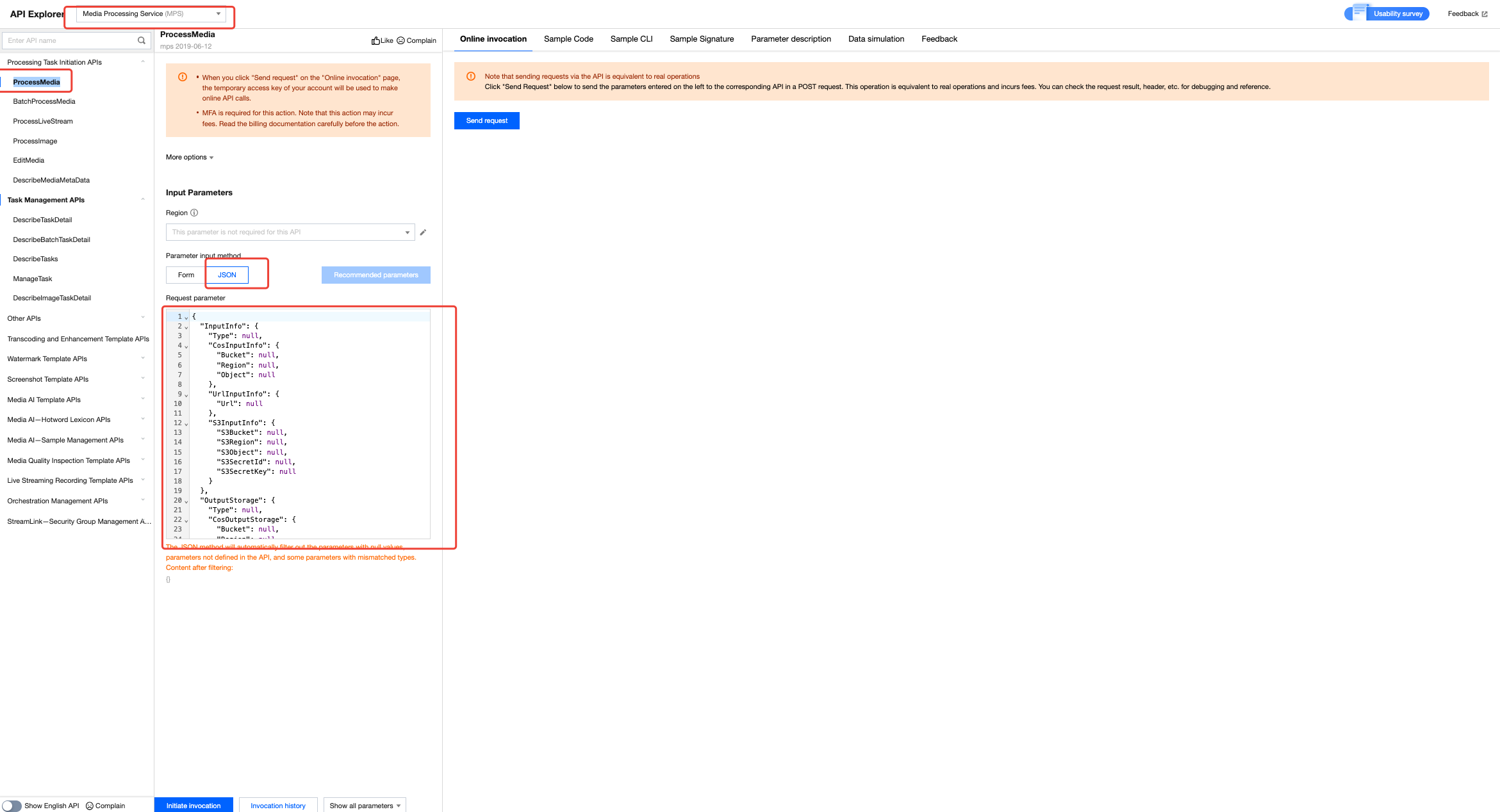
To quickly create a VOD processing task, navigate to the API Explorer page. Select the "Media Processing Service (MPS)" product; click "Processing Task Initiation APIs > ProcessMedia > JSON"; then locate the corresponding input parameter fields under the JSON.
Quickly Create a Live Processing Task
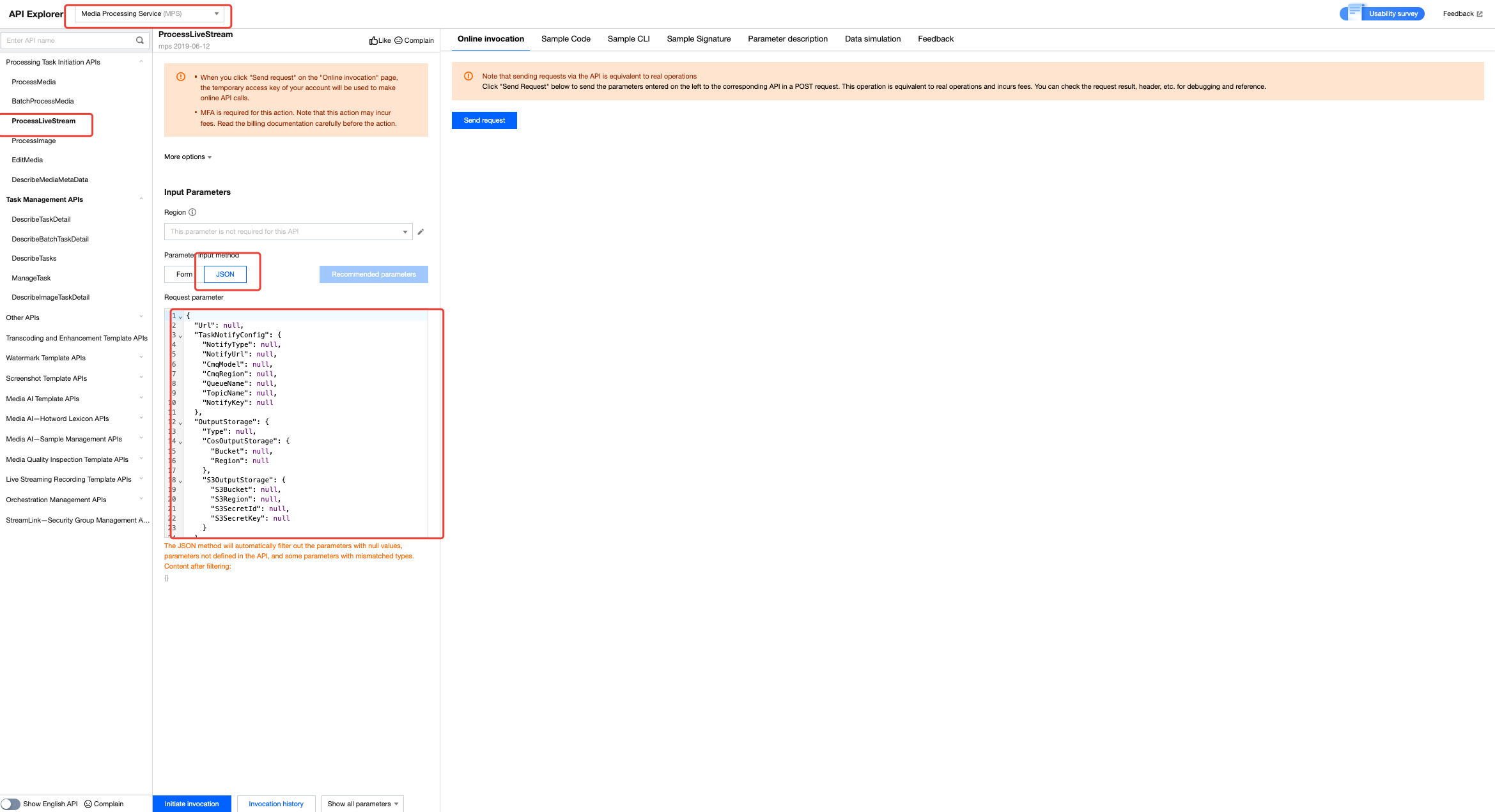
To quickly create a Live processing task, navigate to the API Explorer page. Select the "Media Processing Service (MPS)" product; click "Processing Task Initiation APIs > ProcessLiveStream > JSON"; then locate the corresponding input parameter fields under the JSON.
Step 3: Fill in JSON Code and Initiate the Invocation
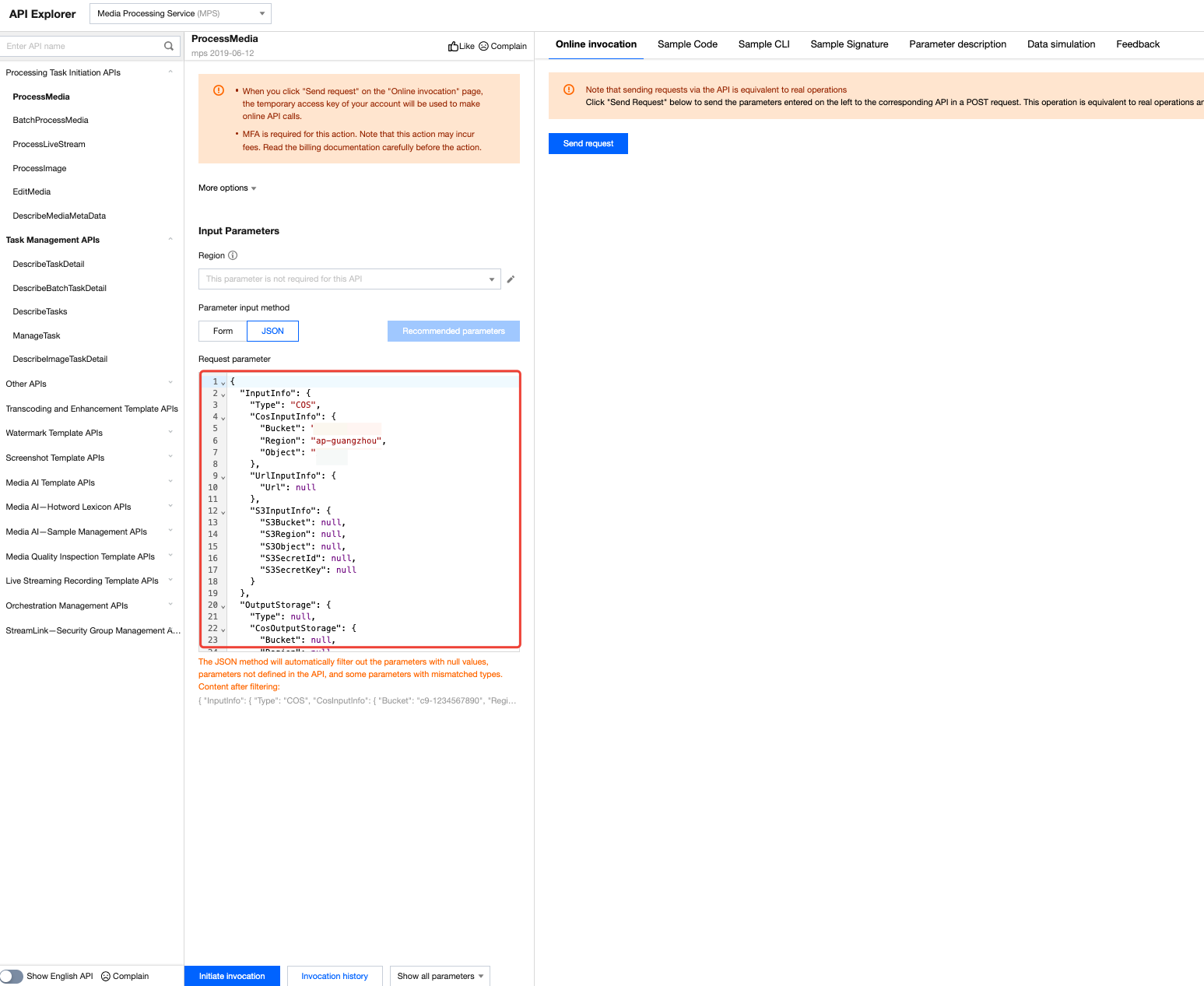
In the input parameter fields, enter the JSON code for initiating the task—either by direct input or pasting. Before initiating the call, you may customize the parameters as needed within these fields. Once adjustments are complete, click Initiate Invocation to directly launch the task.
Step 4: Query Task Results
After initiating the invocation a TaskId will be automatically generated.
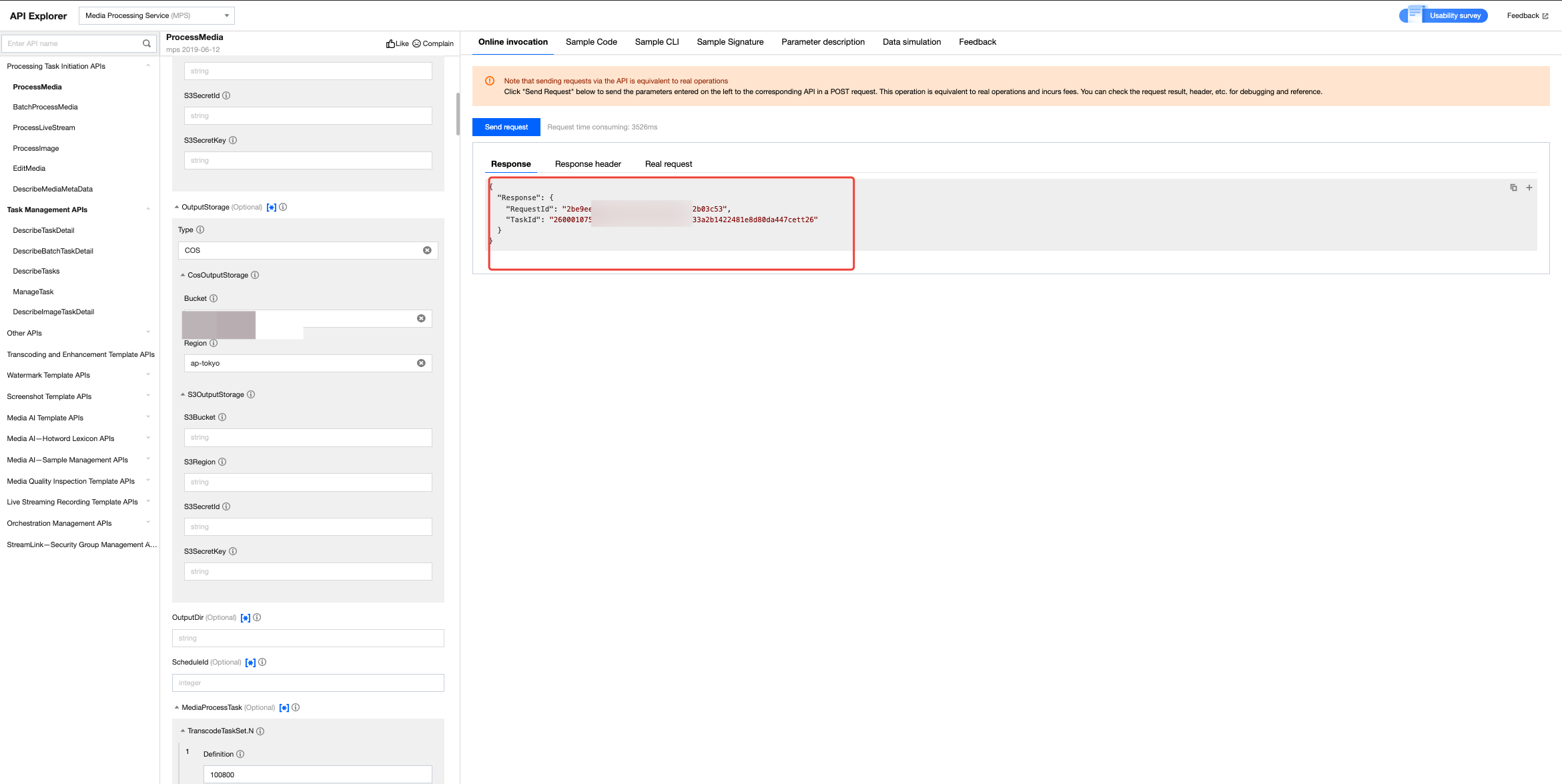
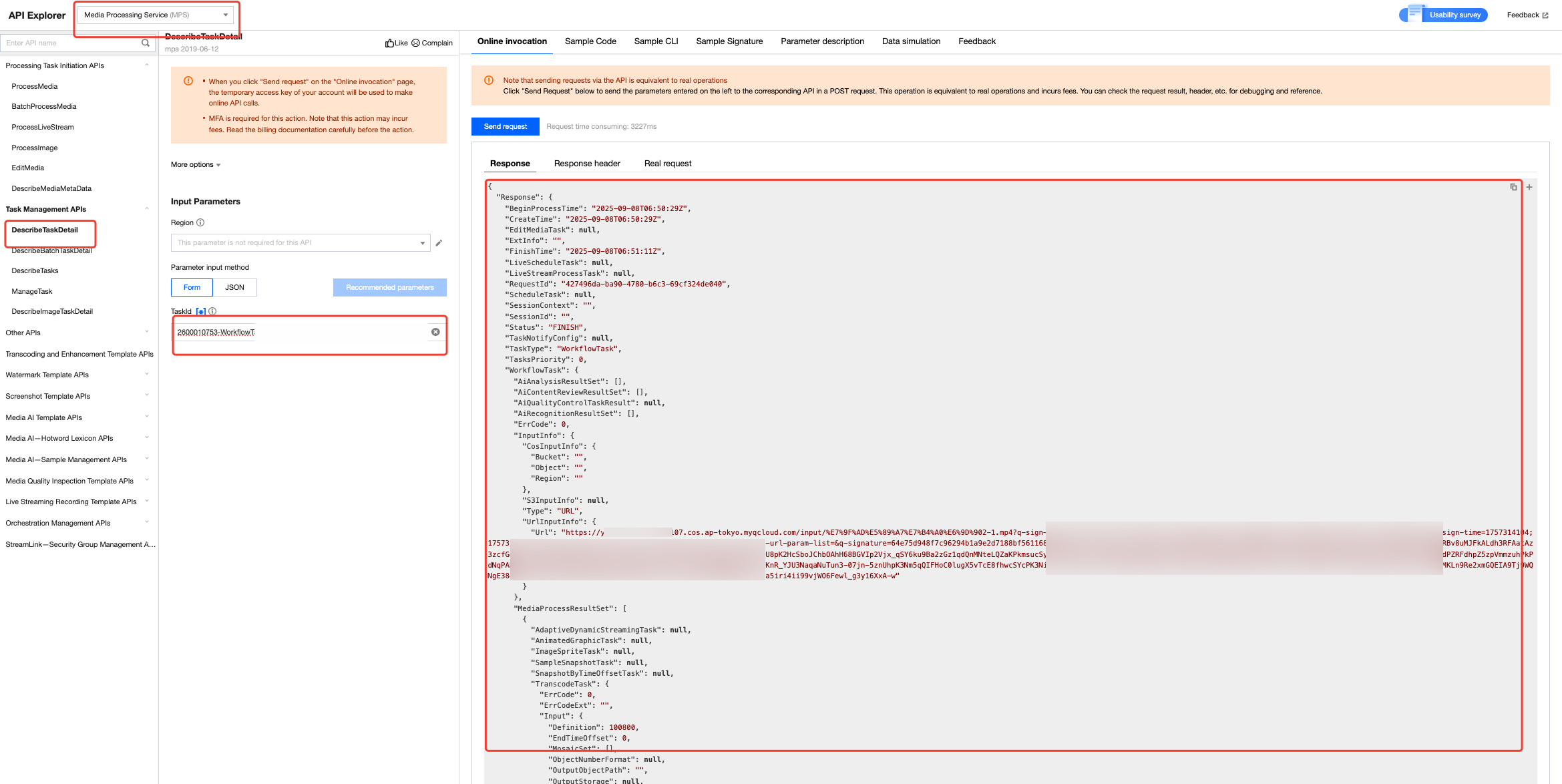
You can check the execution status and output results of corresponding tasks in the Media Processing Service (MPS) console, under the Task Management section (VOD Processing Tasks or Live Processing Tasks).
Alternatively, directly call the Task Management APIs and enter the TaskId to query the task execution status and output results.
Help and Support
Was this page helpful?
You can also Contact sales or Submit a Ticket for help.
Help us improve! Rate your documentation experience in 5 mins.
Feedback