Release Notes
Product Announcements
UserUIBundle, command+B can build the product.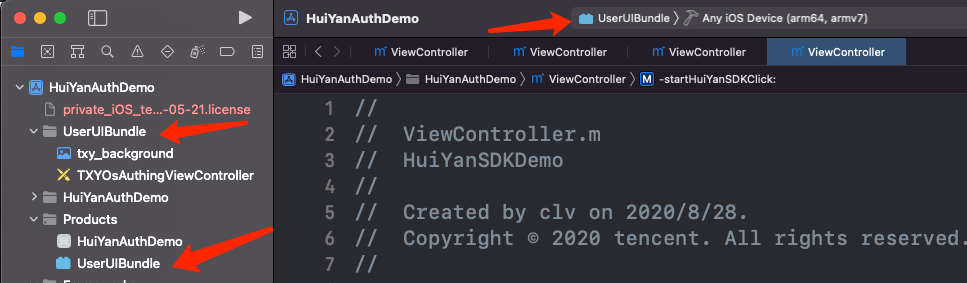
right-click to view the package content, open info.plist, delete the Executable file field, otherwise it will affect the AppStore listing and cause IPA upload errors. You can also delete theinfo.plistfile.
UserUIBundle.bundle in the SDK directory of the root directory directly with the build product, and add all libs and bundles in that directory to your own project .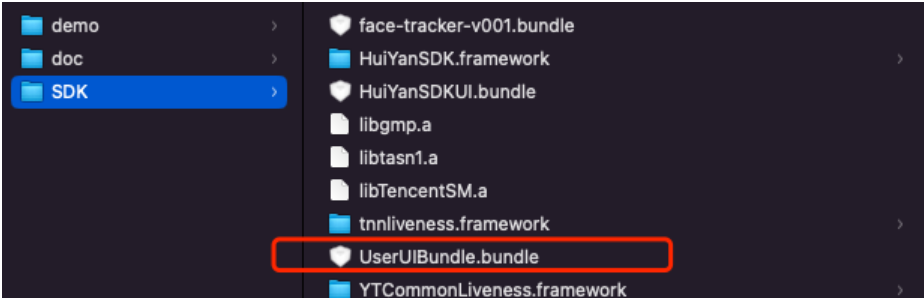
HuiYanOsConfig.HuiYanOsConfig *config = [[HuiYanOsConfig alloc]init];// Set the color of the prompt text when there is an operation errorconfig.feedBackErrorColor = 0xFF584C;// Set the color of prompt text when the action is correctconfig.feedBackTxtColor = 0xFF0000;// Set the color of the circular box when there is an action errorconfig.authCircleErrorColor = 0xFF584C;// Set the color of the circular box when the action is correctconfig.authCircleCorrectColor = 0x29CC85;// Set the recognition page background colorconfig.authLayoutBgColor = 0xFFFFFF;// Set prompt text font and sizeconfig.feedBackTxtFont = [UIFont systemFontOfSize:18];// Set additional prompt text sizeconfig.feedbackExtraTxtFont = [UIFont systemFontOfSize:18];// Set whether the internal dialog is displayed, default is YESconfig.isShowDialog = YES;// Set hidden core avatar box, default NOconfig.isHideAvatarGuideFrame = NO;
Tag field for the newly added component, retrieve the authView through the onMainViewCreate: authView callback, and find the target component added through the Tag in the authView.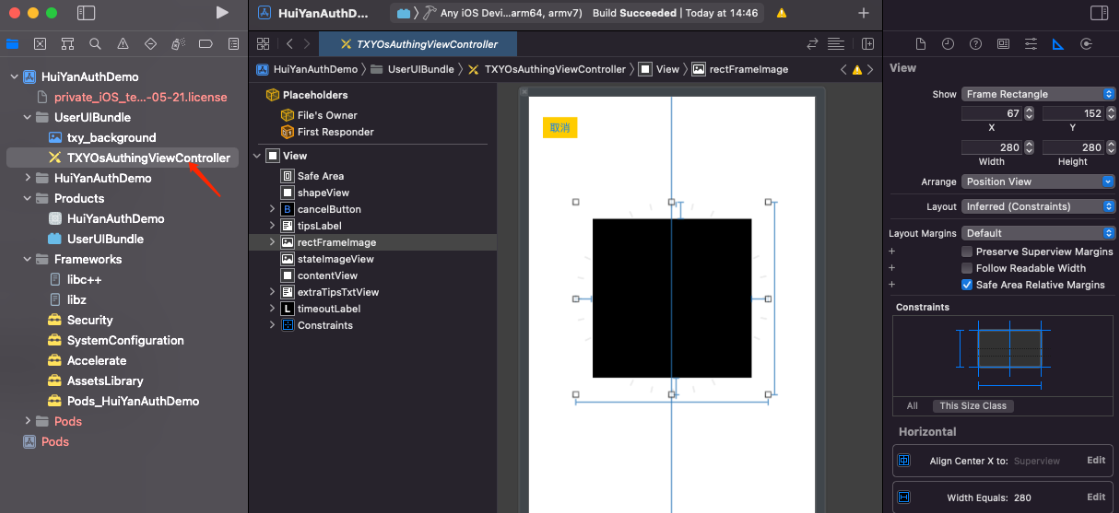
HuiYanOsConfig *config = [[HuiYanOsConfig alloc]init];config.huiyanSdkUIBundlePath = [[NSBundle mainBundle] pathForResource:@"UserUIBundle" ofType:@"bundle"];
UserUIBundle’ folder in the demo contains Localizable. On the right side of the figure, the supported language types can be set, and corresponding subfiles will appear on the left side.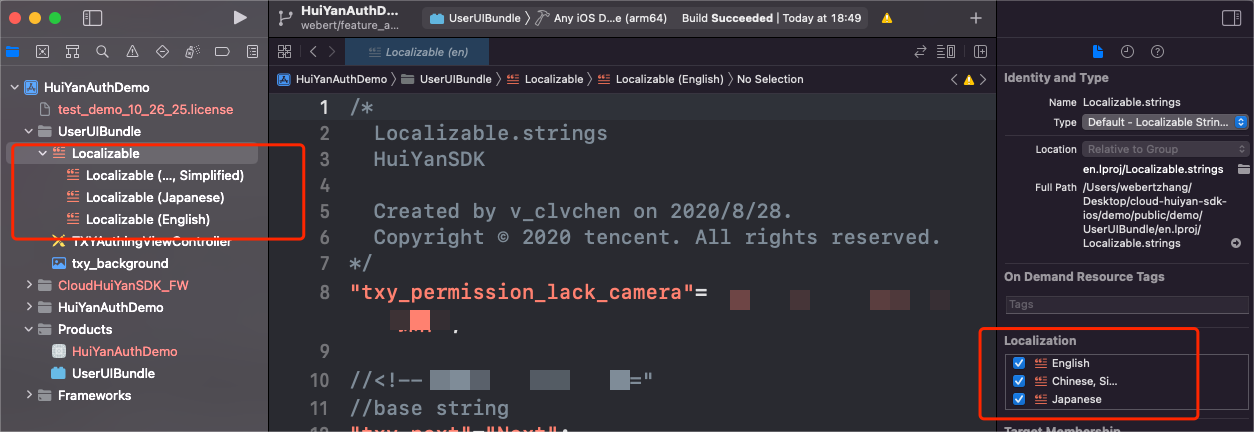
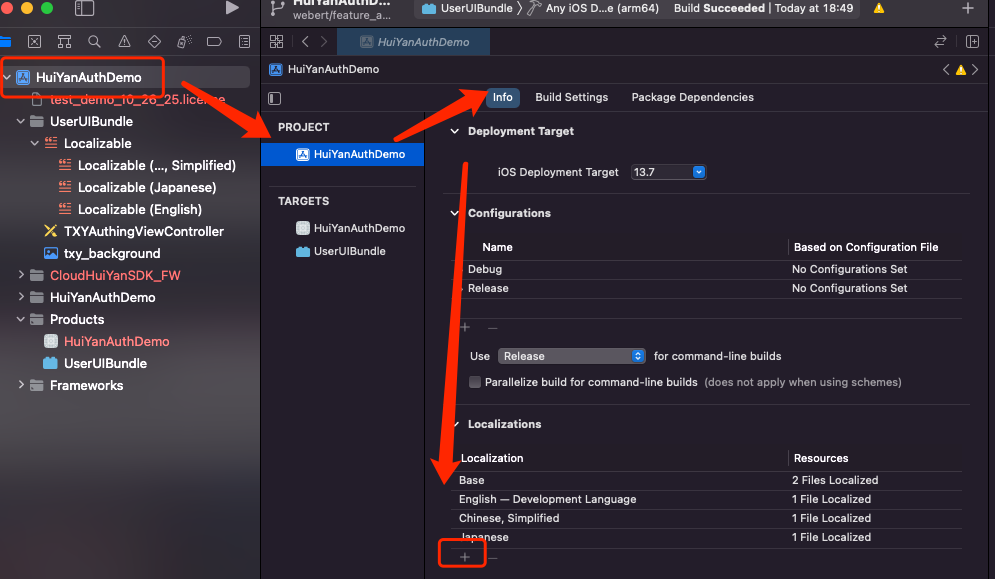
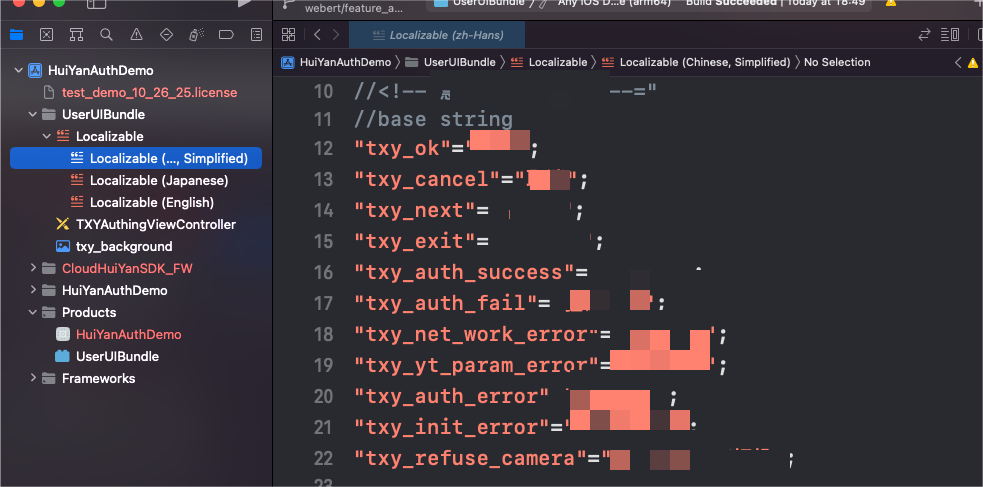
languageBundlePath field to the SDK.HuiYanOsConfig *config = [[HuiYanOsConfig alloc]init];config.languageBundlePath = [[NSBundle mainBundle] pathForResource:@"UserUIBundle" ofType:@"bundle"];// Allow specified language:config.setLanguageFileName = @"en.lproj";
userLanguageFileName can be used to view the corresponding filename in the compiled bundle file.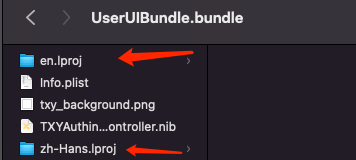
Was this page helpful?
You can also Contact sales or Submit a Ticket for help.
Help us improve! Rate your documentation experience in 5 mins.
Feedback