Copy a Flow
Download
포커스 모드
폰트 크기
If you want to quickly create a new flow based on existing flow information, you can use the flow copy feature. During the copy process, you can reset the event name, flow name, max bandwidth, input name, input region, input availability zone, output name, output region, and output availability zone for the new flow. Other information cannot be modified and will be the same as the original flow by default.
Directions
1. In the StreamLink console, select the event you created, click Flow management.
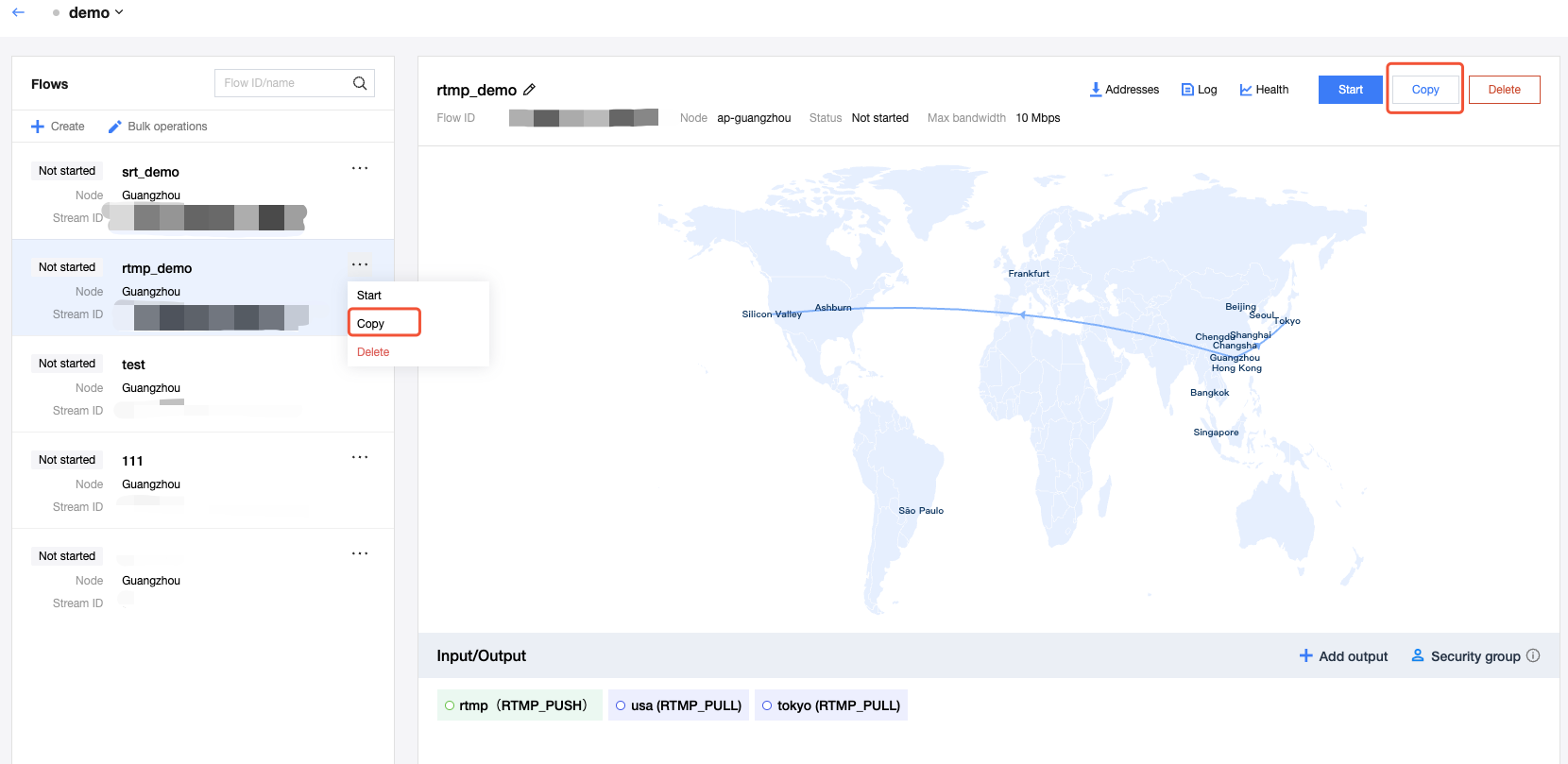
2. Select an existing flow and click the Copy button.
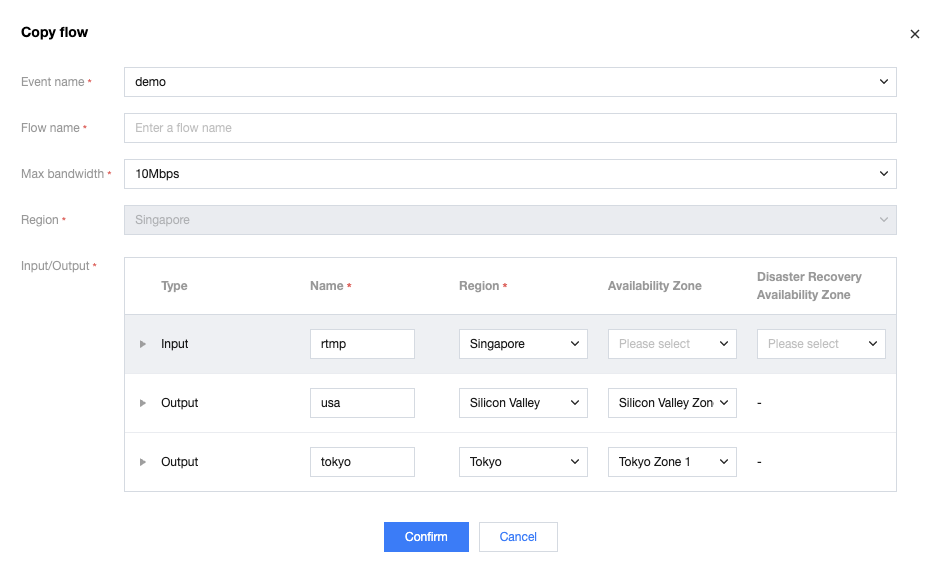
3. In the Copy function, you can reset the event name, flow name, max bandwidth, input name, input region, input availability zone, output name, output region, and output availability zone for the new flow. Other information cannot be modified and will be the same as the original flow by default.
4. After copying is complete, the newly created flow will be displayed in the flow list.
피드백